
- NewspapertagDiv AMP Plugin Tutorial
- ApiPractical example – How to add a new Block and Module
- NewspaperTrack Subscription Sources with Locker URL in Opt-In Builder
- NewspaperWP Rocket and Newspaper Theme: Optimization Guide
- NewspaperCredit System
- NewspaperIntroduction to CPT and ACF with Newspaper Theme
- NewspaperHow to edit modules for Flex Block X
- NewspaperHow to use the Posts List shortcode
- NewspaperUser review system
- NewspaperCustom Fields Support
- NewspaperHow to generate Facebook App ID
- NewspaperHow to insert a block inside the content of a post
- NewspaperModal Popup
- NewspaperPayPal Setup
- NewspaperLink Tracker
- NewspaperLockers
- NewspaperGeneral Options that May Interfere with the Newspaper Theme
- NewspaperAdd Cryptocurrency Price Ticker Widget
- NewspaperPosts Loop Element
- NewspaperThe Newspaper Mobile Theme: Introduction
 Calin
Calin Hi jarajto_pl,
Please provide me link to your website and some examples where i can get these translations that are not applying, in this way I will be able to help you!
Thank you!
 spu
spu Hi,
We tried everything, we have high-end hosting as well with lot of RAM and dedicated CPU.
We disabled all plugins and then enabled it one by one. the problem is with AMP being enabled in Theme panel with Yoast turned on.
Some severe compatibility issues. We faced this in the past too, but after the latest newspapwer theme update. It is just painfully slow and server times out.
 rohu2187
Hi there,
When I applied AMP mobile theme, none of the Images are getting loaded on listing page.
On the Post page, the images can be seen but the listing page is missing the images.
PLease help.
website: https://www.ethicaleditor.com/?amp
 CraigSnodgrass
I’ve disabled all plugins, including tagdiv plugins. I had a little success when I disabled all tagdiv plugins, but then the design broke. See link, the same content loads on every page. It does the same thing when trying different pagination methods (ajax, etc.) as well.
https://www.blueridgeoutdoors.com/camping/
 orangeed
 Can you help me to change this?
For example, now it displays at the bottom of the article. I want to display at the top of the article and on the home page in line with the date, then I will hide author name and I will use this as a custom author.
Thank you
 Prateek
 Thanks Calin, for the reply.
1) Would you also suggest changing the text size unit from px to em because if I set it at 20px it will be same for both 1080p and 4k screens which isn’t a good thing in my opinion. It will look good on 1080p screens but on 4k it’d look extremely small because of the high resolution of the display.
2) In relation to the last line of the first paragraph, does browser scaling work on desktops as well as it does on mobile devices. I mean will 1px be of same width for both 1080p and 4k displays or would it scale up for the 4k just like it does in mobile phones. For example, 16px font would look good on 5inch 100dpi screen but for the same physical dimension of the screen (5inch) with more dpi, say 400, 16px would look very small. But it doesn’t happen since the browser takes the 1px of dimension differently for both screens, i.e., the 100dpi and the 400dpi, and scale it up accordingly. Do you have any idea about whether or not this is valid for desktops as well?
3) Can you do me a favor? If anyone in your staff owns a 4k laptop/desktop or macbook air/pro(new models), can you send a screenshot of the Gossip Pro demo and one full width demo here since I don’t own any such device? More than the theme width, I am worried about the font sizes. They’re very hard to scale up for 4k when the optimum limit of breakpionts is 1141px.
Calin Hi,
You need to set only the id for the socials not the entire link -> https://i.imgur.com/upLY9b6.png for example -> https://i.imgur.com/7VVsBW7.png
Thank you!
 Vlad S
 Hello !
Please make sure you follow our tutorial closely for AMP here: https://forum.tagdiv.com/tagdiv-amp-plugin-tutorial/
Thank you !
Calin Hi pratiek,
Indeed the flex elements do not have a border radius for the module, only for element from the module, in order to set the border as in your example you need to edit the flex block and to use this custom css -> https://i.imgur.com/hJBMcWz.png -> https://i.imgur.com/VWwgIyN.png is possible that for some settings to need to be adjusted the css, if you need help with this, lease provide me a link to your website where I can create the right css.
Thank you for your understanding!
Vlad S Hello !
All that is possible by using the tagDiv Composer. In order to learn more on how to use it I would recommend you to follow this tutorial here: https://www.youtube.com/watch?v=fa7GenCHcBU&t=5s
This will apply to all the layout edited using the tagDiv Composer.
Thank you !
Vlad S Hello @Vlada13
I have replied here: https://forum.tagdiv.com/topic/google-search-console-amp-problem/
Thank you !
Vlad S Hello !
While editing your header using the tagDiv Composer you will be able to set the url on your logo as you can see here: https://www.screencast.com/t/0Mj5rVxkK ; https://www.youtube.com/watch?v=HXQQygkCCJo&t=3s
Thank you !
Calin Hi,
This can be achieved only on responsive version, if you are using the mobile theme plugin, then you can not set the modal image on mobile. -> https://imgur.com/d4NNG4D -> https://forum.tagdiv.com/modal-window/
As example you can check this demo https://demo.tagdiv.com/newspaper/wordpress-news-magazine-charts-the-most-fashionable-new-york-couples-in-2016/
Hope this will help you!
Thank you!
Calin Hi,
As I know the css need to be loaded in head of website, also some javascripts need to be load in head and other javascrips at the end of body. So if I’m right your code need to be set like this -> https://i.imgur.com/v0g36f4.png
These need to be set in head
<link rel="stylesheet" type="text/css" href="http://hosted.stats.com/config/shsdefault.css">

<link rel="stylesheet" type="text/css" href="http://knbr.stats.com/shs.css">

<link rel="stylesheet" type="text/css" href="http://hosted.stats.com/config/nfldraftdefault.css">

<link rel="stylesheet" type="text/css" href="http://knbr.stats.com/multi.css">

<link rel="stylesheet" type="text/css" href="http://knbr.stats.com/nfldraft.css">
And these at the end of body ->
<script language="javascript" SRC="http://knbr.stats.com/multisport/draft.js.asp?sport=nfldraft&type=ontheclock&lang=en"></script>
Hope this will help you!
Thank you!
Calin Hi,
We have some demos that are full width too, but indeed there are more that are not, there are many users that use laptops or small screens therefore most of our demos have small width.
If you want you can check the demos here -> https://demo.tagdiv.com/select_demo/select_demo_newspaper?utm_source=live_preview&utm_medium=click&utm_campaign=demos&utm_content=demos_button#demos also you can edit the demos using tagDiv Composer if you want to make theme full with, in special PRO demos.
Thank you!
Calin Hi,
This can be achieved using a cloud header from tagDiv Cloud Library, edit it using tagDiv Composer and replace the logo with an image -> https://i.imgur.com/Hn3Uj5q.png -> https://i.imgur.com/gWlntJk.png
Or you can edit the theme files and replace the logo link -> wp-content/plugins/td-standard-pack/Newspaper/parts/header/logo.php -> https://i.imgur.com/SEd4SkR.png and D:\xamp\htdocs\Newspaper\wp-content\plugins\td-standard-pack\Newspaper\parts\header\logo-h1.php -> https://i.imgur.com/83oPUDI.png
Hope this will help you!
Thank you!
 Tech It Zone
How can I boxed top header section & footer section like this – https://imgur.com/2hhEp6c</a. My all data like Theme & CMS are Updated
Thanks & regards
Tech It ZoneHow can I boxed top header section & footer section like this – https://imgur.com/2hhEp6c & inline single image section are not working properly like this – https://imgur.com/undefined My all data like Theme & CMS are Updated Thanks & regards
 irenerenbar
Hi,
I have installed the Classy Magazine demo on my website and I can not modify the font of the articles title. I have change it in the theme however then the Playfair font is showed. Should I modify a css file directly?
For example:
.tdi_7_2e5 .entry-title {
font-family: Playfair Display !important;
font-size: 30px !important;
line-height: 38px !important;
font-weight: 700 !important;
}
.tdi_11_c73 .tdb-title-text {
color: #ffffff;
font-family: Playfair Display !important;
font-size: 72px !important;
line-height: 1.1 !important;
font-weight: 700 !important;
}
Many thanks for your help!
 HeliR
HeliRI would like to add certain shortcode elements to my author box.
i found the text to be within a class “td-author-description”
which I only found in the loop-single.php
when I edit loop-single.php to show an extra header2 “test-header” and then do_shortcode I do not get any result. All Caching plugins are removed, I re-read the page with Ctrl-F5 and dont take it from browser-cache as well as I tried it with mobile & ipad. How would you suggest I can add shortcodes to author-box
<div class="td-author-description"><h2>test-header</h2>

 <?php echo esc_html(do_shortcode("xxx" . get_the_author_meta('description', $author_id))) ?>

</div>
 iffi94
Hi,
I am trying to change the content of the Sports Pro header.
For example, selecting the Header Style from Style 1 to Style 2. However it is not reflected in the Website.
Further when I insert the logo, the sports logo is also in the Header.
Please help
 amlendrakumarpaswan
I need that when viewers open my website in desktop then open full website and on mobile open in amp version
 llucson
I can’t edit the content of the “Text with Title” element and column text in tagdiv composer. I’m using the last version (Newspaper v10.3.1) & Romania News Template
 merquart
Hey,
I’m trying to automatically insert tag_slugs for the flex_block_1, but I’m not sure how to do that.
I’ve got a bunch of like “profile pages” and would like to show a “more about this person” tab, which displays all posts that use the name of that person as a tag_slug.
I tried to do that with a small wordpress plugin, that simply returns the [td_flex_block_1] code with the name of that person. (see Image 1 and the code)
Image 1:

$ausgabe .= "[td_flex_block_1 modules_on_row='eyJhbGwiOiIzMy4zMzMzMzMzMyUiLCJwaG9uZSI6IjEwMCUifQ==' limit='6' hide_audio='yes' modules_gap='1.4%' image_height='65' hide_image='' image_width='' image_floated='' meta_padding='' image_radius='' meta_info_horiz='' modules_category='above' modules_category_margin='' show_cat='' show_author='' show_date='' show_review='none' show_com='none' show_excerpt='' show_btn='none' tag_slug='" . $artistname . "' sort='random_posts' td_ajax_preloading='preload' ajax_pagination='next_prev' meta_info_align='' custom_title='Mehr zum Thema " . $artistname . "' custom_url='https://thisismywebsite.de/tag/" . $artistname . "/' block_template_id='' accent_text_color='#48aba2' header_text_color='#ffffff']";
But on the page the code gets printed out 1:1 (see Image 2)
Image 2:
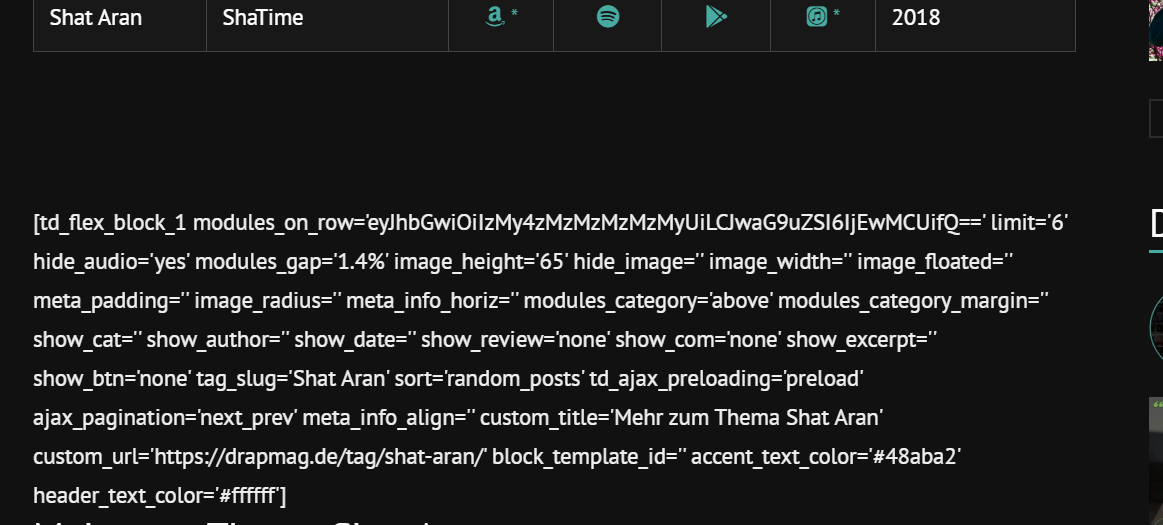
If I copy & paste this code like it is into the post it works (see image 3 & 4)
Image 3:
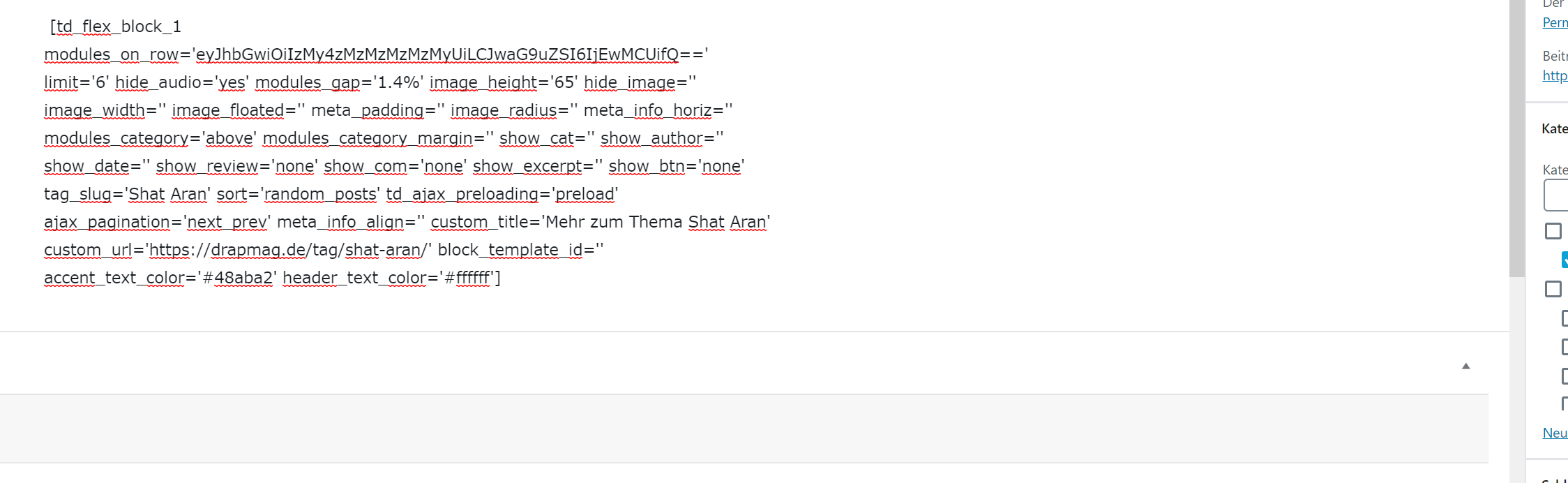
Image 4:
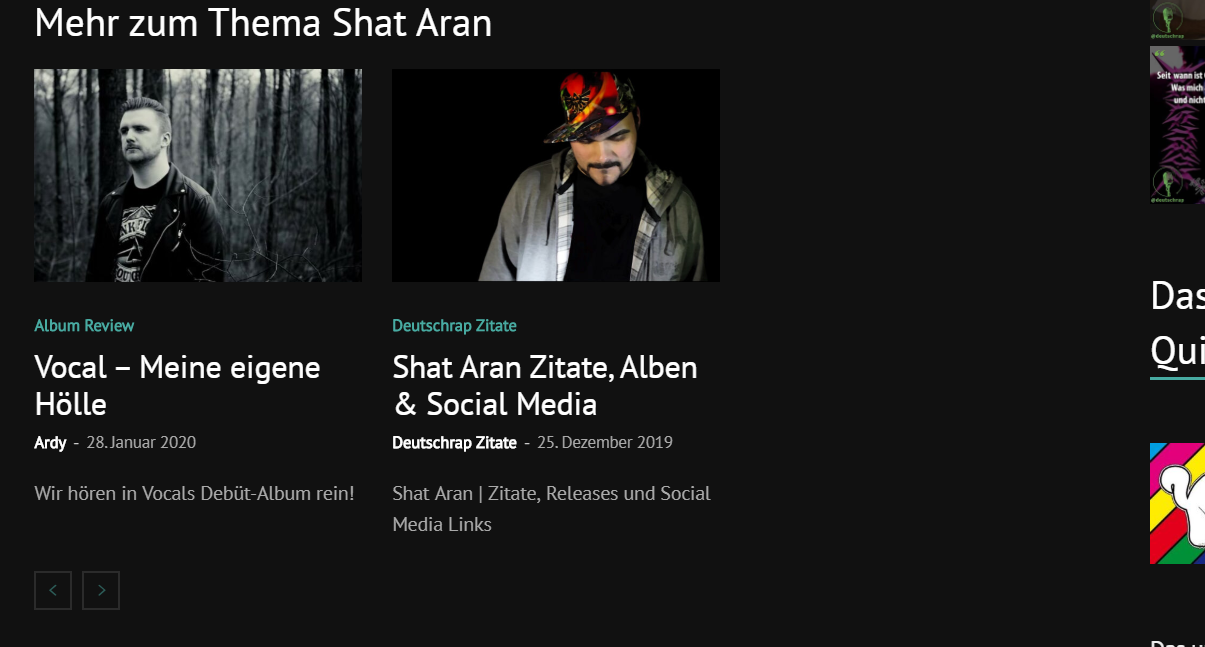
Is there anything I can do to make this work with using wordpress_shortcodes? Why does it get printed out plain when I’m using the method I tried? Or maybe there’s another workaround to use flex_block without manually changing the tag_slug on every page?
Big thanks in advance for your help.
Best regards
 Gul Klud
 Hi Calin
Thank you for your quick reply once again.
Follow up: The text module won’t show the code.
So I tried the custom javascript.
I want to place the script in a banner type box in the side bar. How do I do that?
Here is the code:
<link rel=”stylesheet” type=”text/css” href=”http://hosted.stats.com/config/shsdefault.css”>
<link rel=”stylesheet” type=”text/css” href=”http://knbr.stats.com/shs.css”>
<link rel=”stylesheet” type=”text/css” href=”http://hosted.stats.com/config/nfldraftdefault.css”>
<link rel=”stylesheet” type=”text/css” href=”http://knbr.stats.com/multi.css”>
<link rel=”stylesheet” type=”text/css” href=”http://knbr.stats.com/nfldraft.css”>
<script language=”javascript” SRC=”http://knbr.stats.com/multisport/draft.js.asp?sport=nfldraft&type=ontheclock&lang=en”></script>



