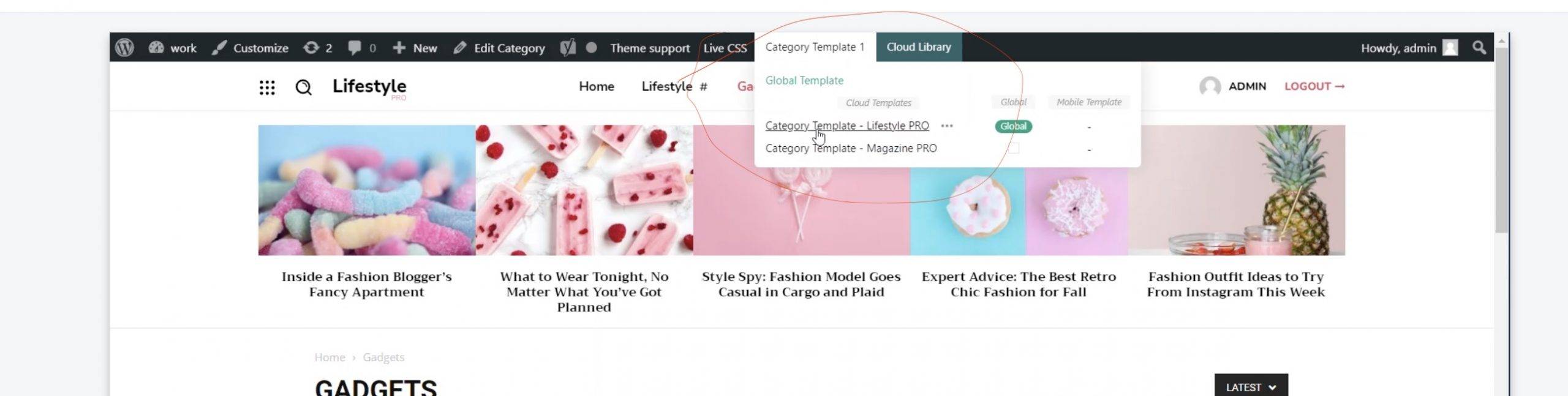
- NewspaperHow to Use tagDiv Cloud Library
- NewspaperCloud Library Templates
- NewspaperCloud Library – Category Templates
- NewspaperDesign your Post Pages using the Cloud Library Templates
- NewspapertagDiv Cloud Library Plugin
- NewspaperCloudflare (CDN)
- NewspaperSingle External Shortcode and External Shortcode
- NewspaperSearch setup for custom post type
- NewspapertagDiv Composer – Website Manager
- NewspaperFlex Block Builder and Flex Loop Builder
- NewspaperModules Builder in Newspaper Theme
- NewspaperIntroduction to CPT and ACF with Newspaper Theme
- NewspaperCreate a frontend submission form
- NewspaperFilters and sorting for taxonomies
- NewspaperUser review system
- NewspaperHow to use the Google Maps API
- NewspaperWooCommerce: Happy “Add to Favorites!”
- NewspaperHow to insert a block inside the content of a post
- NewspaperHow to setup the Contact Page
- NewspaperPosts Loop Element
 Bettina
 Hello @romi!
Only the administrator and editor can do changes with tagDiv Composer and can save it.
The other users can open it, but the changes made are not saved.
We will try in the future to implement the option to hide cloud templates for the rest of the users who do not have access to edit.
Thank you!
Bettina Hello Mario!
Please make sure that you have enabled the proper thumbs with sizes 324 X 160 in order to show the featured images properly, check this: https://www.screencast.com/t/N18dR3qZrh
After activating the thumbnail sizes you need to regenerate your thumbnails using a plugin. Check this: https://forum.tagdiv.com/using-the-theme-with-existing-content/
For more customizations, we recommend to use cloud/PRO templates in order to have the possibility to edit them with the TagDiv Composer which contains a lot of functions and features, please check our tutorial here: https://forum.tagdiv.com/tagdiv-composer-tutorial/
Documentation here:
– https://forum.tagdiv.com/cloud-library-templates/
– https://forum.tagdiv.com/design-post-pages-using-cloud-library-templates/
– https://forum.tagdiv.com/cloud-library-category-templates/
Check also our video tutorials here: https://www.youtube.com/c/tagdivThemes/videos
We recommend you to use Yoast SEO plugin because is a tested plugin with our theme.
Thank you!
 Anamaria
 Hello,
The footer template does not have the button to be edited with the tagDiv Composer in the backend. Please check this guide:https://forum.tagdiv.com/footer-templates/
You can edit with tagDiv Composer the footer template can be edited only from the frontend if it is assigned, edit a page/post template with tagDiv Composer and go down to the footer => https://www.screencast.com/t/rpfNhfyrF
Thank you!
 nwnuyhs
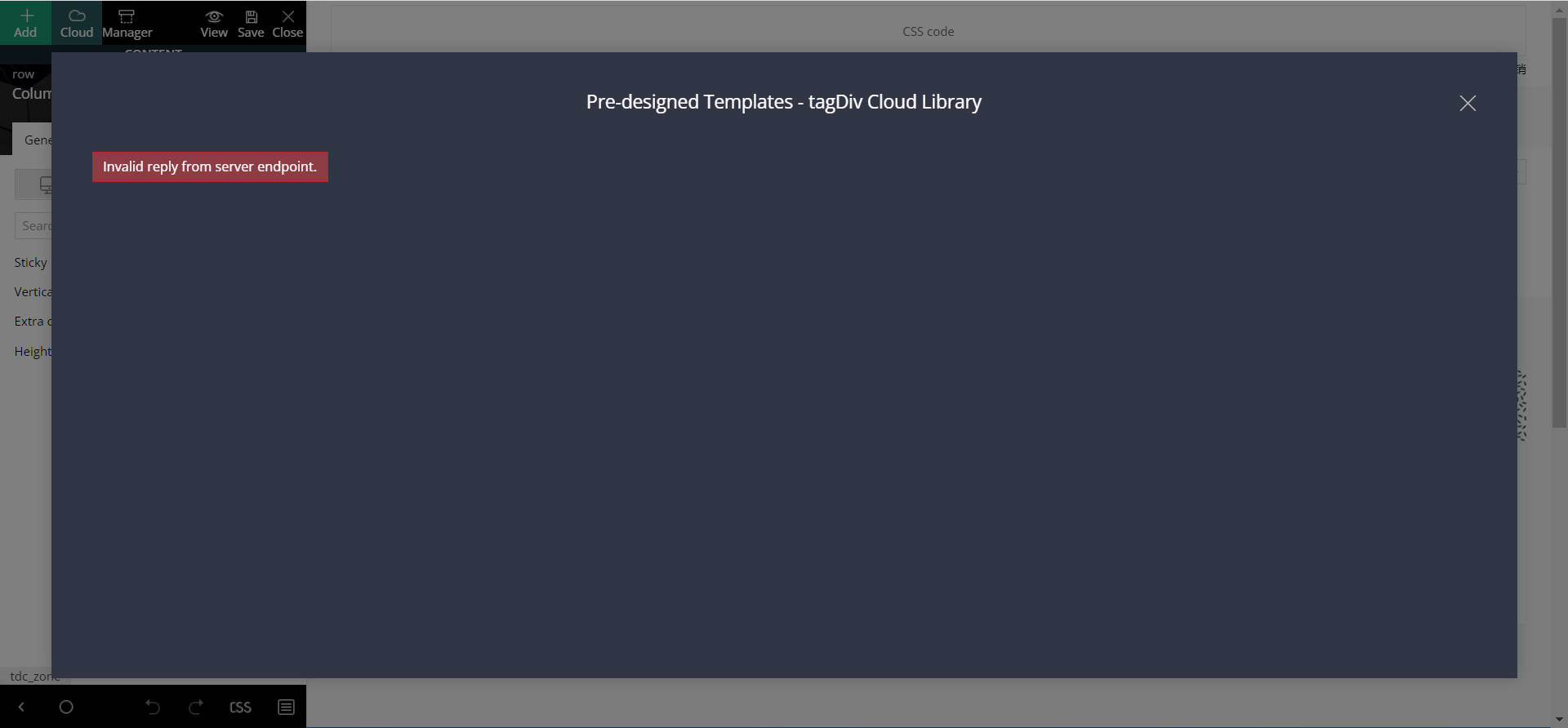
The cloud template for the newspaper theme is really a bad design, I have a good network and I just can’t load the template. I hope the developer can pay attention to this problem, this is the second feedback, I hope you can solve this problem in the next update.
 AjitSirohi
My website Hoem Page is fully setup. I am trying to setup the Single Post page. The cloud “Single Post Template – Default pro”shows the whole Home Page. When I delete something from it it deletes that content from Home Page also. I want to setup Post display different from Home Page. I tried to work on the Single – Blank Template. Same problen there – it shows all content of Home Page and Home Page gets deleted when I edit it.
How can I setup a Sigle Post Page different from Home Page ?
 muterobert
I’m trying to build a Single Post Template which will control the look of all Single Post pages.
I started from a completely blank Single Post Template from the Cloud Library. On the Single Post Template I have created two columns in a row so that the elements are side-by-side. This renders correctly when I view the Single Post Template.
However, when I view a Single Post to which the Template has been applied, the two columns are condensed into a single column.
Visual explanation: https://imgur.com/a/jukTnVv
I have tried globally disabling any side-bars, both on the Single Post Template and on Single Posts, but I’ve been unable to get the Single Post to correctly show both columns side-by-side.
I’m not sure what else to try.
 mastaliyev
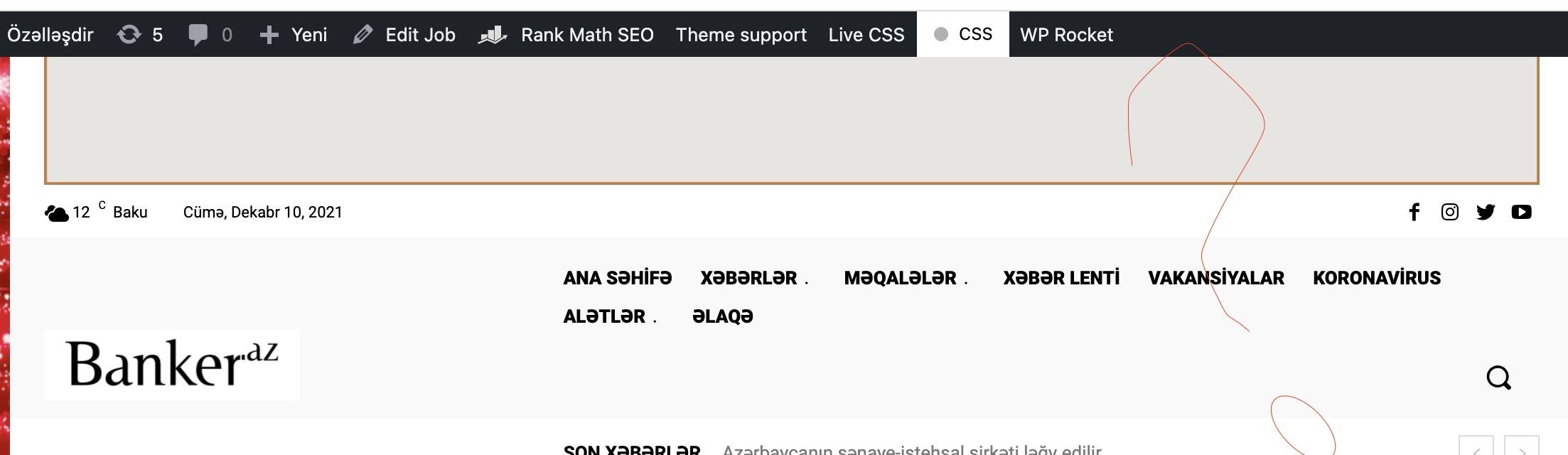
 but i don’t have menu like in that video to install that cloud header (https://banker.az/wp-content/uploads/2021/12/Screen-Shot-2021-12-10-at-16.39.25-scaled.jpg)
it’s like this in my page https://banker.az/wp-content/uploads/2021/12/Screen-Shot-2021-12-10-at-16.40.04.jpg
 spenxx
Hi guys,
Please, I need some help with your Newspaper theme. I’m currently redesigning a site and I created a footer with the cloud templates and after activating it, I can’t edit the sub-footer (bottom footer) of the theme area.
Also, when I try to edit it from the cloud templates, it’s not giving the option to use tagdiv composer only on that footer template.
Bettina Hello @mastaliyev!
You should install a cloud template for that page and assign it. To assign the new cloud template you need to click on template and choose the cloud one.
For example, check this video: https://www.screencast.com/t/Ufid7bL3
Thank you!
 Bandos
 Hi Bettina,
thanks for your answer. The guys from Molongui sent me this doc about tagDiv Cloud Library: https://www.molongui.com/docs/molongui-authorship/compatibility/tagdiv-cloud-library/
Bettina Hello @mhaynes!
Yes. You need to use cloud templates to achieve what you need and also in order to have the possibility to edit them with the TagDiv Composer which contains a lot of functions and features, please check our tutorial here: https://forum.tagdiv.com/tagdiv-composer-tutorial/
Documentation here:
– https://forum.tagdiv.com/cloud-library-templates/
– https://forum.tagdiv.com/design-post-pages-using-cloud-library-templates/
– https://forum.tagdiv.com/cloud-library-category-templates/
Check also our video tutorials here: https://www.youtube.com/c/tagdivThemes/videos
If you want a special category and a special subcategory(I mean different than others), then you need to assign different template for each category or duplicate them.
There is a global template which is by default set by you for all your category, posts,etc, but you can assign a different template like this : https://www.screencast.com/t/rk0VZfQWk6n
You can set a template for categories and posts in the theme panel -> categories also: https://www.screencast.com/t/HOSV7YmJ4N
Check this topic: https://forum.tagdiv.com/topic/different-logo-in-categorypage/ ; Here I explained step by step how you can duplicate a template.
Hope that helps you!
Thank you!
mastaliyev Dear Bettina
thank you very much for such detailed answer.
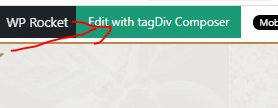
i try to add cloud menu there, but can’t find way to call that tagdiv tools. because there is no page edit button like in other pages (see below what button i mean). https://banker.az/wp-content/uploads/2021/12/Capture-1.png
 eddycom
 Thank you, Anamaria,
Done! Only the “HEADER” remain the same, and in header I’ve just one for all pages/posts with Logo and Ads 728×90 px, and menù. Can help me please to change also header in some posts?
I have done the header for all website from Cloud template. If I change header in the duplicate page this change is reflected on all pages. i.e. if I delete the advertising at the top of the duplicated page and set as a favorite in some posts, the Ads also disappears from the other posts. Thanks
Bandos Hi Bettina,
thanks for you quick answer. The settings are like in the guide.
In default post templates of the theme it works fine, but when i change to the templates i created in cloud templates it only shows the first author name.
That’s why i don’t understand what happened.
Thank you
jb
Bettina Hello Chris!
I can see that you use a cloud/PRO author template.
Please note that Cloud library templates do not work with CPTs.
A guide for CPT you can find here: https://forum.tagdiv.com/custom-post-type-support/
Thank you!
 mobiwizy
Hi,
I just installed the theme and imported a demo. When I try to update a template (automatically created by tagdiv), I get this error message appearing:
Error at zones: 6(models) : 0(dom). The model does not match the content Current state has involved an issue. You could try an UNDO operation (CTRL+Z / CTRL+SHIFT+Z)
The console shows me that:
Refused to display ‘https://mywebsiteurl.fr/’ in a frame because it set ‘X-Frame-Options’ to ‘deny’.
Victor
Bettina Hello @baijubenance!
Please build the page only with the TagDiv Composer plugin and disable the Elementor plugin.
Use only one builder and not both.
For more customizations, we recommend to use cloud/PRO templates in order to have the possibility to edit them with the TagDiv Composer which contains a lot of functions and features, please check our tutorial here: https://forum.tagdiv.com/tagdiv-composer-tutorial/
Documentation here:
– https://forum.tagdiv.com/cloud-library-templates/
– https://forum.tagdiv.com/design-post-pages-using-cloud-library-templates/
– https://forum.tagdiv.com/cloud-library-category-templates/
Check also our video tutorials here: https://www.youtube.com/c/tagdivThemes/videos
Thank you!
Bettina Hello @jtoney!
Please make sure you activated the Google Adsense code.
If the AdSense code needs to be set between head tags, this can be set in our theme in Theme Panel -> Analytics/Js Codes. Example: https://prnt.sc/1tju9qf -> https://prnt.sc/10jk7fq
For the random ads, I can recommend you to use auto ads and the code must be placed in analytics too.
Also, you can place the custom code ads using the Ad box and place it where you like in the cloud/pro templates.
Unfortunately, this can be done manually only and it is not automatically updated only the auto ads when you refresh the page.
Thank you!
Bettina Hello @CJ6!
For the default templates you have the settings from the theme panel.
The background color can be changed from theme panel -> theme colors -> background color.
And the text color from here: panel -> theme colors
-> https://www.screencast.com/t/jjbz4bMbv
For more customizations, we recommend to use cloud/PRO templates in order to have the possibility to edit them with the TagDiv Composer which contains a lot of functions and features, please check our tutorial here: https://forum.tagdiv.com/tagdiv-composer-tutorial/
Documentation here:
– https://forum.tagdiv.com/cloud-library-templates/
– https://forum.tagdiv.com/design-post-pages-using-cloud-library-templates/
– https://forum.tagdiv.com/cloud-library-category-templates/
Check also our video tutorials here: https://www.youtube.com/c/tagdivThemes/videos
Thank you!
Bettina Hello @mastaliyev!
In order to edit the header with the TagDiv Composer you should have a cloud header template installed and assigned in the Website Manager -> Header. Please follow this video: https://www.screencast.com/t/hEAyf6TBTfo2
It is the same for categories and posts.
By editing a page with TagDiv Composer you could delete elements but also the row called “Empty column”.
You could try to delete it like this: select the row, press the button delete from your keyboard, then with your mouse select “YES”.
Also you have another option too, check this: https://www.screencast.com/t/pxuOzYIIpcG
There is actually a recycle bin basket for every element if you just look carefully: https://www.screencast.com/t/wFYdqgpo6pT
We recommend to use cloud/PRO templates in order to have the possibility to edit them with the TagDiv Composer which contains a lot of functions and features, please check our tutorial here: https://forum.tagdiv.com/tagdiv-composer-tutorial/
Documentation here:
– https://forum.tagdiv.com/cloud-library-templates/
– https://forum.tagdiv.com/design-post-pages-using-cloud-library-templates/
– https://forum.tagdiv.com/cloud-library-category-templates/
Check also our video tutorials here: https://www.youtube.com/c/tagdivThemes/videos
Hope that helps you!
Thank you!
Bettina Hello!
You should use a cloud/PRO template, edit it with the TagDiv Composer and search about that element, please check this video: https://www.screencast.com/t/rHar8ozcaFJ
Hope that helps you!
Thank you!
 CJ6
CJ6I am working on updating a website that is a couple of years old. It has the most up-to-date Newspaper theme, but probably started about 2 years ago with an older version. Right now, my body background is dark gray, but I’d like to change it to white (and the white text to black). I have tried updating the color in the Theme Panel –> Theme Colors –> General theme colors. But, nothing has changed, the color stays the same. It does not use an image for the background. I don’t see any custom code within the Custom CSS page and I cannot figure out where it is getting the color from. I have turned on Development Mode for Cloudflare, as well. Do you have any other recommendations on what I can check to try to change the color? Thanks
 Ernum
Ernum Hi!
Thank you 😉
I wanted to ask, if I have to downgrade version back to what it was before, then I couldn’t anymore? In test enviroment were all good but I think something might happen, then can I downgrade also. Tried to change theme and used old plugins but then it was messed up in test 🙂
// Sorry, I think I got it updated now and no need to downgrade. Head got little bit nervous and overthinking 🙂 Now I can make ready cloud templates for all and then I can disable standard pack and then I can get site speeded up.
-
This reply was modified 4 years by
Ernum.
 NFT Insider
Hi,
I accidentally set the Cloud templates to ‘concept’, and now my blogpost look very weird. I can’t get them back to the original shape. Is there some way to fix this? Thanks!
Bettina Hello!
In order to edit the header with the TagDiv Composer you should have a cloud header template installed and assigned in the Website Manager -> Header. Please follow this video: https://www.screencast.com/t/hEAyf6TBTfo2
Thank you!