
- NewspaperHow to Use tagDiv Cloud Library
- NewspaperCloud Library Templates
- NewspaperCloud Library – Category Templates
- NewspaperDesign your Post Pages using the Cloud Library Templates
- NewspapertagDiv Cloud Library Plugin
- NewspaperCloudflare (CDN)
- NewspaperSingle External Shortcode and External Shortcode
- NewspaperSearch setup for custom post type
- NewspapertagDiv Composer – Website Manager
- NewspaperFlex Block Builder and Flex Loop Builder
- NewspaperModules Builder in Newspaper Theme
- NewspaperIntroduction to CPT and ACF with Newspaper Theme
- NewspaperCreate a frontend submission form
- NewspaperFilters and sorting for taxonomies
- NewspaperUser review system
- NewspaperHow to use the Google Maps API
- NewspaperWooCommerce: Happy “Add to Favorites!”
- NewspaperHow to insert a block inside the content of a post
- NewspaperHow to setup the Contact Page
- NewspaperPosts Loop Element
 Calin
Calin Hi,
All you need to do is to click on the top bar on edit template -> http://prntscr.com/oojdbe or in cloud templates http://prntscr.com/oojeem
If you want top make it, then all you’ll need to do is to drag and drop the element in the right down corner in delete section http://prntscr.com/ooj1bz http://prntscr.com/ooj23f or using the right click ->http://prntscr.com/ooj29m
Thank you!
 Lass3
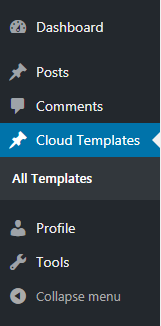
Lass3Hello, When I use for an example “User editor roles” I cannot remove the function so that the menu “Cloud template” can be used. When I do so people can post, they are also allowed to edit the templates, this is not good. How do I fix this?
 Simion C.
 Hi,
@rupesh_ic 2. I see the “Oral healthcare” menu item is a page menu, seems to work fine at the moment
– https://prnt.sc/ooi9hh
It should work fine regardless of the header used. What exactly is the problem with it? Let me know.
3. By default there is a limit in the mega-menu, I believe of 30 sub-categories. For default header templates it can only be changed in the theme code. The default header templates also don’t have layout options.
However using cloud header templates the limit can be set custom – https://prnt.sc/ooicje
Also these have container width and height settings and a great amount of other customization options – https://prnt.sc/ooidx0
@Virendra Singh If you use a cloud header template and you width to customize the sticky version of it, simply edit the header with the composer and activate the sticky mode (desktop or mobile) – https://prnt.sc/ooiev6
– https://forum.tagdiv.com/header-manager/
Now you can customize it as you want. If you don;t want a sticky header, remove all the elements from the sticky mode. Let me know if you have more questions.
Thanks
Calin Hi,
All the pages, including the homepage will have in top bat this button for TD Composer -> http://prntscr.com/ooi61n also using tagDiv Composer you can edit pages and templates from tagDiv Cloud Library .
Also the pages and homepage ( front page ) can be edit like this -> http://prntscr.com/ooi6tb
Hope this will help you!
Thank you!
 armohd
Hi there.
I am trying to set up a custom ads size for devices eg : 728×90 on mobile, 300×280 for mobile for my inline article ads.Im using cloud templates, but i didnt see any options to do so in cloud templates.
Do you have a solution for this
Simion C. Hi,
When using a cloud header template, you can design the desktop and mobile headers, and their sticky versions as well – https://forum.tagdiv.com/header-styles/
Simply edit the header with the composer – https://prnt.sc/ooh1e1
Activate the sticky mode in the composer to see what elements it contains
– https://prnt.sc/ooh1ua
Then click on the elements you want to modify, or remove them all. If they are all removed the header won’t have a sticky mode.
Do the same for the mobile sticky header – https://prnt.sc/ooh2e1
If you have more questions let me know.
Thanks
Calin Hi,
Usually this is just a cache problem; please make sure that you clear all cache and try again.
If you are using a cloud header not the default header http://prntscr.com/oogvwv then you’ll need to edit that header template -> https://www.screencast.com/t/FkAe80JsuCo check the sticky menu, scroll until you see the sticky menu and click the menu and logo -> https://www.screencast.com/t/o6Z8zoJoWbFY
Hope this will help you!
Let me know the results!
Calin Hi,
That depend if the code is set in functions, not in the file for cloud templates, then the tagDiv Composer should still work on that template, but if is edit the cloud files or composer files then is very possible that when you try to edit it to give some errors and crush.
But why not add the button using tagDiv Composer, you can not achieve what you need?
Thank you for your understanding!
Simion C. Hi,
That would be correct, the categories displayed in the mega-menus will be ordered alphabetically. This is how it is set by default, a setting to arrange them in a custom order isn’t available at the moment unfortunately for the default header styles.
The cloud header styles have an option to order them by ID – https://prnt.sc/oogfrv maybe there will be more options added, can’t say for sure at the moment.
You could use the plugin mentioned in this topic
– https://forum.tagdiv.com/topic/category-order/
With it it should be possible to arrange the categories as you want. Please let us know if you have more questions.
Thanks
Simion C. Hi,
That is the playlist element, there is one for YouTube and one for Vimeo. They are available in tagDiv composer – https://forum.tagdiv.com/tagdiv-composer-tutorial/
You can place a playlist in any page or cloud template. While editing with the composer drag and drop it in the location you want and add video IDs
– https://prnt.sc/oog1kn – https://prnt.sc/oog2qc
Here is a small guide for the playlist – https://forum.tagdiv.com/video-playlist-2/
If you have more questions please let us know.
Thanks
Simion C. Hi,
Should work fine now, sometimes there could be minor issues with the cloud server that cause an error to appear. Please try to user the cloud library again, let us know.
Thanks
Simion C. Hi,
The global header option can be overridden by a more specific case. So for example if a global header template is set, then in a post template a different header is set, this will override the global header.
If you want to use the same header for all the website, set it globally, and make sure specific pages or cloud templates don’t use their own headers. If one is using a different header style, edit it with the composer and make it use the global header
– https://prnt.sc/oofnpr
Here is a guide on the cloud plugin – https://forum.tagdiv.com/tagdiv-cloud-library-plugin/
And a composer tutorial – https://forum.tagdiv.com/tagdiv-composer-tutorial/
Please let me know if you have more questions.
Thanks
Simion C. Hi,
That is possible. Each page or template can have it’s own header if needed.
In case of a category page, start by importing a ready made cloud template (you can make modifications to it as well) or creating a new one from blank
– https://cloud.tagdiv.com/#/load/Category
Here is a guide for the cloud library plugin – https://forum.tagdiv.com/tagdiv-cloud-library-plugin/
Once you import or create a cloud category template, edit it with the composer. Now you can create/import a header in it – https://prnt.sc/oofb52
This way the respective category page can have it’s own header.
There are headers built by us, if you like one simply import it and customize it
– https://cloud.tagdiv.com/#/load/Headers
Or build your own – https://prnt.sc/oofcai – https://prnt.sc/oofcq8
If you need help or you have more questions, please let me know.
Thanks
 webjump
Just submitted this to Themeforest too, whichever is fastest!
Hi there, I’m using La Mode Pro demo which is great, but now hitting road blink and I have checked your forum but no help:
1. is it possible for video header to show on mobile as just shows YouTube Play button (and that doesn’t work), or better to use Slider Revolution instead?
2. Also, Ad Box (Image Ad) I cannot add a new image (like a small png or jpeg) as this shows an error:
“Invalid data Current state has involved an issue. You could try an UNDO operation (CTRL+Z / CTRL+SHIFT+Z)”
3. The above also applies when change a background image from a Cloud Library template.
4. Visual Composer on static pages doesn’t work properly and using 1/6 + 4/6 + 1/6 col results in centre column being pushed to the left.
5. How can I add a Slider Revolution in a new zone so it just shows on my posts?
6. Logo size – it looks blurred when bigger than 270px width (which is very limiting).
Really hope you can help ASAP.
Many thanks.
Ken
 dereklc
I’m trying to create a contact page using one of your cloud templates — the one called “nature love”.
The first issue, is when I try to import the template to the cloud template list, it will only create a new page, not download the template. Is that the way it’s supposed to be?
Second, I can’t find out how to change the picture of the lion to one appropriate to my website. I’ve checked the documentation and all the controls in the elements but don’t see how to do it. Can you help with that one?
Third, the short code for an updated form won’t work … it looks like it needs HTML. How can I use Contact 7 or other form plugins? They give me shortcode to work with and not HTML.
 VoZz
VoZzHi there,
I’m redesigning my existing Newspaper theme website. After I’m done I want to have someone to code some functions into my single post en category pages. I want to add a button so that people can subscribe to the specific category the post belongs too.
When I finish my custom pages with tagdiv composer and then let someone code this extra function can I still edit the template through Cloud templates after that? I imagine it stops working after someone changes the code of the page. Is there a way around this? Could I incorporate a function like this into the single post page without me having to make a different template for every single category?
 Gul Klud
 Here is a list of all the plugins we have. Please let me know if you know of any that can cause a conflict and show a “broken image” icon at the bottom of every article. Otherwise please let me know how to remove that icon!
ActiveCampaign
Akismet Anti-Spam
AMP
Autoptimize
bbPress
Duplicate Menu
Clone content
Jetpack af WordPress.com
tagDiv Cloud Library
tagDiv Composer
tagDiv Mobile Theme
tagDiv Newsletter
tagDiv Social Counter
Ultimate Member
WordPress Import
Yoast SEO
Calin Hi,
Please make sure that all the settings are like in our requirements, please follow the guide carefully
– https://forum.tagdiv.com/requirements-for-newspaper/
and please increase all requirements that are lower, and follow all steps.
After you’ve made all the theme requirement try again, the tagDiv Cloud Library should work.
Thank you!
Calin Hi,
If you are asking where in theme files you can find those shortcode then you’ll need to go in wp-content/plugins/td-cloud-library/includes/tdb_config.php http://prntscr.com/ongxyj all the cloud shortcodes are set there in tdb_config.php
Thank you!
 shashkush0
 its ok sir, thank you for helping
i deleted the plugin
sir another problem is there. my tagdiv cloud library saying “Invalid reply from server endpoint.” can you please help
Simion C. Hi,
I see you did it – https://prnt.sc/onaty5
Using cloud header templates you can customize all the 4 states of the header, desktop default and sticky, and mobile default and sticky. While editing the header in the composer all you have to do is to activate these modes one at a time and customize them
– https://prnt.sc/onauov
Note that those toggles are just to activate the sticky modes in the composer, not enable/disable the sticky mode of the cloud header. If a sticky version is not needed, you can toggle the sticky mode to on in the composer and remove all the elements from it.
Please let me know if you have more questions.
Thanks
 generalvirals
When I install both js_composer and td-cloud-library this message show and i cant access to my website
This page isn’t working generalvirals.com is currently unable to handle this request.
HTTP ERROR 500
 bbaranyay
Hello all,
I am trying to move the ‘Related’ and ‘Recent Articles’ to be underneath the comments or remove entirely from the ‘Single Cloud Template – Gaming’. Does anyone know how I can do this? The edit template page does not give me the ability to scroll down and move/edit them.
I would add a screenshot as well to show, but am unsure how.
Simion C. Hi,
So the initial post that uses the influencer cloud template displays fine on mobile, the issue is happening when the next posts are auto-loaded. I could take a look at it, to see what happens. Please post a link to the post where the issue can be seen.
Or send us an email at contact@tagdiv.com and provide admin access, and details about how we can see the problem. Include a link to this topic in the email.
Let me know.
Thanks
Calin Hi,
Please make sure that you made the settings as in our documentation for comments, aslo you’ll need to check each posts to see if the comments are allow http://prntscr.com/omv4jd also if you are using a single post templates from tagDiv Cloud Library, check to see if those have the comments set.
Also please check the settings from WordPress for comments http://prntscr.com/omv675
If the problem persists, please make sure that you do not have a plugin conflict with untested plugins, please deactivate all non theme, also if you are using child theme, clear all cache and try again.
Thank you!
