
- NewspapertagDiv Composer – Website Manager
- NewspaperWhen tagDiv Composer is Not Working
- NewspapertagDiv Composer Tutorial
- NewspaperScroll Animation
- NewspaperSingle External Shortcode and External Shortcode
- NewspaperCredit System
- NewspaperBookmark – Save For Later
- NewspaperFlex Block Builder and Flex Loop Builder
- NewspaperModules Builder in Newspaper Theme
- NewspaperIntroduction to CPT and ACF with Newspaper Theme
- NewspaperCreate a frontend submission form
- NewspaperHow to Use the Tabbed Content shortcode
- NewspaperCreate a form contact page
- NewspaperFilters and sorting for taxonomies
- NewspaperUser review system
- NewspaperCustom Fields Support
- NewspaperWooCommerce: Happy “Add to Favorites!”
- NewspaperWoo Brands
- NewspaperModal Popup
- NewspaperShortcodes
 Calin
Calin Hi,
There are 2 options, bouth using tagDiv Composer: the first one is to make the row sticky – https://i.imgur.com/rLvwcrJ.png or using the manager – https://i.imgur.com/GUGxxCB.png
Thank you!
Calin Hi,
You need to edit the homepage using tagDiv Composer – https://i.imgur.com/u0WDBap.png select the blocks from column 1, after that from column 2, and for each theme check the filter tab for the categories that are set – https://i.imgur.com/RUyduf4.png, and check in the general tab the number of articles that are set to be displayed and to be skipped – https://i.imgur.com/qStE5V2.png https://i.imgur.com/6ZYtc8G.png if that category do not have enought articles then (more then the offset number), then will not display any articles-> https://forum.tagdiv.com/flex-block-settings-guide/
Thank you!
Calin Hi,
On the flex block, you can set with tagDiv Composer in the Filter tab in input for “Multiple terms filter:” the id of the taxonomy/taxonomies made with acf plugin – https://i.imgur.com/TsqDoL0.png
Thank you!
Calin Hi,
The code cna be set in the theme panel > custom code> custom css https://i.imgur.com/pzvtepn.png (the simplest and easiest way), or you can also set it in live css, or in tagDiv Composer on that page/template inside the RAW CSS element.
Calin Hi,
There is no need to modify any file, use the ACF plugin with the theme and set the custom field element in the single post template using tagDiv Composer
 Kaino
Kaino Hmmm I’m not getting it because I can’t adjust my header in the composer though, I know how to import the doctor header but how do I paste it in mine? I need it instead of the magnify glass in my green bar.
Cheers
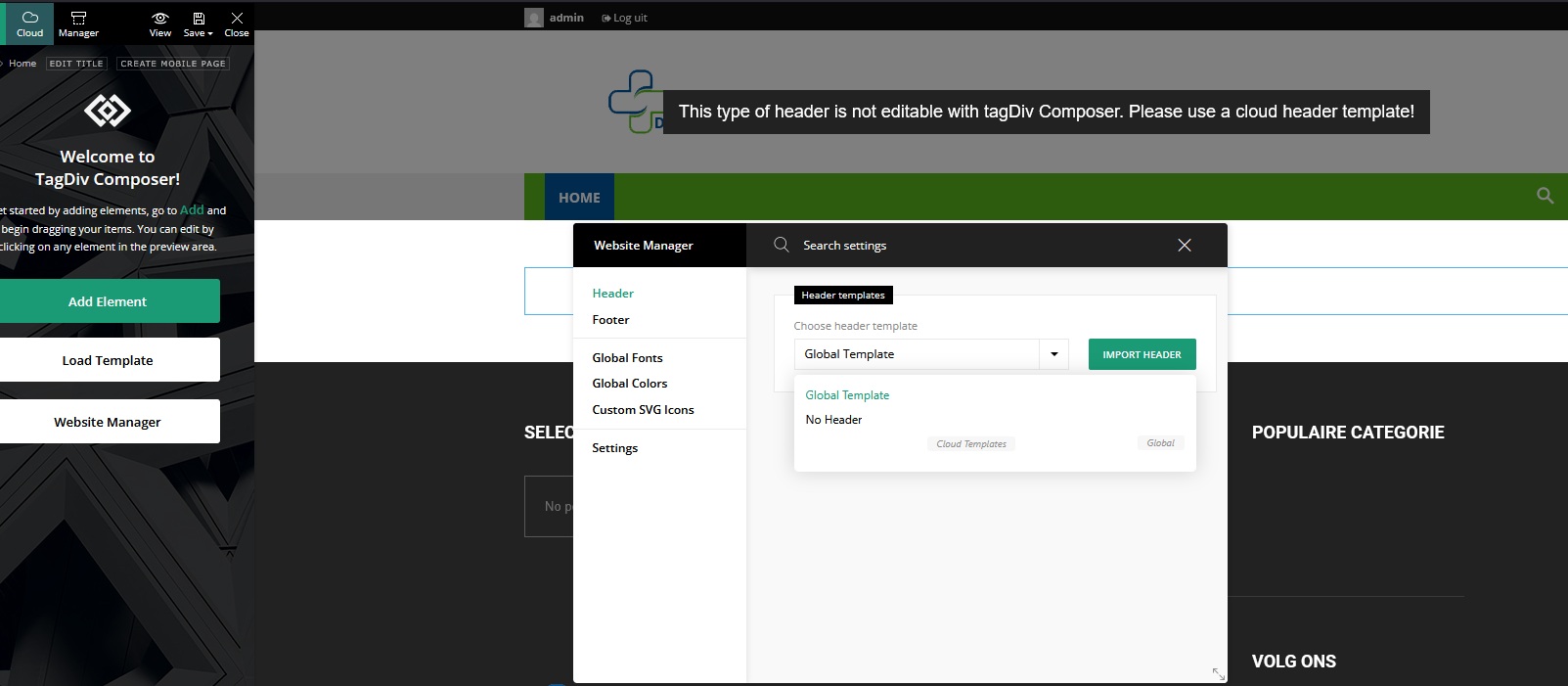
 DocDigit
Hi team, just to inform you on this
Message: A non-numeric value encountered
Path:/var/www/vhosts/xxxx.xxx/httpdocs/wp-content/plugins/td-composer/legacy/Newspaper/includes/shortcodes
Script: td_flex_block_4.php
Line: 54
Plugin: td-composer
As it is a warning, it might be of interest for next release?
Thank you.
Calin Hello,
The zones refer to the header/content/footer zone.
Most of the time, the problem is from a shortcode that is not compatible with our theme; therefore, after you set it with tagDiv Composer and save the page, the next time you try to edit it, you’ll get that error. The simplest and fastest way to resolve it is to use a page/template revision – https://wordpress.com/support/page-post-revisions/
Also, please check our guide from here at point 5 -> https://forum.tagdiv.com/tagdiv-composer-not-working/ also after trying the steps from our guide you do not get any good results, you can send us an email at contact@tagdiv.com and provide wp-admin login, as well as cPanel and credentials. We will take a look. Include a link to this topic in the email.
Thank you!
Calin Hi,
Most of the time, the problem is from a shortcode that is not compatible with our theme or a plugin conflict; therefore, after you set it with tagDiv Composer and save the page/cloud template, the next time you try to edit it, you’ll get that error.
If is only for one page or a cloud template (it can be on the header or footer, you can change them for tests and see if the problem persists), this is from some settings/shortcodes set on it and it can be fixed using the page revision https://wordpress.com/support/page-post-revisions/
Thank you!
Calin Hello,
Maybe the theme does not have all those features and some of the themes may be overwhelmed to have them, but in the meantime, I will let you know what the theme has.
We do not have a personal dark mode, but there are many plugins for dark mode that can be used -> https://www.wpexplorer.com/dark-mode-plugins/
The theme has the Table of Contents element, it can be added/removed/edited using tagDiv Composer on the single post template – https://i.imgur.com/nwqwWSg.png
“Another thing: I’d love to create styled content boxes (like quote blocks, info boxes, tips, etc.). There’s no easy way to do this in the Newspaper theme. If there’s a built-in way to create that inside Composer without extra CSS, I haven’t found it yet.”
It can be done using the tagDiv elements, for example, you can use the row or inner row to hold more elements and set inside it a column text, maybe an image, a button and adjust them according to your needs – https://i.imgur.com/aNpQ57W.png also, you can use the cloud to import a section or an existing block. When you have a block layout that you like you can save it in tagDiv Composer so you can reuse it on other pages or templates- https://i.imgur.com/hXsFCUX.png
Also, for the mobile version the theme provides the responsive version, the possibility to create a separate mobile page/template using tagDiv Composer and also the tagDiv Mobile theme light version (3 options for mobile).
Thank you!
Calin Hi,
Please use tagDiv Composer, edit the single post template, select the row, and adjust the settings for it https://tagdiv.com/how-to-add-delete-and-duplicate-row-newspaper-theme/
Thank you!
Calin Hi,
Please replace the current td-composer plugin with the one in this link and the problem with Newsmag/js/tdAjaxSearch.js will be resolved.
Thank you!
 Anzer Ayoob
Hello,
I purchased the Newspaper theme today and installed it successfully. However, whenever I try to edit a page with the tagDiv Composer (by clicking the “Edit with tagDiv” button), I get the following error message:
ERROR
Error at zones: 6(models): 0(dom). The model does not match the content.
Current state has involved an issue. You could try an UNDO operation (CTRL+Z / CTRL+SHIFT+Z).
screenshot of error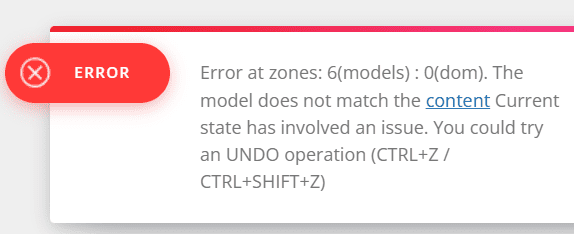
Because of this, I’m unable to edit any page.
Could you please help me fix this issue?
Thank you in advance.
 detlev
Hello dear support team,
I’m once again struggling with tagDiv Composer and hope you can give me a tip.
I have images in different formats as featured images. Is there a way for tagDiv to scale these images automatically in the output? The column in which the image is displayed is always the determining factor. This only applies to the header area in the content block. No matter what I set for the image size, the output is always different. I’m giving two examples here. I have the same problem in the mobile view.
Example:
From my Homepage:
1. Picture in landscape-mode
This image would need to be displayed wider in proportion to avoid the image being cut off
2. Portrait-Modus
Here the image is also cut off, even though it is portrait mode
The header images on mobile are all cut off
I would be happy if you have a solution for my problem. Thank you very much.
Anzer AyoobHello,
I purchased the Newspaper theme today and installed it successfully. However, whenever I try to edit a page with the tagDiv Composer (by clicking the “Edit with tagDiv” button), I get the following error message:
ERROR
Error at zones: 6(models): 0(dom). The model does not match the content.
Current state has involved an issue. You could try an UNDO operation (CTRL+Z / CTRL+SHIFT+Z).
Because of this, I’m unable to edit any page.
Could you please help me fix this issue?
Thank you in advance.
 forevermogulmag
 Thanks for the reply. I’m actually already aware of those features you mentioned. What I was trying to get at is that I need help implementing them properly on my site. I had sent an email a while back asking for guidance and a quote for services, so I’ll follow up on that email.
That aside, I still feel like the theme is missing a few modern features or maybe I’m just not seeing them?
Dark mode is one. I noticed one of the other themes switches to dark mode automatically based on the visitor’s system settings (like on Mac), which is great. This would be a nice feature.
There’s also no Table of Contents block that I can find, which is kind of expected nowadays — especially for long-form content and SEO.
Another thing: I’d love to create styled content boxes (like quote blocks, info boxes, tips, etc.). There’s no easy way to do this in the Newspaper theme. If there’s a built-in way to create that inside Composer without extra CSS, I haven’t found it yet.
Other features I’ve seen in newer themes like JNews and Foxiz that seem missing:
Text-to-speech for articles
GIF thumbnails that actually animate
Smart sticky nav or TOC sidebar
Font size/accessibility toggles
Reusable block templates inside Composer
More lightweight mobile-first optimization
I still really like using Newspaper, but it’s starting to feel a bit behind compared to what other newer themes are doing. Would love to know if any of this is on the roadmap.
Thanks again!
Calin Hi,
Please go to Newspaper > plugins and see if the previous theme plugins if you used are enabled, normally should be tagDiv Composer, tagdiv Cloud Library and if the situation persists, tagDiv Standard Pack. If there are only shortcuts, activate the tagDiv Optin builder too.
Thank you!
Calin Hello,
Please use tagDiv Composer, edit the homepage and choose the mobile viewport to change the logo https://forum.tagdiv.com/add-logo-newspaper/
Thank you!
Calin Hi,
You can use tagDiv Composer select the blocks from your homepage and use the filter tab to choose the articles you want to display there – https://i.imgur.com/0fyeRfi.png https://forum.tagdiv.com/flex-block-settings-guide/
Thank you!
Calin Hi,
The plugin is indeed provided with the theme, but we no longer recommend using it; we recommend using the theme builder, tagDiv Composer, all demos and templates from our theme are made with the theme builder.
You can find the latest version in the theme package if you download it from ThemeForest.
You can find the WP Bakery in this path Newspaper-tf\code\other_plugins if you want to use it.
Thank you!
Calin Hi,
That would mean the post content begins with a video link, the automatic excerpt is picked from the beginning of the post.
One solution would be to set a manual excerpt in the post edit screen
– https://forum.tagdiv.com/excerpts-introduction/
But that could take some time if there are many posts in this situation.
Another way would be to un-comment this code in the highlighted file wp-content/plugins/td-composer/legacy/common/wp_booster/td_util.php
– https://imgur.com/LYoktzT
Doing this will remove all the links at once. I will make a note of this and check why that code is commented.
Thanks
 sunnypeter
Hi is there a way I can hide rows that I am still working on, from appearing on the website. I think other Composer have that option. Is there an easy way to do it in TagDiv composer? Please advice
Calin HI,
Ok, the mega menu can be made only on the primary level – https://forum.tagdiv.com/mega-menu/ but without the theme you can create:
– page menu
– mega menu (with and without subcategories)
– normal menu
Also, you can use the popup element to create popup menus – https://forum.tagdiv.com/modal-popup/
The “ Errors at columns elements: 1(models) : 4(dom). The model does not match the content Current state has involved an issue. You could try an UNDO operation (CTRL+Z / CTRL+SHIFT+Z)” most of the time the problem is from a shortcode that is not compatible with our theme or a plugin conflict, therefore after you set it with tagDiv Composer and save the page/cloud template, the next time when you try to edit it, you’ll get that error.
If is only for one page or a cloud template (it can be on the header or footer, you can change them for tests and see if the problem persists), this is from some settings/shortcodes set on it and it can be fixed using the page revision https://wordpress.com/support/page-post-revisions/
Thank you!
 bogdan.martiniuc
Hi,
I want to create an mega menu using pages, but it does not work for submenus and the pagebuilder creates a bug.
So, i want to create an an header menu with 3 layers.
Layer 1 – needs to be an tabbed content layout.
Layer 2 – standard menus but it must be inline
Layer 3 – mega menus when i hover standard menus
– Element 1
– – Submenu 1
– – – Mega Menu when i hover Submenu 1
– – Submenu 1.2
– – – Mega Menu when i hover Submenu 1.2
– – Submenu 1.3
– – – Mega Menu when i hover Submenu 1.3
– Element 2
– – Submenu 2
– – – Mega Menu when i hover Submenu 2
– Element 3
– – Submenu 3
– – – Mega Menu when i hover Submenu 3
It is possible to achieve something like this?
Because, i’ve tried creating something like this, but the mega menu does not shows. It only triggers when i am using the Brower DevTools and i cannot understand why. So, i created an WP menu, just like i described earlier, but the Mega Menu only after i open and close the Chrome DevTools.
Also, i’ve tried creating an tabbed content with 3 pages and in each page i have standard WP menus with mega menus. This works just fine, but the page builder stops working when i try to use TagDiv Composer on pages and i get this error: Errors at columns elements: 1(models) : 4(dom). The model does not match the content Current state has involved an issue. You could try an UNDO operation (CTRL+Z / CTRL+SHIFT+Z)
PS: the error does not occur when i edit only the header template.
Can you please help me?
Calin Hi,
Yes, that search element is designed only for the shop. If you want a live search that provides results for both articles and shop products, you can replace the element with the live search element. This will display results from both categories, though some product information might not be fully displayed.
To adjust the border radius, please use the border radius option:
– https://i.imgur.com/w8IB1yC.jpeg
– https://i.imgur.com/ykUSmoM.jpeg
Both options should work, so you can use either one.
Shadow: It depends on whether the shadow is set on the element itself or on the column that contains the element. Normally, you can use the Composer’s search function to look for “shadow,” then use the red indicator to check where the shadow settings are applied. For example:
– https://i.imgur.com/AzCVX6z.png
Thank you!
Calin



