
- NewspaperHeader Builder
- NewspaperHeader ads
- NewspaperHeader styles
- NewspaperSearch setup for custom post type
- NewspapertagDiv Composer – Website Manager
- NewspaperBookmark – Save For Later
- NewspaperWooCommerce: Happy “Add to Favorites!”
- NewspaperModal Popup
- NewspaperFlex Block Settings Guide
- NewspaperPosts Loop Element
- NewspaperHow to Add a Logo in Newspaper
- NewspaperDefault Category Settings
- NewspaperWhen tagDiv Composer is Not Working
- NewspapertagDiv Cloud Library Plugin
- NewspapertagDiv Composer Tutorial
- NewspaperUsing the Theme Translations with WPML
- NewspaperInstagram in Newspaper WordPress Theme
- NewspaperWeather Shortcode
- NewspaperThe Mobile Theme
- NewspaperLogin – How to Enable User Registration
 kimchiman-in-seoul
Hi,
Thanks for your theme.
I cannot insert Google code in the header script code section. It keeps rolling and never gets done. What should I do?
 Anamaria
 Hello,
1. For this website seems you have deleted some code from the header template, so please try to use a revision of the template https://imgur.com/Wueyah2
2. You don’t have reviews which is why are not displayed.
Also, for comments please make sure this option is enabled https://prnt.sc/DheiFWZPt04x
Thank you!
Anamaria Hello,
You can add the SVG logo in the logo element from tagDiv Composer -> https://imgur.com/TvihpW6 -> https://forum.tagdiv.com/add-logo-newspaper/ -> https://forum.tagdiv.com/header-manager/ -> https://www.youtube.com/watch?v=HXQQygkCCJo
Thank you!
 zhangleji
 thank you so much! Problem solved! There is another issue here:
this navigation menu (or header) is normal on desktop (https://snipboard.io/pLj3Se.jpg) but it becomes two rows on mobile version and the first item appears as much bigger size on the first row (https://snipboard.io/z3vbFX.jpg). Same issue happens with other bbpress pages. URL is https://weliveinus.com/forums
Anamaria Hello,
You can to disable the Sign in/join from Theme Panel -> Header -> https://i.imgur.com/YwttygP.png
Thank you!
Anamaria Hello,
You need to change the color here on the row for mobile header ->https://i.imgur.com/wRilVPw.png
Thank you!
 engage-media
 Hi @Bettina,
Unfortunately, we are currently using the Global header. We like the Global header and do not want to create a custom header. We do not see the sticky option for the Global header.
Screenshot: https://prnt.sc/5JgdRyoLEDEN
Please advise.
 christianmuda
Hi,
I wonder how to change head colors on for example the start page. Using this guide https://forum.tagdiv.com/theme-colors-introduction/ I have been able to change some background colors. But not the green colors in category headers etc on the start page.
Also not Category and Author name color on blogpost, background color on newspaper sign up,
Please advice!
Best regards Christian
 exp1705
Hi,
http://www.expert-magazine.org the mobile header is black color (background is black) and we need it white so our black-orange logo will be visible: https://prnt.sc/qkeGlh3E7WBx
In TagDiv Composer all seems to be properly setup: https://prnt.sc/a8a_A9kPMeqp
In Theme panel-Theme Colors it seems there is correct setting: https://prnt.sc/JdFd4Fenoinp
Please how to make background below our logo to be white instead of black (same as the version of computer site)
Thank you
 Bettina
 Hello @engage-media !
You can set any row as sticky: https://prnt.sc/sR1ppwW85x9M
There’s another way as well. Please follow the video to see where you can find and build your sticky header on mobile and desktop too: https://www.screencast.com/t/l6v2Belt
Thank you!
 phommasy
 it appears on all pages, I try to change the header template, but it also shows this message.
No, I don’t add any code or elements from other plugins

engage-mediaWe have a reference website https://bitemagazinstg.wpengine.com/ where when you scroll down the main header and menu become sticky. https://prnt.sc/KWUdemnoLrXt
We are trying to make the same changes to a new website https://cssfatmag.naphix.com/ but cannot seem to find the option for this.
Are you able to help!
 amritlawin
 Hi,
Yes, I am using a Mobile template for Home.
For mobile the template is working now, but the Logo is not visible in the Header Section in the Mobile viewport: https://prnt.sc/zA_GzcixqsW2.
Kindly look into this.
Thanks.
 romerito13
 HI Ana,
No, it’s not solved. My problem is that I’m not able to change the actual banner.
Now there is a AdSense banner, but I want to change it in header for this code:
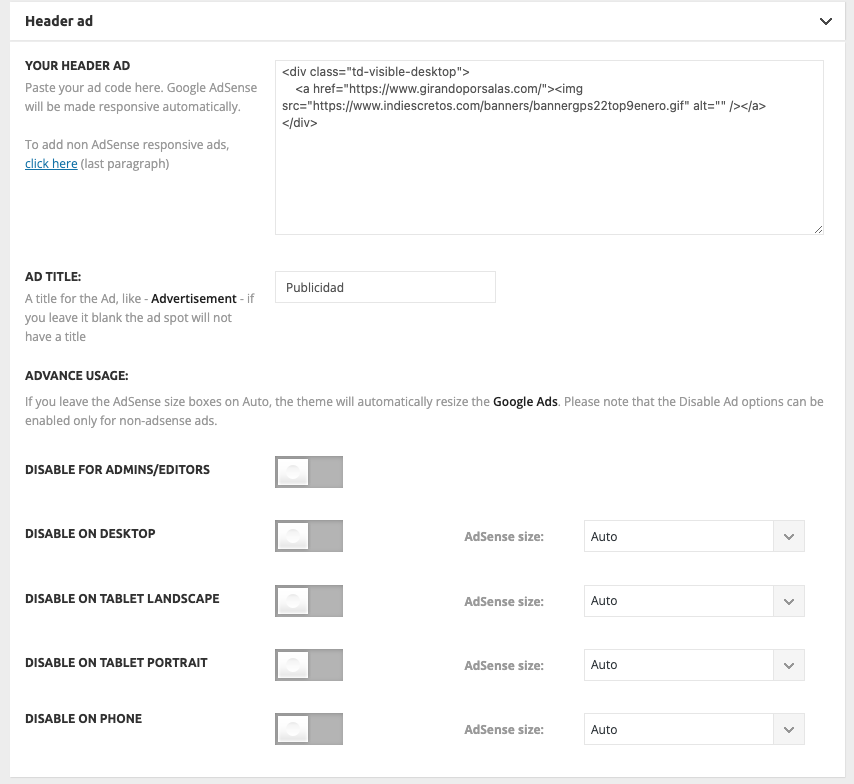
But it’s not being updated and Adsense banner remain located instead customized.
-
This reply was modified 3 years by
romerito13.
Anamaria Hello,
You can use this code .post header .entry-title, .td-module-meta-info, .td-post-author-name, .td-post-author-name a, .td-post-date, .td-post-comments a
{
color: white!important;
}
Set the code in Theme Panel -> Custom code -> custom css.
You can try to create a CPT with taxonomies, but I don’t know exactly if this is what you need.
Thank you!
 soenke.smiletzki
Hello,
I’m using Newspaper Theme as Child and now i want to edit this form:

But I didn’t find this 🙁
I think its the tdb-login.php file, right?
I copied this file to “Newspaper-child/parts/tdb-login-modal.php”.
And it try also this file “td-login-mondal.php” and copied this to “Newspaper/parts/header/td-login-modal.php”, but it also doesn’t work.
So, I need help
Anamaria Hello,
I checked and the header and content are displayed -> https://we.tl/t-NhfDYv9QHq
What is not as you want?
Thank you!
amritlawin Hi Bettina,
Previously, you supported and solved my different website theme issues and problems. But now Anamaria is giving support but unfortunately, she is not able to solve my theme problems, I am helpless, please help.
As directed by “Anamaria” I have disabled the mobile theme plugin from here https://i.imgur.com/aAjtwLW.png, and also I cleared the cache, but it only shows the footer section on the website https://prnt.sc/FNH4LSutrjEL. Since I have disabled the mobile theme plugin as directed by “Anamaria” the website is not showing the header section and content. Please it is requested to involve your development team to solve this problem immediately.”
Thank You!
amritlawin Hi,
As directed by you I have disabled the mobile theme plugin from here https://i.imgur.com/aAjtwLW.png, and also I cleared the cache, but it only shows the footer section on the website https://prnt.sc/FNH4LSutrjEL. Since I have disabled the mobile theme plugin as directed by you the website is not showing the header section and content. Please it is requested to involve your development team to solve this problem immediately.
 phacsindevs
js_files_for_wrapper.min.js?ver=cc1840e9c933374cafb3d94619867f37:14 Uncaught DOMException: Failed to execute ‘atob’ on ‘Window’: The string to be decoded is not correctly encoded.
at Object.b64DecodeUnicode (https://bjcts.uk/wp-content/plugins/td-composer/assets/js/js_files_for_wrapper.min.js?ver=cc1840e9c933374cafb3d94619867f37:14:109)
at https://bjcts.uk/wp-content/plugins/td-composer/assets/js/js_files_for_wrapper.min.js?ver=cc1840e9c933374cafb3d94619867f37:44:305
at https://bjcts.uk/wp-content/plugins/td-composer/assets/js/js_files_for_wrapper.min.js?ver=cc1840e9c933374cafb3d94619867f37:45:375
I am not able to edit any pages or headers using td composer
 aevtimov
 no no, this is a test on my part. I don’t have a mobile page. I just want my header to be responsive. https://prnt.sc/2bGm8YIfzyNt
Bettina Hello @aevtimov !
Edit the mobile page: https://prnt.sc/W1EGDDG9donV and add that element. The mobile header zone is different than the desktop one.
Thank you!
aevtimov Hello, I tried everything but I can’t find a solution to my problem. I`m not using mobile plugin (AMP too) I want show the second section on mobile
This is a desktop version
https://prnt.sc/EIMknxJUS2TM
This is on mobile. The red box and Featured news are missing 🙁
This is my site bnews.bg
 SPopov
Hello. 1st question: I can’t make some settings to display the header menu. Now the menu section “Categories” and other menu sections are displayed.
Hovering over them displays a list of all subcategories, regardless of nesting level.
How can I set to display the list of subcategories of only the first level of nesting? (For example, only those categories that are underlined in the screenshot).
2nd question: The mega menu displays publications from the category on which the cursor was hovered. Can I display a list of subcategories of the second degree of nesting instead of publications there? If so, how?
Website link: blog.wo.ua
Anamaria Hello,
A workaround to achieve that you want is to duplicate the header template and assign the
header template for each page where you want to have a different menu.
The same steps are for all templates -> https://forum.tagdiv.com/topic/how-to-add-different-sidebare-for-different-posts-with-the-same-category/
Thank you!



