
- NewspaperHeader Builder
- NewspaperHeader ads
- NewspaperHeader styles
- NewspaperSearch setup for custom post type
- NewspapertagDiv Composer – Website Manager
- NewspaperBookmark – Save For Later
- NewspaperWooCommerce: Happy “Add to Favorites!”
- NewspaperModal Popup
- NewspaperFlex Block Settings Guide
- NewspaperPosts Loop Element
- NewspaperHow to Add a Logo in Newspaper
- NewspaperDefault Category Settings
- NewspaperWhen tagDiv Composer is Not Working
- NewspapertagDiv Cloud Library Plugin
- NewspapertagDiv Composer Tutorial
- NewspaperUsing the Theme Translations with WPML
- NewspaperInstagram in Newspaper WordPress Theme
- NewspaperWeather Shortcode
- NewspaperThe Mobile Theme
- NewspaperLogin – How to Enable User Registration
 Calin
Calin Hi,
If you want you can build your own header template using the header manager from tagDiv Composer, or you can gate a header from tagDiv Cloud Library and edit it.
Thank you!
Calin Hi,
You can use different color and hoover color and also you can build the header how you want using the Header manager -> https://tagdiv.com/newspaper-theme-customize-the-header-manager/ you can get a header template from tagDiv Cloud Library and edit it using the tagDiv Composer with Header manager.
Click on the menu -> https://www.screencast.com/t/NUaTGofeIx -> https://www.screencast.com/t/HOweCFwdQ2sz
Hope this will help you!
Thank you!
 hoebehop
Hi,
My in-article ads are not showing properly on desktop and mobile, but are doing just fine on AMP.
Example article: https://radmag.nl/games/hollow-knight-review-2019/
Header and footer ads are working fine as well. This is purely about the ads inside the article content.
Any help is much appreciate, ’cause I can’t figure it out! 🙁
Thank you.
 Vlad S
 Hello !
You can add a link only to your Newspaper ad as you can see here: https://www.screencast.com/t/xq7PHqZ4v7kD ; The link will be added here: https://www.screencast.com/t/oc8m48Dy
Or you can recreate your header using the tagDiv Composer and Cloud library and there you can add your logos with URLs. Find out more about it here: https://tagdiv.com/overlay-header-newspaper-theme/
I hope this was helpfull !
Thank you !
 wawsha
I have already posted about my issue with google ads. I pasted the code from google in my header ad section on the theme panel and it is blank. This was more than a month ago and I have yet to receive a response about this.
blog.tgymt.com
 dongurbano
I am using “Style 1 – Multipurpose” how do I simply increase my logo. I don’t want to use other header style like 9 or 10.
 isagachie
 1. I solved my second problem of sitewide menu… just by pointing to it in the header section of Newspaper Theme Panel. Sorry! Is ther’s away to rename my “blank header template” to make it obvious.
2. In contrast, the crippling problem of first menu passing below the second still remains! Any solution?
 pinkypopcorn
Good evening,
Is there any way to create a different hover color for the menu text and the sub menu of the header?
Please visit my site to see the current situation.
I would like to have a yellow colored bar to underline the text once the mouse floats over, but I would like to keep the pink color to highlight the article titles in the sub menu.
Hopefully I’ve missed on option for this or have the possiblity to add custom CSS to fix this.
Many thanks in advance for your help!
Best regards,
Eduard
isagachie OK I’m in with Header Composer. Sounds great… but!
As I told you… I need a two menus design.
I’ve easily designed them… but a big problem occurs on the first (top) menu.
When you click to see the sub-menu… well, the sub-menu appears below the second menu as you can see on the screenshot… and you cannot click on submenus.
https://www.dropbox.com/s/vjp4amze8nj5oe8/Tagdiv-2menus.jpg
So how do I get the submenus in front of the second menu?
Second problem… once saved, this new header is limited to one page. How to make it siteweide?
Best regards!
 reddisl
Hello Tagdiv support,
I have 2 issues:
1. I would like to move the Above Post ADS (YOUR ARTICLE TOP AD )to Left a little bit because as you can see my website is RTL
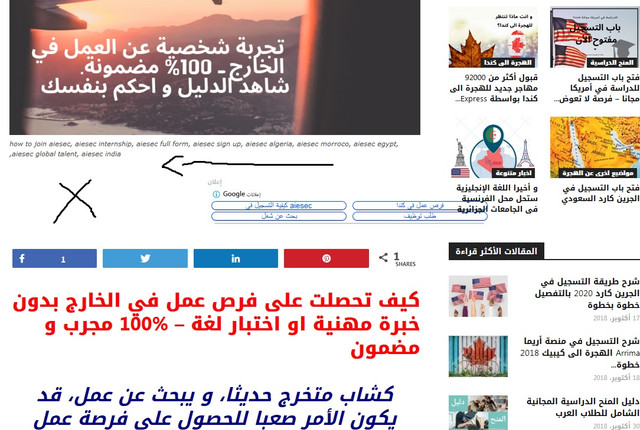
However in MOBILE, they are 1000% responsive , just in DESKTOP there is this issue.
2. Since I bought the theme, the ( YOUR ARTICLE INLINE AD ) never appears even though I set them after 2 paragraphs, In mobile AMP they appears after 2 paragraphs, but in desktop or when I visit my website via mobile they don’t appears , how can I fix this?
3. If you visit my website via mobile, you will see that the Search button is on the menu button like an error, I want to disable the button of search for mobile.
I used this CUSTOM CSS under Mobile theme in THEME PANEL but it didn’t work
#td-header-search-button-mob {
display: none;
}
.header-search-wrap {
display: none;
}
 jsbjm
jsbjm I copied the auto ad code snippet from google adsense then went to newspaper theme panel>ads>pasted the code into header ad, in-article ad etc according to where you want to show the ads. Its the same process like you do in manual ads.
 chucrutehans
 Everything worked out fine! Thank you very much!
Another question: Can I use the header image with a a link that I define? I have already used newspaper 9.0.1., but I could find out how to change the link of the header image.
 Simion C.
 Hi,
Please check in the Theme panel->Ads section, check in the header ad spot
– http://prntscr.com/ob148t
Remove or replace the default ad code found there. Then save and check if the ad is removed from the header. If it’s still there, clear the cache if you use a caching plugin. Also force refresh the page where you are checking in (Ctrl+Shift+R). Let us know.
Thanks
 Ajay
AjayHi, I’ve activated the Mobile theme and AMP on my website but, after clicking three vertical lines on mobile noting is showing. No menu items are showing. Here is the link for my website -> https://theprofantasy.com please open the link on a smartphone and click on three vertical lines you will see no menu loading. Please help in solving the issue. Thanks.
 Modart Pc
 I have a different problem now.
I cannot change the ads content in the header section of the homepage.
I’m sending you a picture.
I set the header part from the theme panel. I didn’t install it as a cloud theme. And unfortunately the editing feature does not come out for this area.
Do I have to download header template?
Vlad S Hello !
In order to make the site full width you have to select every row of your page using the tagDiv Composer and then set the stretch mode you want like here : https://www.screencast.com/t/BkWwdHh6
In order to make the post page full width you will have to add a single post template and then edit it. Check more about how to have single post template here: https://tagdiv.com/customize-articles-with-single-post-templates/ And for the header you can do it here: https://www.screencast.com/t/xf56tQN0.
These are the ways you can increase your page width from theme options. Anything above this will require custom code.
Let me know if this helped you !
Thank you !
 Prateek
 The problem regarding header is solved.
But it still isn’t showing the message saying, “No results”, “Nothing found”, etc. I suggest you try it yourself. Import a custom search template from the cloud library and use it. Then, try to search a post or page that’s not present in the database and you’d notice that it doesn’t show any message to the user. Please find a solution for this.
Simion C. Hi,
Maybe what you are looking for is the menu overlay page template
– https://forum.tagdiv.com/page-templates-2/
When this template is set for a page, the header will be transparent and displayed over the top part of the page, for example
– https://demo.tagdiv.com/newspaper_nature/news/
You could try this page template, see how it looks. Let me know if you have more questions.
Thanks
 abdulwahab
Please, how can I make my homepage header transparent in a way it will blend in with the slider revolution image.
Here’s a link to my Homepage: https://www.nigeriaelectricityhub.com/
Simion C. That is not possible, the menu that is displayed inside the menu modal is the header main menu – http://prntscr.com/oaeely
I forgot to mention that there is currently an issue with the sub-menu arrows not appearing on responsive mobile, please enter this code as well to make theme visible
– http://prntscr.com/oaefia
The issue will be permanently solved in the next update. here is the code
.td-mobile-content .td-icon-menu-right {

display: inline-block;

}
If you should consider using a cloud header template, then it would be possible to set any menu you want on mobile – http://prntscr.com/oaegxz regardless of the menus you use on desktop.
These are cloud header templates designed by us – https://cloud.tagdiv.com/#/load/Headers which can be imported and customized. You can also create templates from blank
– http://prntscr.com/oaei2m
If you have more questions let us know.
Thanks
Vlad S Hello !
The best way would be by creating a header template from the Cloud Library and there you can edit your header as you wish and you can add the ad using a custom ad box. You can find out more about it here: https://tagdiv.com/overlay-header-newspaper-theme/ And for the adbox please take a look here: https://forum.tagdiv.com/custom-ad-spots/
I hope this was helpfull !
Thank you !
Simion C. Hi,
@Miriam65 The quickest way for a more accurate answer is to try and provide a link to the website and as many details as possible.
So for example are you using a predefined header template? – http://prntscr.com/oae4m9
In this case the sticky mode can be disabled from the theme panel
– http://prntscr.com/oae6vd
If you are using a cloud header template, then begin by editing the template with the composer. You have to remove the elements that are set to appear when the header is sticky.
Edit the header and activate the sticky mode – http://prntscr.com/njdq41 then remove all the elements that are in sticky mode. The same for the mobile sticky mode.
You can edit the header in all it’s stages, default desktop + sticky desktop, and also default mobile + sticky mobile – http://prntscr.com/oae9en (note that the enable /disable option is only for showing the sticky version in the composer edit screen)
Let me know if you have more questions.
Thanks
Vlad S Hello !
In order to display your top bar you will have to add the code bellow here: https://www.screencast.com/t/yJLAWkTc5unx
@media (max-width: 767px){

.td-header-top-menu,

.td-header-top-menu-full,

.td-header-sp-top-menu {

display: block!important;

text-align: center;

}

.td-social-icon-wrap{

display:none;

}}
I hope this was helpfull !
Thank you !
 arun26
I have a video ad which i want to display in the header area as an advertisement. what is the best way i can do it without decreasing the site performance
Vlad S Hello !
You can resize your logo using a image editor wich will be more indicated but as for a CSS please try this code:
.td-gadgets .td-header-style-5 .td-main-menu-logo img {

width: 150px;

height: auto;

}
As you can see the code worked on our end: https://www.screencast.com/t/vjyEjlAe7r
This code needs to be pasted in here: https://www.screencast.com/t/J1Nxw5s5
I hope this was helpfull !
Thank you !

