- NewsmagHomepage – How to build and set it
- NewspaperHomepage – How to build and set it
- NewspaperHow to edit modules for Flex Block X
- NewspaperGeneral Options that May Interfere with the Newspaper Theme
- NewspaperThe Newspaper Mobile Theme: Introduction
- NewspaperHow to Add a Logo in Newspaper
- NewspapertagDiv Shop
- NewspaperHow to Use tagDiv Cloud Library
- NewspaperDesign your Post Pages using the Cloud Library Templates
- NewspaperHeader Builder
- NewspapertagDiv Cloud Library Plugin
- NewsmagtagDiv Composer Tutorial
- TutorialsFrom WPBakery to tagDiv Composer
- NewspapertagDiv Composer Tutorial
- NewspaperNewspaper theme documentation
- NewspaperThe Mobile Theme
- NewsmagNewsmag documentation
- NewsmagMain menu
- NewsmagLogo & Favicon
- NewsmagPage templates
 Ann
AnnUpdated to v10.3 however now I can’t import template or section from cloud into my homepage. Also won’t upload photos and shows this error message: Invalid data Current state has involved an issue. You could try an UNDO operation (CTRL+Z / CTRL+SHIFT+Z)
when editing with TD Composer.
Thanks in advance. Ann
 jeri27
Hello tagDiv Suport,
I have a problem with the Newspaper Theme on the AMP (homepage) page.
I have followed the guidelines in the forum ( https://forum.tagdiv.com/topic/3-big-images-are-not-shown-in-mobile-home-page/ ) ( https://www.screencast.com/t/PJ7T7eod6B2 ), but the problem has not been solved like this picture : https://www.screencast.com/t/PZqUCKWh.
The thumbnail image on the AMP homepage is still not displayed, as shown below:
https://www.screencast.com/t/rBxdojoE9lE
Please help.
For information, here is my AMP website address:
 aloeverasaft
Hi guys,
I had the feeling that our website http://www.aloeverasaft.org is not crawled completely by Google. When you look into Google cache in the SERPs, it just show some pics and links, but not the text. Even when you copy a text line from the page and put it into the Google Search, Google does not find it, although it is online since a couple of months.
The Google Search Console does not show any problems.
Any idea, why it does not crawl and read it?
Best,
Thomas
 lbinternet1
 Good afternoon,
I tried sending you guys message through my email by replying directly but i noticed it did not go and bounced back as failed message. Also your response above did not help as I have tried that its coming up as a text editor rather than giving me the option to edit using the blocks. I am used to the WP bakery page builder and you guys are using another page builder that i am not familiar with and makes it difficult for me to edit the code as i am not good in coding.
I have more questions below
Instagram on the homepage is not properly set so it keeps disappearing all the time
How can I do the video news like ur demo, theme use is Romanian
How can i edit the footer so i can add the newsletter and also remove ur company watermark
How can I change the footer title colour
How can I have the ads to work on posts
How can I make the category menu more wider so it gives me the option to add more categories
How can I close the gap between the posts on the homepage for the big banner
How can I make the posts with the box like ur demo
How can I make the menu sticky when scrolling down the posts
Check http://www.irepsalone.com for more understanding
Thank you
 chicky365
Hi
Is it possible to hide the date for a post on a single homepage block?
I have one post which will be updated daily, so I would like to hide the date if possible, whilst still displaying the date on all the other blocks?
 ElmarWigand
Hey,
i have three different problem topics:
– Mobile Plugin:
When activating the tagDiv Mobile Theme plugin + AMP some Computer/Browser showing the Homepage every time in the mobile view. What can i do?
– Youtube Social Counter
The Youtube Social Counter doesn’t work correctly. I put the channel ID in the widget but it doesn’t work.
I put it in my sidebar, but if shows only “0”, so i must put a fixed number
https://arbeitsunrecht.de/brennpunkt-betriebsrat/
– Ad Plugin
I need a plugin for persionalized ad’s for different categories with is compatible with the theme. The newspaper ad doens’t have so much setting options.
If you need more information for the different questions, please tell me.
best regards
 Topfgartenwelt
When I tested my blog with seorch.de I recognized that the Title of my blog is a H1 Heading, but the singular posts are only H3 Headings und the H2 Heading is completely missing. How can I fix that problem? Is there a way to get the singular posts to H2 headings in the index?
Greetings Kathrin
chicky365 I have restored the site and tried adding a block again and it kills the home page. I have restored again but need your help to add this block, as any edits seem to disable the homepage
 Leander
Hi,
So right now the theme only shows the date for posts (on the homepage, archive pages and single posts).
Is it possible to also display the publish time next to the date?
Thanks!
 sentierol
Dear Newspaper Staff,
I currently have the 9.6.1 version with:
ACTIVE
tagDiv Composer
tagDiv Social Counter
ACTIVATE
tagDiv Cloud Library
WPBakery Page Builder: version 5.6 (6.1 is the last one)
I don’t know if I need wpbakery page builder, anyway I don’t have the automatic update for this plugin.
I update from NewsP 9.6.1 to 10.3, after that I activate all the required plugins (included Stardard Pack) and I clean the website cache. After all this, the website changes a lot not in better.
strange code appears right below the title:
[tdc_zone type=”tdc_content”]
[td_block_trending_now css=”.vc_custom_1547535486730{margin-top: 10px !important;}”]
Pictures are lot bigger inside the posts and a lot smaller on the homepage.
The menu and all the submenus are taken away from the horizontal menu and put in a list mode.
here’s the screenshots (they redirects to the url: https://it.imgbb.com/)
https://ibb.co/gRKKVVX
https://ibb.co/5G666L6
https://ibb.co/f9nckN0
https://ibb.co/JqB1TcY
Please help, thank you
 sartreview
Hi there,
I would like to imbed the Parent Category Name on my homepage images when using a standard Block (not Big Grid Flex or Big Grid Full, which both show the parent category name on the images). Could someone kindly assist me with this?
Lastly how do I remove the imbedded “author name” from the homepage images?
Cheers!!
 Vlad S
 Hello !
If your homepage / post uses blocks you will have to disable them manually using the tagDiv Composer as you can see here: https://www.screencast.com/t/RyQIcNxn3wC
Thank you !
Vlad S Hello !
For the problem with the author links, maybe the author archives are disabled in the Yoast plugin, if they are author links will be redirected to the homepage. Check if that is the case – http://prntscr.com/mbwwuk
Let me know the result !
Thank you!
 IsmailCh
I wanted to have a price tag along with title of posts, just like WooCommerce have with products (I don’t want to use WooCommerce). Homepage posts, blog posts & related articles/post show a price tag. Is it possible with Newspaper theme?
chicky365Hi
I need to edit the homepage in order to set my main title for SEO purposes. If I try to edit via the TagDiv composer, I am unable to get to the SEO options, which are held within the standard wordpress edit page.
If I do a standard edit to the home page SEO settings (outside of TagDiv composer) and then save it, will it break the home page?
 Akash Nikam
In article when we click on author like “Akash Nikam” then link will be redirected to homepage. What is the solution for this.
Vlad S Hello !
You can import a Homepage from the Cloud Library and set it up in Setting – Reading. Find out more about it here: https://www.screencast.com/t/wDMruWJSd ; https://www.screencast.com/t/pviHXqzixlJ
Thank you !
 Calin
Calin Hi,
So if you have set a footer cloud like this -> https://i.imgur.com/e9lLIpG.png you need to open the homepage and edit it with tagDiv Composer -> https://i.imgur.com/URD07tP.jpg after the frontend editor is open scroll down to the footer and edit it how you want -> https://i.imgur.com/fNhc8k0.png
If there is still a problem with the footer, just let me know!
Thank you!
Calin Hi,
Please note that your mega menu is not set right, please check carefully our documentation for mega menu this need to look like this -> http://prntscr.com/pyfl24 not like this with sub menus -> http://prntscr.com/pyfl9q
Also make sure that the category you set as mega menu have sub-categoryes, only in this way you can achieve this mega menu -> https://imgur.com/a/gJmwFVf -> https://i.imgur.com/ZvJoZn9.png -> https://i.imgur.com/wsI6C5Z.png
For the problem with the author links, maybe the author archives are disabled in the Yoast plugin, if they are author links will be redirected to the homepage. Check if that is the case – http://prntscr.com/mbwwuk
Let me know the results!
Thank you!
 bierhier
When: Featured video on post
Given: User visits page on AMP mobile (ex. Pixel 2 411 x 731)
Then: The play button (on homepage not the post itself) is in the top right corner. Not the center.
krs
Dieter
 reedesign
On my homepage, I have a Big Grid Flex 5 block. I want only four specific posts here, and I don’t want it to change as I add other posts to the site. Overall, I have 2 categories. For example, I want 2 posts (id:857 and id:672) from 1 category, and 2 posts from the other (id:868 and id:492). And I want them ordered: the big picture on the left be 868, and to the right of that, I want 492, then the 2 smaller pictures be 672 and 857.
I know your tutorial says “Post ID filter – Specific posts can be filtered to your block by using the post ID. You can get the post ID by accessing Wp Admin > Posts section, hover the post title and check the link displayed on the browser left-bottom area. The IDs can be extracted from this URL. In order to exclude posts from a Big grid just add a ‘-’ symbol in front of each ID.”
My question is, using your TD composer, what exactly do I put into the FILTERS box? And I want these posts to be “unique” on the page.
Oops, just notice my Topic for this post says 5 posts in “Big Grid 5”. I meant to say 4 posts.
 Yannickthepostie
Hi guys,
we updated our website from Default to Default Pro and struggle with a few points.
First off, when i import a new header (Header Template 51) all of my thumbnails of the homepage disappear. Is this a bug?
Furthermore thumbnails are gone for ‘related articles’. Do i need to regenerate them? Because the size from old to new hasn’t changed, but still no images are displayed.
PS: Which template should i use to get the nearest to the ‘Default’ post template?
Best,
Yannick
 adriyanto
error –> Errors at columns elements: 4(models) : 3(dom). The model does not match the content Current state has involved an issue. You could try an UNDO operation (CTRL+Z / CTRL+SHIFT+Z)
IMAGE–> https://prnt.sc/r94uta
Thanks Very Much
 erep
erepHello
1) We need to customize a section, showing two articles from two different categories by replacing the articles’ featured images with two standar images that won’t change after updating the articles. What is the suggested way to proceed?
2) We need to create a scrollable news section where the user can use a mini sidebar in order to be able to navigate/scroll to the latest news through this section. Has the theme support for such an option? Thanks!
3) When trying to import a homepage we get the following error: “Errors at columns elements: 2(models) : 1(dom). The model does not match the content Current state has involved an issue. You could try an UNDO operation (CTRL+Z / CTRL+SHIFT+Z)” Can you please advice us on this?
Thanks in advance
 Sebastian Escobar
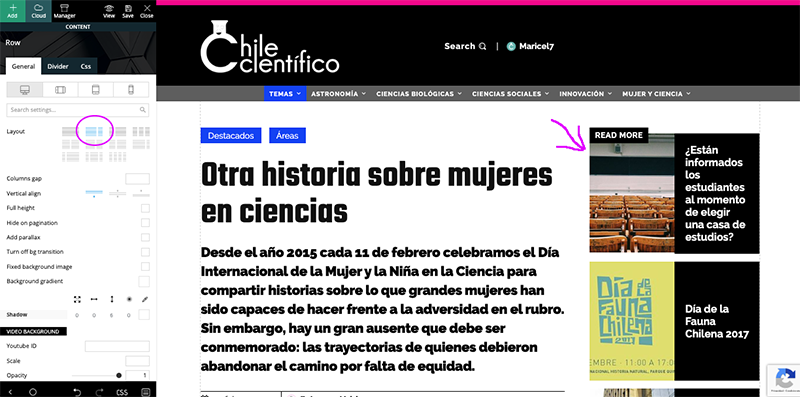
 Hi, my problem is with posts, no with pages, then I have to work with single cloud template with tagDiv Composer, but here the template looks good and I can see the side bar > http://compone.cl/wp-content/uploads/2020/02/sidebar-in-posts-historie.png
but in real view this don’t show > http://compone.cl/wp-content/uploads/2020/02/sidebar-don’t-show.png
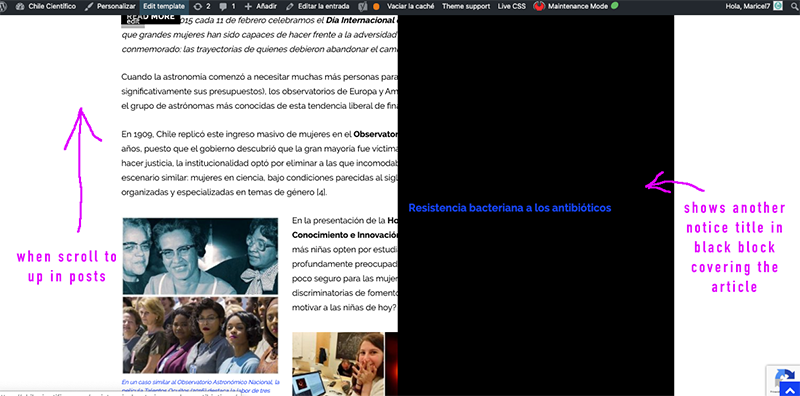
And the black box very similar to the main module of homepage in layout is shown when you scroll the post “up” on the screen > https://www.compone.cl/wp-content/uploads/2020/02/posts-black-block.png
(My site is unpublished because I am configuring these types of errors)