- NewspaperThe Newspaper Mobile Theme: Introduction
- NewspaperThe Mobile Theme
- NewspaperModules Builder in Newspaper Theme
- NewspaperFilters and sorting for taxonomies
- NewspaperHow to Add a Logo in Newspaper
- NewspaperBig Grid Flex Settings
- NewspaperHeader Builder
- NewspapertagDiv AMP Plugin Tutorial
- TutorialsFrom WPBakery to tagDiv Composer
- NewsmagSmart list ads
- NewspaperNewspaper theme documentation
- NewspaperBest Of Forums
- NewspaperCache plugin – install and configure
- NewsmagIntroduction
- NewsmagMain menu
- NewsmagLogo & Favicon
- NewsmagHeader ads
- NewsmagSmart sidebar
- NewsmagSharing buttons
- NewsmagCategory tag on modules/blocks
 lecker
 Hi, and thanks for your reply.
Before I do a pointless update, just to get to the same place, let me clarify something, please.
I am using the 12.7.1 version of the theme, and the 2.7 version of the plugin.
Now, the 12.7.1 version of the theme came packaged with the 2.7 version of the mobile plugin, so they should work together from the very beginning, no matter what updates are relased afterwards. I did install the latest version of the mobile plugin, out of curiosity, and got the same error.
Goind by this logic, is it possible to find a solution to this without having to go through the update process, and get to the same place ?
Thanks.
 Calin
Calin Hi,
Edit the homepage using tagDiv Composer https://i.imgur.com/LqZci0B.png, select the mobile viewport – https://i.imgur.com/irzI2i7.png ,then the menu and change the title – https://i.imgur.com/EQOebz7.png
Thank you!
 daveslc
 We get the same error with PHP 8.1.33.
I’m hesitant to use your fix since Maddest says it doesn’t work.
Search does work on mobile, and occasionally on desktop, but mostly gives a fatal error.
Please advise.
leckerHello, I’m getting a critical error in Wordpres when trying to activate the mobile theme.
I have the 12.7.1 version of the theme, with the corresponding version of the mobile plugin.
Warning: require_once(td_deploy_mode.php): Failed to open stream: No such file or directory in www/wp-content/themes/functions.php on line 14
Fatal error: Uncaught Error: Failed opening required ‘td_deploy_mode.php’ (include_path=’.:/usr/share/php’) in www/wp-content/themes/functions.php:14 Stack trace: #0 www/wp-settings.php(710): include() #1 www/wp-config.php(28): require_once(‘…’) #2 www/wp-load.php(50): require_once(‘…’) #3 www/wp-blog-header.php(13): require_once(‘…’) #4 www/index.php(17): require(‘…’) #5 {main} thrown in www/wp-content/themes/functions.php on line 14
 mendimi
Website is: https://mendimi.al/
On mobile, if you click the hamburger menu, you will see at the top URBANOBSERVER.
Screenshot: https://prnt.sc/9Ie56iwIpAwT
Thanks in advance.
 nupe8
nupe8 Hello, I’m not able to pull up any templates for screenshots. If I hover over a template in the cloud templates section and click edit with td composer, I get the spinning circle. No templates actually load. For whatever reason, I can see the header on the mobile version.
 Janan Bibi
Hello tagDiv Support Team,
I hope you are doing well.
I am using the **Newspaper theme** with the **latest versions** of WordPress, the theme, and the **tagDiv Cloud Library** plugin. However, my WordPress dashboard is still showing a **security/vulnerability warning** for the tagDiv Cloud Library.
In my case, the plugin is required because my **mobile header and footer are created using Cloud Library templates**, so I cannot deactivate it.
Could you please confirm:
1. Whether this vulnerability warning is a **false positive or low-risk issue**
2. If a fix or update is planned to address this warning
3. If there are any **recommended security precautions** we should take in the meantime
For reference, I am also using **Wordfence Security with Firewall and 2FA enabled**.
Thank you for your support. I look forward to your guidance.
Best regards,
Janan
nupe8 I deactivated all plugins other than newspaper, and I restored a previous version of newspaper but still not able to see the header. I can see the header on the mobile version
 thedoc
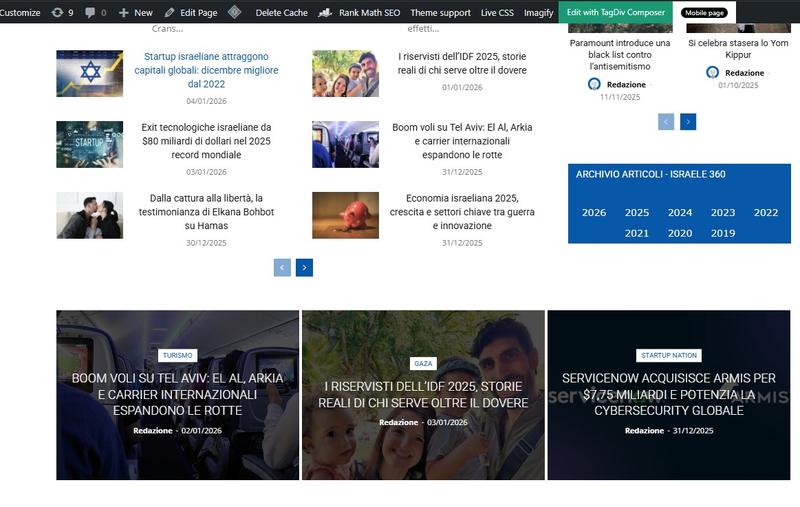
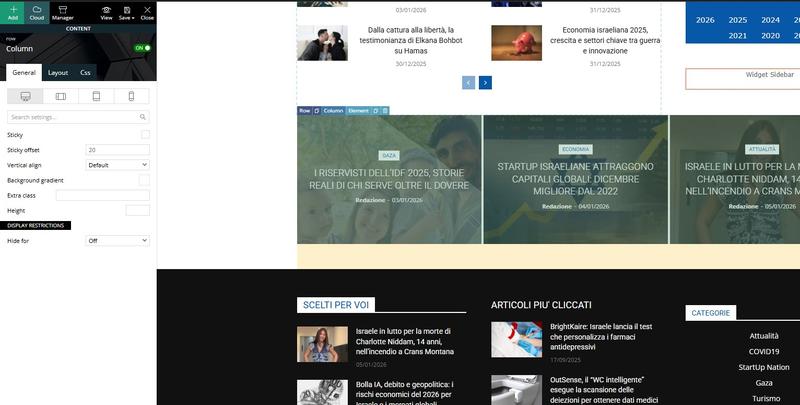
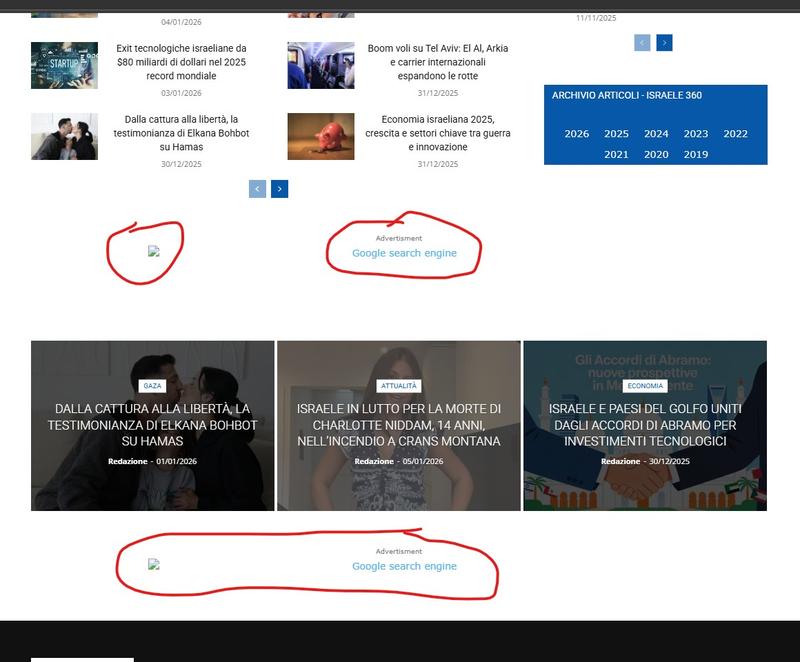
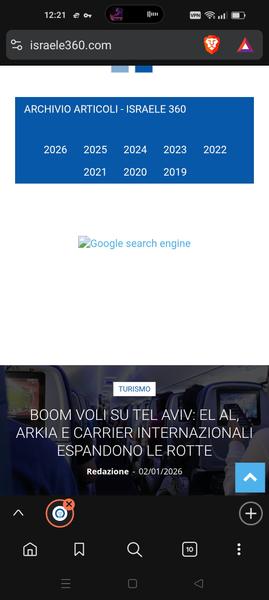
 Hi, i don’t have anymore the ad module, i’ve already deleted but the problem is that i still see the google search ad out of the composer. See https://i.postimg.cc/YSsJtyR6/tag1.jpg and https://i.postimg.cc/FHnPSkL6/tag2.jpg there is no ad module visible, still you see the ad https://i.postimg.cc/8kMhGKmp/tag3.jpg and also visible on mobile https://i.postimg.cc/gjgcdbSY/tag4.jpg
thedoc Ok, for me is fine to have it responsive, i don’t want to recreate anything on mobile, I’m fine to have it as i have on desktop. I don’t understand why, if i go on my mobile phone (www.israele360.com)i see the hamburger menu with pages that don’t reflect the homepage of my desktop theme such as “News”, “Fashion”, “Gadgets”, “lifestyle”, “Video”, they don’t reflect the menu i have on desktop. Plugins are off.
The rest of the site is fine except the menu
Calin Hi,
If you are referring to the logo from the mobile menu, then you can remove/change it by editing the page set as the mobile menu, in case you have installed the demo “Chained News PRO” then the page is named “Menu Modal”, edit it with tagDiv Composer https://i.imgur.com/H1lvNrF.png, edit the logo https://i.imgur.com/NH1vDFz.png and set the one you want.
Calin Hello,
Here are the three available solutions for the mobile version:
1. Responsive Desktop Version – The default responsive layout that adjusts to mobile screens using tagDiv Composer – https://i.imgur.com/apZQZ0o.png
2. Mobile Page/Template – A custom mobile layout that can be created using the tagDiv Composer.
3. tagDiv Mobile Theme Plugin – A separate mobile theme that provides a dedicated mobile experience but is limited in edits and changes.
Note: When the tagDiv Mobile Theme Plugin is activated, it takes priority and will be displayed on mobile devices. If it’s not active, the system will check for a mobile page/template built with tagDiv Composer. If neither of these is in use, the responsive desktop version will be shown by default.
Related to the cache, please check in the cache plugin documentation if this supports mobile cache if you are using the mobile page/template or tagDiv Mobile theme.
Also, the tagDiv Mobile theme is the only one that can be used for AMP. Unfortunately, the options for editing the layout are only a few. Also, pages need to be remade using the mobile editor only:
– https://forum.tagdiv.com/mobile-theme-introduction/
– https://forum.tagdiv.com/the-mobile-theme/
– https://forum.tagdiv.com/tagdiv-amp-plugin-tutorial/
Thank you!
Calin Hello,
Here are the three available solutions for the mobile version:
1. Responsive Desktop Version – The default responsive layout that adjusts to mobile screens using tagDiv Composer – https://i.imgur.com/apZQZ0o.png
2. Mobile Page/Template – A custom mobile layout that can be created using the tagDiv Composer.
3. tagDiv Mobile Theme Plugin – A separate mobile theme that provides a dedicated mobile experience but is limited in edits and changes.
Note: When the tagDiv Mobile Theme Plugin is activated, it takes priority and will be displayed on mobile devices. If it’s not active, the system will check for a mobile page/template built with tagDiv Composer. If neither of these is in use, the responsive desktop version will be shown by default.
Related to the cache, please check in the cache plugin documentation if this supports mobile cache if you are using the mobile page/template or tagDiv Mobile theme.
Also, the tagDiv Mobile theme is the only one that can be used for AMP. Unfortunately, the options for editing the layout are only a few. Also, pages need to be remade using the mobile editor only:
– https://forum.tagdiv.com/mobile-theme-introduction/
– https://forum.tagdiv.com/the-mobile-theme/
– https://forum.tagdiv.com/tagdiv-amp-plugin-tutorial/
Thank you!
Calin Hi,
If the ad is loaded via a script, it’s normal for it not to adjust when you resize the screen. The ad will update only after the page is refreshed, because it needs to be reinjected by the script. As a result, ads should load correctly when accessing the site directly from a mobile device or a desktop, even if they don’t resize dynamically.
Thank you.
Calin Hi,
I’ve just tested this on my own installation, and it is working correctly for me on all three options. Normally, when both the tagDiv Mobile theme and AMP are enabled, all three options should be available. These options allow you to set the mobile theme to be used only for mobile users, for both mobile and AMP users, or only for AMP users.
Additionally, when using the Mobile Theme plugin, it’s important to ensure that your caching plugin is configured to cache the mobile version separately from the desktop version. Otherwise, the site may not display correctly, and you may occasionally see the responsive desktop version on mobile devices or the mobile version on desktop.
While the AMP project itself is not officially deprecated, it is widely regarded as outdated and is no longer a priority for most modern websites. Today, similar or better performance benefits can be achieved using modern web standards and effective performance optimization techniques. For this reason, it is often recommended to remove AMP and focus instead on optimizing the speed and performance of your main website.
Thank you.
 deletemytrack
Hello, I have tried many times to remove the mobile logo unsuccessfully. When I add a new logo, the old logo is still there. The problem is only on mobile. I have cleared and reset the cache in my web browser and also tried a different browser, but the problem remains the same. I went to the mobile section, added a logo, removed the logo, and nothing changed. What is the problem? This should be very simple, but it isn’t.
website link:
elsalvadoroculto.com
nupe8Hello, earlier today I made a change to my website, saved and closed it. When I went to view it, my header was completely gone and all I get is the spinning refresh circle when trying to edit with tag div composer. My cloud templates, although I can see the names, do not show when I try and view or edit them. I can see the header menu for mobile however.
 Dave_The_BMXER
 8) Having an issue with one of the modules breaking with my content on mobile devices.

This is a fresh import of the Homepage – Influence Cloud Template.
Looking for support before I remove elements one by one to determine the culprit.
 muzaffarab
It’s been a long time that I’ve installed amp on my site. As the site grew I decided to go amp. Now, when I did it, I saw the old settings on front of the mobile theme. I tried alot to fix the logo etc but nothing works. Now I can’t do anything in it. If I want to use it for AMP only it doesn’t work. Only works when I choose “Mobile + AMP”. Its pretty annoying.
 uxengineer
Hi, something seriously blew up with tagDiv Composer. I was doing development as usual so don’t know what’s it about.
I already deactivated almost every plugin.
I cannot activate tagDiv Composer anymore:
“tagDiv Cloud Library – Plugin deactivated.
This plugin is not supported by the current theme!
Plugins disabled automatically
The following plugins were disabled because they are incompatible with this version of Newspaper:
tagDiv Cloud Library
For update please check the plugins section”
Getting errors like:
[03-Jan-2026 17:49:56 UTC] PHP Warning: Attempt to read property “ID” on null in /data/wordpress/htdocs/wp-content/plugins/td-cloud-library/includes/tdb_module_template_part.php on line 43
[03-Jan-2026 17:55:11 UTC] PHP Warning: Cannot modify header information – headers already sent by (output started at /data/wordpress/htdocs/wp-content/plugins/td-composer/legacy/common/wp_booster/td_util.php:3003) in /data/wordpress/htdocs/wordpress/wp-includes/functions.php on line 7144
[03-Jan-2026 17:56:38 UTC] PHP Deprecated: Mobile_Detect::__construct(): Implicitly marking parameter $headers as nullable is deprecated, the explicit nullable type must be used instead in /data/wordpress/htdocs/wp-content/plugins/td-composer/includes/Mobile_Detect.php on line 684
[03-Jan-2026 18:02:10 UTC] PHP Notice: Function map_meta_cap was called incorrectly. The post type tdb_templates is not registered, so it may not be reliable to check the capability edit_post against a post of that type. Please see Debugging in WordPress for more information. (This message was added in version 4.4.0.) in /data/wordpress/htdocs/wordpress/wp-includes/functions.php on line 6121
 dan009
 View attached what I mean
I have a dedicated mobile page.
Image
 ny-harbor
Can’t get a mobile menu with Newspaper theme on cell phones without turning off AMP which then hurts the desktop site by removing the hero photo and links which define the site.
Frustrated for weeks trying to solve this –
In other words:
The owner wants a “hamburger” mobile menu on cell phones. The ONLY way I’ve been able to get that is to turn off AMP. But when I turn off AMP the mobile site AND the desktop site become, and show, only the choices of posts. The hero picture and links of the main site vanish on both mobile and desktop.
I won’t bore you too much with the days of experiments and reading and working with AI trying to throw switches in Newspaper and in WP; nothing works. But I will say we’re aware of the choices: TagDiv Mobile theme plugin, cache clearing, menu settings (primary and mobile). Mobile theme is on for both mobile and AMP. All have been turned on and off several times in all possible combinations – but I’m not the creator of the site (he’s long gone) and may be missing something obvious to you. I hope!
The site is NewYorkHarborChannel.com
Can anyone tell me why turning off AMP trashes the desktop site? It seems to make no sense! Perhaps this will be a good clue as to the issues –
WP: Version 6.8.3
Newspaper! Version: 12.6.8
PHP Version 8.2.29
MANY thanks for ANY help!
thedocRegarding the mobile theme, i’ve seen that if you don’t create the mobile theme through the tagadv you should have replicated the website to mobile. If it is correctly replicated, for me would be fine, unfortunately i see that on mobile it is not consistent with what i have on my laptop. Different pages, some links go to categories, other to page and some pages are not visible. How can i fix this ? (staging.israele360.com)
thanks and happy new year
Calin Hi,
Normally the tabbed content on mobile will provide the option for drag left and right the tabs – https://i.imgur.com/TWpqhuW.png
Calin Hi,
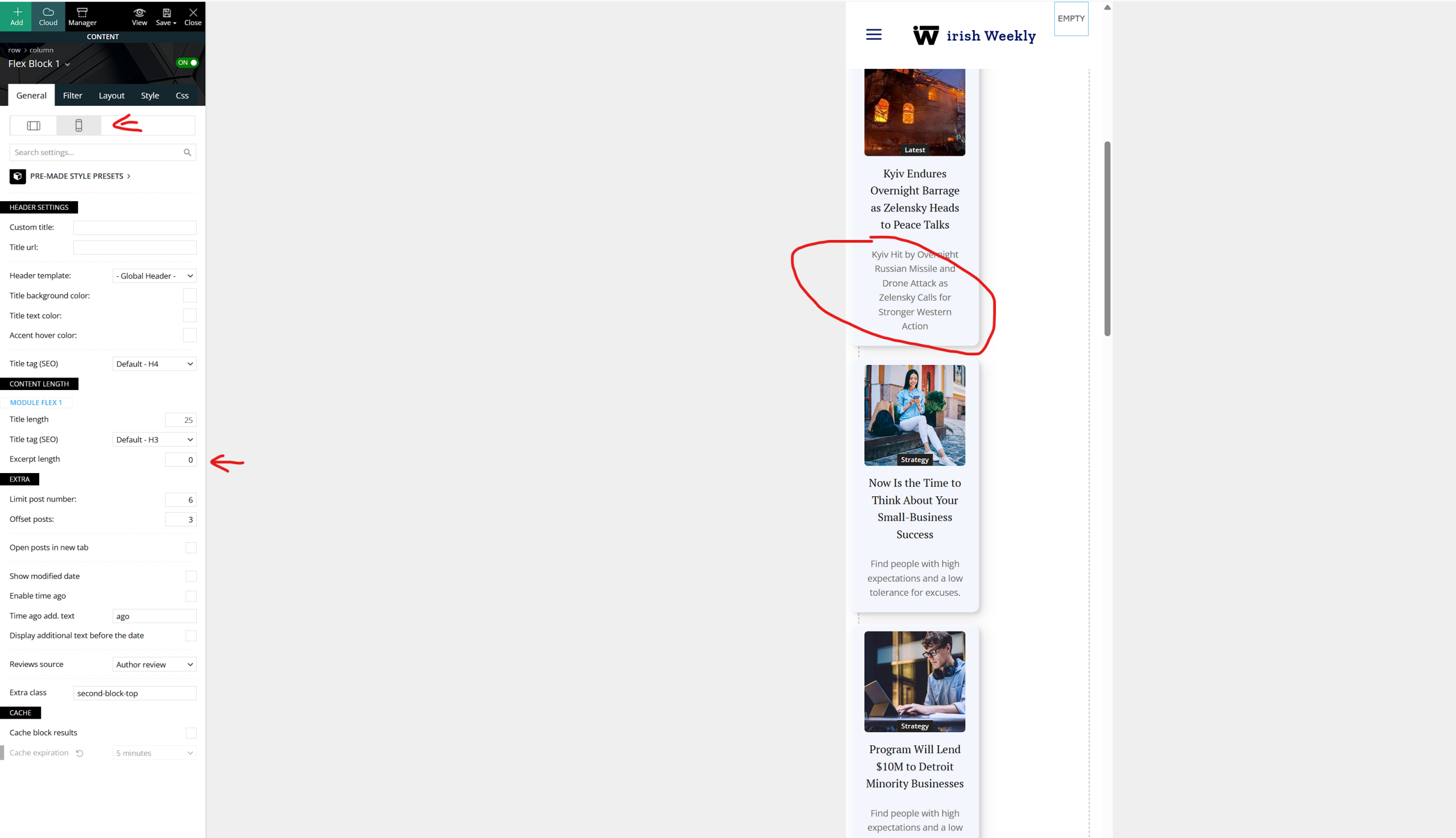
Are you using the mobile page or responsive version for mobile? If you are using the responsive eversion for mobile, then there are specific options that can be adjusted per view port – https://i.imgur.com/rKoe48B.png, but not all option can be edited per each view port, some of them can be set only global.
In case you are using a mobile page this will be edited separate from desktop version. Just a note when you use the mobile page/template make sure that the cache plugin you are using has option for deliver separate cache per mobile version.
Thank you!