- NewspaperUser review system
- NewsmagReviews
- NewspaperReviews
- NewspaperCredit System
- NewspaperModules Builder in Newspaper Theme
- NewspaperHow to use the Posts List shortcode
- NewspaperModal Popup
- NewspaperLockers
- NewspaperLeads
- NewspaperFlex Block Settings Guide
- NewspaperSingle Post Shortcodes
- NewspaperDefault Category Settings
- NewspaperCloud Library – Category Templates
- NewspaperBig Grid Flex Settings
- NewspaperMeta Info on Modules and Blocks
- NewspapertagDiv Cloud Library Plugin
- NewspapertagDiv AMP Plugin Tutorial
- NewsmagtagDiv Composer Tutorial
- NewspapertagDiv Composer Tutorial
- TutorialsDefault Block Settings Guide
 masterabbott
 Hi,
This partially covers what I need as we will be able to convert the reviews into the Newspaper format with this. I can’t seem to find where the score is being saved in the screenshots as we will need to convert the scoring from our current theme to Newspaper.
Thanks.
 Anamaria
 Hi,
Please check this topic where you can find the review in database https://forum.tagdiv.com/topic/deleting-a-review-cant-review-again/
Thank you!
masterabbottDuring our last theme change, our database tech was able to go into the database and convert all our review scores from our old theme to the new theme after we were able to find the correct database value where the new theme was storing review scores. We would like to do something similar if possible as we have too many old reviews to do the the conversion by hand.
Is it possible to do something similar with Newspaper?
 Archerix
 Ok, thank you
It would be great if pagination was added also to reviews, for example 10 per page, and receive an email every time a review is submitted would also be great
 rockman008
 Hello
Is there no alternative solution for this one in the reviews? This is one of the reasons why I buy this theme.
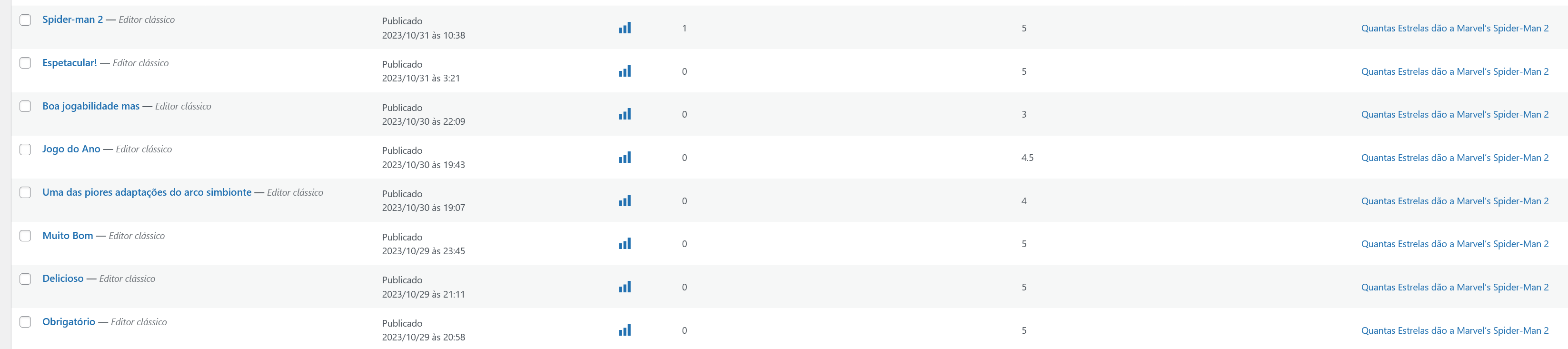
ArcherixHi, I can’t find the solution for this. I have a post with 8 reviews, but the theme only shows the 5 most recent reviews. How can I show all reviews? Post–> https://bit.ly/45VihUe
The reviews are all published, but only shows a total of 5 Screenshot
I cleared the cache, but the problem persists
rockman008 Hello.
Then that’s bad for the site. What if a site visitor spam the reply on the post reviews?
There must be also an option that registered users can only reply to the post reviews.
Anamaria Hi,
Please check the console when you open edit content; if there is an error like this, please go to the Network tab, select the error, and select Preview -> https://i.imgur.com/iiBOHwP.png
Maybe the problem is caused by the server host
Also, please check this topic https://forum.tagdiv.com/topic/wp-editor-for-text-with-title-and-column-text-not-updating-content/
Thank you!
rockman008 Hello.
I’ve done this already. Once the post review is approved, anyone can reply to that post review, even non-registered users.
Like in your demo, I replied to the post review multiple times.
https://demo.tagdiv.com/newspaper_real_estate_pro/tdcpt_properties/apartment-10/
https://picsdrop.com/en/p2gUu3gIDRlSUov
 Bettina
 Hello @rockman008 !
By default, all the reviews on a CPT need to be approved: https://prnt.sc/LMNeQKHx9Swq
And there you can set a limit. You have this option as well: https://prnt.sc/6iiBzP2Rftgc -> https://prnt.sc/dfCuGwzGMSE_
Thank you!
rockman008 Hello.
The Single Post User Reviews List. Anyone can reply there, even non-registered users.
CPT User Review List: https://picsdrop.com/0IqTB5f3qwrXGbA
Reply: https://picsdrop.com/p2gUu3gIDRlSUov
Bettina Hello @rockman008 !
I’m not sure which feature you use, but we have only 2 features:
– https://forum.tagdiv.com/reviews-2/
– https://forum.tagdiv.com/user-reviews/
Thank you!
 nolandolce
 Hi Calin,
I noticed on mobile the custom fields are wrapping. Do you know how to fix this? Please see here: https://snipboard.io/XDy1Mp.jpg (The custom field is the “medically reviewed” byline). Thanks!
rockman008 Hello.
I tried that already, and it is only on the reviews form. If the user is going to reply to the review. Non-registered users can reply multiple times to the review.
https://picsdrop.com/JFeFfxIihguo2dL
https://picsdrop.com/JAoiG6SmEAWiCsi
https://picsdrop.com/EMJMeJsQ3F6aYzL
 nagi
nagiRespected Sir/Mam,
I am a developer at Mallemaala Entertainments, located in Hyderabad. We have a few requirements for our movie review website, 123telugu.com
newspaper theme performance speed is very slow Please give
us some tips to increase website speed
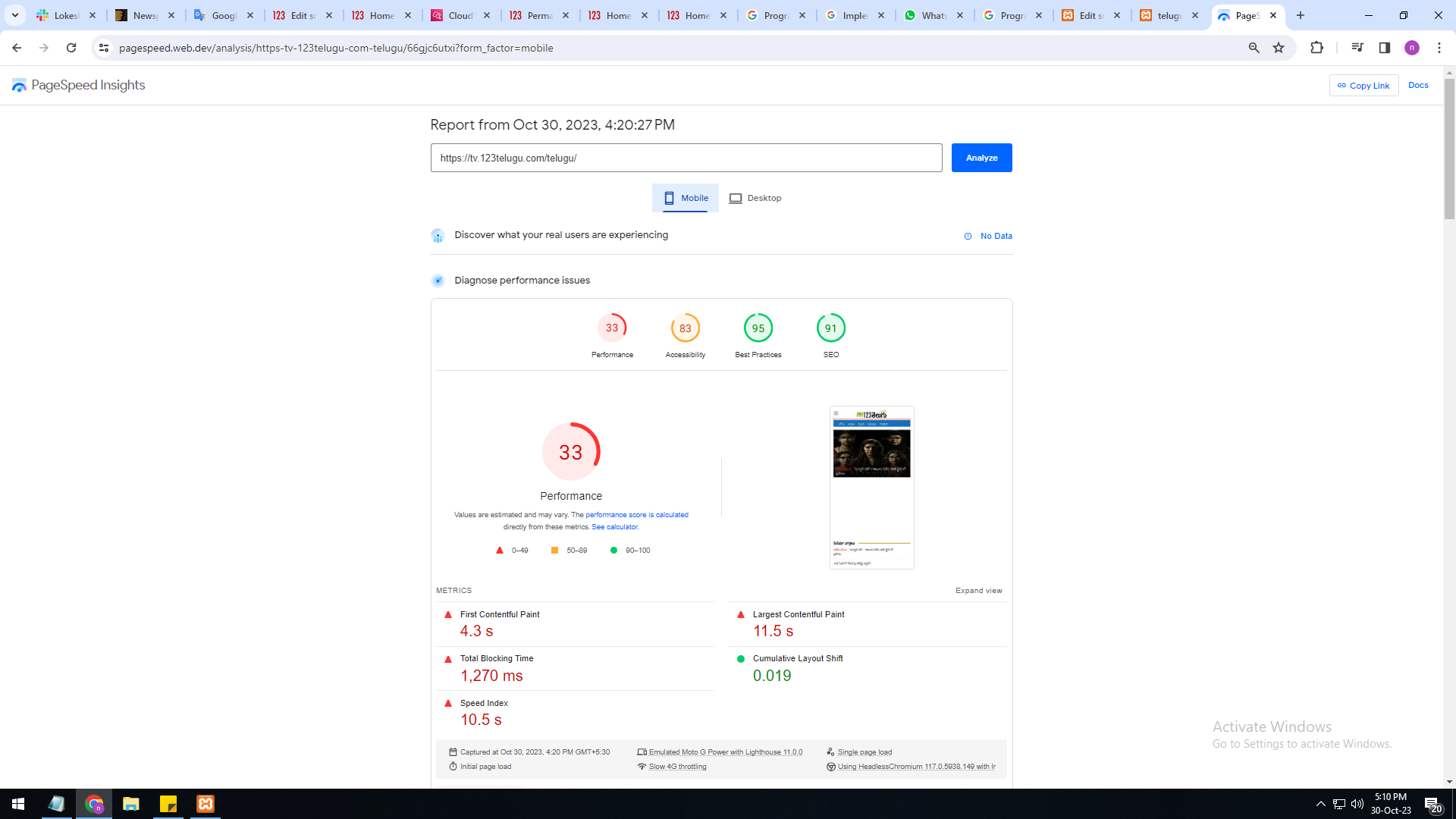
mobile version is very slow 33%
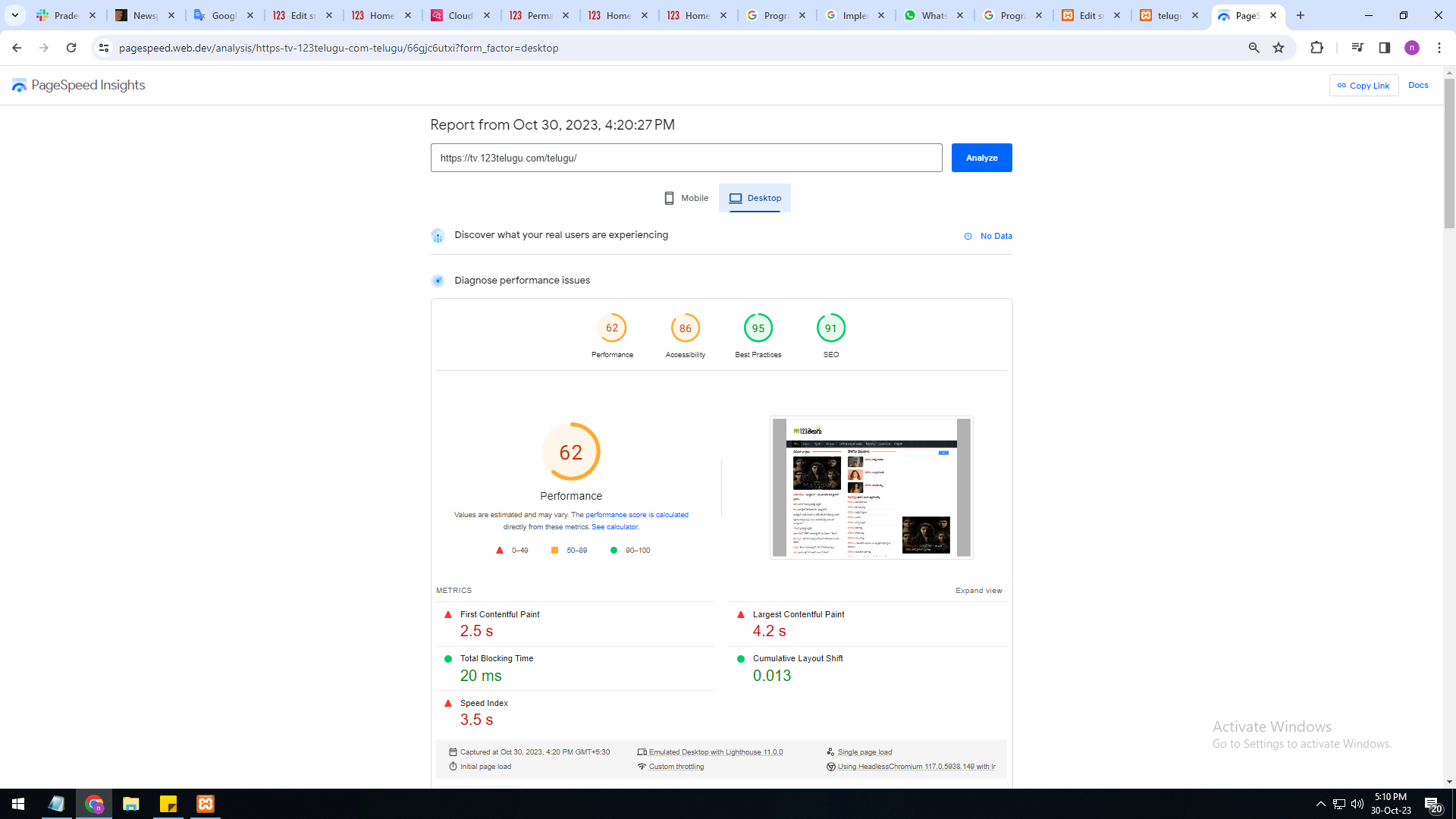
system version is also very slow only 62%
I am sharing images URL links :
https://gallery.123telugu.com/images/theme_test/Basantham1.png
https://gallery.123telugu.com/images/theme_test/Basantham2.png
Thanking you,
Regards,
Narendra.
Bettina Hello @rockman008 !
You have an option for this: https://prnt.sc/1FESFdTxNndg
Read all about it here: https://forum.tagdiv.com/user-reviews/
Thank you!
rockman008Hello.
How to make the REPLY on reviews only available to logged-in users? It seems like everyone can reply on reviews.
 howtoisolve
 My issues is not with setup,,,my Issue is with Date (Last modified date…)
Here are my settings attached for the Last Modified Date – attached screenshots.
i enabled Modified date settings on Mobile them… (https://snipboard.io/Np5Koz.jpg) this is showing correctly to me…(https://snipboard.io/uTLnsN.jpg)
But As I enable this setting on the Mobile theme, the Main Desktop theme automatically misses the Last Modified Date Toggle (https://snipboard.io/S13Qqm.jpg). Problem:- https://snipboard.io/bGIsBd.jpg
Check This URL:- https://demo.itechsoft.biz/best-iphone-bicycle-computer-apps-good-review/
 oposum
Dear Tagdiv team,
We’re migrating a big website (1)(190gb) running and older version of Newspaper (7 or 8), custom modded.
We made the new website (2) on a temporary domain and copied over some content, to get a preview.
But now we can’t migrate the rest of the content from the old site, images aren’t getting copied over and/or attached to posts.
Then we made a 1 to 1 exact copy (3) of the old website and put the latest newspaper theme over the old one. And tried copying the code on the pages ([tdc_zone type=”tdc_content”] etc), to get the same look as (2) but not really working. How should i put it together to get the same on (3) as on (2) but with all the content?
I can’t copy the blocks from the tagDiv composer from one site to another..
Hope it’s clear what we’re trying to do 🙂
Any advice appreciated!
 odddic
Hi there, need your help
When active WPML plugin, the Cloud Template -> CPT/Taxonomies -> Template for CPT gone.
Check here: https://www.theubud.com/wp-content/uploads/Screenshot-2023-10-17-at-10.33.31-PM.png
Tempalte for: Reviews, Blogs, etc gone
 nate.brown@coresafety.com
 Not exactly, what I’m looking to do is change the author on the backend of the review – like with all cpts you can change the supports to include the author.
 Calin
Calin Hi,
If I correctly understand you’ll like to display the reviews without having an author for that review. Unfortunately that system request an user to get the review. AN alternative is to set the review text in a column text or text with title and you can add the stars using a html, for this please use this guide – https://www.w3schools.com/howto/tryit.asp?filename=tryhow_css_star_rating
Thank you!
 signorini
Hi there!
For roughly a month, no preview of the post has been shown on socials (I use Facebook and Telegram).
I’ve tried to switch off all the plugins and, incredibly, this issue is caused by tagDiv Composer.
What’s happened? The sharing always worked fine since the installation of the theme?
nate.brown@coresafety.com Yes, that’s perfect for the front end. However, when we poll our customers through email and they allow us to share their review – it’ll be through us adding it in manually in the admin dashboard. We’ll need to create a custom author for that so it doesn’t keep showing that I reviewed it for them.
thanks!
nagiRespected Sir/Mam,
I am a developer at Mallemaala Entertainments, located in Hyderabad. We have a few requirements for our movie review website, 123telugu.com. I am hereby mentioning our requirements.
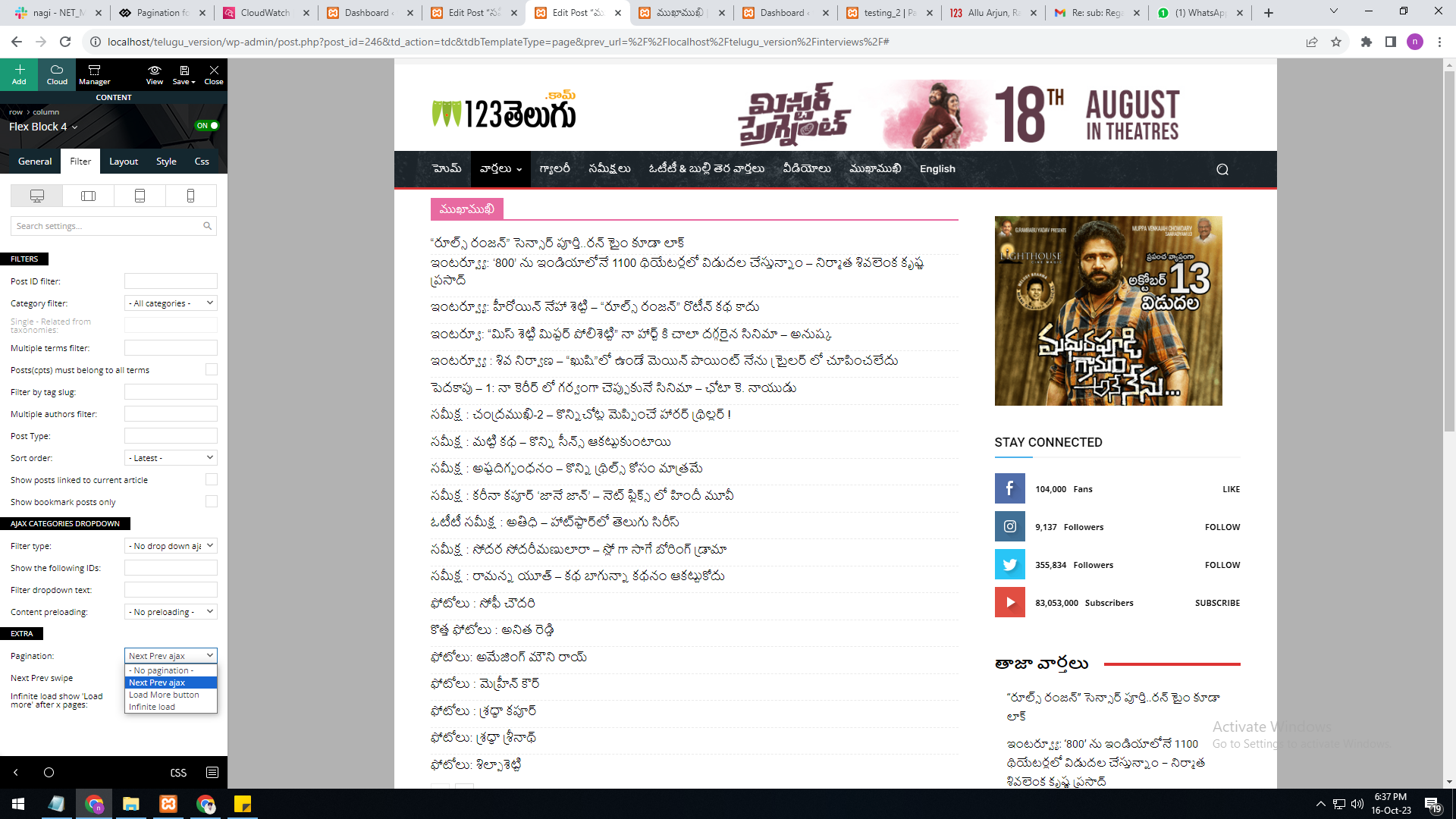
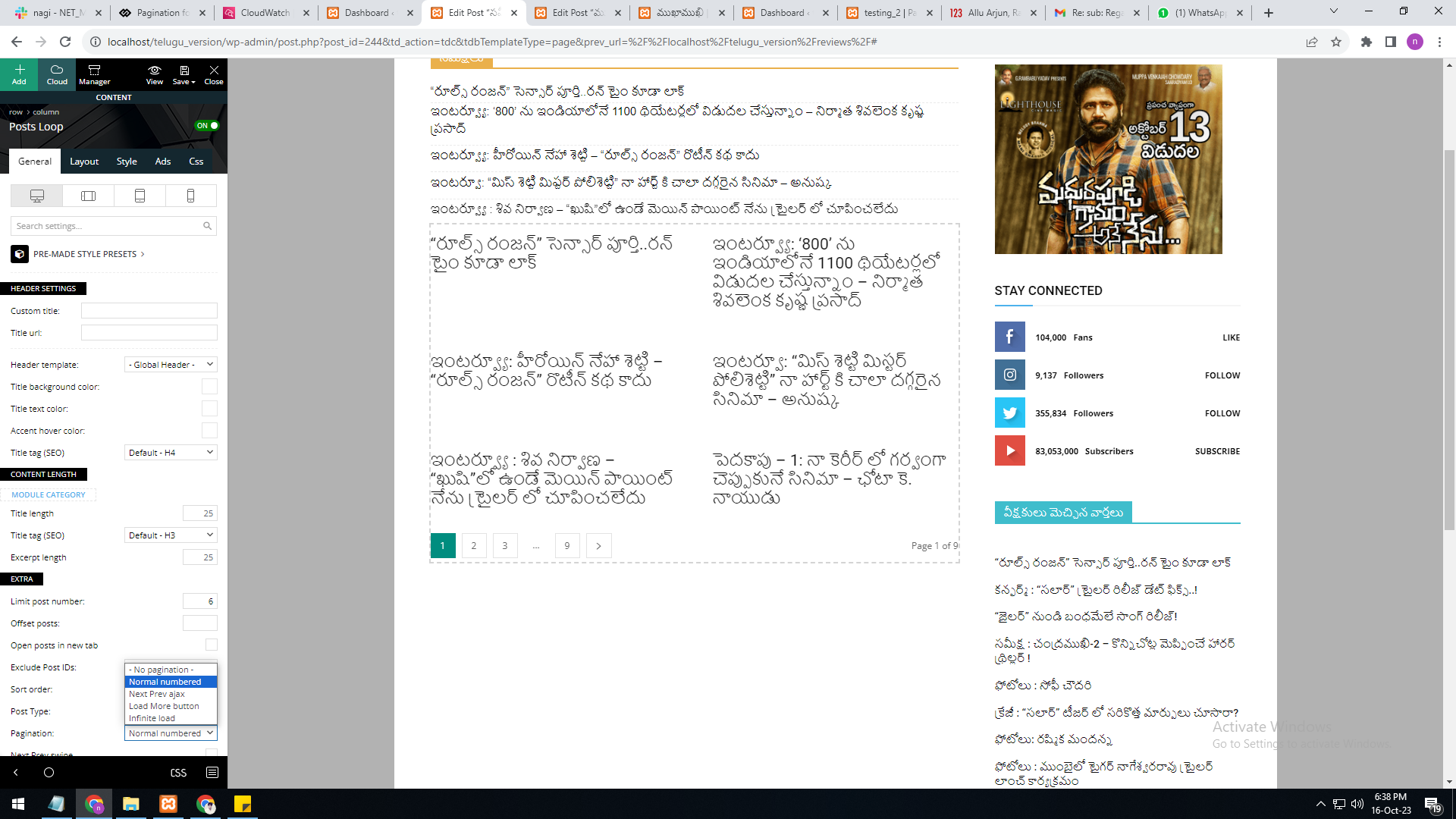
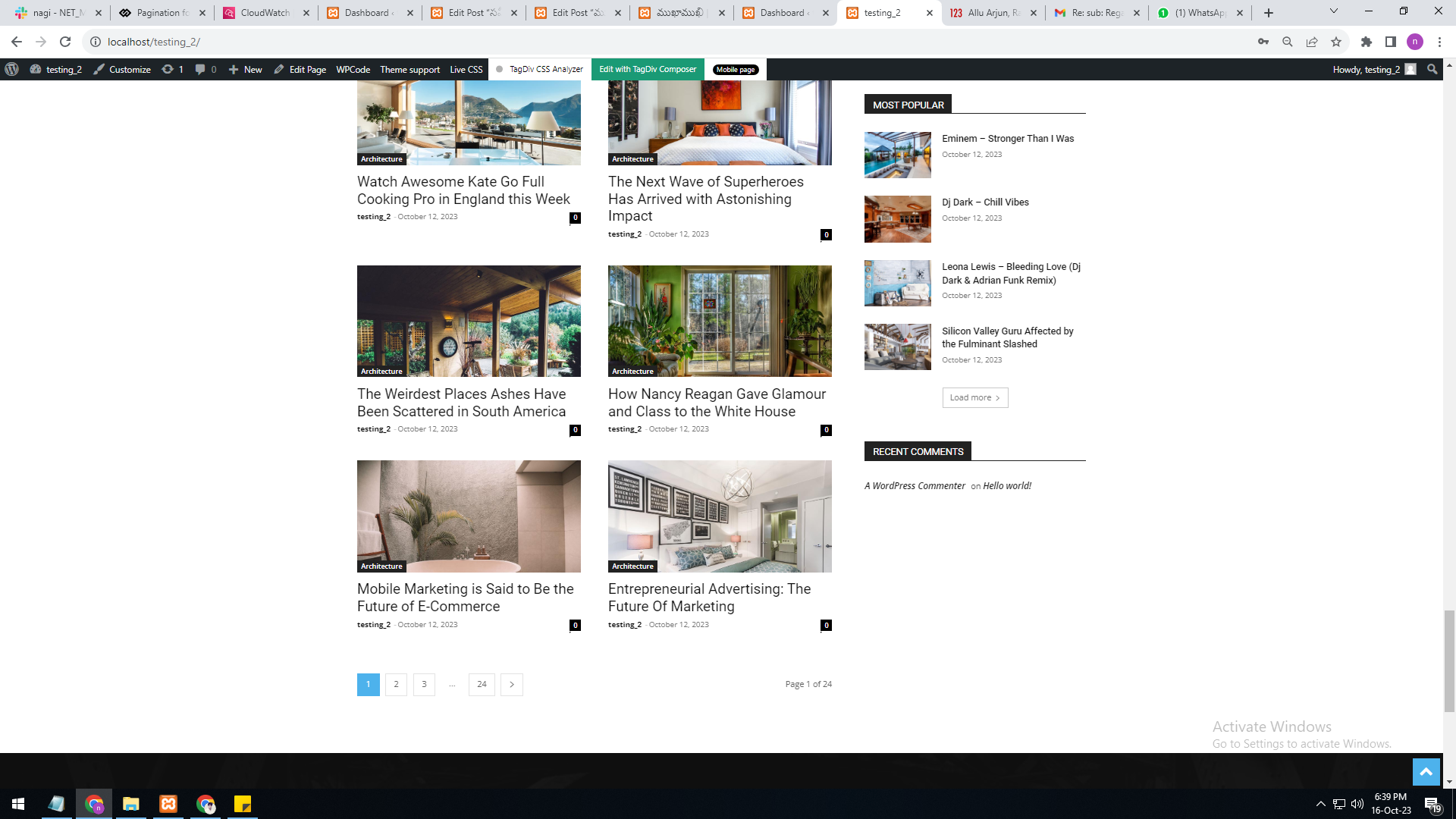
As per your reply, the numbering pagination is available in the loop concept. But we are not able to select the category option in it. The category filter option is not available in the loop concept.
In single page, flex block 4, the category filter option is available, but the pagination currently has the options “next prev,” “more,” and “infinite load. But we need numbering pagination.
present my theme options
———————
https://gallery.123telugu.com/images/theme_test/Pagination_1.png
I want like this URLS link
————————
https://gallery.123telugu.com/images/theme_test/Pagination_2.png
https://gallery.123telugu.com/images/theme_test/Pagination_3.png