
- NewspaperUser review system
- NewsmagReviews
- NewspaperReviews
- NewspaperCredit System
- NewspaperModules Builder in Newspaper Theme
- NewspaperHow to use the Posts List shortcode
- NewspaperModal Popup
- NewspaperLockers
- NewspaperLeads
- NewspaperFlex Block Settings Guide
- NewspaperSingle Post Shortcodes
- NewspaperDefault Category Settings
- NewspaperCloud Library – Category Templates
- NewspaperBig Grid Flex Settings
- NewspaperMeta Info on Modules and Blocks
- NewspapertagDiv Cloud Library Plugin
- NewspapertagDiv AMP Plugin Tutorial
- NewsmagtagDiv Composer Tutorial
- NewspapertagDiv Composer Tutorial
- TutorialsDefault Block Settings Guide
 danblukk
My blog is stuck at version 9.6.1 as every time I update the theme, it completely messes up the article pages.
I thought with the latest update it would be fixed but not the case.
My blog is https://martial-arts-review.co.uk/ with the old theme version. It all works fine and is how I want it to look. Whenever I update to the latest theme version and even if I change demos, the article pages get messed up.
The featured image disappears and so do all other images, everything is squished into the middle of the screen like its a mobile version and the social media icon appears giant.
I’ve attached a few images from my staging site as I’m very reluctant to update my live set as it messes everything up.
https://www.screencast.com/t/bwQ4TWICs8ss
https://www.screencast.com/t/WmAqTDnIl
https://www.screencast.com/t/BdBcvYKwHu
Please can anyone help, this has been going on for months.
Thanks
 norbiQue
Hi,
Which plugin works best with a newspaper theme, the ability to add reviews available in the template, registration plugin, and user permissions
thanks for the help,
regards n
 Calin
Calin Hi line77, we have two themes, Newspaper and Newsmag, if you want a simple theme, we recommend to use Newsmag theme.
If you want a clean demo, then you can check our demos for newspaper here -> https://demo.tagdiv.com/select_demo/select_demo_newspaper/?utm_source=live_preview&utm_medium=click&utm_campaign=demos&utm_content=demos_button#demos
Thank you!
 cyprusglobal
 Hi,
My web site is not published yet. I am working on it…
As you can see in the screenshot I shared… when I am going to other categories can’t see becouse of the article preiew.
I want to close the preview with the image. Thank you
-
This reply was modified 6 years by
cyprusglobal.
 Vlad S
 Hello !
At the end of each post you will be able to see the product review options: https://www.screencast.com/t/3OSPVRwraCBI
Also please note that this rating is set by you not by your users.
Thank you !
 maltardesigns
Hi,
I have copy file from
plugins\td-standard-pack\Newspaper\parts\header\top-menu.php
to
themes\Newspaper-child\parts\header\top-menu.php
Then I have changed required information. But this is not getting effect from child theme file.
Can we override this file? it’s possible or not?
I wating for your review.
Thanks
maltardesignsHi team,
Kindly review below screenshot and please advise about title changes.
https://i.imgur.com/T56Eugm.png
I try to find but i did not get.
Plz advise.
 Mark Gilbert
I have just tried AMP for first time and am getting these errors messages:
Warning: Use of undefined constant TDC_PATH_LEGACY – assumed ‘TDC_PATH_LEGACY’ (this will throw an Error in a future version of PHP) in /homepages/24/d715855802/htdocs/jazzjournal/wp-content/plugins/td-composer/td-composer.php on line 114
Warning: Use of undefined constant TDSP_THEME_PATH – assumed ‘TDSP_THEME_PATH’ (this will throw an Error in a future version of PHP) in /homepages/24/d715855802/htdocs/jazzjournal/wp-content/plugins/td-composer/td-composer.php on line 118
Also, if I turn on Standard (as opposed to Reader) a lot of content (featured image and post comment) is missing on mobile and desktop views. I don’t see any AMP presentation like the previews.
Thanks
cyprusglobalI don’t want to see the preview of the articles while browsing with the mouse. How can I turn this off? Thank you all
 acearaujo
 Hi calin,
The site was working perfectly for about 2 months. After the error 500 appear, I made changes to review the problem. And the main problem is just one page -> https://progresohispanonews.com/noticias-principales/
I used another page as the homepage, while I fix this one.
I think that is something strange in the code generated by tagdiv and show error 500, and now is loading but the content is not working properly.
Can you check again please.
Thanks
Calin Yes, that option is not working since you get fast preview of the page from google, please try this custom css:
.amp-mode-touch .td-location-icon, .amp-mode-mouse .td-location-icon   {

display: none;

}
Hope it will help you!
 moss8007
 I want to add a image slider on my homepage on left side in a section but the slide is showing at the middle.
website link https://realwomenatlanta.com/?page_id=1088&preview=true
image link 1… https://realwomenatlanta.com/wp-content/uploads/2020/09/slide-image-1.jpg
img link 2… https://realwomenatlanta.com/wp-content/uploads/2020/09/slide-img-2.jpg
 acearaujo
Hi Guys. Have been 3 months since I use the plugin and eveything was very clear and smooth. Something hapends when I edit the header of the site and put an image with a link in the right side. The Site started to show Error 500 and the admin panel works perfectly. I need an Urgent Check to review what could happen.
Thanks a lot!
Calin Hi vmalkotia,
Once that you have set this single post template on your articles, then you need to set on each article that you want to have a review, edit theme and add the reviews in “Post Settings” -> https://i.imgur.com/JxZ4rsh.png you can check more in our documentation from here -> https://forum.tagdiv.com/reviews-2/
Hope this will help you!
Calin Hi Sommelierlife,
Indeed the above steps were for a standard post style, as I can see you are using a single post template from cloud template, this need to be modified in these files:
-> wp-content/plugins/td-cloud-library/shortcodes/single/tdb_single_review_overall.php comment these 2 lines -> https://i.imgur.com/LbpbDeL.png and in wp-content/plugins/td-cloud-library/shortcodes/single/tdb_single_review_overview.php add “/ 10” on this line -> https://i.imgur.com/aeIib0g.png then you will get a design like this -> https://i.imgur.com/h7tVSjF.png unfortunately these changes can not be set in a child theme and will be lost (you need to make those settings again) when you will make a theme update.
Hope this will help you!
 vmalkotia
I downloaded the single post template “Review Template 4 – Gaming”. Then I applied it to a post. How and where do I enter data for “single post review overall” or “Single Post Review Overview”. I cannot ‘edit post’ and customise these information. Please help
 Roularta
Hi There,
I have a big problem while creating blank template files with tagDiv composer. I’ve created a custom header, a custom footer, a custom category and a custom 404 (needed to do changes to my footer).
Header problem
I want to adjust the column widths of my header rows.
In my upper menu (black top menu), I’ve set the layout to a 9-3 columns width:
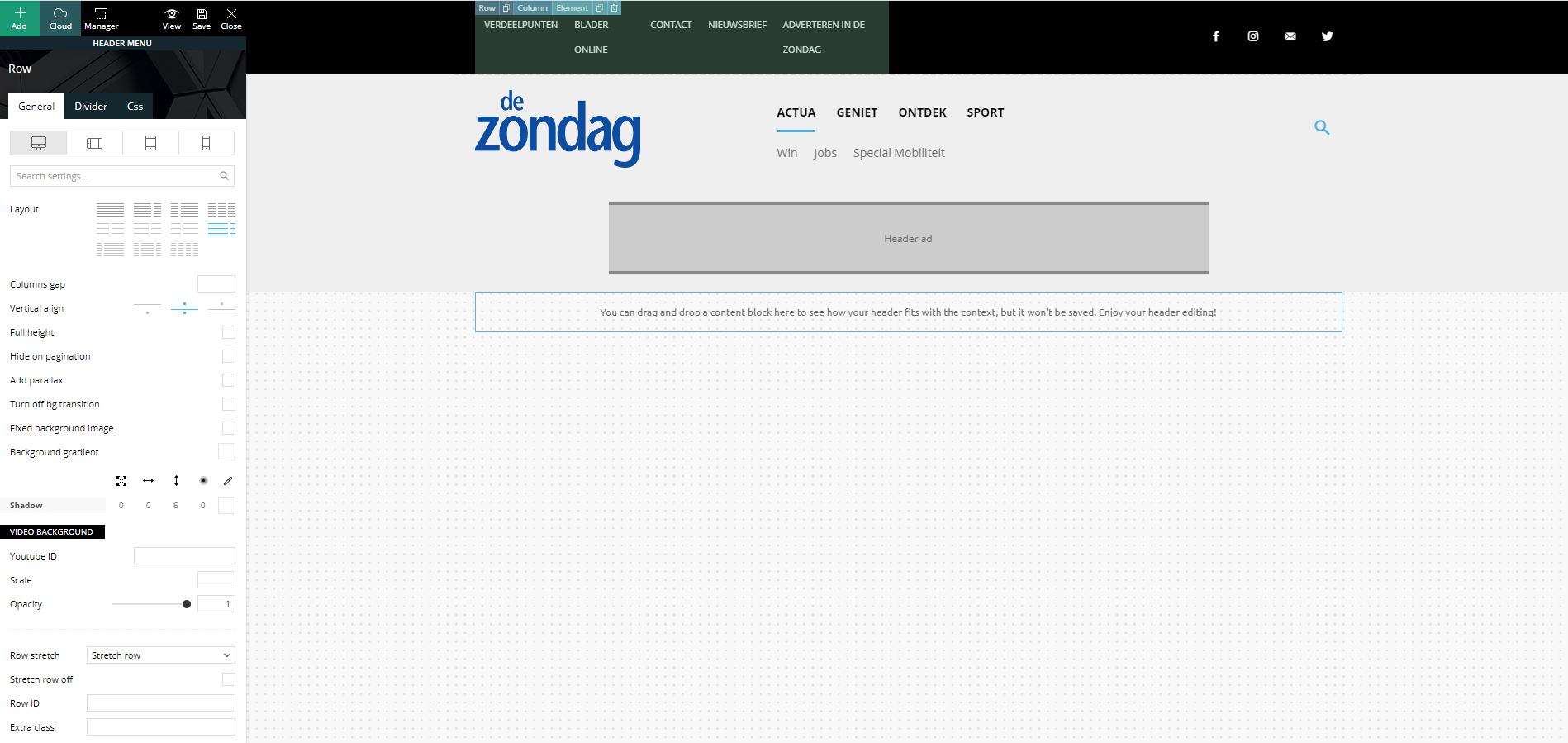
Strange but true, in the preview screen it shows a columns width of 6-6. I’m not able to change this (anymore)…
In my main menu, I’ve set the layout to a 3-6-3 columns width:
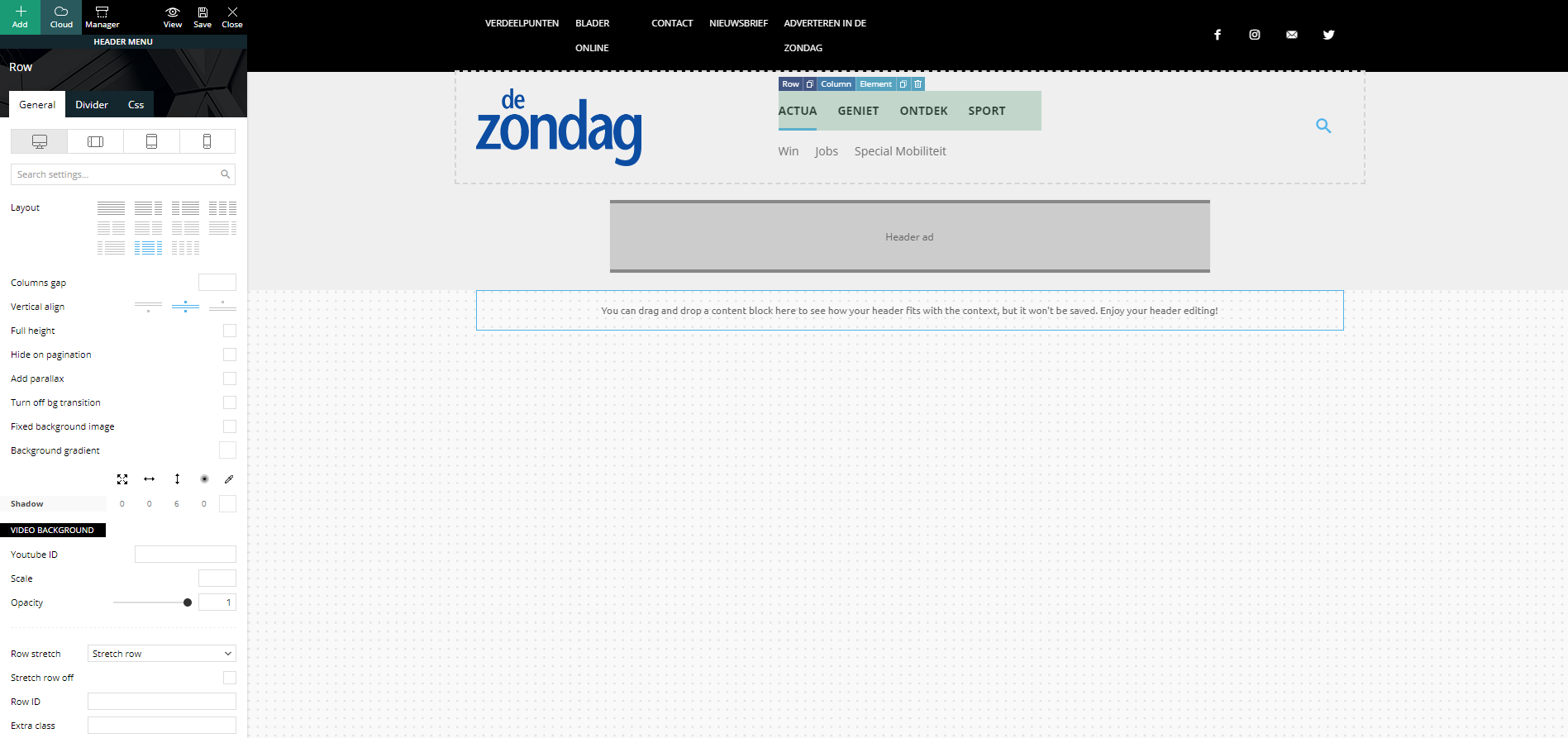
Strange but true, in the preview screen it shows a columns width of 4-4-4. I’m not able to change this (anymore)…
Footer problem
Same strange issues with my footer. Here I’ve set my footer columns (dark gray stroke) to a 4-4-4 width:
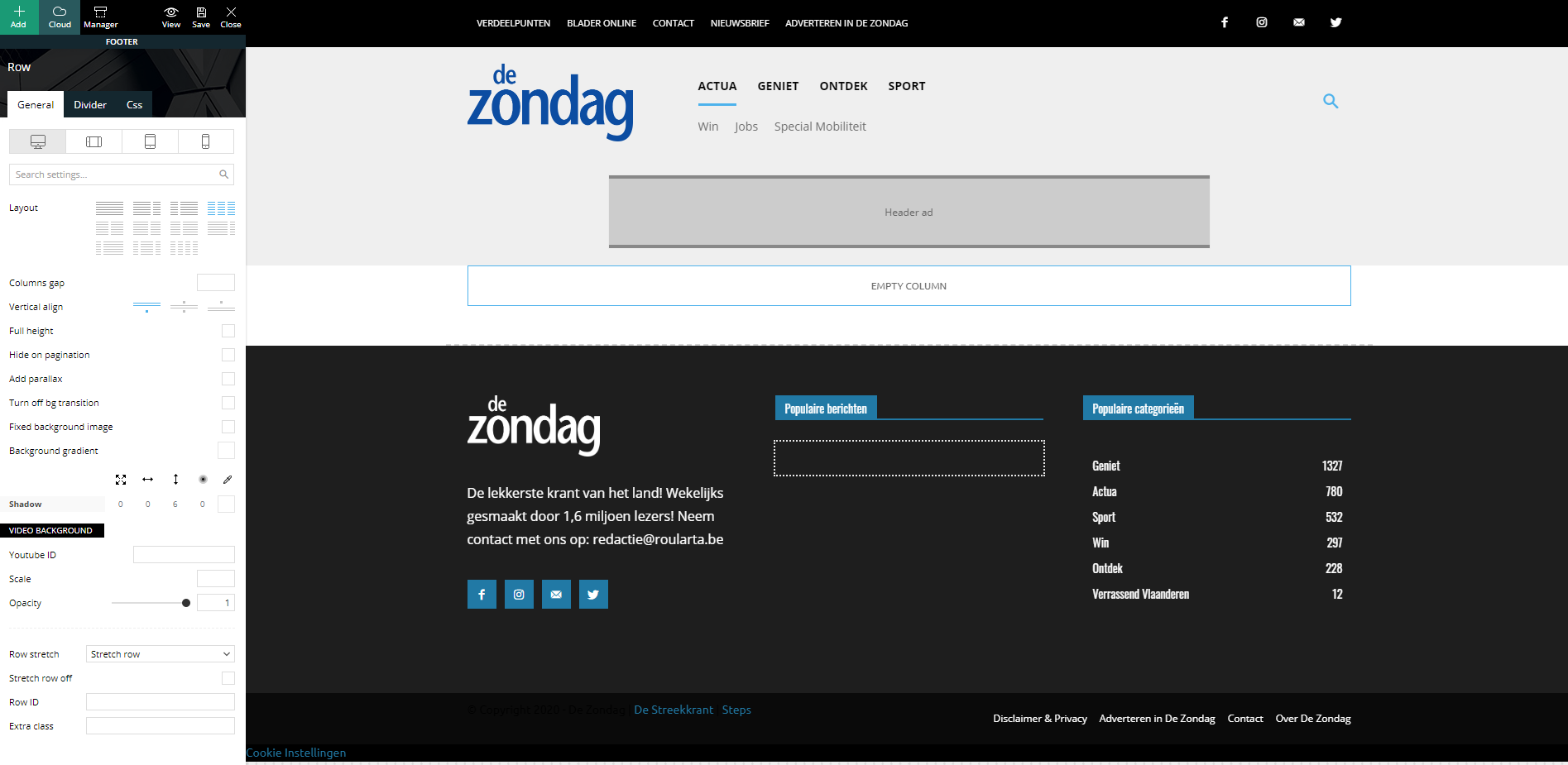
When I check my website, all columns are changed to a width of 12 and they are stacked under each other:
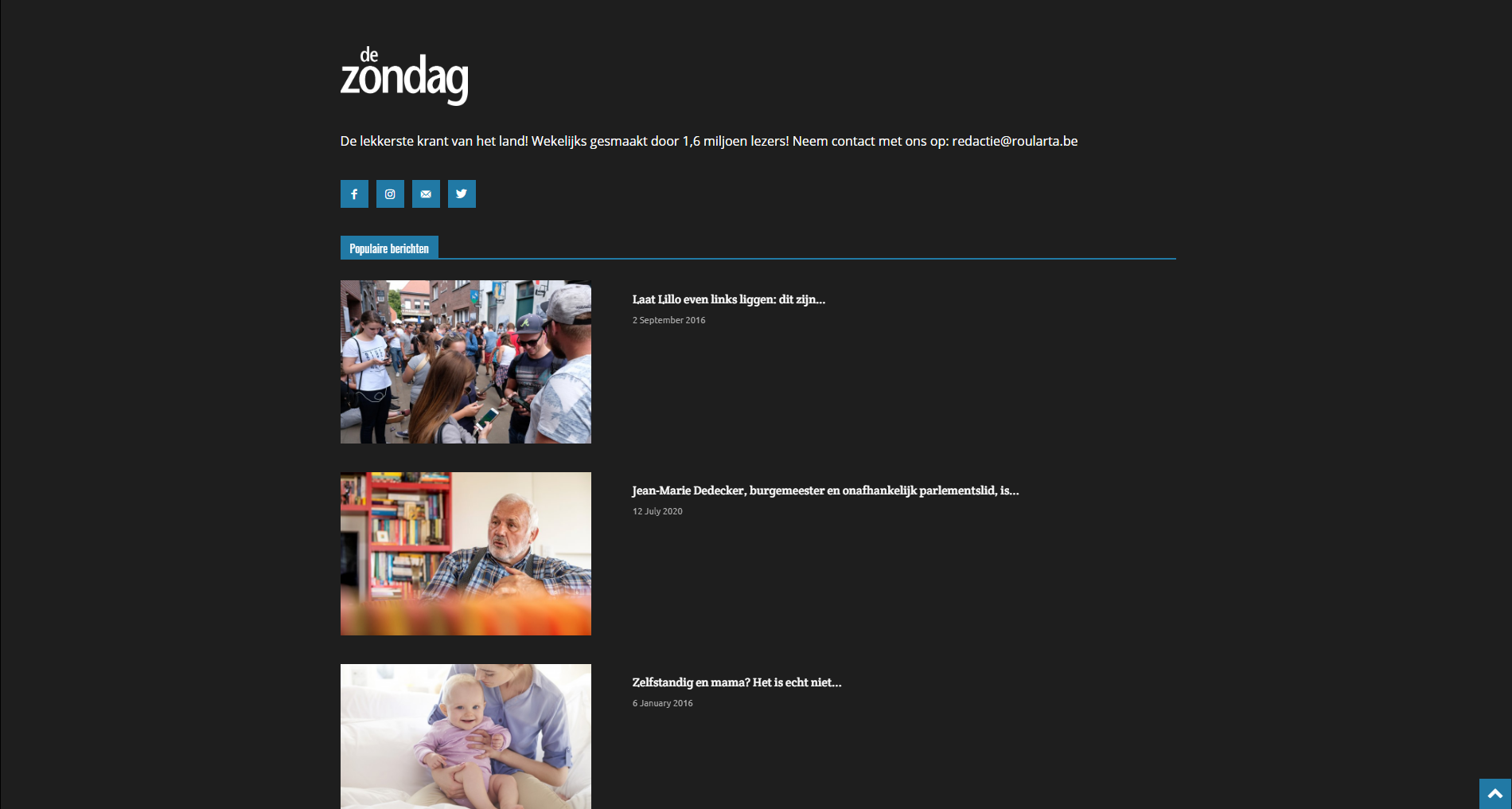
I have identical problems with my custom category pages.
Can you guide me how I can fix this please?
Kind regards,
Sam Clauw
 Sommelierlife
 Hi Calin!
at the moment the site is in Coming soon mode, so I can give you a private access at this link https://sommelierlife.it/wp-login.php you can enter with guest1 pw: Silvia2020@ and you can visualize the article at this link https://sommelierlife.it/al-metro-la-stella-indiscussa-della-costa-dei-trabocchi-review/
the screenshots as you required:
– the review score before the changes https://ibb.co/mDLqT26
– the 2 lines (7-8) that i comment https://ibb.co/4tztM87
– the line where I add the extra parameter https://ibb.co/F8V0bRF
– the result after changes https://ibb.co/mDLqT26
Calin Hi Sommelierlife,
Please provide me a link where I can inspect the reviews, also please provide me some screenshots with the settings you’ve made in them files (the place and changes), in this way I will be able to identify why the elements are not removed for you.
Thank you!
Calin Hi,
I just make a test and for me the “guest name” is displaying in the post preview and block too -> https://i.imgur.com/2hf39IL.png -> https://i.imgur.com/NZAHBKW.png -> https://i.imgur.com/MlFP7YZ.png
Just make sure that you let only the guest author.
Thank you!
 keggy
keggyHi,
as you can see here: https://fotoenotizie.it/ I have build a new website with your template. On the desktop version all is ok but on the mobile version the template I have customize on you the builder and I can see on the Chrome Preview is totally different.
How can I visualize the correct theme version on the mobile devices?
Regards
Francesco
Calin Hi,
Our theme has only one review system that can be set only by the persons that have access to the posts.
If you need a feedback from users (to can users to set the reviews) then you need to use a plugin -> https://kinsta.com/blog/best-wordpress-review-plugins/
Thank you!
SommelierlifeHi,
I need to replace the stars icon used in reviews star with a custom icon, I need to change it in all the site.
Is it possible to do this and how can I change it?
Thanks
 ladof
ladofHi
In my website I have some posts that are from another authors and the posts must have their names.
I am using the “Molongui Authorship” Plugin in order to be able to create these posts without the need to create dummy users.
however in the posts preview in the main page it apears the user “admin”

but inside the post it apears the coorect Guest user as desired:

how can I have the “guest name” in the post preview?
Best Regard
Daniela (LadoF)
 aleksa420
I tried switching all the settings of a menu in TD Composer but nothing was optimized for a menu with sub-items and the preview post div is not positioned well, so I’m wondering is there a way to make it work and look little more fancy then just a basic white menu which we currently have…
This is the link to blog
http://balkanskaimperija.blog/



