
- NewspaperHow to update a plugin
- NewspaperHow to update the WPBakery Page Builder plugin
- NewspaperHow to Update the Newspaper Theme
- NewspaperSingle Post Excerpt
- NewspaperWP Rocket and Newspaper Theme: Optimization Guide
- NewspaperCredit System
- NewspaperHow to use the Bing Maps API
- NewspaperModules Builder in Newspaper Theme
- NewspaperCreate a frontend submission form
- NewspaperCustom Fields Support
- NewspaperFlex Block Settings Guide
- NewspapertagDiv Opt-In Builder
- NewspaperHow to use the YouTube API
- NewspaperDefault Category Settings
- NewspapertagDiv Composer Tutorial
- NewspaperHow to Set the Image Avatar
- NewspaperUnique Articles
- NewspaperFacebook Share
- NewspaperCache plugin – install and configure
- NewspaperFeatured Image, Video or Audio
 Stix
Stix UPDATE: Just wanted to post an update to the group … tagDiv ( Calin and team ) found the issue and helped get my website fixed with the install issues I had, and I now have the theme installed and working on my website with no issues!
Thank you, Calin, and the tagDiv team!
 Bettina
 Hello!
Try to set for every post a primary category https://prnt.sc/D6rEBXOApfNP
No. But I recommend that you update the theme every time to the latest update.
Thank you!
 DocDigit
 We have some posts linked to max 2 other categories.
Latest update: we installed Newspaper from scratch again and it looks everthing looks fine now. Did you have an update without updating the version number by accident?
Happy now, thanks for your patience!
Jos
Bettina Hello Mariane!
Did you have the plugins installed, activated, and up to date?
Deactivate ALL plugins except tagDiv ones, also if you are using a cache plugin, deactivate it, clear all cache.
Make a full backup, update the theme, do these steps:
1. deactivate TagDiv Composer
2. uninstall (delete) TagDiv Composer
3. clear cache (if a cache plugin is present).
4. install TagDiv Composer
5. activate TagDiv Composer
6. clear cache (if a cache plugin is present).
If the problem persists, then we can investigate this issue further via email. Please contact us via email at contact@tagdiv.com and provide the following:
– admin url and credentials
Our team will take a look!
Thank you!
 sefender
 Hello Bettina
When we try to update the theme NEWSPAPER , the whole layout of the article is destroyed .. and we have hundreds of articles…
Thank you
Mariane
Bettina Hello Mariane!
Can you please provide more information about your issue after the update and your website link?
Thank you!
sefenderGood morning,
We have version 8.1 of Newspaper and wish, to benefit
security updates, upgrade to the latest release.
However, despite our efforts, our layouts are completely distorted.
Indeed, the editor embedded by your theme is not compatible between
the version we have and the version we want to have.
Can you provide us with support on this specific case?
Cordially
Mariane
 Anamaria
 Hi,
From your screenshot -> https://i.imgur.com/qSskCGB.png, I see that you have extra plugins, and maybe they updated it, then problems can appear; that is why I recommend doing a test only with tagDiv plugins Please check here the support policy https://i.imgur.com/9KB8IRM.png -> https://forum.tagdiv.com/newspaper-theme-support/
Thank you!
Anamaria Hello,
This can be done only if you use a mobile template -> https://i.imgur.com/PYc6bWV.png -> https://tagdiv.com/newspaper-10-3-7-update-brings-customizable-and-fast-mobile-pages/ if you have the responsive version you can’t delete it for mobile.
Thank you!
 dlicoppe
 OK thank you for the information. Keep me updated in this post, I’ll follow it to find out when it will be included. THANKS.
Anamaria Hello,
Unfortunately, we do not have an estimated date for this implementation. There will be an update soon, but this one will not be included.
Thank you!
 digitalaimmedia
I’m unable to edit existing text or add new text to a text module. I’ve updated all plugins and themes and still continue to have the issue. Please advise.
 hadharm
 I didn’t make any changes to the theme files and plugin files. I just recently updated to the latest version. I only add custom CSS and JavaScript from the custom code of the theme panel.
Anamaria Hi,
Please provide more details about your issue.
Also, please check this topic -> https://forum.tagdiv.com/topic/update-required-newspaper-12-1-1-brings-extra-security/
Thank you!
Anamaria  Calin
Calin Hi,
If this happened after you updated to the latest version, it is possible that certain plugins interfere, most likely an update was made to the theme, then when the plugins in the theme were to be replaced, then the automatic installation of the plugins appeared in the new version it was stopped due to the plugin conflict or security settings.
From what I see now, the site is under maintenance, are there still problems with it?
Thank you!
Anamaria Hi,
I did a test and on my end works, did you make some changes? or do you only update the theme?
Also, please check if the code for ads is set there.
Thank you!
dlicoppe it’s a shame because anyone can access the content without paying… Internet users will quickly get the message across and the viability of your system will very quickly be called into question. Removing a simple little tag or using a simple “anti-paywall” chrome extension and presto, all content is updated without a subscription. You should offer both options, allow to choose between “hidden for user and Google” and “hidden for use and not google” solution.
 mastaliyev
hi
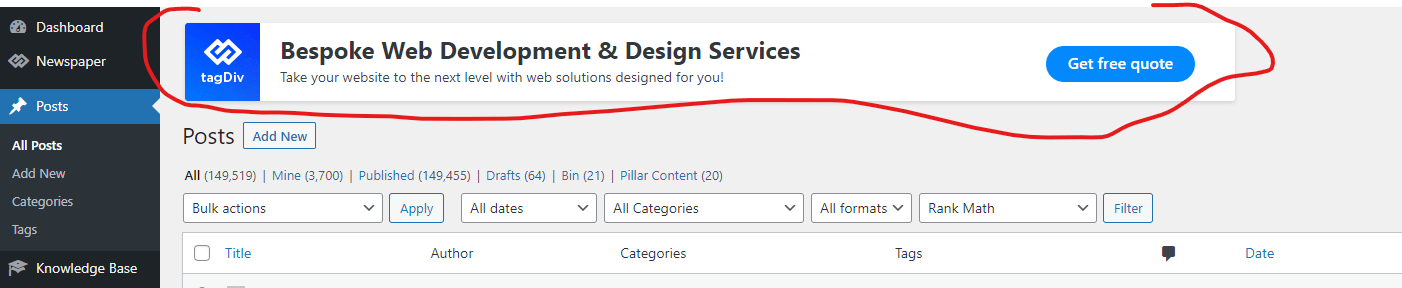
after update i get this banner in my website.
is there anyway to turn off that?
 danielfooddiary
Hi there, the mobile version of the newspaper theme (after the update) of my website DanielFooddiary.com doesn’t seem to be working well.
The “Home” Icon on the top left corner doesn’t work now.
The Sharing Icons appear blank now on mobile (I use an Iphone and tried various models), but there are actually there. The portion looks while, but when you click on them, they work.
Anyone can help?
 nosisnews
Good day please i updated the website to a new demo site, my issue is, the post are not organized they all flood in every section. Like there is a section for web3 news on the home page but it just shows the latest news posted even if it does not belong to that category same with others. If i click on the menu, it works fine but on the hoem page its scattered
Please how can i fix that
Thanks
 Rogerio
Hi,
suddently my website was broked, showing simply a code page. The theme plugins were no longer installed, no theme settings, all was missing. I’ve reisntalled the theme plugins and imported the last theme settings and now it’s back.
Do you have any clue on what might have caused this?
Is this due to the last theme update?
If so, do you have any clue on how to avvoid this, once there is no childtheme?
Now, I’m really worried if this happens when the website becomes public.
https://arktekscience.com
Thanks.
Rogerio
 gem1814g
 I’m not seeing a “tagDiv Standard Pack” plugin was it missing in the newspaper update?
 Prateek
Hi,
When the button trigger option is set for modal popup, all the files related to modal like html, css, js, images are loaded even if the user hasn’t clicked the button yet. I have found this through network tab of browser inspect elements (developer options).
This is a very unoptimized implementation of this functionality. What if the user never clicks the button to trigger the modal? All the resources loaded for no reason and put unnecessary burden on the server.
The current implementation might make sense for modals that are triggered by pageload, cursor, and scroll. However, for button triggers, I think the ajax would be a much better and optimized option.
If you think the current set-up is perfect, you can at least give us the choice to choose the ajax method if we want like you did with live search option in previous updates of the theme. Feel free to ask for more information.
I hope developers consider this request. I’d be thankful.
Good day.
 kalyan320
 Again i updated the header
And my IP address blocked by the server
And they send me the same message
Server name : Nano Cloud Apps



