
- NewspapertagDiv AMP Plugin Tutorial
- NewspaperTrack Subscription Sources with Locker URL in Opt-In Builder
- NewspaperWP Rocket and Newspaper Theme: Optimization Guide
- NewspaperCredit System
- NewspaperIntroduction to CPT and ACF with Newspaper Theme
- NewspaperHow to edit modules for Flex Block X
- NewspaperHow to use the Posts List shortcode
- NewspaperUser review system
- NewspaperCustom Fields Support
- NewspaperHow to generate Facebook App ID
- NewspaperHow to insert a block inside the content of a post
- NewspaperModal Popup
- NewspaperPayPal Setup
- NewspaperLink Tracker
- NewspaperLockers
- NewspaperGeneral Options that May Interfere with the Newspaper Theme
- NewspaperAdd Cryptocurrency Price Ticker Widget
- NewspaperPosts Loop Element
- NewspaperThe Newspaper Mobile Theme: Introduction
- NewspaperAutoptimize Plugin – install and configuration
 jects
jects Yes it works.
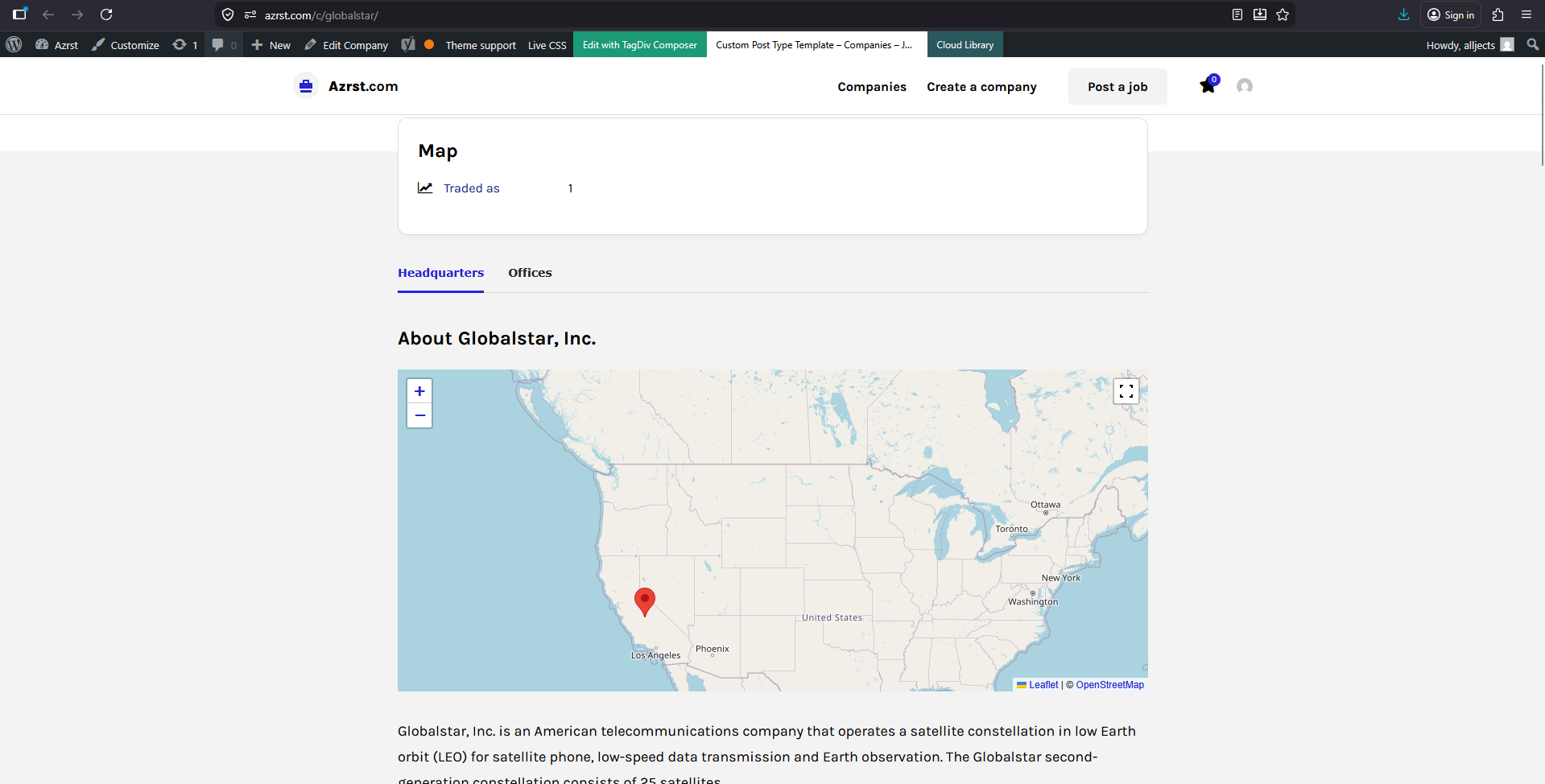
Heare are my questions
1. How i can change the mapcode [wpgmza id=”1″] example I have many companies?
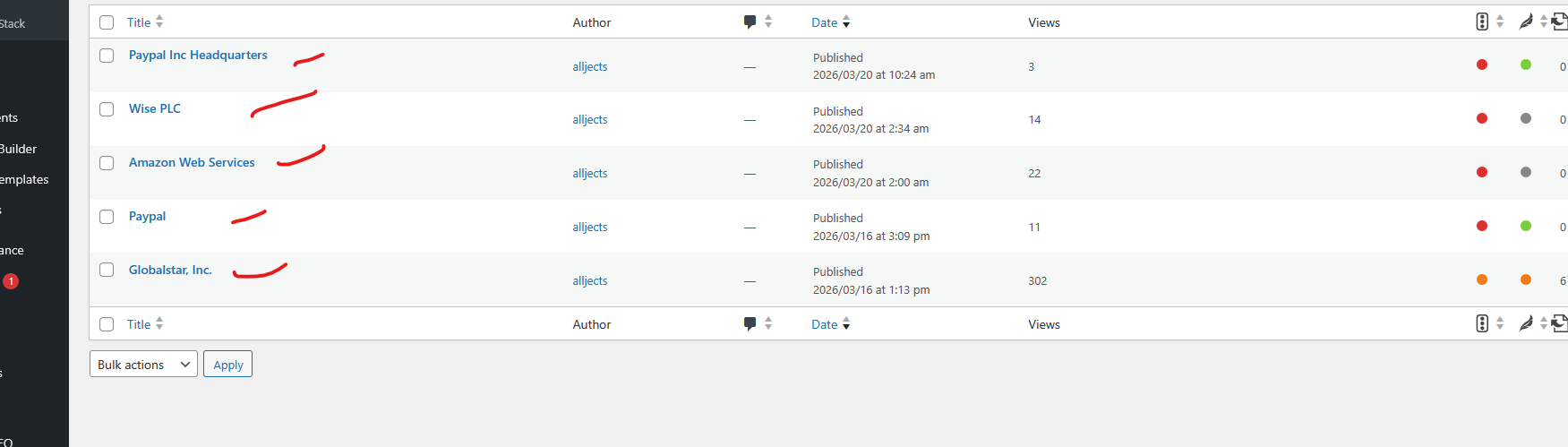
2. Could I add the code via each companies back-end?
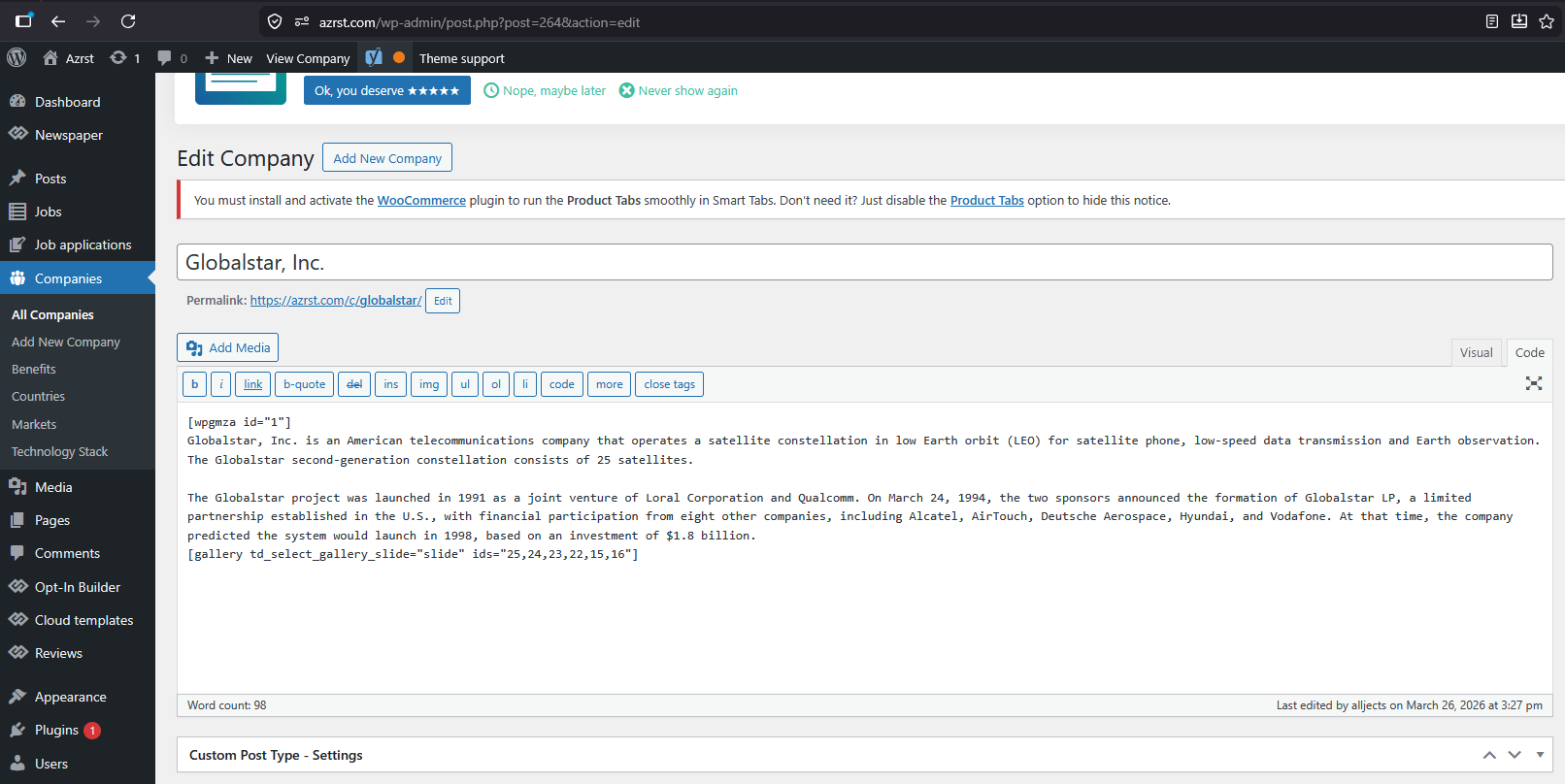
Thanks.
 dennisjpitocco
 Thank you, Calin…
Checked again and what see is a bunch of white space until we scroll down quite far when the Page finally appears. And beneath the Page we see our entire Main Menu in this format:
@HOME
@ABOUT
@360° IN THE MEDIA
@EDITORIAL CIRCLE
@FROM THE PUBLISHER
@INSIDE 360° NATION
@KEYNOTING 360°
@OUR ETHOS
@PASSWORD RESET
@TEAM 360°
@SCRIBES
@OUR COLUMNISTS
@OUR FEATURED CONTRIBUTORS
@LIFECOLUMNS
AllA STORIED LIFEA WORLD OF GOODALCHEMY IS UNDERWAYALL IN ALLBELIEFS CREATE REALITYCONNECTED BY THREECOURAGE, WISDOM &
-
This reply was modified 6 months by
dennisjpitocco.
 4kfilme
Hello,
we are seeing an issue with the Newspaper theme where arbitrary ?p= query parameters are accepted on paginated archive pages.
### Examples:
* https://www.4kfilme.de/page/15/?p=test
* https://www.womeninadria.com/page/15/?p=blabla
### Behavior:
* Any ?p= value (even invalid strings) still renders a normal archive page
* No redirect or 404 is triggered
* Multiple URL variants return identical content
### Impact:
* Duplicate URLs are indexed by Google
* “Duplicate, Google chose different canonical” warnings in Search Console
### Question:
Is this expected behavior, and is there a recommended way to handle or block such query parameters to avoid duplicate content?
Thanks in advance.
 discernin
Hello,
How can we make the header transparent in the Trucking Services theme? If you look at the homepage, the header image appears behind even the menus, but on the other page shown, the image is cut off and the menu is not transparent.
We have tried many options within the header of the specific page, but we haven’t been able to achieve the desired result.
These are the example pages that illustrate our question:
Page we want to achieve: https://discernin.com
Page that doesn’t show a transparent header and the image is cut off: https://discernin.com/research/
Thank you in advance for your attention.
Regards,
 MexicoNewsDaily
Hello,
I’m wondering if someone can help. In my TD composer I have a block, “Block 1” which is built of two columns. Left column is Module 4, a query showing a single article. Right column has four queries (single posts) of Module 6. Module 4 shows the comment count, the Module 6 posts do not. In global options (Theme panel –> Block settings –> Meta info for Modules/Blocks), comment count is turned on. Is there a way to add it to the Module 6 divs in that block?
Thanks!
URL: mexiconewsdaily.com
For example: see “MND_Business” category section on the homepage.
jects Okay.
Example for this.
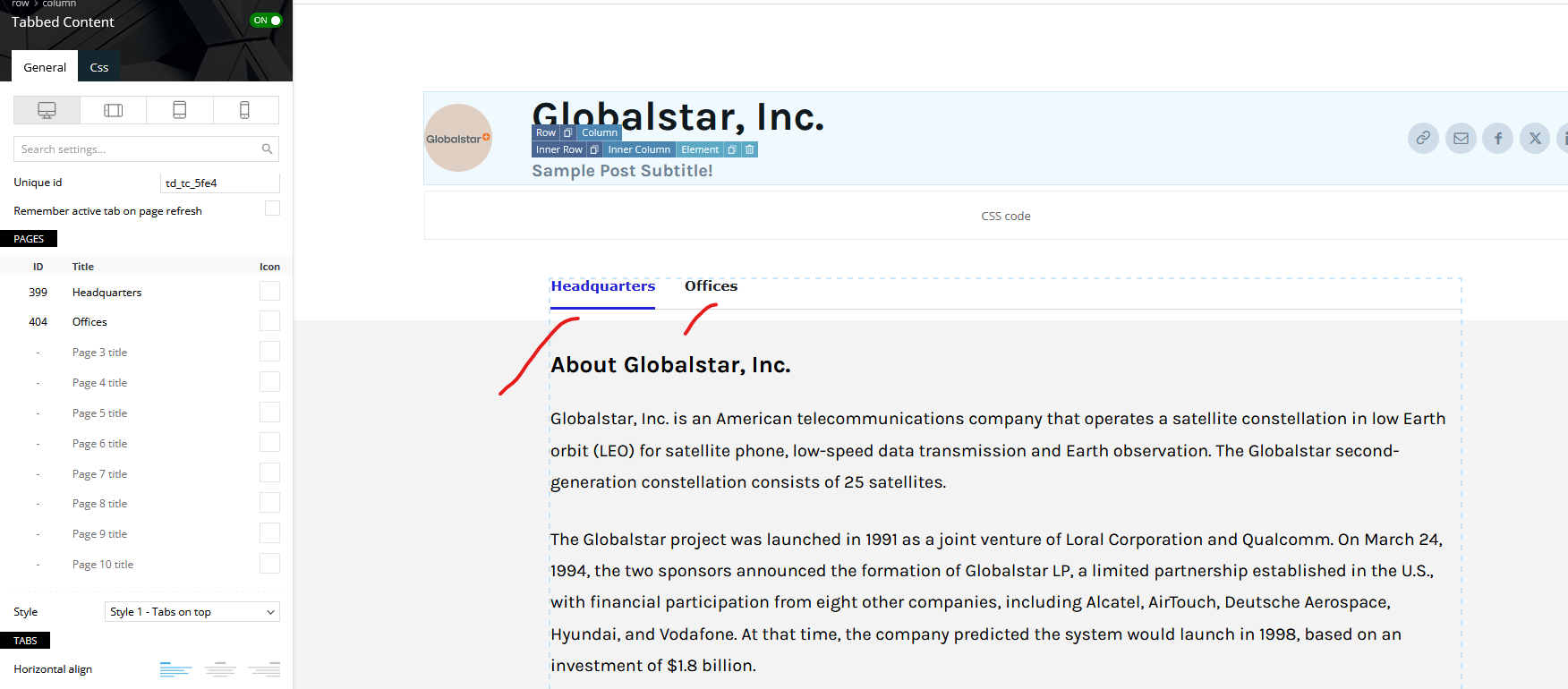
Note: I just try to copy the overview on the page.
My question is how i can add a code of the map Example for Headquarters and offices tab.
Thanks.
jects The wpgmaps output is like this [wpgmza id=”432″].
1. What I going to achieve is how put the wpgmaps code on the back-end similar to arrangement of Company info
Yes I can be add direct on the body.
2. I want to achieve it also with tabs and position before the Title Post.
Example [tab 1 I will put only Headquarters [wpgmza id=”432″] and on [tab 2 I will put only offices]
I want my visitor to easy manage the map, because if to many maps on one tab its like crowded see this ATT
Thanks
 Man Kam
Dear support team,
First of all, thank you for your support all the time.
I am building the site using Newspaper theme / rank math (above link).
I have problem for table of contents
1. refer to link, is it possible to edit the content in “table of contents by newspaper”.
If using “table of contents by Rank Math”, the content could edit.
2. refer to link, you may found the faq in auto add to “table of contents by”.
Is it possible to not add FAQ part?
Thanks and Best Regards
MK
 Calin
Calin Hi,
Just to make sure I fully understand your request: you’d like to keep the Newspaper theme, but replace the current demo/prebuilt website free news with the “Trucking Services” demo so you can use its tracking-related features—is that correct?
If so, yes, this is possible. The approach I recommend is to first set up a staging environment and install the Trucking Services demo there. You can follow this guide for the installation process: https://forum.tagdiv.com/installing-demos/ https://i.imgur.com/Dcpxfbz.png
Once the demo is installed on staging, my recommendation is to manually transfer only the content you need to your main site. For example:
– create new pages on the live site and paste the content from staging
– duplicate Cloud Templates and paste the corresponding template code
This way, you maintain full control and avoid overwriting existing content on your main website.
Calin Hi,
What you can do is to add to teh code an extra class and set that class on the blocks you want to remove the click option https://i.imgur.com/Fimm5LS.png and the class should be set in the provided css after body, for example:
body .disable-click .td-image-wrap {

pointer-events: none;

}
I hope this will help!
 AjitSirohi
 Thanks, it is working. I need a sligh modification.
I have three Sections/Modules on Home Page. All three sections/modules use Flex-Block-1. Is it possible that I can disable Clicks on Block-1/Module-1 but allow it on Blok-1 & Block-3. Right now it disables Click throughout the website. That is not what I want. Please help.
 PolishExpress
Hi,
I’m using the Newspaper theme together with Yoast SEO Pro, and I have a question about the option “Enable article schema” located in:
Theme Panel → Post Settings → General post settings
I would like to understand exactly what this option generates.
Does “Enable article schema” output a full Article / NewsArticle JSON‑LD block that might duplicate or conflict with the schema generated by Yoast SEO Pro?
Or is it only adding a minimal/basic schema that complements Yoast (for example: headline, datePublished, etc.) without overlapping with Yoast’s full NewsArticle structured data?
In short:
Does this option duplicate Yoast’s schema, or does it add something different that works alongside Yoast?
I want to avoid double schema output, so any clarification on what this setting actually produces would be very helpful.
Thanks in advance!
 kal
kalHello tagDiv Support Team,
I would like to report a bug regarding the Estimated Reading Time calculation in the Newspaper theme.
The Problem:
Currently, the theme uses the PHP function str_word_count() to calculate the number of words in a post. However, this function is not compatible with multi-byte characters and does not recognize Cyrillic scripts (like Bulgarian, Russian, etc.). As a result, for all Cyrillic posts, the word count returns 0, and the reading time always displays “Less than 1 minute,” regardless of the actual length of the article.
The Fix:
To make this feature world-ready and compatible with all languages, please replace the str_word_count() call with a regex-based approach that supports UTF-8.
Current code in your files:
PHP
$post_content_word_count = str_word_count( wp_strip_all_tags($post_content) );
Recommended fix (High performance & UTF-8 compatible):
PHP
$post_content_word_count = preg_match_all('/\p{L}+/u', wp_strip_all_tags($post_content));
Why this fix?
\p{L} matches any letter from any language (including Cyrillic, Greek, Arabic, etc.).
The /u modifier ensures the string is handled as UTF-8.
Performance: preg_match_all is extremely fast and has negligible impact on server load.
This small change will fix the issue for thousands of your international users. Could you please consider implementing this fix in the next update of the theme?
Best regards,
Calin Hi,
The system status is OK. What you should do is resolve the issue with the image that was set to load in the cloud header menu as a background image. The image has been deleted from the media library, but it is still linked to some rows, which can cause loading speed issues.
Please follow my example: edit the homepage, select the header menu row, and check the CSS tab. Where the background image is set, click “Remove,” then save your changes – https://prnt.sc/iZ-izfb-0jyd
Calin Hi,
What’s happening here is that Google Analytics 4 Enhanced Measurement is automatically tracking page views, while the Newspaper Theme also triggers its own tracking when content is loaded via AJAX. Since infinite scroll relies on AJAX, both systems fire a page_view, which results in duplicates.
The simplest and fastest solution is to disable GA4 Enhanced Measurement for page changes.
If you prefer to keep Enhanced Measurement enabled, you can instead filter out the AJAX hits, for example by excluding events where:
the parameter frm=1 or _fv=1 is present, or the URL contains tdb_ajax
This will help prevent duplicate page_view counts in reports.
Thank you!
Calin Hi,
There is no need to do anything; the responsive version is automatically used if the tagDiv Mobile theme plugins and amp are disabled.
Also, if you want, the mobile theme version can also be edited on elements, per some options, those options will have a bar in front of the text https://i.imgur.com/WC9l1cJ.png
 anastasios
Hello, we have noticed a double page_view hit being sent to GA4 for each article loaded via infinity scroll.
Specifically, when an article loads through the ajax/infinity scroll mechanism, two separate page_view hits are fired:
1. One originating from the ajax loader context
2. One from the main GA4 session
This results in each infinity-scrolled article being counted twice in GA4.
Our current setup:
– GA4 configured via Google Site Kit
– Enhanced Measurement enabled, including page_view tracking for virtual navigation
– Newspaper theme with infinity scroll enabled
I have verified this by inspecting the Network tab and confirming two distinct page_view requests fire per infinity scroll article load:
dl=https://colombiaone.com/2026/03/21/occupations-disappeared-over-time/?tdb_action=tdb_ajax
en=page_view&_fv=1&_nsi=1&_ss=1
frm=1
cid=XXXXXXXXX
_p=1774196751760
and
dl=https://colombiaone.com/2026/03/21/occupations-disappeared-over-time/
en=page_view
frm=0
cid=XXXXXXXXX
_p=1774196739163
My questions are:
1. Is this a known behaviour with the Newspaper theme’s infinity scroll and GA4 Enhanced Measurement running simultaneously?
2. Is there a recommended configuration or setting within the theme to prevent the duplicate hit?
Any guidance would be appreciated!
Thank you!
Calin Hi,
This happens because the single post template assigned to your articles does not include the comments element. However, you can easily add it using tagDiv Composer.
Please edit the single post template (https://i.imgur.com/SA3sEAC.png), navigate to the section where you want the comments to appear, and from the left sidebar search for the “Single Post Comments” element. Drag and drop it into the desired location (https://i.imgur.com/0kNTuXR.png). Once done, save the settings (https://i.imgur.com/2EuHs9B.png).
Additionally, I recommend disabling the tagDiv Mobile Theme plugin. You can also disable AMP, or alternatively use the tagDiv Mobile Theme only for AMP https://i.imgur.com/MM0crTS.png . If you choose the latter, make sure the “Redirect mobile visitors to AMP” option is disabled in the AMP https://i.imgur.com/GM5tzuM.png plugin settings. This will help you maintain the same layout on mobile as on desktop.
Thank you!
Calin Hi,
Yes, this can be done. What you need to do is to add some extra custom fields in acf, for example, https://prnt.sc/WUdafD98di1v. Edit the template and select teh custom fields. There, paste in url field the field name like this {cf_} in this case, it will be {cf_url_for_founded_in} https://i.imgur.com/DsbJs5d.png
I hope this will help you!
jects Hi,
It works.
I have additional question.
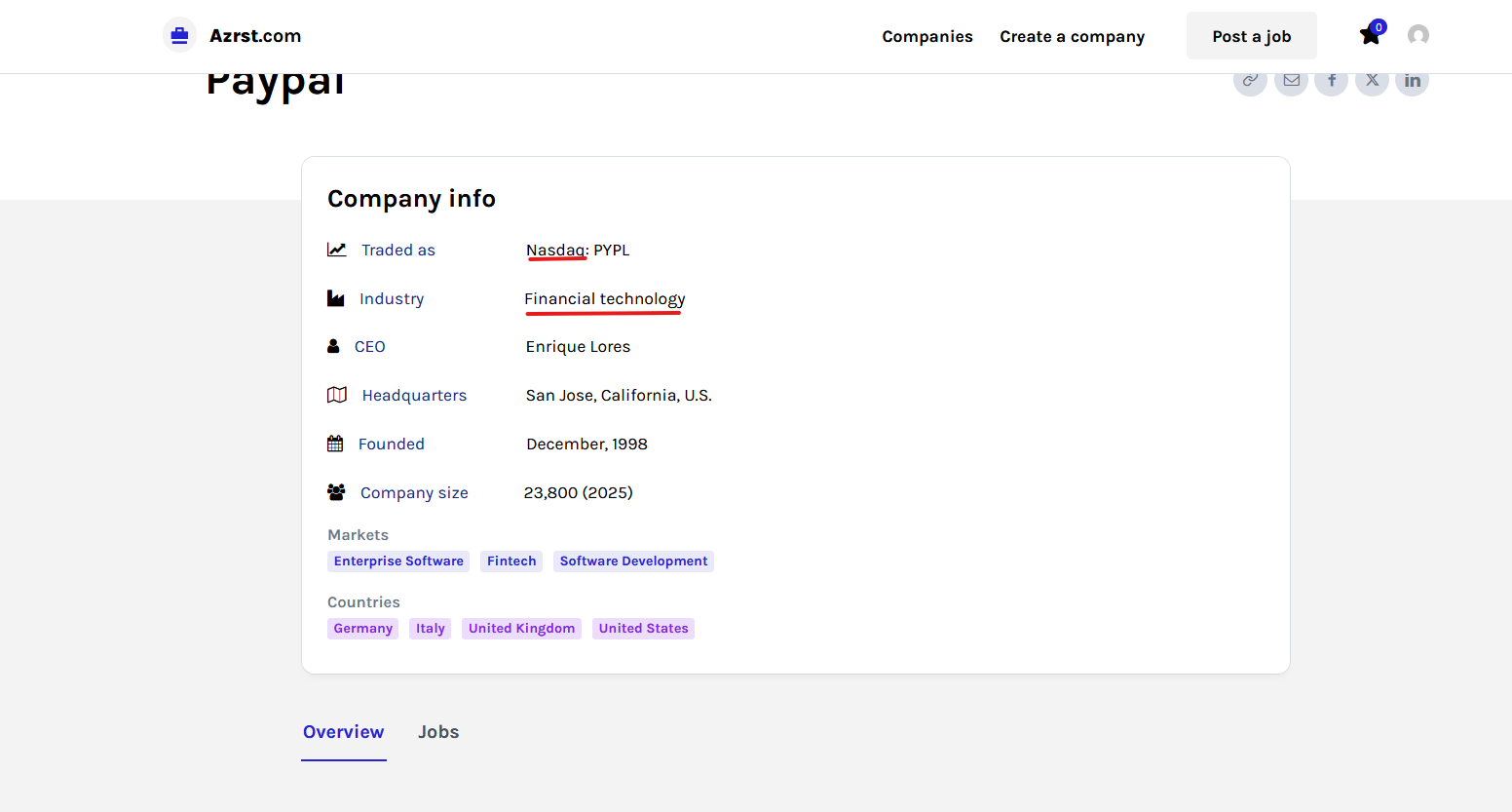
Can I add Links on Field Type example on the text with red lines.
Thanks
 E K
E KtagDiv Composer 5.4.4. unauthenticated user enumeration & AJAX vulnerability
Our site (running tagDiv Composer 5.4.4) was hit (STILL IS) with over 160,000 requests in less than 24 hours.
The attacker used the admin-ajax.php endpoint with Newspaper theme actions to trigger password reset triggers for the username teryaljw.teryaljw.
The bot is sending POST requests to: admin-ajax.php?td_theme_name=Newspaper&v=12.7.5
Even with “Anyone can register” set to OFF, the theme’s AJAX handler for user functions allows unauthenticated triggers of the WordPress wp_mail function via lostpassword_post. This allows the site to be used as a “spam relay” and causes massive server load.
In comparison, standard WordPress core blocks these attempts at the login screen while the Newspaper AJAX handler is bypassing these core protections.
Please implement Nonce Validation and Unauthenticated Request Filtering for all td_ajax_ account functions.
Calin Hi,
Please make a full backup and update the theme to the last version 12.7.5. Make sure all theme plugins you have before the update are updated and installed https://tagdiv.com/newspaper-changelog/?utm_source=forum&utm_medium=menu&utm_campaign=forum_loggedin&utm_content=52878. The latest theme versions contain the landmark elements you need.
Calin Hi,
Please make a full backup and update the theme to the last version 12.7.5. Make sure all theme plugins you have before the update are updated and installed https://tagdiv.com/newspaper-changelog/?utm_source=forum&utm_medium=menu&utm_campaign=forum_loggedin&utm_content=52878. The latest theme versions contain the landmark elements you need.
 Atithya
Hi Support Team,
Hope you’re doing well.
I’m reaching out regarding an accessibility issue identified on our website. According to Google PageSpeed Insights, our pages are currently showing the error: “Document does not have a main landmark.”
It appears that the theme does not include a <main> HTML landmark wrapping the primary content.
This is important for:
Accessibility (screen readers and semantic structure)
Improved PageSpeed / Lighthouse scores
Better overall HTML structure
We request your help in implementing this correctly across the theme.
What needs to be done:
Add a <main> tag wrapping the primary content area (typically where the article/page content is rendered)
Ensure only one <main> tag exists per page
Keep <header>, <nav>, and <footer> outside the <main> section
It would be ideal if this fix is applied at the theme level (e.g., in single.php, page.php, or relevant template files) so it reflects across all pages.
Please let me know if you need access or any additional details from our end.
Looking forward to your support on this.
My newspaper theme version is 12.7.4
jectsHi,
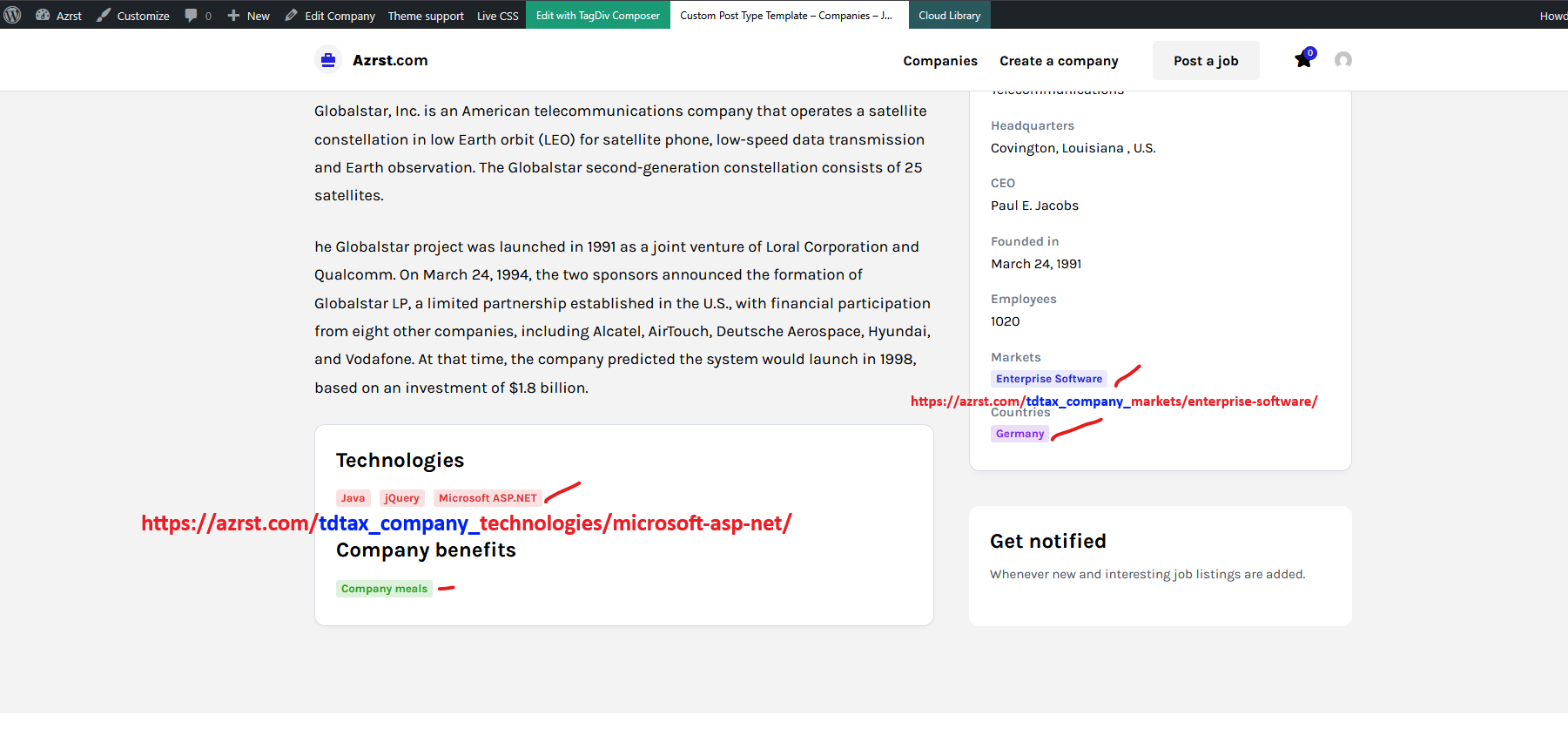
This is the example link https://azrst.com/tdtax_company_technologies/microsoft-asp-net/ I want to delete [tdtax_company_]
When I change it in the Taxonomies it did not work.
Thank you.



