
- NewspaperFlex Block Builder and Flex Loop Builder
- NewspaperHow to use the Flex Blocks cache option
- NewspaperHow to edit modules for Flex Block X
- NewspaperHow to insert a block inside the content of a post
- NewspaperFlex Block Settings Guide
- NewspaperMeta Info on Modules and Blocks
- NewspaperTheme modules and blocks
- NewspaperThumbnails – Fix strange looking images on blocks
- NewspaperBlock settings tutorial
- NewspaperCategory Tag on Modules/blocks
- NewspaperWP Rocket and Newspaper Theme: Optimization Guide
- NewspaperSearch setup for custom post type
- NewspapertagDiv Opt-In Builder – Emails
- NewspaperBookmark – Save For Later
- NewspaperModules Builder in Newspaper Theme
- NewspaperFilters and sorting for taxonomies
- NewspaperUser review system
- NewspaperWooCommerce: Happy “Add to Favorites!”
- NewspaperLockers
- NewspaperLeads
 Calin
Calin Hi,
In mega menu will not work, only in page per flex blocks that have the video popup option -> https://i.imgur.com/7DP044H.png
Thank you!
 pmarxbraun
 Hello Bettina
I’ve created un Custom Tax for my posts called Auteurs
– The native Author tax is the person who has published the article
– The created custom tax Auteurs is the real author
You can see it here, there’re Auteur/autrice and Auteurs attached to articles
=> https://www.awesomescreenshot.com/image/21548065?key=ea12cb77981f5febc902611e7a0348a2
Hence, instead of showing ‘Author’ (the person who has published the article) on the blocks and module, I’d like to display the “Auteurs” (the person who wrote it).
Hope it’s clear
Thanks
 MovieMaG
Hi,
I want to use a plug-in called Product bundles. I have to versions available, one by Woocommerce, and a third party one.
When I install the one by Woocommerce all product pages go blank and it says:
2022/02/04 10:39:36 [error] 22385#22385: *4764299 FastCGI sent in stderr: “PHP message: PHP Fatal error: Uncaught Error: Call to a member function is_type() on null in /www/martingijzemijter_121/public/wp-content/plugins/woo-product-bundle/includes/class-woosb.php:2297
Stack trace:
#0 /www/martingijzemijter_121/public/wp-includes/class-wp-hook.php(307): WPCleverWoosb->woosb_add_to_cart_button(”)
#1 /www/martingijzemijter_121/public/wp-includes/class-wp-hook.php(331): WP_Hook->apply_filters(”, Array)
#2 /www/martingijzemijter_121/public/wp-includes/plugin.php(474): WP_Hook->do_action(Array)
#3 /www/martingijzemijter_121/public/wp-content/plugins/td-woo/shortcodes/td_woo_add_to_cart.php(1085): do_action(‘woocommerce_bef…’)
#4 /www/martingijzemijter_121/public/wp-content/plugins/td-composer/legacy/common/wp_booster/td_global_blocks.php(27): td_woo_add_to_cart->render(Array, ”)
#5 /www/martingijzemijter_121/public/wp-includes/shortcodes.php(356): td_global_blocks::proxy_function(Array, ”, ‘td_woo_add_to_c…’)
#6 [internal function]: do_shortcode_tag(Array)
#7 /www/ma” while reading upstream, client: 217.101.14.159, server: martingijzemijter.nl, request: “GET /product/wisseldecoratie-uitbreiding-waxinelichtjes/ HTTP/1.1”, upstream: “fastcgi://unix:/var/run/php7.4-fpm-martingijzemijter.sock:”, host: “martingijzemijter.nl:26715”, referrer: “https://martingijzemijter.nl/producten/wisseldecoratie/?product-page=2”
I tried a different one, and this one doesn’t give me an error, but it also doesn’t show anything of the product bundles on the page. When I switch to a default template, it does show.
What should I do?
Thanks!
Martin
 Anamaria
 Hello,
If the block is in inactive widgets, you can remove it -> https://i.imgur.com/VnUfs7G.png
If you don’t mean this please give me more details, screenshots.
Thank you!
Anamaria Hello,
Unfortunately, you can’t use a flex block or other block to display a page.
Thank you!
Anamaria Hello,
Usually, this issue is related to a firewall or security module which blocks the admin-ajax.php requests. Please verify the console for error while saving the settings on the Theme Panel, usually, it displays a 403 or 404 error.
If you don’t use a security plugin, please ask your host about this, maybe you have a security module that blocks this.
If you use a plugin like Wordfence please set it in learning mode.
Thank you!
pmarxbraunHi there,
I’ve created a custom taxonomie for my posts that I want to display in blocks.
Are there hooks I can use to implement this ? If no can you help achieve this ?
Thanks
 kevinsikora
 It looks like this file has the issue:
./public_html/wp-content/plugins/td-composer/legacy/Newspaper/includes/shortcodes/td_block_slide.php
if ( $this->td_query->have_posts() and $this->td_query->found_posts > 1 ) {
If you change the > sign to a >= sign, it works.
The above code is found in the render function.
 Bettina
 Hello @dobriyalji!
The blocks can be done with our flex blocks.
You can place a sidebar very easy using our builder the tagdiv Composer plugin.
For example, you can add the sidebar from tagdiv Composer. Steps:
1. Add 1 row
2. Split into 2 columns( 2/3 + 1/3 )
3. You can add whatever element you want into the second column and consider it a sidebar.
Take a look here in this video for example where I build 6 columns: https://www.screencast.com/t/mZ2c5XamTFN
The line can be a “separator” element(can be founded with the exactly that name on Composer). Inline texts, Categories/tags list elements can be used for the headers of the blocks line.
A shortcode can be inserted by using the element called “Column text” or “Text with title”. For example, in the step3 here: https://forum.tagdiv.com/add-cryptocurrency-price-ticker-widget/
For more customizations, we recommend to use cloud/PRO templates in order to have the possibility to edit them with the TagDiv Composer which contains a lot of functions and features, please check our tutorial here: https://forum.tagdiv.com/tagdiv-composer-tutorial/
Documentation here:
– https://forum.tagdiv.com/cloud-library-templates/
– https://forum.tagdiv.com/design-post-pages-using-cloud-library-templates/
– https://forum.tagdiv.com/cloud-library-category-templates/
Check also our video tutorials here: https://www.youtube.com/c/tagdivThemes/videos and more theme documentation on the left side: https://forum.tagdiv.com/newspaper-theme-documentation/
You can import a cloud template or if you’ll like some sections from a demo, than you can find that section in the Cloud Templates or you can do it from scratch also by importing a blank template: https://www.youtube.com/watch?v=SoGQ0d5kIBg
Hope that helps you!
Thank you!
Bettina Hello @gawhspawprintsweekly!
We have an option to hide images: https://www.screencast.com/t/FxJtTdCx4FLSbut from all images from the block and not only for one.
A workaround there could be to add 2 flex blocks. In the first flex block, add the id of that article and offset 1, so it will display only one post on that flex block and choose the option to hide the image. Add the second flex block and you can filter -ID post, so in that flex block won’t display the article which has no image.
Thank you!
Bettina Hello @westropMEF!
Try to add this CSS code in Newspaper -> Theme panel -> Custom code -> Custom CSS:
.tdb_single_content .tdb-block-inner.td-fix-index {
    word-break: break-word;}
Thank you!
Anamaria Hello,
All the blocks on the page are made using HTML.
So, you need to have more text on the page, as I said above.
Thank you!
Bettina Hello @westropMEF!
Please check some concrete cases in the next guides:
– https://forum.tagdiv.com/general-options-may-interfere-newspaper-theme/
– https://forum.tagdiv.com/tagdiv-composer-not-working/
I hope you can find the issue which is blocking the Mailchimp.
Thank you!
Anamaria Hi,
Please check if this code is missing from your .htaccess: https://www.screencast.com/t/iN0R93dD3p from our requirements https://forum.tagdiv.com/requirements-for-newspaper/ this requirement is not displayed in System Status.
Usually, after you set the code in .htaccess the WP editor works well.
Please do a test using only tagDiv plugins and try to open the WP Editor.
Please check the console if you have any errors when you try to open the wp editor, maybe is possible to be from the firewall or security module which blocks the admin-ajax.php request, which usually displays a 403 or 404 error.
If you don’t use a security plugin, please ask your host about this, maybe you have a security module that blocks this.
Thank you!
Anamaria Hello,
You can apply a filter on the flex block using Post Id, Category, by tag slag -> https://forum.tagdiv.com/flex-block-settings-guide/ -> https://forum.tagdiv.com/big-grid-flex-settings/
Thank you!
 Anonymous
Hello
Is it possible to disable thumbnails on posts without a featured image? I use flex block to showcase my recent posts on my main page, but I may not have an image prepared for some posts. So, I was wondering if tagDiv has an option or CSS
that can disable thumbnails for posts without images.
For reference, my website is: pawprintsweekly.org
 westropMEF
I want to use the Mailchimp pop-up subscription form. They require some code to be added to the header of the website, which I did, using the relevant section in the theme panel. And it now appears in the header, as hoped for.
However, when I load the website, I receive a 403 message in the console. It seems something is blocking the Mailchimp script from running, and so now Mailchimp cannot verify our website. Mailchimp tells me it has something to do with our website. I’ve disabled all the plugins. Is there any other reason the Newspaper theme would stop script from running?
 Piotrk87
 Hi Bettina,
Which block would you recommend to get an effect on rounded corners with similar layout I currently have?
 terzhenel
Please help, TAGS and author’s block do not work on the site. Doesn’t want to open them! Where can this be fixed?
site
screenshot
Anamaria Hi,
A solution to your problem would be to add more text to the page using the element “column text” or in the “text with title” => https://www.screencast.com/t/NsyYy3VHXQd or delete from the blocks used on the page -> https://forum.tagdiv.com/topic/seo-problem-aioseo-and-tagdiv-composer/
Thank you!
Bettina Hello @iamratnesh!
If you want to hide the flex block on other viewport, then you should select the viewport and there is an option on the element to be hidden in the CSS tab: https://www.screencast.com/t/kWi3UGn7kyG
Thank you!
 Sammy Cheng
I use Flex Block 1 on my home page. And add <!–more–> More Tag to post. But I cannot set it to show content partially.
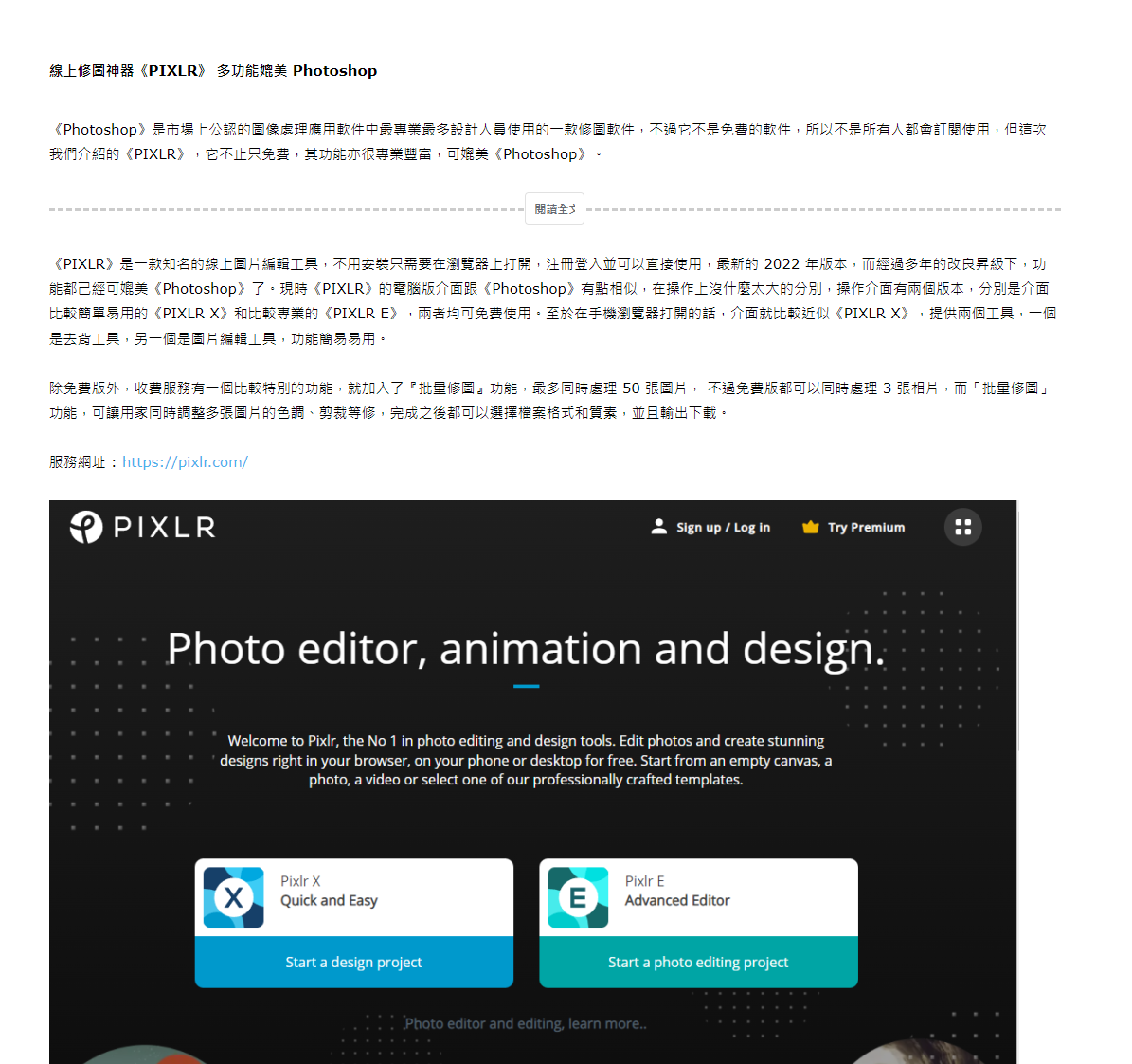
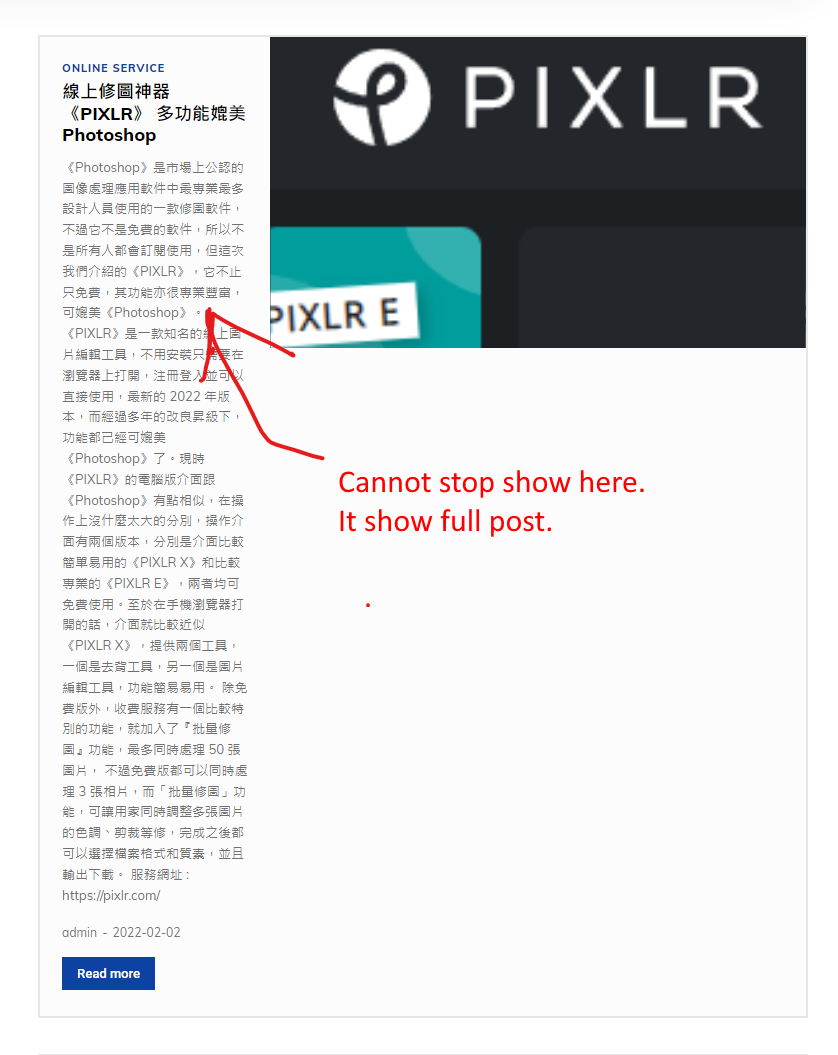
How to fix this problem?
Calin Hi Bennettheyn,
There is nothing blocked in that image, that is the style that was made for the post template 5, please check all the templates and how to change them using our guide -> https://forum.tagdiv.com/newsmag-post-templates/
Thank you!
Anamaria Hi,
Please check if you don’t have set and offset on the block, select the block and let the offset field empty with no space, no value and see the results: https://www.screencast.com/t/peVbVmUDE
Thank you!
 Bennettheyn
My header image is blocked by the title: https://imgur.com/a/MHA33En
Can I fix this?



