- NewspapertagDiv Composer – Website Manager
- NewspaperWhen tagDiv Composer is Not Working
- NewsmagtagDiv Composer Tutorial
- TutorialsFrom WPBakery to tagDiv Composer
- NewspapertagDiv Composer Tutorial
- NewsmagHow to use the Visual Composer plugin
- NewspaperScroll Animation
- NewspaperSingle External Shortcode and External Shortcode
- NewspaperCredit System
- NewspaperBookmark – Save For Later
- NewspaperFlex Block Builder and Flex Loop Builder
- NewspaperModules Builder in Newspaper Theme
- NewspaperIntroduction to CPT and ACF with Newspaper Theme
- NewspaperCreate a frontend submission form
- NewspaperHow to Use the Tabbed Content shortcode
- NewspaperCreate a form contact page
- NewspaperFilters and sorting for taxonomies
- NewspaperUser review system
- NewspaperCustom Fields Support
- NewspaperWooCommerce: Happy “Add to Favorites!”
 pranav33
Hi,
I’ve recently purchased Newspaper 9 theme and installed it to my site, Earlier I was using another theme. All other features are working fine with the theme but when I am trying to Edit any page with TagDiv Composer it is throwing error on that page and page isn’t loading. Can you please suggest what is the issue as the same feature is working fine on my local machine.
Thanks
 ctoweett
 Hi @Simion. Is td composer working well on chrome from your end?
ctoweett You can with the tagdiv composer and the tagdiv cloud library plugin https://forum.tagdiv.com/tagdiv-cloud-library-plugin/. Just import a single post template and drag the newsletter element where you want it to appear.
 LemonDispatch
I’d like to have a newsletter signup at the bottom of my individual article pages. I installed the tagdiv newsletter plugin. however, this seems limited to the visual composer. Is there a way to use visual composer to apply the resulting page to all post pages?
Otherwise, is there a way to include the signup on post pages?
Thanks!
 Mediamag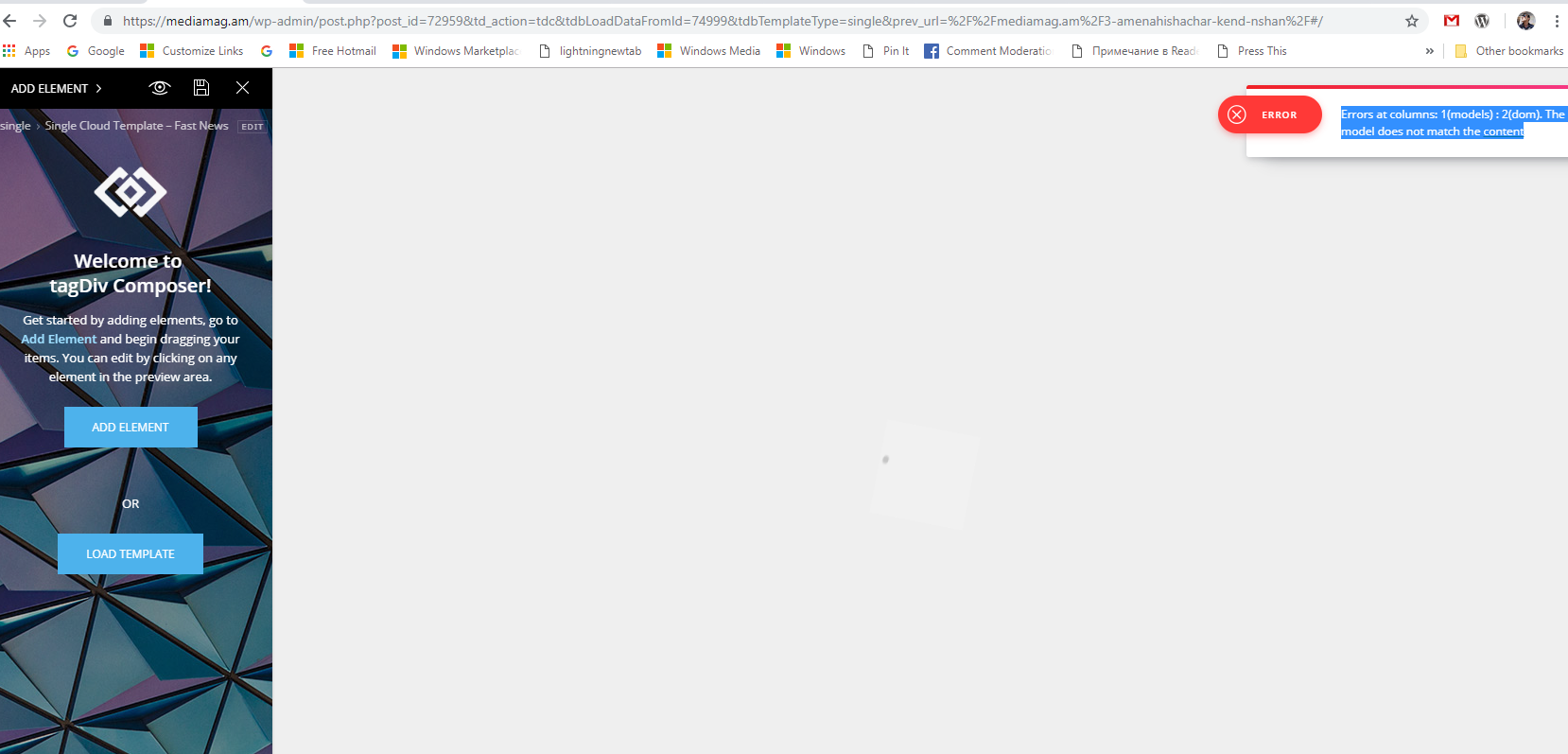
 brianneh
Hello!
My website is http://www.thehuntswoman.com. I tried to add a new page using the TagDiv composer, but I can’t figure out how to do that because of the new WP udpate.
1. How do I add a page to my menu using the TagDiv composer?
2. How do I add a contact form to this page?
Thanks so much!
 jonakangou
 before updating i was made page without tagdiv composer. when the problem related to the images occurred, i decided to build on my pages with tagdiv compose: miracle everything came back. however the backup of the pages is laborious with tagdiv. Since the update in V9 of newspaper and 5.0.1 of WordPress sometimes the backup of the pages does not work or not well. in short a problem solved another that happens 🙁
jonakangou before updating i was made page without tagdiv composer. when the problem related to the images occurred, i decided to build on my pages with tagdiv compose: miracle everything came back. however the backup of the pages is laborious with tagdiv. Since the update in V9 of newspaper and 5.0.1 of WordPress sometimes the backup of the pages does not work or not well. in short a problem solved another that happens 🙁
 awilbanks
 tried multiple browsers, my phone, someone else’s phone, cleared cache, and changed it to the Instagram ID provided, and still missing images in all of those scenarios…
I can say that they show up in composer, but when saving and going live, they do not show up…
-
This reply was modified 7 years by
awilbanks.
 Mayank Bhatt
Hi,
Whilst designing the custom layout of my homepage with TagDiv composer, I am not able to get rid of unwanted blank columns. I could delete the rows easily but blank columns just don’t seem to go away.
Is there a working fix to this issue? I’d much appreciate any suggestions.
Thanks.
ctoweett See these guides:
1. https://forum.tagdiv.com/installing-demos/
2. https://forum.tagdiv.com/tagdiv-composer-tutorial/
 Commer_bd786
Hey,
I have bought a Newspaper theme v9.1
But here I didn’t find the tagdiv composer Button in Post/Page area. Pls. give me a advice how I can find the tagdiv coposer button. Pls. be noted I have checked the tagdiv composer plugin is active.
so waiting for your early reply with advice.
B/R
Jahir
 Bridgwater
 I’ve been getting this too since buying the theme a few days ago and have given up trying to use the composer, which is a shame as it’s the reason i got the theme
 xpecialy
 nightcloud
Hello!
Im having this issue… I bulild the page my self using the editor… Something is killing me and i cant edit the Home any more… I delete it, and create again and the same happend.
The current content page hasn’t been created by TagDiv Composer!
Errors at columns: 1(models) : 2(dom). The model does not match the content
Help please!
 Meranda Devan
 I am very glad the theme hasn’t changed.
Wordpress has changed. Thank you for all the comments! I sure appreciate the help. I will run the classic editor plug in. I appreciate that tip Calin.
On another note… This is not related to Newspaper… but I thought I would ask-
I had planned on using the Newspaper on a new theme. I purchased Newspaper for a former site, along with the composer license, and I am hoping to switch it over to my new site, and our other one, we have removed the theme and deactivated Composer on. My customer service support has run out, and Bakery has now changed where you cannot just insert the purchase code.
My question is- is there an option to place that code into a new site, or do you basically have to purchase a brand new license? Since your theme operates with Composer, I thought you might know the answer to this…
Thank you very much
 Simion C.
 Hi,
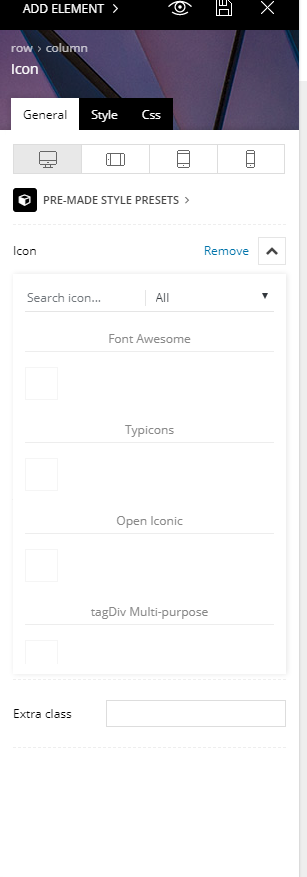
You mean these icons? – https://www.screencast.com/t/2HHokpf1wk
Those are available in the tagDiv composer (icon, icon box elements). But they cannot be used in the post content itself.
Maybe with a plugin, like this – https://www.wpsuperstars.net/fontawesome-icons-tutorial/
Could be other methods o insert icons in the post content, search online for similar topics.
If I misunderstand something please correct me.
Thanks
Simion C. Hi,
Provide some examples of this issue happening. Where exactly are you not seeing it? The option to edit with the tagDiv composer should appear in multiple places
– https://www.screencast.com/t/Fni36pK2O
– https://www.screencast.com/t/5ismLSF7Mbw
– https://www.screencast.com/t/L0zezKVRp
Thanks
 Giorgos3
Hello
When i use TagDiv Composer in order to change some specs this error appears(Error at rows: 7(models) : 0(dom). The model does not match the content) and also i used @media css and is not working on the mobile. Please advise.
Thanks
 Calin
Calin Hi,
You have an image set as background image on some elements, and this server cant find the image that way is take so long to load your website
here is the error you get in console after is finis to load the website
https://www.screencast.com/t/lTMjqMOSb6UL
Please open the the homepage with tagDiv Composer the homepage and edit the element call to action
https://www.screencast.com/t/wpqgzu6PfY6L
https://www.screencast.com/t/l5vd6cd9HEb
Save the changes, clear all cache and try again.
Let me know the results.
Thank you.
Simion C. Hi,
That is the weather widget, it is available in the tagDiv composer list of elements
– https://www.screencast.com/t/241P4cfEA
Also as a widget – https://www.screencast.com/t/Ht2PqHlqqVi
This guide specifies how it can be configured – https://forum.tagdiv.com/weather-widget/
Let me know if you have more questions.
Thanks
Calin Hi,
Please make sure that you have the TagDiv Composer activate
Also set the Big grid full 1 to stretch row
-> https://www.screencast.com/t/iGDwCnse
here is an example -> https://www.screencast.com/t/yrFXuuzaugL
Also please add this in your .htaccess
https://www.screencast.com/t/FswObjqqmr7
https://forum.tagdiv.com/requirements-for-newspaper/
Thank you.
Simion C. Hi,
If you deactivate the composer and in the header settings there is a multi-purpose header style selected, then there will be an error like the one from the screenshot.
In most cases where 500 errors were displayed it was caused by low WP memory
– https://forum.tagdiv.com/requirements-for-newspaper/
Most hosting providers by default set this to a value around 40M, which is depleted quickly and is not enough for the theme alone, not to mention other installed plugins.
We recommend a value of 256M, which is enough for most websites. Please check the theme requirements guide carefully, top to bottom. If needed increase the parameters mentioned in it, or ask the hosting provider to do it for you, they should be able to.
In case there is still a problem let us know.
Thanks
 acdmin
 Sorry i am not able to see tag div composer
acdminHi
I am not able to see the tag div composer editor.