
- NewspapertagDiv Composer – Website Manager
- NewspaperWhen tagDiv Composer is Not Working
- NewsmagtagDiv Composer Tutorial
- TutorialsFrom WPBakery to tagDiv Composer
- NewspapertagDiv Composer Tutorial
- NewsmagHow to use the Visual Composer plugin
- NewspaperScroll Animation
- NewspaperSingle External Shortcode and External Shortcode
- NewspaperCredit System
- NewspaperBookmark – Save For Later
- NewspaperFlex Block Builder and Flex Loop Builder
- NewspaperModules Builder in Newspaper Theme
- NewspaperIntroduction to CPT and ACF with Newspaper Theme
- NewspaperCreate a frontend submission form
- NewspaperHow to Use the Tabbed Content shortcode
- NewspaperCreate a form contact page
- NewspaperFilters and sorting for taxonomies
- NewspaperUser review system
- NewspaperCustom Fields Support
- NewspaperWooCommerce: Happy “Add to Favorites!”
 Game Press
 Hi
Thank You for fast reply.
Yes, I use a separate mobile template that I created in Composer.
However, after clearing the Cache, the page I created is still not displayed, but a default one.
I don’t know what to set in the cache so that this doesn’t happen, because none of the options work.
As I said, it’s interesting that on the second website, where I have everything set up the same, the mobile version runs fine.
I don’t know if something can’t be dropped in the database. But I don’t really understand it.
 Andjelko
Hi,
I’m using Newspaper 12.7.1 on WordPress 6.8.2 (PHP 7.4).
When I open Theme Panel → Ads, the request to:
/wp-admin/admin-ajax.php?td_theme_name=Newspaper&v=12.7.1
fails with 500 Internal Server Error.
Error log:
PHP Fatal error: require_once(): Failed opening required
‘/wp-content/plugins/td-composer/legacy/common/wp_booster/wp-admin/panel/views/ajax_boxes/td-panel-ads/td-get-ad-spot-by-id.php’
in /wp-content/plugins/td-composer/legacy/common/wp_booster/wp-admin/panel/panel_core/td_panel_core.php on line 217
It looks like the plugin is trying to load a missing file (td-get-ad-spot-by-id.php).
Legacy panel seems enabled but the file is not included in my Composer package.
Here is a screenshot of the problem:
Instaled plugins:
Thanks in advance!
 Calin
Calin Hi,
For merging and padding, you can use the CSS tab from any element in the tagDiv Composer:
If you want to add shortcodes, you can insert them in the “Column Text” or “Text with Title” elements. To display widgets, you can use the “Sidebar Widget” element:
This can be positioned anywhere using tagDiv Composer. Just choose the sidebar source you want to display:
Let me know if you need more help!
Calin Hi,
The best approach to create the menu you’re looking for is not to edit the theme files directly, as any changes will be overwritten when the theme is updated. Instead, I recommend using TagDiv Composer along with the Popup Element. You can design your desired menu with the theme builder and use the Popup Element to display it as a mobile menu on mobile devices.
Regarding AMP, the situation is a bit more complicated since the template cannot be edited using the builder; modifications will need to be made directly in the theme files.
Thank you!
Calin Hello,
Unfortunately, there isn’t a built-in option in the theme to set up a redirect for the login modal. This can only be achieved by modifying the theme files.
There are two files responsible for the modal login form, depending on the template you are using:
For the cloud template:
wp-content/plugins/td-cloud-library/parts/tdb-login-modal.php
For the standard template:
wp-content/plugins/td-composer/legacy/Newspaper/parts/header/td-login-modal.php
You’ll need to modify the relevant file to implement the redirect.
Thank you!
Calin Hello,
Please make a test and replace the plugins tagDiv Composer and tagDiv Cloud Library with the versions from here:
– https://cdn.tagdiv.com/wp-content/uploads/2025/05/td-composer.zip
– https://cdn.tagdiv.com/wp-content/uploads/2025/06/td-cloud-libraryfix.zip
Thank you!
Calin Hi,
What you can try is to disable and delete the tgaDiv Composer and tagDiv Social Counter, and disable/delete the plugins. After that, go to Newspaper > plugins and reinstall the plugins from there, clear all cache, and check the results.
I hope this will help you!
 Ashutosh2001@
Hello TagDiv Support Team,
I am facing an issue with the TagDiv Composer in my Newspaper 12 theme. The problem is that I am unable to add a new Row in the composer. There is no visible error message, but the Row simply does not get added.
Here are the details of my environment and the troubleshooting steps I already tried:
• Hosting Provider: Hostinger
• WordPress Version: 6.8.2
• PHP Version: 8.2.28
• WP Memory Limit: 256M
• PHP Execution Time: 300
• PHP Max Input Vars: 5000
Steps I have taken:
1. Deactivated all plugins except TagDiv Composer.
2. Deleted and reinstalled the TagDiv Composer plugin.
3. Tried again, but the issue persists.
4. Checked the browser console and noticed AJAX requests returning 0.
I am also attaching a screenshot of the browser console output where AJAX returns 0, in case it helps your investigation.
Despite these efforts, the problem remains unresolved, and I am still unable to add rows.
Could you please check and let me know how to fix this issue?
Thank you in advance for your support.
Best regards,
[Ashutosh tiwari]
 Nextepisode
When seeking help with this issue, you may be asked for some of the following information:
WordPress version 6.8.2
Active theme: Newspaper (version 12.7.1)
Current plugin: tagDiv Composer (version 5.4.1 | built on 29.04.2025 10:27)
PHP version 8.3.6
Error Details
=============
An error of type E_ERROR was caused in line 151 of the file /home1/extepiso/public_html/pureaitools/wp-content/plugins/td-composer/includes/tdc_check_domain.php. Error message: Uncaught Error: Object of class WP_Error could not be converted to string in /home1/extepiso/public_html/pureaitools/wp-content/plugins/td-composer/includes/tdc_check_domain.php:151
Stack trace:
#0 /home1/extepiso/public_html/pureaitools/wp-content/plugins/td-composer/includes/tdc_check_domain.php(108): tdc_check_domain->check_domain()
#1 /home1/extepiso/public_html/pureaitools/wp-content/plugins/td-composer/includes/tdc_check_domain.php(41): tdc_check_domain->set_is_domain_active()
#2 /home1/extepiso/public_html/pureaitools/wp-content/plugins/td-composer/includes/tdc_check_domain.php(56): tdc_check_domain->__construct()
#3 /home1/extepiso/public_html/pureaitools/wp-content/plugins/td-composer/legacy/common/wp_booster/td_js.php(62): tdc_check_domain::init()
#4 /home1/extepiso/public_html/pureaitools/wp-content/plugins/td-composer/legacy/common/wp_booster/td_js.php(17): td_js->__construct()
#5 /home1/extepiso/public_html/pureaitools/wp-content/plugins/td-composer/legacy/common/wp_booster/td_js.php(657): td_js::get_instance()
#6 /home1/extepiso/public_html/pureaitools/wp-content/plugins/td-composer/legacy/common/wp_booster/td_wp_booster_functions.php(2758): require_once(‘/home1/extepiso…’)
#7 /home1/extepiso/public_html/pureaitools/wp-content/plugins/td-composer/legacy/Newspaper/functions.php(21): require_once(‘/home1/extepiso…’)
#8 /home1/extepiso/public_html/pureaitools/wp-content/plugins/td-composer/td-composer.php(191): require_once(‘/home1/extepiso…’)
#9 /home1/extepiso/public_html/pureaitools/wp-includes/class-wp-hook.php(324): {closure}(”)
#10 /home1/extepiso/public_html/pureaitools/wp-includes/class-wp-hook.php(348): WP_Hook->apply_filters(NULL, Array)
#11 /home1/extepiso/public_html/pureaitools/wp-includes/plugin.php(517): WP_Hook->do_action(Array)
#12 /home1/extepiso/public_html/pureaitools/wp-content/themes/Newspaper/includes/wp-booster/tagdiv-wp-booster-functions.php(3): do_action(‘td_wp_booster_l…’)
#13 /home1/extepiso/public_html/pureaitools/wp-content/themes/Newspaper/functions.php(19): require_once(‘/home1/extepiso…’)
#14 /home1/extepiso/public_html/pureaitools/wp-settings.php(695): include(‘/home1/extepiso…’)
#15 /home1/extepiso/public_html/pureaitools/wp-config.php(106): require_once(‘/home1/extepiso…’)
#16 /home1/extepiso/public_html/pureaitools/wp-load.php(50): require_once(‘/home1/extepiso…’)
#17 /home1/extepiso/public_html/pureaitools/wp-admin/admin.php(35): require_once(‘/home1/extepiso…’)
#18 /home1/extepiso/public_html/pureaitools/wp-admin/index.php(10): require_once(‘/home1/extepiso…’)
#19 {main}
thrown
 samnash68
 thank you … but I did try to deactivate and use only tagdiv plugins I still have same problem.. I also see that some others might be experiencing same issue … tagdiv composer is not working
 dailynewsng
 Thanks, the Query Monitor used shows that the td composer is having an issue. See the screenshot attached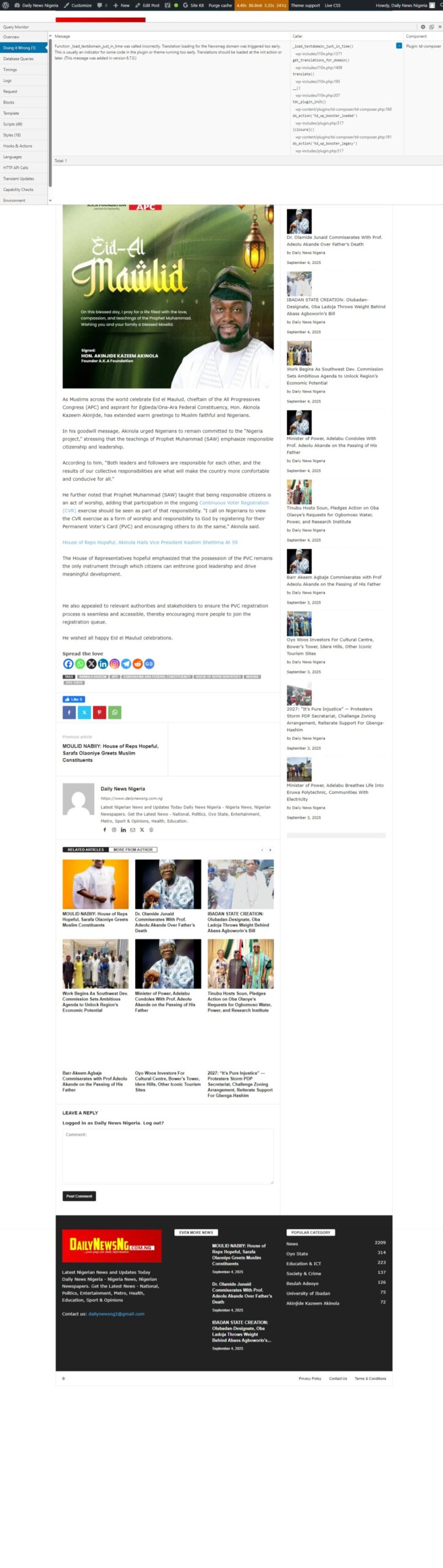
 Madcrumbs
 Hi,
regarding the language, we are actually referring to the content of the email that arrives to the user with the reset link. From what we can see, in the following files of your plugins, where the content of the reset email appears, no language domain is set, which is why we assume that the Italian translation does not appear:
– plugins/td-subscription/includes/tds_update.php
– plugins/td-subscription/includes/tds_ajax.php
– plugins/td-composer/legacy/common/wp_booster/td_login.php
As for the actual password reset, we confirm that disabling SiteGround’s Speed Optimizer plugin solves the problem. We will therefore configure the plugin correctly or ask them directly for support. We would like to ask you why clicking on the reset link does not take you to the site’s login page, but to the administration page. Is there a specific configuration to be made on the theme?
The login page is as follows: https://www.attoricasting.it/accedi/
Thank you
Calin Hi,
For this you need to create a page and edit it with tagDiv Composer, on that page add the “Form input” element and set the social, set it on “user update for” and set the custom field name, for example – https://i.imgur.com/m5c7AKs.png do the same for all fields you want to have and to submit the new information use the button User Update Form Submit.
Now when the page is done, edit my account page and select the custom pages tab there, set the id of the new page for the account settings and the results will be – https://i.imgur.com/EsluA7i.png
I hope this will help you!
 babak.s.z
Hi there
After the last update, when I use TagDiv Composer, for example, designing a page, after any change, Composer reacts to me too late, and sometimes I have to wait 20-30 seconds to view the changes I made.
https://www.bsiminzar.com/blog/
Calin Hi,
The “ Errors at columns elements: 1(models) : 2(dom). The model does not match the content Current state has involved an issue. You could try an UNDO operation (CTRL+Z / CTRL+SHIFT+Z)” most of the time the problem is from a shortcode that is not compatible with our theme or a plugin conflict, therefore after you set it with tagDiv Composer and save the page/cloud template, the next time when you try to edit it, you’ll get that error.
If is only for one page or a cloud template (it can be on the header or footer, you can change them for tests and see if the problem persists), this is from some settings/shortcodes set on it and it can be fixed using the page revision https://wordpress.com/support/page-post-revisions/
Thank you!
 Scott-Pike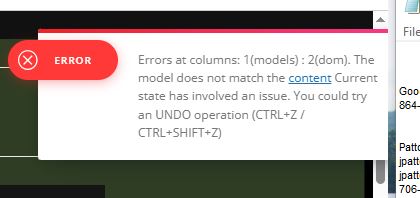
This is the error I get I am locked from composing any more
Calin Hi,
If you want to change the logo URL, use the tagDiv Composer, edit the page/template where the logo is used, select the logo, and set the link you want to use – https://i.imgur.com/lBvPxL6.png. Ensure you set a complete URL (https://www…..)
 aedney
 Thanks Calin
I hats exactly what I tried that then breaks the site. When I change them in composer the subscribers/follower count goes to zero and then when I try to visit the site outside of the editor the site is complete broken and won’t load anything
Thanks Andrew
Calin Hello,
1. This can be done by using tagDiv Composer and checking if there is any extra element in that space. If there are no elements, then you can select the row and check in css tab and set the margin top/bottom (depending on the element selected) and a number for example, 0 or 10
2.3. The author and counter from the lock can be disabled from the theme panel > block settings> meta info on modules/blocks – https://i.imgur.com/sWziYdZ.png
Thank you!
Calin Hi,
I think that you are referring to this – https://i.imgur.com/XCkdKL4.png this can be done using tagDiv Composer and setting the id of social – https://i.imgur.com/DyRiS8z.png https://forum.tagdiv.com/tagdiv-social-counter-intro/
Thank you!
Calin Hi,
This option is only for description; if you want to do it for the title, then you can use this custom css:
.td_block_image_box .td-custom-title {

    top: 90%;

}
The css can be set in the theme panel, custom code, custom css or you can set the css directly in the page with the tagDiv Composer in raw css.
Thank you!
aedneyHi guys
I run a modified version of Live News PRO (which Bogden modified for me as part of your theme customisation service) – my website is https://moviesgamesandtech.com
I wanted to change the Twitter account and YouTube account details that appear on each page in a Stay Connected box on the top right hand side on the homepage and on each page. I think you guys may have hard coded the addresses in.
If I try to use composer to change the account names and then save the template it breaks the site and gives me an error. Then I need to recover the site to correct it.
Are you able to take a look please and advise?
many thanks
Andrew
samnash68I tried to see if there is any conclict with other plugins .. I could not find any
I tried to deactivate and reactivate composer … still it does not work
the tagdiv composer is giving a blank white page and does nothing
Calin Hi,
Please follow the steps as mentioned:
– open the homepage using tagDiv Composer.
– from the top menu, select Manager.
– enable or disable the sticky header as needed – refer to this screenshot for guidance: https://i.imgur.com/avxI1XM.png
– select the sticky header and set its sticky type to “Always”.
Alternatively, you can select the sticky header the same way it appears on the frontend. Once it is displayed in Composer, the selection process is identical.
Calin Hi,
I will recommend using a flex block; this can be edited how you want using tagDiv Composer and the settings from it. The old blocks, like the one mentioned, have only a few options and need to be adjusted with css if an option doesn’t exist.
A css that can be used for yor your
.td_block_15  .td-module-title a {

    color: #fff;

}
Thank you!



