- NewspapertagDiv Composer – Website Manager
- NewspaperWhen tagDiv Composer is Not Working
- NewsmagtagDiv Composer Tutorial
- TutorialsFrom WPBakery to tagDiv Composer
- NewspapertagDiv Composer Tutorial
- NewsmagHow to use the Visual Composer plugin
- NewspaperScroll Animation
- NewspaperSingle External Shortcode and External Shortcode
- NewspaperCredit System
- NewspaperBookmark – Save For Later
- NewspaperFlex Block Builder and Flex Loop Builder
- NewspaperModules Builder in Newspaper Theme
- NewspaperIntroduction to CPT and ACF with Newspaper Theme
- NewspaperCreate a frontend submission form
- NewspaperHow to Use the Tabbed Content shortcode
- NewspaperCreate a form contact page
- NewspaperFilters and sorting for taxonomies
- NewspaperUser review system
- NewspaperCustom Fields Support
- NewspaperWooCommerce: Happy “Add to Favorites!”
 Vlad S
 Hello !
That H1 can be changed using tagDiv Composer as you can see here: https://www.screencast.com/t/6ETaUVQQ
Let me know the result !
Thank you !
 lorenzopietra1997
Please help me. This a huge problem for me cause i can’t work and my site is published. It is studiovassura.it, i allready wrote a mail to contact@tagdiv.com but i got no reply.
I love your products, i bought 5-6 keys in the last two years. This is the first time i ask for support, please help me.
Vlad S Hello !
The title background color can be changed using tagDiv Composer as you can see here:https://www.screencast.com/t/lvRKAd3B8Nhq This can be done manually. Unfortunately at the moment there is no global option for this
Let me know the result !
Thank you !
 Calin
Calin Hi tgrassey,
The problem with tagDiv Composer was solved, all you need to do is to make a theme update to Newspaper v10.3.7, but before this please make a full backup -> https://tagdiv.com/update-newspaper-theme/
Also for the problem with 500 errors,are internal server errors – https://www.wpbeginner.com/wp-tutorials/how-to-fix-the-internal-server-error-in-wordpress/
– https://wordpress.stackexchange.com/questions/312292/how-to-stop-a-500-error-on-the-wordpress-theme-folder
– https://wordpress.org/support/topic/google-search-console-reporting-a-500-error-on-my-theme-folder/
-> https://forum.tagdiv.com/topic/wp-supercache-causes-500-internal-error-and-cannot-deactivate/
Please make sure that you do not have a plugin conflict, please deactivate ALL plugins except tagDiv plugins (theme plugins), also if you are using child theme or cache plugin, deactivate them, clear all cache and try again.
Also make sure that all theme settings are as in our guide ->
– https://forum.tagdiv.com/requirements-for-newspaper/
and please increase all requirements that are lower, and follow all steps.
Let me know the results!
Thank you!
Calin Hi,
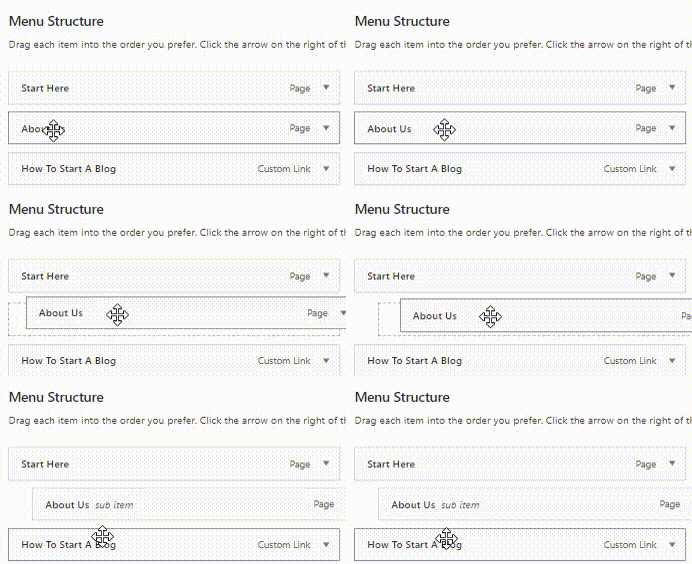
You can create a menu that has a dropdown like this -> https://www.wpbeginner.com/wp-tutorials/how-to-create-a-dropdown-menu-in-wordpress-beginners-guide/ example -> just add more menus elements here -> https://i.imgur.com/6ZgXESv.png
Another method for that can be use for a similar result is the option that can be set using tagDiv Composer, select the menu and set a fix width, then select the drop menu in more -> https://i.imgur.com/FVKKjqf.png
Personally I recommend the first option.
Hope this will help you!
Thank you!
Calin Hi,
If you are using the Romania News Pro then you are using a pro demo, this is using cloud template from tagDiv Cloud Library, therefore you can use tagDiv Composer to edit a template and this will be the same on all elements that has assigned that cloud template.
For example if you want to translate the word “By” then -> https://i.imgur.com/g9PahXN.png -> https://i.imgur.com/nMBM6Oh.png this will apply on all posts is the same fore updated text -> https://i.imgur.com/69W81Ql.jpg
Thank you!
Calin Hi,
Using the mobile theme plugin, you’ll gain a better speed then responsive version of theme, but in order to achieve that speed you’ll need to create a new content for pages because in the most of cases those were made with builders or shortcodes ( tagDiv Composer, WPBakery ) and you need to use only the mobile editor ( you need to set the content for pages in mobile editor -> https://i.imgur.com/ho41rUl.png and this content will be display on mobile theme, also the mobile theme will not display any sidebar)
-> https://i.imgur.com/9d0UWLT.png
Also you can show the responsive version on mobile theme (to get the same layout as on desktop on mobile) -> https://i.imgur.com/m0bVB5T.png you can check more details about mobile theme in our documentation -> https://forum.tagdiv.com/the-mobile-theme/ or if you want to have the responsive version only, you can use the amp option from mobile theme -> https://i.imgur.com/oofST3D.png (to use the mobile theme template on amp) or you can disable the plugin.
These options are like this:
Mobile -> the mobile theme will apply only on mobile version.
Mobile + amp -> it will apply on both and it will have the same layout.
Amp -> the mobile theme plugin layout will be use only for amp version.
Hope this will help you!
Thank you!
Calin Hi,
That is a cloud category and it can be edited using tagDiv Composer -> https://i.imgur.com/8ErXNKl.png -> https://i.imgur.com/6rcRoGF.jpg
The problem with “Lost Programming” was not yet checked, I was informed that it will verified and fix, but I did not get a time when this will be done, sorry!
Thank you for your understanding and sorry for the inconvenience!
Vlad S Hello !
Unfortunately this option is not possible in Flex Block. You can try however a Column text element, that should work. Simply copy the shortcode and insert it in the text area of the column text as you can see here: https://www.screencast.com/t/UEMEsVKog
Column text is an element from tagDiv Composer.
Thank you !
 Om Baldan
Hello
I get 2 warnings if I open 2 main pages on my blog like this:
Warning: Illegal string offset ‘td-multipurpose’ in /srv/users/ombaldan/apps/ombaldanblog/public/wp-content/plugins/td-composer/legacy/common/wp_booster/td_util.php on line 646
Warning: Illegal string offset ‘td-multipurpose’ in /srv/users/ombaldan/apps/ombaldanblog/public/wp-content/plugins/td-composer/legacy/common/wp_booster/td_util.php on line 1230
How to solve it?
I use VPS from DO and use Panel from Pilot Server
Thank you
Vlad S Hello !
That can be done by editing the viewports in tagDiv Composer as you can see here: https://www.screencast.com/t/a5fCGruUfn And now for the mobile viewport you can create your own templates as you can see here: https://tagdiv.com/newspaper-10-3-7-update-brings-customizable-and-fast-mobile-pages/
Thank you !
Calin Hi,
Please try these steps:
Disable tagDiv Composer and delete it, then reinstall the plugin from Newsmag > plugins.
If this is still not working, you can install a plugin that can help, this plugin is Enable jQuery Migrate Helper.
Let me know the results!
Thank you!
 teknobilimadami
 Hi Vlad S.
I sent these things to you to contact@tagdiv.com. I have very serious problems. Please I want errors on our site to be resolved.
After Update Theme Problem ongoing developments are as follows.
1 – Home / Front Page When I edit with Td Composer, it gives an error.
2- Sitemap index cannot be accessed and gives an Error.
teknobilimadami.com/sitemap_index.xml
Look at the see ; https://prnt.sc/v7lrtf
3- At the top of the site and on the WordPress panel, the following error is written:
Notice: Undefined index: expires_in_ts in /home/teknobi6/public_html/wp-content/plugins/td-composer/legacy/common/wp_booster/td_instagram_access_tk.php on line 37
has an error.
4- When entered from Mobile Phone and Desktop, the Fonts of the Theme appear to be Scrolled on the Phone.
Likewise Previous view was like this: https://prnt.sc/v731c4
Now it happened like this: https://prnt.sc/v7327n
It looks like this on the Mobile Phone. Footer Sub-Menus are shifted to the right and are not visible at all. See: https://prnt.sc/v733a9
5- The Sitemap page of our site gives an error.
Currently, Google Search console will not be able to index our posts. I have to take a break from the work of your editors. Because I am waiting for the answer and solution from you. I did what you said and updated the Theme. I am very sad. But it got worse. 🙁
Problems I Spotted – These are the errors.
I request that the necessary be done. You made 1 single mail return today. How many hours have I waited for an answer from you at the computer for hours. 🙁
I have to suspend our jobs.
Please solve my mistakes. I am waiting for you to send mail
 SVPrasad
 I’m Followed above steps i have got new Problem Menu Widths shows Horizontally even set as vertical This is in Public View Shows Not as Tagdiv Composer View Row Color is Not Applying i’m Sets color as yellow but it’s not showing color, i haven’t any Cache Plugins, So Whats the Problem See the below Video
Video Clip Menu Is also Not Updating…
Please Reply As Early as Possible
Thank You 🙁
 loslunes
Hello, I want to use normal search in mobile menu to save resources. My idea is to put the search box as you can see in the attached image (just imagine the search box is the orange box). https://ibb.co/LrN3SMd
How to do it? I don’t find the way to “open” the menu selecting the element in composer to add the search box there. Maybe there is no way to do it but last week I saw a website using newspaper with search box where I want.
Many thanks.
 Cristian Hatis
 I have the same problem, but removing and reinstalling TagDiv Composer does not solve the issue. The only solution was to revert to an earlier version of the theme …
Calin Hi,
There were made some fix and this should be one of them, please try it, for this you need to disable tagDiv Composer, delete it and reinstall in from Newspaper > plugins.
Let me know the results!
 BruceInLouisville
 Your first screen captures actually showed the problem I’m talking about. There is a gap above the menu word “Content” on all the posts, but no gap above that same word on the home page or on any other page.
It’s a very small thing, and not something I worry about. But, it bugs me not to be able to fix it. And of course, on a post, there is no “Edit with Tagdiv Composer” button at the top — only on pages.
Calin Hi,
You need to edit the sticky header using tagDiv Composer: -> https://i.imgur.com/YGlw4zU.png -> https://i.imgur.com/5ybAKTo.png click on header menu sticky and set the type of sticky menu -> https://i.imgur.com/oALErI9.png also you can edit that section and select the menu you want -> https://i.imgur.com/wyAOy63.jpg
Hope this will help you!
Thank you!
Calin Hi,
According to our guide from here https://tagdiv.com/newspaper-10-3-7-update-brings-customizable-and-fast-mobile-pages/ now you can create mobile pages and mobile templates using tagDiv Composer. To assign that page for mobile you need to select it from the mobile list -> https://i.imgur.com/7ZvoGr6.png when this is selected will look like this (in list will be with green)-> https://i.imgur.com/eJtnJEo.png for cloud templates you need to do the same steps, but the assignations is just a little different -> https://i.imgur.com/HKKg73y.png
If there is no template assigned then it will be use the responsive version of the cloud template that is use on desktop.
Also make sure that the mobile theme plugin is not enable -> https://forum.tagdiv.com/the-mobile-theme/ or if you are using it, make sure that is only for amp -> https://i.imgur.com/foGx8BX.png otherwise will overwrite the mobile page.
Hope this will help you!
 providencebusiness
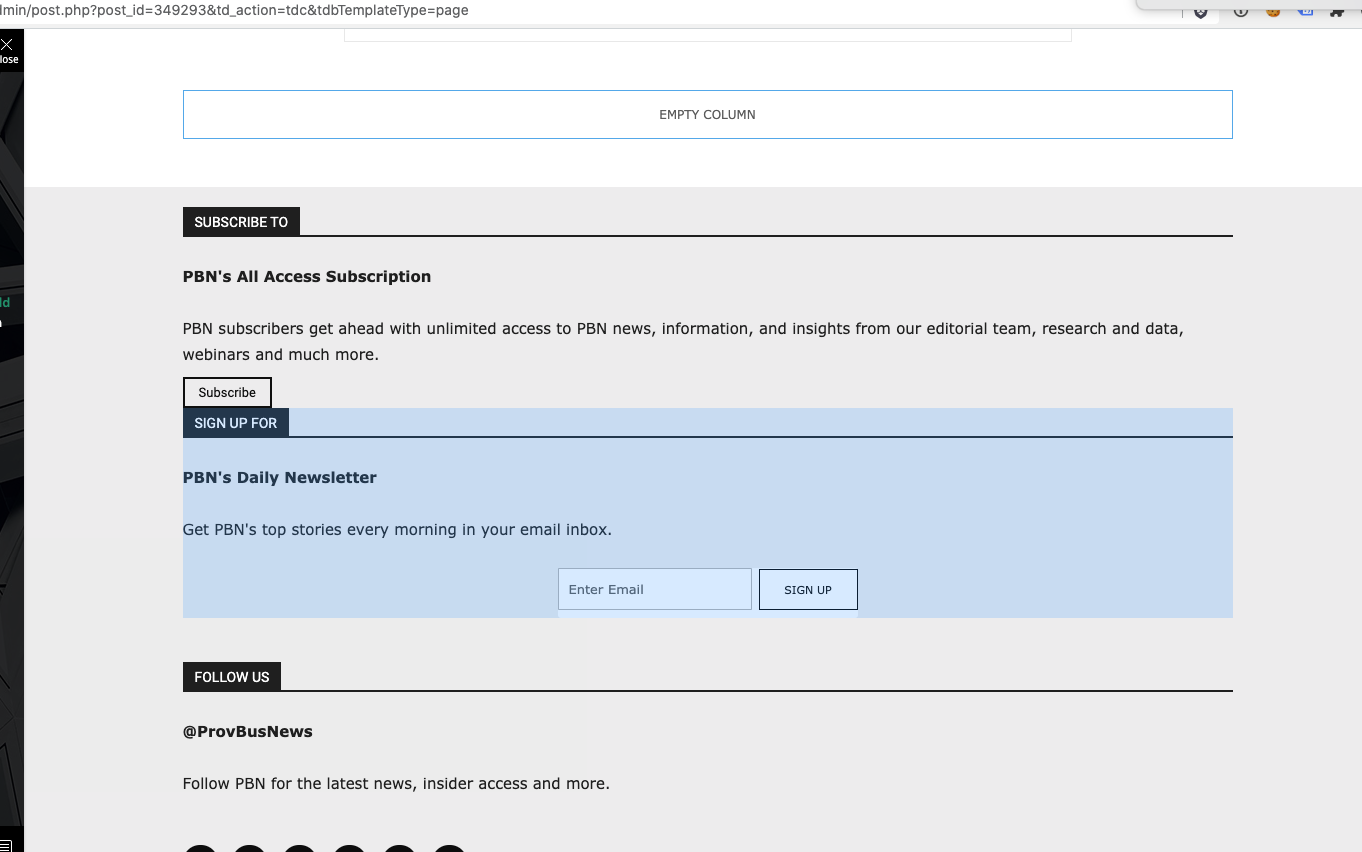
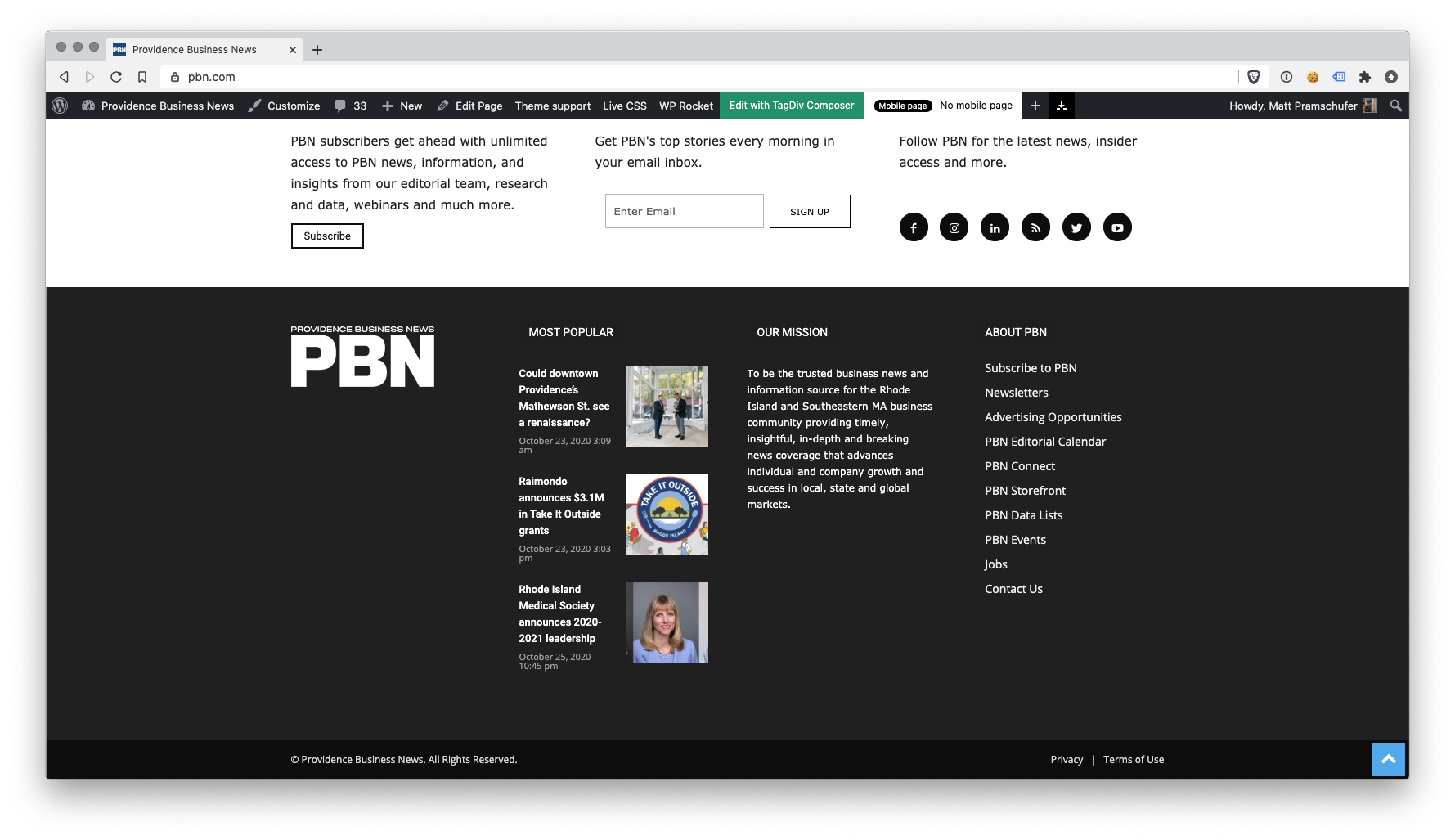
I have the latest version of the Newspaper theme, we are using a child theme with the Standard Pack plugin. I went and created a new footer template from a blank footer. In TD composer the column styles do not get injected on the live edit. See https://s3.amazonaws.com/pramadillo/_Providence_Business_News__WordPress_2020-10-26_11-41-42.png
When I save the footer and assign it globally in Theme Panel, the footer column styles only appear on pages in which we build with Visual Composer.
Homepage Built with Visual Composer – https://s3.amazonaws.com/pramadillo/Providence_Business_News_2020-10-26_11-45-48.png
Individual Post Page without Visual Composer – https://s3.amazonaws.com/pramadillo/Could_downtown_Providences_Mathewson_St._see_a_renaissance_-_Providence_Business_News_2020-10-26_11-46-45.png
I have cleared cache and double checked everything and to no avail the css does not get included.
Calin Hi garethvaughan,
Please make sure that you are using the last theme version, Newspaper v10.3.7 because in previous version there was a problem when you have an caption set on image, tagDiv Composer did not allow it to be loaded.
Also make sure that you do not have any plugins that can interfere with the theme settings and functionality.
Let me know the results!
Thank you!
Calin Hi,
This is strange, I just test it and for me is working on EDGE https://i.imgur.com/WM6JcE0.png please make a test only with tagDiv plugins. Also please disable tagDiv Composer, delete it and reinstall the plugin from Newspaper > plugins, sometime some times this steps can fix this kind of problems.
Let me know the results.
Thank you!
Calin Hi thevegan,
As we spoke in this thread -> https://forum.tagdiv.com/topic/tagdiv-composer-not-working-46/ you already sent us an email, we’ll check it as soon as possible.
Thank you for your understanding!
 Soundqubed
Support,
Was wanting to know if NewsPaper has a way to globally change a blocks title border color or do I have to do this individually or with custom CSS.
Here is the block I’m referencing.
https://imgur.com/nWGxbKc
Here is the Custom CSS I can use.
/* Default blue bar under title to green */
.td_block_template_9 .td-block-title:after {
background-color: #88b239 !important;
}
The default background-color seems to be blue , but want it green. I can change each block’s title border individually in the composer or use custom CSS to do it globally. Is their a way to do it globally with the composer?