- NewspaperModules Builder in Newspaper Theme
- NewspaperIntroduction to CPT and ACF with Newspaper Theme
- NewspaperHow to edit modules for Flex Block X
- NewspaperStripe Setup
- NewspaperPayPal Setup
- NewspaperAdd Cryptocurrency Price Ticker Widget
- NewspapertagDiv Shop
- NewspaperDesign your post pages using the Default Templates
- NewspaperTheme modules and blocks
- NewspaperUsing the Theme Translations with WPML
- NewspaperHow to Set the Image Avatar
- NewspaperNewspaper theme documentation
- NewspaperSmart Sidebar
- NewspaperBreadcrumbs
- NewspaperFooter Builder
- NewspaperMain Menu
- NewspaperInstalling Pre-built Websites
- NewspaperPre-built Websites: Introduction
- NewspaperWhat’s Included in the Newspaper Theme Package
 Calin
Calin Hi,
If you are using a pro demo, the footer is a cloud template, then you’ll need to edit it from a page, for example, you can edit the homepage, click on edit with tagDiv Composer -> https://i.imgur.com/uweNRrc.jpg after that go down to the footer end edit it how you want (now you can customize the the whole web-page from fronted).
Thank you!
Calin Hi,
If you are using a single post template or PRO Demo you can edit the template with tagDiv Composer and change the color -> https://i.imgur.com/9iuSCyB.jpg -> https://i.imgur.com/9oggUjh.png or if you are using a standard post style the you’ll need to use a custom css.
Thank you!
Calin Hi BABA464,
If you are using a stander demo then you can set the sidebar as in our guide from here -> https://forum.tagdiv.com/sidebars-tutorial/
If you are using cloud template or PRO demos then you need to edit these pages and template and build/set with tagDiv Composer a sidebar -> https://www.youtube.com/watch?v=fa7GenCHcBU
Thank you!
 giacolored88
 Hi Calin, I don’t know how you reach that page, what you are showing it’s the responsive template, while the website currently runs the tagDiv Mobile Theme plugin. The picture shows up with the mobile theme plugin deactivated, but when it runs the plugin they won’t show
this is what comes out with the tagDiv Mobile Theme plugin
https://imgur.com/luTTza6
and I’m using one of your demos without any customization
 David
DavidHi,
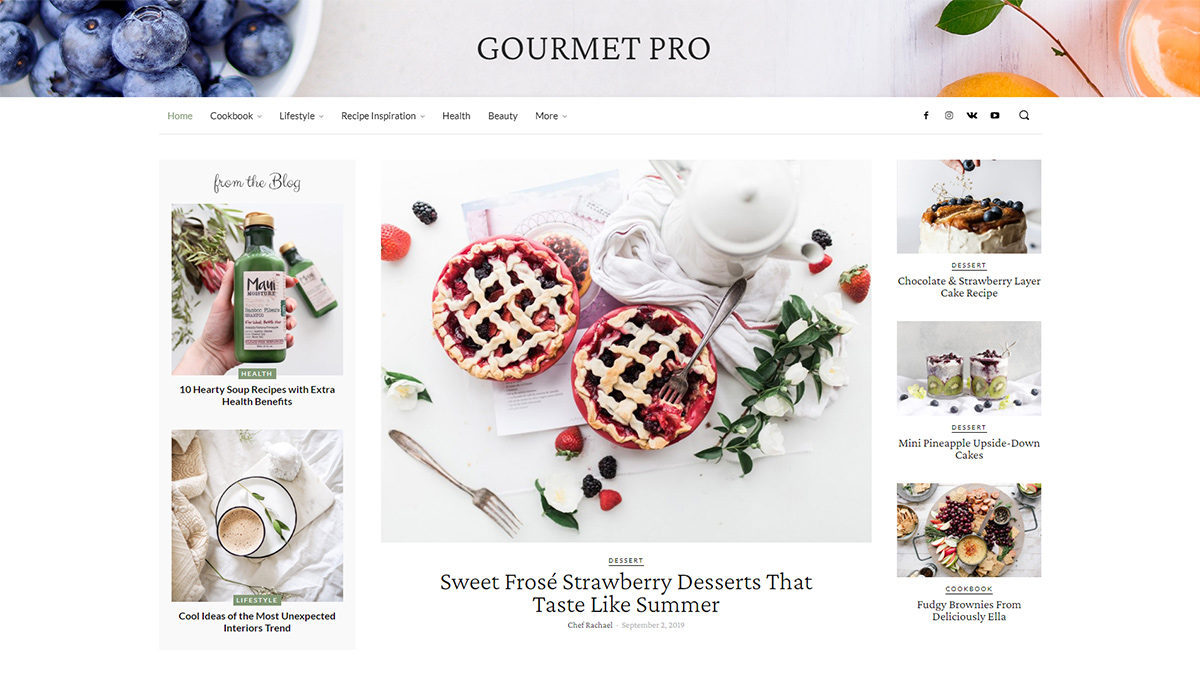
How can I change the header background image of Gourment PRO (https://tagdiv.com/wp-content/uploads/2020/03/Homepage-of-Gourmet-PRO.jpg)
I imported the demo layout but somehow I find no setting in Tagdiv Composer to change the image.
Thanks in advance for any help!
 Ali
AliHi, I’d like to take different parts from different demos and make a new one as per my need. Is there an easy way to do that?
Calin Hi,
If you want to change the translation, you can do it from here -> wp-content/themes/Newspaper/translation/pl_PL.po -> https://i.imgur.com/OcktGqS.png
If you want to remove the author box you can do it from theme panel for default post style -> https://i.imgur.com/d24gsk2.png or if you are using cloud templates (PRO Demo or a single post template) those can be edited with tagDiv Composer and use the right click to remove the elements you do not want to have.
Thank you!
Calin Hi sproutnepal,
1. Our documentation is online, it can be found in these these links:
-> https://forum.tagdiv.com/newspaper-theme-documentation/
-> https://tagdiv.com/category/documentation/
2. If you are using a cloud header or a PRO Demo, you can edit with tagDiv Composer the homepage and remove the login element using the right click https://i.imgur.com/acOqrXR.png -> https://i.imgur.com/678Y1Wk.png and make sure that the option from theme panel is disable -> https://i.imgur.com/fRIb2xO.png this will remove the code for login, but if you are using a standard/default header style, this will be only hide.
3. The ajax view count is needed only if you are using some cache plugins, in order that the counter to work, this need to be enable -> https://i.imgur.com/nzf6qZy.png also if you are using a single post template from tagDiv Cloud Library, you can add the element using tagDiv Composer -> https://i.imgur.com/Vpv3uIe.png -> https://i.imgur.com/AQ5lloh.png
Thank you!
DavidHi,
I installed Gourmet Pro Demo without content and all Templates are editable (what they should) except for the Footer:
https://www.loom.com/share/7fe4d94ddfa54e058ab5ce577dd1096b
How can I fix this? I’m not able to edit the template. System status all on green (except for caching) and only Tagdiv Plugins are installed.
Thanks!
 denba
denbaHi
I have installed the Medicine Pro demo and want the categories to have different colors. Under Theme Panel > Categories > Per category settings > CATEGORY TAG COLOR ON POST PAGE I have changed the color. But this does not change anything. Where or how must this be set for each category?
Thanks a lot!
denbaHi,
I have just installed the theme on a blank wp instance and installed the demo “medicine pro” as well.
As soon as I open the file “Category Template – Medicine PRO” in the cloud templates I get the error:
Errors at columns elements: 3(models) : 4(dom). The model does not match the content Current state has involved an issue. You could try an UNDO operation (CTRL+Z / CTRL+SHIFT+Z)
How I can fix it?
 descubriendojapon
 Hi again!
I´ve tried this, but the problem persists. This is the url: http://demo.descubriendojapon.com/
Thank you so much!
Calin Hi,
If you are using a standard demo, you can do this (edit fonts) using the settings from theme panel -> https://i.imgur.com/9PTvS0i.png
But if you are using cloud templates, PRO Demos or you want to adjust the fonts on pages, then you’ll need to edit the page/cloud templates with tagDiv Composer and set the font in Style tab or for some elements in General tab also if the font is set as default in cloud template or on page then it will be apply the one from theme panel -> https://i.imgur.com/Vjf6eZC.jpg -> https://i.imgur.com/tdA8Qty.png -> https://i.imgur.com/tdA8Qty.png
Thank you!
Calin Hi,
If you are using a standard demo, you can do this using the settings from theme panel -> https://i.imgur.com/9PTvS0i.png
But if you are using cloud templates or PRO Demos then you’ll need to edit these cloud templates with tagDiv Composer and set the font in Style tab or for some elements in General tab also if the font is set as default in cloud https://i.imgur.com/Vjf6eZC.jpg -> https://i.imgur.com/tdA8Qty.png -> https://i.imgur.com/tdA8Qty.png
Thank you!
 lucademarzo
Hi support,
I am working with the La Mode-demo but I can’t figure how to change the purple color when hovering images? Can you please give me a clue?
I try to change it via >theme panel>THEME ACCENT COLOR but nothing change
Thanks
Calin Hi,
I just make a test with one of our live demos and for me was open normal, please try one of these live demos -> https://demo.tagdiv.com/select_demo/select_demo_newspaper?utm_source=live_preview&utm_medium=click&utm_campaign=demos&utm_content=demos_button#demos and see if the problem persist also if you can please try with other mobile (not iPhone) maybe the problem is only on iPhone browser.
Let me know the results!
Thank you!
 printblogs
hey, i am facing error in installing demo content on my website.
 BizzyB
Hi – I’ve not been able to get a background image to show up after installing the Fashion demo. I just get the white space background. I attempted to do so via Theme panel >> Theme background >> Upload. Am I missing something here?
Posts, Categories and Mobile Menu backgrounds all work fine.
giacolored88Hi, I installed the demo Black PRO on http://www.ciclismo.live but the feature pictures are not showed in the mobile version. Is someone having the same problem? It does the same with the Sport PRO, other demos work okay
 Vlad S
 Hello !
Please provide a link to your website. Also please note that if you are using a Cloud library template or a PRO demo you will have to edit the templates using tagDiv Composer.
Thank you !
Calin Hi,
I think that you have something set wrong, as you can see in our live demo -> https://demo.tagdiv.com/newspaper_dentist/ the text from the second line remains on second line.
Please check the viewports from tagDiv Composer -> https://i.imgur.com/IkQJNC6.png and where is this problem, check the css tab and set the display to block -> https://i.imgur.com/ABJKKC5.jpg
This should fix the problem!
Thank you!
Calin Hi,
I think that you are referring to latest articles from homepage, for this go in -> Settings > reading is set a number of posts that can be display once -> https://i.imgur.com/D4OCVqZ.png if the number of these posts is bigger, then it will add the pagination (eg. each pagination can display the number of posts that is set in Settings) or if you are using a PRO demo or a post loop element on homepage, you can use tagDiv Composer, click on element and set the limit post number -> https://i.imgur.com/2paJBqY.png
Thank you!
Calin Hi,
Usually this is set in mobile menu or if you are using a pro demo and responsive version, you can edit with tagDiv Composer the cloud header and set a button or you can use html raw -> https://i.imgur.com/2VKXaJA.png or column text and set the html in text section -> https://i.imgur.com/uSzeDMv.png using these elements you can set the html code, but the js need to be set in theme panel -> https://i.imgur.com/weCrR1w.png
Thank you!
Calin Hi,
If you are using a pro demo, the footer is a cloud template, then you’ll need to edit it from a page, for example, you can edit the homepage, click on edit with tagDiv Composer -> https://i.imgur.com/uweNRrc.jpg after that go down to the footer end edit it how you want (now you can customize the the whole web-page from fronted).
Thank you!
 rajchander
hi! i’m having some difficulty with posts. for some reason TD Composer is not appearing in either my standard demo posts that came with the theme, or any of the new posts i’ve created. it only allows me to “edit template.” i don’t want to create a new template every single time. i’ve created a single template post to use and would like to just copy that post each time. any advice would be greatly appreciated.