
- NewspaperHeader Builder
- NewspaperHeader ads
- NewspaperHeader styles
- NewspaperSearch setup for custom post type
- NewspapertagDiv Composer – Website Manager
- NewspaperBookmark – Save For Later
- NewspaperWooCommerce: Happy “Add to Favorites!”
- NewspaperModal Popup
- NewspaperFlex Block Settings Guide
- NewspaperPosts Loop Element
- NewspaperHow to Add a Logo in Newspaper
- NewspaperDefault Category Settings
- NewspaperWhen tagDiv Composer is Not Working
- NewspapertagDiv Cloud Library Plugin
- NewspapertagDiv Composer Tutorial
- NewspaperUsing the Theme Translations with WPML
- NewspaperInstagram in Newspaper WordPress Theme
- NewspaperWeather Shortcode
- NewspaperThe Mobile Theme
- NewspaperLogin – How to Enable User Registration
 acearaujo
Hi Guys. Have been 3 months since I use the plugin and eveything was very clear and smooth. Something hapends when I edit the header of the site and put an image with a link in the right side. The Site started to show Error 500 and the admin panel works perfectly. I need an Urgent Check to review what could happen.
Thanks a lot!
 Calin
Calin Hi,
1. The posts with featured video should still work, just make the steps from our guide -> https://forum.tagdiv.com/featured-image-or-video/ also if you want to embed a youtube video, set it in code editor mode and it will be embed like before -> https://i.imgur.com/MdmAppX.png
Another thing that you can do is to replace the youtube api key.
2. Please provide some more details with some screenshots about this problem, in this way I will be able to understand the problem and help.
3. Unfortunately,if you are using the mobile to create posts then not all elements from the backend are responsive, most of theme are, but is not all, sorry!
a. please edit the cloud header with tagDiv Composer and check the mobile version, there click on logo and see if this is not set on hide https://i.imgur.com/4ljbMpr.png -> https://i.imgur.com/QrQTrqS.png
Thank you!
Calin Hi,
You need to set a new row in the header as in my example and set in it the menu and search right now yours is set in an inner row.
“please add in header zone a new row like this https://i.imgur.com/slfYqb9.png -> https://i.imgur.com/pi5DSZS.png and drag and drop the menu in it also do not forget to set on the row (not on the element) a background color -> https://i.imgur.com/OSG7Chc.png and stretch it -> https://i.imgur.com/lPcJjLm.png”, if you want we can do it for you.
The the Woocommerce and Buddypress plugins can be installed from WordPress > plugins section -> https://i.imgur.com/aFZR48e.png
Thank you!
Calin Hi divyasinghinfo, that is because you are using a pro demo, these are made with cloud templates and can be edited only using tagDiv Composer .
If you want to change the logo in a cloud header (cloud headers are use on pro demos) using use our guide from here -> https://www.youtube.com/watch?v=HXQQygkCCJo also make sure that you display the image or text -> https://i.imgur.com/Zs5shNm.png -> https://i.imgur.com/v3sEEu9.png -> https://i.imgur.com/XdXqH4B.png -> https://i.imgur.com/XdXqH4B.png on mobile -> https://i.imgur.com/wqNV6vE.png
The footer can be edit from fronted, use tagDiv Composer to edit the page and go down to the footer to edit it.
Please make sure that all the settings are like in our requirements, please follow the guide carefully
– https://forum.tagdiv.com/requirements-for-newspaper/
and please increase all requirements that are lower, and follow all steps.
Also please make sure that you do not have a plugin conflict, please deactivate ALL plugins except tagDiv Composer, also if you are using child theme or cache plugin, deactivate them, clear all cache and try again.
Make sure that allow_url_fopen = On;
-> https://chemicloud.com/kb/article/how-to-enable-or-disable-allow_url_fopen-in-cpanel/
-> https://www.a2hosting.com/kb/developer-corner/php/using-php.ini-directives/php-allow-url-fopen-directive
Let me know the results!
Thank you!
Calin Hi skizlin,
This depending on the demo you are using , if is a pro demo it can be edited entirely with tagDiv Composer because are made with cloud template.
If is a simple demo, then only the pages can be edited using tagdiv Composer and the header footer, category templates can be edited using the settings from theme panel -> https://i.imgur.com/OPiMA8Q.png also on those demos the menus can be set from theme panel -> https://i.imgur.com/9QTvfGo.png or from appearance > menu -> https://i.imgur.com/5KiLV3m.png (on pro demos need to be set using tagDiv Composer https://i.imgur.com/hxMKlgu.png -> https://i.imgur.com/3pzmVyw.png).
Thank you!
 Vlad S
 Hello !
In order to adjust page width you have to select every row of your page using the tagDiv Composer and then set the stretch mode you want like here : https://www.screencast.com/t/BkWwdHh6
In order to make the post page full width you will have to add a single post template and then edit it. Check more about how to have single post template here: https://tagdiv.com/customize-articles-with-single-post-templates/ And for the header you can do it here: https://www.screencast.com/t/xf56tQN0.
These are the ways you can increase your page width from theme options. Anything above this will require custom code which is not covered by the support team.
Thank you !
Calin Hi,
If you are using a cloud header -> https://i.imgur.com/K7SvCDD.png you can edit it using tagDiv Composer -> https://i.imgur.com/NdRo7lR.png most of theme can be stretch directly because are set in a separate row from the rest of header elements, like in this case -> https://i.imgur.com/72PVR2N.png -> https://i.imgur.com/Nj84k9K.png if for you is not the same loo, please add in header a new row like this https://i.imgur.com/slfYqb9.png -> https://i.imgur.com/pi5DSZS.png and drag and drop the menu in it also do not forget to set on the row a background color -> https://i.imgur.com/OSG7Chc.png and stretch it -> https://i.imgur.com/lPcJjLm.png
If you are using a standard header style -> https://i.imgur.com/ATKyicc.png then you can use the option from theme panel -> https://i.imgur.com/27dFrQL.png this option is recommended only if you are not using a pro demo.
If there is still a problem, please provide me a link to can inspect your menu and there I will be able to provide some more information step by step for what to do.
Also we have only few video tutorials, you can check them here -> https://www.youtube.com/user/tagdiv
Thank you!
Calin Hi,
For the header, please set a new row and see if on this the layout 9-3 is applying, if yes, then on your current header row is set maybe a width on column like this -> https://i.imgur.com/8vzz2TC.png -> https://i.imgur.com/EigrDbP.png
For main menu row, please select each column and set on theme in css tab the width you want to have in %.
Usual the problem indicate for the footer is caused by some plugins, for example when you are using WPBakery with tagDiv Cloud Library. If you have this plugin enable, please disable it and check again, if the problem persists, please disable all non theme plugins and let only tagDiv plugins.
Let me know the results!
Thank you!
 cloudmark
 On #4 you have to add the server side script code to activate Google Ad Manager Ad Units.
First, on a txt editor copy the header code provided for every Ad Unit on Google Ad Manager, to do this go to:
Inventory/Ad units/
Then open every ad unit you need, one by one, by clicking on its name then:
1. go to tags.
2. choose Google Publisher Tag (GPT)
3. click continue
4. configure your ad unit (it’s fine if you leave this as is)
5. click continue again
6. third step will give you two codes. one that goes in the <head> and a second that goes in the <body> copy the head code and paste it on the txt edit document, now copy the body code and paste it in a different txt document.
7. do this for every ad unit you need to publish in you site.
8. you will end with two files, one with header codes and one with body codes. Save them, but don’t close them.
You need to edit the header to make one big code including every single ad unit instead a bunch of them.
This is my code so you can figure how…
<!-- GOOGLE AD MANAGER STARTS -->
<script type='text/javascript'>
var googletag = googletag || {};
googletag.cmd = googletag.cmd || [];
(function() {
var gads = document.createElement('script');
gads.async = true;
gads.type = 'text/javascript';
var useSSL = 'https:' == document.location.protocol;
gads.src = (useSSL ? 'https:' : 'http:') +
'//www.googletagservices.com/tag/js/gpt.js';
var node = document.getElementsByTagName('script')[0];
node.parentNode.insertBefore(gads, node);
})();
</script>
<script type='text/javascript'>
googletag.cmd.push(function() {
googletag.defineSlot('/14518XXXX/HP1_300x600', [300, 600], 'div-gpt-ad-XXXXX86917606-0').addService(googletag.pubads());
googletag.defineSlot('/14518XXXX/LB1_728x90', [728, 90], 'div-gpt-ad-XXXXX86917606-1').addService(googletag.pubads());
googletag.defineSlot('/14518XXXX/MR1_300x250', [300, 250], 'div-gpt-ad-XXXXX86917606-2').addService(googletag.pubads());
googletag.defineSlot('/14518XXXX/SB1_320x50', [320, 50], 'div-gpt-ad-XXXXX38988537-0').addService(googletag.pubads());
googletag.pubads().enableSingleRequest();
googletag.enableServices();
});
</script>
<!-- GOOGLE AD MANAGER ENDS -->
Now back to your site go to:
Newspaper/Theme Panel/Analytics JS Code/Header Script Code
and paste this code (yours of course).
This will allow your ad units to show on your site, if your Ad Manager Setting are correct.
Last thing to do.
Copy and paste the ad unit code where it should appear:
Newspaper/Theme Panel/Ads/
This is an example of my header position:
<div class="td-visible-desktop">

       <!-- /14518XXXX/LB1 -->

<div id="div-gpt-ad-XXXXX86917606-1" style="height:90px; width:728px;">

<script type="text/javascript">

googletag.cmd.push(function() { googletag.display("div-gpt-ad-XXXXX86917606-1"); });

</script>

</div>

</div>
<div class="td-visible-tablet-landscape">
<!-- /145188550/LB1_728x90 -->
<div id="div-gpt-ad-1459286917606-1" style="height:90px; width:728px;">
<script type="text/javascript">
googletag.cmd.push(function() { googletag.display("div-gpt-ad-1459286917606-1"); });
</script>
</div>
</div>
<div class="td-visible-tablet-portrait">
<!-- /14518XXXX/LB1_728x90 -->
<div id="div-gpt-ad-XXXXX86917606-1" style="height:90px; width:728px;">
<script type="text/javascript">
googletag.cmd.push(function() { googletag.display("div-gpt-ad-XXXXX86917606-1"); });
</script>
</div>
</div>
<div class="td-visible-phone">
<!-- /145188550/SB1_320x50 -->
<div id='div-gpt-ad-XXXXX38988537-0' style='height:50px; width:320px;'>
<script>
googletag.cmd.push(function() { googletag.display('div-gpt-ad-XXXXX38988537-0'); });
</script>
</div>
</div>
One more thing. The head banner should be exactly 728×90 in desktop mode.
In the example above you can see that it displays a different version on mobile or desktop.

 dessy1991
This is the link to my website https://www.netsportworld.com
On the homepage, when I click the categories in the header menu such as football, the url that comes is
https://www.netsportworld.com/category/football/ and similarly live score url is https://www.netsportworld.com/category/livescores/
There is the word ‘category’ showing up in these urls. How do I edit this out.
I tried using https://i.imgur.com/6wv81YL.png, but that only works for the posts
 Federico
Hello, A few minutes ago I had this error, which caused a total site crash, I had to uninstall td-composer and reinstall it.
AH01071: Got error ‘PHP message: PHP Warning: getimagesize(): php_network_getaddresses: getaddrinfo failed: Temporary failure in name resolution in /var/www/dib.com.ar/public_html/wp-content/plugins/td-cloud-library/shortcodes/header/tdb_header_logo.php on line 792PHP message: PHP Warning: getimagesize(https://dib.com.ar/wp-content/uploads/2020/01/logo.png): failed to open stream: php_network_getaddresses: getaddrinfo failed: Temporary failure in name resolution in /var/www/dib.com.ar/public_html/wp-content/plugins/td-cloud-library/shortcodes/header/tdb_header_logo.php on line 792PHP message: PHP Warning: getimagesize(): php_network_getaddresses: getaddrinfo failed: Temporary failure in name resolution in /var/www/dib.com.ar/public_html/wp-content/plugins/td-cloud-library/shortcodes/header/tdb_header_logo.php on line 792PHP message: PHP Warning: getimagesize(https://dib.com.ar/wp-content/uploads/2020/01/logo.png): failed to open stream: php_network_getaddresses: getaddrinfo failed: Temporary failure in name resolution in /var/www/dib.com.ar/public_html/wp-content/plugins/td-cloud-library/shortcodes/header/tdb_header_logo.php on line 792PHP message: PHP Warning: require_once(/var/www/dib.com.ar/public_html/wp-content/plugins/td-composer/legacy/Newspaper/includes/shortcodes/td_block_ad_box.php): failed to open stream: No such file or directory in /var/www/dib.com.ar/public_html/wp-includes/template.php on line 730PHP message: PHP Fatal error: require_once(): Failed opening required ‘/var/www/dib.com.ar/public_html/wp-content/plugins/td-composer/legacy/Newspaper/includes/shortcodes/td_block_ad_box.php’ (include_path=’.:/usr/share/php’) in /var/www/dib.com.ar/public_html/wp-includes/template.php on line 730′, referer: http://elfuertediario.com.ar/cuarentena-en-la-provincia-de-buenos-aires-en-que-fase-esta-cada-municipio/
It seemed strange to me, it is that the same thing happened to me in 3 different sites at the same time on the same server. In total I have 4 sites on this server, the error only happened on 3.
 xrelmate
 Dear Calin,
Maybe you are right. I am sorry for the frustration.
Could you please tell me how can I change the header style in TagDiv. As following your previous steps regarding the streching of the menu did not work.
https://photos.app.goo.gl/M1osUFtsoUPDbTRM7
For some reason when I hover over the menu and try to select the “row” it marks the entire header not the menu as shown in the screenshot you sent me in your first comment.
Please see in the image below, how I change the menu stretching (by just selecting the header style in the theme panel and it results in stretched menu without stretching the content)
https://photos.app.goo.gl/qPPbPknDfiXvm8ha8
Last but not least, is there a video about tag div and how the cloud templates are working? I saw some but they were vague and in your support page, in the divtag tutorials, the content is about specific features, that are not relating to my strugles.
-
This reply was modified 6 years by
xrelmate.
 nhowarth
 Hi Calin, I appreciate that it’s not easy for you (the support team either.) So you can appreciate how much more difficult it is for me who last programmed a computer in 1974.
I think the ideal solution in the longer term is for the developers to enable the user to choose which icons they wish to use as they’ve done with the Header Menu in a theme update.
In the Header Menu today a user can choose from Font Awesome, Typicons, Open Iconic, TagDiv Multi-purpose and Font Newspaper for the icons they wish to use.
Regards
Nigel
 Roularta
Hi There,
I have a big problem while creating blank template files with tagDiv composer. I’ve created a custom header, a custom footer, a custom category and a custom 404 (needed to do changes to my footer).
Header problem
I want to adjust the column widths of my header rows.
In my upper menu (black top menu), I’ve set the layout to a 9-3 columns width:
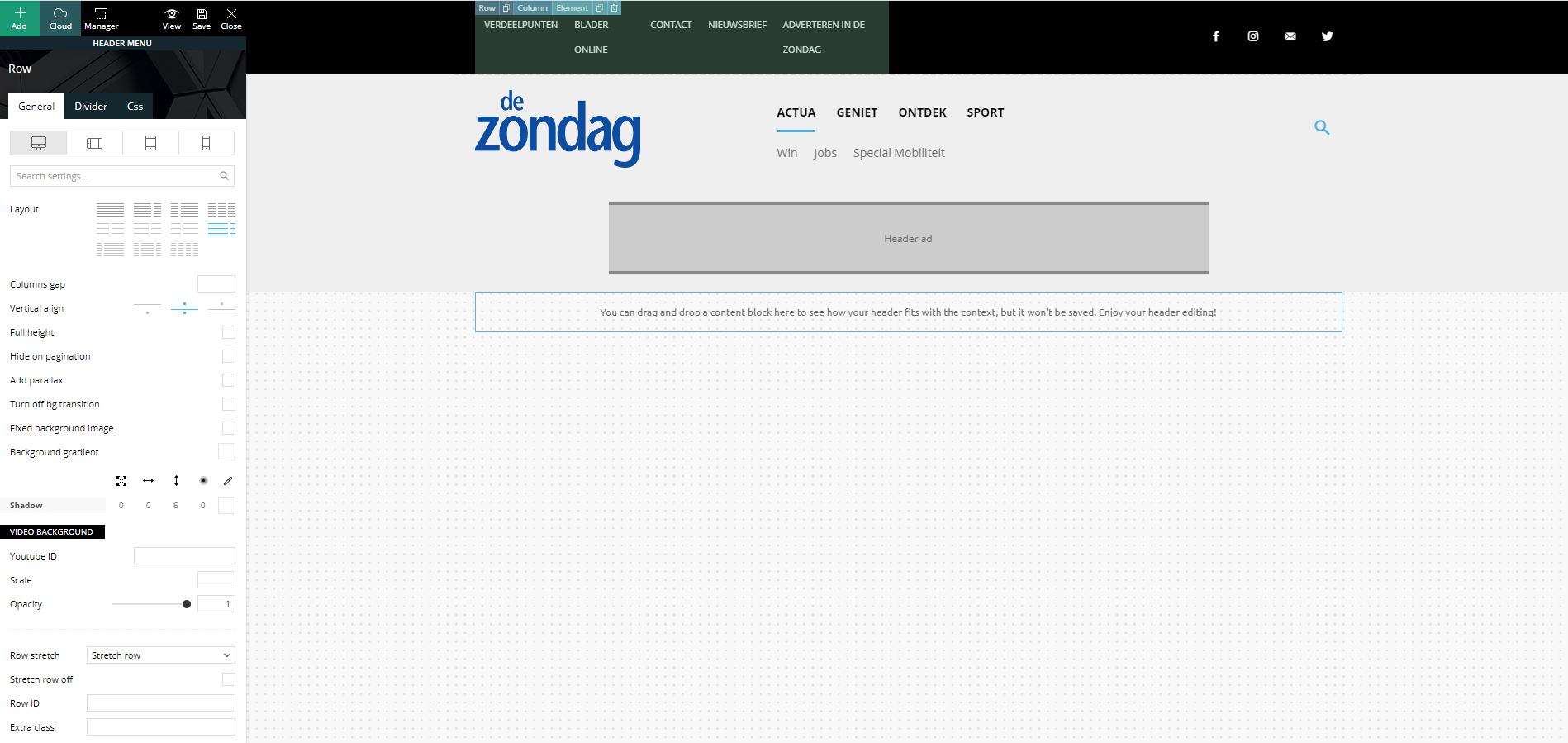
Strange but true, in the preview screen it shows a columns width of 6-6. I’m not able to change this (anymore)…
In my main menu, I’ve set the layout to a 3-6-3 columns width:
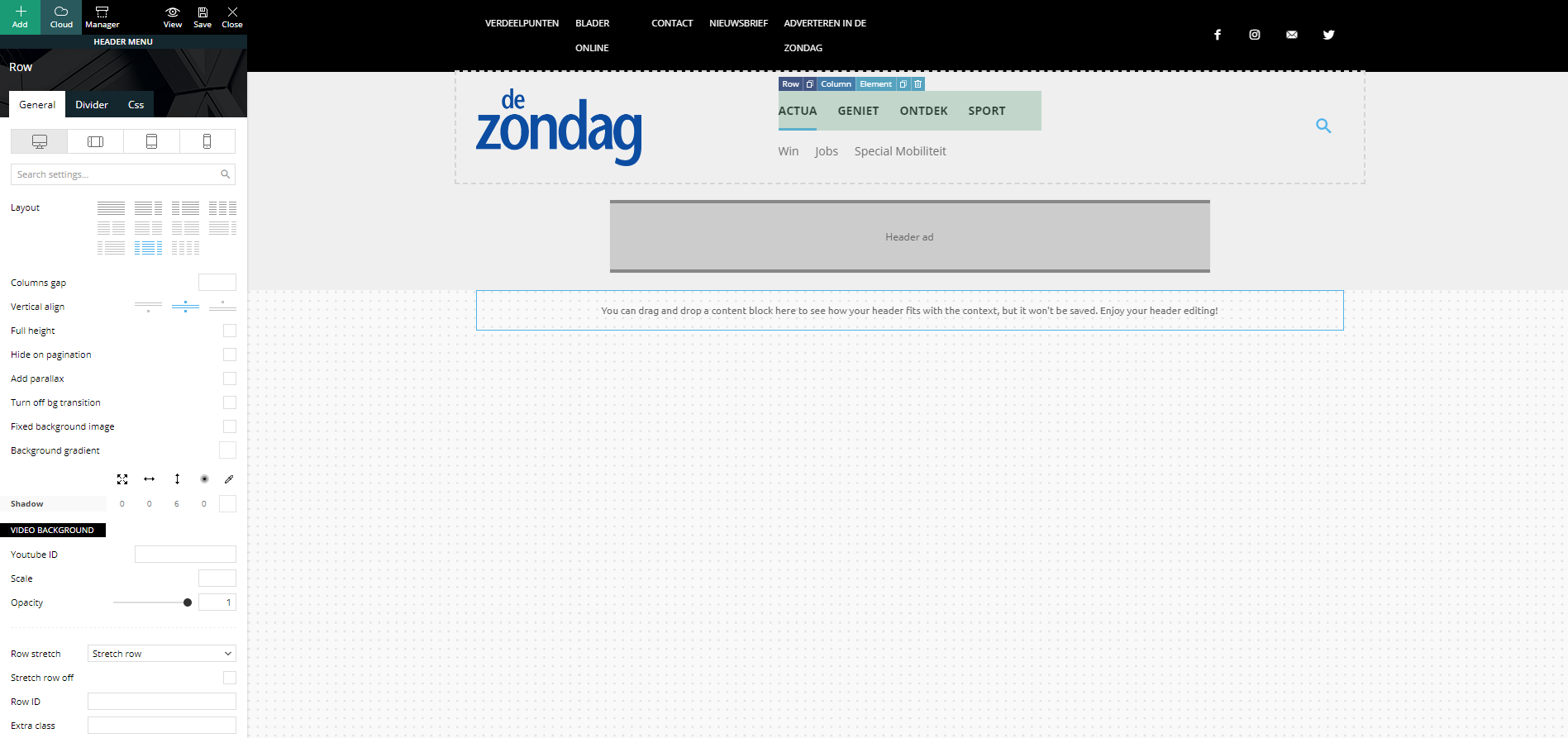
Strange but true, in the preview screen it shows a columns width of 4-4-4. I’m not able to change this (anymore)…
Footer problem
Same strange issues with my footer. Here I’ve set my footer columns (dark gray stroke) to a 4-4-4 width:
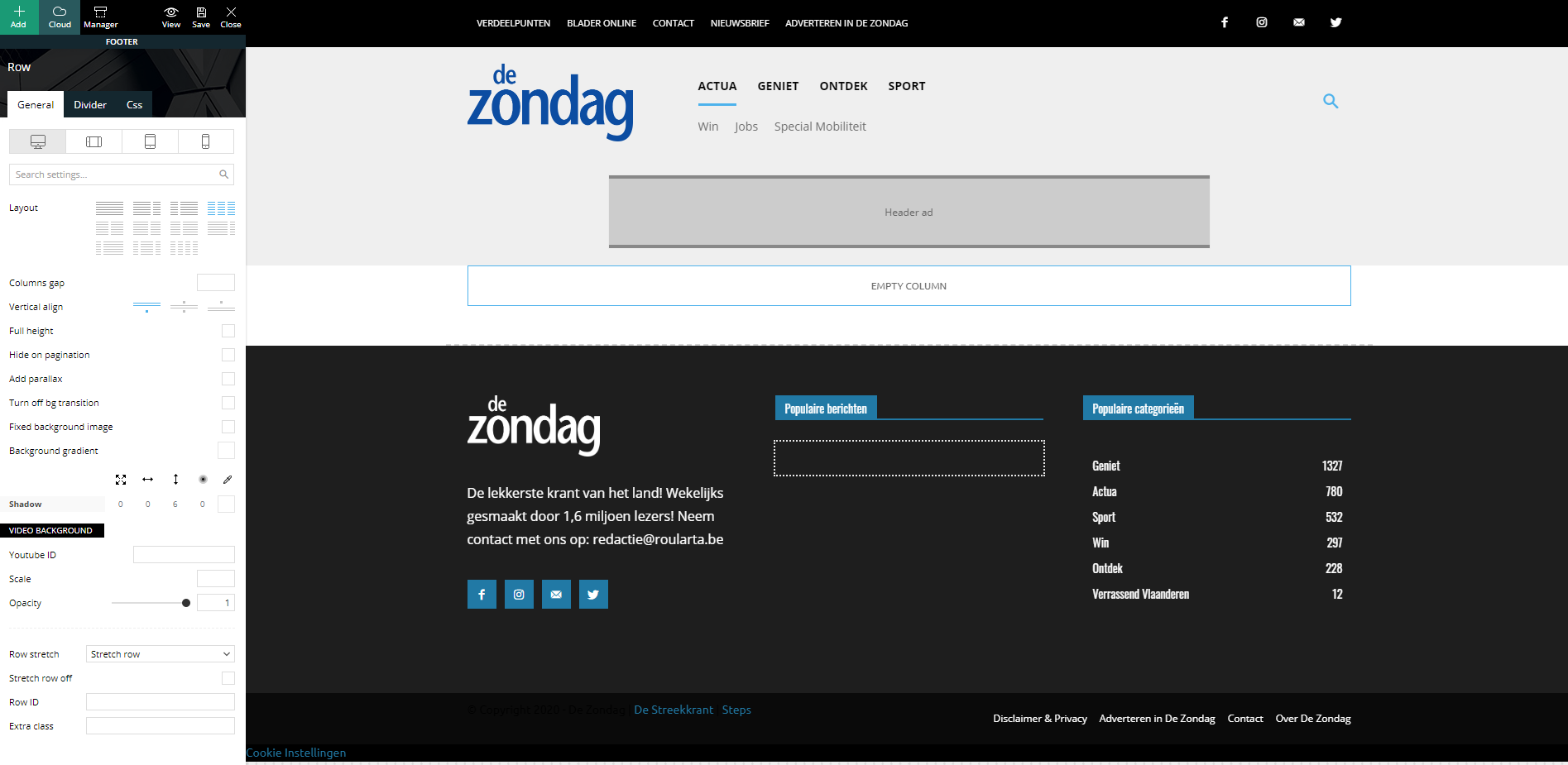
When I check my website, all columns are changed to a width of 12 and they are stacked under each other:
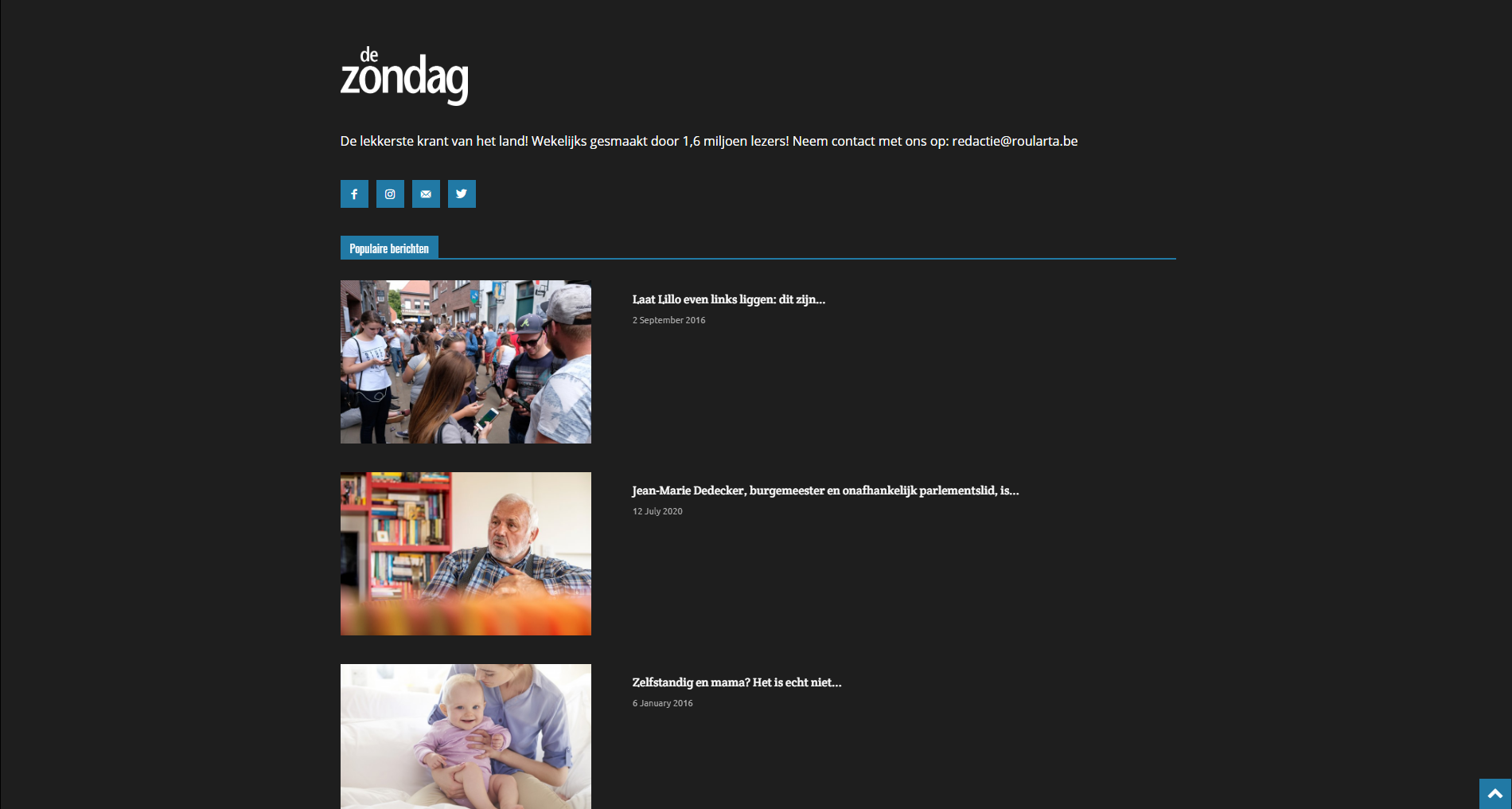
I have identical problems with my custom category pages.
Can you guide me how I can fix this please?
Kind regards,
Sam Clauw
 antonmh
Hi
I am trying to resolve some issues with my new site.
I am using the ‘Gossip’ demo which I have adapted. Please see the attached screenshots below to see how it is at the moment, for reference.
1) The section that is ‘Latest’ (under the ticker) needs to be the same width as the section below it. I have looked through the settings but there isn’t anywhere that needs adjusting. Originally this section was moved from the bottom of the site (in the Gossip demo it is called ‘Latest Articles’). I just dragged it up the page but it is not staying the same width. How can I make it the correct width?
2) In my setup, in the first section area I have excerpts show. I know these can be turned off, but is there a way to show the Subtitle from each post here instead? I can’t see a setting for it to be switched on, so wondered if it is possible to add it in any way?
3) With the excerpts in the above section, the universal setting should be at 25 words. But for some reason mine are all varied in the blocks. I have gone through the theme and also each block in the composer to change them to 25, however they are not changing. Is there a setting anywhere else that needs to be changed?
4) I am trying to add ads from my Google Ad Manager account. However nothing is appearing in the leaderboard area in the header, as you can see. I have read through your documentation but I can’t find information for Ad Manager. Can you give me instructions on how to add it and where to place the code specifically?
Please let me know, and thanks in advance for you support!
Anton


Calin Hi,
Is look that the problem is in them files for the wp-content/plugins/td-composer/legacy/Newspaper/includes/block_templates/td_block_template_18.php this code is still static -> https://i.imgur.com/gblC8zc.png as a quick fix replace the code from this file wp-content/plugins/td-composer/legacy/Newspaper/includes/block_templates/td_block_template_18.php with the code from here -> https://pastebin.com/VAcvLxb8 also make sure that you adjust the height for the block header -> https://i.imgur.com/WaHaphh.png
Hope this will help you!
Thank you!
Calin Hi,
If I’m right you are using the responsive version on these pages that has a different menu, the mobile theme plugin has it’s own menu, that can be set and edit from here -> https://i.imgur.com/gAz2mVn.png for the responsive version that have a cloud header the mobile menu can be set from tagDiv Composer -> https://i.imgur.com/5FnxL8e.png and can be adjusted from here -> https://i.imgur.com/6s1eiKM.png
Thank you!
Calin Hi aassi,
If this is a cloud header, then it will be the best to edit it using tagDiv Composer and adjust it, you can do it by setting some margins in css tab -> https://i.imgur.com/J4IF2fc.png this can be done per row/column/element, also you can set on element a line height -> https://i.imgur.com/D2vXOnd.png
This will be better then using custom css.
Thank you!
Calin Hi xrelmate, if the options for these are missing from theme panel, then you are using cloud templates or a pro demo, this can be edited using tagDiv Composer and you can use the right click to remove the element you do not need -> https://i.imgur.com/LhIMoPZ.png
Also to can stretch the menu on full width, you need to make sure that this one is not set in the row that is holding the entire header and stretch it like this ->? https://i.imgur.com/I9f2Q8e.png -> https://i.imgur.com/LOEiVG5.png
Hope this will help you!
xrelmateDear customer support,
I have a really hard time working with Tag Div. It has completely changed my header customization without me having done anything. Additionally, the the crl shift or “undo” button is not working!!!!
The plugin is slow to work with and it is hard to find the theme’s panel options.
THIS IS UNACCEPTABLE. I have spent over two weeks to try doing the basic stuff and plus I have to wait for a day to have a reply from the customer support for basic questions. My time is valuable and you should value and respect your clients!!
I do not even understand why would you put through this your clients. So please tackle this problem wth your Tag Div plugin, as it is underperforming!!! And PLEASE be present in you so called customer support.
 financemediaromania
Hi.
I tried to edit homepage, using Pagelayer, updated, and my page converts to source code and it cannot be fixed – unless backup is installed.
How to edit pages without this error?
Link: https://infrapress.ro/
Page begging: “[vc_row full_width="" parallax="" parallax_image=""][vc_column width="1/1"][td_block_big_grid_1 td_grid_style="td-grid-style-1" category_id="" sort="featured"][/vc_column][/vc_row][vc_row el_class="td-ss-row"][vc_column width="2/3"][td_block_1 custom_title="FASHION WEEK" limit="5" td_filter_default_txt="All" ajax_pagination="next_prev" header_color="#e29c04" category_id="" sort="random_posts"][td_block_19 custom_title=”GADGET WORLD” header_color=”#0b8d5d” limit=”8″ td_filter_default_txt=”All” category_id=”” sort=”random_posts”][vc_row_inner][vc_column_inner el_class="" width="1/2"][td_block_1 custom_title="BEST Smartphones" category_id="" limit="1" td_filter_default_txt="All" ajax_pagination="next_prev" header_color="#4db2ec" sort="random_posts"][/vc_column_inner][vc_column_inner el_class="" width="1/2"][td_block_10 custom_title=”DON’T MISS” limit=”3″ td_filter_default_txt=”All” sort=”random_posts”][/vc_column_inner][/vc_row_inner][/vc_column][vc_column width="1/3"][td_block_ad_box spot_id="sidebar"][td_block_1 custom_title="POPULAR VIDEO" header_color="#ed581c" limit="1" td_filter_default_txt="All" category_id="" ajax_pagination="next_prev" sort="random_posts"][td_block_8 custom_title="HOLIDAY RECEPIES" category_id="" limit="2" td_filter_default_txt="All" header_color="#0152a9" sort="random_posts"][/vc_column][/vc_row][vc_row full_width="" parallax="" parallax_image=""][vc_column width="1/1"][td_block_14 custom_title=”EVEN MORE NEWS” header_color=”#288abf” limit=”3″ td_filter_default_txt=”All” ajax_pagination=”next_prev” category_id=”” sort=”random_posts”][/vc_column][/vc_row]“
 aassi
aassi Calin, one funny thing: the header is OK when go to any category page or post.
https://prnt.sc/uh9dps (Note that the bleed above and below are OK there and bigger – aka wrong – in the homepage)
What am I doing wrong?
Will the CSS code fix this?
Tks.
Calin Hi,
Now is look that you do not have any advertisement in the header on mobile -> https://i.imgur.com/1Zme6d4.png
As I can see from your screenshot, you are no longer able to edit the homepage. If the problem appear only after you set that code in a page using tagDiv Composer, then the problem is with that code, what you can do is to revert to a previous version of that page (before you added the code) -> https://i.imgur.com/KKrTSJU.png -> https://www.wpbeginner.com/beginners-guide/how-to-undo-changes-in-wordpress-with-post-revisions/
Also we gave a guide for when tagDiv Composer is not working -> https://forum.tagdiv.com/tagdiv-composer-not-working/
Hope this will help you!
Let me know the results!
 daisygr
good evening you know why this happens in safari. specifically in social media iframe mobile
My website is https://www.daisy.gr/
Check image
https://ibb.co/jykZFHm
Calin Hi,
1. Unfortunately the theme do not have an option to can set the roman letters on smart list, sorry! As I know, for the moment this can be achieve only with custom work.
One solution is to set manually these roman letter in front of each smart header -> https://i.imgur.com/gaN7nIa.png
2. You can use a custom css to remove the numbering system from smart list -> https://i.imgur.com/5uBeEYN.png
.single .td-sml-current-item-nr {

display: none;

}
This code need to be set in theme panel > custom code> custom css.
results -> https://i.imgur.com/Qywd8uM.png
Thank you!



