- NewsmagHomepage – How to build and set it
- NewspaperHomepage – How to build and set it
- NewspaperHow to edit modules for Flex Block X
- NewspaperGeneral Options that May Interfere with the Newspaper Theme
- NewspaperThe Newspaper Mobile Theme: Introduction
- NewspaperHow to Add a Logo in Newspaper
- NewspapertagDiv Shop
- NewspaperHow to Use tagDiv Cloud Library
- NewspaperDesign your Post Pages using the Cloud Library Templates
- NewspaperHeader Builder
- NewspapertagDiv Cloud Library Plugin
- NewsmagtagDiv Composer Tutorial
- TutorialsFrom WPBakery to tagDiv Composer
- NewspapertagDiv Composer Tutorial
- NewspaperNewspaper theme documentation
- NewspaperThe Mobile Theme
- NewsmagNewsmag documentation
- NewsmagMain menu
- NewsmagLogo & Favicon
- NewsmagPage templates
 EUCMH
EUCMHI have had already a contact for the problem of the ‘load more button’ which doesn’t show anymore on my website (while doing a total site redo).
I have just found something out : this is the background image which cover the button. If you click the button space, old your mouse and drag the button outside the background the button is present.
I managed to lower the loading at the start of the homepage and the button is present until the image comes and cover it.
<br>
https://www.eucmh.be
PS : this message counts only for the blocks with a background image and NPP 9
 OFFROAD
 Hi Catalin,
sorry, maybe I didn’t explain good enough what I am looking for!
When you go on the categorie BIKES then there will be four big pictures of the first four reports. When you scroll down you get an overview of alle reports of the category bikes. That’s exactly what I am looking for when you go on the button HOME. So no NEWS frame, no FEATURED frame, the categorie photos I haven’t at all and should be removed or somehow used as CATEGORIE which I will fill with content.
Newest Article is pretty much the same like you found in the categorie BIKES, but not so much rows…
Do you know what I mean?
Many thanks!
If I remember right, in the beginning of my homepage I hadn’t allocated any page for the HOME….so then there was a design by the software which was pretty similar like in the categorie BIKES….but I am not sure anymore.
-
This reply was modified 7 years by
OFFROAD.
 Catalin
 Hi,
I have tested your code provided and I added to a column text at my homepage and it seems to work as expected. The problem was the quotes which were broken. I have edited the iframe code and correct one. Use it from here -> https://pastebin.com/QmfHWtef place it inside a column text and check the results. Should look like this -> https://www.screencast.com/t/JxIYIsq8
I look forward to helping you!
Thanks for your understanding!
Catalin Hi,
If you are referring to this section from the top of your website -> https://www.screencast.com/t/tcJCmf2j71t please notice that here is talking about a Big Grid Full 4. If you want that element to displays you the latest articles on the top, you should edit your homepage using the TD Composer and edit that Grid like this -> https://www.screencast.com/t/ckDLleQFb and then you will return the latest articles in that grid. If is not what you mean, please provide more details, some useful screenshots with your desired changes so I will be able to provide a more accurate response. I’m here to assist you.
Thanks for your understanding!
Catalin Hi,
For a better understanding, below I tried to explain in more words how Mobile Theme works. So, please notice that this theme concept (mobile theme) intends to display a Big Grid feature at the top of the homepage which shows the posts which are included in Featured category and at the very bottom of the page you will bring the Latest Articles module. Please keep in mind that the Mobile Theme does not recognize the Visual Composer/ TD Composer shortcode and that’s why you did not get the desktop style for mobile theme. If you are unhappy with this layout, and if you want to have the similar structure for mobile layout, you will simply turn off the mobile theme plugin and the theme will be automatically switched to the general responsive mobile mode. Please notice that if you will use the Mobile Theme, you will bring a high score for your page speed because this one has been optimized for mobile devices.
I hope that you understand!
 Calin
Calin Hi,
Maybe I do not understand well,, but if you are referring why is look like this http://mamacuratorcn.cafe24.com/wp-content/uploads/2019/02/chinesepapacurator.png your homepage, that is look like that because that page was build with a page builder that use shortcode like tagDiv Composer or WPBackery
So the problem is that you do not have the button for edit with tagDiv Composer, please make sure that you do not have a plugin that make conflict with the theme and hide the button for Composer, please deactivate all non theme plugins and clear all cache, after that check again.
Thank you!
Catalin Hi,
All of these sections can be changed with TD Composer from here -> https://www.screencast.com/t/UpzTb5ZY8 Here is talking about Custom Title for these blocks. Also, the Latest Articles section can be changed from the Page Template, from here -> https://www.screencast.com/t/xn87crIjZ At the section Homepage Latest Articles, you have access to change the Posts Loops Settings. For more information about this, please check the following useful guide from here -> https://forum.tagdiv.com/page-templates-2/
-> https://forum.tagdiv.com/tagdiv-composer-tutorial/
Thanks for your understanding!
Calin Hi,
1. If you set the widgets in Appearance those widgets will appear in sidebar -> https://forum.tagdiv.com/sidebars-tutorial/
2. You can build a page with tagDiv Composer or import from tagDiv Cloud Library -> https://forum.tagdiv.com/homepage-how-to-build-and-set-it/
If you want to use the widgets or to change the order, you’ll need to check in Appearance >Widgets -> https://www.screencast.com/t/57XFuuyV and drag and drop the widget in that order you want, for delete -> https://www.screencast.com/t/P16OE65j , those widgets appear in sidebar .
Also if you want to change the sidebars from homepage/page you’ll need to use the tagDiv Composer
-> https://www.screencast.com/t/AYmGWLtl5j
3. You need to edit the homepage with TagDiv Composer , click on “Today” and change the header title
Please check this similar topic -> https://forum.tagdiv.com/topic/most-viewed/
4.Please check the settings from the Theme panel>Header>Top bar -> https://www.screencast.com/t/EEZWuLcFRfkk -> https://www.screencast.com/t/uAQZnoiOu
You can check your documentation for Weather widget -> https://forum.tagdiv.com/weather-widget/
Thank you!
Catalin Hi,
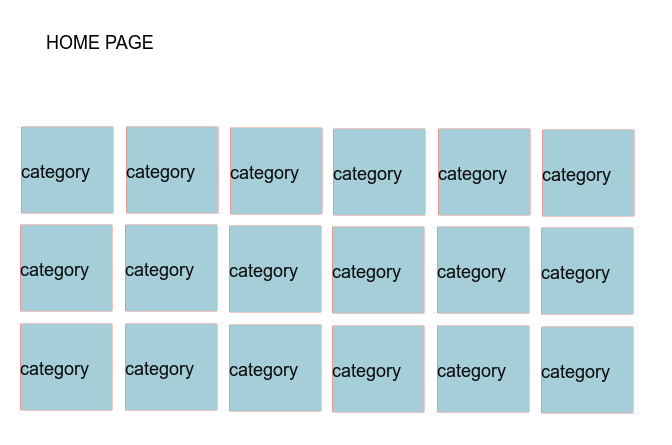
The only way you can do it to make a single element for each category you want to display on your homepage, add the featured image for that category and also, the link for that category. Another alternative, in this case, does not exist, sorry! If is not what you mean, you can provide more details so I will be able to provide a more accurate response.
Hope this helps!
Thanks for your understnading
Calin Hi,
In order to have only some widgets or to change the order, you’ll need to check in Appearance >Widgets -> https://www.screencast.com/t/57XFuuyV and drag and drop the widget in that order you want, for delete -> https://www.screencast.com/t/P16OE65j
For latest articles you’ll need to change the page template
Also if you want to change the sidebars from homepage/page you’ll need to use the tagDiv Composer
-> https://www.screencast.com/t/AYmGWLtl5j
Thank you for your undersigning!
 DKF
DKFHi there,
I installed the Mobile Theme plugin and it works fine! Speed is now a lot better.
There’s only one thing: the top posts on my homepage and category page are not displayed well. There’s an opacity layer halfway. So the upper part is darker. What goes wrong? Is there a way to adjust the css? Where can I find the css file for mobile? Can you give a hint?
Thanks!
https://www.wandelingen.info
 onderdem
Hello,
I just want to have category titles and category images on the main page. Users will see the articles when they click on the category. How can I do that.
Like this: https://i.hizliresim.com/ADN89L.png
Best regards
 ramesh9ak
hello dear
every time i create a homepage layout after some time like 4-5 hour it automatically change to mobile theme layout on desktop. i have done this several time but every time i made change it change back to simple mobile layout look
also i am unable to update wpbakery plugin.
Catalin Hi,
I’m sorry hearing this from you! For the beginning, please provide your website URL so I can take a closer look at your homepage. Before of these, please check your used plugins list and if you have some untested plugin, it would be preferable to disable all of them because some of these might interact with the theme core files and break it. Please check here -> https://www.screencast.com/t/wFv072lX Also, besides your website URL, please provide more details and some useful screenshots with your problem so I can identify it. I’m here to assist you!
Thanks for your understanding!
 Edward
 Also maybe the author archives are disabled in the Yoast plugin, if they are author links will be redirected to the homepage. Check if that is the case – http://prntscr.com/mbwwuk
 nigel_eccleston
 We have the same problem.
Our permalinks end with the postID, e.g. https://domain/category/slug/postid/ – and every time smart list 1 starts with the last numbered slide. Moving right to the next slide shows it as #1.
It works perfectly however, when the postID is removed from the URL.
Since these posts are picked up from the homepage as one of many in a category and TD Composer doesn’t allow overwriting of a URL, is there any solution to this?
Thanks!
Calin Hi,
How I say the problem with blue background flash is form the jetpack plugin, please deactivate that plugin, clear all cache and try again.
for page speed please check this topic -> https://forum.tagdiv.com/topic/homepage-load-time-is-too-high/
Thanks for your understanding!
Calin Hi,
If you want you can install the baby demo -> https://forum.tagdiv.com/installing-demos/
Or if you want you can edit the homepage with tagDiv Composer add a new row -> https://www.screencast.com/t/6w5VRUyH1n click on the row and chose the layout of this row -> https://www.screencast.com/t/9fv4wSzY1qm3 after that all you need to do is to set the elements in that empty columns -> https://www.screencast.com/t/pxGEsHIV
If you have more questions, let me now.
Thank you for your understanding!
 Richbilt
Hi – website is https://billyscrashhelmets.com. Have just updated to Newspaper V9.5 and the homepage is created using WPbakery 5.6 (so both latest versions?). All pages built with WPbakery seem to be working ok – except the homepage where featured images are all blank. Page cache has been cleared. When I deactivated all plugins, featured images show – but activate WP bakery and they don’t. Is this a known incompatibility with WPBakery and is there a way around it?
Thanks 🙂
 efifarci
 As you can see, there is a preview of the article in my homepage. i want just modify the ammount of the words there are showed in the preview. i’m using newspapaer 9, and this is the tool named “block1”
Calin Hi,
So if I’m right you want the width to be 100% from the device size, if so then the simplest way to get it full width everywhere is to create or import full width templates from the cloud library plugin. There is no one single button push. You have to import a post style and set it as the default post template in the theme panel post settings, then you need to import a category template that is full width and set that one as the default category template. The same for tags, author pages etc:
https://forum.tagdiv.com/tagdiv-cloud-library-plugin/ also for pages (stretch row and content ) https://www.screencast.com/t/i8SQ5eS4 .
Please read similar topics:
-> https://forum.tagdiv.com/topic/force-full-width-on-categories-post-grid/
-> https://forum.tagdiv.com/topic/homepage-full-width-content/
-> https://forum.tagdiv.com/topic/homepage-full-width-content/
For ads please check this section of our documentation -> https://www.screencast.com/t/rfX1inbm
-> https://forum.tagdiv.com/header-ads-adsense/
Thank you for your understanding!
Calin Hi,
1.In order to add a logo you’ll need to have that image set in media library -> https://www.screencast.com/t/dMrgUGl9Kx
2. In order to have a different her on homepage, you’ll need to edit the homepage with tagDiv Composer and set on it the the header, then that header will apply only on homepage, in order to set a header to be global you’ll need to set it in theme panel -> https://www.screencast.com/t/Icz7qbxsq and this will apply on all pages/templates that do not have set a individual header.
Thank you for your understanding!
Calin Hi,
So you have set as a homepage a page that was build with tagDiv Composer, if is so then the sidebar need to be set with tagDiv Composer
-> https://www.screencast.com/t/kQc6pEXYm -> https://www.screencast.com/t/s7jl2pMef
-> https://www.screencast.com/t/2F1FmZQ3pV
If you want to have set a sidebar with widgets youl need to set the page to Page Builder + Latest Articles + Pagination -> https://www.screencast.com/t/Ep8XZfCe8qbt
-> https://forum.tagdiv.com/sidebars-tutorial/
Thank you for your understanding!
Calin Hi,
So in order to set this loop you’ll need to edit the homepage with TagDiv Composer , but please make sure that you have tagDiv Cloud Library active -> https://www.screencast.com/t/zosT8TjI
Thank you!
 nycinsider
 Hi – I have the same question as Jeanne. Would you please answer it?
“I want to create one type of header for my homepage and another type of header for all my posts.” either through the new Header manager or the old theme options.
And a second question, how do you use the new Header Manager on posts?
Thanks.