
- NewsmagInstall via WordPress
- NewsmagInstall via FTP
- NewsmagInstalling pre-built websites
- NewsmagUsing the theme translations together with WPML
- NewsmagHow to update a plugin
- NewsmagNewsmag theme support
- NewsmagCustom Post Type Support
- NewsmagImport / Export theme settings
- NewsmagHow to add icons in the menu
- NewsmagRequirements for Newsmag
- NewsmagNewsmag documentation
- NewsmagHow to update the theme
- NewsmagBlock settings tutorial
- NewsmagHow to update the WPBakery plugin
- NewsmagIntroduction
- NewsmagMain menu
- NewsmagFeatured image or video
- NewsmagAuthor card
 M3C
M3CHello,
we cannot activate the Prebuild Website STYLE PRO as the install button is greyed out.
Newspaper theme is activated with the license key.
Best
Thomas
 Bettina Bettina
 Hello!
First of all, try to do these steps as quickly as possible, so your visitors do not notice the process:
1. disable TagDiv Composer
2. uninstall(delete) TagDiv Composer
3. clear cache (if cache plugin exists)
4. install TagDiv Composer
5. activate TagDiv Composer
6. clear cache (if cache plugin exists)
Also, make sure your WordPress and plugins are up to date(specially Standard Pack installed and active if you use default templates).
Sometimes, the issue can be from a plugin conflict, that’s why, please deactivate ALL plugins except tagDiv ones, also if you are using a cache plugin, deactivate it, clear all cache(also from your browser) and try again.
If this problem is not solved after that, then we need to take a look and see what happened there.
Please contact us via email at contact@tagdiv.com and provide the following:
– admin url and credentials
– a link to this topic in order to identify you
Our team will take a look!
Thank you!
Bettina Hello!
1. I just replied you above. Did you re-install the plugin?
2. Please edit that page and set the template like this: https://www.screencast.com/t/DvSFLeTQoSOD
Thank you!
 chite
chite Hi Bettina!
Thank you for your reply.
I disable all plugin and reinstall TagDiv Composer but when I activate WPML plugin I receive the same errore. there is a conflict between theme and WPML, how can I resolve it? Do you have any idea?
Thank you!
Bettina Hello!
First of all, try to do these steps as quickly as possible, so your visitors do not notice the process:
1. disable TagDiv Composer
2. uninstall(delete) TagDiv Composer
3. clear cache (if cache plugin exists)
4. install TagDiv Composer
5. activate TagDiv Composer
6. clear cache (if cache plugin exists)
Also, make sure your WordPress and plugins are up to date(specially Standard Pack installed and active if you use default templates).
Sometimes, the issue can be from a plugin conflict, that’s why, please deactivate ALL plugins except tagDiv ones, also if you are using a cache plugin, deactivate it, clear all cache(also from your browser) and try again.
We recommend using WP Super Cache plugin https://forum.tagdiv.com/cache-plugin-install-and-configure/
Let me know the results!
Thank you!
 Anamaria
 Hello, @acelbramg,
This error does not come from us, because our files are wp-content and the error is from wp-admin.
What I can suggest is to try to reinstall WordPress.
Thank you!
Bettina Hello!
I checked your website and it seems to work well and pretty fast.
If you follow the steps which are presented in this tutorial here: https://tagdiv.com/how-to-increase-page-loading-speed/ you’ll be able to increase the speed of your website.
Also, to increase the page speed you can check these similar topics for more solutions:
– https://forum.tagdiv.com/topic/optimize-script-to-improve-site-speed/
– https://forum.tagdiv.com/topic/a-few-tips-for-newspaper-x-speed-high-cpu-usage-issues/
– https://tagdiv.com/how-to-increase-page-loading-speed/
Please note that page speed is not covered by the support team: https://forum.tagdiv.com/newspaper-theme-support/
Please give it a try and follow the steps which I presented above about page speed.
Also, check our guide from here: https://forum.tagdiv.com/how-to-make-the-site-faster/
We recommend using WP Super Cache plugin https://forum.tagdiv.com/cache-plugin-install-and-configure/
We tested our tool, and we have such great results!
Take a look in this topic because it could help you: https://forum.tagdiv.com/topic/css-analyzer-step-by-step-and-doubts/
Thank you!
Anamaria Hello,
Please do these steps
1. disable tagDiv Composer
2. uninstall tagDiv Composer
3. clear cache (if cache plugin exists)
4. re-install tagDiv Composer it again from Newspaper plugins => https://www.screencast.com/t/WLy01lbc
5. activate tagDiv Composer
6. clear cache (if cache plugin exists)
Also, make sure your WordPress and plugins are up to date.
Let me know the result!
Thank you!
Bettina Hello!
In order to have that folder which you search for please install Standard Pack plugin.
I recommend you also to build a child theme and add the functions there.
Please note that any change you make in the theme files after update will be overwritten and you have to make the changes again. Better save the code somewhere and then apply it again after update if you don’t want a child theme.
From these 2 options, you can choose which one suits you for your needs.
Without child theme, don’t forget to add the code after every update.
Thank you!
Anamaria Hello,
You need to ask your host how to implement cache on Nginx.
as far as I know, Nginx usually uses as a cache plugin, Litespeed and it can interfere with the theme when don’t recognize mobile theme plugins and mobile pages, for example, but you can try it.
We recommend using WP Super Cache plugin https://forum.tagdiv.com/cache-plugin-install-and-configure/
Also, please do not ask the same question on several topics.
Thank you!
 Calin
Calin Hi Heels.News,
Only installing a theme will not provide 98/100 speed, you also need to optimized it, please make some teste with our live demos https://demo.tagdiv.com/select_demo/select_demo_newspaper/
Those are optimize using the above guide, also for mobile is use the mobile page template, also we are using the new tool css analyzer https://tagdiv.com/whats-new-in-the-newspaper-theme-10-4-update/
Hope this will help you!
Anamaria Hello,
Please do these steps
1. disable tagDiv Composer
2. uninstall tagDiv Composer
3. clear cache (if cache plugin exists)
4. re-install tagDiv Composer it again from Newspaper plugins => https://www.screencast.com/t/WLy01lbc
5. activate tagDiv Composer
6. clear cache (if cache plugin exists)
Also, make sure your WordPress and plugins are up to date.
Sometimes, the issue can be from a plugin conflict, that’s why, please deactivate ALL plugins except tagDiv ones, also if you are using a cache plugin, deactivate it, clear all cache and try again.
Thank you!
Anamaria Hello,
Usually, the problem is from the cache plugin used, because the mobile layout will have a different design and most of the cache plugins do not recognize this and provide the mobile version for desktop (or vice versa).
Also, if you use multiple cache plugins this problem may occur.
We tested and recommend the WP Super Cache plugin https://forum.tagdiv.com/cache-plugin-install-and-configure/
Thank you!
 ethos
ethos Hello,
I was able to resolve this by uninstalling and then reinstalling the TagDiv Composer plugin.
 GregRichards
Hi
I currently have the Black theme installed and I’ve changed the background colour to #000000 but the title text is no longer visible as the title text colour is 1A1A1A (to-module-title). Any help as I want to change this to #FFFF00.
ethosHello,
We are attempting to get the YouTube widget working. We have followed the instructions to get the API key.
However, at the very last step, back in Newspaper Theme Panel, the YouTube API Configuration API Key block is not being displayed.
We have version 10.3 installed.
There is an “Instagram Account Access Configuration” block, then a “Social Networks” block.
There is no “YouTube API Configuration” block?
Help. Please.
 acelbramg
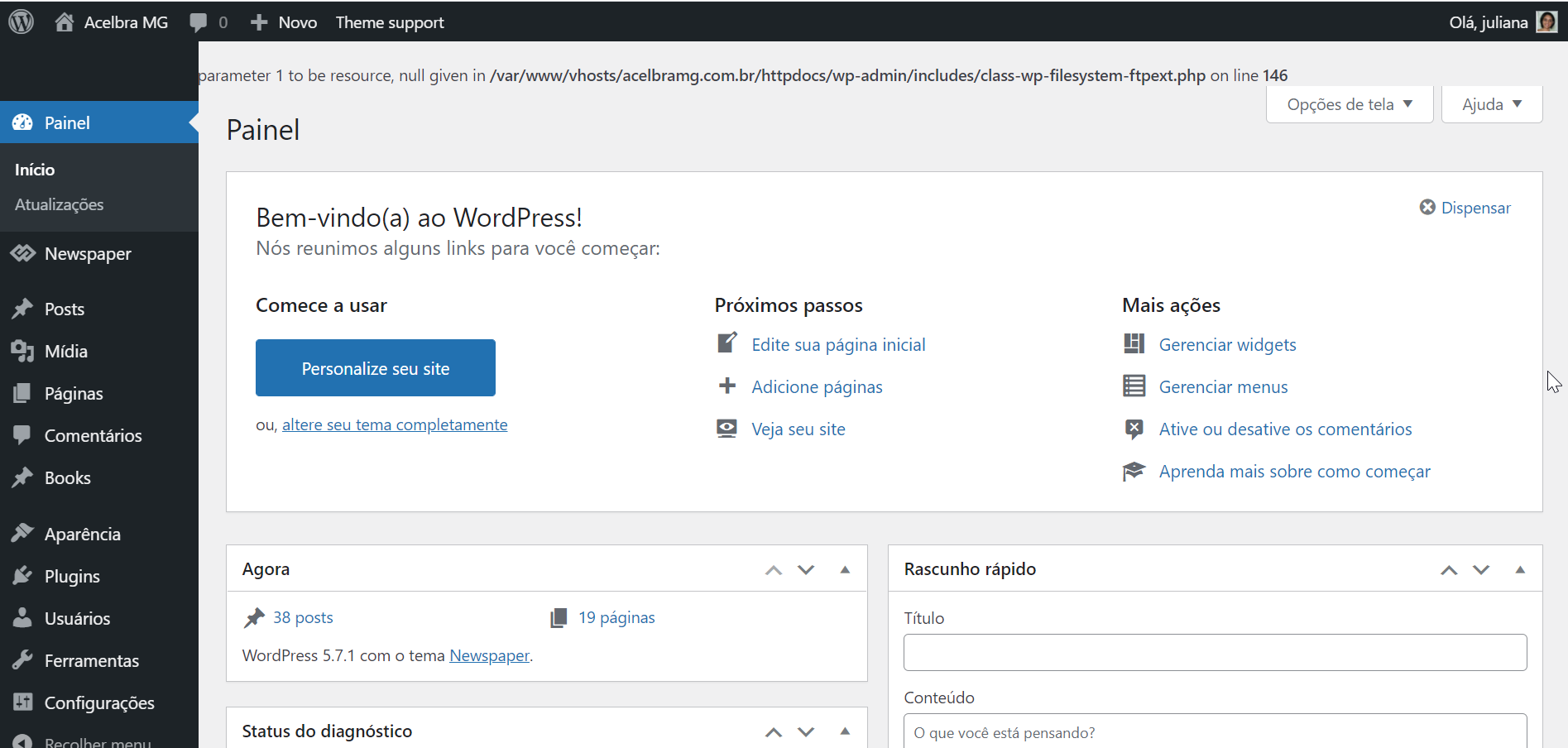
 I’m dealing with the same issue, no cache plugin installed, just the AMP and Contact Form running. Anyway I deactived all of them except the tagDive ones and same error.
 Heels.News
 I think the user is referring to the claims on theme forest.
https://i.imgur.com/gYs6vlP.png
It states 98/100 Excellent Google Optimization.
With my site and a fresh install I got a speed of 20/100 on mobile, then I followed all the suggestions from support
– https://forum.tagdiv.com/topic/optimize-script-to-improve-site-speed/
– https://www.infophilic.com/get-almost-100-pagespeed-newspaper-theme/
– https://tagdiv.com/how-to-increase-page-loading-speed/
And now I’m at a 28/100 on mobile.
Is there a solution for this or was the claim on Theme Forest unfounded?
-
This reply was modified 5 years by
Heels.News. Reason: clarification that the stats are for mobile
Bettina Hello!
First of all, try to do these steps as quickly as possible, so your visitors do not notice the process:
1. disable TagDiv Composer
2. uninstall(delete) TagDiv Composer
3. clear cache (if cache plugin exists)
4. install TagDiv Composer
5. activate TagDiv Composer
6. clear cache (if cache plugin exists)
Also, make sure your WordPress and plugins are up to date(specially Standard Pack installed and active if you use default templates).
Sometimes, the issue can be from a plugin conflict, that’s why, please deactivate ALL plugins except tagDiv ones, also if you are using a cache plugin, deactivate it, clear all cache(also from your browser) and try again.
We recommend using WP Super Cache plugin https://forum.tagdiv.com/cache-plugin-install-and-configure/
Thank you!
 SEOD
SEODHi from France, Just installed Newspaper and when I want to use “Edit with Tag Div Composer” I get this result:
Error at rows: 13(models) : 0(dom). The model does not match the content Current state has involved an issue. You could try an UNDO operation (CTRL+Z / CTRL+SHIFT+Z)
Thanks for your help 🙂
Anamaria Hello,
Please do these steps
1. disable tagDiv Composer
2. uninstall tagDiv Composer
3. clear cache (if cache plugin exists)
4. re-install tagDiv Composer it again from Newspaper plugins => https://www.screencast.com/t/WLy01lbc
5. activate tagDiv Composer
6. clear cache (if cache plugin exists)
Also, make sure your WordPress and plugins are up to date.
Sometimes, the issue can be from a plugin conflict, that’s why, please deactivate ALL plugins except tagDiv ones, also if you are using a cache plugin, deactivate it, clear all cache and try again.
Thank you!
 byothe
 I removed tagdiv composer and reinstalled it and now it works !
Bettina Hello!
If your settings are missing from theme panel, then make sure you have Standard Pack installed and active.
If you use a cloud/PRO template, then please try to re-install TagDiv Composer plugin.
If you don’t mean this, please provide more information about your issue, screenshots and also your website link in order to help you.
Thank you!
Bettina Hello!
First of all, try to do these steps as quickly as possible, so your visitors do not notice the process:
1. disable TagDiv Composer
2. uninstall(delete) TagDiv Composer
3. clear cache (if cache plugin exists)
4. install TagDiv Composer
5. activate TagDiv Composer
6. clear cache (if cache plugin exists)
Also, make sure your WordPress and plugins are up to date.
Sometimes, the issue can be from a plugin conflict, that’s why, please deactivate ALL plugins except tagDiv ones, also if you are using a cache plugin, deactivate it, clear all cache(also from your browser) and try again.
We recommend using WP Super Cache plugin https://forum.tagdiv.com/cache-plugin-install-and-configure/
Thank you!

