- NewsmagInstall via WordPress
- NewsmagInstall via FTP
- NewsmagInstalling pre-built websites
- NewsmagUsing the theme translations together with WPML
- NewsmagHow to update a plugin
- NewsmagNewsmag theme support
- NewsmagCustom Post Type Support
- NewsmagImport / Export theme settings
- NewsmagHow to add icons in the menu
- NewsmagRequirements for Newsmag
- NewsmagNewsmag documentation
- NewsmagHow to update the theme
- NewsmagBlock settings tutorial
- NewsmagHow to update the WPBakery plugin
- NewsmagIntroduction
- NewsmagMain menu
- NewsmagFeatured image or video
- NewsmagAuthor card
 Bettina
 Hello!
Please install and activate the Standard Pack plugin(Newspaper -> Plugins).
Let me know the results!
Thank you!
Bettina Hello!
Please install and activate the Standard Pack plugin(Newspaper -> Plugins).
Let me know the results!
Thank you!
Bettina Hello!
We have 3 options available for mobile versions that you can use:
1. Responsive version: A responsive version of your website looks similar to the desktop version. TagDiv Composer is used to edit the page.Click on the mobile viewport: https://www.screencast.com/t/XDQJedlggSB. There, you can see your mobile version and edit or adjust the elements to look better.
2. Mobile pages: https://tagdiv.com/newspaper-10-3-7-update-brings-customizable-and-fast-mobile-pages
3. Mobile theme plugin: The Mobile Theme is a performance-optimized theme included in the main Newspaper theme that only loads on mobile devices. It comes with its own templates and designs for pages, posts, categories, etc., so your current templates from the desktop theme will get converted to the mobile theme layout. Please see https://forum.tagdiv.com/the-mobile-theme/ and https://forum.tagdiv.com/mobile-theme-introduction/ for more information.
A full explanation is here: https://www.youtube.com/watch?v=SpGkOnJeNZY
If you need to use mobile version 1 or 2, then you need to uninstall the Mobile Theme plugin and AMP.
Thank you!
Bettina Hello @tellesio!
If you install a demo with content, then you will lose the previous content and not your articles.
You have the possibility of installing a demo without content, and the articles will remain on your end. It will overwrite only the previous design.
If you want only a section or a template from another demo, then you have the possibility of installing only that template or section from the Cloud Library.
Thank you!
 Anamaria
 Hi,
This usually happens with cache plugins. If the cache plugin does not have mobile support, the mobile theme version can be delivered instead.
Also, please let me know what plugin you use for the cache now.
Using our theme, you can choose from 3 mobile versions
-> mobile responsive => https://www.screencast.com/t/oJ2ShOp47
-> mobile theme plugin => https://forum.tagdiv.com/the-mobile-theme/
-> mobile page => https://tagdiv.com/newspaper-10-3-7-update-brings-customizable-and-fast-mobile-pages/ The option that you need to use.
Suppose you created the mobile pages with tagDiv Composer. In that case, when you install the Mobile Theme plugin, your pages will be overwritten by the plugin (the mobile theme comes with its templates for page, post, category, etc, so your current templates from the desktop theme will get converted to the mobile theme layout, the page content is made without builders in mobile editor => https://www.screencast.com/t/xbgZG8kH also, the options that are provided to edit the mobile theme version are limited (this keeps the things simple)).
This is a video about Responsive Newspaper Theme, AMP & Mobile Theme, Mobile Pages & Templates -> https://www.youtube.com/watch?v=SpGkOnJeNZY.
So, the mobile responsive is what you see when that you select the viewport on phone => https://www.screencast.com/t/matV17hH, so some settings may apply for each viewport(where is the border blue), and others are not(where the border is black).
The mobile page has the mobile templates from Cloud Library => https://www.screencast.com/t/YCcZ8rL8
The Mobile responsive version of the theme and the mobile page editor can be edit with tagDiv Composer, the mobile theme plugin cannot.
For example, you can have the mobile theme plugin activated and use the mobile page/mobile responsive version for the homepage/pages, but for the categories pages/404 page, you can’t use the mobile page/mobile responsive version if you have the mobile theme plugin activated.
@henryekeocha108 You need to add the Single Post Comments element in the single post template, and also, you have set to allow the comments on the posts, edit the post and in a post is a setting -> Discussion => https://www.screencast.com/t/EZhoy8Uj -> https://i.imgur.com/IgNyFa9.png
Thank you!
Anamaria Hello,
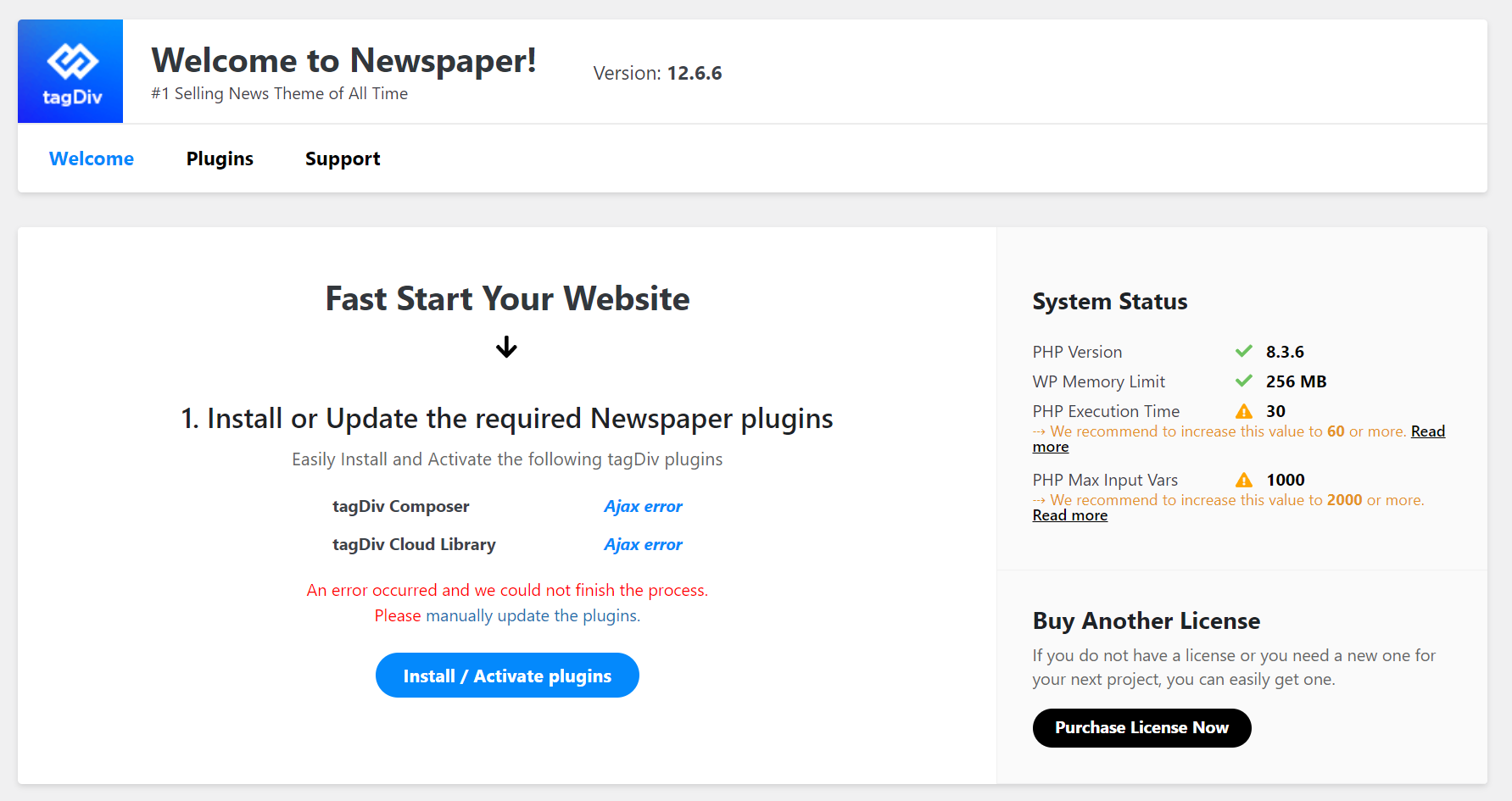
Please use the PHP version 8.0 or 8.1 and try to install the plugins again manually.
Thank you!
Anamaria Hi,
As SimChris said, the database is on your WordPress install -> https://developer.wordpress.org/advanced-administration/before-install/howto-install/
Also, you can contact your host, who can help you install WordPress on the server.
Thank you!
 tellesio
I’m reposting a message from the instructions above…
“Notice: The demo can be fully uninstalled and the system will attempt to rollback to your previous state. Any content, menus and attachment created by the demo are removable via the uninstall button.”
The second sentence has me confused. I don’t want to use the content e.g. articles, pictures, menu (subjects listed in menu) rather would like to use the infrastructure of the theme demo. If i add new articles with images to replace the “demos” articles will the new article and images also be potentially be lost at some point? If so how do I prevent such a loss of new content?
What about changing the menu? Again I want to use the infrastructure in place to either modify the demos menu or do what else? Add new items to the menu and delete the demos menu?
I’m really not understanding the statement about possibly losing content by using the demo theme, totally confusing. I’m here to ask what is the best way to insure the new content we create in our new website using the Newspaper 12 theme remains safe from loss.
For additional data points. We are using WordPress Hosting by GoDaddy so nightly backups will occur automatically. We have not installed the plugin it yet but we subscribe to HubSpot and plan to install said plugin as soon as our site is up. I don’t know if this helps but if it can help get us an answer or somehow help someone else later on with a similar question though it was worth mentioning.
thegrind.io
tellesio
 henryekeocha108
Hello, I purchased the Newspaper theme and installed and activated it accordingly. But i noticed the comment section isn’t active for the users. I can insert comment from the backend when editing a post but users or new visitors can see the comment section.
The prebuilt theme i installed was the Insights AI but i again noticed it’s the same problem for other themes.
I have enabled comment where necessary but still nothing. I need help with this ASAP.
Thanks
 wonjaelee
Hi,
I am a newcomer to Newspaper theme.
I tried to activate tagDiv Composer, but got fatal error like the image link below.
https://cdn.kormedi.com/images/tagDiv_Composer_error_image_20240607.png
After that, I deactivated all the plugins, and tried to reinstall and reactivate tagDiv Composer, but got the same error.
Our website URL is https://test.kormedi.com/.
Could you help us?
Thanks.
Wonjae
henryekeocha108 Hello installed the Insight AI theme but the comment feature isn’t working. Users can leave comments. How do i fix this ?
 simchris
  nicolaslavado
I want to update the WP Bakery Composer plugin, but the files are not found in the newspaper installation folder (js composer).
 JBross
I have purchased and installed Live News PRO theme. My site is https://www.africanmusicmag.com/. I want to customise the home page sections so that I can have selected Categories of news showing where I want them to be shown. Currently I can not find that option on elements. Now my home page shows the same articles everywhere.
Please assist
Bettina Hello David!
It is an old suggestion. We need to delete it.
We have 3 options available for mobile versions that you can use:
1. Responsive version: A responsive version of your website looks similar to the desktop version. TagDiv Composer is used to edit the page.Click on the mobile viewport: https://www.screencast.com/t/XDQJedlggSB. There, you can see your mobile version and edit or adjust the elements to look better.
2. Mobile pages: https://tagdiv.com/newspaper-10-3-7-update-brings-customizable-and-fast-mobile-pages
3. Mobile theme plugin: The Mobile Theme is a performance-optimized theme included in the main Newspaper theme that only loads on mobile devices. It comes with its own templates and designs for pages, posts, categories, etc., so your current templates from the desktop theme will get converted to the mobile theme layout. Please see https://forum.tagdiv.com/the-mobile-theme/ and https://forum.tagdiv.com/mobile-theme-introduction/ for more information.
A full explanation is here: https://www.youtube.com/watch?v=SpGkOnJeNZY
If you need to use mobile version 1 or 2, then you need to uninstall the Mobile Theme plugin and AMP.
Thank you!
Anamaria Hi,
I believe there is a misunderstanding. When you install a demo, it can be installed with content if you don’t already have it, to help with future customization or only design, as mentioned here: https://i.imgur.com/FZnKaBe.png
The option to turn them off (the ads )can be found in Newspaper -> System status -> https://i.imgur.com/N5Iq4j6.png
Thank you!
 andres1492
Dear Support Team,
I would like to report a significant performance issue with our website when accessed from mobile devices. I conducted a performance test, and the results are concerning:
First Contentful Paint (FCP): 3.8 seconds
Largest Contentful Paint (LCP): 6.5 seconds
Total Blocking Time (TBT): 340 ms
Speed Index: 5.0 seconds
Cumulative Layout Shift (CLS): 0.002
The performance score obtained is 59, which indicates a suboptimal user experience on mobile devices.
I tried to resolve the issue by installing the recommended cache plugin, WP Super Cache. However, the performance did not improve significantly. I have read that WP Rocket does not work well with the current theme we are using, but it has helped improve speed on other themes I have used.
Could you please advise on what steps I should take next to enhance the speed and overall performance of our site on mobile devices? Any recommendations for alternative solutions or configurations would be greatly appreciated.
 jasm90
For a few days now, our website has been experiencing high CPU consumption on the VPS due to certain processes that generate high load on the CPU, such as when the editor processes entries or publications.
In other forums I have seen comments about this same case but they have not provided any solution.
VPS CPU loads to 100% when using Gutenberg editor in WordPress with Theme News Paper installed
– The Theme News Paper is updated
– The website goes through Cloudflare
– You have installed the Wprocket Plugin
– VPS 4 Core – 8 GbRAM
thanks for your help
 UralaDice24
Why does installing this theme create hundreds of placeholder posts on my website? this is really annoying
Bettina Hello Varun!
I can see that you have mobile theme plugin installed and active.
We have 3 options available for mobile versions that you can use:
1. Responsive version: A responsive version of your website looks similar to the desktop version. TagDiv Composer is used to edit the page.Click on the mobile viewport: https://www.screencast.com/t/XDQJedlggSB. There, you can see your mobile version and edit or adjust the elements to look better.
2. Mobile pages: https://tagdiv.com/newspaper-10-3-7-update-brings-customizable-and-fast-mobile-pages
3. Mobile theme plugin: The Mobile Theme is a performance-optimized theme included in the main Newspaper theme that only loads on mobile devices. It comes with its own templates and designs for pages, posts, categories, etc., so your current templates from the desktop theme will get converted to the mobile theme layout. Please see https://forum.tagdiv.com/the-mobile-theme/ and https://forum.tagdiv.com/mobile-theme-introduction/ for more information.
A full explanation is here: https://www.youtube.com/watch?v=SpGkOnJeNZY
If you need to use mobile version 1 or 2, then you need to uninstall the Mobile Theme plugin and AMP.
Thank you!
 Calin
Calin Hi Stefan Richter,
1. Indeed, for the moment the only solution is to use a custom css to remove the section “More From Author”:
.td_block_related_posts .td-related-right{

display: none;

}
The code should be set in the theme panel > custom code> custom css
The option ‘Show Author Box’ should also apply on mobile if is used the responsive version, but if is using a different plugin for example amp or mobile theme, the layout will be different and you’ll need to check the options from those plugins.
2. The tagDiv Cloud Library is a special plugin only for Newspaper, this theme is more complex then Newsmag (this is a simple boxed theme for users that just want a blog, news website without needed to edit templates and using only enabled/disable options), but also the price is different.
3. I believe you are referring to this – https://i.imgur.com/Fg3fZPz.png most of the time those situations appears when you are using a plugin that is optimizing the images and those are no longer using the image size that they should have. Also another situation is when the main image is smaller then the thumb, in this situation the image should have at least 1024 width.
4. I just checked this on my install and seems to be ok – https://i.imgur.com/xGzVku1.png maybe you have something that is interfering.
5. If you set a caption for a image, then this will be displayed – https://i.imgur.com/RCrw40D.png – https://i.imgur.com/C0HGJ2s.jpeg – https://i.imgur.com/7o4Vykp.jpeg also on smart list – https://i.imgur.com/9g8PGQU.jpeg – https://i.imgur.com/VfgbSsv.jpeg
6. The Newsmag version 5.4.3 should work with php 8.0, 8.1 and 8.2 the versions bigger then 8.2 have not been yet tested.
Thank you!
Bettina Hello!
1. Check this guide: https://forum.tagdiv.com/modal-popup/
For customization and other services, you can contact our custom work team here: https://tagdiv.com/premium-customization-services/.
2. I think you should add the style as well in the raw html or raw CSS. A shortcode can be inserted also by using the element called “Column text” or “Text with title”. “Column text” and “text with title” elements have a button called “edit content” and if you click on that button, the WP Editor will open, and you can add some text/code/shortcode there. Close the WP Editor from X, save the changes from Composer and view the page to see the changes. It could be possible to be a conflict there, that’s why the shortcode do not display as you want. Please check.
3. You should build it to be responsive from the plugin source. Or you can use some CSS style added with the help of a raw CSS element from the tagdiv Composer. Check the guide: https://forum.tagdiv.com/create-custom-code-using-the-browsers-inspector/
4. We have 3 options available for mobile versions that you can use:
1. Responsive version: A responsive version of your website looks similar to the desktop version. TagDiv Composer is used to edit the page.Click on the mobile viewport: https://www.screencast.com/t/XDQJedlggSB. There, you can see your mobile version and edit or adjust the elements to look better.
2. Mobile pages: https://tagdiv.com/newspaper-10-3-7-update-brings-customizable-and-fast-mobile-pages
3. Mobile theme plugin: The Mobile Theme is a performance-optimized theme included in the main Newspaper theme that only loads on mobile devices. It comes with its own templates and designs for pages, posts, categories, etc., so your current templates from the desktop theme will get converted to the mobile theme layout. Please see https://forum.tagdiv.com/the-mobile-theme/ and https://forum.tagdiv.com/mobile-theme-introduction/ for more information.
A full explanation is here: https://www.youtube.com/watch?v=SpGkOnJeNZY
If you need to use mobile version 1 or 2, then you need to uninstall the Mobile Theme plugin and AMP.
Thank you!
 FBM
FBM https://managementkompass.info/wp-content/uploads/2024/06/Screenshot-2024-06-04-153445.png
Hey, thanks for your response! Basically in every row that has a column-text field over a row with a background image.
I fixed it by giving it a z-index of 1200 and it only started doing that after I installed the new release.
Anamaria Hello,
I see that you have many ads scripts. To optimize those, I recommend using the WP ROCKET plugin.
Also, we don’t recommend to using amp, because it is deprecated -> https://developer.bigcommerce.com/docs/storefront/wordpress/platform-integration/enabling-amp
There are many optimization guides provided by our users here in the forum, some made by us; you could check some of them
– https://www.infophilic.com/get-almost-100-pagespeed-newspaper-theme/
– https://forum.tagdiv.com/cache-plugin-install-and-configure/
– https://forum.tagdiv.com/how-to-make-the-site-faster/
– https://forum.tagdiv.com/topic/high-number-of-ajax-request/
– https://forum.tagdiv.com/topic/score-100100-pagespeed-with-newspaper-wordpress-theme/
– https://www.andraware.com/wp-rocket-for-newspaper-theme/
– https://forum.tagdiv.com/topic/page-speed-guide-for-2023-beginners-and-advanced/
– https://forum.tagdiv.com/topic/newspaper-theme-speedify-your-website/
– https://forum.tagdiv.com/topic/tutorial-chriss-custom-optimizations-for-functions-php-etc/
– https://forum.tagdiv.com/cloudflare-cdn/
– https://forum.tagdiv.com/topic/theme-causing-high-cpu-usage-2/
– https://forum.tagdiv.com/topic/sql-querys-high-cpu/
– https://forum.tagdiv.com/topic/newspaper-theme-slow-to-respond/
– https://premium.wpmudev.org/blog/optimizing-your-wordpress-database-a-complete-guide/
– https://underconstructionpage.com/optimize-wordpress-database/
– https://crunchify.com/better-optimize-wordpress-database-all-in-one-guide/
Thank you!
 digicom
Hello,
I’ve followed all the recommendations and installed all the recommended plugins to get better results with the Newspaper theme, but on PageSpeed Insights the performance of my site is still in the red.
The loading time is very slow. I’ve even done the recommended configuration for Cloudflare. What else can I do to improve loading speed and performance?
My website : https://magazine.pagesjaunes.online/
The tests : https://www.transfernow.net/dl/20240604CYpTGCkw