- NewspaperThe Newspaper Mobile Theme: Introduction
- NewspaperThe Mobile Theme
- NewspaperModules Builder in Newspaper Theme
- NewspaperFilters and sorting for taxonomies
- NewspaperHow to Add a Logo in Newspaper
- NewspaperBig Grid Flex Settings
- NewspaperHeader Builder
- NewspapertagDiv AMP Plugin Tutorial
- TutorialsFrom WPBakery to tagDiv Composer
- NewsmagSmart list ads
- NewspaperNewspaper theme documentation
- NewspaperBest Of Forums
- NewspaperCache plugin – install and configure
- NewsmagIntroduction
- NewsmagMain menu
- NewsmagLogo & Favicon
- NewsmagHeader ads
- NewsmagSmart sidebar
- NewsmagSharing buttons
- NewsmagCategory tag on modules/blocks
 GazeteLojistik
  petkong
Dear Team Support,
When I browse via mobile and share the content via Whatsapp the image link doesn’t show up. How to set it up?
https://bebejadaily.com/manyung-fish-head/
Best regards,
Dian
 Anamaria
 Hi,
Please let me know if you have installed only the amp or also the mobile theme plugin.
The AMP only works better with the Mobile Theme plugin.
Also, please check this topic where I explained each mobile version -> https://forum.tagdiv.com/topic/mobile-version-not-working-properly-2/ -> https://forum.tagdiv.com/topic/amp-pages-not-working-well-with-this-theme/ and choose what mobile version you want.
Thank you!
 Bettina
 Hello!
Yes, please disable the mobile theme and AMP plugin.
Thank you!
Anamaria Hi,
Please activate the standard pack plugin if you want to use a standard header.
To set ads for mobile you can use the ad box element and set it in the mobile header https://forum.tagdiv.com/ads-adsense-overview/
Thank you!
 mcneillmedia
Trying to set a global header up using the cloud templates. We have been using the theme Headers styles and that has been working fine. But we see that id we upgrade to the latest version of Newspaper, those options are going away.
I have created a new cloud header to use as our “Global” option. However our ads which pull from Google Ad Manager will not serve into the mobile area. Not sure what is causing the conflict since the ads all run just fine now on lodgingmagazine.com. I tried to use the same “Header” ad as the source. Leaderboards show fine, but when you go down to mobile, we get nothing. When I turn the ad space on in the mobile, the other bigger ad areas disappear.
Not sure what is going on.
 Poetryjoint
how do i enable the AMP correctly? shows this code: Function amp_has_paired_endpoint was called incorrectly. Function called while AMP is disabled via amp_is_enabled filter. The service ID “paired_routing” is not recognized and cannot be retrieved. Please see Debugging in WordPress for more information. (This message was added in version 2.1.1.) in /hermes/bosnacweb02/bosnacweb02ae/b2004/ipg.darrylmoss58083/wp_site_1624144160/wp-includes/functions.php on line 5905
Also, my mobile page does not reflect the theme I selected for mobile… help!!!
 ComicsBeat
 1) The wrapper is a background ad so it is supposed to goto another site when I click. However I suspect you are right and its a plugin conflict. I’ll try that method.
2) I have, O believe your second option selected. I created a mobile theme for my current template but it is not rendering properly. Should I disable the Mobile Theme and Amp plugins?
 Gyanitechnews
 You can see that it is not removed from the mobile.
Gyanitechnews i use this cod but not remove mobile remove only desktop
Bettina Hello Narendra!
You use a mobile page with that name, so of course the URL will display another name (of the template).
Unfortunately, AMP is not working with the cloud templates because the AMP’s layout is not fully customized.
The AMP version works best with default templates and not cloud templates. That’s why we integrated it with the Mobile theme plugin.
The feedback from our clients about AMP was negative and it is not used anymore, that’s why we didn’t add more customization options.
Please see: https://forum.tagdiv.com/the-mobile-theme/, https://forum.tagdiv.com/mobile-theme-introduction/ and https://forum.tagdiv.com/tagdiv-amp-plugin-tutorial/ for more information.
Thank you!
 nagi
nagi Dear Sir,
In our live website old theme only there, newspaper theme is not implemented in live site.
We are working Newspaer theme on our localhost, everything goes well then we will implement it on live site.
For your reference we are sending screenshots for the same
Here are the links, working on our localhost, sending screenshot of each URL
Website desktop url
———-
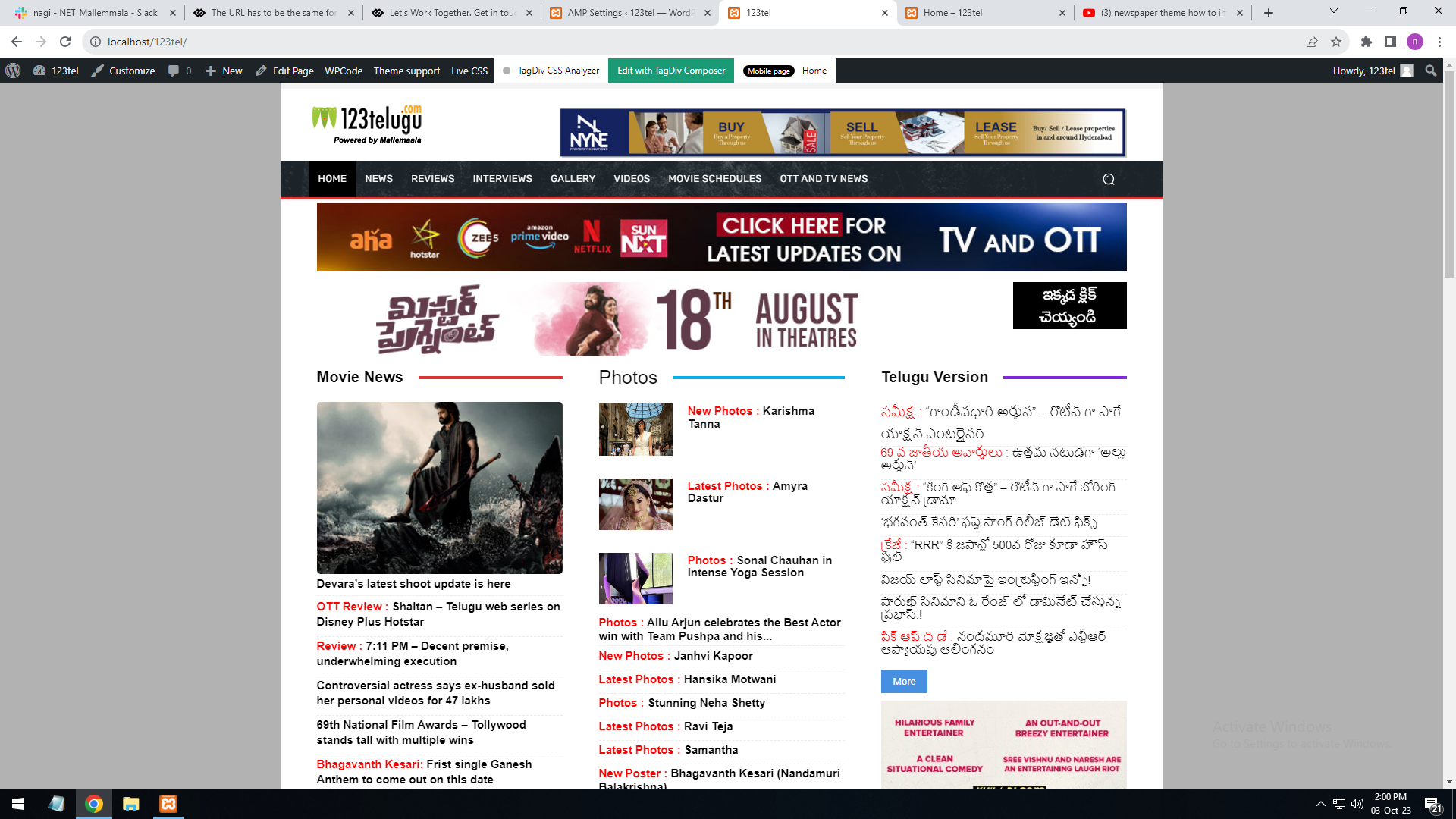
http://localhost/123tel/
Screenshot URL : https://gallery.123telugu.com/images/theme_test/Desktop.png
Mobile URL
———-
http://localhost/123tel/home-m/
Screenshot URL : https://gallery.123telugu.com/images/theme_test/Mobile.png
Amp page
———–
http://localhost/123tel/amp=1
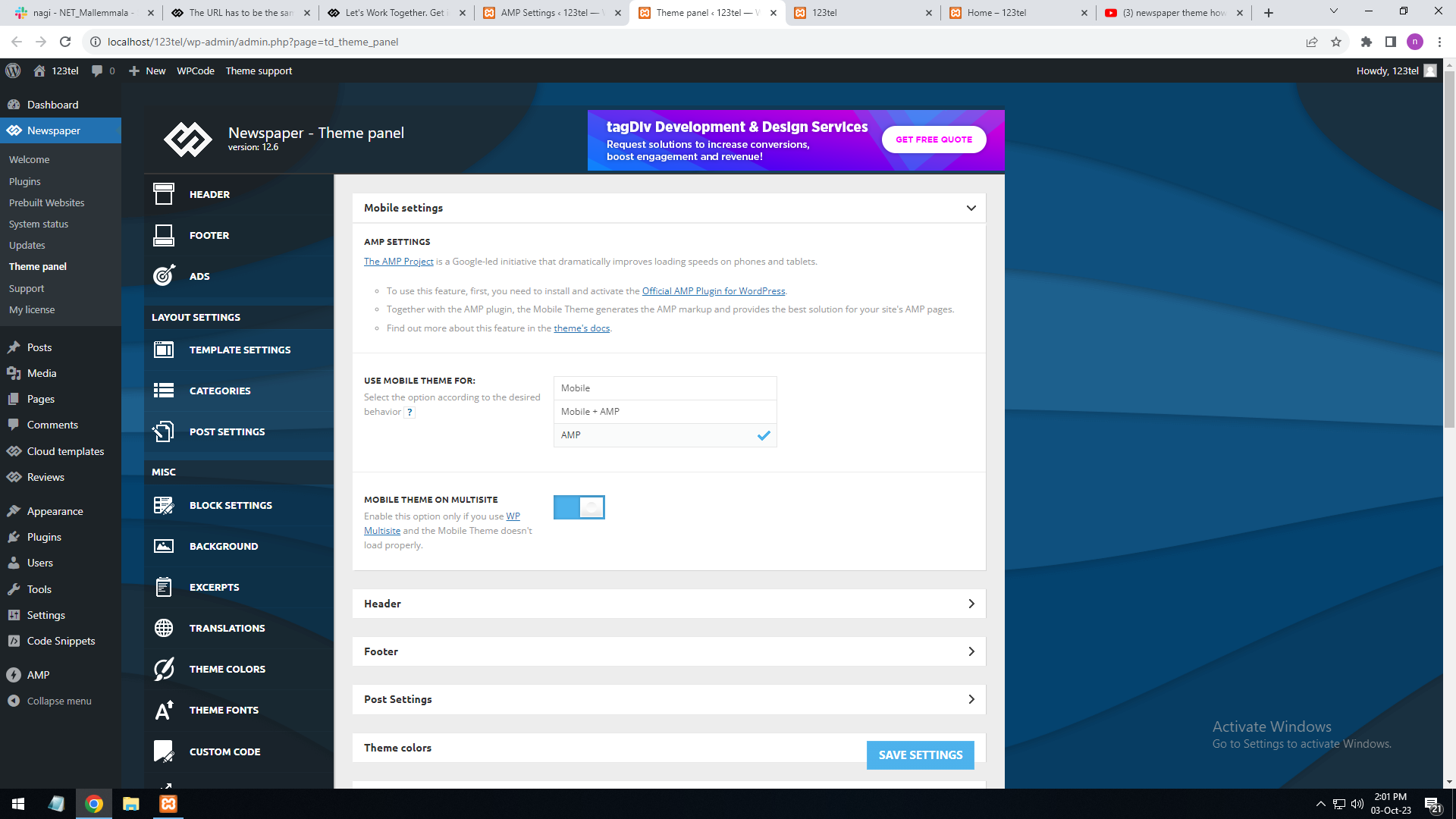
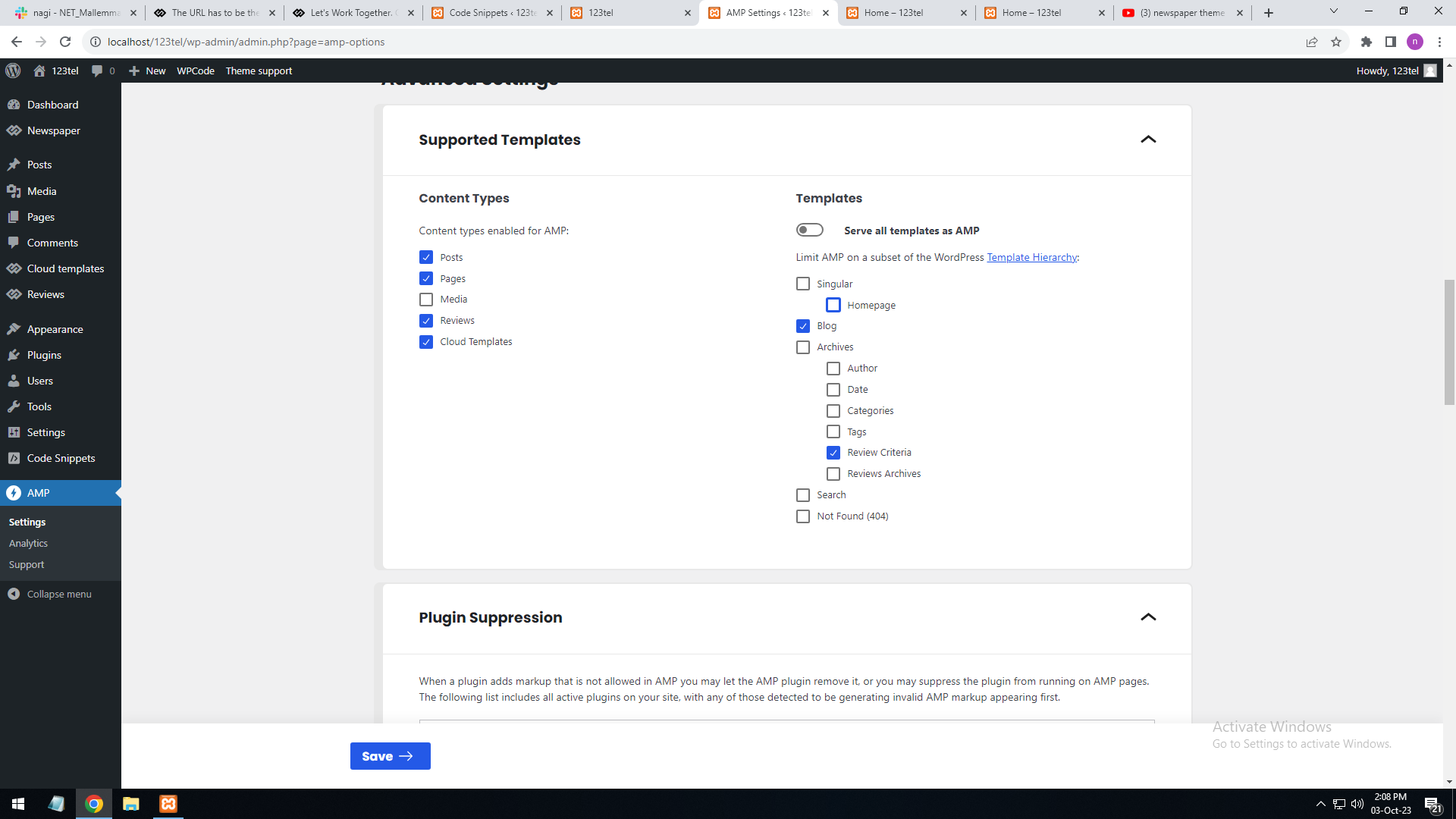
Screenshot URL : https://gallery.123telugu.com/images/theme_test/Amp_setting.png
https://gallery.123telugu.com/images/theme_test/Amp_setting2.png
Also suggest a documentation to design AMP pages
Bettina Hello!
1. There should be a plugin conflict because even the scroll is not working. And if you click everywhere on your site, it will redirect you to another site. Make a test and deactivate ALL plugins except tagDiv ones, also if you are using a cache plugin, deactivate it, clear all cache and try again.
2. If you want to see the mobile page for your desktop version, then you should uninstall the Mobile theme & AMP plugin.
We have 3 options for mobile versions that you can use:
1) Responsive version: A responsive version of your website looks similar to the desktop version. TagDiv Composer is used to edit the page.Click on the mobile viewport: https://www.screencast.com/t/XDQJedlggSB. There, you can see your mobile version and edit or adjust the elements to look better.
2) Mobile pages: https://tagdiv.com/newspaper-10-3-7-update-brings-customizable-and-fast-mobile-pages
3) Mobile theme plugin: The Mobile Theme is a performance-optimized theme included in the main Newspaper theme that only loads on mobile devices. It comes with its own templates and designs for pages, posts, categories, etc., so your current templates from the desktop theme will get converted to the mobile theme layout. Please see https://forum.tagdiv.com/the-mobile-theme/ and https://forum.tagdiv.com/mobile-theme-introduction/ for more information.
A full explanation is here: https://www.youtube.com/watch?v=SpGkOnJeNZY
If you need to use the mobile version 1 or 2, then you need to uninstall the Mobile Theme plugin and AMP.
Thank you!
Bettina Hello @archerix!
There are two workarounds there.
1. You can use these classes: https://prnt.sc/-OW-bTwOXj6t and place the div you want in the tagdiv Composer ad field: https://prnt.sc/8QtefdYQInIL
For more information, please check out this guide: https://forum.tagdiv.com/using-other-ads/.
For example, use the first div for desktop and do not use the other ones, and they will be hidden in the other viewports.
2. In the tagdiv composer: https://prnt.sc/mJr0qnjlCjaW If you check the CSS tab, you’ll find an option to hide the element. (This will hide all the ads from that element.) You can click on the mobile viewport: https://www.screencast.com/t/XDQJedlggSB and hide the entire element on mobile.
You can hide it from all users by going to the CSS tab of every element and selecting Display: Hidden. You can also hide the entire row.
If you can’t find an element after you have hidden it on every viewport, check this thread for the solution: https://forum.tagdiv.com/topic/cssdisplay-show-or-hidden/
Thank you!
Anamaria Hello,
No, you can use the same license on two websites, but after you finish the process of moving the content and the website close, please get in touch with us via email at contact@tagdiv.com and provide the license there and we will remove the license on that website.
To add the social icons you need to edit with tagDiv Composer, search after social icons and set the link for social platforms https://www.screencast.com/t/kATmr6b3yg
You can manage the social icons for the mobile menu from the Theme Panel -> Social/APIS -> Social Networks => https://prnt.sc/10112uu
Please make sure the links contain the https://www.
Thank you!
ComicsBeatI have a few problems with the site since changing the front page to a new template:
1) The background ad image only shows when a user is logged in. The site is http://www.Comicsbeat.com.
Here’s a shot of the background ad showing in the TagDiv editor:
2) A more complex problem is the mobile theme. I have Mobile Theme enabled as shown below
I created the desktop theme and then clicked create a mobile theme and edited that so it looks decent – can use some work but readable:
However when I check the Chrome inspector or look on my phone the images are desktop size and the site is unreadable:
I tried disabling the TagDiv Mobile Theme plugin so that the default theme would show up but that didn’t seem to work.
Thanks in advance!
 leonardovalle
 Hello Bettina,
I don’t have a mobile page, as you can see in this screenshot: pic 1 https://app.screencast.com/A13Cvz4Mav6UY
However, when I attempted to create one using the cloud library, it didn’t provide the “Newspaper Default Mobile Theme.” Instead, it offered a different theme which caused misconfigurations throughout the site.
Here’s how the mobile page currently looks: https://app.screencast.com/42sCvOFuR0PuP
I’d like to change it to a responsive design, similar to what’s displayed in this Div Tag when viewed on a desktop: https://app.screencast.com/A0Z9QQgrIQPrZ
Could you guide me through the process step-by-step?
Best regards,
Leonardo
Gyanitechnews i use this cod
sow is not working only in mobile
 Otaku
Otaku Thank You and i have also two more queries
1. Is there any type of plugin or feature in newspaper theme which can automatically share my articles directly to my social media accounts.
2. How can I optimize these theme to increase the website speed for both mobile and desktop. my current score is below 60 in both devices even after amp installation
 Archerix
 Hi Bettina
Could you elaborate.
I want to hide a ad on desktop, and only show it in mobile. How to do that?
Thank You
nagiRespected Sir/Mam,
I am a developer at Mallemaala Entertainments, located in Hyderabad. We have a few requirements for our movie review website, 123telugu.com. I am hereby mentioning our requirements
The URL has to be the same for both PC and mobile versions. In the current format, the URL is different for both PC and mobile versions.
2. Also, could you brief us on how to implement web stories through shortcode
Thanking you,
Regards,
Narendra.
Anamaria Hello,
Usually, this happens with cache plugins. If the cache plugin does not have mobile support then the mobile theme version can be delivered instead.
The solution would be to use the recommended WP Super Cache plugin instead and activate these settings (especially the mobile device support): https://forum.tagdiv.com/cache-plugin-install-and-configure/
Also, please let me know what plugin for the cache you use now.
I hope this helps.
Support Hours (GMT+2)
Monday – Friday:
8:00 AM – 17:00 PM
Thank you for understanding!
Anamaria Hi,
I checked, and it seems you have the mobile theme plugin installed. You should create the content with the Mobile Editor https://forum.tagdiv.com/the-mobile-theme/
The mobile theme comes with its own templates for page, post, category, etc so your current templates from the desktop theme will get converted to the mobile theme layout, the page content is made without builders in mobile editor => https://www.screencast.com/t/xbgZG8kH also, the options that are provided to edit the mobile theme version are limited (this keeps the things simple)).
So, if you want to use the cloud templates, then you need to disable the mobile theme and AMP plugins, and then use the responsive version.
You can disable the mobile theme plugin on the pages from the Gutenberg editor using the following option => https://www.screencast.com/t/axXRJsWby
Also, please check this topic where I explained each mobile version -> https://forum.tagdiv.com/topic/mobile-version-not-working-properly-2/ -> https://forum.tagdiv.com/topic/amp-pages-not-working-well-with-this-theme/ and choose what mobile version you want.
Thank you!
Anamaria Hello,
That code is set in the theme files and can be rewritten using this code, select the port view on the phone, select the content zone and set the margin-left and right to -20 and set this code in width
calc(100% + 40px)
=> https://www.screencast.com/t/Ek89ppzTGldT You can use this method for both (mobile responsive version or mobile page)
You can change the font size and line height.
Hope this helps you!
Thank you!
Bettina Hello Leonardo!
This means that you do not have any mobile pages.
Which icon should appear in the menu from our plugin?
Please provide more information and some screenshots, so I can understand what you need to achieve there.
A solution for sending a screenshot/video is this:
Download, capture, and send: https://www.techsmith.com/jing-tool.html
After making the screenshot, you will have a link; paste it here.
Thank you!