
- NewspaperThe Newspaper Mobile Theme: Introduction
- NewspaperThe Mobile Theme
- NewspaperModules Builder in Newspaper Theme
- NewspaperFilters and sorting for taxonomies
- NewspaperHow to Add a Logo in Newspaper
- NewspaperBig Grid Flex Settings
- NewspaperHeader Builder
- NewspapertagDiv AMP Plugin Tutorial
- TutorialsFrom WPBakery to tagDiv Composer
- NewsmagSmart list ads
- NewspaperNewspaper theme documentation
- NewspaperBest Of Forums
- NewspaperCache plugin – install and configure
- NewsmagIntroduction
- NewsmagMain menu
- NewsmagLogo & Favicon
- NewsmagHeader ads
- NewsmagSmart sidebar
- NewsmagSharing buttons
- NewsmagCategory tag on modules/blocks
 Anamaria
 Hello,
The page loading speed can depend on many factors, and each website is unique from this point of view. Let me explain some of these factors and maybe they give you some starting points for optimizing your website. A good choice for the page speed, could be the mobile layout which contains fewer elements because it can improve a bit your page speed.
There are many optimization guides provided by our users here in the forum, some made by us; you could check some of them
– https://www.infophilic.com/get-almost-100-pagespeed-newspaper-theme/
– https://forum.tagdiv.com/cache-plugin-install-and-configure/
– https://forum.tagdiv.com/how-to-make-the-site-faster/
– https://forum.tagdiv.com/topic/high-number-of-ajax-request/
– https://forum.tagdiv.com/topic/score-100100-pagespeed-with-newspaper-wordpress-theme/
– https://www.andraware.com/wp-rocket-for-newspaper-theme/
– https://forum.tagdiv.com/topic/page-speed-guide-for-2023-beginners-and-advanced/
– https://forum.tagdiv.com/topic/newspaper-theme-speedify-your-website/
– https://forum.tagdiv.com/topic/tutorial-chriss-custom-optimizations-for-functions-php-etc/
– https://forum.tagdiv.com/cloudflare-cdn/
– https://forum.tagdiv.com/topic/theme-causing-high-cpu-usage-2/
– https://forum.tagdiv.com/topic/sql-querys-high-cpu/
– https://forum.tagdiv.com/topic/newspaper-theme-slow-to-respond/
– https://premium.wpmudev.org/blog/optimizing-your-wordpress-database-a-complete-guide/
– https://underconstructionpage.com/optimize-wordpress-database/
– https://crunchify.com/better-optimize-wordpress-database-all-in-one-guide/
Also, pagespeed is not covered by support -> https://forum.tagdiv.com/newspaper-theme-support/
If you use Wp Rocket, you can try to exclude the following files
/jquery-?[0-9.](.*)(.min|.slim|.slim.min)?.js
/jquery-migrate(.min)?.js
/wp-content/plugins/td-composer/legacy/Newspaper/js/tagdiv_theme.min.js
tdBlocksArray
To be able to optimize and to remove CLS and LCP please check these guide => https://developers.google.com/web/tools/lighthouse/ -> https://www.sqlpac.com/en/documents/google-pagespeeds-lighthouse-6-new-features-lcp-cls.html -> https://web.dev/lighthouse-whats-new-6.0/ -> https://web.dev/lcp/ -> https://web.dev/cls/
Thank you!
 Calin
Calin Hi,
Usually when the mobile version appears on desktop is related to cache plugin. Most of the time it is used the mobile theme plugin (is no longer the responsive theme version) and for this it is need to use from the cache plugin the option for cache mobile vision to can deliver the correct version (as example if you are using WP Super Cache you need to use this option – https://i.imgur.com/6055D3I.png).
Thank you!
Anamaria Hi,
Did you set up a menu there in the tagdiv Composer, mobile viewport? -> https://imgur.com/0LEgkTh
Thank you!
 Archerix
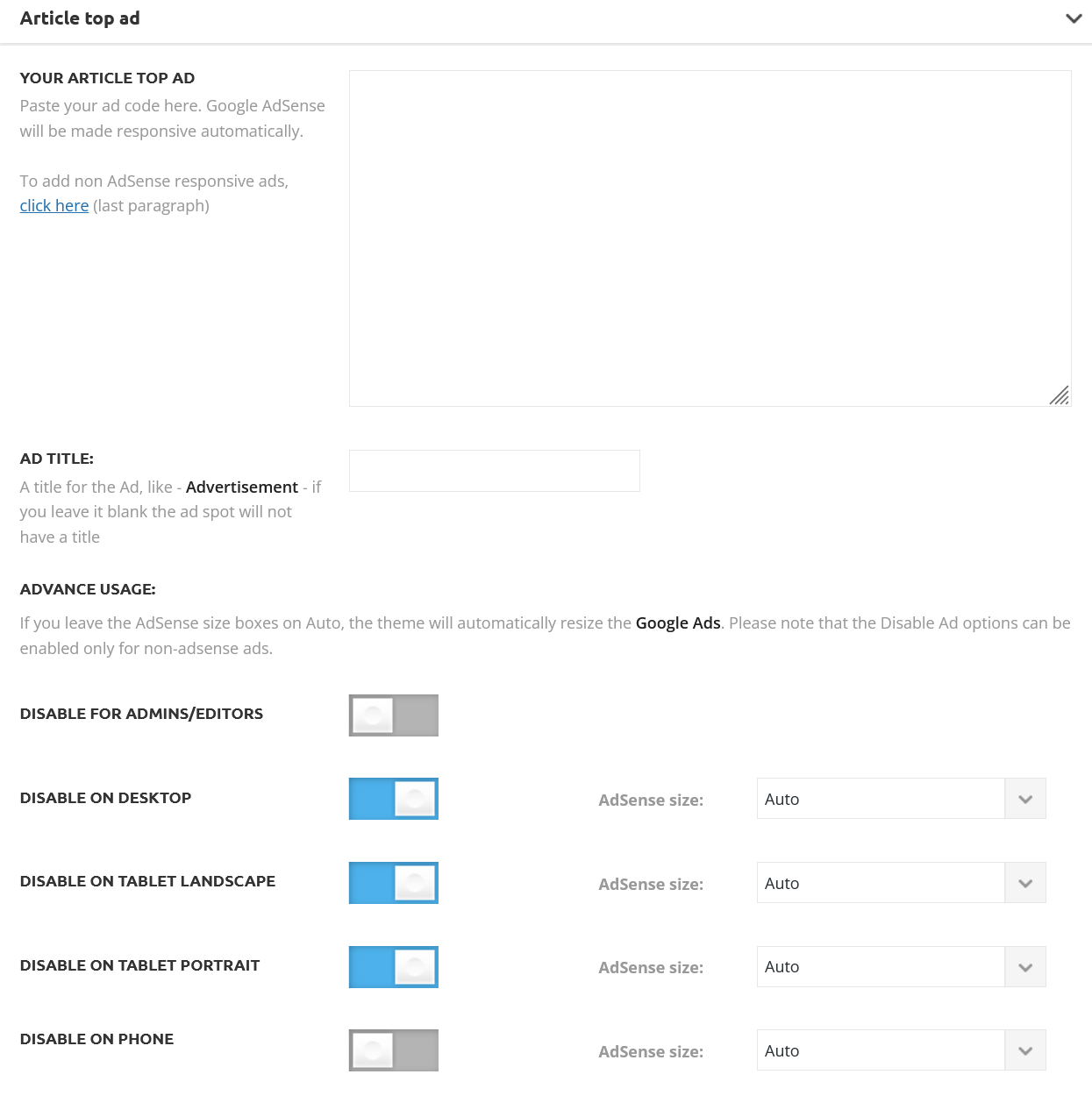
Without using a separate mobile theme, is it possible with a cloud template achieve the same ad control that we have with de default “post templates” of “Standard Pack”.
With the Magazine Pro I want to have this control shown in the screenshot. How to achieve this?
 majestic12
Thought I was making some headway then logged out, checked the site on my laptop and now.. For some reason the mobile version shows on Laptop and Desktop… where did the normal version go? Would appreciate some help, many thanks
 gaysaroundthebay
Hi,
So for this page https://www.gaysaroundthebay.com/about-chris-and-larry/ it appears fine on desktop but on mobile it appears to be blank. I’ve tried implementing new mobile page templates etc but nothing is changing this page pulling in the original content.
Any thoughts? Thanks so much for the help.
 Sudhin
As seen on the screenshot, the title doesn’t fully occupy the space in the mobile view. Is there any option to make it fully fit the top part?
I have tried adding padding to the top, but no changes are happenening.
Can you please help me with this?
 RobyDadd
Hello,
I have just updated my website (www.filmedintorni.it) to the latest version of Newspaper (12.6) and suddenly the header is not working anymore: the logo disappeared, even though it is still there on the theme editor, it is white while it is supposed to be black on the computer screen while on mobile the logo is still there on the header of some pages but it is duplicated two times below the header itself.
What should I do to have the header back like it was and not have this kind of errors?
Really hope this bug can be fixed soon.
Thanks in advance.
Best,
Roberta
 nishantkumar2010
Hey
I have recently installed the tag div mobile plugin and purged the cache as well, but after doing all the necessary things, mobile pages and desktop pages are not working properly.
Here, I am attaching the screenshot for your reference.
 leonardovalle
 “Only this last message: basically, the mobile home that appears in the DIV compose when configured on the desktop is not published. On the desktop, it appears perfectly and responsive, but when I open it on mobile, another newspaper home appears I don’t understand why. Any changes I make on mobile while on the desktop don’t get published. I’ve already cleared the cache”
leonardovalle Thanks for the explanations. There is a problem : this “mobile page” icon does not appear next to “edit with tag composer”. When I click next to “edit with tag composer” with the right bottom of the mouse, the message “No mobile page, please import or create a new mobile page” appears. But it’s not a link, it’s just a text warning. So I can’t select it.
“In Pages, there is a mobile home page. I put it in ‘draft,’ and my site finally appears in mobile again, but tottaly misconfigured, without my logo or menu.”
 bebese
 I got the same error. it was resolved after i removed amp and the td mobile theme. it’s 100% a theme issue.
 girarde
You propose the installation of a plugin for the mobile theme and I installed it a few hours ago, but I soon deactivated it because the mobile page was completely different when compared with the desktop version. On mobile, I definitely prefer the responsive mode of the desktop version and I’m not using the proposed plugin right now, but now the three-lines/hamburger menu isn’t working.
Could you help me?
 Bettina
 Hello @cotamix!
Your site can’t be reached. You need to have a featured image for that post in order to appear on blocks: https://forum.tagdiv.com/featured-image-or-video/
To increase the page speed you can check these similar topics for more solutions:
– https://www.infophilic.com/get-almost-100-pagespeed-newspaper-theme/
– https://forum.tagdiv.com/topic/score-100100-pagespeed-with-newspaper-wordpress-theme/
– https://developers.google.com/speed/docs/insights/v5/about
– https://www.youtube.com/watch?v=tnkVapqhIHc
– https://www.xtechkr.com/optimize-newspaper-theme/
– Check those guides : https://web.dev/lcp/ – > https://www.sqlpac.com/en/documents/google-pagespeeds-lighthouse-6-new-features-lcp-cls.html -> > https://wp-rocket.me/google-core-web-vitals-wordpress/improve-cumulative-layout-shift
– https://forum.tagdiv.com/topic/to-high-cumulative-layout-shift-in-mobile-theme/
Please check the tutorials from those platforms gt metrix and Google Pagespeed Insights and I’m sure you can increase the page speed.
Please note that page speed or optimization is not covered by the support team: https://forum.tagdiv.com/newspaper-theme-support/
Thank you for understanding!
Bettina Hello Leonardo!
This should be green if you select it: https://prnt.sc/IfEsHtzdEvrk
That’s all. Clear your cache and you can check your responsive version.
The responsive version: A responsive version of your website looks similar to the desktop version. TagDiv Composer is used to edit the page.Click on the mobile viewport: https://www.screencast.com/t/XDQJedlggSB. There, you can see your mobile version and edit or adjust the elements to look better.
More documentation about the cloud templates is here:
– https://forum.tagdiv.com/cloud-library-templates/
– https://forum.tagdiv.com/design-post-pages-using-cloud-library-templates/
– https://forum.tagdiv.com/cloud-library-category-templates/
I hope that helps you!
Thank you!
leonardovalle Thanls Ana. Yes, it shows “no mobile page, please creat or import one”. I would like that my desktop page were just responsive. How can I do that?
Therefore, Where is the best place where I could set up the mobile menu (like change backgroud pict, delet social midia icons…)? I also didn’t find it.
Could you hekp me?
Best regards, Leonardo
 nolandolce
 It is, yes, and it works fine on my phone, but per google, the website does not work on mobile (per the screenshot I sent via google, you can see it does not work on their end/via their tests).
 Aldis
AldisTest page: https://tendences.lv/lapa-2/
Predesigned template “Business Section – Living Pro” when I import it all is good on desktop but error on mobile / black background don’t fill all from edge to edge but in right side keep white.
I can’t find option how to fix it!?
 smga
smga Thanks for the quick response
Please include this newly discovered problem in this soonest update:
https://forum.tagdiv.com/topic/add-to-cart-button-does-not-work-from-a-mobile-device/
Bettina Hello @jrvalle!
Did you set up a menu there in the tagdiv Composer, mobile viewport?
If yes, then deactivate ALL plugins except tagDiv ones, also if you are using a cache plugin, deactivate it, clear all cache and try again.
Thank you!
 jrvalle
Hi,
My hammburger menu in the mobile options don´t work.
Can you help me?
http://v10.burgosdeporte.com/
leonardovalle“My website was responsive. However, I clicked on ‘Edit Mobile Page,’ and it became misconfigured. How do I get the same content that is on the desktop back on the mobile? How do I undo this?”
nolandolce Ah no, this issue isn’t solved. This is a separate issue, where the homepage isn’t rendering on mobile, per google. The solved issue was regarding a specific post that wasn’t rendering in mobile or desktop.
nolandolce Also, to be clear, the mobile version isn’t indexing because it’s not rendering correctly – please see the screenshot. The page doesn’t work in mobile according to google.
Anamaria Hello,
Please let me know how you want to look at the button.
Please let me know what plugin you use to have that shortcode. Yes, if you have set more of this type of block in the sidebar, this can cause the website to be slow. I notice that you use the tagdiv standard pack plugin, I recommend replacing all templates with cloud templates and blocks 1-25 or big grid blocks with flex blocks and big grid flex.
The page loading speed can depend on many factors, and each website is unique from this point of view. Let me explain some of these factors, and maybe they give you some starting points for optimizing your website. A good choice for the page speed could be the mobile layout, which contains fewer elements because it can improve a bit your page speed https://forum.tagdiv.com/topic/website-optimization/
We offer services for page speed; if you want, you can request a quote here -> https://tagdiv.com/submit-a-request/
Thank you!

