- NewspaperUsing Other Ads
- NewspaperSidebar ads
- NewspaperIntroduction to CPT and ACF with Newspaper Theme
- NewspaperHow to edit modules for Flex Block X
- NewspaperHow to use the Posts List shortcode
- NewspaperCreate a frontend submission form
- NewspaperHow to Use the Tabbed Content shortcode
- NewspaperWooCommerce: Happy “Add to Favorites!”
- NewspaperHow to generate Facebook App ID
- NewspaperLink Tracker
- NewspaperFlex Block Settings Guide
- NewspaperGeneral Options that May Interfere with the Newspaper Theme
- NewspaperSocial Icons
- NewspaperPosts Loop Element
- NewspaperSet a Background for Category Page
- NewspaperThe Newspaper Mobile Theme: Introduction
- NewspaperHow to Add a Logo in Newspaper
- NewspapertagDiv Shop
- NewspaperAutoptimize Plugin – install and configuration
- NewspaperHow to Use tagDiv Cloud Library
 JVH1888
I am experiencing an issue with the loading of the featured image on my posts on the website. Both in the individual post and on the homepage and archive pages, the placeholder image appears a few seconds before the actual featured image appears. I have set this up to prevent having a post without an image. Is there a setting causing this or do you know of another solution to solve this issue?
The website facing this issue is ITWM
 Maneek
Good day.. My site https://shippingandfreightresource.com is having a long LCP and failing Core Web Vitals mainly due to google ads on the site.. Can you assist in telling me how I can defer these google codes to below the fold or in the footer instead of in the header..?? Where can I activate this on the template..?? Meaning, I want to move google ad codes and other .js codes to footer instead of it loading in the header..
 JonasFrey
 Hi,
like most websites, we also use google adsense. We attach great importance to the fact that advertising is only displayed where we install it using adbox.
For some reason, however, a huge advertising block appears within the Weather Block every time Google advertising is loaded in another adbox.
I can absolutely assure you that the automatic placement of Google Adsense is deactivated. So there will NOT be any ads placed by Google.
I can also rule out the possibility of Google advertising being loaded from a third party.
It looks like a pretty strange bug to me. Unfortunately I couldn’t find anything about it in the forum. Can you take a look at this, or do you have a fix for it?
JonasFreyHello,
like most websites, we also use google adsense. We attach great importance to the fact that advertising is only displayed where we install it using adbox.
For some reason, however, a huge advertising block appears within the Weather Block every time Google advertising is loaded in another adbox.
I can absolutely assure you that the automatic placement of Google Adsense is deactivated. So there will NOT be any ads placed by Google.
I can also rule out the possibility of Google advertising being loaded from a third party.
It looks like a pretty strange bug to me. Unfortunately I couldn’t find anything about it in the forum. Can you take a look at this, or do you have a fix for it?
 Alex
AlexHi,
In VERSION: 12.6.3
Header block text color overwritten by default color
To replicate issue:
1. Add Header logo block in both – header and footer
2. Go to Style > Text color > make it #fff or any other color on both – header and footer
3. Enable Footer delayed load in theme panel
4. Go on front end – the header logo will initially load in #fff color, but will then change to #222.
This happens because Header block placed in footer first loads default #222, which overwrites #fff specified in Header logo placed in header.
This is likely happening to any element when it is used in header or body plus in delayed footer.
JonasFrey Edit:
For better understanding ill post this code:
this is what my rendered site looks like in the footer:
    <div class="td-footer-template-wrap" style="position: relative">

                <div class="td-footer-wrap ">

            <div id="tdi_137" class="tdc-zone"><div class="tdc_zone tdi_138  wpb_row td-pb-row"  >

<style scoped>.tdi_138{min-height:0}</style><div id="tdi_139" class="tdc-row"><div class="vc_row tdi_140  wpb_row td-pb-row" >

<style scoped>.tdi_140,.tdi_140 .tdc-columns{min-height:0}.tdi_140,.tdi_140 .tdc-columns{display:block}.tdi_140 .tdc-columns{width:100%}</style><div class="vc_column tdi_142  wpb_column vc_column_container tdc-column td-pb-span12">

<style scoped>.tdi_142{vertical-align:baseline}.tdi_142>.wpb_wrapper,.tdi_142>.wpb_wrapper>.tdc-elements{display:block}.tdi_142>.wpb_wrapper>.tdc-elements{width:100%}.tdi_142>.wpb_wrapper>.vc_row_inner{width:auto}.tdi_142>.wpb_wrapper{width:auto;height:auto}</style><div class="wpb_wrapper" ></div></div></div></div><div id="tdi_143" class="tdc-row"><div class="vc_row tdi_144  wpb_row td-pb-row" >

<style scoped>.tdi_144,.tdi_144 .tdc-columns{min-height:0}.tdi_144,.tdi_144 .tdc-columns{display:block}.tdi_144 .tdc-columns{width:100%}</style><div class="vc_column tdi_146  wpb_column vc_column_container tdc-column td-pb-span12">

<style scoped>.tdi_146{vertical-align:baseline}.tdi_146>.wpb_wrapper,.tdi_146>.wpb_wrapper>.tdc-elements{display:block}.tdi_146>.wpb_wrapper>.tdc-elements{width:100%}.tdi_146>.wpb_wrapper>.vc_row_inner{width:auto}.tdi_146>.wpb_wrapper{width:auto;height:auto}</style><div class="wpb_wrapper" ></div></div></div></div><div id="tdi_147" class="tdc-row stretch_row"><div id="footer-jonas-id" class="vc_row tdi_148 footer-jonas-class wpb_row td-pb-row tdc-element-style" >

<style scoped>.tdi_148,.tdi_148 .tdc-columns{min-height:0}.tdi_148,.tdi_148 .tdc-columns{display:block}.tdi_148 .tdc-columns{width:100%}.tdi_148{padding-top:54px!important;padding-bottom:20px!important;position:relative}.tdi_148 .td_block_wrap{text-align:left}@media (max-width:767px){.tdi_148{padding-top:40px!important}}@media (min-width:768px) and (max-width:1018px){.tdi_148{padding-top:44px!important}}</style>

<div class="tdi_147_rand_style td-element-style" ><div class="td-element-style-before"><style>.tdi_147_rand_style>.td-element-style-before{content:''!important;width:100%!important;height:100%!important;position:absolute!important;top:0!important;left:0!important;display:block!important;z-index:0!important;background-image:url("https://entwicklung.nahe-news.de/wp-content/uploads/2023/12/Felsenkirche.webp")!important;background-position:center center!important;opacity:0.4!important;background-size:cover!important}</style></div><style>.tdi_147_rand_style{background-color:#111111!important}.tdi_147_rand_style::after{content:''!important;width:100%!important;height:100%!important;position:absolute!important;top:0!important;left:0!important;z-index:0!important;display:block!important;background:rgba(0,0,0,0.36)!important}</style></div><div class="vc_column tdi_150  wpb_column vc_column_container tdc-column td-pb-span12">

<style scoped>.tdi_150{vertical-align:baseline}.tdi_150>.wpb_wrapper,.tdi_150>.wpb_wrapper>.tdc-elements{display:block}.tdi_150>.wpb_wrapper>.tdc-elements{width:100%}.tdi_150>.wpb_wrapper>.vc_row_inner{width:auto}.tdi_150>.wpb_wrapper{width:auto;height:auto}</style><div class="wpb_wrapper" ><div class="vc_row_inner tdi_152  vc_row vc_inner wpb_row td-pb-row" >

<style scoped>.tdi_152{position:relative!important;top:0;transform:none;-webkit-transform:none}.tdi_152,.tdi_152 .tdc-inner-columns{display:block}.tdi_152 .tdc-inner-columns{width:100%}</style><div class="vc_column_inner tdi_154  wpb_column vc_column_container tdc-inner-column td-pb-span4">

<style scoped>.tdi_154{vertical-align:baseline}.tdi_154 .vc_column-inner>.wpb_wrapper,.tdi_154 .vc_column-inner>.wpb_wrapper .tdc-elements{display:block}.tdi_154 .vc_column-inner>.wpb_wrapper .tdc-elements{width:100%}</style><div class="vc_column-inner"><div class="wpb_wrapper" ><div class="wpb_wrapper wpb_text_column td_block_wrap td_block_wrap vc_column_text tdi_155  tagdiv-type td-pb-border-top td_block_template_1"  data-td-block-uid="tdi_155" >

<style>.td-theme-wrap .tdi_155 .td-pulldown-filter-link:hover,.td-theme-wrap .tdi_155 .td-subcat-item a:hover,.td-theme-wrap .tdi_155 .td-subcat-item .td-cur-simple-item{color:#ff0000}.td-theme-wrap .tdi_155 .block-title>*,.td-theme-wrap .tdi_155 .td-subcat-dropdown:hover .td-subcat-more{background-color:#ff0000}.td-theme-wrap .td-footer-wrapper .tdi_155 .block-title>*{padding:6px 7px 5px;line-height:1}.td-theme-wrap .tdi_155 .block-title{border-color:#ff0000}.td-theme-wrap .tdi_155 .td_module_wrap:hover .entry-title a,.td-theme-wrap .tdi_155 .td_quote_on_blocks,.td-theme-wrap .tdi_155 .td-opacity-cat .td-post-category:hover,.td-theme-wrap .tdi_155 .td-opacity-read .td-read-more a:hover,.td-theme-wrap .tdi_155 .td-opacity-author .td-post-author-name a:hover,.td-theme-wrap .tdi_155 .td-instagram-user a{color:#ff0000}.td-theme-wrap .tdi_155 .td-next-prev-wrap a:hover,.td-theme-wrap .tdi_155 .td-load-more-wrap a:hover{background-color:#ff0000;border-color:#ff0000}.td-theme-wrap .tdi_155 .td-read-more a,.td-theme-wrap .tdi_155 .td-weather-information:before,.td-theme-wrap .tdi_155 .td-weather-week:before,.td-theme-wrap .tdi_155 .td-exchange-header:before,.td-theme-wrap .td-footer-wrapper .tdi_155 .td-post-category,.td-theme-wrap .tdi_155 .td-post-category:hover{background-color:#ff0000}</style>

<style>.tdi_155,.tdi_155 p{text-transform:capitalize!important}.tdi_155 h1{text-transform:capitalize!important}.tdi_155 h2{text-transform:capitalize!important}.tdi_155 h3{text-transform:capitalize!important}</style><div class="td-block-title-wrap"><h4 class="block-title td-block-title"><span class="td-pulldown-size">APOTHEKEN-NOTDIENST</span></h4></div><div class="td-fix-index">
as you can see, i added a class and an id to my container:
.footer-jonas-class
#footer-jonas-id
I tried everything but i cant change the background image:
Felsenkirche.webp via CSS, as the other containers are generated randomly:
I can use the following classes, but that will only affect the homepage, as the ids would be different on other subsites.
.tdi_143_rand_style > .td-element-style-before {

            background-image: url(NEWIMAGE.JPG)!important;

        }
 Ericky
Hello, we have a website, and we want to move it to another server. After the migration, we encounter an issue. When we enter a keyword in the search bar (as shown in the attached image), it displays results as we type. However, when we click the ‘Search’ button, the site shows a ‘There Has Been a Critical Error on Your Website’ message. I noticed that removing the ‘tagDiv Composer’ and ‘tagDiv Cloud Library’ plugins resolves the issue. The site is currently running on an IP address, and the live version on the old hosting does not have this problem. How can we fix this? I’ve also observed the same error when using the ‘Query Monitor’ plugin. Your assistance is appreciated.


 kevrose
Hi
I’m trying to use this above plugin with the Newspaper theme. However, it’s background skin ad isn’t working as expected (I need more advanced functionality than the theme offers for this). They recommend the following:
It is a common issue that the theme is configured in a way that it either covers or overrides the background ads or prevents them from being clicked.
In all cases, you or your theme developer should still be able to see that the body element has a background-image style attribute.
You or your theme developer can either find the element in the theme and adjust it to not cover the background anymore. Or you can move the background to another element using the code below in the functions.php file of your theme.
add_filter( ‘advanced-ads-pro-background-selector’, ‘my_custom_background_selector’ ); function my_custom_background_selector() {
// replace ‘.main-container’ with the class or id used in your theme
return ‘.main-container’;
}
Note: replace .main-container with the overlaying element.
Would you be able to advise as to what the overlaying element is?
Also, how can I specify the body content width for the website?
Many thanks!
 meri
meriHi,
Is it possible to forbid the ads from showing on a specific post?
In other words, I want to exclude the page https://www.mondeoz.com/equipement-voyage/idee-de-cadeau-voyage/ from showing ads (because these ads are pointing to this page so it doesn’t make sense to show them on it).
How could I do that for desktop + mobile theme?
Thanks
 Anamaria
 Hi,
You can use AD BOX element. The ad box has 3 sections for ads: using theme panel ads -> https://i.imgur.com/KFa9ibl.png, using images/banners -> https://i.imgur.com/MfAPTaE.png and custom code -> https://i.imgur.com/2rh8SuD.png save it and will appear on the post (you can set a shortcode like a shortcode from adrotate plugin or other plugins).
Thank you!
 ludyma
 Ok, I will send the accesses, another thing to keep in mind in the mobile version, if it loads all the advertising, so it is a permissions problem, I think, what I don’t know is where those attributes are found in the topic.
 Raj Kumari
 Ok, I checked your screenshot but this link(https://socialmaximizers.com/wp-content/uploads/2023/11/12.jpg) is not showing on it:
https://prnt.sc/bii95xkpgbFt
Please choose another way where we remove above link because this url is showing in home page of the website. : https://prnt.sc/eE_ImReBm9Et
 marty84
 HI,
Thanks for the reply.
I have disabled it as shown in the image. I did this yesterday following other forum threads. However, the “Exit mobile version” entry does not disappear and neither do the nofollow and noamp.
https://i.postimg.cc/8z0dZ0qg/Schermata-2023-11-29-alle-10-00-18.png
 kickinthetires
Hi,
I have featured images on blog posts that are not utilizing the full height of featured images. Roughly only 30-50% of the height on featured images are appearing, cutting the image short.
For example, I have a post template set up using the default post template from the Newspaper 12 theme: Single Post Template – Default PRO. If I edit the featured image element, I have the following options for “Featured image size:”
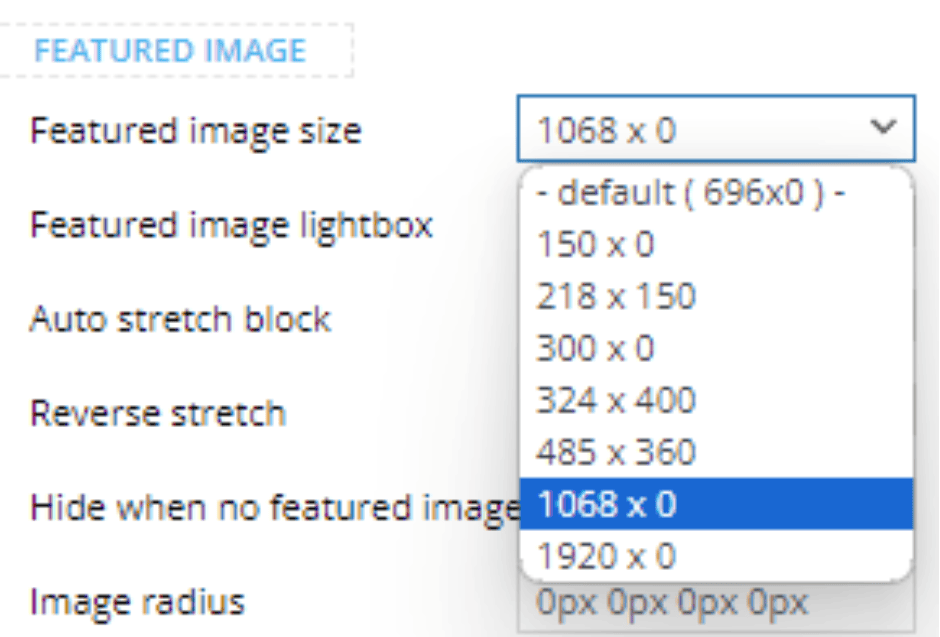
As you can tell, half of these options have a “0” in the height pixel for the default featured image size. When one of those options are selected, the height of the image is significantly cut short.
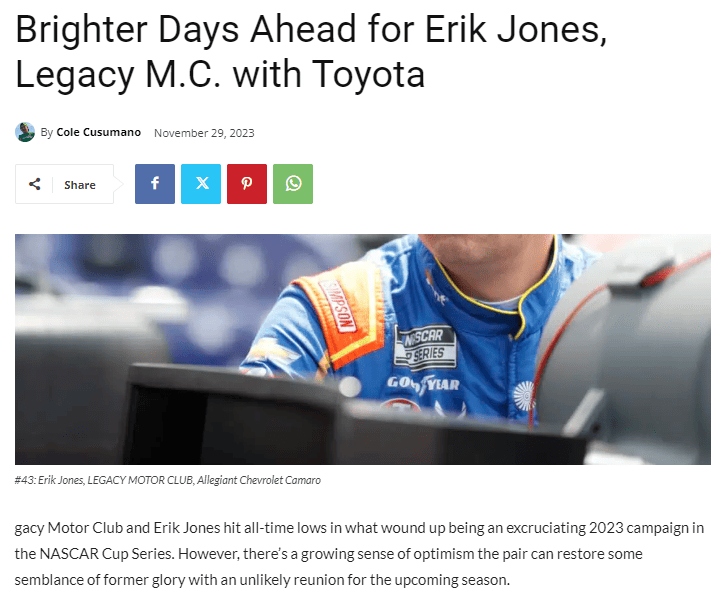
To test that theory, I decided to choose one of the smaller options that have a number other than “0” in the height section, and the image is fixed.
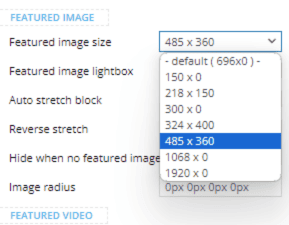
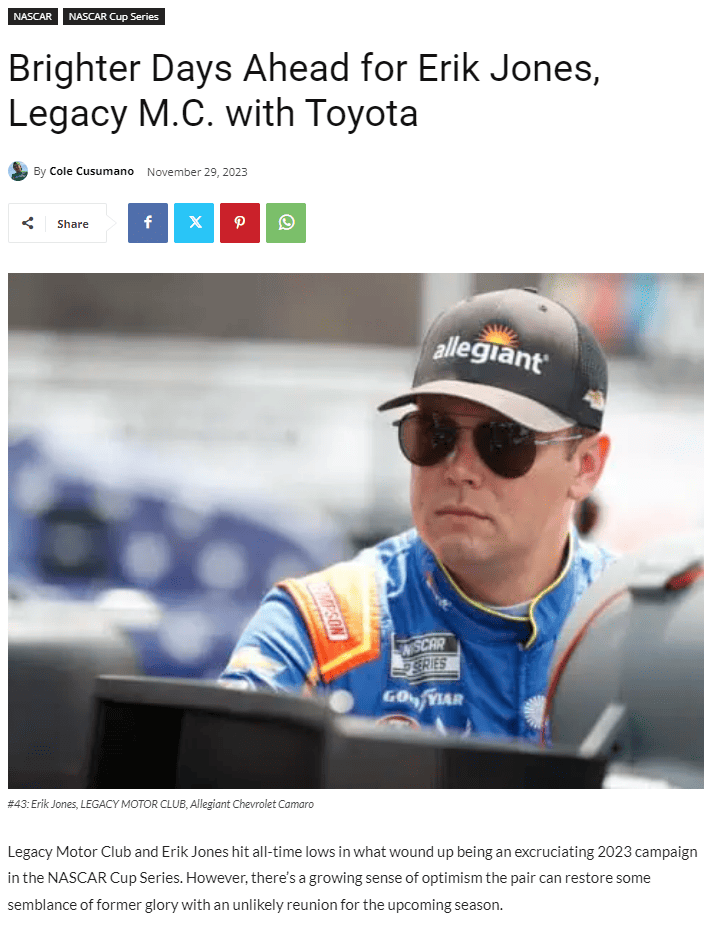
To add an extra twist, this is only happening to new posts. Older posts do not have this issue.
I’d like to use one of the larger image size options because the smaller size looks bad on larger devices. Does anyone know a fix for this?
Website: https://kickinthetires.net/
Example of broken featured image in blog post: https://kickinthetires.net/nascar/brighter-days-ahead-for-erik-jones-legacy-m-c-with-toyota/
 vallartamirror
My homepage template is set to “Homepage – Magazine PRO” (globally). My category template is set to “Category Template – Magazine PRO” (globally). Everything is displayed correctly for my home. However, my category pages do not always display correctly outside of edit mode.
Sometimes the page displays correct and other times I receive an old layout. Could this be a cache issue? I have cleared my browser cache, and it does not fix the problem. Is there a cache setting that I need to look at in WordPress?
I have double checked each individual category, and they are all correctly marked as “Category Template – Magazine PRO”
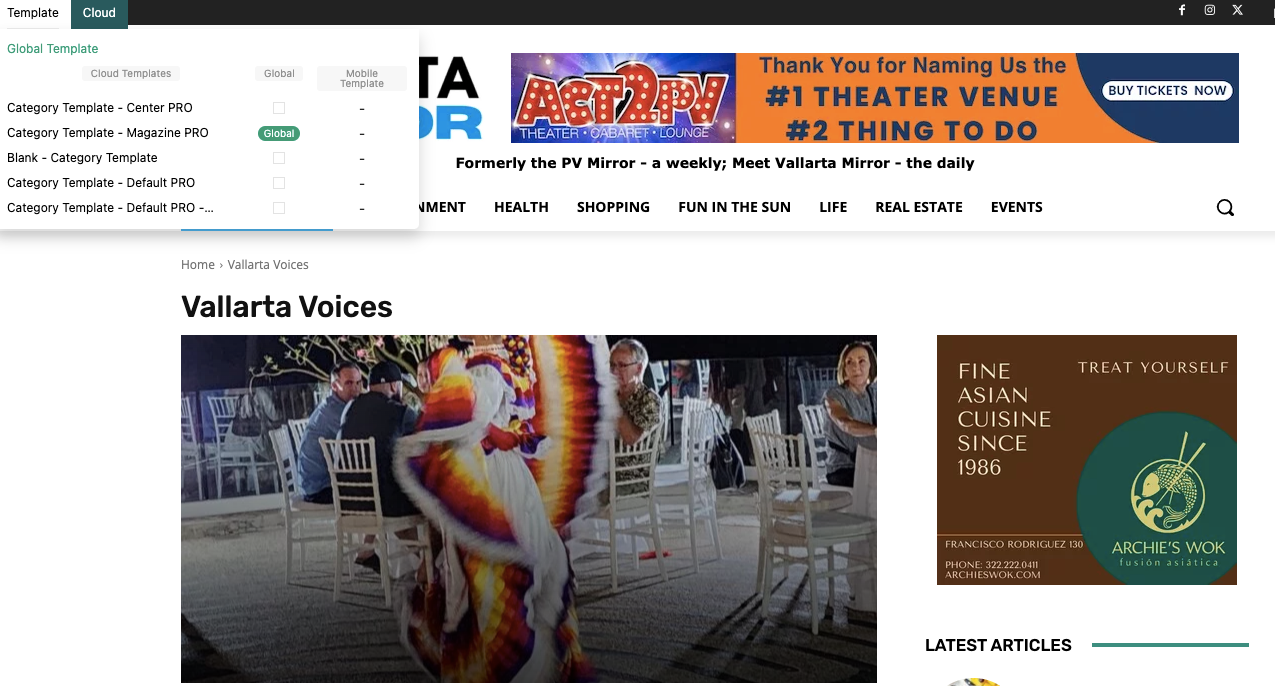
 paulab3nn3tt
 Hi Bettina,
Thanks again for your reply!
I suppose I wasn’t very clear with my message from the beginning. Sorry for that!
I know that after choosing a filter you have to wait for the page to reload in order to display the selection’s results or to choose another filter. Yes, indeed, that “jump” occurs in this situation as well.
However, the display problem I’m referring to also appears on the first interaction with the page, without choosing an option.
This is how the filters look until the page fully loads:
https://prnt.sc/NZdYlfpojwW5
After the page is loaded, the filters display properly:
https://prnt.sc/X5Qk8ufWN6jj
I understand that this is a JS load, but I would be glad if there was a solution to remove that display issue during page loading as well.
Please advise.
Thank you!
vallartamirror Thank you. This seems to have fixed the issue I was having with mobile… and the other issues I was having with the footer.
YOU ROCK!
Can you help me determine why my article excerpts do not appear with the default layout… and why the comments icon is displayed (this is set to hide). Here are screenshots from the template…
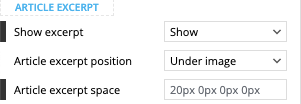
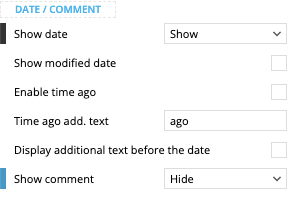
 avatel
 I really want the orginal files of this image 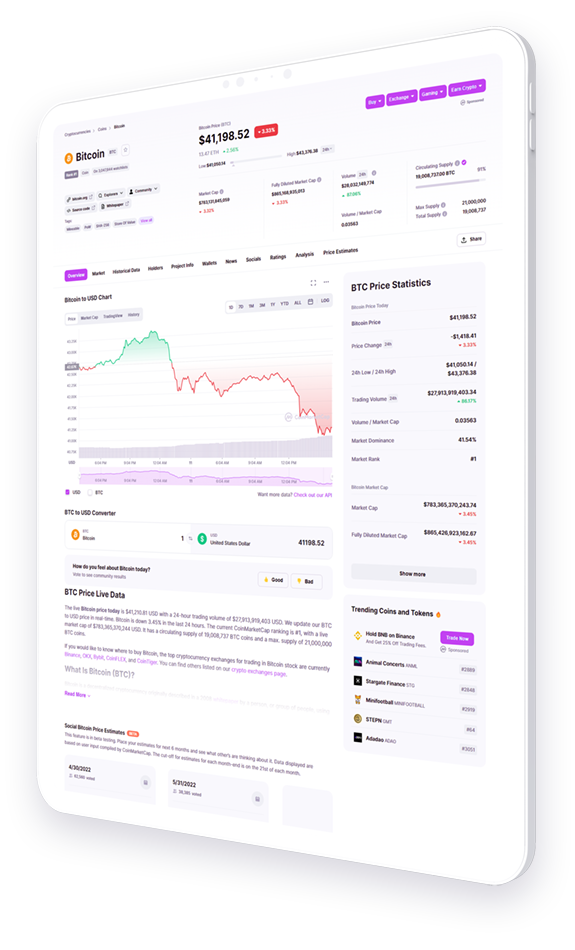 . I tried using other images but they don’t look as good as this mockup. Anyway around this?
 mariobrown
Hello,
I’m experiencing issues with the “Text with Title” and “Column Text” widgets for the TagDiv Visual Editor…
When I click the “EDIT CONTENT” button, a window pops up with an endless loop looking like it’s trying to load, but it never loads.
I replied to another post in this forum yesterday (https://forum.tagdiv.com/topic/cant-edit-text-2/), and there was a possible solution to the issue given by someone on your team, but it didn’t fix the problem for me.
So far, I have:
– Updated to the latest version of the theme
– Disabled all plugins
– Cleared all cache and cookies
– Added the <IfModule mod_substitute.c>SubstituteMaxLineLength 10M</IfModule> code to my htaccess file
None of these solutions fixed the issue for me.
Do you have any other recommendations? Or maybe can I give someone on your team WP Admin access to my site and maybe they can look into the issue for me?
This problem only started happening recently, so I’m not really sure what is causing the problem.
Please get back to me and let me know what I should do.
Thanks!
 Max
MaxHi,
I am writing to you because I would like to solve this problem. I have adsense in my site (Style Pro theme) configured via Tag manager.
I would like to prevent adsense from appearing in the first part of the page (from mobile).
From my adsense account I have disabled the area but it still keeps appearing (the test should be done directly from smartphone not using a simulator).
This goes to affect in my CLS creating many problems in core vitals on search console.
Could the theme be the problem? I have another site with Today News PRO theme and there I do not have this problem.
How will you be able to fix it, has anyone had this problem?
 Bettina
 Hello Khalid!
In this situation, Shop is a category, and it leads you to other categories of products. There is no option to change that.
Thank you!
 mrewonderful
Hi,
Can I Use the “Classic Widgets Plugin” to edit my sidebar?
Instead of using your system.
If yes, how do I do it?
I like themes but I am starting to feel it is too technical for me.
My site is showing fine, but having hard time setting up sidebars ads and logos and others.
Please answer my question at your earliest convenience.
Thank you.
Celestin
 maxcrandale
Mobil theme is not working after wordpress update. Theme ads footer banners and article inline banners could not change. It stays as previous banners even change several times. Mobil theme cannot change AMP or other choices.
 Fraud Finder
 Update:
It’s all fixed now. The thing is that I updated WordPress to 6.4, which caused problems with the mobile theme. Advised from other posts in the Forum I deactivated and deleted the Mobile Theme, then purged the cache and reinstalled it. Now it works fine, and shows adds everywhere on Mobile and Desktop with no need to add blocks with adds in posts. If someone faces problems with the Adsense AutoAds, that might be the solution, especially if the problem were ads for mobile, which was mine.
 ValentinaG.
Good morning, I have a problem with a Google Ad that appears above the menu when I open an article. How can I remove it? I tried to disable from Theme Panel – Ads – Header Ad – Disable on phone but nothing changed.
Also, I have another question. Can I choose only after a paragraph for inline advertisements? That is, how do I insert after paragraph 3 and after paragraph 6 for example? Thank you always for your help.