
- NewspapertagDiv AMP Plugin Tutorial
- ApiPractical example – How to add a new Block and Module
- NewspaperTrack Subscription Sources with Locker URL in Opt-In Builder
- NewspaperWP Rocket and Newspaper Theme: Optimization Guide
- NewspaperCredit System
- NewspaperIntroduction to CPT and ACF with Newspaper Theme
- NewspaperHow to edit modules for Flex Block X
- NewspaperHow to use the Posts List shortcode
- NewspaperUser review system
- NewspaperCustom Fields Support
- NewspaperHow to generate Facebook App ID
- NewspaperHow to insert a block inside the content of a post
- NewspaperModal Popup
- NewspaperPayPal Setup
- NewspaperLink Tracker
- NewspaperLockers
- NewspaperGeneral Options that May Interfere with the Newspaper Theme
- NewspaperAdd Cryptocurrency Price Ticker Widget
- NewspaperPosts Loop Element
- NewspaperThe Newspaper Mobile Theme: Introduction
 Catalin
 Hello amphol77,
Notice that this should have to be the sign in page which is designed for authentication, like this -> https://www.screencast.com/t/ZXTWycEeC Do you not bring this? Ensure that you are using the latest version of the theme, leave just Visual Composer to active, clear all your caches and install only the plugins that come bundled with the theme core files and rule out any conflicting plugins.
Thanks for your understanding!
Catalin Hello amphol77,
Unfortunately, our theme does not have any such an option that allows you this shared functionality, sorry! If you want to have it, you should create it via code or you can find a plugin with this functionality and see how it will work for you. Our sharing buttons functionality is created here -> td_module_single.php core file, like this -> https://www.screencast.com/t/q37ntqF448z
Thanks for your understanding!
 sisco
siscoHI there, i want to know how is possible to integrate or Inculde AMP on newspaper Mobile theme ??
or should i use WPTOUCH if it’s compatible ?
or meaby the TagDiv Team updatet their product to AMP.!!
thanks for ur help. .-)
 Irreverent Gent
 Hi Simion,
I can confirm that my settings are set correctly in the Theme Panel, exactly as your example showed, but the font is still not displaying properly.
To illustrate the problem, here’s what the font should look like. This is how Playfair Display SC looks in the pop-up form builder I use:
https://www.irreverentgent.com/wp-content/uploads/2017/04/Screen-Shot-2017-04-02-at-3.07.38-PM.png
But here’s how it looks when it appears live on my site:
https://www.irreverentgent.com/wp-content/uploads/2017/04/Screen-Shot-2017-04-02-at-3.07.20-PM.png
I realize the difference is subtle, but the font is clearly not appearing as bold as it should, despite being set properly in the theme panel.
After looking at your system status parameters guide, I still don’t understand what, if any, changes I would need to make in order to solve this issue.
Again, the issue began after I switched to https. Any further advice or suggestions about what specific actions I could take would be greatly appreciated, because as of now the theme is not quite working properly.
Thank you for continued support on this – it is very much appreciated.
Dave
 usman
usman Hi
Go to:
Theme Panel >> Post Settings >> Post and Custom Post Types >> Turn off “Show author box” & “show next and previous post”.
Preview: http://i.imgur.com/jr5hhOs.png
Hope this will help.
 DavisBeatz
 Yes it does, If you read my post it tells you to select a Style….
The style is what enables the More News thing and also the popular categories..
Select the second one under footer templates…… It even shows a little example of a picture of what it does etc. you literally can’t miss it.
If this doesn’t help wait for TagDiv on Monday to answer your Q
-
This reply was modified 9 years by
DavisBeatz.
 vishesh999
1) I have Installed BuddyPress & BBPress
2) I want to use the registration page provided by BuddyPress
3) I want to redirect the ‘Create New’ user link on the ‘Sign in / Join’ option on top menu bar and redirect it to registration page provided by BuddyPress i.e. ‘www.yourdomain.com/register’
Reasons for doing this:-
1) Once a user registers using the default link provided by the newspaper theme, the user gets an email to activate their account and change the password, in that case the user is redirected to the wordpress backend.
2) On the other hand, the BuddyPress registration form, allows the user to pick a password during signup, and the link activation email send the user to the main website, and not the backend.
 wash
washHello,
I’m developing another site using newspaper and using demo content everything is smooth except of (probably) styles problem in main menu.
Please see screenshot https://www.dropbox.com/s/e9ftlm9mf69w0bq/Screenshot%202017-04-01%2017.28.03.png?dl=0
Demo has been successfully imported, but in dropdown menu “normal” elements (not mega menu) don’t seem to have normal style (background highlight, font, etc.). For example “Urzędy” as seen in screenshot should have bold font, be highlighted, etc. As well as other dropdown menu elements.
Please help. Site is staged (production behind maintenance plugin) – I’ve checked without maintenance on but problem still exists.
Best regards,
Milosz
 goldfish45
Sir i want to add google matched ads below/above the related article content. but i am not able to add that. so please tell me how i can add widget below the related article. if i add widget it goes in sidebar , i want it below related articles not in sidebar.
eg example what i want
 gbhackersonsecurity
 Now we are Using Theme & database version Newspaper 7.5, do let us know the steps to be followed for update.
 cmistico
Hi staff,
I have two problem on my site (with newsmag theme):
1. Login on header of my site don’t work (no pop up) – here https://www.analisidelsangue.net/
2. The editor of bbpress forum on my site is disappared, I don’t see it more here for example -. https://www.analisidelsangue.net/forum-inserisci-domanda/
can you help me two solve this two problem? thnkx a lot
alessandro gennari
 fenomeno0chris
 Thank you very much for your fast and extensive response!
1) The line appears after you visit some articles and scrolling up and down. I don’t know if its just my mac, but that would be weird, since all macs are using same safari browser.
Another weird thing I noticed: If im using Google Chrome browser, the big grid at the top of the site has this great animation (image gets zoomed in), if I move the mouse cursor over one article. On safari there is no animation at all. 🙁
2) I know that your theme has a custom login build in and Im already using it, as you can see (by the way it looks awesome). My problem is, that a user gets an email notification from WordPress after he registered on my site. In this email, he gets a link to set a new password. By clicking the link he gets redirected to this unpleasant site:
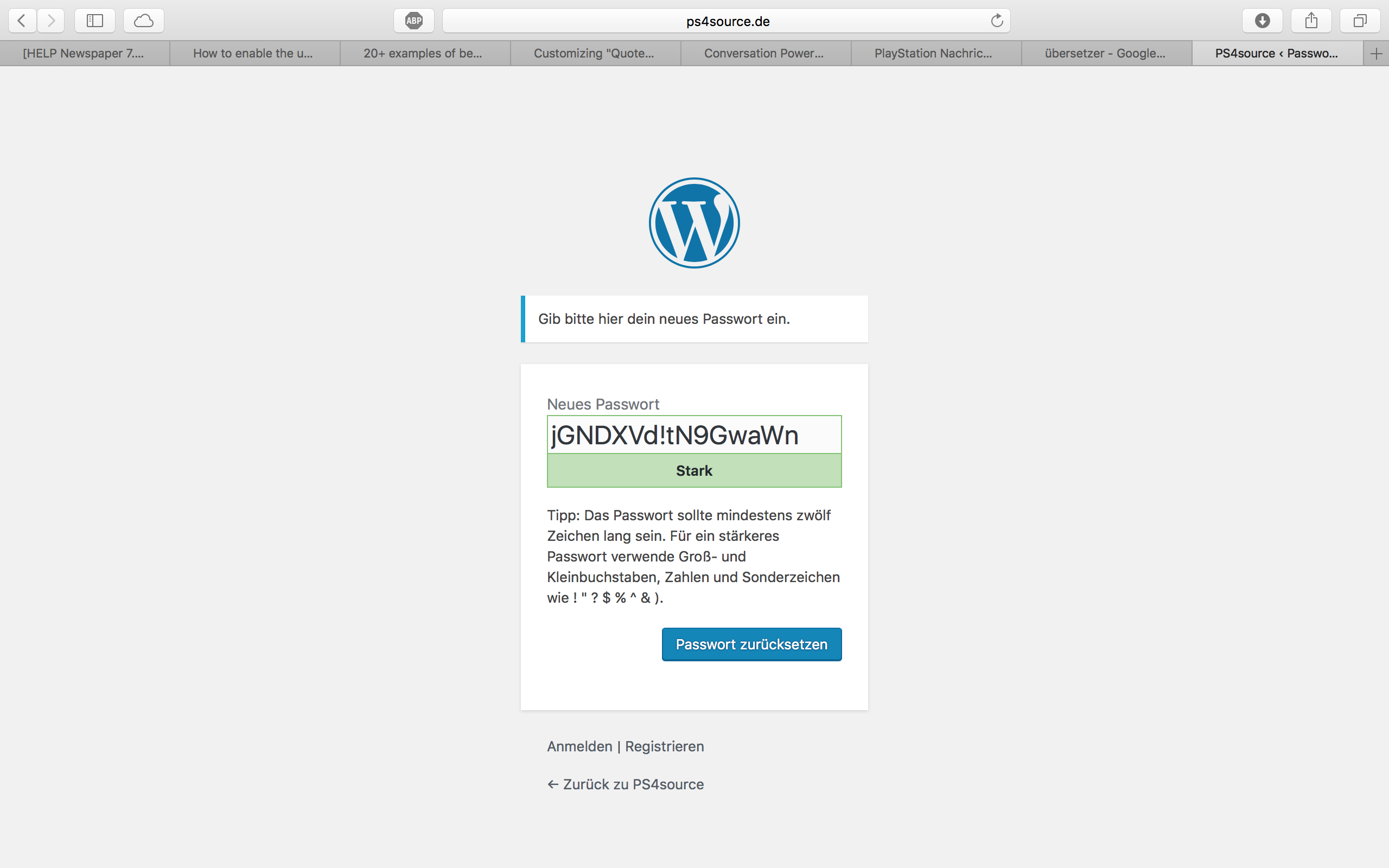
How can I change this registration process? Which plugin do you recommend?
2.1) Also Im using Disqus Comment System, as I mentioned before. Ive used my own button to let the users register without having to use a social media account. Unfortunately I don’t know the link address to open the beautiful login/registration window of newspaper7.
Right now it looks like this, which is not very beautiful:
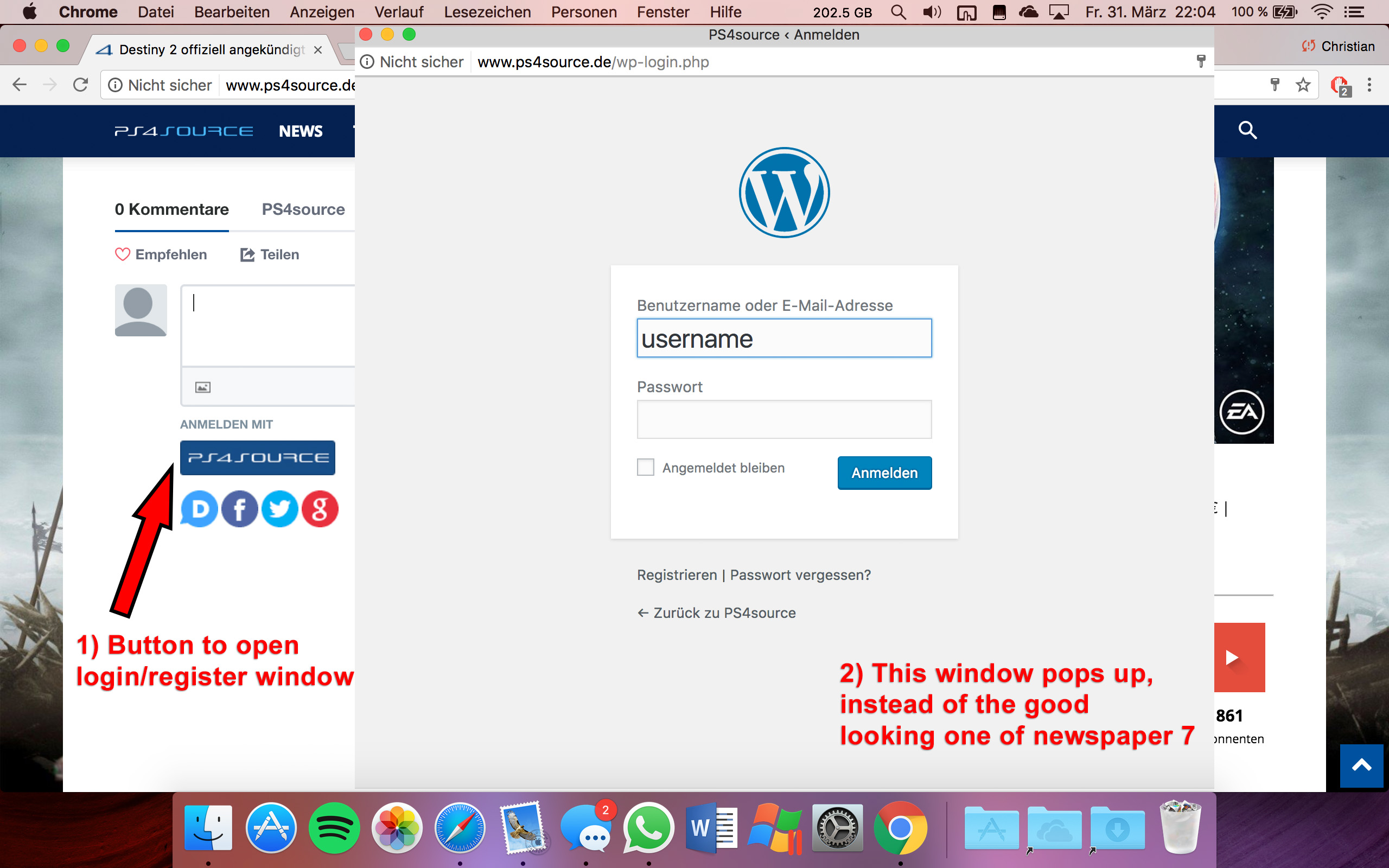
Disqus Button Code:
// Single Sign-on Integration

function dsq_sso_login() {
    global $current_site;
    $sitename = get_bloginfo('name');
    $siteurl = site_url();
    $button = get_option('disqus_sso_button');
    $sso_login_str = 'this.sso = {
          name: "' . esc_js( $sitename ) . '",
          button: "' . $button . '",
          url: "' . $siteurl . '/wp-login.php",
          logout: "' . $siteurl . '/wp-login.php?action=logout",
          width: "800",
          height: "700"
    };';
What should I enter at the url line, which is obviously responsible for the window?
3) CHECK
4) CHECK
5) Which Font do I have to use to get this vertical line on my quotes?
6,7,8) I do not know if I lost so many readers because the pagepeed has dropped or something else, but obviously I really want to get the numbers back to the state before I transferred to Newspaper7. Ive managed to increase the google pagespeed by reducing nearly all uploaded images. And I also read the Newspaper7 documentation to set the status parameters, the cache plugin and booster plugin as instructed. Unfortunately there are still some warnings, which should be solved as you can see here. Could you please help me, to get the best page speed as possible?
Should I change something on my .htaccess file?
# BEGIN WordPress
<IfModule mod_rewrite.c>
RewriteEngine On
RewriteBase /
RewriteRule ^index\.php$ - [L]
RewriteCond %{REQUEST_FILENAME} !-f
RewriteCond %{REQUEST_FILENAME} !-d
RewriteRule . /index.php [L]
</IfModule>

# END WordPress

# Deflate Compression by FileType
<IfModule mod_deflate.c>
 AddOutputFilterByType DEFLATE text/plain
 AddOutputFilterByType DEFLATE text/html
 AddOutputFilterByType DEFLATE text/xml
 AddOutputFilterByType DEFLATE text/css
 AddOutputFilterByType DEFLATE text/javascript
 AddOutputFilterByType DEFLATE application/xml
 AddOutputFilterByType DEFLATE application/xhtml+xml
 AddOutputFilterByType DEFLATE application/rss+xml
 AddOutputFilterByType DEFLATE application/atom_xml
 AddOutputFilterByType DEFLATE application/javascript
 AddOutputFilterByType DEFLATE application/x-javascript
 AddOutputFilterByType DEFLATE application/x-shockwave-flash
</IfModule>

# turns cache on for 1 month
<IfModule mod_expires.c>
ExpiresActive On
ExpiresDefault "access plus 1 week"
ExpiresByType image/jpg "access plus 1 week"
ExpiresByType image/jpeg "access plus 1 week"
ExpiresByType image/png "access plus 1 week"
ExpiresByType application/x-shockwave-flash "access plus 1 week"
</IfModule>

# gzip Compression if availiable
<IfModule mod_gzip.c>
 mod_gzip_on       Yes
 mod_gzip_dechunk  Yes
 mod_gzip_item_include file      \.(html?|txt|css|js|php|pl)$
 mod_gzip_item_include handler   ^cgi-script$
 mod_gzip_item_include mime      ^text/.*
 mod_gzip_item_include mime      ^application/x-javascript.*
 mod_gzip_item_exclude mime      ^image/.*
 mod_gzip_item_exclude rspheader ^Content-Encoding:.*gzip.*
</IfModule>

php_value memory_limit 256M
php_value max_input_vars 5000
php_value max_execution_time 300
php_value post_max_size 50M
php_value upload_max_filesize 50M
8) CHECK
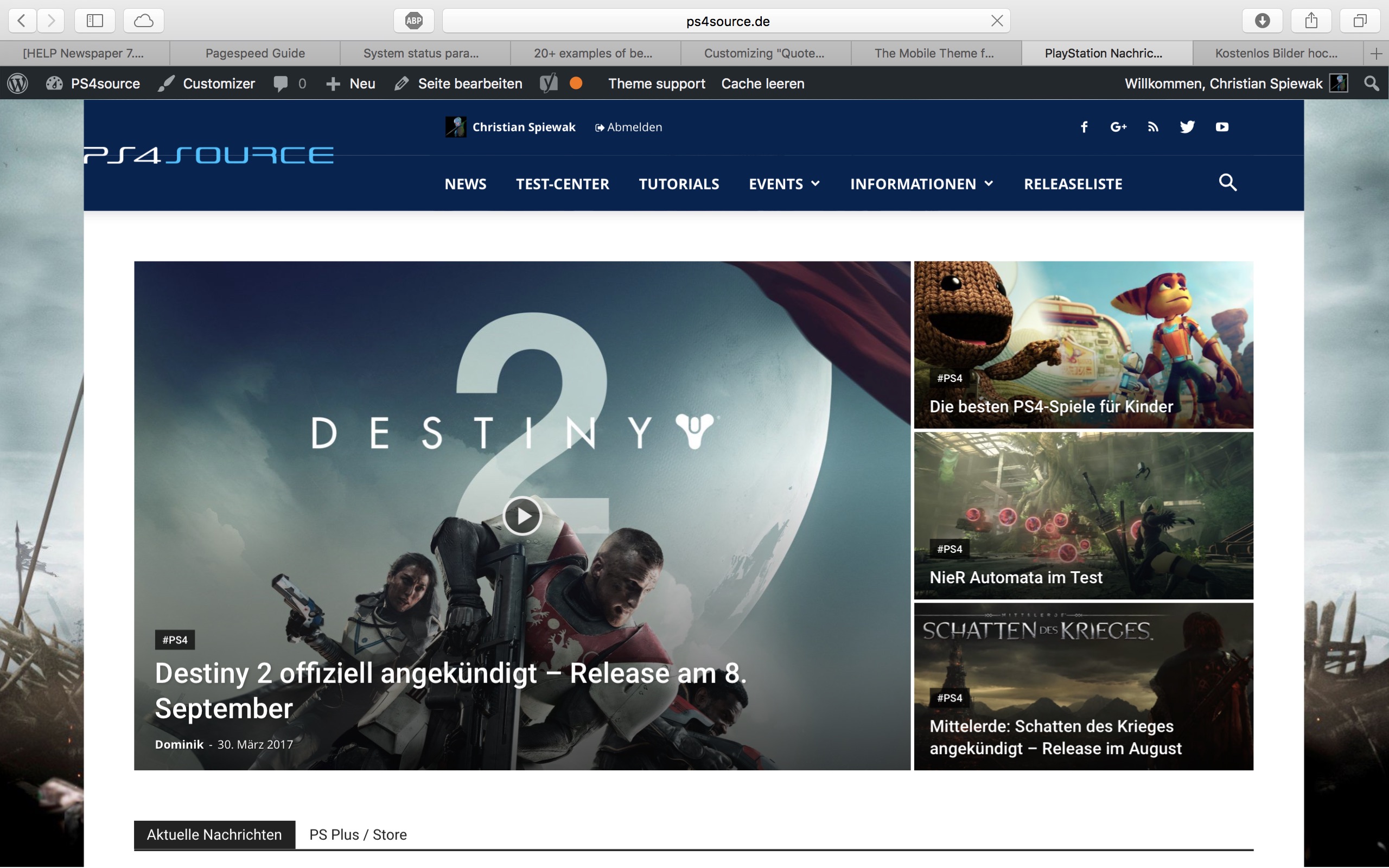
9) 
(link)
10) CHECK
11) [Newspaper->System status->php.ini configuration] I have this PHP Version 5.6.29-nmm1 (5.6 CGI). Is this ok?
-
This reply was modified 9 years by
fenomeno0chris.
 mayaguez
  Simion C.
 Hi,
You could try this code – https://www.screencast.com/t/7Rq7p4FmM if you have no need for the meta information below the post title, and enter it in Theme panel->Custom Css. If this is not working for you, please provide a link to your website pointing to where you want to make these changes, so I may give you a more accurate solution.
This is the code used in the example
.td-post-title .td-module-meta-info {

display: none;

}
Thanks
Catalin Hello upid,
Unfortunately, our theme does not have any such an option that allows you a way to add a logo image with border but only text logo with border, as you can see here -> https://forum.tagdiv.com/logo-favicon/ If you want to have a border to your logo image, you should include it in your image (use Photoshop for doing this, as an example).
Thanks for your understanding!
 breakeven
 The url called from script is:
/wp-admin/admin.php?page=td_theme_panel&td_page=td_view_update_newspaper_6&td_magic_token=–><%21–
Catalin Hello KenES14,
Unfortunately, please notice that our product does not have such an option for dynamic width and we do not recommend to do that through the custom CSS code because the layout of the theme will be damaged. If you want to change the width of the theme to be in full-width mode, please notice that is not a simple task and you will have to adjust the entire theme to the new width for better results.
Above, my colleague gave you an example from where you should strat to increase the theme width, but notice then you will have to make some additional customizations to adjust the other theme elements if you want to bring best results.
If you want to display more levels in our theme and you are not aware of the steps in this regard, please consider hiring a freelancer/developer to do this for you because we cannot provide customization services at the moment, sorry!
Thanks for your understanding!
Catalin Hello arbabrizvi,
I have inspected the both websites and I saw that your example site is made with Newspaper and your website is made with Newsmag. Notice that is two different themes and that why you bring two different styles. The Newsmag theme has some header styles which are on full-width, as you can see here -> https://www.screencast.com/t/IU4RDDARrgi but the footer section is only on boxed layout.
Thanks for your understanding!
Simion C. Hi,
We have not had any negative reports from our users related to this. I have inspected your website and I see that there are many js errors present – https://www.screencast.com/t/mqA19x5pd This is usually cause by a plugin or a plugin conflict that are interfering with the theme functionality. I suggest you try to disable all your plugins except the Visual composer, clear any caching installed and check to see if the errors are still present, using the browser inspector for example. The theme is tested and works properly but some problematic plugins can cause a lot of unexpected issues. If there are no more problems, try enabling the plugins one at a time, while checking for errors to hopefully spot the one causing this.
Also it is recommended to use the cache and speed optimization from the tutorials mentioned in the previous reply for best results.
Thanks
 robert-r
Hi,
I have problem with Block setting in version 7.8
(last version 7.7 work fine)
When I add block in page i tried select article by TAG – and is not working. On page I don’t see any article.
Post ID filte – Work
Category filter – I have only 1 category (can’t test)
Filter by TAG slug – NOT WORKING
I tried to use:
name of tag: WAŻNE WIADOMOŚCI
1795
1795,
tag1795
tag1795,
… =post_tag&tag_ID=1795&post_ … (link from TAG in Browser)
 PedroMiguelMoreira
 Hello,
The problem remains – for example, see my last post “Entrance of the teams at Botafogo vs Colo Colo – Copa Libertadores – 01.02.2017”.
In my channel of Youtube and in my Facebook page the featured image appears correctly, and this problem only appeared when I made the update of the theme (last week).
Can you help me, please?
Note: I did the suggestions that you made in your last answer, but it didn´t work.
Thanks.
 olihofma
 floranto22
 No, yo queria poner otro widget, que dice la temperatura de una ciudad especifica. Ese ejemplo que me pasaste ya lo conocía, peor lo que necesito yo es una intervencion algo mas avanzada para que se pueda ver correctamente.
Tambien quisiera agregar un parrafo en el header pero tampoco se a donde dirigirme
Espero tu respuesta, gracias.
 ttalleur
 I forgot to mention: I’m running Newspaper 7.8 & WPBakery Visual Composer 5.1. I’m double checking to make sure I have the latest versions of each. Also, my question pertains to WPBakery functionality in Newspaper. The only other major change to my site is I added WordFence and deleted iThemes Security Pro from the site.
Thanks, tom
Simion C. Hi,
To minify the CSS you can use an online tool, like this one for example – http://cssminifier.com/ and open the theme stylesheet file, then enter all the contents in the required field. After the process is finished, replace the code in the theme stylesheet with the one resulted after minification.
Thanks



