
- NewspapertagDiv AMP Plugin Tutorial
- ApiPractical example – How to add a new Block and Module
- NewspaperTrack Subscription Sources with Locker URL in Opt-In Builder
- NewspaperWP Rocket and Newspaper Theme: Optimization Guide
- NewspaperCredit System
- NewspaperIntroduction to CPT and ACF with Newspaper Theme
- NewspaperHow to edit modules for Flex Block X
- NewspaperHow to use the Posts List shortcode
- NewspaperUser review system
- NewspaperCustom Fields Support
- NewspaperHow to generate Facebook App ID
- NewspaperHow to insert a block inside the content of a post
- NewspaperModal Popup
- NewspaperPayPal Setup
- NewspaperLink Tracker
- NewspaperLockers
- NewspaperGeneral Options that May Interfere with the Newspaper Theme
- NewspaperAdd Cryptocurrency Price Ticker Widget
- NewspaperPosts Loop Element
- NewspaperThe Newspaper Mobile Theme: Introduction
 Krimiwa
 Hi Bettina,
I might have solved the problem by renaming the Adobe/Typekit Fonts Custom Font Family in the theme panel´s theme fonts section.
I rechecked the embedded css and copied the exact font names (“futura-pt” instead of “Futura PT”, “baltica” instead of “Baltica”).
Check out the third screenshot:
https://1drv.ms/f/s!AmtcIGCTzZD1n8d5BsEylkz_PqmTXw?e=WkK0dh
After refreshing, I tried different browsers & the futura font actually shows up 🙂
I hope that´s it.
 tshkurtaj
We folloed the TagDiv suggestion and isntalled mologui plug to solve the issue of multiple byline and/or guest author. Test article after installing mologui plug: https://s45360.p1720.sites.pressdns.com/news/2711774/food-stamps-january-snap-payments-worth-up-to-1751-for-california-residents-end-in-five-days/
But now ‘author archives’ do not show the past stories:
– With mologui plug: https://s45360.p1720.sites.pressdns.com/author/eden-villalovas/
– Without mologui plug: https://www.washingtonexaminer.com/author/eden-villalovas/
Would appreciate any guidance,
 Anamaria
 Hello,
Unfortunately, we cannot offer any preferential discounts for buying the Newspaper theme. I’m sorry!
You can subscribe to our newsletter to hear about future discount campaigns – https://bit.ly/2WJ2Opv.
Thank you so much for understanding.
Have a lovely day ahead!
 Bettina
 Hello @Kristof!
Can you please provide an example of the element that has set the FUTURA font? Also, your website link.
Thank you!
 Proposition Media
Hello.
Whenever I try to edit a page in the wordpress editor (for Yoast SEO for example) it is extremely slow, and almost crasches. This was not a problem earlier, but has now become a very urgent problem. The page does not even updates some times. Its the same problem for all pages.
If I for example leave the tab while its loading, and then go back to it – the editor is just a big white screen.
Something is wrong, but i dont know what?
Bettina Hello @volpik!
You can use an offset for the blocks with the same filter: https://forum.tagdiv.com/offset-feature
For example, the first flex block will have no offset and limit 3, and the second flex block will have 3 in offset and limit 3 again or more, and so on.
Thank you!
 Ryan Lee
Hi
Please tell me how to make the required check box.
For example, when you create a contact page, you need to create a check box to obtain other people’s information, such as phone numbers, email addresses, and so on, because of the privacy policy.
What features should I use for this?
 wizromeo
 Pluging – JNews – Essential Advertisement, Shortcode & Advertisement, Shortcode & Widget for JNews
Version 11.0.7
I’m using your MAGAZINE PRO theme. When I enable the JNews – Essential plugins, the user profile page gives an error.
There has been a critical error on this website. Please check your site admin email inbox for instructions.
Learn more about troubleshooting WordPress.
 upmy-life
 Cool,it works ! Thanks.
Another question, I have often a problem to select some elements in a page with my mouse.
I show you a sample in this video (it will be better than words) :
https://www.loom.com/share/ef8bb991dcad4c5da6ef4ccdec3ac731?sid=47cead6a-24e4-48db-aefb-b49bc3757b03
What can I do in such cases ?
Thanks
 freakkz
 Hi Anamaria,
The desktop version it’s different from mobile version.
Example the Logo and text I’ve placed in desktop version, In mobile version it’s a different different text and logo, Like I need to make two changes one for desktop and one for mobile.
As I want like one change to be in mobile too.
 asr9611
Taboola ads are not showing on website: helloscholar.in. How to show taboola ads? Where to add code in non-amp and amp?
 canindia1
I am using Newspaper – News & WooCommerce WordPress Theme
1) I The header template 6 and unable to change the background strip color where the logo displays. Presently it is black by default and want to change it to red.
2) On post I am using cloud template – Single Post Template 1. The pageview counter is not registering pageviews
 stadium
 Having the exact same issue. Also running Newspaper theme version: 12.6.3
I noticed the Instagram widget on my site has been replaced with the error message: “Error decoding the Instagram API json”
I checked under Newspaper Theme panel > SOCIAL/APIS > Instagram Personal, and it shows my token “expired 60 days ago”.
The “Connect Personal Account” button is grayed out, and clicking on it shows the following error:
“You already have a connected account. To connect to another, please remove the current one.”
However, clicking the “Remove” button on the existing account with the expired token does nothing.
I opened DevTools in Google Chrome to get more details, and while on the Network tab, I clicked the “Remove” button once again to inspect the Request/Response.
It makes a POST request to the following endpoint: /wp-admin/admin-ajax.php?td_theme_name=Newspaper&v=12.6.3
…with a payload containing “action=td_remove_account” along with the Instagram account username and id which I am trying to remove.
But the response to this request is:
{“status”:”warning – no connected account found with the given user id!”}
So we seem to be stuck with an account having an expired token. Is there some other process we should be doing when our token expires? The docs for the Instagram widget mention how to connect it, but I don’t see how to refresh it once the token expires:
 bluedot
 Hi Anamaria, I’d like to add a few details to this, with some odd behavior we’ve seen recently. As I mentioned, we’ve seen the analytics code change, after having been in place on each sub-site for awhile. Recently, we also noticed the following:
– An ActiveCampaign tracking script (also deployed via the JS/Code injection in the theme panel) disappeared.
– The default post template for the main site turned off.
All of these changes seem to be occurring in the theme panel. Is there an audit log for changes in the theme panel that would help identify any humans, plugins, or processes that might be changing these settings?
 Calin
Calin Hello,
1. You have now the amp plugin but also the mobile theme plugin, but I understand that you want to use the responsive version, therefore non of those plugins are not required (you can disable the tagDiv mobile theme and amp plugin).
2. This is usually related to a cache or optimizing plugin that is interfering with the js from the theme. Is this situation always, for example when you are logged in (and the cache is not apply)? If yes, then please check the browser console to see if there are any errors.
Indeed, I checked the website pagination is working now (because you disable the mentioned options from LiteSpeed cache plugin).
For css I think that you can use some options but not all of theme and for js please try to exclude those:
/jquery-?[0-9.](.*)(.min|.slim|.slim.min)?.js

/jquery-migrate(.min)?.js

tagdiv_theme.min.js

tdBlocksArray
If this is not work please try this:

/jquery-?[0-9.](.*)(.min|.slim|.slim.min)?.js

/jquery-migrate(.min)?.js

tagdiv_theme.min.js

tdBlocksArray

tdb_globals

td_youtube_list_ids

iosSlider

/td-cloud-library/assets/js/js_files_for_front.min.js
Also, the amp is deprecated – https://i.imgur.com/gipeN7q.png
Thank you!
 joeyfatstat
 Ok on problem #2 I have found that LiteSpeed cache plugin has a conflict with these two seetings:
1. CSS Combine External and Inline
2. JS Combine External and Inline
When I turn these off, the Pagination works. I would like to take full advantage of my Caching plugin tho. Is there any ideas of what I should exclude in CSS & JS in order to turn these options on?
joeyfatstat Ok,#1 The mobile webpage is jacked and #2 my pagination doesn’t work even when all plugins are deactivated.
#1:
I just want my mobile site to look like this:
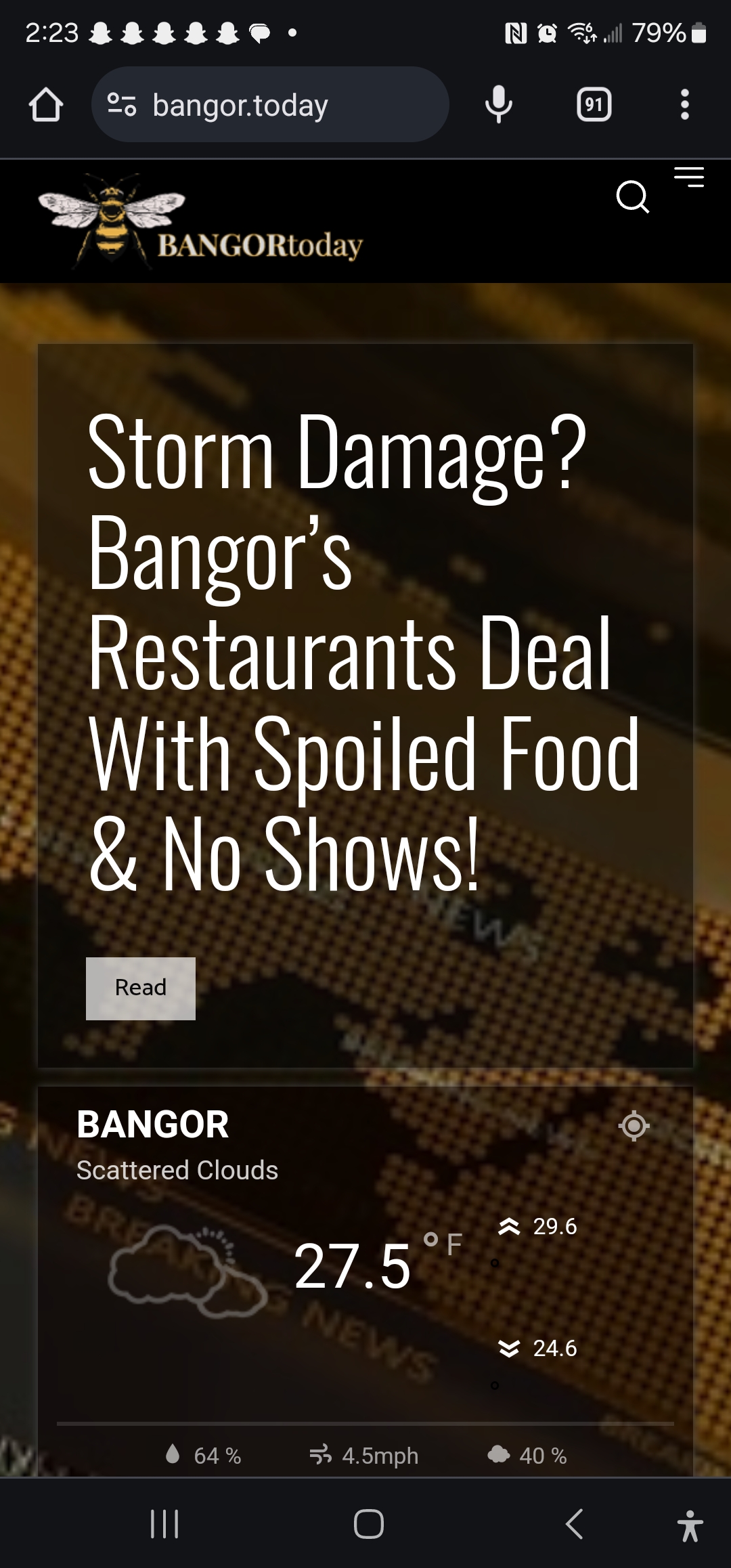
But the ONLY way it shows up WITHOUT showing “AMP” style is when “AMP” is selected. … AMP has to be selected in order for NON-AMP mobile site to work… ARGGGG!
This is the selection: 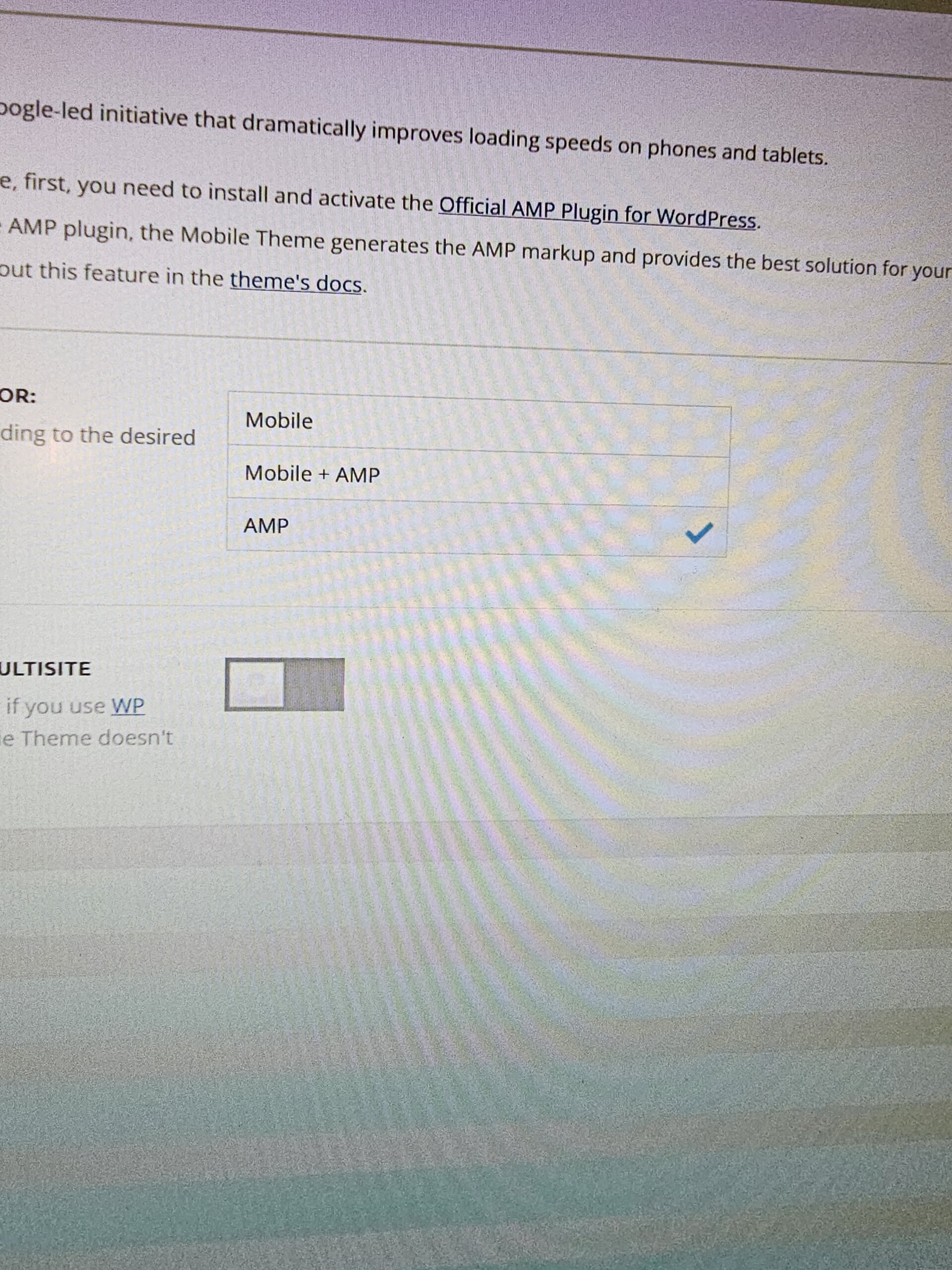
My website is currently configured with AMP turned on just t o show the webpage I designed. Even tho I do have the webpage on mobile showing up, something is wrong. I dont even want AMP activated. I cannot Deactivate AMP at all… If I Deactivate AMP, then AMP will show up. Its backwards and eternally frustrating
#2 My pagination doesnt work. I have deactivated all my plugins and still no pagination buttons will paginate. This is cray cray.
Please stay active in this support request because I need to get this done. Please!
Anamaria Hi,
For this, I recommend creating a mobile page https://i.imgur.com/BFGmEKM.png -> https://tagdiv.com/newspaper-10-3-7-update-brings-customizable-and-fast-mobile-pages/, and setting the limit for block.
This is a video about Responsive Newspaper Theme, AMP & Mobile Theme, Mobile Pages & Templates -> https://www.youtube.com/watch?v=SpGkOnJeNZY
Thank you!
 theheritagelab
 Hi @bettina
Here’s a sample link — if you click on “Gallery 1” you will see that it loads the url again before going to that section, but doesn’t flow smooth.
 ersandrino
Good morning,
Good morning,
a very strange thing is happening to me without having modified any components or added plugins. When I try to modify the div compose tag, an element on any page (or even when I create a new page and use the “Column text” module for example), after clicking on “Edit Content”, the editor that opens above it runs idle as shown in the two screenshots you see:
How is this anomaly resolved?
Thank you
 martiniliev.bg
 Thanks for the support.
Regarding the topic 2, the problem is not that website are addin website URL in the end of the Meta Tile.
The issue is that the website are addin social media tag @thejungleofsport at the edn of the Article URL, so this change the whole URL and redirect to the 404 page which bacame a huge problem in the Google Search Console. Can you check our website:
For example, the correct post url is:
“https://jungle.bg/stojka-krasteva-dete-ili-parizh-2024-video”
But GSC find the URL with “/thejungleofsports” in the end: “https://jungle.bg/stojka-krasteva-dete-ili-parizh-2024-video/thejungleofsports”
This @thejungleofsports is our social media account, it is possible the Newspaper Theme to take some of our socia media and put in the end of the url, after the article?
Please check.
Regards,
Martin
 Man Kam
 Thank you for your reply.
I think my question & explaining is not clear enough.
Please refer to mob ver for http://www.juksy.com.
In mob ver, the display for post catalog is “horizontal movement”.
Not only show 2 post.
Thus, my questions is that, is it possible to set similar section in newspaper?
Anamaria Hello,
Please check with the tagDiv Composer and disable the H1. For example, H1 from logo(header, footer, mobile, sticky): https://forum.tagdiv.com/topic/6-h1-tags-on-front-page-bing-have-deindexed-my-site/
Thank you!
 MikeVLC
 Thanks for the super fast reply! Appreciated. However, the result stays the same. Contained or not contained.
As a sample. I use at present the template “Animals Magazine pro” at https://photosafarisuganda.com and like to change the template’s background image on the top of the home page (https://photosafarisuganda.com/wp-content/uploads/2023/10/xxx_bg_home1_xxx.jpg)
Should be replaced by https://photosafarisuganda.com/wp-content/uploads/2024/01/Home-Zone-1.jpg which has the same file size and resolution is also 1 MB.
The result is not the same quality as the sample image of the template.
Could that be the WP Memory limit? .. which is set at 256 MB.
I would be greatful for a solution or idea how to solve that..
Thanks in advance Michael
For the rest I am using TAGDIV for years on various websites and its just great. This is the first site where I deal with the background images 😉
 forevermogulmag
How do I edit the different blockquote layouts? For example on my page here , I have two blockquotes. I want to make the background a little darker, the font a little bigger, and change the font color except for the link. How can I do this? If I need custom CSS, please provide it.
Also, take a look at this website. Do you know how I can add similar boxes like the purple rounded boxes and the grey box shown on the website? I want to highlight certain content/paragraphs and this is a good format to do it.


