- NewspapertagDiv AMP Plugin Tutorial
- NewspaperTrack Subscription Sources with Locker URL in Opt-In Builder
- NewspaperWP Rocket and Newspaper Theme: Optimization Guide
- NewspaperCredit System
- NewspaperIntroduction to CPT and ACF with Newspaper Theme
- NewspaperHow to edit modules for Flex Block X
- NewspaperHow to use the Posts List shortcode
- NewspaperUser review system
- NewspaperCustom Fields Support
- NewspaperHow to generate Facebook App ID
- NewspaperHow to insert a block inside the content of a post
- NewspaperModal Popup
- NewspaperPayPal Setup
- NewspaperLink Tracker
- NewspaperLockers
- NewspaperGeneral Options that May Interfere with the Newspaper Theme
- NewspaperAdd Cryptocurrency Price Ticker Widget
- NewspaperPosts Loop Element
- NewspaperThe Newspaper Mobile Theme: Introduction
- NewspaperAutoptimize Plugin – install and configuration
 wpdiv
wpdiv wp-config-sample.php is not a part of newspaper theme and its one of the core file for wordpress CMS.
 RaduCS
 Ok..now i’m looking to edit theme files..
I just want Stumbleupon over the Pinterest button. So I found all files that include “td-social-sharing” where the buttons are from, but now I don’t know what to do 😐
Now this it’s my last problem:
<a class=”td-social-sharing-buttons td-social-pinterest” href=”http://pinterest.com/pin/create/button/?url=’ . get_permalink() . ‘&media=’ . (!empty($image[0]) ? $image[0] : ”) . ‘” onclick=”window.open(this.href, \’mywin\’,
I changed the name from Pinterest in StumbleUpon here (line 143):
wp-content\themes\Newspaper\includes\modules\module_modifier\td_module_blog.php
The “P” it’s on images/sprite/elements.png
And the link that i posted first it’s on (line 141):
wp-content\themes\Newspaper\includes\modules\module_modifier\td_module_blog.php
So my problem it’s founding what it’s that link -_- some help please? Thanks!
-
This reply was modified 11 years by
RaduCS.
 nesru
nesru Hey Christopher,
Why I don’t see wp-config-sample.php file? Is Newspaper theme quite different from others?
I previously easily installed another Themeforest wp premium theme [Charity Hub]. Newspaper theme content appears to be quite different to me.
Many thanks,
Nesru
 aces231
I am trying to display a categories posts a a specific page. I would like the page to display the latest 9 posts with the option to load more upon the users request.
I am using the blocks feature and have set Limit post number: to 9 and Pagination on: Load More Button, Infinite load show ‘Load more’ after x pages: 9.
Currently this is not working the way I envisioned.
Example:
http://stonerthings.com/culture/pictures/

 doran
doran So, the problem is not about browser. I disabled cloudflare & W3total then purged the cache. No change.
 ZTWP
ZTWPSince we wanted to have an individual layout of our start page we designed one with VC. However, it seems that not all of the modules are available as blocks. Is there a reason for it?
Example: I like the “Module search” due to its small image. I can only use it if we select “Homepage – with article list” as template. However, it is not available in the VC blocks – there is only Block 6 with larger images. It would be great if all the modules are available as blocks!
Unfortunately, I cannot combine both since the sidebar is not independent. If I define the upper part of the page using VC (e.g. to include a Slide for the featured articles as in the demo) the sidebar (defined in the page’s “Homepage latest articles” section) starts only at the lower part together with the latest articles and in the upper part the column right to the slider is empty.
This limits the flexibility of Newspaper, which – apart from this problem – is great!
 Shmouuu
 Hello Lucian,
Thanks a lot for your answer, it works pretty well. The only problem left I’d like to solve is that the category background color doesn’t seem to be the one I chose in the theme panel.
As you can see, “technologie & Innovation” is green on the homepage: http://imagespourapprendre.com/
While it should be red just like on the article: http://imagespourapprendre.com/2014/10/plug-it-on-the-window/
Could you please help on this?
Thanks again!
Sam
 Branstone
 Hi guys,
I’m getting on GTmetrix this “High priority” error to fix:
“Add Expires headers”:
There are 2 static components without a far-future expiration date.
http://fonts.googleapis.com/css?family=Roboto+Condensed%3A400%2C700%7CArimo%3A400%2C700%7CRoboto%3A400%2C700%7CChivo%3A400%2C700%7CAlex+Brush%3A400%2C700%7CRokkitt%3A400%2C700&ver=4.0
http://fonts.googleapis.com/css?family=PT+Sans:400,700,400italic|Ubuntu:400,400italic|Open+Sans:400italic,400|Oswald:400,700|Roboto+Condensed:400italic,700italic,400,700?ver=4.4
Aren’t these part of the theme? Any way to fix that?
Thanks!
ShmouuuHello,
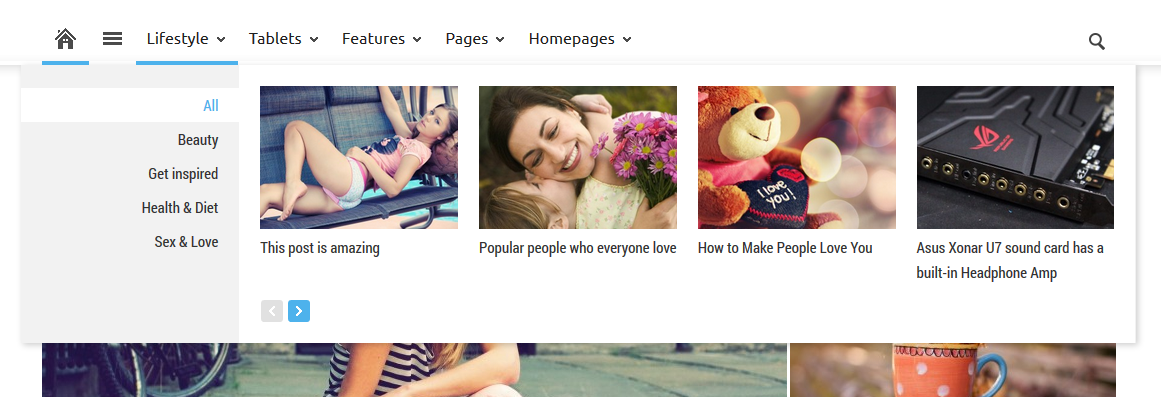
Firstly, Thank you very much for this amazing theme! I’ve been trying to create a category mega menu without success for a few hours already so I allow myself to post a topic here. 2 questions:
1. What I would like is all my categories to appear like subcategories in a mega menu just like that: https://forum.tagdiv.com//wp-content/uploads/2014/02/2014-02-24_1704.png
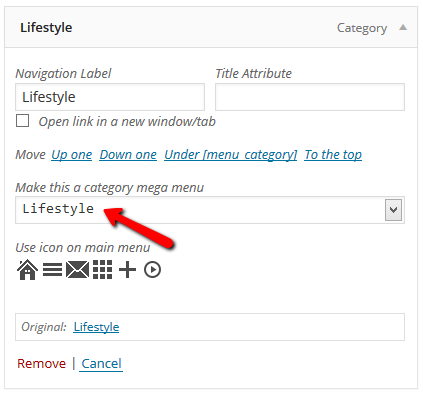
For that I created a parent category called “catégories” (French) and put it in my Menu structure. Here I know I should just select it in a dropdown menu to make it a “category mega menu” just like that: https://forum.tagdiv.com/wp-content/uploads/2014/02/2014-02-24_1708.png
…but the dropdown menu doesn’t appear! What should I do??
2. How can I edit Mega Menu appearance, if I want to change its color, font size, position, etc.?
Thanks a lot in advance!
Best,
Sam
 delfinista
Hi,
you can direct visits from the mobile (iPad, iPhone and more) on a specific section of the blog?
For example, it is possible that each visit is from iphone or ipad is directed automatically on the sports section?
you can direct visits from the mobile on a specific section of the blog?
 jSureda33
 Hi Lucian,
The problem:
When I want to create a new Newsletter I can’t use the editor because is not working.
For example I can’t edit the text or add images. I can’t drop new boxes.
Their debugger has picked up these two possible conflicts:
wp-content/themes/Newspaper/wp-admin/js/general.js?ver=1
wp-content/themes/Newspaper/wp-admin/js/wp-admin-panel.js?ver=1
I’m going to search if there’s any conflict with other plugins.
Thanks
-
This reply was modified 11 years by
jSureda33. Reason: added
 Lucian
 Hi,
I have checked your site and found no issue with your thumbs, seems to me like the right thumbs sizes are used:
– examples:
* big slider – big image: http://screencast.com/t/tPcnpBp6h7y
* big slider – small images: http://screencast.com/t/r8dvZyDri
* block 2 – small images: http://screencast.com/t/DdieGRjopC7u
I did noticed that setting the visibility hidden on date doesn’t look right, you should use display:none and hide it via custom css, like this: http://screencast.com/t/koocO0Foc
Add this css in theme panel > custom css field:
.td_mod_wrap .meta-info time {

display: none

}
Thanks
 kimsiwon
please plug-in Example
http://www.schloebe.de/wordpress/wp-forum-latest-posts-plugin/
—————————————-
WPFLatestPosts(‘forumid=2’);
WPFLatestPosts(‘forumid=5&number=20’);
WPFLatestPosts(‘forumid=5&number=20;title=test’);
—————————————-
Actual cases
 PGN
PGN I have the exact same issue and am using Newspaper 4.5 on wordpress 4.
MailPoet suggests applying this code to these two conflicts.
wp-content/themes/Newspaper/wp-admin/js/general.js?ver=1
wp-content/themes/Newspaper/wp-admin/js/wp-admin-panel.js?ver=1
MailPoet’s Suggestion
<?php

/**

 * If your theme or plugin is inserting files in MailPoet pages

 * and it is breaking some functions, you should apply this

 * conditional to load your files.

 *

 * Normally themes use these functions wp_enqueue_style() and wp_enqueue_script()

 */

if( $_GET['page'] != 'wysija_campaigns' ) {

	// Put your enqueue styles and scripts here

}
Can anyone tell us where and how to apply this conditional? I am a novice when it comes to this type of modification.
Thanks, Kevin
PureGospelNetwork.com
 prose976
 Lucian,
This just showed up in my Chrome console. I’m not using a CDN, not using any caching plugin right now.
Mixed Content: The page at ‘https://tribyoot.org/12544/neuschwanstein-castle-inspires-disney-sleeping-b…review=true&preview_id=12544&preview_nonce=d3227843f7&post_format=standard’ was loaded over HTTPS, but requested an insecure image ‘http://tribyoot.org/Tribyoot/wp-content/themes/Newspaper/images/header/elements-menu.png’. This content should also be served over HTTPS.
It looks like the theme image is being sent insecure. Any idea how to resolve it?
Philip
 eubox
euboxthe admin translate panel doens’t translate all the words, the visible part of the website stay in the english language, i want them to be in Russian.
For example there is no way to translate the words as “page” and “off” at buttom of the website “Page 1 Of 11”.
I already used qTranslate plugin, but it doesn’t help.
Also i cant install the next and previous button. i wanted to used them instead of “1 of 11” for example,( the word next and previous can be changed into russian.
can you help me out.
 simchris
 Example topics related to this issue:
https://wordpress.org/support/topic/admin-ajaxphp-slow-server-response-time
http://www.inmotionhosting.com/support/website/wordpress/heartbeat-ajax-php-usage
WORDPRESS QUERY MONITOR PLUGIN:
https://wordpress.org/plugins/query-monitor/
 monicacortes
 Of course. Here you have the Mailchimp sent on Monday.
As you can see, in almost all the RSS excerpts are included the names of the photos.
http://us4.campaign-archive1.com/?u=77b35c7302493c9c0fe4e8d80&id=c9b60dfe74&e=%5BUNIQID%5D
Regards.
Lucian Hi,
You need to edit the module files and add the line from below, like this: http://screencast.com/t/31I3BzhGzse
My example is for module 2 layout. If you use other module you need to edit it and add this line:
<?php echo get_post(get_post_thumbnail_id())->post_content; ?>
Thanks
simchris Generally you can do it by putting the code into a text box in custom sidebar for home page, as one example. You can also check to see if they have a WordPress plugin which might work as a simple widget.
 sbo
sbo To be more specific @Christopher, it may not have to be so in depth like this but a way to display more content in the preview for certain posts. I took a screenshot example: http://screencast.com/t/m9t900z4
 improgrammer
 Thank you. It was my mistake in Logo settings. It’s working fine Now. I have some render-blocking JavaScript and CSS problem. What i have to do now ? I followed all steps of https://forum.tagdiv.com/how-to-make-the-site-faster/ this page.
https://developers.google.com/speed/pagespeed/insights/?url=http%3A%2F%2Fimprogrammer.net&tab=mobile
My Page Speed is too low in Mobile : 54 / 100Speed
According to step 4: We copying into text and finde id and set into td-speed-booster.php. But I am not getting all corresponding ID in that.
Like this one:
What i have to do now ?
-
This reply was modified 11 years by
improgrammer.
improgrammer Hi Guys,
My Site score is too bad: https://developers.google.com/speed/pagespeed/insights/?url=http%3A%2F%2Fimprogrammer.net&tab=mobile: It is only 54 / 100
I followed This all steps: https://forum.tagdiv.com/how-to-make-the-site-faster/
I also followed Step “4. Remove render blocking css/js – using the TagDiv Speed Boosterplugin (Advanced Users)”
but i am not getting id of that file in my text file. It is not showing all blocked file id.
What i have to do ?
And also Minify HTML Which plugin i have to use ?
Thank you so much Please help me
Lucian Hi,
This happens because of the portrait type of the images you have added, to fix this you need to add an image with the same aspect ratio as thumbnails so it can be cropped without loosing any part of the image.
You can read more about this here:
1. http://codex.wordpress.org/Function_Reference/add_image_size
2. http://www.davidtan.org/wordpress-hard-crop-vs-soft-crop-difference-comparison-example/
Thanks
improgrammerHi,
I have one problem. In post, I make left sidebar and in mobile view: It is showing first sidebar instead of first post content. What I have to do for making content first and than left sidebar in mobile ?
See Example: http://www.improgrammer.net/top-3-workplace-work-programmer/
Second Problem:
When i am using full width post. My logo is not appearing properly. Logo is alreay 300 by 100px. It is looking perfect in all other pages. but not appearing properly when i am using full width post.
See Example: http://www.improgrammer.net/top-3-workplace-work-programmer/
Thank you.