- NewspapertagDiv AMP Plugin Tutorial
- ApiPractical example – How to add a new Block and Module
- NewspaperTrack Subscription Sources with Locker URL in Opt-In Builder
- NewspaperWP Rocket and Newspaper Theme: Optimization Guide
- NewspaperCredit System
- NewspaperIntroduction to CPT and ACF with Newspaper Theme
- NewspaperHow to edit modules for Flex Block X
- NewspaperHow to use the Posts List shortcode
- NewspaperUser review system
- NewspaperCustom Fields Support
- NewspaperHow to generate Facebook App ID
- NewspaperHow to insert a block inside the content of a post
- NewspaperModal Popup
- NewspaperPayPal Setup
- NewspaperLink Tracker
- NewspaperLockers
- NewspaperGeneral Options that May Interfere with the Newspaper Theme
- NewspaperAdd Cryptocurrency Price Ticker Widget
- NewspaperPosts Loop Element
- NewspaperThe Newspaper Mobile Theme: Introduction
 huma1985
  Edragon
 If you have problem, you should reset the theme activation from the Theme Panel – > System Status https://i.imgur.com/7Ktmd1e.png and clear the cache.
If you don’t know how to log in without an admin button link from your website then type your website URL and then /admin. Example: blaahmysitebklaah.com/admin and then log in.
Also, this is actually not TagDiv issue but Envato issue, they messed up everything. It appears only if you use Envato automatic system. If you download files manually and install it manually then you don’t have an issue like that.
This incident shows AGAIN that users/developers should not use Envato! Stay away as much as possible from Envato.
Edragon The second option works perfectly. If you don’t know how to log in without admin button link from your website then type your website URL and then /admin. Example: alexandros.com/admin and then log in.
But this incident shows AGAIN that users/developers should not use Envato platform! Stay away as much as possible from Envato.
 Anamaria
 Hello,
I understood you use only to AMP, right?
To disable the AMP on a specific page/ post => https://i.imgur.com/XG9use1.png but you need to have the mobile theme plugin deactivated
Thank you!
 jitendrachrysolite
Hello, I have created an award website with your theme Check Here: https://modernplasticsaward.com/
and I want to display all my nominated entries profiles on a single page where people can vote for them to win the award for example check here: https://mycutebaby.in/contest/list/
how I can do that please let me know?
thank you for your help!
 Renu Bakshi
Hi, I purchased Newspaper theme on June 16, 2020. Invoice # is: IVIP38490527 & order # is 128094239.
I have now started getting this message repeatedly on my website that the theme is not registered. Please advise what should I do to avoid getting this message.
Thanks & Regards…. Renu Bakshi
 Trennd
 @eclat, right, my site shows for I don’t know how many hours as if it were a store attacked by hackers, they change all my site, and my marketing campaigns were ongoing, cunts.
 arvind9725
1) I want to exclude only one page/post from AMP. How can i do this? I am using Newspaper 11.3.1 theme.
I am using Quiz maker plugin and it’s not working on AMP pages. so i want to disable AMP on that particular page/post.
How can i do it? can anyone please help on this?
2) For e.x. http://www.mywebsite.com/test/?amp=1 it’s my website’s one of the post url. now if i click on any anchor tag of that page then it will automatically opens another amp page. can i change this behavior so that when i click on any tag of amp page then it will open the non-amp version of my page.
please help me on this. thanks in advance.
 justinmrnd5
Hi guys,
Need urgent help!
I could see my mobile version theme being different from the web one. I don’t know it happened and it’s really frustrating a find solution for it.
My web page – https://www.travelrealms.com/
My mobile page on the same – https://www.travelrealms.com/
If anyone could check both the links & help me give a solution
Thanks
 midorin
 @Bettina If only apologizing would bring back “trust” that is incredibly hard to earn…
For my website that brings in people every day – it has daily news articles and seasonal features – even 1 hour offline already does massive damage to the website (reputation and revenue-wise). I was lucky to find that issue almost as it happened so the damage was only a couple of minutes.
Worse yet when people accessing said website come across a message claiming that I’m a thief <- this will go down as the most ridiculous thing a website dev has ever made.
There is no good amount of copy-paste “apologies” or quick fixes that can solve the mess you guys made to not only mine, but everyone’s hard work and money – you can see how many people were affected by checking this forum. Can’t imagine the people that were worried sick thinking their website was hacked and didn’t use the forums to report this issue because they are not confident writing in English, for example.
The best tagdiv can do is actually follow up their words with meaningful actions that actually reflect your apology for this mess.
Make sure that “Newspaper” theme is secure and unbloathed, without ridiculous errors like this popping up out of nowhere and that can actually match the claims you guys make about this theme being the “best”.
As people that actually paid for this theme when we could have pirated it, you owe us that much. Stability. No worries. Quality.
 chofkyton
 Hi Bogdan,
I would like to add a slider in the Home, under the header Menu, with horizontal images that cover the entire page, dimension 16: 9? For example
 celhil
Hello,
I’ve found an issue in the search of my site.
When I search for the term “amazfit”, then the search displays the correct result when I’m logged in in wordpress. But when I’m not logged and run the search as a normal user, then the result is different.
I miss these article: https://www.android-user.de/im-test-amazfit-gtr-3-lange-akkulaufzeit-und-funktionen/
I have made a video to demonstrate this:
Do you haben an idea what happens here? “amazfit” is just an example. The problem also occurs with other search terms.
Thanks
Andre
 Dibbes
Please…what is this????
This image https://cloud.tagdiv.com/info.png on the homepage !!!
In wp-admin it says ”
Welcome to Newspaper!
#1 Selling News Theme of All Time
Version: 11.3.1 REGISTERED ”
Please???? What do you do with the reputation WTF
 dimitrisv
Hello,
I am wondering about why in my site specific posts show in their desktop version in the AMP template whereas most others do not (and rightly so).
See for example this:
This is fine –
https://pathologia.eu/enimerosi/koronaios/long-covid-mporei-ta-symptwmata-na-apodidontai-se-alla-aitia/
This displays in the AMP version:
https://pathologia.eu/enimerosi/eswterikh-pathologia/eksetaseis-aimatos-ti-shmainoun-ta-apotelesmata/
Also, in the mobile version from the stats I see that few users see the amp version and even if they go to the AMP version in an article then the homepage and the rest is displayed in the mobile version (I have used the mixed version). So they enter the site in AMP, then they go to the homepage that I like them to see without AMP, and then when they click in an article they see the non-AMP version.
Any thoughts?
 Anonymous
hi
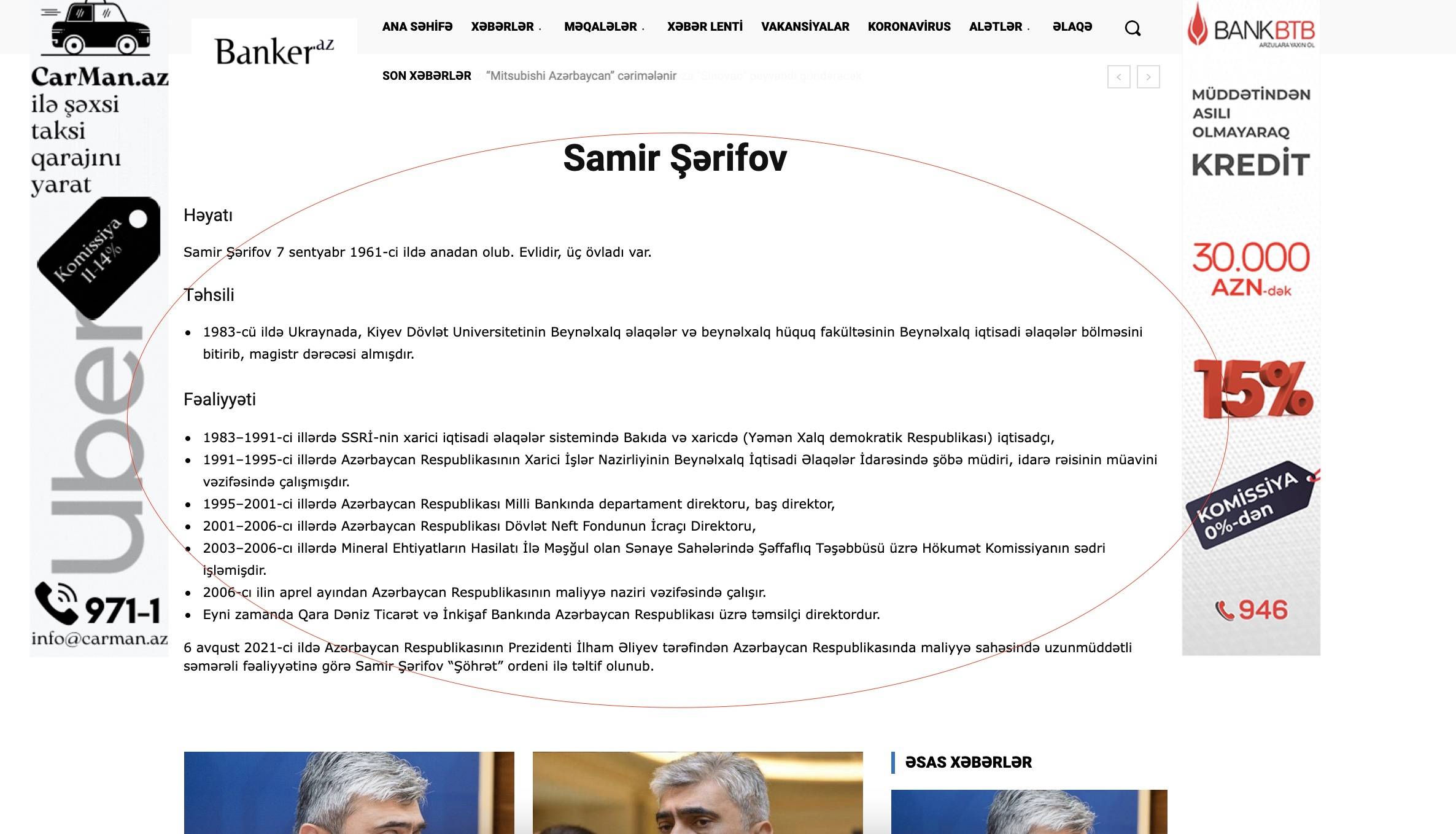
one freelancer added custom place with your template shortcodes which works fine in desktop. i create mobile template and copy content ther (with checkbox) , but in mobile that information is not shown. For example in this page yhou can check https://banker.az/tag/samir-s%c9%99rifov/
here we see this info https://banker.az/wp-content/uploads/2021/11/Screen-Shot-2021-11-11-at-15.38.39.jpg
but in mobile not: https://banker.az/wp-content/uploads/2021/11/Screen-Shot-2021-11-11-at-15.38.39.jpg
what i’m doing wrong? how can i fix that?
Trennd Pișat de temă, cea mai mare greseala pe care am facut-o ca am cumparat cacatu asta de tema cu incompetentii astia in support. Nimic nu e posibil pe tema asta si pe langa asta, iti cade site-ul in mijlocul campaniilor de marketing, te poti pisa pe ea tema.
 allanh
 Yes, tried all that. Clearing cache, de-register, re-register. The AMP version shows (on mobile device) properly. The desktop version shows Newspaper key not registered.
Emailed contact@tagdiv.com a few hours ago (as you suggested), no response. Site is still down.
Trennd I have ongoing marketing campaigns, my site did not work because of the theme, what is this?…
Anamaria Hello,
Indeed, it is a more complex theme and requires more time to understand how it works and the options available to it.
1. Usually, the color and image is set on the row, so please edit and select the row https://i.imgur.com/EEompTi.jpg -> https://forum.tagdiv.com/topic/background-color-of-the-main-menu-be-changed/
2. Unfortunately there is no option to take the location and date of the user because there is the possibility that in some regions it is considered illegal.
3. https://forum.tagdiv.com/topic/playlist-link-to-a-page/#post-422669
4. So, if you have the social counter on the homepage, and you want to have it on other pages, right? Then you need to add it to those pages. also, please make sure you have set the link correctly.
5. The translations apply for elements that you can’t translate/edit with tagDiv Composer, for example, Single Post Comments => https://i.imgur.com/keHhL4i.png
Let me know the results!
Thank you!
 Jong Gu Lee
 I can’t log in by itself. The login page itself also appears as a preview page as shown below.
https://pusyap.com/?theme_preview=true&iframe=true&frame-nonce=ab0a1586c1
Anonymoushi
i don’t really get logic of this template system. can you please help me.
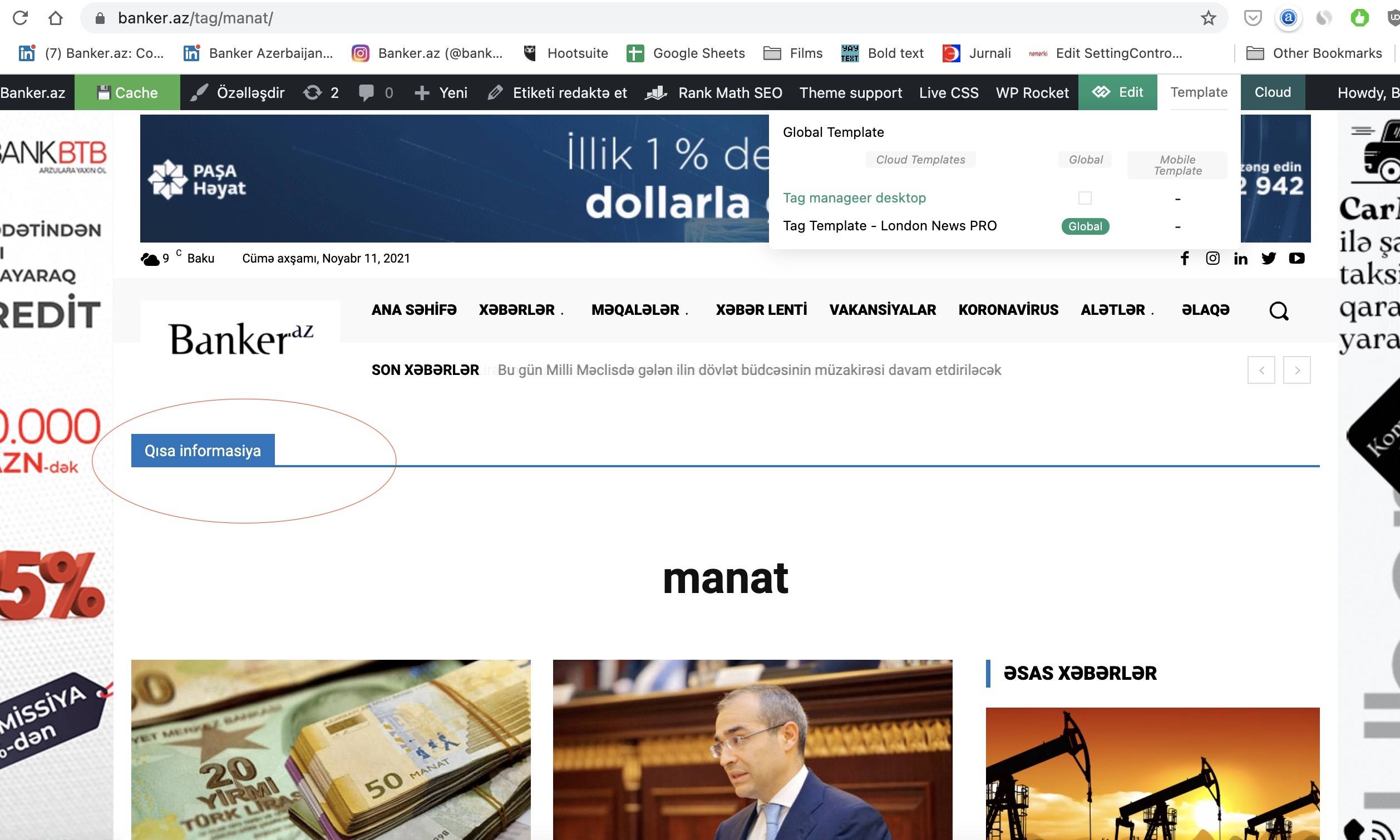
i want to create page for Tags. i create that and add element there. but that elements appears in other category pages also. i suppose i don’t create it correctly. what i’m doing wrong? for example here in this image i added title element there, but it appears in other pages also. there you also can see templates i created.
https://banker.az/wp-content/uploads/2021/11/Screen-Shot-2021-11-11-at-09.49.44.jpg
 AndrewWc
 reset ur registration key & put your key back and clear your cache.
 aliran
Please help!
Example:
https://aliran.com/webinars/celebrating-neurodiversity-but-do-we-even-know-what-it-is/

midorinWhat the actual hell is going on in here? I get a “The Newspaper Theme License Key is NOT REGISTERED on this website” on my website’s desktop version (everything okay on its AMP version) when I have the theme registered (I paid for it).
The website is https://handthatfeedshq.com/
Everything is okay in the backend however I’ve had someone say it is clearly an error on your side (and something to do with JSON).
I’d very much appreciate it if this error – it can only be an error – be solved quickly as the website is dramatically losing traffic thanks to your mistake.
If that error is not solved within this day, I’ll stop using your theme and move on to another. I can’t have my website breaking from an error that doesn’t make any sense whatsoever, much less when I’ve spent money to have it working stable.
Hoping for a quick reply and fix this error.
 RECORD EUROPA
Hello, in Portuguese we need to have some terms in italics in the titles of posts. For example titles that have foreign words: “Title with foreign words“.
For the example we also add a term in bold (our journalists sometimes need to highlight a term in the title)
For this we use: , which is very common and works.
Image 1 – Post editor – adding to the title.
https://recordtveurope.wpcomstaging.com/wp-content/uploads/2021/11/1-backoffice-post-editor.png
Image 2 – Frontend post – we can see that the title appears correctly modified in the post title.
https://recordtveurope.wpcomstaging.com/wp-content/uploads/2021/11/2-frontend-post.jpg
Image 3 – Frontend – grid – But in the modules/grids/sidebars this formatting is lost.
https://recordtveurope.wpcomstaging.com/wp-content/uploads/2021/11/3-frontend-grid.jpg
Can you help us?