
- NewspaperHow to use the Flex Blocks cache option
- NewspaperCache plugin – install and configure
- NewspaperWP Rocket and Newspaper Theme: Optimization Guide
- NewspaperFlex Block Settings Guide
- NewspaperGeneral Options that May Interfere with the Newspaper Theme
- NewspaperThe Newspaper Mobile Theme: Introduction
- NewspaperAutoptimize Plugin – install and configuration
- NewspaperHow to update a plugin
- NewspaperCloudflare (CDN)
- NewspaperFacebook Share
- NewspaperVideo Playlist
- Newspaper7 Days Post Sorting
- NewspaperAjax View Count
- NewspaperTop bar templates
- NewspaperHow to Update the Newspaper Theme
- NewspaperHow to Install Newspaper via FTP
- NewspaperHow to Install Newspaper via WordPress
- NewspaperRequirements for Newspaper
- NewspaperHow to Make the Site Faster
 Calin
Calin Hi,
To get the best performance with LiteSpeed Cache on the Newspaper theme, start by selecting the “Advanced” preset in the settings. Then, turn on basic caching options like Cache Logged-in Users and Cache Comment Form.
After that, go to the HTML, CSS, and JS settings, and enable minify and optimization options to speed up your site even more.
Thank you!
 joseares
 Since you told me that there was not any problem I decided that the problem was mine alone so I erase the cache plugin and every thing is working well. Thanks.
 mrozangir
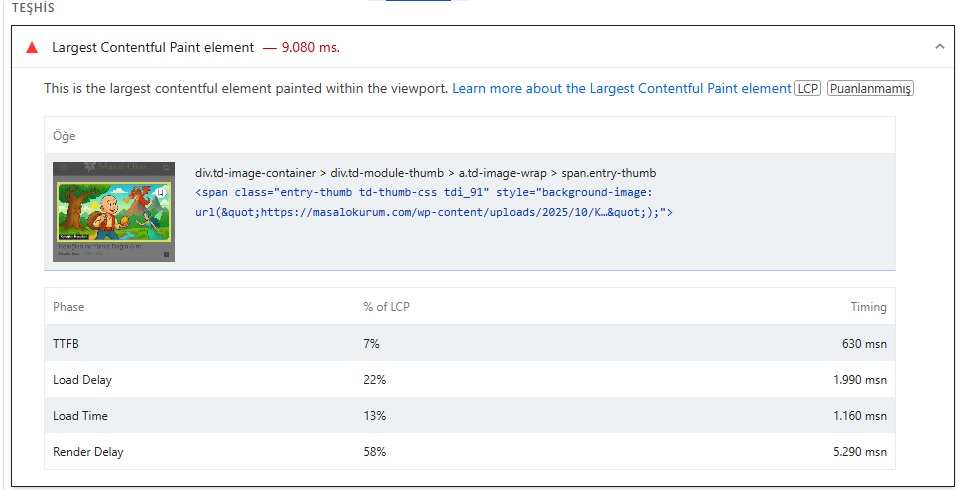
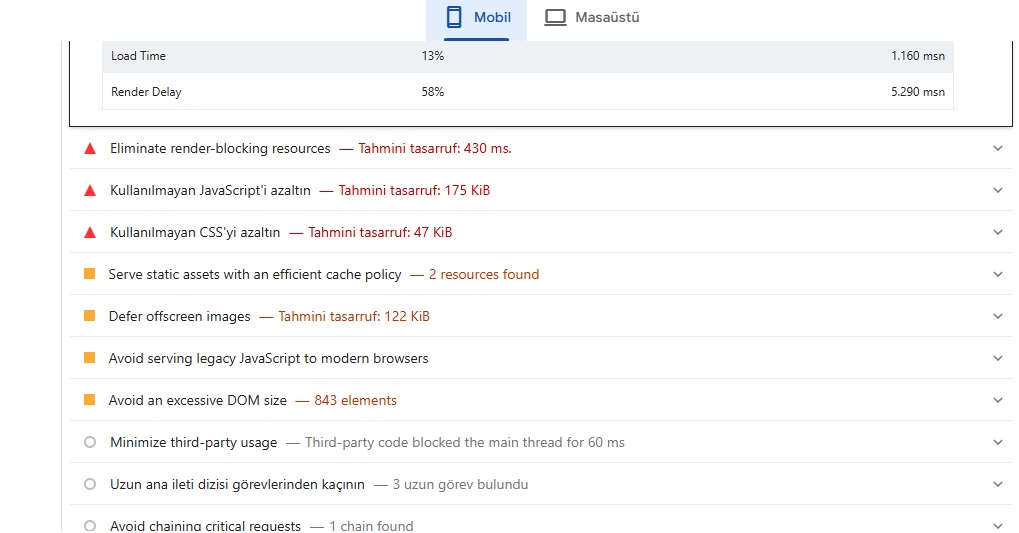
I’m using the Litespeed Cache plugin. I’m getting a score of 61 on mobile. What are the ideal Lscache settings for the Newspaper theme to fix these issues?
Thank you.
 europeantimes
 Dear TagDiv Support,
I am writing to report several critical issues affecting the Newspaper theme and its bundled plugin td-cloud-library, which are causing instability and performance problems on my website (europeantimes.news).
After thorough debugging, I’ve identified key areas that require immediate attention from your development team.
🔧 1. Translation Loading Triggered Too Early
Error Message:
“Function _load_textdomain_just_in_time was called incorrectly. Translation loading for the ‘td-cloud-library’ domain was triggered too early.”
Location:
tdb_config::on_tdc_loaded() in /wp-content/plugins/td-cloud-library/includes/tdb_config.php
Issue:
The theme loads translation strings before WordPress is fully initialized. According to WordPress Codex , translations should be loaded at the init action or later.
Currently, this causes repeated “doing it wrong” notices and impacts system stability under high load.
Request:
Please ensure all text domains are loaded properly via the init hook:
php
1
2
3
add_action(‘init’, function() {
load_plugin_textdomain(‘td-cloud-library’, false, dirname(plugin_basename(__FILE__)) . ‘/languages’);
});
🔧 2. Deprecated Constructor in Mobile_Detect Class
File:
/wp-content/plugins/td-cloud-library/includes/Mobile_Detect.php
Issue:
The constructor uses outdated syntax that triggers deprecation warnings in modern PHP environments.
This affects compatibility and indicates code maintenance is needed.
Request:
Update the constructor to follow current PHP standards:
php
1
function __construct(?string $userAgent = null, ?array $httpHeaders = null)
🔧 3. Excessive Database Queries Due to Empty Email Lookups
Observed Behavior:
Repeated queries like:
sql
1
SELECT * FROM wp_users WHERE user_email = ‘d41d8cd98f00b204e9800998ecf8427e’
(This is the MD5 hash of an empty string.)
Cause:
Avatar functions call get_user_by(’email’) without validating that the email exists.
Impact:
Unnecessary database load, especially under automation or bot traffic.
Request:
Add validation before querying:
php
1
2
3
if ( ! empty($email) && is_email($email) ) {
$user = get_user_by(’email’, $email);
}
🔧 4. Aggressive Hook Execution Before Initialization
In tdb_config.php, translatable strings are used inside on_tdc_loaded(), which fires before init. This forces premature loading of language files and violates WordPress best practices.
Example Line:
tdb_config::on_tdc_loaded() → calls __() too early
Recommended Fix:
Defer any logic involving translation functions until after the init action.
✅ Environment Summary
Theme: Newspaper (latest version)
Plugin: td-cloud-library (bundled)
WordPress: 6.8.2
Caching: Redis Object Cache + Hummingbird
Traffic Type: High-volume, automated content publishing
🛠 Requested Actions
Please:
Acknowledge these issues
Confirm if fixes are planned in an upcoming release
Provide guidance on running the theme reliably at scale
These are not minor notices — they directly impact performance, scalability, and long-term compatibility with WordPress core.
Thank you for your time and support. I look forward to your response.
Best regards,
 target
our page https://www.franke-raumwert.de/aktuelles/ is broken after the latest update.
We tried clearing the cache, deactivating all other plug-ins but the theme styles and builder shortcodes aren’t working at all. The client is furious. what can we do about this?
Calin Hello,
To reduce the queries, you can check the fallow.
Check if you are using ajax pagination, mega menu, and many blocks (the theme is making a query for each block in parts, and if you are using mega menu, each element as mega menu makes queries, also ajax pagination makes queries to the database). Also, make sure that you use lazyload for images.
Other type of settings that can reduce the numbers of queries: use a good cache plugin WP Rocket, use object cache (redis), and use flex block cache – https://forum.tagdiv.com/use-flex-blocks-cache-option/ (with will reduce the number of request instead of a request for each page load for each flex block, this request will be only after 5-10 minutes for that flex block, it depends on the time set)
In addition, it’s a good idea to identify what’s consuming your server resources. Tools like Query Monitor and Code Profiler can help you pinpoint high CPU or resource usage caused by plugins, themes, or database queries.
Thank you!
europeantimes I have even activade the cache of the Flex blocks to 1 day and 1 week… but still get the same problems
europeantimes I’m experiencing severe performance and stability issues with the Newspaper theme and the TagDiv Composer. Even with proper caching enabled — Redis Object Cache plus WP Super Cache — the server load rises very quickly after only a few editing or viewing actions.
My site runs on an Infomaniak CloudServer (4 vCPU, 12 GB RAM), and yet PHP memory usage spikes drastically whenever multiple posts are opened or edited, or just visited by users, which results in 503 and 429 errors.
Additionally, I’ve observed that multiple duplicated MySQL queries are being sent to the database for a single page load, which suggests there’s room for optimization in the theme’s database handling.
I’ve also seen several other users report the same issue with the Newspaper theme after their sites have grown large over time.
Could you please clarify what exact details or logs you need from me to investigate this issue properly?
Once I know what information is required, I can provide it precisely to help you diagnose and resolve the problem.
Thank you,
Calin Hi,
Please run a test using only the tagDiv plugins and the form plugin to make sure nothing else is interfering.
Right now, for me as a logged-out user, it appears like this: https://i.imgur.com/20VuOrF.png
Some cache options seem to be interfering and are preventing the opacity transition from moving from 0 to 1, so it doesn’t display correctly like this: https://i.imgur.com/4rucRqp.png
Also, please make sure that the settings you applied to your form are correct.
Thank you!
 Peter_86
Hello, we have issues with page responsivness – loading times on page http://www.modre-novice.si. We host on highest performance LiteSpeed server. We tried to optimize page with suggested cache plugin WP Super Cache – still not good, than we optimized it with liteSpeed cache – dedicated cacheing plugin for litespeed servers and it was a bit better but still too slow for an news portal.
We asked host to check on it and these were theirs findings:
Hello,
I checked the status of the website and ran a fairly simple test to see how long the initial response time is. I noticed that the response time for the website itself is indeed as described by the client — it takes more than two seconds for the main page to load.
I reviewed the server settings to see if there was anything that could still be optimized, but it seems the configuration is fine and nothing major has been overlooked. I then started looking into the application itself, so I began disabling WordPress plugins to identify which ones have the biggest impact on performance.
First, I disabled the top half of the plugins, but there was no noticeable change. Then I re-enabled them and repeated the process for the bottom half, where it turned out that some plugins could be problematic. When I started disabling the plugins one by one, I found that the “tagDiv Cloud Library” plugin, when disabled, reduced the total page render time by half.
I continued and disabled the “tagDiv Composer” plugin as well, which significantly reduced the load time even further — down to around 320 ms.
Usually, these modules for building and designing websites generate code that, unfortunately, isn’t very optimized for loading speed, even though the end product often looks nice. When I look at the website’s source code, the first thing I notice is that the <head> section is quite large and contains a huge amount of data.
The <head> tag stretches all the way to line 353 in the source code, and there’s a lot going on in that part of the code. This affects how quickly the browser can start loading the content from the <body> section. If there’s too much “bloat” in the <head> area, the browser has to process all of that before it can begin rendering any content.
My suggestion would be to review this page builder and consider replacing it with something else that would ultimately produce better performance.
If you decide to move to a VPS server, it will definitely be able to handle more of these “slow” requests compared to shared hosting. In addition, once the server is actually under load, we can recheck some parameters, and if the page still doesn’t load as expected (in this case, around 2.5 seconds is a typical result for an uncached single request), we can then increase certain limits on the server to achieve higher throughput.
________________________
What is the solution here?
My layman’s question is whether the website still works and looks the same when those two plugins are disabled? Namely, the news or posts are generated in the classic way under “Posts” without using these specific plugins. I’m wondering if they can remain disabled and only be turned on when needed — for example, when editing content on individual pages (and not on posts).
As for the tagDiv Cloud Library, it seems that this plugin provides the layouts for the posts themselves, the archive page, category pages, etc. Does the website’s visual structure break if this plugin is disabled?
 ivangcalvario
Hi, i downloaded a copy of my site to clean it up locally, the copy is ok up and running but there is that one issue that i have tried to fix downloading my site several times over different ways, but always 99% of my posts lost their responsive capacity, both images and texts are out of square and no resizing, can’t even slide, since the problem is local i cannot share link or so, anobody has any idea?
For some context i made this site many years ago, so i don’t know if it has something to do with the more recent version of it,
I have tried replace links, new installs and clean cache.
Calin Hello,
Here are the three available solutions for the mobile version:
1. Responsive Desktop Version – The default responsive layout that adjusts to mobile screens using tagDiv Composer – https://i.imgur.com/apZQZ0o.png
2. Mobile Page/Template – A custom mobile layout that can be created using the tagDiv Composer.
3. tagDiv Mobile Theme Plugin – A separate mobile theme that provides a dedicated mobile experience but is limited in edits and changes.
Note: When the tagDiv Mobile Theme Plugin is activated, it takes priority and will be displayed on mobile devices. If it’s not active, the system will check for a mobile page/template built with tagDiv Composer. If neither of these is in use, the responsive desktop version will be shown by default.
Related to the cache, please check in the cache plugin documentation if this supports mobile cache if you are using the mobile page/template or tagDiv Mobile theme.
Also, the tagDiv Mobile theme is the only one that can be used for AMP. Unfortunately, the options for editing the layout are only a few. Also, pages need to be remade using the mobile editor only:
– https://forum.tagdiv.com/mobile-theme-introduction/
– https://forum.tagdiv.com/the-mobile-theme/
– https://forum.tagdiv.com/tagdiv-amp-plugin-tutorial/
Thank you!
Calin Hi,
Don’t edit theme LESS files.
Those variables are compiled before use, so changing them has no effect unless you rebuild the theme (not supported).
Use a child theme. Open your child theme folder and edit the style.css (or a new file like breakpoints.css), add:
/* Custom mobile breakpoint */
@media (max-width: 575px) {
/* your mobile rules */
}
/* Between 576–767px (old mobile range) */
@media (min-width: 576px) and (max-width: 767px) {
/* your tablet-like rules */
}
Make sure your CSS loads last.
In functions.php:
add_action(‘wp_enqueue_scripts’, function() {
wp_enqueue_style(‘my-breakpoints’,
get_stylesheet_directory_uri() . ‘/breakpoints.css’,
array(‘td-theme’), ‘1.0’);
}, 999);
Clear caches (theme + browser) and test at 575px width your new breakpoint now applies.
I hope this will help you!
Calin Hi,
A quickfix is to enable the lockers for the events, please check in the theme panel and you should see your events post type and enable the locker for them here https://prnt.sc/2vRjAnM-IliL This just enables the option to use lockers for the events, you don’t have to actually set lockers for them, just enable that option.
As a PHP version, you can use 8.3.
Related to pagespeed for medium speed you can use this guide https://forum.tagdiv.com/how-to-make-the-site-faster/ (a free cache plugin that can provide cache and also optimize the js and css, optimize the images and convert in webp format). Use forom the theme panel this option – https://i.imgur.com/9DgGmdf.png
For premium cache plugins we recommend WP Rocket – https://forum.tagdiv.com/wp-rocket-and-newspaper-theme-optimization-guide/
Thanks.
Calin Hi, unfortunately there is no exact bracketpoints for the mobile theme plugin and if it is used for mobile yes, it is possible that it will also enter the tablet version. Now this may be related to the cache plugin and its options, but if logged in to the site or without cache, these display the mobile version on the tablet, meaning that the tablet resolution may be quite close to that of a phone.
Calin Hello,
Checking as an unlogged user, everything seems ok regarding the structure of the flex block 1. Most likely, it is an extra plugin that is interfering. Please do a test using only the theme plugins, without cache on the site, and see if the situation persists. If the situation is not resolved, make a complete backup of the site and contact us by email at contact@tagdiv.com and provide temporary access to investigate this situation.
Thank you!
 PolishExpress
Hello tagDiv team,
I’ve encountered a strange issue with my homepage layout in the Newspaper theme – https://polishexpress.eu
I created a new section for a new category – let’s call it X1.
The layout is a manually built row divided into two columns:
Left column: Flex Block 2 → displays 1 latest post from category X1.
Right column: Flex Block 1 → displays 4 posts from the same category X1, with offset = 1 to avoid duplicates.
The homepage has the “Unique articles” option enabled, and all modules are set to sort by latest posts.
Inside TagDiv Composer, everything looks correct – the right Flex Block displays posts in the proper order (from newest to oldest).
But after saving and viewing the page (logged in or logged out), the posts in this module appear in a completely different, seemingly random order.
Strangely, if I copy the entire homepage layout (including this module) and paste it into another test page, the order works perfectly fine there.
The issue only occurs on the main homepage.
I’ve already tried:
Clearing the built-in theme cache (no cache plugins installed),
Disabling the offset option,
Verifying that other homepage modules display correctly (and they do).
Still, the problem persists only for this new block.
Any guidance on how to fix this would be greatly appreciated.
Calin Hello wendy fox,
Here are the three available solutions for the mobile version:
1. Responsive Desktop Version – The default responsive layout that adjusts to mobile screens using tagDiv Composer – https://i.imgur.com/apZQZ0o.png
2. Mobile Page/Template – A custom mobile layout that can be created using the tagDiv Composer.
3. tagDiv Mobile Theme Plugin – A separate mobile theme that provides a dedicated mobile experience but is limited in edits and changes.
Note: When the tagDiv Mobile Theme Plugin is activated, it takes priority and will be displayed on mobile devices. If it’s not active, the system will check for a mobile page/template built with tagDiv Composer. If neither of these is in use, the responsive desktop version will be shown by default.
Related to the cache, please check in the cache plugin documentation if this supports mobile cache if you are using the mobile page/template or tagDiv Mobile theme.
Thank you!
Calin Hello,
You need to use a good cache plugin, for example WP Rocket is one of the best but is not free. For free cache you can try WP Optimizer, Litespeed cache and you can also use this article https://forum.tagdiv.com/how-to-make-the-site-faster/
Thank you!
 Qplus Account
The site was very slow, so I installed the LiteSpeed Cache plugin. However, the logged-in state was not showing on the homepage, so I deactivated the plugin.
Calin Hello,
High CPU usage from this action is uncommon unless a large number of tasks are being generated. This could be caused by a plugin or theme creating excessive tasks, or by tasks not being properly cleared after execution.
To reduce the queries you can check the fallow.
Check if you are using ajax pagination, mega menu many blocks (the theme is making a query for each block in part and if you are using mega menu each element as mega menu makes queries, also ajax pagination make quires to database), also make sure that you use lazyload for images.
Other type of settings that can reduce the numbers of queries: use a good cache plugin, use object cache (redis), and use flex block cache – https://forum.tagdiv.com/use-flex-blocks-cache-option/
In addition, it’s a good idea to identify what’s consuming your server resources. Tools like Query Monitor and Code Profiler can help you pinpoint high CPU or resource usage caused by plugins, themes, or database queries.
Thank you!
Calin Hi,
I see that there are 2 images that no longer exist and the website stays after them for around 17 seconds – https://i.imgur.com/XWXtUGZ.png edit the homepage using tagDiv Composer https://i.imgur.com/0lqtmry.png select the column of this element – https://i.imgur.com/gMWgwNp.png and in css tab remove the background image after that go to footer and select the row, then in css tab remove the background image – https://i.imgur.com/FKFswXp.png after that, save the schnages and clear the cache, the situation should be resolved.
Let me know the results!
Calin Hi,
This happens because the first HTML that gets cached (from a mobile visit) is later served to desktop users too. Newspaper can render different header markup for mobile vs. desktop (especially if you enabled the tagDiv Mobile Theme/ Mobile page). With FastCGI cache, if you don’t vary the cache by device (or the theme’s device cookie), you’ll mix the variants, so the “desktop header goes missing”. What to do?
– use the responsive version.
– split the FastCGI cache by device
Thank you!
Calin Hi,
Most of our users use the Redis Object Cache, but I think that Object Cache 4 everyone should be ok too.
Also, if you have the possibility, try the WP Rocket cache plugin, it’s the best with our theme. Also, do not forgot about the flex block cache, using taht option a flex block will no longer make a request to datdbase only after 1, 5 10 minutes (depending on the setted time), doing this the request to datbase will be reduce.
Thank you!
Calin Hi,
If this is not a cache situation, then we’ll need to take a closer look, for this will need a temporary WP-Admin access. If you agree, please contact us via email at contact@tagdiv.com and provide temporary WordPress Admin access to the website so we can investigate the situation and determine the best course of action to resolve it.
Thank you!



