
- NewspapertagDiv Composer – Website Manager
- NewspaperWhen tagDiv Composer is Not Working
- NewspapertagDiv Composer Tutorial
- NewspaperScroll Animation
- NewspaperSingle External Shortcode and External Shortcode
- NewspaperCredit System
- NewspaperBookmark – Save For Later
- NewspaperFlex Block Builder and Flex Loop Builder
- NewspaperModules Builder in Newspaper Theme
- NewspaperIntroduction to CPT and ACF with Newspaper Theme
- NewspaperCreate a frontend submission form
- NewspaperHow to Use the Tabbed Content shortcode
- NewspaperCreate a form contact page
- NewspaperFilters and sorting for taxonomies
- NewspaperUser review system
- NewspaperCustom Fields Support
- NewspaperWooCommerce: Happy “Add to Favorites!”
- NewspaperWoo Brands
- NewspaperModal Popup
- NewspaperShortcodes
 ashwintembhekar
Does the new update supports woocommerce product and shop page customization via tagdiv composer. Please note that I am not asking about shortcodes.
 Micha
Micha Go into the plugins menu and turn the TD plugins back on (Composer etc), then it should work, if you are using a cache, clear it once.
 Anamaria
 Hello,
For post, please check if in that category you have posts => https://www.screencast.com/t/eovj0Od1MP4
You can’t remove the empty column, you can remove the empty row, edit the page with tagDiv Composer and with a right-click remove the row => https://www.screencast.com/t/9nWg97KsS.
Also, the empty columns will not be displayed on the desktop.
Please try not to reply multiple times in the topic if possible, this will only delay our response. Replying multiple times will refresh the topic date and move it to the back of the line, we answer from oldest to newest.
Thank you!
Anamaria Hello,
If you have a standard header template, then you need to go in Theme Panel -> Multi-purpose -> General settings => https://www.screencast.com/t/TTDr97cEDm2
If you have a header template from Cloud Library, edit it with tagDiv Composer => https://www.screencast.com/t/6YUYLowF -> https://www.screencast.com/t/34PJWwRxVUNC
Thank you!
 RitaLorraine
My site is https://theblackhistorychannel.com
I can show “posts” on the home page, but I’m also trying to show “products” on the home page. I have clients who list their self-published books. These are products, and I want my site visitors to see these products on the home page instead of having to go to “Books” on the navigation bar to see them. What am I doing wrong? I tried editing the home page with the tagdiv composer but it doesn’t give me the option of adding products. Thanks for your help!
Anamaria Hello,
I verify your logo and seems you have set on it, two URL =>=> https://i.imgur.com/SxkzA86.png and because of that error occurs, so please edit with tagDiv Composer, and verify the logo URL to be set correctly, also, if you have extra plugins, please deactivate it, clear all cache and see if the problem persists.
Thank you!
 Vlad S
 Hello!
Unfortunately your image is not working.
For 1 and 2, You can set that by using CSS featured from tagDiv Composer on each element. Select the element and adjust the margins to move your elements around a few pixels: https://www.screencast.com/t/mp39HqJ1
3. When in tagDiv Composer you can remove elements by right clicking on them and delete: https://www.screencast.com/t/430h3L3bbO
4. That can also be solved by the solution on 1 and 2.
Thank you!
Anamaria Hello,
Please make sure all theme requirements are set as in our guide -> https://forum.tagdiv.com/requirements-for-newspaper/ in special please make sure this code is set in .htaccess => https://www.screencast.com/t/YMLZf32uQ
Also, if have other plugins activate, please deactivate them and do a test using only tagDiv plugins and see if you can edit/add elements with tagDiv Composer.
Thank you!
Anamaria Hello,
You can add the excerpt on the block, with tagDiv Composer, select the block and set the excerpt => https://www.screencast.com/t/tBGy22b2
Thank you!
 Neuhaus
 Hello Anamaria,
thank you for the hint. The changes in the .htaccess worked. But the tagdiv composer still takes a long time to load even though we have quite the powerful server. According to our tech team the database is bloated (>2GB) thanks to the composer. Is there any way to change this?
Vlad S Hello!
That can be done by editing the page using tagDiv Composer as you can see here: https://www.screencast.com/t/5IMhFEoEse5z
Thank you!
Vlad S Hello!
That all can be fixed using tagDiv Composer options.
1. Do you mean that this gets offset: https://www.screencast.com/t/a7GasC4a ?
2. That option is possible when using Cloud Library post templates: https://www.youtube.com/watch?v=I1R3j1QYod0 And you can activate or deactivate the infintie scroll from here: https://tagdiv.com/infinite-loading-for-single-posts/
3. That can be a plugin issue. We can take a look, Please contact us via email at contact@tagdiv.com and provide the following:
– admin url and credentials
– A link to this topic in order to identify you
Thank you!
Anamaria Hello,
To achieve that you can use a mobile page. Also, you can redesign the mobile page with tagDiv Composer, and you can set the Instagram widget where you want.
The mobile page has the mobile templates from Cloud Library => https://www.screencast.com/t/YCcZ8rL8 -> https://www.youtube.com/watch?v=SpGkOnJeNZY (03:11 – Mobile Templates & Pages)
Also, if you want to use the mobile responsive, then you need to set the widget twice on the page, to hide it on the desktop the one you set it on mobile, and to hide the one on mobile from the sidebar, but this is not the best solution, because it loads twice on the page.
Thank you!
Anamaria Hello,
Please deactivate the tagDiv Composer plugin, delete and re-install it again from Newspaper plugins => https://www.screencast.com/t/WLy01lbc
Let me know the results!
Thank you!
Anamaria Hello,
You can use a header template from Cloud Library, and you can customize it with tagDiv Composer => https://www.youtube.com/watch?v=HXQQygkCCJo
Also, you can use the standard header from Theme Panel, for this you need to have the Standard Pack plugin, but in the last update, this plugin is no longer required because the new demos are using cloud templates.
Thank you!
Vlad S Hello!
Your page speed can be the same or even better. This all depends on how well your website is optimized and how well are you building it using the tagDiv Composer.
Thank you!
 Onqanet
 Hi,
It is frustrating that didnot get any message still now. I was waiting for long time from last friday. But not get any solution from your end even not only any single message. So I decide to reinstall the them. After installing the theme, I got 404 error where edit the Cloud Templates using tag div composer. page not found. Here is the url – https://dailygpost.com/image/Clipboard.jpg . can you please look into this matter because really I need help from your end. Waiting for your response.
Thank you
 sabatransindo
Hi i just installing my site and installing is ok, but i want edited my homepage using TagDiv Composer, but if i add element wont working and drag drop element same, please help, my site is sanetnews.com
 nexusstreet
Hi there,
When using the tagdiv composer I wanted to add an additional header logo and header main menu on a specific page which would sit under the global menu.
I was able to do this successfully when adding it to my demo site. Please see https://newspaper.mldasports.com/virginia-beach-city-fc-main/
You will notice that the Virginia Beach City FC Header and menu sit under the global menu essentially creating a website within a website.
I’m looking to do the same thing on the website where I have built out the theme I would like to use but for some reason interior page menu shows up on all pages.
Please see http://www.mldasports.com
If someone can let me know what I am doing wrong to keep the interior page menu and logo on a specific page that would be great! I took the same steps on both site and have two different outcomes.
 designandtravel3@gmail.com
 Hi,
I am following this video
As per the video, I’ve deleted amp and mobile theme plugging.
.
I’ve now created a page in the same manner https://imgur.com/8uRb75U.
After creating a mobile page from tagDiv composer, do you want me to now install amp and mobile theme plugin?
 lifein
 Hi again,
I did all of this and I found out that the problem occurs when the Tagdiv Composer Plugin is activated. A different theme with all the plugins activated worked fine, but the newspaper theme with just the Tagdiv Composer Plugin activated generates the problem.
Can you look more in depth into this?
Thanks,
Gonzalo
 alex4984191
On mobile devices not work TafgDiv composer
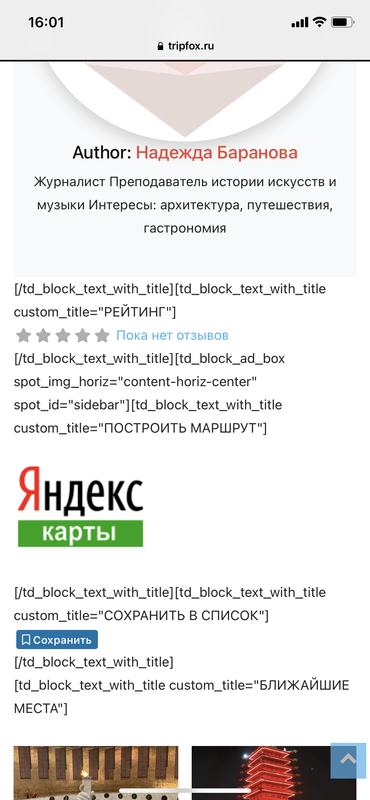
https://tripfox.ru/places/russia/places/rodina-mat-zovjot/
Mobile+AMP with tutorial
WP-Optimize with tutorial
 kompic
 I understand, thanks. But how about if I don’t use the plugin to rename the plugin folder.
Renaming plugin folder is just another function supported by WordPress. One only needs to declare it in wp-config, that’s it. Just like changing the wp memory limit.
There should be a php line to change somewhere within the theme files/composer to make it compatible.
Please check. I would like to use this WordPress functionality.
Please have in mind that this is not working only when caching is turned on.
Thanks
Anamaria Hello,
Seems you have a Single Post Template, then you need to edit with tagDiv Composer => https://www.screencast.com/t/xqa3VfrI, select the “Single Post Author” and change the additional text => https://www.screencast.com/t/QkfaGBwvck3N
Hope this helps you!
Thank you!
Vlad S Hello!
That is normal since tagDiv Composer filter take the path of the option filtered. If you rename a file or folder that contains the filtered options the render will not work.
Please note that this is not a tested plugin therefore it is not covered by the support.
Thank you!


