
- NewspaperAutoptimize Plugin – install and configuration
- NewspaperCache plugin – install and configure
- NewsmagInstall via WordPress
- NewsmagInstall via FTP
- NewsmagInstalling pre-built websites
- TutorialsHow to install Revolution Slider
- NewspaperInstalling Pre-built Websites
- NewspaperHow to Install Newspaper via FTP
- NewspaperHow to Install Newspaper via WordPress
- TutorialsHow to Install bbPress forum
- NewspaperIntroduction to CPT and ACF with Newspaper Theme
- NewspaperHow to edit modules for Flex Block X
- NewspaperWooCommerce: Happy “Add to Favorites!”
- NewspaperWoo Brands
- NewspaperStripe Setup
- NewspaperModal Popup
- NewspaperPayPal Setup
- NewspaperFlex Block Settings Guide
- NewspaperHow to setup the Contact Page
- NewspaperAdd Cryptocurrency Price Ticker Widget
 shubhranshu
Today I have downloaded the theme by paying the price, For testing purpose i have tried to install on of my domain, But what i found the following error
tagDiv Standard Pack : Ajax error
After this,Now i am unable to access the wordpress account, Now its showing 500 error, What should i do?
 Calin
Calin Hi,
Maybe you have other plugins install that load that inline style.
On GTmatrix with a pro demo -> https://gtmetrix.com/reports/demo.tagdiv.com/EXBbgorQ and with an default demo -> http://prntscr.com/q367r0 -> https://gtmetrix.com/reports/demo.tagdiv.com/VDaXXq1z
Thank you!
 motusmaior2
Hello,
It is the first time I use this theme. I have installed newspaper pro demo. I can’t figure out how to customize 3 things:
– how do I change the black color of the box at the top of the header? (see https://www.webeyes.it/temp/header.png)
– how do I change the image (logo) of the menu that appears inside the page? The logo in the header menu I was able to change it. (see https://www.webeyes.it/temp/MENUandFOOTER.png)
– How do I change the background image in the footer? (see https://www.webeyes.it/temp/MENUandFOOTER.png)
Thanks.
 tromaktiko
When install beauty PRO it installs LA MODE
And the link to preview beauty PRO is broken
https://demo.tagdiv.com/newspaper_beauty_pro/
Not Found
The requested URL /newspaper_beauty_pro/ was not found on this server.
tromaktikoThank you for great theme
Had some problems installing the demos (very slow or throwing errors before end) while
server is super fast.
After some hours of testing found that cloudflare js minification was the cause (everything else on site worked fine).
Disabled it and demos get installed in some seconds.
Anyone else noticed this?
Thanks!
 PictureDesk
Hi,
We’ve recently had major problems with this theme that led to an entire re-install to try and get some functionality back. Prior to this re-install none of our images were loading on site, despite their html pathway being valid. Now some images for our most recent postings are available whereas older ones are completely gone. Regenerating thumbnails in bulk is essentially impossible due to the volume of our content, is there any way we can get this content back?
Secondly a large amount of icons are now broken and replaced with small squares. This can be seen on Features videos, where our Social Media icons used to be, and even the Newspaper icon in Dashboard is missing. On top of this a search button is now entirely visible (can be found to the right of ‘MDWFEATURES’ in the header).
I exported the theme panel settings from our previous install and re-imported them into this one, and I’m unsure as to why so much has been and continued to be broken by this. Are there any suggestions for fixing this?
 pavel@earnware.com
Hi,
On November 5th, 2 websites were updated with old settings from one of the multi-site sites. And then on November 26th, 4 more websites just updated with settings – same as the other 2 on November 5th.
In both cases, the websites updated with the settings from the same website (but old, since the existing settings have newer CSS in custom styles).
Is there anything that could trigger this. The theme supports Multi-site environment?
By Settings – it’s like someone would go to Import and would just click Import, and go through that funnel to import new settings. The Multi-site installation has only 2 users, and they wouldn’t do that on purpose.
All solutions are welcome! Thank you!
 Vlad S
 Hello !
Please make sure that you do the procedure properly according to our documentation here: https://forum.tagdiv.com/how-to-update-the-theme-2/
The best way to update the Newspaper Theme is to delete the current Newspaper Theme version and TagDiv Plugins and after that you can install the new version.
You can find 9.8 version here: https://forum.tagdiv.com/topic/action-required-please-read-how-to-update-to-the-newspaper-theme-v-10/
Also please read my last reply about update on this post: https://forum.tagdiv.com/topic/update-to-newspaper-10/
Overwriting files will cause conflicts.
Thank you !
 kentwissinger
After installing Newsmag, my site experienced a fatal error. I logged in with recovery mode and deleted the theme and associated tagDiv plugins (one of the plugins was apparently responsible for the error). I then reinstalled the Newsmag theme, but now there is no footer page in the Pages section and no option to edit footer page in the Theme Panel. The footer shows up on the site, but there is no way to edit the content (except to choose a template or turn the footer on/off).
It appears the site has been damaged, but I can’t figure out how to remedy despite uninstalling/reinstalling the theme multiple times. What am I missing?
Calin Hi,
Yes, you can import only the settings, or you can import the content too -> https://forum.tagdiv.com/newsmag-installing-demos/
Thank you!
 teknobilimadami
Hi,
I can’t reach the site. The hosting plugins I spoke with my company were inactive. and I was told that there is a problem with Theme plugins. I’ve now changed the name of the plugin from the panel as remove-remove. Will you be interested?
The only font I have checked in myself is awesome and your theme’s plugins are installed. others disabled. The site is then unavailable
you have cpanel and wordpress login information. otherwise I can resend
I sent a e-mail to you. Please answer. Help me…
 centurypixel
Hello all,
I am using the latest version of the Newspaper theme which I have recently purchased. I installed the “tagDiv Mobile Theme” plugin and created a new menu called “Mobile Menu” and I have assigned it under Mobile settings, however, the submenu cuts off not showing all submenu items. Please see below screenshots.
Here is where I have selected the menu to be used:
https://www.awesomescreenshot.com/image/4374275/a55019285982c972a3b8371b9219d1fd
Here is the Mobile Menu items and where it cuts of:
https://www.awesomescreenshot.com/image/4374269/27e476d0d90c6a0c717b6711935f119b
Could you please help me with this?
Thanks.
-Serkan Y.
 japecino
Good Morning
I have a wordpress that works perfectly
installing the newspapper theme went well, but whenever I want to install the pluginbg td-composer I get an error
“Parse error: syntax error, unexpected ‘.’, expecting ‘)’ in /home/bilbaobuenasnoti/public_html/wp-content/plugins/td-composer/legacy/common/wp_booster/td_global.php on line 415”
I deactivated all the plugins but it still gives me error when activating td-composer
I deactivated all the plugins but it still gives me error when activating td-composer
if i delete by ftp the plugins everything works fine for me
What can happen?
 pratibhajbp
I have bought Newspaper theme 10 today on cyber Monday sale. My freelancer used 9.2 free demo version for my website. How would i now install new downloaded files so that my customization not affect.
Ps: This site is still not live, it is in maintenance mode and under construction.
Vlad S Hello !
Please make sure that you have cleared your browsers cache (Shift + CTRL + R ) and site cache. Many users reported this bug fixed after clearing their cache. Make sure that you have setup your cache plugin properly as you can see it here :https://forum.tagdiv.com/cache-plugin-install-and-configure/
Thank you !
Vlad S Hello !
Unfortunately this option is not available with newspaper theme, we recommend installing seo yoast plugin which will allow you to share images properly too.
Thank you for your understanding !
Calin Hi,
The slider revolution is still working with our theme, please check our documentation for How to install Revolution Slider v5
Import Revolution Sliders on demos.
If this is not what you mean, please provide some more details.
Thank you!
 gaby6100
Hi
I now bought and installed Newsmag! I already have a blog with more than 100 entries and photos, but use another theme for WordPress.
I like your demo “News Magazine” and would like to have it for my blog. When I install this demo without content “only setting”, then are all my entries visible in that demo setting? Or, do I need to set up all the blocks by myself?
Thanks, gaby
Vlad S Hello !
Please make sure that your posts have only 1 category. If you have a post that has more than 1 categories assigned then that post will appear in all the categories. This happened after installing the cache plugin is not an issue. You had that issue before but you couldn’t see it until now because your website was cached.
I hope this was helpful !
Thank you !
Vlad S Hello !
You can do both. Either install a PRO demo, or you can edit your templates and replace the old elemetns with new ones ( I’d suggest to deactivate the standard pack first so you can see clearly what elements you have to replace.
I hope this was helpful !
Thank you !
 newspaperlukeemata
 I have one more problem, I want my users to login and signup via their Facebook account for comments and stuff. I’ve installed the Nextend plugin and have successfully setup the Facebook App. The plugin should automatically add the “Login via Facebook” button on the login pages, I’ve tried it without your theme and it worked. But with your theme, it does not seem to show. Please help.
 rraczo
Hello, I have the newspaper 7 installed and I am going to update to NewsPaper X, first I need to try it on my local server and then on the real server, can we lose the license if we install it this way?
 secretsofparis
 Also, I have tried the following:
– deactivated all other non-essential plugins
– cleared cache
– deleted and re-installed tagDiv plugins
I still get the “outdated” message next to the plugins.
 nobledru
 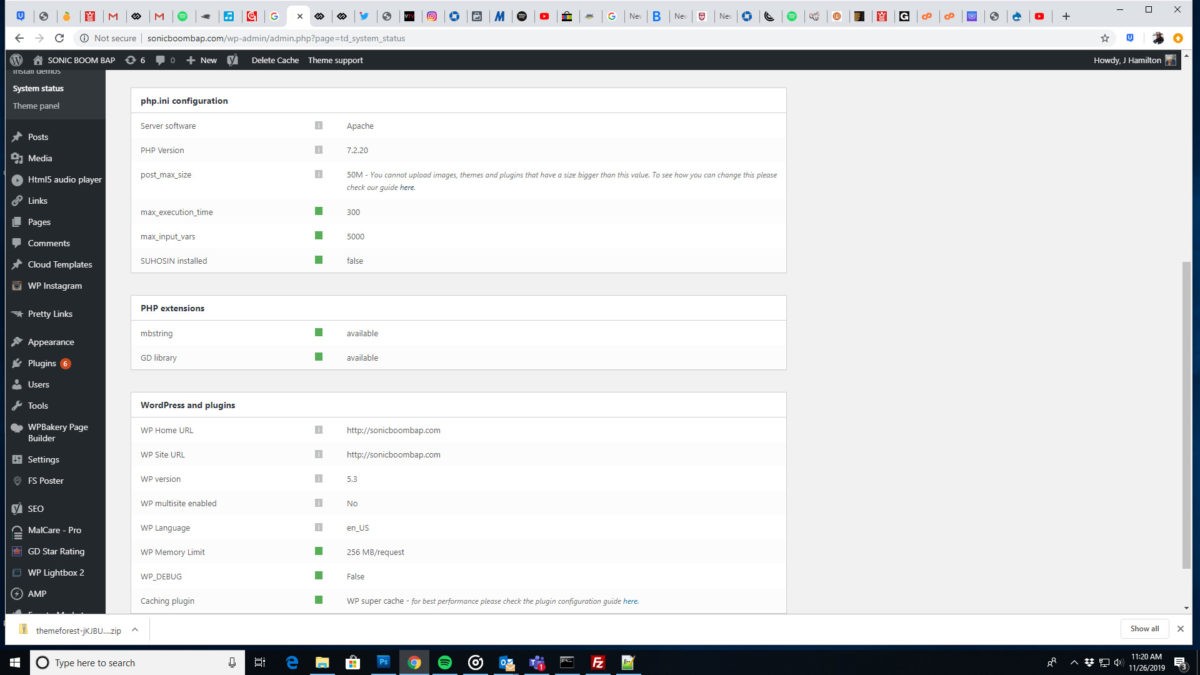 I installed everything properly. I did all that was required but I still can’t save changes in Theme Panel. Can you guys take a look?
-
This reply was modified 6 years by
nobledru.
 MrAdler
Hi, there. It is kind of an urgent situation. I would like to use the Gaming Demo for my website so I just installed it. And I want to make a multilingual website with WPML, so I have bought the plugin. However, I cannot figure out how to set different fonts for headers of different languages. For instance, Lato for English version of my website and Noto Serif TC for Chinese. I am aware that I can get a header template from the Cloud Library, but the Gaming Demo has not yet provided a header template. So what should I do now? Looking forward to your reply.


