
- NewspaperThe Newspaper Mobile Theme: Introduction
- NewspaperThe Mobile Theme
- NewspaperModules Builder in Newspaper Theme
- NewspaperFilters and sorting for taxonomies
- NewspaperHow to Add a Logo in Newspaper
- NewspaperBig Grid Flex Settings
- NewspaperHeader Builder
- NewspapertagDiv AMP Plugin Tutorial
- NewspaperNewspaper theme documentation
- NewspaperBest Of Forums
- NewspaperCache plugin – install and configure
- NewspaperFont Customization
- NewspaperTheme Colors Introduction
- NewspaperBackground Introduction
- NewspaperHeader ads
- NewspaperPost template ads
- NewspaperCustom ad spots
- NewspaperMain Menu
- NewspaperHow to Install Newspaper via FTP
- NewspaperHow to Install Newspaper via WordPress
 plb1
plb1So our mobile theme is displaying on desktop sporadically and causing problems.
Also the mobile them won’t display on mobile it is a responsive version of the desktop theme.
Please help.
 sentierol
 Hi,
sorry but I don’t understand your instructions. You say to check that all themes plugins are installed, but when they have to be in installed mode? Before making the update or later?
Also, you put red arrows in the picture on 3 plugins, but I didn’t understand why.
(With “tag div mobile them” in ACTIVE, my website pages are missing in some cases, but maybe I set wrong instructions).
Anyway, please could you provide step by step guidelines for the update, in the right sequence?
1) do this
2) do that
e) etc. etc
In case it doesn’t work:
1) do this
2) do that etc.etc.
Thank you!
Regards
 jeri27
Hello tagDiv Suport,
I have a problem with the Newspaper Theme on the AMP (homepage) page.
I have followed the guidelines in the forum ( https://forum.tagdiv.com/topic/3-big-images-are-not-shown-in-mobile-home-page/ ) ( https://www.screencast.com/t/PJ7T7eod6B2 ), but the problem has not been solved like this picture : https://www.screencast.com/t/PZqUCKWh.
The thumbnail image on the AMP homepage is still not displayed, as shown below:
https://www.screencast.com/t/rBxdojoE9lE
Please help.
For information, here is my AMP website address:
 melhorweb
Hello,
How to align logo at center of header in mobile devices ?
See below:
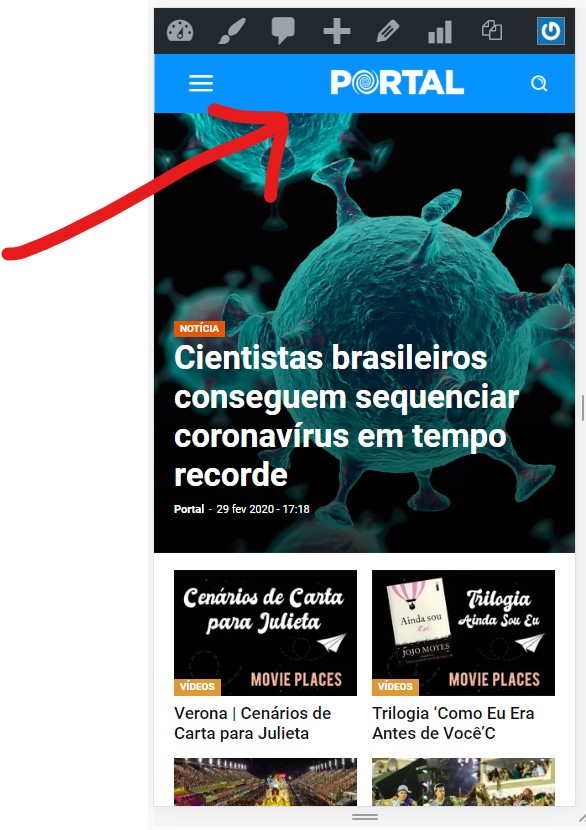
Thank you.
 BlakeForm
Hello,
The text color of my hyperlinks on regular mobile pages are a different color than the color on my AMP pages.
Why is this and how can i fix it?
https://disneyplusser.nl/disney/wanneer-komt-de-disney-plus-app-naar-de-kpn-en-ziggo-box/?amp (last paragraph)
https://disneyplusser.nl/disney/wanneer-komt-de-disney-plus-app-naar-de-kpn-en-ziggo-box/
Thanks!
 webmastermetrozita
Hello,
I just installed NP 10 with the default demo.
As header menu I choose in the WP settings our menu.
But now I see this in wordpress appearing double on desktop.
Once in the black topmenu and once below in the white part.
The black topmenu should only be used on mobile.
how to accomplish this?
Thanks!
 5smedia
Hi! Thanks for your outstanding work!
I have a quastion:
Is it possible to show each module (for example FlexBlock1) only on certain type of devices (for example: show it only on mobile, but NOT on desktop). Other words: Can I make some modules NOT to show on diffrent devices?
Thank you for help.
 Calin
Calin Hi denya,
Please use the mobile theme plugin with this option for amp -> https://i.imgur.com/3Igfb0a.png this should fix the problem.
Let me know the results!
Thank you!
Calin Hi,
Maybe there was something temporary, now the ad appear -> https://i.imgur.com/YFb8DOD.png
The author link from mobile theme plugin need to be removed from here wp-content/plugins/td-composer/legacy/common/wp_booster/td_module_single_base.php -> https://i.imgur.com/yaW8PVd.png
Thank you!
Calin Hi pmartines,
If you are using a standard header you can use this option from theme panel -> https://i.imgur.com/MK3qQUO.png or if you are using a cloud header or a pro demo you can edit the header with tagDiv Composer -> https://i.imgur.com/B5EEOLm.png -> https://i.imgur.com/Px5wuxN.png
On mobile theme plugin for the moment you can not set this option.
Hope this will help you!
Thank you!
 Vlad S
 Hello !
1. Unfortunately at the moment that option is not possible.
2. Simply deactivate the Mobile theme plugin.
Thank you !
 edivaldobrito
 OK.
see this link:
https://www.edivaldobrito.com.br/como-extrair-e-juntar-arquivos-de-video-usando-o-ffmpeg/
note that the failure only happens when viewing the article using a smartphone or using google chrome with the window size that fits in mobile viewing.
That is, the problem only happens when the theme is adjusted for mobile viewing.
 ElmarWigand
Hey,
i have three different problem topics:
– Mobile Plugin:
When activating the tagDiv Mobile Theme plugin + AMP some Computer/Browser showing the Homepage every time in the mobile view. What can i do?
– Youtube Social Counter
The Youtube Social Counter doesn’t work correctly. I put the channel ID in the widget but it doesn’t work.
I put it in my sidebar, but if shows only “0”, so i must put a fixed number
https://arbeitsunrecht.de/brennpunkt-betriebsrat/
– Ad Plugin
I need a plugin for persionalized ad’s for different categories with is compatible with the theme. The newspaper ad doens’t have so much setting options.
If you need more information for the different questions, please tell me.
best regards
Vlad S Hello !
We have re-tested your website and everything seems to be in order. You can test your website here: https://search.google.com/test/mobile-friendly
Thank you !
 pmartines
 How to remove author link from mobile theme plugin?
I’ll continue the desktop ads optimization after it.
 Tagdivusers
 Next Questions
How to disable mobile version? and make it the same as dekstop version? ty
 pavel_t
 OK, I see, a pity… Please consider in future upgrades whether it would be better to simply use the standard WP Category images…
BTW there is one small bug yet – if you choose let’s say 4 column/subcategories as is on your example, there will be 25 % width in style. But it isn‘t responsive, on mobile there are still 4x 25 % columns and it looks ugly, I have to change it for mobile version to 100 % with in custom style.
 Josan
Josan Unfortunately this method didn’t solved my problem because I have disabled Facebook like button, posts views counts and author box on desktop so I can’t see them in mobile view. But they are visible when page load on Mobile device.
I suggest you to add this feature to future update so we can customize Mobile theme from Theme Panel.
I tried to use css to solve the problem.
.author-box-wrap {

    display: none;

}.td-module-meta-info .td-post-views {

    display: none;

}

.td-post-sharing-classic {

    display: none;

}
It solved the problem of posts view count and Facebook like button, It also solved the Author box problem but this css code hide Author box from all the pages, So Author box is hidden even from Author page. I want to display Author box on Author page and hidden only on single posts on mobile theme.
 rahuls60
 Thanks for the reply mate, Can you please suggest me some 3rd party plugin which will work in newspaper mobile themes
edivaldobritoI last updated the theme yesterday.
However, when activating the tagDiv Mobile Theme plugin, wordpress displays the following highlighted message:
“This version of the tagDiv Mobile Theme plugin is not supported by the current activated theme!”
How can I solve this, since the plugin came in the same file as the update?
Theme version is 10.3
Mobile Theme plugin version is 1.3 | built on 05.02.2020 7:28
 enesozden
Hey
I had mobile issue like 2 months ago and i though it would be gone by now. But everyday google comes up with new error with different posts. ”Text to small to read”, ”Clickable Elements Too Close Together” ”Content Wider Than Screen” every day I look at the posts and it looks like okay to me. I even changed Author box text size from 11 to 15. And I use text as 15px.
I removed my google ads too. But nothing is changing could you please look at ttps://gezicenga.com/alsancak-kibris-sehitleri-caddesi/ this url ? this is one of the error post. And I have 5 to 10 everyday different posts. I did not have before. And have no idea how did it start. If i check some urls on mobile friendly test, sometimes it says okay. But most of the time i have issue with my urls. Would you mind to check there is something wrong with theme mobile friendliness ?
Thanks
ENEs
 nfzambrano
Hi!
We have a problem on our site that seems to be associated with the cache. Frequently, the Newspaper mobile theme appears on the desktop. The opposite is also true: the Desktop theme appears on your mobile.
Both situations are corrected by emptying the cache. We use WP Super Cache and we have configured it following the instructions of https://tagdiv.com/wp-super-cache-plugin-install-and-configure/.
We will appreciate any guidance that helps us solve this problem.
Thank you very much in advance.
Calin Hi,
I think that on the second Flex block 3 you have set some custom layout on mobile, please edit the page with tagDiv Composer, click on the second flex -> https://i.imgur.com/9CTNuk3.png and change the port view -> https://i.imgur.com/XVyaCwX.png -> https://i.imgur.com/zXjl16a.png
Hope this will help you!
Thank you!
Vlad S Hello !
Unfortunately you can only hide them in mobile view as you can see here: https://www.screencast.com/t/p4XIsSmd
I hope this was helpful !
Thank you !
Calin Hi,
Do you use only the amp or you are using the mobile theme + amp, if you are using the amp with mobile theme, then you need to know that on pages you need to set the content in mobile editor -> https://www.screencast.com/t/ebUIzt4se
If this is not the problem, please deactivate ALL plugins except tagDiv Composer, also if you are using child theme or cache plugin, deactivate them, clear all cache and try again.
If there i still a problem, please provide me link where i can check these problems.
Thank you!



