- NewspaperUsing Other Ads
- NewspaperSidebar ads
- NewspaperIntroduction to CPT and ACF with Newspaper Theme
- NewspaperHow to edit modules for Flex Block X
- NewspaperHow to use the Posts List shortcode
- NewspaperCreate a frontend submission form
- NewspaperHow to Use the Tabbed Content shortcode
- NewspaperWooCommerce: Happy “Add to Favorites!”
- NewspaperHow to generate Facebook App ID
- NewspaperLink Tracker
- NewspaperFlex Block Settings Guide
- NewspaperGeneral Options that May Interfere with the Newspaper Theme
- NewspaperSocial Icons
- NewspaperPosts Loop Element
- NewspaperSet a Background for Category Page
- NewspaperThe Newspaper Mobile Theme: Introduction
- NewspaperHow to Add a Logo in Newspaper
- NewspapertagDiv Shop
- NewspaperAutoptimize Plugin – install and configuration
- NewspaperHow to Use tagDiv Cloud Library
 Simion C.
 Hi,
Some smart lists have options to display an ad, the ones you mention. Others will not display any ads. Also when a smart list is used, the article ads (top, inline and bottom) will be removed. That would be the current functionality.
To display ads in the smart list styles that do not support them by default, would require code modifications to the smart list files
– https://www.screencast.com/t/BhMdqfhGoy
Or maybe with a plugin that could insert ads, I could not make any recommendations however in the matter.
Thanks
Simion C. Hi,
The mobile theme will most likely not render that shortcode, it is not meant to. It will not interpret page builder shortcodes as well.
If you want to use the mobile theme and also display a header ad, you will have to use a different implementation for the ad on mobile devices, instead of the shortcode. You could simply paste a HTML link with image in the ad section
– https://forum.tagdiv.com/using-other-ads-non-adsense-ads/
Thanks
Simion C. Hi,
The single image element may not be the best element in this case. It uses the image as background, background properties may not be fully responsive. You could try other image elements
– https://www.screencast.com/t/pA48JOHoc
Or even a text element in which you place the image
– https://www.screencast.com/t/p8hMTasmz
The image inserted in the text element will be responsive, you could try that. Or as I mentioned use the new multi-purpose image elements.
A background color or image can be set for the website, in the theme panel
– https://forum.tagdiv.com/background-introduction/
– https://forum.tagdiv.com/background-ads/
It will be displayed on the whole website once set there.
Thanks
 mortgageman
Hi I am getting these redirects.
I don’t use ads on my site at all. I have removed any codes from the ad section on theme panel and disabled each section using the theme panel.
Please help as I can’t find any advice anywhere online however I can see other people having the same issue. I disabled all plugins and still got the same issue.
https://dc.ads.linkedin.com/collect/?time=1517353661219&pid=111949&url=http%3A%2F%2Fwww.expertmortgageadvisor.co.uk%2F&pageUrl=https%3A%2F%2Fash341.typeform.com%2Fto%2FZ251o2&ref=http%3A%2F%2Fwww.expertmortgageadvisor.co.uk%2F&fmt=js&s=1
https://www.bizographics.com/collect/?pid=111949&ref=http%3A%2F%2Fwww.expertmortgageadvisor.co.uk%2F&s=1&url=http%3A%2F%2Fwww.expertmortgageadvisor.co.uk%2F&pageUrl=https%3A%2F%2Fash341.typeform.com%2Fto%2FZ251o2&fmt=js&time=1517353661219
https://us-west-2.dc.ads.linkedin.com/collect/?pid=111949&ref=http%3A%2F%2Fwww.expertmortgageadvisor.co.uk%2F&s=1&url=http%3A%2F%2Fwww.expertmortgageadvisor.co.uk%2F&pageUrl=https%3A%2F%2Fash341.typeform.com%2Fto%2FZ251o2&fmt=js&time=1517353661219&ck=
https://secure.adnxs.com/getuid?https%3A%2F%2Fwww.linkedin.com%2Fcsp%2Fdtag%3Fp%3D9%26_x%3D%252526opid%25253D111949%252526fmt%25253Djs%252526ref%25253Dhttp%2525253A%2525252F%2525252Fwww.expertmortgageadvisor.co.uk%2525252F%252526ck%25253D%252526url%25253Dhttp%2525253A%2525252F%2525252Fwww.expertmortgageadvisor.co.uk%2525252F%252526s%25253D1%252526pageUrl%25253Dhttps%2525253A%2525252F%2525252Fash341.typeform.com%2525252Fto%2525252FZ251o2%252526time%25253D1517353661219%2525263pc%25253Dtrue%252526an_user_id%25253D%24UID
https://secure.adnxs.com/bounce?%2Fgetuid%3Fhttps%253A%252F%252Fwww.linkedin.com%252Fcsp%252Fdtag%253Fp%253D9%2526_x%253D%25252526opid%2525253D111949%25252526fmt%2525253Djs%25252526ref%2525253Dhttp%252525253A%252525252F%252525252Fwww.expertmortgageadvisor.co.uk%252525252F%25252526ck%2525253D%25252526url%2525253Dhttp%252525253A%252525252F%252525252Fwww.expertmortgageadvisor.co.uk%252525252F%25252526s%2525253D1%25252526pageUrl%2525253Dhttps%252525253A%252525252F%252525252Fash341.typeform.com%252525252Fto%252525252FZ251o2%25252526time%2525253D1517353661219%252525263pc%2525253Dtrue%25252526an_user_id%2525253D%2524UID
https://www.linkedin.com/csp/dtag?p=9&_x=%2526opid%253D111949%2526fmt%253Djs%2526ref%253Dhttp%25253A%25252F%25252Fwww.expertmortgageadvisor.co.uk%25252F%2526ck%253D%2526url%253Dhttp%25253A%25252F%25252Fwww.expertmortgageadvisor.co.uk%25252F%2526s%253D1%2526pageUrl%253Dhttps%25253A%25252F%25252Fash341.typeform.com%25252Fto%25252FZ251o2%2526time%253D1517353661219%25263pc%253Dtrue%2526an_user_id%253D8000422466898804299
https://dc.ads.linkedin.com/collect/?pid=6883&opid=111949&fmt=js&ref=http%3A%2F%2Fwww.expertmortgageadvisor.co.uk%2F&ck=&url=http%3A%2F%2Fwww.expertmortgageadvisor.co.uk%2F&s=1&pageUrl=https%3A%2F%2Fash341.typeform.com%2Fto%2FZ251o2&time=1517353661219&3pc=true&an_user_id=8000422466898804299
Remove the following redirect chain if possible:
https://cm.g.doubleclick.net/pixel?google_nid=bizo_bk_cm&google_cm
https://cm.g.doubleclick.net/pixel?google_nid=bizo_bk_cm&google_cm=&google_tc=
https://imp2.ads.linkedin.com/m/1640?google_gid=CAESEOeddXq137HCNDy6V5MXkzQ&google_cver=1
Remove the following redirect chain if possible:
https://secure.adnxs.com/seg?t=2&add=&redir=https%3A%2F%2Fsecure.adnxs.com%2Fseg%3Fadd%3D%26add_code%3Dwww_expertmortgageadvisor_co_uk%2Cexpertmortgageadvisor_co_uk%2Cco_uk%26member%3D232%26redir%3Dhttps%253A%252F%252Fimp2.ads.linkedin.com%252Fl
https://secure.adnxs.com/seg?add=&add_code=www_expertmortgageadvisor_co_uk,expertmortgageadvisor_co_uk,co_uk&member=232&redir=https%3A%2F%2Fimp2.ads.linkedin.com%2Fl
https://imp2.ads.linkedin.com/l
Remove the following redirect chain if possible:
https://px.ads.linkedin.com/collect/?time=1517353661219&pid=111949&url=http%3A%2F%2Fwww.expertmortgageadvisor.co.uk%2F&pageUrl=https%3A%2F%2Fash341.typeform.com%2Fto%2FZ251o2&ref=http%3A%2F%2Fwww.expertmortgageadvisor.co.uk%2F&fmt=js&s=1
https://px.ads.linkedin.com/collect/?time=1517353661219&pid=111949&url=http%3A%2F%2Fwww.expertmortgageadvisor.co.uk%2F&pageUrl=https%3A%2F%2Fash341.typeform.com%2Fto%2FZ251o2&ref=http%3A%2F%2Fwww.expertmortgageadvisor.co.uk%2F&fmt=js&s=1&cookiesTest=true
Remove the following redirect chain if possible:
https://widget.intercom.io/widget/ne61ez0d
https://js.intercomcdn.com/shim.68e107e3.js
mortgageman Hi I am getting these redirects.
I don’t use ads on my site at all? I have removed any codes from the ad section on theme panel and disabled each section using the theme panel.
Please help as I can’t find any advice anywhere online however I can see other people having the same issue. I disabled all plugins and still got the same issue?
https://dc.ads.linkedin.com/collect/?time=1517353661219&pid=111949&url=http%3A%2F%2Fwww.expertmortgageadvisor.co.uk%2F&pageUrl=https%3A%2F%2Fash341.typeform.com%2Fto%2FZ251o2&ref=http%3A%2F%2Fwww.expertmortgageadvisor.co.uk%2F&fmt=js&s=1
https://www.bizographics.com/collect/?pid=111949&ref=http%3A%2F%2Fwww.expertmortgageadvisor.co.uk%2F&s=1&url=http%3A%2F%2Fwww.expertmortgageadvisor.co.uk%2F&pageUrl=https%3A%2F%2Fash341.typeform.com%2Fto%2FZ251o2&fmt=js&time=1517353661219
https://us-west-2.dc.ads.linkedin.com/collect/?pid=111949&ref=http%3A%2F%2Fwww.expertmortgageadvisor.co.uk%2F&s=1&url=http%3A%2F%2Fwww.expertmortgageadvisor.co.uk%2F&pageUrl=https%3A%2F%2Fash341.typeform.com%2Fto%2FZ251o2&fmt=js&time=1517353661219&ck=
https://secure.adnxs.com/getuid?https%3A%2F%2Fwww.linkedin.com%2Fcsp%2Fdtag%3Fp%3D9%26_x%3D%252526opid%25253D111949%252526fmt%25253Djs%252526ref%25253Dhttp%2525253A%2525252F%2525252Fwww.expertmortgageadvisor.co.uk%2525252F%252526ck%25253D%252526url%25253Dhttp%2525253A%2525252F%2525252Fwww.expertmortgageadvisor.co.uk%2525252F%252526s%25253D1%252526pageUrl%25253Dhttps%2525253A%2525252F%2525252Fash341.typeform.com%2525252Fto%2525252FZ251o2%252526time%25253D1517353661219%2525263pc%25253Dtrue%252526an_user_id%25253D%24UID
https://secure.adnxs.com/bounce?%2Fgetuid%3Fhttps%253A%252F%252Fwww.linkedin.com%252Fcsp%252Fdtag%253Fp%253D9%2526_x%253D%25252526opid%2525253D111949%25252526fmt%2525253Djs%25252526ref%2525253Dhttp%252525253A%252525252F%252525252Fwww.expertmortgageadvisor.co.uk%252525252F%25252526ck%2525253D%25252526url%2525253Dhttp%252525253A%252525252F%252525252Fwww.expertmortgageadvisor.co.uk%252525252F%25252526s%2525253D1%25252526pageUrl%2525253Dhttps%252525253A%252525252F%252525252Fash341.typeform.com%252525252Fto%252525252FZ251o2%25252526time%2525253D1517353661219%252525263pc%2525253Dtrue%25252526an_user_id%2525253D%2524UID
https://www.linkedin.com/csp/dtag?p=9&_x=%2526opid%253D111949%2526fmt%253Djs%2526ref%253Dhttp%25253A%25252F%25252Fwww.expertmortgageadvisor.co.uk%25252F%2526ck%253D%2526url%253Dhttp%25253A%25252F%25252Fwww.expertmortgageadvisor.co.uk%25252F%2526s%253D1%2526pageUrl%253Dhttps%25253A%25252F%25252Fash341.typeform.com%25252Fto%25252FZ251o2%2526time%253D1517353661219%25263pc%253Dtrue%2526an_user_id%253D8000422466898804299
https://dc.ads.linkedin.com/collect/?pid=6883&opid=111949&fmt=js&ref=http%3A%2F%2Fwww.expertmortgageadvisor.co.uk%2F&ck=&url=http%3A%2F%2Fwww.expertmortgageadvisor.co.uk%2F&s=1&pageUrl=https%3A%2F%2Fash341.typeform.com%2Fto%2FZ251o2&time=1517353661219&3pc=true&an_user_id=8000422466898804299
Remove the following redirect chain if possible:
https://cm.g.doubleclick.net/pixel?google_nid=bizo_bk_cm&google_cm
https://cm.g.doubleclick.net/pixel?google_nid=bizo_bk_cm&google_cm=&google_tc=
https://imp2.ads.linkedin.com/m/1640?google_gid=CAESEOeddXq137HCNDy6V5MXkzQ&google_cver=1
Remove the following redirect chain if possible:
https://secure.adnxs.com/seg?t=2&add=&redir=https%3A%2F%2Fsecure.adnxs.com%2Fseg%3Fadd%3D%26add_code%3Dwww_expertmortgageadvisor_co_uk%2Cexpertmortgageadvisor_co_uk%2Cco_uk%26member%3D232%26redir%3Dhttps%253A%252F%252Fimp2.ads.linkedin.com%252Fl
https://secure.adnxs.com/seg?add=&add_code=www_expertmortgageadvisor_co_uk,expertmortgageadvisor_co_uk,co_uk&member=232&redir=https%3A%2F%2Fimp2.ads.linkedin.com%2Fl
https://imp2.ads.linkedin.com/l
Remove the following redirect chain if possible:
https://px.ads.linkedin.com/collect/?time=1517353661219&pid=111949&url=http%3A%2F%2Fwww.expertmortgageadvisor.co.uk%2F&pageUrl=https%3A%2F%2Fash341.typeform.com%2Fto%2FZ251o2&ref=http%3A%2F%2Fwww.expertmortgageadvisor.co.uk%2F&fmt=js&s=1
https://px.ads.linkedin.com/collect/?time=1517353661219&pid=111949&url=http%3A%2F%2Fwww.expertmortgageadvisor.co.uk%2F&pageUrl=https%3A%2F%2Fash341.typeform.com%2Fto%2FZ251o2&ref=http%3A%2F%2Fwww.expertmortgageadvisor.co.uk%2F&fmt=js&s=1&cookiesTest=true
Remove the following redirect chain if possible:
https://widget.intercom.io/widget/ne61ez0d
https://js.intercomcdn.com/shim.68e107e3.js
 strawberrybase
Hi everyone, we are having some problems getting certain pages to load on our website. It used to be the entire site but now the home page loads, it’s just the other pages and posts that look like this (See screenshot).
We’re getting a lot of mixed content warnings (see screenshot), but despite having an SSL certificate and loading various plugins to replace all the http links with https AND running a couple of SQL enquiries on our C-panel database to replace the https, we’re still having this problem. Does anyone know what the problem is and how we would go about fixing it?
Many thanks


 oliviaperegrino
 If I share a post on Facebook, that’s how it looks: http://www.radarenlinea.com/wp-content/uploads/2018/01/Post-preview.png
The same goes for all posts. Below the title appear the category, title, author, date and number of comments. I have underlined those words that I don´t want to be seen before the text (category, title, author, date and number of comments).
On the other hand, my demo (World News) does not have the option of excerpts
 howtoisolve
please share code, how to add two ads inside the post with the mobile plugin – mobile site.
Desktop ads layout i want to add on the mobile screen so i am asking. otherwise, mobile theme is awesome.
Check my site: https://www.howtoisolve.com
thanks and regards
 oneprimalscream
I see this topic has been asked several times. I need a response with a solution, please.
1. BOTH COMPOSERS ARE NOT BEING UTILIZED ON THE PAGE – please do not tell me to deactivate one plugin or another, since the theme relies solely on TD Composer yet my content relies on Visual Composer. They’re not being used at once on the posts or pages, so this isn’t a ‘solution’.
2. Please tell me where in CSS code I can remove this custom cropping that Newspaper or TD Composer is forcing upon my pages. When I say I want to add a single image in Visual Composer and put in a custom size, I need that custom size to work. I have multiple posts and pages this is happening to.
Again, I’ve searched for this answer in the forums and while there are several threads, all have the same response: deactivate one plugin, or the other. NOT A POSSIBLE SOLUTION. Just tell us where to modify the code, please.
I need to launch this site within a few days, so a timely response is appreciated. My last requests never even got a response.
Attached is a photo of the images. They are all supposed to be 100px in height, but something is overridding it, and I can’t seem to find where/what is causing this while using Inspector.

Thank you for your time.
 rafael-l
 Acctually i just figure out, dont’t need this support anymore, but i will suggest that the developers add an option for manual sizes, because responsive ads just fit’s anywhere in any size, and this manual option may be useful for others as well…
Thank you!
-
This reply was modified 8 years by
rafael-l.
 Prajwal Desai
Hi,
I have got some feature requests, could you please look to add them in upcoming updates.
1) AMP theme and ads – Currently AMP plugin by automatic doesn’t display ads, could you come up with a new AMP plugin and allow us to display ads(more like a mobile theme plugin which you have).
2) Message box/ alert box + custom list shortcode – I know we can display a neat message box using custom css code. But if you could add it under shortcodes dropdown options (where buttons, dropbox and other shortcodes) are present, it would be great. Something like this –
https://snag.gy/8bdvku.jpg
https://snag.gy/PJnDwj.jpg
3) Ability to style quotes – Is there a way to set background for quotes ?. Something like this –
https://snag.gy/va4PHe.jpg
4) Ads on/off switch – Can you create a option to turn off ads for whole site at once ?. Currently one has delete the ads from all the locations > save to see how better website works with / without ads.
5) Adblocker detection – Can you add a feature where the website reports that adblocker is detected and one has to disable to view the site.
6) Post update date – Can you add an option to show post last updated date ?. I am very sure the current workaround of replacing the code doesn’t work well.
 Bogdan B.
 Hello,
You can increase the logo using this code:
.td-header-style-1 .td-header-sp-logo img{

max-height: 125px!important;

}
As for the ad, you did not implement it correctly. Please use this guide:
https://forum.tagdiv.com/using-other-ads-non-adsense-ads/ and wrap the code in the proper div’s provided.
Thank you!
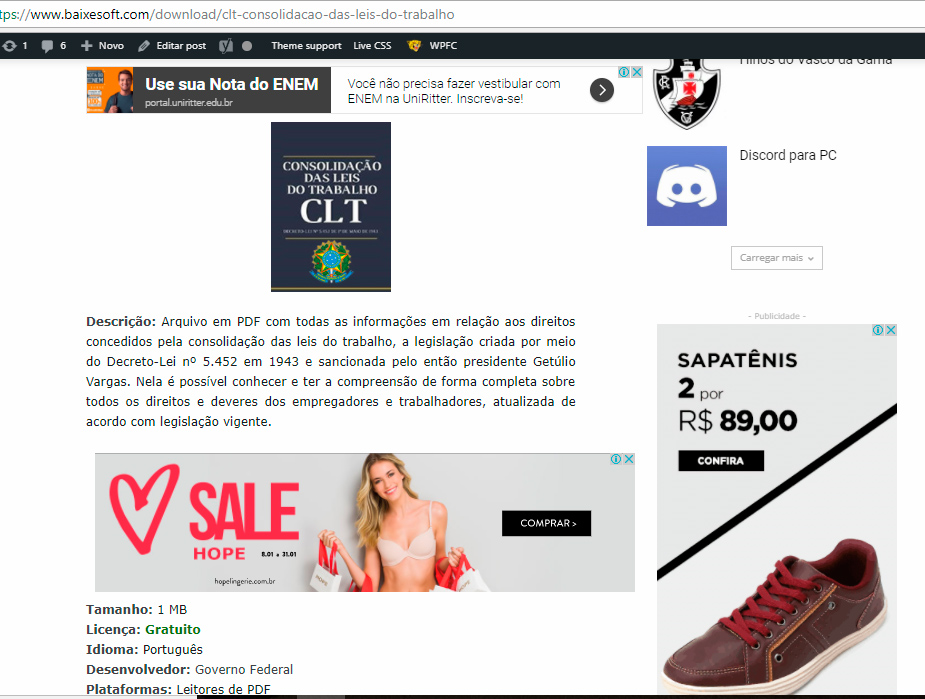
rafael-l Hi there again, i will post this here because is related, so the thing is i just applied the theme on the actual site and i have one last, but VERY SEVERE problem with the ads that happen only on Google Chrome, sometimes in Microsoft Edge, but never on Firefox.
I’m using 1 responsive and 1 native adsense blocks with the plugin quick adsense (i don’t use the native theme tool because the ads become very small than they supposed to be with the automatic function, so for me it dont work good, far from it actually).
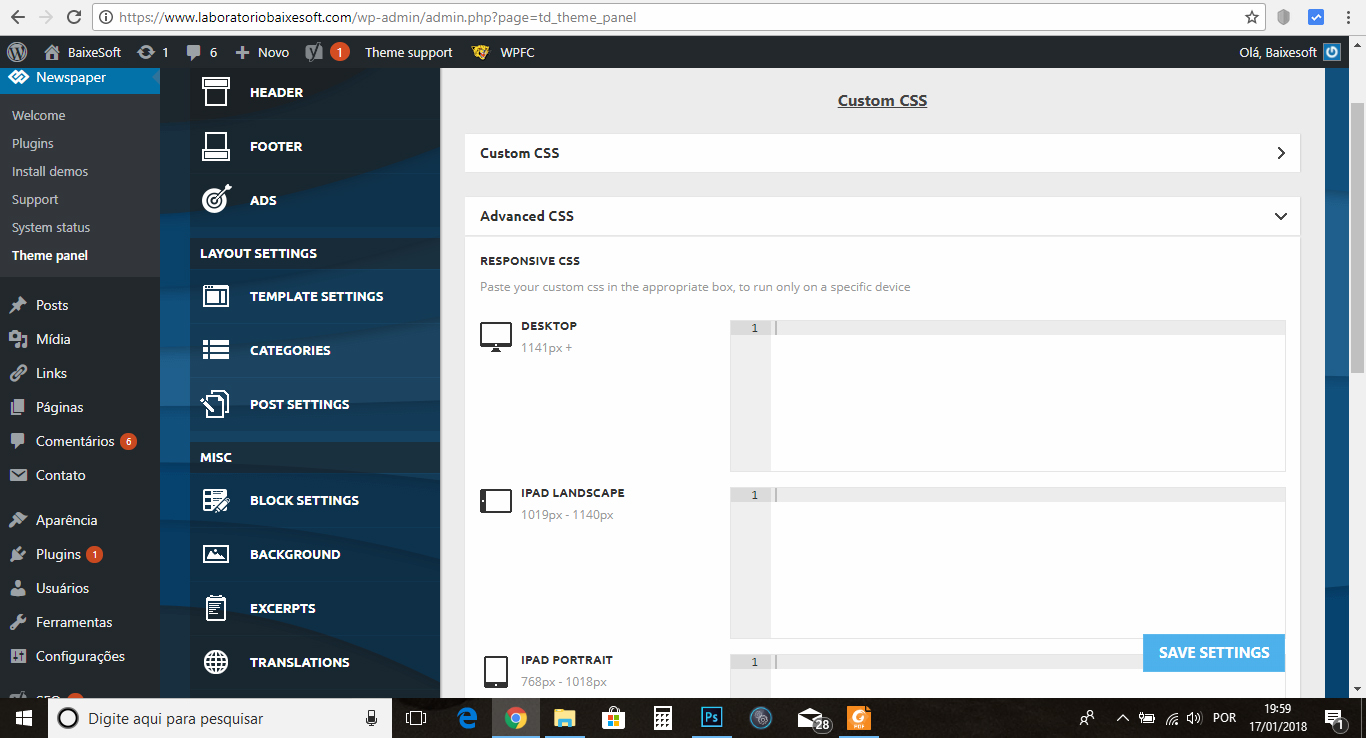
The thing is i used this code on theme panel >> custom code >> Advanced CSS >> Desktop
.td-post-content {
padding-left:6%;
padding-right:6%;
}
And the ads on chrome become outfited with the content like this: https://www.baixesoft.com/wp-content/uploads/2018/01/Ad-bug-on-chrome-1.jpg
But on firefox it fit’s just nice: https://www.baixesoft.com/wp-content/uploads/2018/01/Ads-on-firefox.jpg
One example link: https://www.baixesoft.com/download/clt-consolidacao-das-leis-do-trabalho
Unfortunately 60 to 70% of my users use chrome, so this is very severe for me, i tried everything, all the others plugins, but nothing, i really don’t know what do do here anymore (tried to fiz this all day), so i’m asking for any ideas, any help, anything at all.
The solution will be to use the native option for blocks in the theme, i already tried but that automatic box for desktops junk this responsive ads real BAD, making them tiny (respectfully saying and meaning no offense)
If needed i can pay for some special service to fix this, because is a VERY SEVERE ISSUE…
-
This reply was modified 8 years by
 dralim
My site is tbtbangla.com. im using tagdive mobile theme plugin which is pretty much fast but too simple and lack of customization. On the other hand on PC the sites loads too slow like 7 min!. As i am ameature in web developing i want some customized settings for loading website fast both in mobile & desktop. i have installed following plug ins.
1.jetpack
2.wp smush
3.wp super cache
4.yost seo
5.facebook instant article
tried uninstall and seen no change. Please solve my issue asap
 Buzzifeeds
 can you please reply to my emails , now when i ad the header ads , work fine in other pages but the home page no , when i change the header look or the logo or anything didn’t change on the homepag , but other pages all is fine , i reloaded all my website from the host , i deleted all my data and install all from zero , but still the same problem , i change the demo , i choose another one , the theme change on other pages but the home page still with the theme that i choose the first time
-
This reply was modified 8 years by
Buzzifeeds.
Simion C. Hi,
Adsense ads if used, can be deactivated with theme panel settings for each device
– https://www.screencast.com/t/efkKc6ucAK
These settings will not work for other ads, in that case you can use a different implementation, like this
– https://forum.tagdiv.com/using-other-ads-non-adsense-ads/
Wrap the ad code in the provided classes and they will be displayed accordingly.
If this is not related to your issue, please provide some more details about the problem.
Thanks
 fanjumin
Hi:
Woocommerce shop page issue,The following aspects:
1.WooCommerce settings shop pages can not be edited using the tagDIV Editor Editor,Although the page is empty.
https://prnt.sc/i3tdxw
2.I need to show the product as 3 columns,I need to change the font size and color of CSS here.
https://prnt.sc/i3tgn9
3.I need to add other elements of the Newspaper theme to the shop page. E.g: ads, blocks, slides, etc.
Simion C. Hi,
That would not be difficult to do. Take a look at the demo ads for example
– https://www.screencast.com/t/6xD9X8PQg
First there is a class set to control for which devices the ad will be shown
– https://forum.tagdiv.com/using-other-ads-non-adsense-ads/
Then a link with the destination you want is set, and an image source. That is all that is needed to display an image of your choosing linking to a desired location. Use the examples in the guide if you want to control the devices for which the ad will appear. You could for example set different ads for each device if required
– https://www.screencast.com/t/mY7ZiZSTac
Thanks
 Mercuriel
Hi there,
RE. https://www.syrupbee.com/category/lifestyle/
On my website, if you click on it, you will notice that my styles do not load straight away (e.g. the hover colour is blue and then changes to yellow quickly, etc.)
Whereas this other website, that also uses Newsmag with the Newspaper theme, https://www.thedailypositive.com/, loads instantly even though they have obviously changed their styling too.
Why does my website not load the style instantly but theirs does? How can I fix mine?
Thanks!
Chris
 hoffman81
Hello, the “Category header menu/buttons” and drop down menu, on my mobile site is not working. If I am viewing a list of posts inside a certain category, the site is showing other categories at the top of the category page I am viewing, next to the mobile menu block icon. However, these are not clickable. Nothing happens. And the drop down arrow does not work to see the other categories. Once I rotate my phone to landscape view, the other categories do appear, but still not clickable.


 Seekingknowledge!
Hi Tagdiv, thanks for the new theme. Since you launched Newspaper 8.6, there have been two major problems. The first is that featured pictures are no longer loading on time. The delay is astonishing whether for readers here in Washington DC or around the world for todaynewsafrica.com. Second problem is it’s almost impossible to add social media networks at the footer area. Everything has been tried but it seems it’s not working. The third thing is that even though the mobile plugin has been fixed, it’s not flexible enough. The social media network in post header is no appearing also. There still seems to be several other problems, including the fact that the theme loads really slowly for about 2 seconds. As a result, for the site to load, it takes even longer
Simion C. Hi,
If you use Adsense ads in the sidebar then it is not recommended to use the smart sidebar feature according to Google policies
– https://www.screencast.com/t/aztyvtdGZCiU
– https://support.google.com/adsense/answer/48182?hl=en
This could potentially be a Adsense violation, and you may suffer penalties. Disable the sticky sidebar or remove the ad.
The option in the theme panel can only be disabled or enabled, you cannot set it for only some sidebars and not for others. Only on pages you can specifically create sticky sidebars as you want using a custom row class, as mentioned in the guide.
Thanks
rafael-lFirst of all, the theme is just wow, easy to setup, and the best you can get in WordPress.
That being said, i have only 2 problems that i will ever need help with.
1) How do i change the content width? i know the original is best, but i’m migrating from the old theme to the newspaper, and for now it just don’t fit, i will demonstrate with screenshot links:
Currently my site is still running in old theme, i’m developing in a “laboratory” to apply the new config all at once, so this is the actual post format:
https://www.baixesoft.com/wp-content/uploads/2018/01/demonstration-1.jpg
and in the new theme, the newspapper, it just not fit good, so i want to apply the old width (later i will modernize posts, but for now i need to reduce de content width) please look:
https://www.baixesoft.com/wp-content/uploads/2018/01/demostration-2.jpg
I think i find place to reduce in Theme panel >> custom code >> Advanced css like the screenshot:
https://www.baixesoft.com/wp-content/uploads/2018/01/demonstration-3.jpg
… or some adjust in line 455 or bellow in Style.css. The question is, how do i reduce the post width for desktops? any code that i can insert to reduce?
And the other thing…
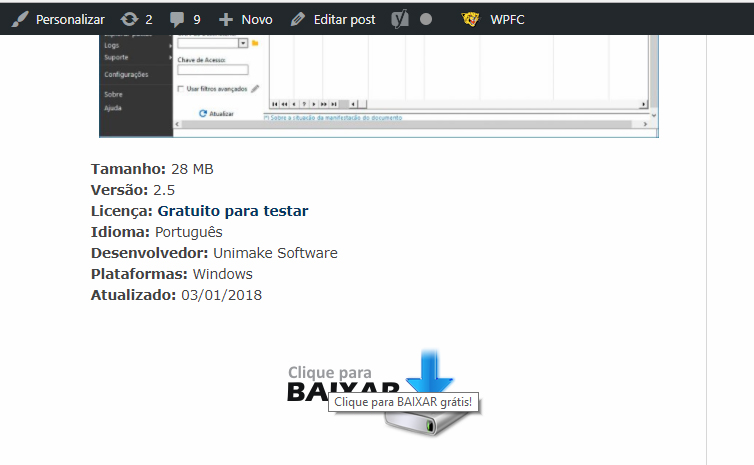
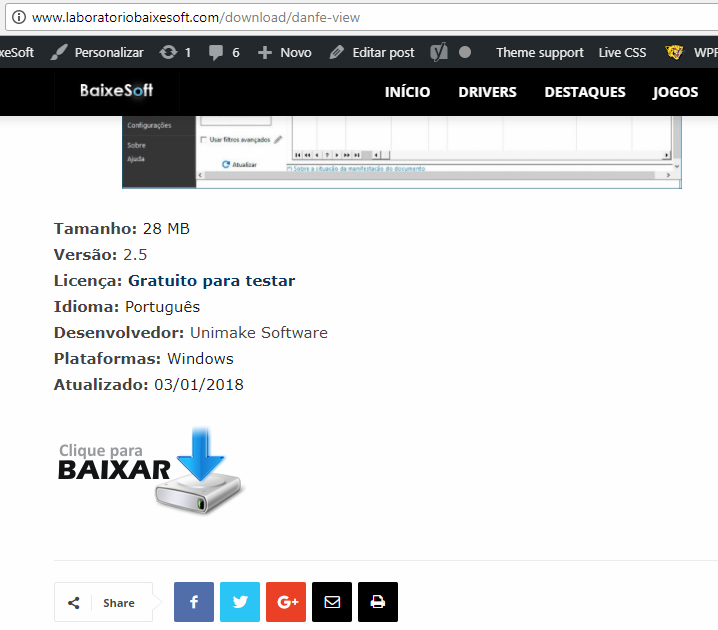
2) My website is like a download portal, and have a download button like this in the current theme
https://www.baixesoft.com/wp-content/uploads/2018/01/demonstration-4.jpg
but in the new theme it gets bugged for some theme thing, some newspapper particularity, and it gets like this:
https://www.baixesoft.com/wp-content/uploads/2018/01/demonstration-5.jpg
This is the code button:
https://www.baixesoft.com/wp-content/uploads/2018/01/code-button.txt
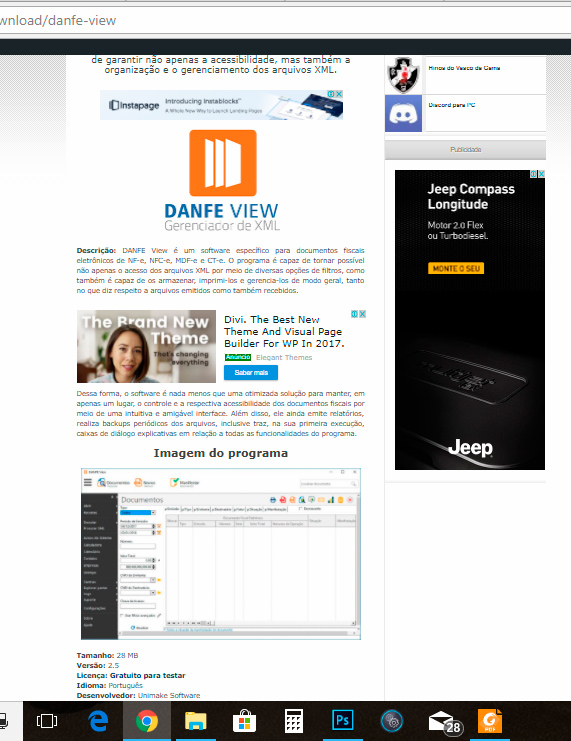
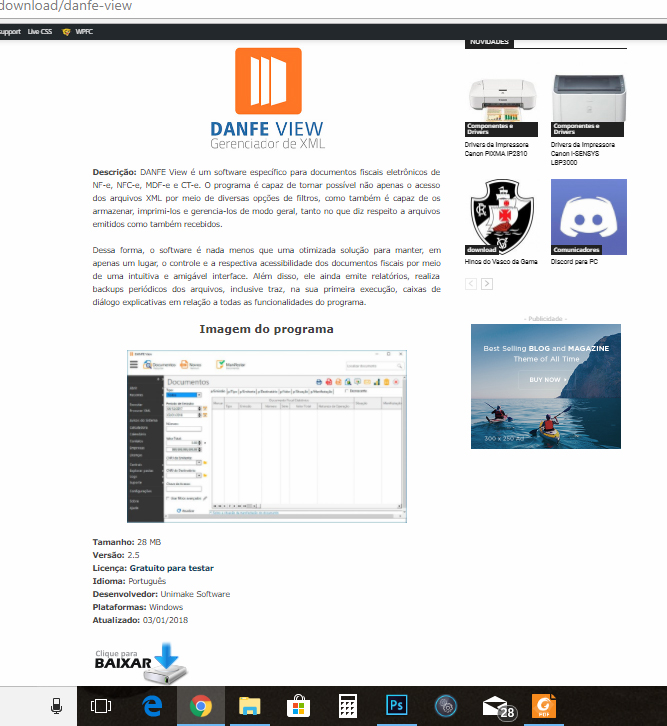
… it will not be a problem to adjust one by one of 2245 posts manualy, but it gets bugged annyway because you can click in empty space in the sides, and this is very bad for Google position, please see for yourself:
https://www.baixesoft.com/download/danfe-view (the actual website)
http://www.laboratoriobaixesoft.com/download/danfe-view (the laboratory)
So, how do i fix this other issue?
And this is the only two things i will ever ask here, if i have to pay for some support it will not be a problem.
Thank you very musch for the attention, and sorry for any bad english, i’m from Brazil!
 Catalin
 Hello dunies,
All the AdCode should have to be added to the Ad Spots in Theme panel. Please check our documentation from here -> https://forum.tagdiv.com/header-ads-adsense/ and here -> https://forum.tagdiv.com/using-other-ads-non-adsense-ads/ if you want to add some custom ads.
Thanks for the message!
 nomoretechno
Hi, I cant get yoast to set a OG image tag/facebook image for my posts. On further inspection, my posts source code is showing TWO OG Image tags, where one is the featured image URL and the other is my custom yoast/Facebook image.
I have closed down every single plugin, running just the theme plugins and yoast, and still the ‘featured image’ OG image tag appears first in the source code. Facebook, twitter etc keeps on pulling the featured image for the post as a result as this is the first OG image tag it comes across when reading the source code.
The featured image and first OG image tag on the url is
<meta property=”og:image” content=”https://www.homeremedyhacks.com/wp-content/uploads/2017/12/house-centipede.jpg” />
The second facebook image tag which does not get pulled by facebook is:
<meta property=”og:image” content=”https://www.homeremedyhacks.com/wp-content/uploads/2017/12/FB-Home-remedies-for-centipedes.jpg”
The URL is https://www.homeremedyhacks.com/home-remedies-get-rid-of-centipedes/
Howver, all URLs have this problem
Thanks for you help