- NewspaperUser review system
- NewsmagReviews
- NewspaperReviews
- NewspaperCredit System
- NewspaperModules Builder in Newspaper Theme
- NewspaperHow to use the Posts List shortcode
- NewspaperModal Popup
- NewspaperLockers
- NewspaperLeads
- NewspaperFlex Block Settings Guide
- NewspaperSingle Post Shortcodes
- NewspaperDefault Category Settings
- NewspaperCloud Library – Category Templates
- NewspaperBig Grid Flex Settings
- NewspaperMeta Info on Modules and Blocks
- NewspapertagDiv Cloud Library Plugin
- NewspapertagDiv AMP Plugin Tutorial
- NewsmagtagDiv Composer Tutorial
- NewspapertagDiv Composer Tutorial
- TutorialsDefault Block Settings Guide
 Anamaria
 Hello,
Yes, you can create a Single Post Template for the posts you want in the review system and assign that template for the posts -> https://forum.tagdiv.com/design-post-pages-using-cloud-library-templates/
Thank you!
 Bavarde
Is there a way to add the customer review form only to a certain type of post? I don’t want it on all my blog posts, only on my review posts.
Thanks in advance
 Bettina
 Hello Sam!
The issue has been discussed already here: https://forum.tagdiv.com/topic/only-logged-in-users-can-post-reviews/
Thank you!
 longphiho
hi, when i open my web (kla.vn) in iphone, it auto rediect to other site, then finally ask me to open a e-commerce app
seems my web was be hack or adding shell.
i check with host provide but after they review every think, they said no risk in their site.
there is could be a risk in the theme
Can you help us to check?
 samnash68
 thank you for your reply Bettina
my site is icanrite.com please check it out and choose a poem or story
icanrite.com is a self publishing site so users can add their own stories, poems…
I have tried to add the element “single post user reviews overall” and “single post review overall” to the end of the post page so users can star the post.
however as you can see it does not work.
it shows the stars but user can not click it
how can I activate the star system you have.
I am sure im missing something or doing something wrong here
thanks
Sam
Anamaria Hello,
You need to use the element Single Post User Reviews Form to add a rating, this element only displays the overall score https://i.imgur.com/NZ2wLQu.png
Thank you!
Anamaria Hi,
With right-click -> inspect -> console -> select the error in the tab network -> preview, you can see the cause.
Please check this topic -> https://forum.tagdiv.com/topic/wp-editor-for-text-with-title-and-column-text-not-updating-content/ and try the suggestions. Also, please check the cache, clear/purge all cache.
Thank you!
 volpik
Hello,
I am trying to share my posts with buffer but unfortunately the link do not resolve.
I have tried also installing different sharing card plugin, but no result.
The interesting things is if I share the post in a twitter directly, with long link, the card resolve correctly, and I get the nice page preview in twitter, but if I use any shortener service, or I do the sharing via buffer, the page do not resolve into the card, and inside the post remain the shortened link
Any idea how to solve the issue?
Bettina Anamaria Hi,
I recognize your frustration, and I want to assure you that we’ve diligently addressed all your requests. It’s important to note that if you’re on a shared host without a dedicated server, certain aspects are beyond our control or that of the theme. We’ve thoroughly investigated and attempted to assist, but the specific nature of your issue remains unclear. Regarding malware concerns, it’s worth noting that the theme and other plugins and themes were affected. You can review the list here, which underscores why we implemented an update to rectify security-related issues.
Wishing you a joyous and festive Christmas!
 c386
c386Hi,
While we can use review elements – Single post Review Overall, Single Post Review Summary, etc. – in the page builder, is there anyway to pull these into the body of a post?
A shortcode for the review stars, perhaps, or a way to pull the text in the review summary?
Thanks for your help!
 nagi
nagiRespected Sir/Mam,
I am a developer at Mallemaala Entertainments, located in Hyderabad. We have a few requirements for our movie review website. I am hereby mentioning our requirements.
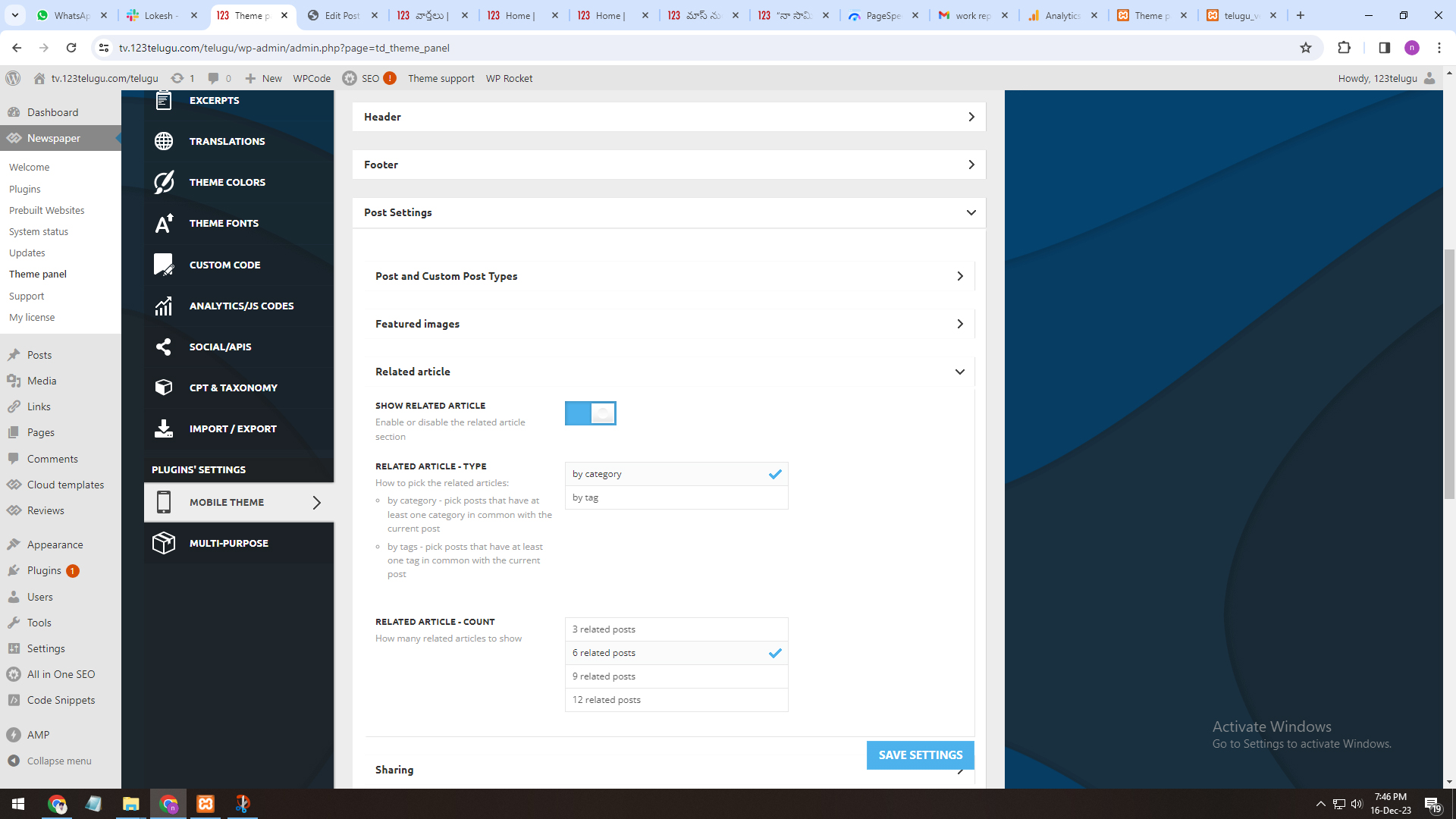
1. Related Articles
We have one issue while implementing Newspaper theme
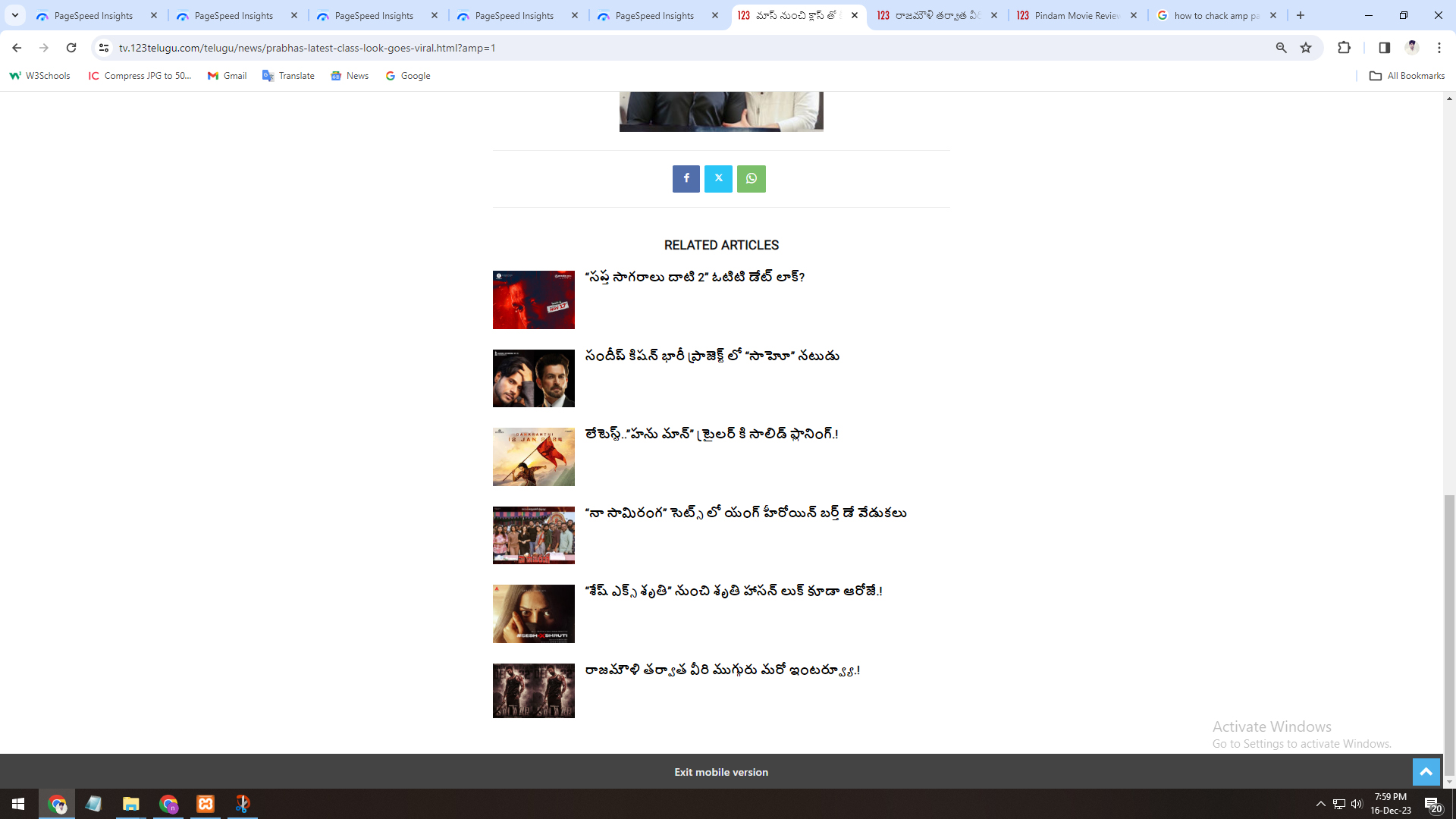
One is in Amp inner pages, is there any option to display related articles of that particular category.
Currently, when we open any amp page, related posts are coming from all categories, but we need to display particular category.
https://gallery.123telugu.com/images/theme_test/Narender-16-12-2.jpg
https://gallery.123telugu.com/images/theme_test/Narender-16-12-1.jpg
nagiRespected Sir/Mam,
I am a developer at Mallemaala Entertainments, located in Hyderabad. We have a few requirements for our movie review website. I am hereby mentioning our requirements.
Hi,
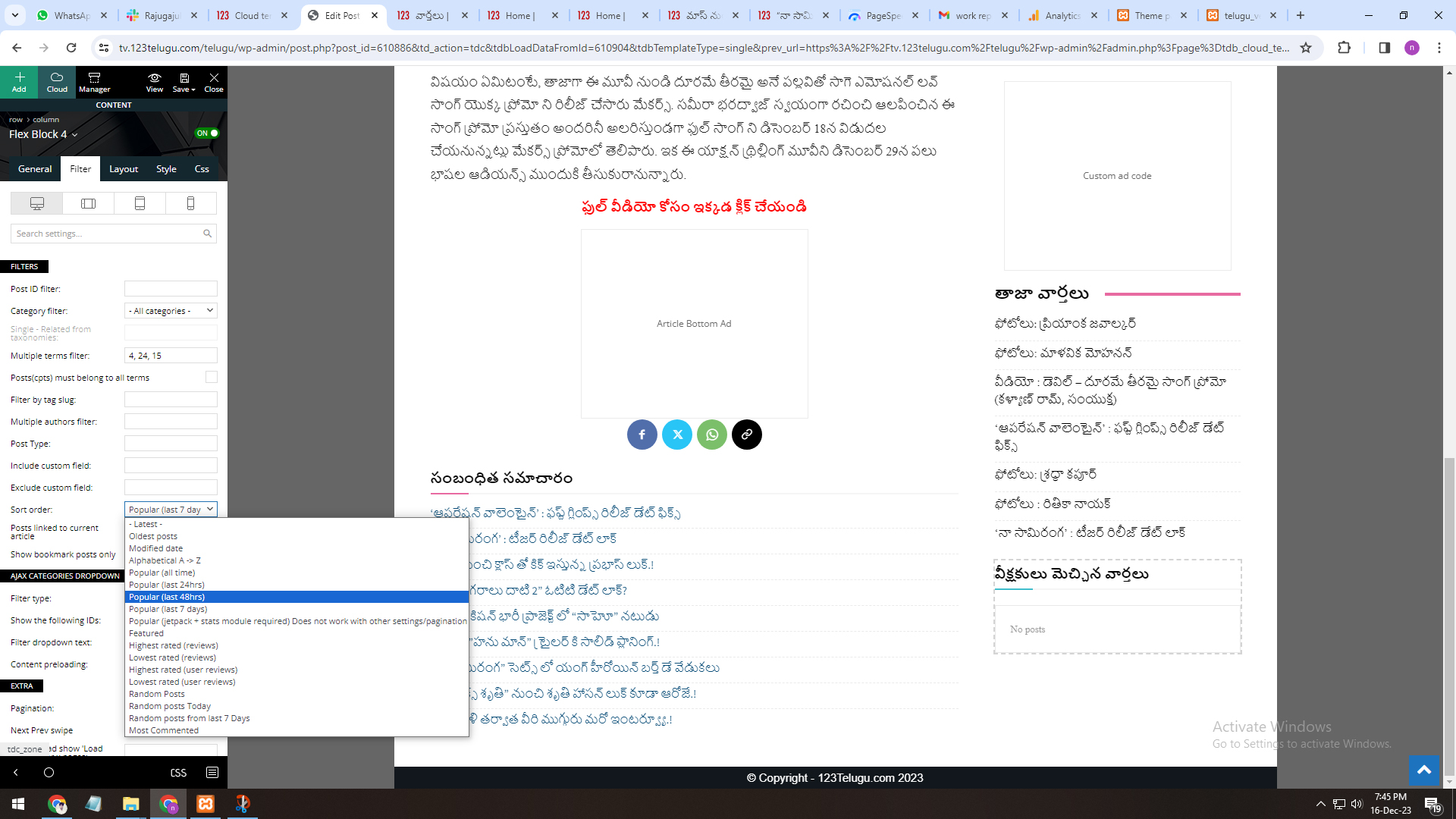
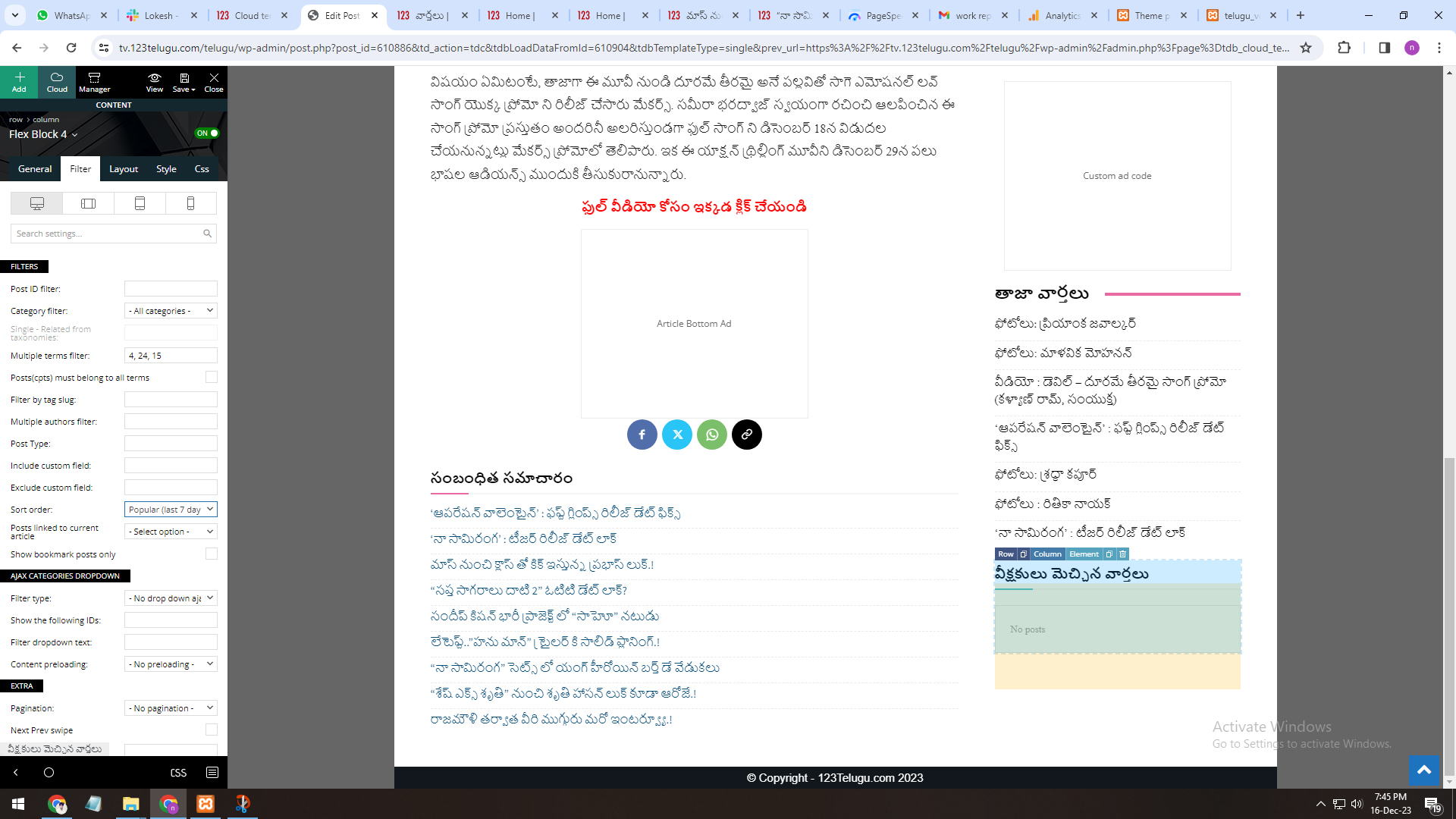
Most viewed articles for last 48 hours (Regarding the sort order settings).
On the single page, in the most viewed article section, we want to see the most viewed articles in the last 48 hours (Regarding the sort order settings).
We are sending you the settings regarding it through a link with the screenshots.
https://gallery.123telugu.com/images/theme_test/Narender-16-12-4.jpg
https://gallery.123telugu.com/images/theme_test/Narender-16-12-3.jpg
 FDS
FDS message from Ezoic about Tagdiv :
Okay – I’m not sure we’re really going to be able to troubleshoot this further from our end. It might simply be that the theme itself isn’t compatible.
Do you happen to have the actual theme name / URL where we can review their documentation for the theme?
Do you know if they’re using any sort of caching involved with the theme that’s built in?
FDS hello… I have the same issue..
message from ezoic about tagdiv : Sorry – were they able to provide any sort of troubleshooting as to why the new Ezoic update would have caused an issue?
Okay – I’m not sure we’re really going to be able to troubleshoot this further from our end. It might simply be that the theme itself isn’t compatible.
Do you happen to have the actual theme name / URL where we can review their documentation for the theme?
Do you know if they’re using any sort of caching involved with the theme that’s built in?
 SamW2023
 Hello, The issue is when a website link is copy-pasted in any social media channel, then it generates a preview of the website picture that you can post in social media channels; the issue it is having is all other channels are working fine, but just the Twitter (now X) is not generating a thumbnail preview of the website. On reading further Twitter articles, it states your theme is missing the Twitter meta tags. You can learn more here: https://developer.twitter.com/en/docs/twitter-for-websites/cards/overview/summary-card-with-large-image
Please resolve. Thanks.
 sdfasdfsdf
 Hi,
Thanks for your reply, the undo and redo button are working.
I had already updated all you mentioned. My site is hosted on SiteGround and meets all the requirements.
I must clarify that the issue is not with page speed or the delivery of content on my site, the issue is with the TagDIV Composer itself as I can edit (with the WP editor) and view the page as normal.
The TagDiv Composer takes 5+ min to load any page, often failing to load entirely and any changes made lag considerably before they are reflected in the preview, often with the window freezing entirely. This is only a recent problem, after changing to the Ridgemont demo site and I am using a fairly powerful computer which rules out any hardware issues.
 Calin
Calin Hi,
This is because you have set the user review form, not the -> https://i.imgur.com/2emLHYD.png not the single post review overall – https://imgur.com/UTsyHgZ please, you need to set he right element.
Thank you!
 Tribun74
Is it possible, that Users can not only Rate a Post by Stars….I wish to rate/review them in Points like the Post author dos:
 miltonrodas
Hello,
I have reviewed https://forum.tagdiv.com/mega-menu/ and it is no help for this issue. Also read many support posts and nothing explains how to fix this. Please, help!
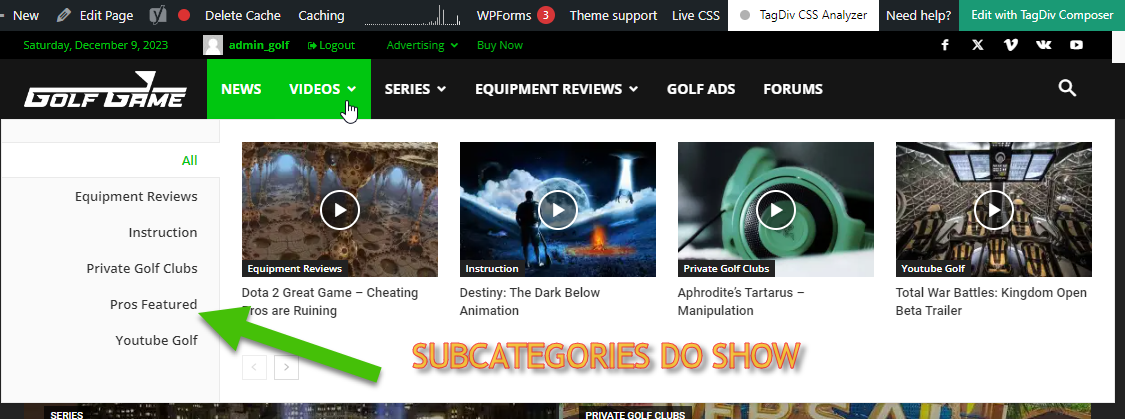
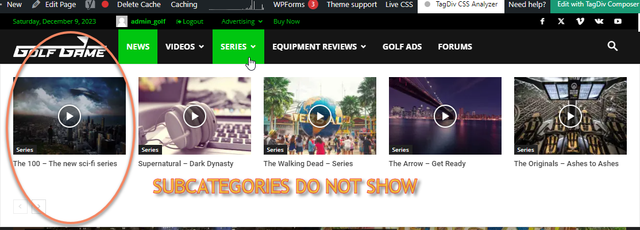
Basically, in building this new website, I like the Mega Menu drop downs. I have set Mega Menus to [parent] Categories that have Sub-Categories within them.
— There is nothing different about what was done. The process is exactly the same and it gives different results.
Is there a way to customize which drop-downs show Sub-Categories and which do not? How do I find this way, if it exists? Please, help! Thank you! (Btw, tried using Tagdiv composer and it said menus cannot be updated with it, just FYI)
 tawandahojane
I recently purchased the newspaper theme and loaded the Town talk pre-built website. I loaded the design and the data.
However, when I go to my URL and try to load the home page, I get a 500 Internal server error. But, if I load a post by clicking the preview button, the page renders just fine. The issue is just the home page.
my url is transportandlogisticsinsider.com.
Anyone come across this problem?
Tawanda
 besthomegear
 Hello Calin
Thanks for the reply – I followed all your steps, but when i “Click” on single post Overall Rating Review – the text greys out, but nothing happens.
am i supposed to create a box somewhere on the page before it inserts the code??
also, will this code than be achieved “Site wide” for all my posts (my intent)
Anamaria Hello,
With right-click -> inspect -> console -> select the error in the tab network -> preview, you can see the cause.
Thank you!
Anamaria Hi,
With right-click -> inspect -> console -> select the error in the tab network -> preview, you can see the cause.
Thank you!
Calin Hello,
The review can be added like this: https://forum.tagdiv.com/reviews-2/ and to display it on single post template you need to have the review element added – https://i.imgur.com/71qvVA3.png – https://i.imgur.com/UTsyHgZ.png – https://i.imgur.com/ug3fAyg.png
Thank you!