
- NewsmagtagDiv Composer Tutorial
- TutorialsFrom WPBakery to tagDiv Composer
- NewspapertagDiv Composer Tutorial
- NewsmagHow to use the Visual Composer plugin
- Apitd_api_block::update_key
- Apitd_api_block::update
- Apitd_api_block::add
- NewspaperCredit System
- NewspaperCreate a frontend submission form
- NewspaperHow to Use the Tabbed Content shortcode
- NewspaperCreate a form contact page
- NewspaperFilters and sorting for taxonomies
- NewspaperUser review system
- NewspaperModal Popup
- NewspaperFlex Block Settings Guide
- NewspaperSocial Sharing
- NewspaperSingle Post Shortcodes
- NewspaperInfinite Loading for Single Posts
- NewspaperThe Newspaper Mobile Theme: Introduction
- NewspaperHow to Add a Logo in Newspaper
 Anamaria
 Hello,
This is the code for animation when you open the mobile menu => https://i.imgur.com/rMsjELW.png and you can find the file in this path => wp-content/plugins/td-composer/mobile/style.css
Hope this helps you!
Thank you!
 acelbramg
 Hi,
I checked this before, if you see all messages in this topic you can verify that the problem is related to a theme (Elegant Theme Divi) and the solution was to stop the error message (but not solve the problem). After that will look at the theme forum for the solution (exactly what I’m doing).
In my case when I disable the td-composer plugin the error stops. Anyway I can’t just stop the message as this error is affecting the media library too.
If you dont have a solution, let me know, so I have a chance to get my money back and try to find other plugin that will work.
Thank you,
 dadfi
dadfi Bettina
Can I clarify what you mean by a Cloud or Pro template only. Does that mean any of the Demos that don’t have PRO against them, such as the new Journal one, can’t use TD Composer. If so what’s the reasons?
 r1kay
r1kayHi,
Making elements sticky through css won’t work due to
#td-outer-wrap {

overflow: hidden;

}
Removing the overflow results in horizontal scroll bars. Any way to fix this without using overflow:hidden? Or are there other ways to make elements sticky? Using the composer to create sticky elements isn’t what I am looking for. I want to make other elements sticky which aren’t covered by the composer.
Thanks.
 webjump
 Hi Bettina,
Thanks for getting back to me.
I’ve just tried your suggestions above, but still not TD-Composer still spinning.
Can I send you my login details. We’ve all worked so hard to get our latest paper magazine out and really need to add the latest articles to the website. Plus, we have 2 sites – both would be great in your newspaper showcase because they look very nice.
Hope you can help us 🙂
Many thanks in advance
Ken
 Infofra
 ok will, in the meanwhile here the error
Class ‘td_style’ not found in /home/u922162147/domains/infofrance.com/public_html/wp-content/plugins/td-composer/td-multi-purpose/styles/tds_icon/tds_icon1.php:9 Stack trace: #0 /home/u922162147/domains/infofrance.com/public_html/wp-includes/template.php(730): require_once() #1 /home/u922162147/domains/infofrance.com/public_html/wp-content/plugins/td-composer/legacy/common/wp_booster/td_autoload_classes.php(42): load_template(‘/home/u92216214…’, true) #2 [internal function]: td_autoload_classes->loading_classes(‘tds_icon1’) #3 /home/u922162147/domains/infofrance.com/public_html/wp-content/plugins/td-composer/td-multi-purpose/shortcodes/tdm_block_icon.php(193): spl_autoload_call(‘tds_icon1’) #4 /home/u922162147/domains/infofrance.com/public_html/wp-content/plugins/td-composer/legacy/common/wp_booster/td_global_blocks.php(27): tdm_block_icon->render(Array, ”) #5 /home/u922162147/domains/infofrance.com/public_html/wp-includes/shortcodes.php(343): td_global_blocks::proxy_function(Array, ”, ‘td in /home/u922162147/domains/infofrance.com/public_html/wp-content/plugins/td-composer/td-multi-purpose/styles/tds_icon/tds_icon1.php on line 9
 ginchu26
when I update to newspaper 10.4
-> Fatal error: Uncaught ArgumentCountError: Too few arguments to function {closure}(), 4 passed in /home/rnawunlphosting/public_html/wp-includes/class-wp-hook.php on line 287 and exactly 5 expected in /home/rnawunlphosting/public_html/wp-content/plugins/td-composer/css-analyze/css-analyze.php:510 Stack trace: #0 /home/rnawunlphosting/public_html/wp-includes/class-wp-hook.php(287): {closure}(NULL, 7023, ‘tdc_google_font…’, true) #1 /home/rnawunlphosting/public_html/wp-includes/plugin.php(206): WP_Hook->apply_filters(NULL, Array) #2 /home/rnawunlphosting/public_html/wp-includes/meta.php(676): apply_filters(‘get_post_metada…’, NULL, 7023, ‘tdc_google_font…’, true) #3 /home/rnawunlphosting/public_html/wp-content/plugins/td-composer/legacy/common/wp_booster/td_wp_booster_functions.php(572): metadata_exists(‘post’, 7023, ‘tdc_google_font…’) #4 /home/rnawunlphosting/public_html/wp-includes/class-wp-hook.php(287): td_load_css_fonts(”) #5 /home/rnawunlphosting/public_html/wp-includes/class-wp-hook.php(311): WP_Hook->apply_f in /home/rnawunlphosting/public_html/wp-content/plugins/td-composer/css-analyze/css-analyze.php on line 510
Help me, Pls!!!
 Isotypo
 Hi Ana Maria,
as you can see in the screenshot of my first message (see here), the page was built with TD composer. It happens also in other pages, only in that module you see in the snapshot (Text with title). It stays loading and loading, but nothing happens. Unlike Webjump in the previous comment, I dont get any error message of any sort.
I’ll send you an email with my credentials, so you can take a look.
Thanks in advance.
María
webjump Hi there,
We are having the same problem. It says the page as not created in TD composer, but we only used that.
 Bettina
 Hello!
Check this topic where we discussed about this issue: https://forum.tagdiv.com/topic/wp_booster-error-on-single-more-from-author-box-in-td-composer-after-update/
Thank you!
 madamcza
 Hi,
i got feedback from person in charge of lazy load plugin:
“So it looks like that script is getting loaded from this file:
wp-content/plugins/td-composer/legacy/Newspaper/js/tagdiv_theme.min.js
It seems like that file is loading the YouTube iFrame API, which is then loading that widget script.
Is there any options that you have in your theme or that composer plugin to turn off the loading of the iFrame API/scripts?”
Please kindly confirm whether we have any configuration option for that and if not how I can block it in other way? I do not want to impact page speed with forced download of those YT scripts. Makes much more sense to have it on demand when a person actually presses the start button (and then the lazy load plugin will connect to YT).
webjumpHi there,
I can’t seem o access TD Composer. It keeps spinning.
I have tried deactivating all unnecessary plugins but that did not help.
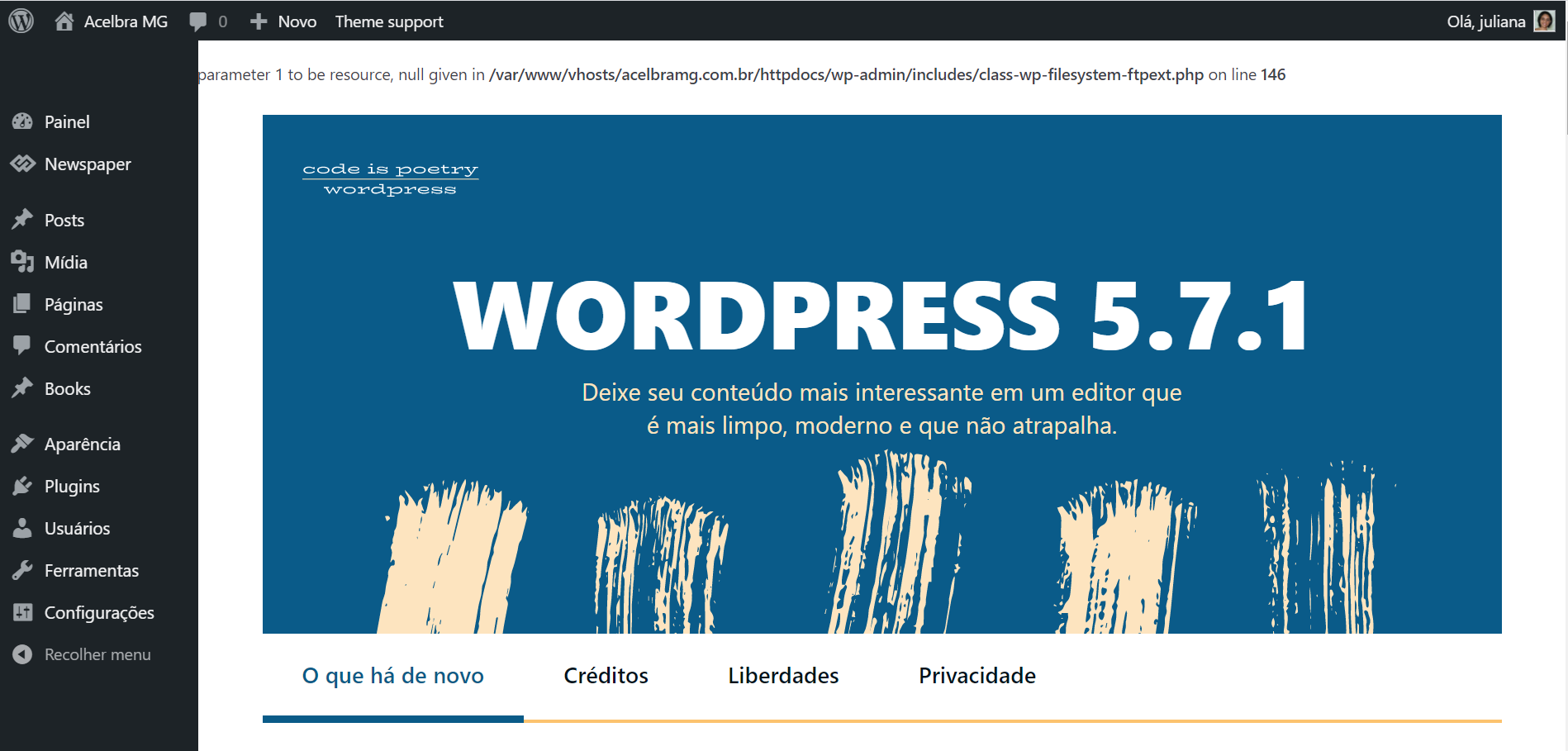
acelbramg Reinstalled the wordpress using the Panel and FTP, still with the same error. For some reason when I disable the td-composer this error stops.
Other information about this issue, the media library is not loading the images and I am not able to add new images to the site.
 newsroomearth
Howdy!
This is my third install of Newspaper for a new site. This time I have been stopped by a new issue I had not experienced before.
When I attempt to install the TagDiv plugins from the theme page, I see an ajax error and the site shows:
“There has been a critical error on your website. Please check your site admin email inbox for instructions.”
This error also happens if manually install a plugin (td-composer) and then try to activate it.
I have made sure the settings for php.ini and wp-config are correct. I also have tried installing WP Super Cache and clearing the cache before installing or activating the TagDiv plugins. I have also tried rebooting the server before installing.
Even without any plugins enabled It results in the same error.
Can you help? Thanks so much!
David
 kmanish95
Hi,
I have placed a custom ad (banner ad) from Amazon Affiliate on my website but I am unable to see it. Here are the steps that I followed-
1. Placed the script provided by Amazon banner ads into the custom ad spot 1 in newspaper x theme panel -> Ads (I have wrapped the script as stated in the documentation as <div class=”td-all-devices”> <!–Your script here > </div>
2. Placed an ad box from the tag div composer and defined -> use ad spot from -> custom as spot 1
3. Saved all the settings.
I have added element “ad box” from the tagdiv composer. Still I am not able to view the ad on the main website. I am just seeing a blank space on the spot.
This is the forum that I followed-
https://forum.tagdiv.com/using-other-ads-non-adsense-ads/
Please help, if I may have missed any steps.
Thanks.
acelbramg This error is related to td-composer in some way. If I disable this plugin everything works fine.
Anamaria Hello @meri,
If you referring to this element => https://www.screencast.com/t/akPhaymkn2 then you need to change the translation in this path
wp-content/plugins/td-composer/mobile/header-amp.php => https://www.screencast.com/t/CyFK9mFUh2 => https://www.screencast.com/t/CqPmMNkn0RPF
Hope this helps you!
Thank you!
 xxxLesy
 I tracked it down by disabling plugins 1 by 1. The cause is compatitability with WooCommerce.
Disabling WooCommerce fixes it, but downgrading to previous versions doesn’t. Tested with:
WC 4.9.2 – not working
WC 5.0.0 – not working
WC 5.1.0 – not working
WC 5.2.0 – not working
WC 5.2.1 – not working
WC 5.2.2 – not working
WC 5.3.0 RC1 – not working
On Newspaper side tested with:
10.4 – not working
10.3.9.1 – not working
10.3.9.0 – not working
10.3.8 – not working
10.3.7 – not working
If Newspaper rollback updater also rolls back TD composer plugin, which is probably the real problem, than that would mean it’s not a recent update thing, but a major compatitability issue (I only recently installed WC, so I wouldn’t know).
Can you take it from here Bettina?
 Pukacza
 I have met the requirement of all settings.
http://prntscr.com/127r85q
I checked it once again. And I can reproduce error every time I just enter the “Edit Post” in wordpress.
Whenever I done that I’m receiving alerts like below:
Error Details

=============

An error of type E_ERROR was caused in line 2934 of the file /home/546626.cloudwaysapps.com/muxfghuehd/public_html/wp-content/plugins/td-composer/legacy/common/wp_booster/td_util.php. Error message: Out of memory (allocated 35651584) (tried to allocate 40960 bytes)
And CPU usage is 100% till I restart the server.
If you need any more logs I can gather it.
 [Wed Apr 28 03:19:22.148983 2021] [proxy_fcgi:error] [pid 24049:tid 140277716739840] [client 95.91.76.7:21398] AH01071: Got error 'PHP message: PHP Warning: Attempt to read property "slug" on null in /home/546626.cloudwaysapps.com/muxfghuehd/public_..............ock.php on line 202PHP message: PHP Warning: Attempt to read property "ID" on null in /home/546626.cloudwaysapps.com/muxfghuehd/public_html/wp-content/plugins/td-composer/includes/tdc_composer_block.php on line 202PHP message: PHP Warning: Attempt

[Wed Apr 28 03:19:22.369949 2021] [proxy_fcgi:error] [pid 24049:tid 140277716739840] [client 95.91.76.7:21398] AH01071: Got error 's/tdc_composer_block.php on line 202PHP message: PHP Warning: Attempt to read property "ID" on null in /home/546626.cl..............cy/common/wp_booster/td_block.php on line 1554PHP message: PHP Warning: Attempt to read property "ID" on null in /home/546626.cloudwaysapps.com/muxfghuehd/public_html/wp-content/plugins/td-composer/legacy/common/wp_booster/td_block.php on line 1554'
 Johann
https://thehydrogenstandard.com
After updating the Newspaper theme (incl plug-ins), the TagDiv Editor broke.
No elements can be edited or placed.
Uncaught typeError are shown:
- Uncaught Error: Minified React error #200; visit https://reactjs.org/docs/error-decoder.html?invariant=200 for the full message or use the non-minified dev environment for full errors and additional helpful warnings.
- Uncaught TypeError: tdcStore._db is undefined
- Uncaught TypeError: tdcRecycle.$_restoreContent is undefined
All in the td-composer javascript files js_files_for_wp_admin.min.js
Anamaria Hello,
These are the paths => wp-content/plugins/td-composer/legacy/Newspaper/includes/td_config.php => https://i.imgur.com/bQpMgSf.png and this for flex block 1wp-content/plugins/td-composer/legacy/Newspaper/includes/modules/td_module_flex_1.php
but if you want only to change the height and width for image, you can do it like this => https://www.screencast.com/t/BKlPEkNwfj8
Also, please check this topic https://forum.tagdiv.com/topic/how-to-change-the-size-of-thumbs-on-moduleblock/
Thank you!
 Joda
Joda Hi Anna Maria, I have carried out the indicated steps but I still cannot enter the pages using EDIT WITH TD COMPOSER .. For the rest it seems to work
Anamaria Hello,
If you want to set it for flex block 5, here is the block path wp-content/plugins/td-composer/legacy/Newspaper/includes/shortcodes/td_flex_block_5.php and use module 5 in the path above, sorry, but I don’t know exactly where that code should be added because I’m not a developer.
Thank you for your understanding!
Anamaria Hello,
To change the color of the header, please edit with tagDiv Composer => https://www.screencast.com/t/v8yuNjlETd select the header menu -> Zone => and the tab called “CSS” you can remove the border value, or change the color of border => https://www.screencast.com/t/q9k0nc0lw7x
Hope this helps you!
Thank you!
 fespinal
 I needed to limit the number of authors to display and sort them randomly. It would be nice if it was included as a feature.
I share the code modifications I have made in case they serve as a starting point or serve for someone with the same need.
Enabling order by rand to functions.php
td-composer/legacy/Newspaper/includes/shortcodes/td_block_authors.php
@@ -175,7 +175,8 @@ class td_block_authors extends td_block {

                 'roles' => '',

                 'sort' => '',

                 'exclude' => '',

-                'include' => ''

+                'include' => '',

+                'number' => '',

             ), $atts));
@@ -200,7 +201,7 @@ class td_block_authors extends td_block {
$get_users_array['orderby'] = 'display_name';
//$td_authors = get_users(array('orderby' => 'display_name'));
} else {
- $get_users_array['orderby'] = 'post_count';
+ $get_users_array['orderby'] = $sort;
$get_users_array['order'] = 'DESC';
//$td_authors = get_users(array('orderby' => 'post_count', 'order' => 'DESC'));
}
@@ -216,6 +217,10 @@ class td_block_authors extends td_block {
$get_users_array['role__in'] = $roles_in;
}
+ if (!empty($number)) {
+ $get_users_array['number'] = $number;
+ }
+
$td_authors = get_users($get_users_array);
td-composer/legacy/Newspaper/includes/td_config.php
@@ -30387,7 +30387,7 @@ class td_config {

                         array(

                             "param_name" => "sort",

                             "type" => "dropdown",

-                            "value" => array('- Sort by name -' => '', 'Sort by post count' => 'post_count'),

+                            "value" => array('- Sort by name -' => '', 'Sort by post count' => 'post_count', 'Random' => 'rand'),

                             "heading" => 'Sort authors by:',

                             "description" => "",

                             "holder" => "div",

@@ -30411,6 +30411,15 @@ class td_config {

                             "holder" => "div",

                             "class" => "tdc-textfield-big",

                         ),

+                        array(

+                            "param_name" => "number",

+                            "type" => "textfield",

+                            "value" => '',

+                            "heading" => "Number of users to limit",

+                            "description" => "",

+                            "holder" => "div",

+                            "class" => "tdc-textfield-big",

+                        ),

                         array(

                             "param_name" => "separator",

                             "type" => "horizontal_separator",


