
- NewspaperHow to update a plugin
- NewspaperHow to update the WPBakery Page Builder plugin
- NewspaperHow to Update the Newspaper Theme
- NewspaperSingle Post Excerpt
- NewspaperWP Rocket and Newspaper Theme: Optimization Guide
- NewspaperCredit System
- NewspaperHow to use the Bing Maps API
- NewspaperModules Builder in Newspaper Theme
- NewspaperCreate a frontend submission form
- NewspaperCustom Fields Support
- NewspaperFlex Block Settings Guide
- NewspapertagDiv Opt-In Builder
- NewspaperHow to use the YouTube API
- NewspaperDefault Category Settings
- NewspapertagDiv Composer Tutorial
- NewspaperHow to Set the Image Avatar
- NewspaperUnique Articles
- NewspaperFacebook Share
- NewspaperCache plugin – install and configure
- NewspaperFeatured Image, Video or Audio
 ben.hinc
 Update:
I posted this issue to PowerPress plugin support forum and got this response:
Looking at your screenshots, it appears the theme was stripping the category feed of all of the settings applied by PowerPress. There is an option in PowerPress >> Settings, Advanced Mode >> Feeds tab to keep outside plugins from modifying podcast feeds (it can also help with theme-based issues sometimes). If you’re still having trouble, enable this option and save the changes.
Other than that, all you can do is get support from the theme developer. If the category-based podcast feed is working as expected under a default theme, the issue isn’t with PowerPress.
The full thread is located here: https://wordpress.org/support/topic/powerpress-incompatible-with-tagdiv-newspaper-cloud-templates/#post-10878019
I can confirm that I had the setting he refers to turned on already. Even with the plugin set to prevent outside plugins from adjusting the RSS feed of the category, it is still unable modify the feed when a Cloud Template is applied to the category.
 Alastair Dixon
 I’ve come across this issue too. Your solution sounds a bit dangerous, do you think it will be possible to choose the thumbnail rather than defaulting to the 15×150 thumbnail in a future update?
Best,
Alastair
 teamea
 Thank you Simion that is all great advice and I will work through these points and update my theme and hopefully this will solve my blank block problem too…I will keep you posted and many thanks again for your help, Mandy
-
This reply was modified 7 years by
teamea.
 whatawawu
I updated to v4.6 and my thumbnail images are no longer showing on the site. https://worthylane.com/
Please how can this be resolved?
 mark-3
 Hi Simion,
Unfortunately excluding pages by IDs doesn’t give the desired result as it can’t distinguish which page you’re currently viewing, unless making loads of different custom sidebars which just isn’t feasible.
An update in future would be great if it can take into account pages and not just posts.
Thanks
 virtual2go
Hi. Please, how do I update the theme, without changing the addsense struture?
Before I just upload the new version and send it to the Theme paste.
 Simion C.
 Hi,
For me while checking with Google Chrome the post appears with no thumbnail, I checked again
– https://www.screencast.com/t/N6JcOvLEi
If a featured video is set as mentioned in the guide
– https://www.screencast.com/t/ZjnKWdflHzR
Then when the post is updated/published thumbnails will be created from the video
– https://www.screencast.com/t/Nyzom4Y7L5t4
Those thumbnails will then be displayed in modules
– http://prntscr.com/lhuiuo
If I misunderstand the problem please correct me. I am not seeing a thumbnail while checking with Chrome or any browser.
Thanks
 cfriday
 Same Here. Did something break with this latest update? It worked for in all other pervious versions. tdc_util.php on line 592 is the same error I received.
Simion C. Hi,
@rights reporter I have inspected your website, browsed it for a while. Where exactly are the problems with the thumbnails happening? I don’t see anything wrong with them
– http://prntscr.com/lhu8i0
– http://prntscr.com/lhu8pn
– http://prntscr.com/lhu8u4
We have investigated similar reports but found no actual issues. There was a problem with thumbnails in the menus after the initial 4.6 update. It was quickly fixed and the theme re-uploaded on themeforest.
Thanks
Simion C. Hi,
We have investigated similar reports with thumbnail issues after the update, but no actual issues have been found.
You can send us an email at contact@tagdiv.com and provide the website and also admin login so we can take a look. Include a link to this topic in the email.
Thanks
Simion C. Hi,
Unfortunately there isn’t, you would have to manually set a font for all the theme panel sections.
I believe this is already on our list and could make it’s way in a future theme update. Sorry for any inconvenience.
Thanks
Simion C. Hi,
1. Seems to be a mistake. That setting Catalin mentioned is for the slide element. For the big grid slide category tag these 2 settings have to be enabled
– https://www.screencast.com/t/fc2D0Rd8O6e
The big grid slide is based on big grid 2, they share these category tag settings. Sorry for the misunderstanding.
2. That issue seems to be caused by a demo customization, in the Gadgets demo you have installed. I will add this issue on our list and it will be fixed in the next update. The gadgets demo uses a different grid in the homepage, with some custom design. That design seems to apply to the big grid slide you use. It will be made more specific if possible, so it does not affect other elements.
As a quick fix please enter this code in Theme panel->Custom CSS section
– https://pastebin.com/JHTbvyMk
Result – https://www.screencast.com/t/gJCoOVcYu
5. We are aware of this issue, the thumbnails are indeed distorted. A solution will be found for this as soon as possible. Sorry for the inconvenience.
Maybe a temporary solution would be to make the 2 bottom modules of the grid display like this
– https://www.screencast.com/t/IAJAUQoMUl
If you should consider it, enter this code in Theme panel->Advances CSS in the phones field
– https://pastebin.com/2V3JrCbC
6. The background will be loaded on all devices when set, it is basically the same website but responsive. I have tested your website for a while on a mobile, kept refreshing pages or browsing. I don’t see the background at all on mobile.
7. With a background the width of the theme will be 1164px
– https://www.screencast.com/t/3MQBNqdaxIZ
The dimensions you are using should cover the screen since they have the same width and the background is set to 100% (when using the theme panel setting)
– https://www.screencast.com/t/taYOopLc
You seem to have set the background a different way from what I can see.
Let us know if you have more questions.
Thanks
 Calin
Calin Hi,
In order to use that option you;ll need to make update to the theme.
please read first this -> How to update the theme
Thank you for your understanding.
Simion C. Hi,
Currently when entering a shortcode in a page, in a text element, once the page is saved and edited again, the shortcode will not appear as a shortcode (as you entered it) instead it will be rendered.
If that is what is happening for you, there is a temporary fix provided in this topic
– https://forum.tagdiv.com/topic/shortcode-in-text-element-convertered-to-html/
Based on user feedback this fix works, it will be included in the next theme update. let us know.
Thanks
 Mustafa Varol Simion C.
 Hi,
At the moment there isn’t an option that could do this. Unless manually excluding the posts/pages by IDs in the respective block’s setting, there is no other solution.
I believe this is on our list and may be implemented in a future update. Sorry for any inconvenience.
Thanks
Simion C. Hi,
All the code entered in the theme panel is saved in the database of the website. So even when the theme is removed/updated the code will not be lost.
If you entered a CSS code this will be loaded after the theme CSS is loaded. For example using this code
– https://www.screencast.com/t/DYd9cROyK8bR
It can be seen in the page source that it’s loaded like this
– https://www.screencast.com/t/353qdYQYS
Thanks
Simion C. Hi,
I am not aware of such plans unfortunately, that may or may not happen. So this modification would have to be made again after an update. Sorry for any inconvenience.
Thanks
Simion C. Hi,
So the categories from which the blocks are set to display posts have been deleted, now the blocks are empty. Also the composer does not work if you try to edit the page with it.
From what I can see the theme version used by the website is 8.2, the latest being 9.1. There were quite a lot of changes and new additions since that version. There is a changelog at the bottom of this page
– https://themeforest.net/item/newspaper/5489609
From there you can download the theme as well, you have to be logged into your themeforest account. You can download the full package or just the theme zip
– https://forum.tagdiv.com/whats-included/
Once downloaded you can update to the latest version, here is a guide
– https://forum.tagdiv.com/how-to-update-the-theme-2/
The most reliable and most used method to update is by FTP. Remember to make a backup of the website before updating, just to be safe.
Be sure to check the updated theme requirements guide, insufficient resources can cause problems using the theme or theme plugins
– https://forum.tagdiv.com/requirements-for-newspaper/
If needed increase them, or contact the hosting provider and they should be able to do it for you.
In case there are problems after you update, let us know and we will try to help you.
Thanks
 Ladiesabroad
 OK, a did the 9.1 update of the test blog, but did not update the slider version. The test blog slider is version 5.3.0.2. All other plugins are updated.
1. Having the slider activated, this error message occurs on the top of the plugins page: _function() is deprecated in /customers/c/5/c/ladiesabroad.se/httpd.www/test/wp-content/plugins/revslider/includes/framework/functions-wordpress.class.php on line 258 Warning: Cannot modify header information – headers already sent by (output started at /customers/c/5/c/ladiesabroad.se/httpd.www/test/wp-content/plugins/revslider/includes/framework/functions-wordpress.class.php:258) in /customers/c/5/c/ladiesabroad.se/httpd.www/test/wp-admin/includes/misc.php on line 1126
My test blog also looks strange, having lost the columns, all blocks content shown under eachother instead of in a grid etc.
2. Inactivating the slider still makes all columns etc look strange. https://test.ladiesabroad.se/.
LadiesabroadYesterday I could not log onto my wp-admin, the blog itself was working fine. My webhost identified the plugin revslider to be the problem and disabled it for me. Of course, I would like to have my slider back, I love it. I have not tried to activate it again, as I guess I will not be able to access my admin panel then.
1. I believe the webhost may re-named the plugin in my file Manager plugons folder, as the folder is now named revslider2. Should the folder be called “revslider” or “revslider2”?
2. As I understand it, the slider is now automatically updated. As I recall it, earlier I had to uninstall it and download and install a newer version to have it updated. I have not done any uninstall and install new version for a long time, but the plugin does not tell me to update either. I currently have version 5.2.5.1.
Oh, I just visited the sliders homepage and saw version 5.4 is available…. Why does not the plugin tell me to update?
3. I assume the problem may be caused by me have not updated the theme, I am still on version 8.8.2. The reason for this is my test blog these days differs so much from the actual blog, meaning I have not dared to do the update yet.
4. I have the Envato Market plugin activated, which I thought should update the theme automatically. Is it working only for minor versions and not the majors?
I assume you will tell me the solution is to update both the theme and the slider…. Or do you have any other solution? Anything I should be especially beware of doing the version 9 upgrade of the theme? Also, I have forgotten how to download the newest version of the slider. Is it on my download page?
Thanks.
Simion C. Hi,
I can’t see the screenshots you provided – https://www.screencast.com/t/fijUArY9yY
Analyze the test results to see what can be improved and what are the problems. Investigate plugins as well, maybe one of them is causing problems.
In the last update there were some new options added in the tagDiv composer, but they shouldn’t create general loading problems for the website.
Thanks
 Martin Gonzales Lopez
 hello, excuse my english I use a translator.
I updated the template from 4.5 to 4.6 and the same happened to me
thumbnails disappeared, use a cache plugin in some browsers worked and in others not and when updating the browser was left without seeing the thumbnails, to correct the problem I had to return the template to the previous from 4.6 to 4.5. and everything was back in order, I will also wait better for there to be a solution.
 atimeonline
 I’m already updated the theme but still not work 🙁
Mustafa Varol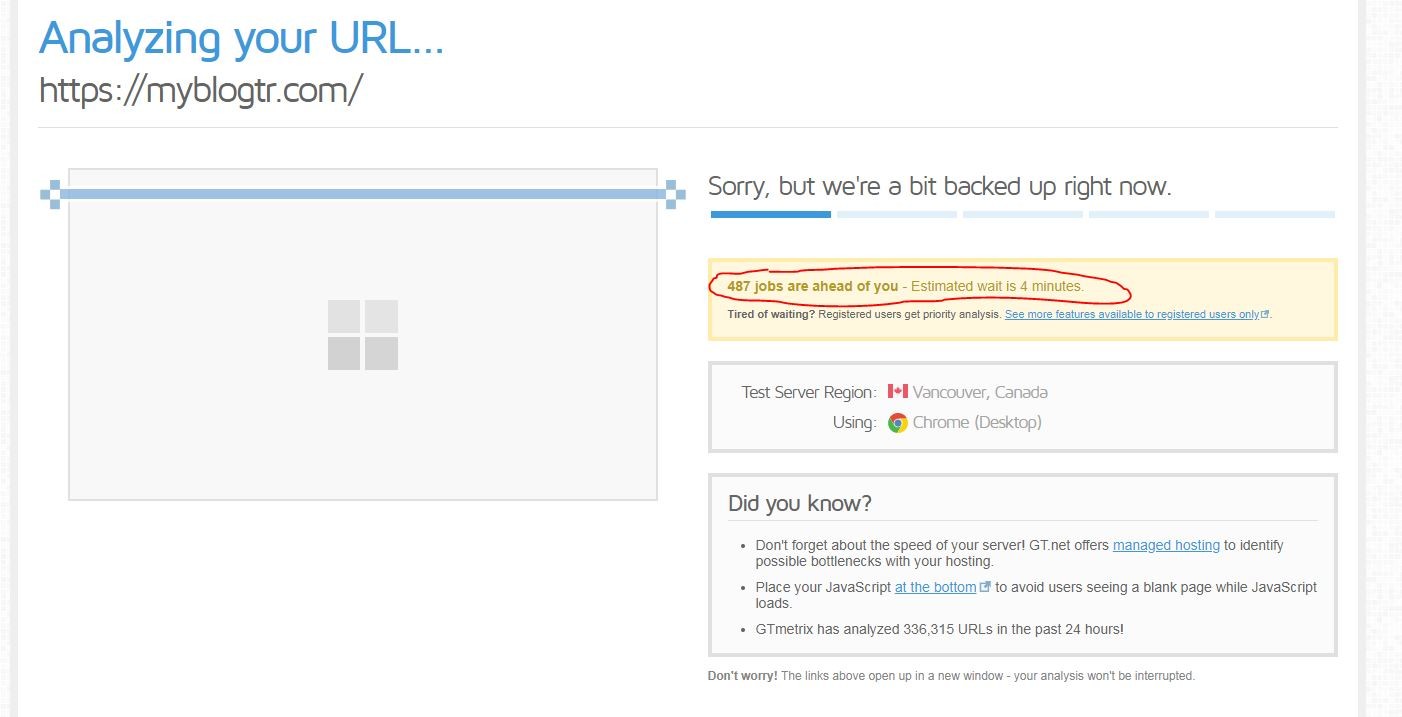
Dear,
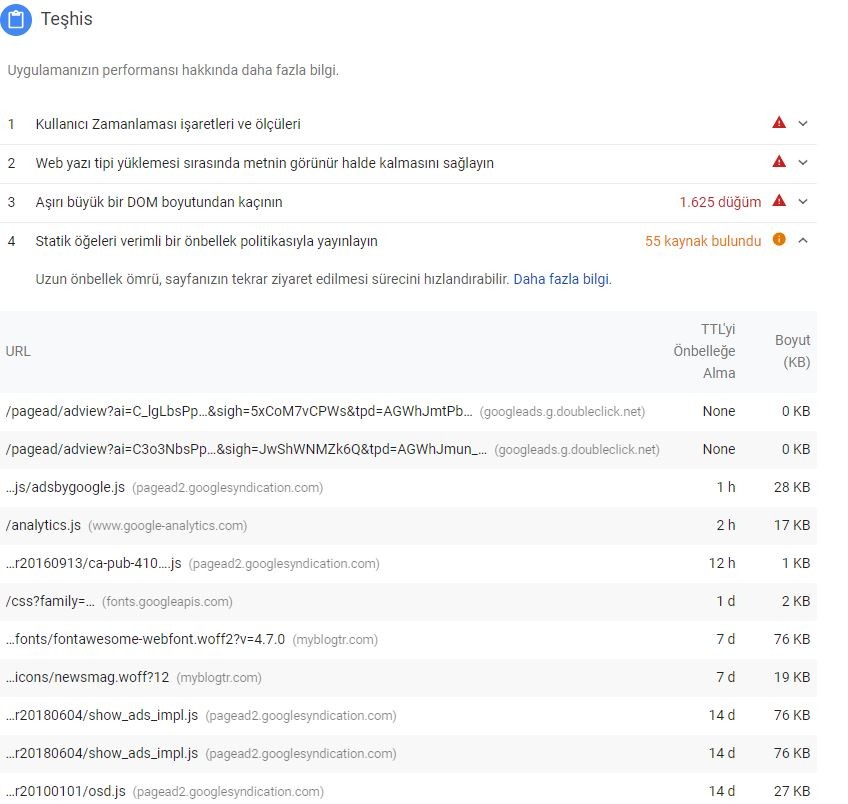
There is a problem about pagespeed and analysis of gmatrix after the updated theme. They are working slowly. What is the problem? Could you help me, please?
Thank you!
