- NewspapertagDiv AMP Plugin Tutorial
- ApiPractical example – How to add a new Block and Module
- NewspaperTrack Subscription Sources with Locker URL in Opt-In Builder
- NewspaperWP Rocket and Newspaper Theme: Optimization Guide
- NewspaperCredit System
- NewspaperIntroduction to CPT and ACF with Newspaper Theme
- NewspaperHow to edit modules for Flex Block X
- NewspaperHow to use the Posts List shortcode
- NewspaperUser review system
- NewspaperCustom Fields Support
- NewspaperHow to generate Facebook App ID
- NewspaperHow to insert a block inside the content of a post
- NewspaperModal Popup
- NewspaperPayPal Setup
- NewspaperLink Tracker
- NewspaperLockers
- NewspaperGeneral Options that May Interfere with the Newspaper Theme
- NewspaperAdd Cryptocurrency Price Ticker Widget
- NewspaperPosts Loop Element
- NewspaperThe Newspaper Mobile Theme: Introduction
 hemantbeniwal
 I am facing the similar issue with thrive architect & lead. check this https://ibb.co/gsHH1R
Thrive is a serious player & you people should consider compatibility with their plugins.
Expecting a positive reply.
 d85
d85Hi, sidebar or widget are not fixed as in your demo example…
whether I need to add something or how to adjust it?
I also can not add any ads to the header – I’ve followed these instructions and do not work.
Thank you – greetings
 Hristijan
Hello,
I have big issue with the subcategories, i’ve created menu with categories like news, sport, scene, magazine etc… and i want under sport for example to put subcategories like soccer, tenis etc… but it seems too much complicated i’ve tried everything and it doesn’t work, please help!
 jOOc
jOOcHi,
Display the category in blocks work with normal posts but not with custom taxonomy.
Here is what I did as a easy test:
1. Create a normal post with “Category” : news
2. Upload and active your “td-custom-post-type.zip”
3. Create a new book with a new “Genre”, example: horror
4. Create a new page “BOOKS”
5. Edit with “TagDiv Composer”
6. Add a new “block 12” section
7. Change “Post Type” to include “td_book, post”
8. Save
9. Verify you have these settings in the Newspaper theme
Block setting -> Category tag on Modules/Blocks -> Module 11 = ON
CPT & Taxonomy -> Books -> Category Spot Taxonomy = Genres
10. Go to your new page “BOOKS”
The category “news” is shown on the normal post, but the category/genre “horror” is not shown on the book post.
Am I missing anything or?
 mrclickmx
Hi!
Been using the theme for a month and it’s been great regarding functions and customization. The only thing I’ve been really fighting with is performance, as the theme generates lots and lots of inline CSS & JS instead of having main cores on files which I can compress and cache.
So far I’ve done all the optimizations recommended, using WP Cache and also Fast Minify. They work as intended, however there’s one thing they can’t fix: Inline code.
The Theme Panel puts all the custom fonts, colors and customizations in inline code instead of storing them in a file, making it impossible to compress, minify and cache those files, while also render those customizations last.
Is there a way I can easily modify the code (I’m a dev), without breaking updates, for putting those customizations on a file instead of inline?
And as a suggestion, reducing the inline code both for the Theme Panel customizations and for the Blocks would be a huge performance hit on this theme. Even on dedicated servers it’s not loading as fast.
Regards and thanks
 fmlpns
 Hi,
There’s a number of things that have happened over the last couple of months that has not allowed me to edit certain aspects of a page. For example, when trying to edit an image frame, it just goes dark and won’t let me touch anything according to this screenshot:
https://imgur.com/a/hsnpS
Thanks!
 planetacamion
I need to be able to include a direct playlist from YouTube, not a series of videos separated by commas, so that the update is dynamic and not manual.
This YT Playlist:
No individual videos as:
fizZahFCO40, fENktDeAwf4, 6ZQYHsgS-5c
Thanks!
 eitch
eitch Hi,
We might have our wires crossed here…
On the footer below my logo it says ‘contact me:’ how can i change this to ‘Contact Us’?
The example you show all say ‘Contact Me’
 ssampey
Hi I am trying to ad amazon ads to my site with this code : <div class=”td-all-devices”><script src=”//z-na.amazon-adsystem.com/widgets/onejs?MarketPlace=US&adInstanceId=c55f263b-1db4-45ca-a613-36d645897533″></script></div>. I have put them in the themes panel where the google ads previously were sidebar ad, and custom ad. However i don’t see them showing on my site http://getoutplay.com/. It should show up before Who are we… and also in the footer above our logo. Any idea why it’s not showing?
 Simion C.
 Hi,
If I understand correctly the image was displayed vertically in the post page. I have not heard about this issue before, could not say what is causing it. I believe the image is originally like that, from what I can see this is the original image used
– https://i1.wp.com/jazko.com/wp-content/uploads/2017/10/DSC_0322.jpg
WordPress has an option to rotate the images after uploading them in the media library
– https://www.screencast.com/t/WbasznpouK5
Or you can process the images before you upload them, in a photo editing program for example.
Images should not change orientation once uploaded the intended way. I have not heard of this issue before, but every day is something new.
As I understand there are multiple options to implement that verification code. The easiest way would be to add the code as mentioned, in the theme header file. That will be sufficient. The file is located in the main theme folder, on the server you are using. They can be accessed by FTP
– https://premium.wpmudev.org/blog/wordpress-theme-files/
– http://www.wpbeginner.com/beginners-guide/beginners-guide-to-wordpress-file-and-directory-structure/
Or you could simply use the default WordPress editor, like this
– https://www.screencast.com/t/ET50xtubPbKo
Regarding the page issue, from what I can see it is not displaying correctly at the moment. Edit the page with the tagDiv composer and make sure all the elements are placed corrector. You could simply remove the block with issues and add it again.
The easiest way to implement additional sharing would be to use sharing plugins. The alternative is by code modification only and manual implementation. I could not say if or when more sharing options will be added in the theme by default.
Thanks
 monet
monet Hi,
Thanks for your response and all the info, much appreciated.
Most of the items are closed, just a couple of comments if you allow me:
1. “You can simply dismiss the message.”
Can you please explain the best way to do this permanently?
Each time I close it, stills comes up “site-wide”…
2. I’ve managed to “manually” change them all.
However the footer / “about us – FOOTER TEXT” is resisting… (WPML can’t find the string…)
Any comments on this?
3. We do not use Adsense, is just a static image, however we want to be able to change it by language (one in ENG and one in ESP).
A bit of php code will do that (an example attached)
<?php if(ICL_LANGUAGE_CODE=='es'){?>
             <div class="td-all-devices"><img src="/banner_top_ESP.jpg" /></div>
	 elseif(ICL_LANGUAGE_CODE=='en'){?>
	 		<div class="td-all-devices"><img src="/banner_top_ENG.jpg" /></div>
 <?php }?>
The question is where to put this on the theme without breaking anything..:-)
If you can point me on the right direction will be appreciated!
Thanks again for your all your help and patience.
Have a nice weekend!
Fernando.
PS: I realize that the “Per post category” on the theme settings only works for the main language categories and not the translations. I will be a great improvement to have this option for multilanguage sites as well.
Anyway, your theme rocks! Great work.
-
This reply was modified 8 years by
monet. Reason: wrong code
 Catalin
 Hello 123tlumacz,
For example, you can try using the following code for adding an image for your category section and the result should have looked like this -> https://www.screencast.com/t/e56HdZQHv
The code is ->
.td-image-gradient-style8{ background-image: url(http://demo.tagdiv.com/newspaper/wp-content/uploads/2016/05/login-mod.jpg);

background-size:100% 100%;

background-repeat: no-repeat;

}
Hope this helps!
Thanks for your understanding!
Simion C. Hi,
This is unusual, I see the problem you are referring to. There are 6 posts in the “LOL” category for example, and the mega menu block finds 6
– https://www.screencast.com/t/O9FQkAZX
But the pagination does not seem to display the 6th post. Besides a duplicate post in that category I don’t see any other issue. There are no errors in the page that would indicate why this is happening.
A suggestion would be to deactivate all plugins except theme plugins as a test, and clear all caching. Check the theme system status and see if all the parameters are according to this guide
– https://forum.tagdiv.com/system-status-parameters-guide/
Then check if this has any effect, let us know the results.
Thanks
 mfrog
mfrogLooking for instruction: how to add the text to be visible inside the picture as the title for example?
Catalin Hello morebusiness,
Sorry but the theme does not allow you to make an infinite scroll for Woocommerce page products, sorry! Only available type pagination for this kind of page is numeric pagination, like this -> https://www.screencast.com/t/SKAc517MtnVN
The mega menu has not been designed to display the shop pages but only our posts and default pages.
If you want to hide the ads for the Woocommerce page you should use a bit of CSS code for this and target your page desired by page ID.
Notice that our theme has the own sign in/login functionality and does not use the Woocoemmerce’s functionality in this case. The Woocommerce log in should be applied only for Woocommerce elements. You should check the plugin’s documentation here -> https://docs.woocommerce.com/?s=login&post_type=documentation&search_in=3
If you do not like the design of it you should create your own style using a bit of CSS code but notice that it have to do by yourself because we cannot provide custom work at the moment, sorry!
Check the plugin’s settings to enable or disable all of the specific plugin’s elements, sorry!
Sorry but that question regarding on Google Translate is not theme related! If you want to know how this can be done, please google it. As a hint, you can take a closer look at this tutorial -> http://nationbuilder.com/google_translate_widget
Sorry but please notice that the standard position of social sharing networks cannot be changed very easy because the theme layout will be damaged, sorry!
.td-default-sharing .td-social-sharing-buttons {

border: 1px solid #ebebeb;

border-radius: 20px;

}
The result is here -> https://www.screencast.com/t/R5eWwNSa
I guess that you are using the Footer template style 1 which comes by default with these widgets. If you want to change the content of it notice that you can do this only by the code. So, if you want to create your own Footer template style, I recommend you to use the Footer template style 5 according to our documentation here -> https://forum.tagdiv.com/footer-templates/
Notice that the Editor Picks is just a simple block style 7 sorted by some default parameters as you can see here -> https://www.screencast.com/t/me51SX6Vj6h
Hope this helps!
Thanks for your understanding!
 rapision
I bought and installed your theme http://www.ctjournal.kr/won/
It looks good to me on PC monitor.
But When I see the site on a Mobile phone,
top ad banner comes at the very top of the site.
but I would like to put the top ad banner just below the logo & menu bar when I see on a mobile phone.
Can We swap these panels’s location?
 alexliu0317
 Hello,
I have more questions.
1) as for social media sharing on Facebook/Instagram, there are icons for them. How about Chinese social media icons such as WeChat/Line/Weibo? Do you have them available? If not, is there anyway I can have them added next to facebook…etc?
2) The problem I said I was having with vertical pictures going horizontally, I see more of that today. Once again, didn’t change any setting for the last 24 hours and it was perfectly fine yesterday. My question is, is this because of the server? (hosgator) or more of newspaper or wordpress? Could you please help me to look into these few articles, you will be able to spot what I meant pictures suppose to go vertically going horizontally. For instance, a person who should be standing, now looks like floating sideways.
Examples:
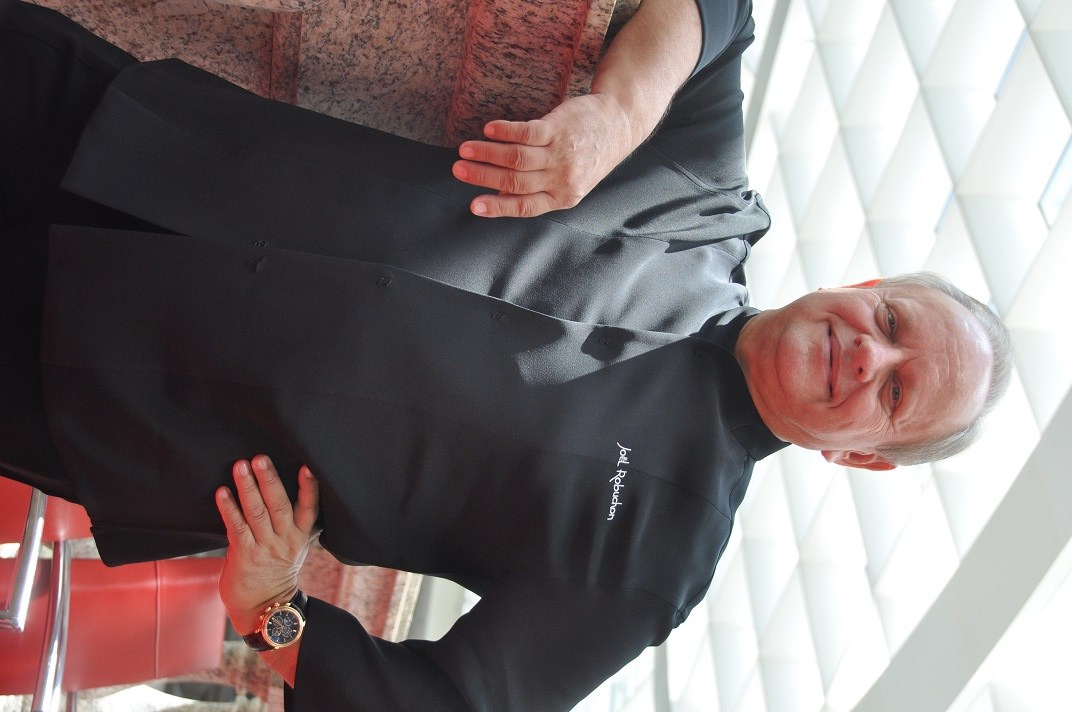
http://jazko.com/featured/joel-robuchon-interview/ ( look for pic in the middle of the article )
http://jazko.com/food/fine-dining/taipei-bellavita-beatate/ ( look for cheese and wine , 2pics)
Being said that, my front page is still very wrong with its display for the fashion section. Please try to look at the front page, and click next…all the way til 5 ( still same category) , looks like setting is wrong but I am positive we did not change anything. I am the only one who is building this website, no one else is.
Thank you.
 savunmahatti
 Hi simon,
When I checked what they said, I noticed it was not a Webp format visual. I know the Safari browser does not support it. But there is no WebP image on the site. For example: https://cdn.pbrd.co/images/GQPzXET.png
Although the image formats are all .jpg, the images do not appear.
savunmahatti hi simon,
I want add to title icon in social media block.
example: https://cdn.pbrd.co/images/GQPoXPz.png
I try your icon methods but social media block don’t work. It’s breaking.
Simion C. Hi,
1. That message is not an error, it was added to let people know not to use the translation panel if they use WPML. You can simply dismiss the message.
2. I believe you must use the string translation module, for the widget titles
– https://wpml.org/documentation/getting-started-guide/string-translation/
– https://wpml.org/faq/getting-string-translation-to-work/
– https://wpml.org/documentation/
3. I couldn’t say how you could display ads by language. The theme supports Adsense ads and also other ad implementations, but it does not have such advanced options by default
– https://forum.tagdiv.com/ads-adsense-overview/
– https://forum.tagdiv.com/using-other-ads-non-adsense-ads/
I believe Adsense supports language ad targeting, if you use Adsense ads. Here you can find more information
– https://support.google.com/adsense/answer/9713?hl=en&ref_topic=1628432
– https://support.google.com/adsense/answer/2753586?hl=en
Thanks
 simchris
 Useful to read through theme docs to learn what everything does, try here for example
https://forum.tagdiv.com/theme-blocks-modules/
 kevinang
 The Javascript error that is shown is :
.../wp-admin/admin-ajax.php?td_theme_name=Newspaper&v=8.1.1 404 (Not Found)
.../wp-admin/admin-ajax.php
 beermoney
 It was included in the “All Files & Documentation” download, but not in the “Installable WordPress File Only”. How come?
All Files: http://oi66.tinypic.com/2n0ri28.jpg
WordPress Only: http://oi67.tinypic.com/e5sk1w.jpg
simchris Sounds like DNS error but checkup shows okay
https://mxtoolbox.com/SuperTool.aspx?action=https%3a%2f%2fbitcoinwarrior.net%2f&run=toolpage
Might be your own ISP.
Normal debug would be turn all extra post options OFF like related post, more from author, fly out, sidebar widgets; disable plugins; check server ERROR LOG for bad plugins.
Check system status in theme panel. You do need to have more RAM allocated to WP, longer timeout settings for php, etc.
You also need to setup your site/hosting properly for WordPress with things like GZIP/deflate, expiration headers, etc., which have nothing to do with the theme
https://gtmetrix.com/reports/bitcoinwarrior.net/O7Zrep1j
Need to fix bad requests, like
https://i0.wp.com/bitcoinwarrior.net/wp-content/uploads/2015/02/220x180.jpg?w=696&ssl=1
 morebusiness
Hello, I just purchased this theme after getting positive replies to my pre-sales questions on Envanto. After trying to set up the theme to replace our current one, I’ve come across several issues that I can’t figure out. These are blockers to our porting our site to Newspaper8.
How do I set up infinite scroll for WooCommerce products pages, including the main /shop page and product category pages?
How can I set up the Shop page as a mega menu item showing featured products (and a “more products” option) in the main menu bar?
How can I make ALL WooCommerce pages have a different sidebar than the main posts pages? The Theme Panel only seems to allow 2 WooCommerce pages to use the WooCommerce sidebar. Example: Checkout shows the default sidebar, not the WooCommerce one.
How can I disable ads from being displayed on the WooCommerce pages?
Will the WooCommerce social login extension work for only the WooCommerce section or all other actions that require a login, such as posting comments?
The styling for the WooCommerce pages does not look very attractive. The buttons from your Default Theme are black, not blue like the Read More buttons on the posts. How do I change the WooCommerce buttons and product category/tag text colors?
How do I set up infinite load on the WooCommerce product (main shop and product category) pages like we can do for the post categories?
How can I disable the More Stories bottom right popup on WooCommerce pages?
Some other questions:
How can I put the Google translate widget into the very top menu bar? And can I preset it to only show certain languages?
How can I change the shape and position of the social media share icons from boxes below the article headline to sticky circles on the left side (in the background outside the boxed section)?
How can I change the default content in the 3 footer blocks from your Default Theme (currently Editors Picks, Popular Posts and Popular Category)?
How are Editors Picks selected?