
- NewspapertagDiv Composer – Website Manager
- NewspaperWhen tagDiv Composer is Not Working
- NewsmagtagDiv Composer Tutorial
- TutorialsFrom WPBakery to tagDiv Composer
- NewspapertagDiv Composer Tutorial
- NewsmagHow to use the Visual Composer plugin
- NewspaperScroll Animation
- NewspaperSingle External Shortcode and External Shortcode
- NewspaperCredit System
- NewspaperBookmark – Save For Later
- NewspaperFlex Block Builder and Flex Loop Builder
- NewspaperModules Builder in Newspaper Theme
- NewspaperIntroduction to CPT and ACF with Newspaper Theme
- NewspaperCreate a frontend submission form
- NewspaperHow to Use the Tabbed Content shortcode
- NewspaperCreate a form contact page
- NewspaperFilters and sorting for taxonomies
- NewspaperUser review system
- NewspaperCustom Fields Support
- NewspaperWooCommerce: Happy “Add to Favorites!”
 Calin
Calin Hi Hadigezcom,
In some cases, the mod_substitute module default configuration may cause a timeout error on TD Composer when loading large pages . To fix this you have to add the following lines in the .htaccess file located in your website main folder:
<IfModule mod_substitute.c>

SubstituteMaxLineLength 10M

</IfModule>
Thank you.
 bob@mrrogersweborhood.com
 Hi,
As shown in the screenshot, the website is wellmaidokc.com.
It’s the news page, wellmaidokc.com/news that shows the ‘post grid’. I’m not able to edit with the TD composer since it’s not data on the page, rather an element.
I don’t see a way to change the color of the ‘read more’ buttons in the theme color options.
Any other suggestions?
Thanks again.
 MYCFL-Yvonne
Hi,
We are using the default Newspaper demo page as our home page and have been able to customize everything except the latest articles feed that is at the bottom of the home page. It shows 11 articles – we want it to be just six. Any attempts I have made to reduce this to 6 only affect the # of posts that display on pages 2, 3 etc which you click on the page scroll at the bottom of the feed.
Here is what we have attempted to to do address this:
1. When editing the home page at the bottom – edit post loop settings / filters to limit post number to 6. This affects the loop pages but not the home page feed.
2. Tried to change settings using the td composer on the front end, but cannot access the feed.
We did not see where to change this in the theme panel.
Please let us know how to fix this. you can see the issue here: https://staging1.mycentralfloridafamily.com/
 entheodora
Hello,
I have deactivate the tagDiv mobile plugin and use my custom home layout, build by me in tagDiv Composer, in mobile too. My desktop layout has three columns. The midle column has the main articles and is the widest. Left and right columns has secondary articles. On mobile phone the left column are shown first! This is wrong because my important articles are in the midle column. You have a solution for this? I mean the midle column articles needs to appear first on mobile…
Thank you
 vieirasequeira
Hi,
I tried to update an exisiting website and also a new one with the Newspaper 9 update.
On both cases i get an Error 500 after the theme is running. I have been able to test a bit and after i delete the td-composer i regain access, although the webiste displays error messages because of it.
Anyone having the same issue?
Thanks in advance!
 alrom92
Hello
i tried to set website language to arabic the tagdiv composer not working the sidebars keep showing in left side
how i can make font starts from right on each post i make !!
 Diario Carioca
Good night. I built a page using tagdiv composer and it looked great, but I’m getting a lot of errors on this page.
Like this: Errors at columns elements: 1(models) : 0(dom). The model does not match the content
Also, below the footer, appears the code used by td composer and messy modules, until you get to another footer … I already moved everything and nothing solved. Can anyone help me with this?
Oh, I already know that the error does not have the aver with memory …
I emailed support and no one answered me so far.
My website is http://www.odiariocarioca.com
The error is on the home page
 ctoweett
 To answer your second question, switch to default template in your page. Then with td composer, search for post loop element (or import any from the cloud library). Then you can stretch to your liking.
 bodyworld
Hello together
Today I wanted to edit the frontpage of the home, but after clicking on edit with visual composer without making any changes, the structure went completely wrong: Take a look here: http://www.bodyworld.ch/blog/
Hope you can help me.
Best regards
angelo
 jim25
jim25With tag div composer on cloud templates, i have created one post style and i will want to display the excerpt inside the post under the post image. I have many options such us post title, featured image etc but i dont have excerpt. Can you help me with this?
 sasquatters
 Thank you. I have tried this and the Add to Cart buttons are not displaying below the items. I will continue to play with it more. I am curious, are you guys going to implement a drag and drop style like tagdiv composer uses for woocommerce? When you guys were previously using visualcomposer it has this feature and was very helpful.
Thanks 😀
 Ranpajac
Hello,
I really need help, My tagdiv Composer is not working. I need help
 freeesmaster
 Hi Calin,
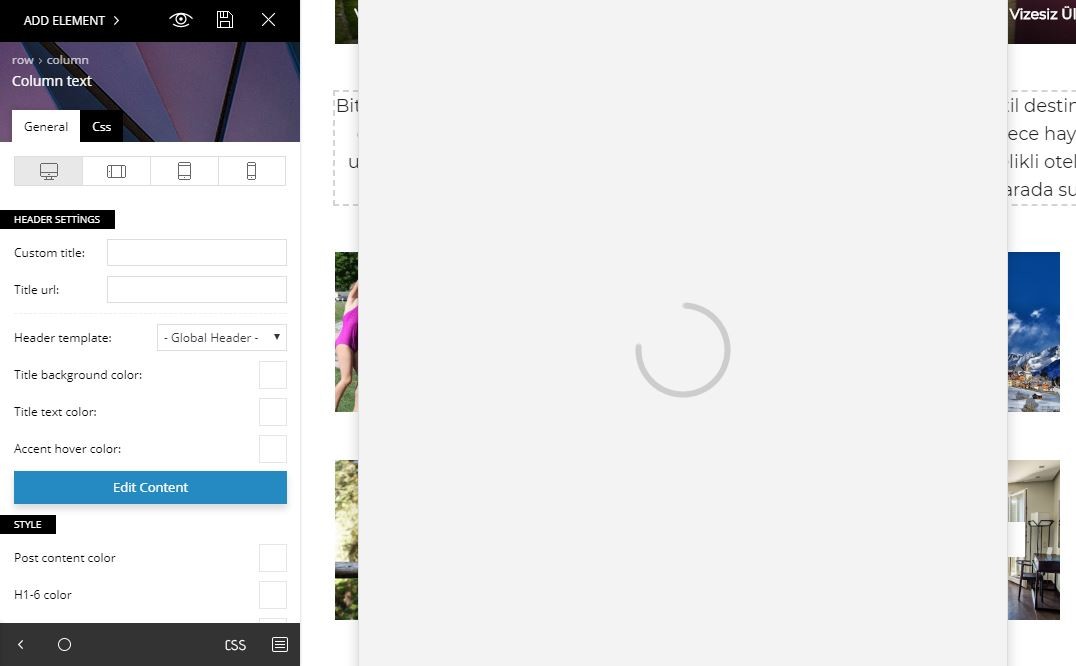
I am using TD Composer only on home page, so when I click on edit with TD Composer I get the spinning circle like in the sceen shot below, and everything is frozen I can’t click anything, I have to click the back button on browser to exit.
https://www.dropbox.com/s/x98935dutov7bcs/HomePage.JPG?dl=0
so I tried to edit another page that never been updated with TD Composer and I get this error message as in the below screen.
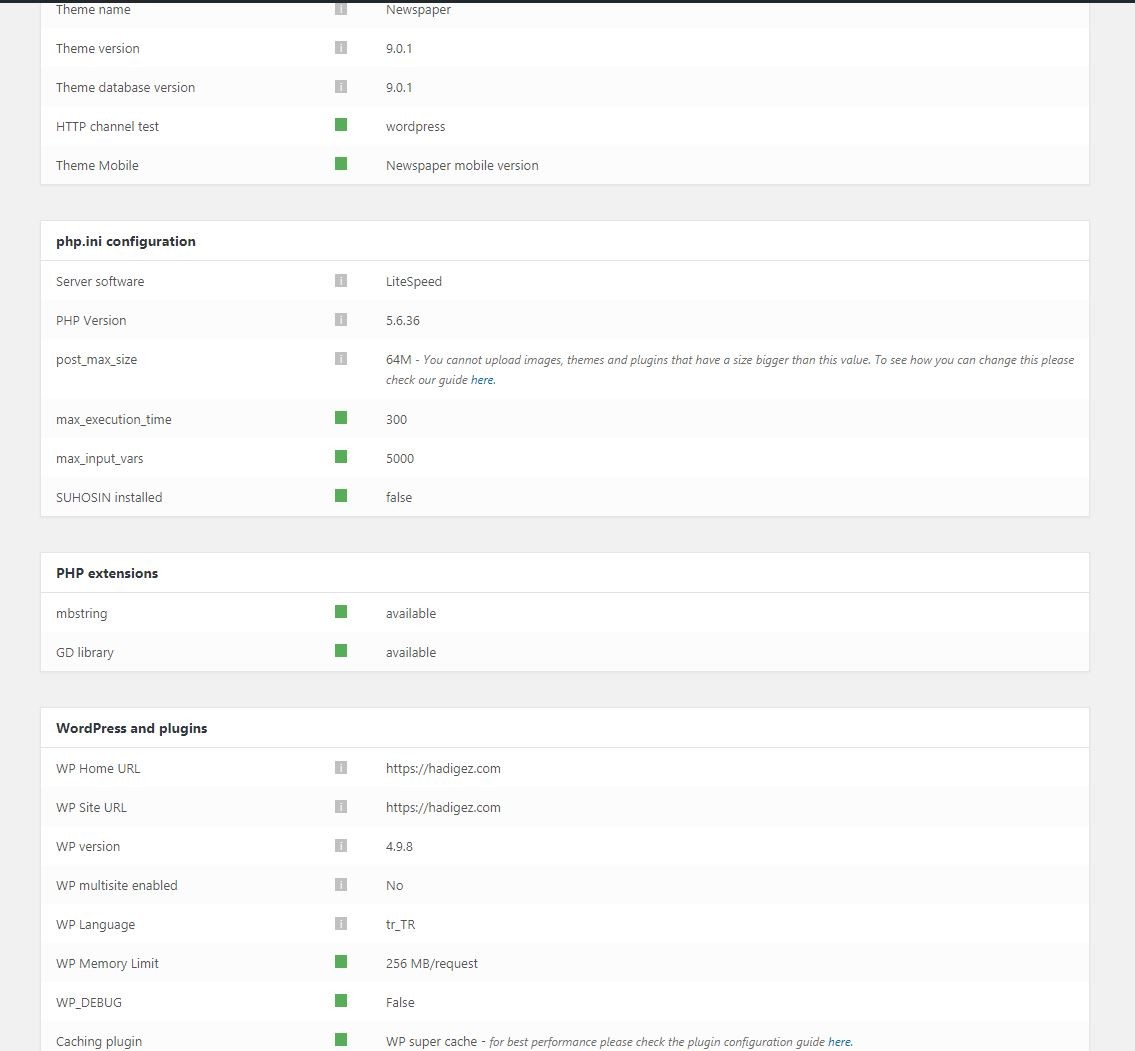
I did all the system suggestions and they are all green in the status now. I modified the WP supper cache plugin to the recommended setting. I disabled all untested plugins and many others just to test, same results. I even tested on 3 different computers without luck.
I designed a beautiful home page, but I am not sure if me upgrading to version 9 got me to this and I feel stuck I can’t modify homepage anymore.
I hope to hear from you, Thanks!
 Hadigezcom
Hello dear personel,
All of my server settings are correct. But WP Editor is not working.
Can you help me please?
 nucreation
Dear TagDiv Support,
I have 2 main issues with the theme Newspaper 9.
First:
When loading, the font switches for a very short time to another font, which wasn‘t set by me. I use only one font for the whole website (Acumin Pro), but still a serif font pops up just for a sec. Which is very startling, because the whole website kinda makes a slight shift and it is unpleasant for the eye.
Second:
When looking at the Mobile settings on TagDiv Composer everything is fine. But when looking on the Mobile Phone directly, the settings are different, just like the default settings for Mobile.
What is possibly the problem?
Thank you very much
Best Regards
Natalie
 darcyoordt
For some reason, when I try to use TagDiv Composer, instead of giving me a sidebar, it lists everything down the page and I can’t use it. I’ve tried making all the plugins inactive and it still does it. I’ve also reinstalled it. No luck. I even created a new page and it still does it.
It only lets me use TD Composer if I click on the link before going into the page. The button is not there when I go in by clicking on “Edit.”
Thoughts on how to fix the problem?
Calin Hi NickDeBaerdemaeker,
Unfortunately you can’t use TD Composer for mobile theme, but you can use flex block and set different layout in function of device :
On desktop: https://www.screencast.com/t/6HKNJjl35i
On mobile: https://www.screencast.com/t/Ik42eacS3DgK
Also you can read this topic: https://forum.tagdiv.com/topic/set-different-post-number-for-web-landscape-portrait-tablet-mobile/
Thanks.
-
This reply was modified 8 years by
 Calin.
Calin On the page you will need to do it for each one apart ( if you do not want to use cloud template ).
This way will work only if the page are build with TD Composer.
Open the page with TD Composer ad a row at the bottom of article, and drag the author box in the empty column ( https://www.screencast.com/t/jCxQuFbpZi ).
Hope this will help you.
 itduck2020
Hi,
Do we have to update WPBakery Visual Composer? How do we download and do the update?
IT Duck2020
 NickDeBaerdemaeker
 to edit it with the tagdiv composer I mean…
Calin Hi,
You can do that, and the simple way is if you are using TD Composer and Cloud template ( documentation ), install the plugin.
There are tow ways to do this:
1. Create a new sidebar ( see how here ), put the ads in “Custom ad 1/2/3/4/5” ( https://www.screencast.com/t/ZvGh8MfRW ), go in Appearance> Widgets add in sidebar you create the “[tagDiv] Ad box” ( you can ad for each ads you have ), set the Custom ad 1 in “Use adspot form” , click save and done.
Add a cloud template ( https://www.screencast.com/t/Hj3Xor7erG ), open the template, drag a row at the bottom ( https://www.screencast.com/t/DwNo2kKsw ), drag a widget in empty row, select the widget you drag and set in it the sidebar you create ( https://www.screencast.com/t/rvBHKeNH ), save the page, and go and set this page as template for post.
2. After drag the row at the bottom page, drag the ad box ( https://www.screencast.com/t/7zeyZMeBzy99 )
See results: https://www.screencast.com/t/9wYuQq8G
Thanks.
 nyerslaszlo
Dear Support!
Today, I tried to edit my home page that was created with tdcomposer, and when I’m trying to add a new element or save the page (even without changes), it just “loads infinetly”. This was not a problem before, I had no problems editing with the composer. I get the same error on new blank pages.
In the Development tools console, there is an error with the Job Manager (this happened when trying to add a row):
https://i.imgur.com/nFf0B0h.png
I tried reinstalling the tdcomposer plugin, it did not help. Any ideas? Thank you for your time.
 parawaiting
Hello – I want to have the same title styles for category pages generated automatically and my manually created pages. the style used automatically is td-page-title. How can I specify this style in the elements “text with title” OR “Title”. I don’t understand how to force the stype to td-page-title to have the same as the category pages generated by Newspaper..
Thank you!
 Simion C.
 Hi,
You can drag them in any position possible, on top below, in existing rows,new rows, inner rows. There should be no problem in this matter
– https://forum.tagdiv.com/tagdiv-composer-tutorial/
What exactly are you trying to do and what is it happening? I will try to do the same and see if there might be a problem.
Thanks
Calin Hi,
If you are using Ultimate Member plugin ( this one https://ro.wordpress.org/plugins/ultimate-member/ ), and you have theme update, and TD Composer active, the page for UM will be build with TD Composer, and will work ( https://www.screencast.com/t/PNGUv4mb6wm ).
Please don’t use tow builder on the same page( example VComposer and TD Composer, also let just one plugin active).
Thank you for your understanding.



