
- NewspapertagDiv Composer – Website Manager
- NewspaperWhen tagDiv Composer is Not Working
- NewspapertagDiv Composer Tutorial
- NewspaperScroll Animation
- NewspaperSingle External Shortcode and External Shortcode
- NewspaperCredit System
- NewspaperBookmark – Save For Later
- NewspaperFlex Block Builder and Flex Loop Builder
- NewspaperModules Builder in Newspaper Theme
- NewspaperIntroduction to CPT and ACF with Newspaper Theme
- NewspaperCreate a frontend submission form
- NewspaperHow to Use the Tabbed Content shortcode
- NewspaperCreate a form contact page
- NewspaperFilters and sorting for taxonomies
- NewspaperUser review system
- NewspaperCustom Fields Support
- NewspaperWooCommerce: Happy “Add to Favorites!”
- NewspaperWoo Brands
- NewspaperModal Popup
- NewspaperShortcodes
 mdev
mdevHello,
Is there a way to create a taxonomy list in the tag composer page? I see that there is Posts Form Taxonomies but I want to display links on a page to these categories like category lists.
Thank you.
 raymount
Hello,
I was working yesterday on the website just normal and today when I go to edit my pages with Tagdiv it keeps loading and not letting me edit anything, not even loading properly the edit page, and my website looks different. My website is https://writemyrisk.com/ Can you help me with this issue?
 Antonio Palacios
 Yes, but it still doesn’t work. I tried deactivating all plugins (except the TagDiv ones), reinstalling Cloud Library and Tagdiv Composer and clearing the cache.
It was as of the last update.
Thanks
 Anamaria
 Hello,
Your menu works, but you need to change the icon color -> https://i.imgur.com/v5oiFtl.png -> https://i.imgur.com/YU0NI20.png Please edit with tagDiv Composer, select the viewport for phone and select the icons, and change the color.
Thank you!
 sebpre0805
 Hello Anamaria,
unfortunately that was also unsuccessful. Nothing is still displayed. When I search the site and look at all the results, everything is there, including all the meta information.
I had already deleted the style and from the beginning nothing is displayed. Have the header search already completely deleted and started again from the beginning. Nothing goes. Cache is cleared and the problem is not only with Firefox but also with Chrome.
Then another question, is it possible to customize the composer (left menu). As you can see, I don’t see everything (see red arrow) and there is no scroll bar.
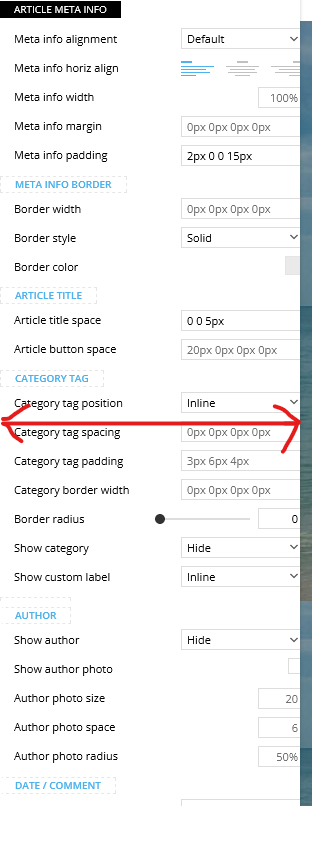
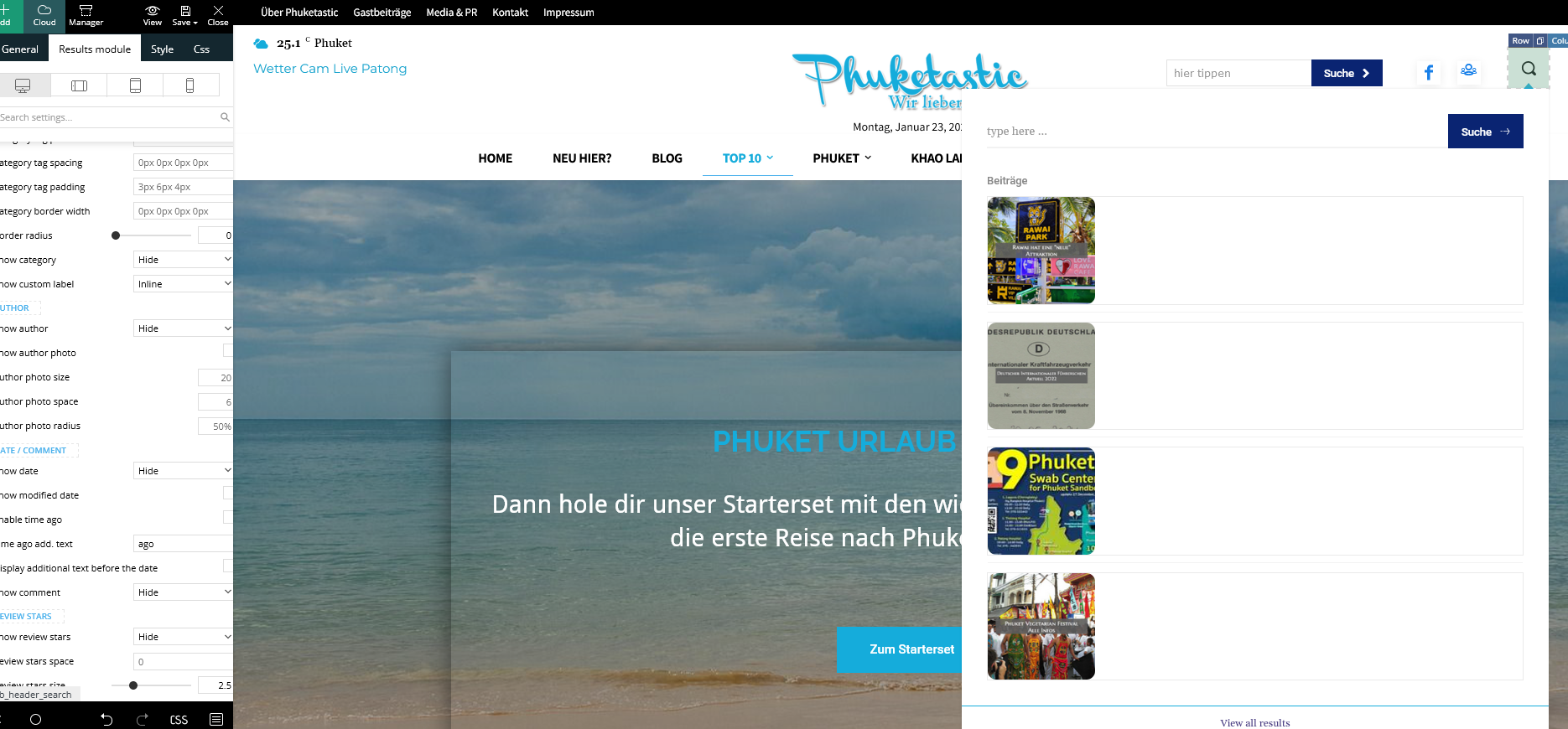
Best Regards
 Bettina
 Hello!
Please check the console and let me know which errors you encounter there.
Make a test and deactivate ALL plugins except tagDiv ones, also if you are using a cache plugin, deactivate it, clear all cache and try again.
Also, you can try to reinstall Cloud Library and the tagdiv Composer plugins.
Thank you!
 Calin
Calin Buna,
De obicei pe forum scriem in engleza pentru a ajuta si alti utilizatori, dar acum o sa facem o mica exceptie.
1. Se poate folosi acest css pentru desktop
.td-header-menu-wrap.td-affix{

backdrop-filter: saturate(180%) blur(20px); /* Blurry */

background: rgba(255,255,255,0.7); /* White Opacity 70% */

}
Pentru mobil
body .td-header-wrap .td-header-main-menu, .td-header-menu-wrap.td-affix {

    backdrop-filter: saturate(180%) blur(20px);

    background: rgba(0,0,0,0.1);

    background-color: transparent !important;

}
Va trebui ca pentru elementele din meniu sa schimbati culoare de pe alb pe negru.
2. Trebuie sa setati cu tagDiv Composer pe elementul de featured image in viewport-ul mobil in tabul de css margine stanga si dreapta cu -20 – https://i.imgur.com/q7ShD5r.png
3. Dca functioneaza pe desktop se poate si pe versiunea mobila, trebuie sa selectati elementul in viewport-ul mobil si sa setati elementul the share sa fie inline – https://i.imgur.com/9c2SQUn.png poti fi mai multe solutii dar acum nu vad acest buton pe site pentru a oferi un exemplu mai concret.
Sper ca raspunsurile mele sa va ajute!
 ilouie
Hi, I am trying to create a modal page and I’d like to place a Vertical Menu in it. I’ve tried including the Header Main Menu composer but, I can’t find a way to display vertically, and show submenus horizontally. It only displays horizontally. I tried setting the width and it looks like it’s doing it, but then the links get cut. Does anyone know if it’s possible to create a vertical Menu here or do I have to create my own html and css code. Thanks in advance. I am trying to make the menu display like in https://www.forbes.com/?sh=289d4daf2254.
Antonio PalaciosGood afternoon,
Since a few days I am experiencing some problems with my Cloud Library templates.
When I try to edit some of them, a new tab opens but does not finish loading (https://ibb.co/WxCyg9b).
This is my website: https://www.padeladdict.com/
What can happen?
Thank you.
Anamaria Hello,
The blocks and elements are the same as they are presented in the documatation, only the design changes -> https://forum.tagdiv.com/newspaper-theme-documentation/
You can ask if you don’t know something specific, and we will try to help you.
For example, if you have set an image or color, usually, it is set on the row, so you need to edit with tagdiv Composer, select the row, and in the tab css, you will find it.
Please check this video about how you can create a website from scratch https://www.youtube.com/watch?v=SoGQ0d5kIBg.
Thank you!
 nikunjnrmg
tagDiv Composer not showing on header for edit theme?
what can i do please help me
Bettina Hello @affnads!
This issue with the error from Composer has also been discussed here: https://forum.tagdiv.com/topic/errors-at-columns-elements-5/
Please make sure you did all the steps which I mentioned here: https://forum.tagdiv.com/topic/errors-at-columns-1models-0dom-the-model-does-not-match-the-content-curr/
Let me know the results!
Thank you!
Bettina Hello @affnads!
Edit the homepage with the TagDiv Composer and add elements with your content.
Thank you!
Bettina Hello @albertok!
No. You can’t customize the elements from another builder with the TagDiv Composer.
Thank you for your understanding!
 albertok
 Oh…. what a pity! 🙁
and is maybe possibile to convert pages made with WP Gutenberg to tag div composer and edit them?
…i dont want to loose anything I made in Gutenberg….
-
This reply was modified 3 years by
albertok.
Bettina Hello @mdev!
Unfortunately, you can not modify the pages created by bb
Press or any other plugin with our TagDiv Composer builder.
We have a tutorial about how to setup a form with this plugin: https://forum.tagdiv.com/how-to-install-bbpress-forum/
About the CSS issues, they can be corrected by using a custom CSS code: https://forum.tagdiv.com/create-custom-code-using-the-browsers-inspector/
Thank you!
Anamaria Hello,
You can set the font size for mobile version, you need only to select the viewport for phone.
Please change the logo from the TagDiv Composer, and also from the sticky header: https://www.screencast.com/t/rt2wWAt3JFEY
For mobile please edit with tagDiv Composer, select the viewport on phone, select the header logo and change it => https://i.imgur.com/cR7F0v4.png https://www.youtube.com/watch?v=HXQQygkCCJo -> https://forum.tagdiv.com/add-logo-newspaper/
Thank you!
 ppaul
ppauli install all tagvid plugings but now i can’t see any tagvid editor on the top of the site. Here is the sreenshort: https://tinyurl.com/2l85pl42
Anamaria Hello,
Please edit with tagdiv Composer, select the search and check if what you to displayed is set to show https://i.imgur.com/v6KGyaY.png
If your settings are not saved, please check this topic -> https://forum.tagdiv.com/topic/tagdiv-composer-does-not-save-only-content-of-homepage/ and try the suggestions. Also, please check the cache, and clear/purge all cache.
Thank you!
Anamaria Hi @ppaul,
I answered here https://forum.tagdiv.com/topic/homepage-not-updated-after-edit-with-tagdiv-composer/
Thank you!
Anamaria Hello,
If you want to make the layout full width, then to change the website width, you need to make sure that you don’t have set a background color/image in the Theme Panel because this makes your website boxed. Make sure this option is disabled => https://www.screencast.com/t/ejiNPCBF
To set a page to full width, you’ll need to edit it with tagDiv Composer like this -> https://i.imgur.com/i5IUJ9E.jpg add or select a row and stretch it after your needs -> https://i.imgur.com/WKYebPX.jpg -> https://i.imgur.com/TO1BZ3M.png -> https://i.imgur.com/Yq8UCv3.jpg
Hope this helps you!
Thank you!
Anamaria Hello,
Please select remove https://i.imgur.com/3ah7Udf.png and upload another image. If your settings are not saved, please check this topic -> https://forum.tagdiv.com/topic/tagdiv-composer-does-not-save-only-content-of-homepage/ and try the suggestions. Also, please check the cache, and clear/purge all cache.
Thank you!
Anamaria Hello,
Please select remove https://i.imgur.com/3ah7Udf.png and upload another image. If your settings are not saved, please check this topic -> https://forum.tagdiv.com/topic/tagdiv-composer-does-not-save-only-content-of-homepage/ and try the suggestions. Also, please check the cache, and clear/purge all cache.
Thank you!
Anamaria Hi,
You can create a contact page https://forum.tagdiv.com/create-form-contact-page/ using ACF and our shortcodes, customized with tagdiv Composer.
Also, you can create a contact form like in this guide https://forum.tagdiv.com/add-contact-form/
Thank you!
 discovermh
 It’s Mobile Theme Plugin.
We did customization in the mobile theme plugin also but it did not reflect.
Even though we did customization for the normal theme but it did not reflect.
we change code into theme>Newspaper>loop-archive.php
$post_count = 1;
$column_count = 1;
$span = ‘span3’;
$column_break = 4;
$is_404 = false;
if( is_404() ) {
$is_404 = true;
$column_break = 4;
$span = ‘span3’;
$args = array(
‘post_type’=> ‘post’,
‘showposts’ => 6,
‘ignore_sticky_posts’ => true
);
query_posts($args);
}
Still, it shows 2 columns in the post archive and category pages.
For Mobile Theme customization we did changes in
plugins>td-composer>mobile>loop.php
Still it did not reflect yet



