- NewspapertagDiv Composer – Website Manager
- NewspaperWhen tagDiv Composer is Not Working
- NewspapertagDiv Composer Tutorial
- NewspaperScroll Animation
- NewspaperSingle External Shortcode and External Shortcode
- NewspaperCredit System
- NewspaperBookmark – Save For Later
- NewspaperFlex Block Builder and Flex Loop Builder
- NewspaperModules Builder in Newspaper Theme
- NewspaperIntroduction to CPT and ACF with Newspaper Theme
- NewspaperCreate a frontend submission form
- NewspaperHow to Use the Tabbed Content shortcode
- NewspaperCreate a form contact page
- NewspaperFilters and sorting for taxonomies
- NewspaperUser review system
- NewspaperCustom Fields Support
- NewspaperWooCommerce: Happy “Add to Favorites!”
- NewspaperWoo Brands
- NewspaperModal Popup
- NewspaperShortcodes
 Mark
MarkWe have a support contract and are seeing two issues we’d like your help resolving.
I can send further sensitive or confidential information to your contact email referencing this specific ticket.
— Issue 1: Layout sync error blocking front-page edits —
When attempting to edit the front page in tagDiv Composer, the editor displays:
“Layout sync error in Header, row 2. The editor expects 1 element but the page is rendering 0. Usually caused by an unclosed HTML tag in a text block (e.g. <div> without </div>). View page | Undo (Ctrl+Z / Ctrl+Shift+Z) to restore.”
The error points to the header ad position in Header row 2, which renders as an “EMPTY INNER COLUMN” with a red outline in the editor.
The Undo shortcut (Ctrl+Z / Ctrl+Shift+Z) does not fix the problem.
This has been an ongoing issue for multiple months and is preventing front-page edits.
— Issue 2: Sidebar preview missing in post editor —
After updating our various web sites to 12.7.6, the post editor no longer shows the sidebar reservation area — the visual cue that previously showed the authors the actual rendered width of the post content with the sidebar reservation accounted for.
This affects both the production site and the dev site. Other sites we host using prior versions of the theme are not affected and continue to show the sidebar preview correctly.
Thanks — looking forward to getting this resolved.
 SP1
SP1Hi, can someone please guide how to create a FAQ drop-down box that can be connected to Yoast Schema at the end of the article? The authors can simply put those in while putting in the article on WP.
Also, any way to create a summary or quick answer box at the beginning of the article on the article page in a newspaper? I tried finding a function in TD Composer, but could not find it.
If not, then any third-party plugins you recommend.
These things have become increasingly important.
thanks in advance.
 Simion C.
 Hi,
That is possible. Please edit the post template with the composer -> https://prnt.sc/mpaK3E6WOTam and move the featured image above the title -> https://prnt.sc/3qwYKYuqFjGN by drag and drop.
Doing this will require using a cloud post template, which you can import from the cloud library -> https://prnt.sc/b_h6McPGQpgi
Thank you!
Simion C. The Free news demo uses a few popups of the menus. The one on the desktop https://prnt.sc/buTF17MEOTv0 opens this page -> https://prnt.sc/XbRBLbKvoBnJ And the one on mobile https://prnt.sc/wxm7puBVEf31 opens this page -> https://prnt.sc/pzwfUspPxN5x These pages are included with the demo.
From what I see you removed both popups. Would you like to add them back perhaps? They can be added back with the composer -> https://prnt.sc/AcFekTLh2hUy and you can set those two pages for each popup, by ID -> https://prnt.sc/v7KT4tIjSqqJ
Let me know if you need help with it.
Thank you!
Simion C. Hi,
You are referring to a featured video or audio.
I will explain. So in the post template there are 2 elements that can display the featured image, but only one of them can also display a featured video or audio. This is the one that can display either the featured image or video or audio -> https://prnt.sc/9aJQxnDWhJxl The post template you are using uses the other one, which can’t display a featured video or audio, it can only display an image.
You have to edit the post template with the composer -> https://prnt.sc/6k3xr-hEpXLE and delete the Single Post Bg Featured Image -> https://prnt.sc/YbZJM2_NNTYA and use the other one (Single Post Featured Image) -> https://prnt.sc/3zwpLFkZcEbD
It will also require a few minor design adjustments after using that new element, to make it look the same.
First please set a margin of 0 for the new element -> https://prnt.sc/TxLAZl6IETv-
Then to make the corners rounded, add this class “ev-feat-img” here ->https://prnt.sc/gQPx3mkOBo_S
Then check in this CSS element -> https://prnt.sc/P_nbnvLeQxBj Replace the code from that element with the one from here -> https://pastebin.com/1hPS5YA6
Or if you want I can take care of it. I will need admin login for the website, you can send the user and pass by email at contact@tagdiv.com And please include a link to this topic.
Thank you!
Simion C. Hi,
Please note that if you use the options from the CSS tab of the elements in the composer, like in this case a row, and you set padding, margins, width, height, etc. -> https://prnt.sc/lomiqkJ5cr3m these will apply on all devices. So it can result in having design problems on smaller screens.
Please adjust the values on these viewports -> https://prnt.sc/R4kAw904i1Ln You can set different values for them, the very least the width on mobile should be set to 100% and it will look better -> https://prnt.sc/pVMJgxSrv1Fk
Also I see there is a problem with the logo on mobile, I think it was set while the website was on a staging platform. Please remove it and set it again -> https://prnt.sc/RRJrj-Rqgyba
Let me know if I can help more.
Thank you!
 berwarnews
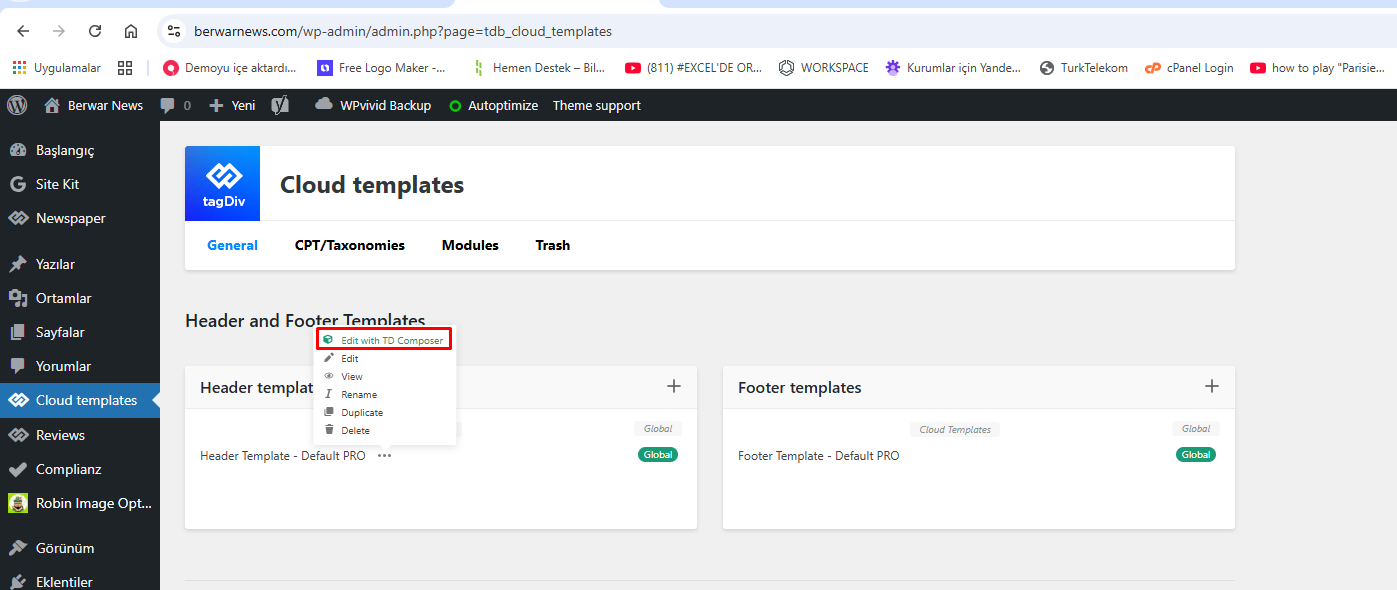
When I try to edit my website’s header page not loading. Pls help.
https://berwarnews.com/wp-content/uploads/2026/05/01.png
https://berwarnews.com/wp-content/uploads/2026/05/02.png
Simion C. Hi,
That isn’t possible for ads inserted with the composer in the post template unfortunately.
Google display ads are responsive by default however, and they should fit nicely in the post content. Normally there’s no more need to choose size for them manually. If you them to have specific sizes you could adjust them in the Adsense settings https://support.google.com/adsense/answer/9274025?hl=en They recommend leaving the responsive version selected.
The ad codes could also be adjusted like so but it’s more complicated https://support.google.com/adsense/answer/9183363?hl=en
Sorry for the inconvenience.
Thank you!
Simion C. Hi,
That depends.
By default, if you don’t manually set specific fonts throughout the website, the theme will use Roboto and Open Sans for the majority of the elements. These default fonts can be replaced in the theme panel -> https://prnt.sc/kyLC24dDYgw5
Usually for the newer demos we used global fonts. A global font can be created in the composer -> https://prnt.sc/q2kXyypAH2gL
These global fonts have to be set where you want to use them. The benefit is that you only have to set them once everywhere. After setting them for each element, if you want to change them in the future you only have to modify the global fonts -> https://prnt.sc/GwTmQ7ezVwI4 and not to set them again for each element.
Or you could load the fonts manually with CSS or by other means, and also apply them with CSS. This could be tricky because they might not apply everywhere and you still have to target multiple specific elements directly.
Thank you!
Simion C. @RECORD EUROPA
We heard back From Patchstack yesterday, they acknowledged the fixes included with composer 5.4.5:
CVE-2026-39712 -> https://patchstack.com/database/wordpress/plugin/td-composer/vulnerability/wordpress-tagdiv-composer-plugin-5-4-3-arbitrary-shortcode-execution-vulnerability
CVE-2026-39692 -> https://patchstack.com/database/wordpress/plugin/td-composer/vulnerability/wordpress-tagdiv-composer-plugin-5-4-3-cross-site-scripting-xss-vulnerability
We did not hear back from Wordfence yet. We collaborate with them frequently, but sometimes it takes them a while.
We did not hear back from WP Scan also. I believe Jetpack security is powered by WP Scan, they don’t pull their data from Patchstack or Wordfence.
Until every one of them knows about the fix, those vulnerabilities will remain marked as active or without a known fix. I hope we hear from them soon. Sorry for this situation.
Thank you!
Simion C. Hi,
There actually is a sidebar there, but there’s nothing in it. The default sidebar can be seen in the widgets section -> https://prnt.sc/VhrBYPnUpixl Please add the widgets you want in the sidebar. Or you can build the pages with the composer, and add anything you want from the composer inside them.
Thank you!
 RECORD EUROPA
 Could you please confirm whether CVE-2026-39712 is fixed in tagDiv Composer 5.4.5, and ask WPScan, Patchstack and Wordfence to update the patched version metadata? Jetpack Scan is still flagging td-composer 5.4.5 because the vulnerability databases list affected versions as <= 5.4.3 but also show “no known fix”.
RECORD EUROPAHello tagDiv team,
We would like to report a recurring fatal error affecting a WordPress.com-hosted site using Newspaper and tagDiv Composer.
This issue seems to occur only when the site visibility is set to private on WordPress.com. We use the same Newspaper/tagDiv stack on other sites, but this is the only one where the WordPress.com private-site access flow is involved.
The fatal error is:
PHP Fatal error: Uncaught Error: Class “td_res_context” not found
The error is triggered from:
wp-content/plugins/td-composer/legacy/common/wp_booster/td_js_generator.php
From the stack trace, the issue happens during the wp_footer hook. In this specific WordPress.com private-site flow, WordPress.com serves an access-denied/private-site template and calls wp_footer(). At that point, tagDiv Composer runs its footer callback and tries to use the td_res_context class, but that class has not been loaded yet.
The class appears to be defined in:
wp-content/plugins/td-composer/legacy/common/wp_booster/td_css_res_compiler.php
So it looks like the Composer callback in td_js_generator.php assumes that td_res_context is already available when wp_footer runs. That assumption seems to fail in this WordPress.com private-site access-denied context.
Environment:
– Hosting: WordPress.com
– Site visibility: Private
– WordPress: 6.9.4
– PHP: 8.4.21
– Theme: Newspaper 12.7.6
– tagDiv Composer: 5.4.5
– tagDiv Cloud Library: 3.9.5
– tagDiv Standard Pack: 2.8, built on 05.05.2026 9:08
We kept this issue as a low-priority investigation for some time because, although the fatal error was recurring in the PHP logs, the site appeared to work correctly in normal usage. Both the front end and the back office were functioning as expected, and we did not observe any visible impact for regular users or administrators.
However, the error became very frequent in the PHP logs, so we investigated further.
As a temporary workaround, we added a defensive snippet that runs before the tagDiv Composer footer callback and loads the file containing td_res_context only if the class is not already available. After applying this workaround, the recurring fatal errors stopped.
This suggests that the issue could be fixed in the plugin by either:
1. Ensuring the required dependency is loaded before td_res_context is used; or
2. Adding a guard clause before calling td_res_context inside the wp_footer callback.
Could you please review this scenario and consider adding a compatibility fix for WordPress.com private sites or for cases where wp_footer is called outside the normal theme-rendering flow?
Thank you.
Best regards.
Simion C. Hi,
The main problem I see in the screenshots is missing plugins. That code which is seen on the website means that not all of the required theme plugins are active. Please activate these two plugins -> https://prnt.sc/TIVt4rbHY3Fz So the cloud library and the standard pack. The composer is a base plugin, and these two are extensions of it. After activating them the website should display correctly.
Concerning not being able to edit posts with the composer, this was always the case. The composer is not for building the actual post content, it’s for building the post template, which is what displays the post. These for example are the post templates and they are all built with the composer -> https://cloud.tagdiv.com/#/load/Single So you write the posts normally, within wordpress -> add new post. Then the post template displays it. And you can customize the post template with the composer from here for example -> https://prnt.sc/ODsOaezSimRe
Please let me know if I can help more.
Thank you!
 TomFakler
 Hello,
I am having a similar problem with TagDiv Composer.
I am using Firefox 15.0.3, or Avast Secure Browser 147.3.34541.118, WordPress 6.9.4, and PHP 8.2.31.
I have the same problem with Newspaper 12.7.3 or 12.7.6
In my list of pages, when I hover over a page title on All Pages, I have the option to “Edit with TagDiv Composer.” In the list of All posts, when I hover over the post name, I only have “Edit,” not “Edit with TagDiv Composer.”
To see examples of the problems, Newspaper Status, please use this link https://www.tomfakler.com/Clients/AnitasFeastcom/i-kjV2fnD
Your assistance will be greatly appreciated.
Tom Fakler
Simion C. Hi,
The latest theme version includes composer 5.4.5, which contains fixes for all the vulnerabilities know at this time related to it.
However, in such cases we have to contact the biggest vulnerability database providers, like Patchstack and Wordfence. We contacted both, yet so far we only heard back from Wordfence which should hopefully be updating their database soon. Nothing from Patchstack yet.
The hosting providers are most likely sourcing their information from them, as they don’t actually check or scan the plugin code. Until Patchstack and Wordfence acknowledge the fixes and mark them as fixed, there’s nothing else that we can do, the composer will continue to get flagged by automated tools, while containing the actual fixes. These things always seem to take a lot of time unfortunately. We are very sorry for the situation.
Thank you!
Simion C. Hi,
Did you install the composer that is provided with Newspaper or did the one from Newsmag remain installed? To be sure, please delete the composer, then reinstall it from the Newspaper plugins panel -> https://prnt.sc/i_00nu3gAK0Y
But in case this is not the source of the problem, I will take a closer look. If you can, please send us an email with a link to the website and admin login (user and pass) at contact@tagdiv.com and please also include a link to this topic.
Thank you!
 Patrick S
TD Composer is currently being flagged with my web host as containing security vulnerabilities. Particularly with version 5.4.5 is that the most current version as I am not seeing any version numbers at this time.
 seiperi
 I have deactivated all plugins except the four tagDiv plugins, namely tagDiv Cloud Library, tagDiv Composer, tagDiv Mobile Theme, and tagDiv Opt-In Builder (see screenshot: [https://prnt.sc/WBSe10lJObBx](https://prnt.sc/WBSe10lJObBx)).
Despite this, the homepage still takes nearly 60 seconds to load.
From my observations, the slowdown only occurs when an admin is logged into the WordPress dashboard and opens the homepage in the same browser. The issue is consistent across browsers, as long as the admin session and the homepage are accessed within the same browser. Once the admin logs out, the homepage loads very quickly.
Similarly, the website loads fast on any browser where no admin is logged in.
There is also a related issue during publishing. When attempting to publish a post, the process is often slow, with the loading indicator continuing for an extended period, and sometimes ending in an error message. However, after refreshing the page, the post appears to have been successfully published.
You likely experienced the same issue some time back on this thread because you were logged into the WordPress admin and accessed the homepage using the same browser session.
This situation has significantly affected our workflow.
Please investigate this and advise on a solution.
Thank you for your continued support.
 southmartin
Hi
I have a site (now cloned to a staging server) which is currently using theme: NEWSMAG 5. But the site owner wants to use NEWSPAPER 12 theme to match his other sites.
So he has bought another licence and I am the developer working on it. but when I upload and try to activate it, it crashes the site with a fatal error.
So I have gone through the plugins activating.deactivating them, and it is being caused by some conflict with the TagDiv composer plugin. The NEWSPAPER 12 theme will activate when that plugin is not active
But obviously this is a problem, as the content is all configured by TagDiv composer, and NEWSPAPER 12 is supposed to support the TagDiv page builder.
All plugins are up-to-date, and the server has over 80GB free space – so it’s not a resources issue
Any suggestions?
Simion C. Hi,
The option doesn’t stop the content from loading, it hides it. That’s how the option was developed at the time. There can be benefits and downsides from both hiding the content or not loading it at all. Maybe we could add an option to choose one of these depending on the case.
For content that you are hiding with the intent to reuse it in the future, you could just save it first https://prnt.sc/gL585n3aPKJ2 and then delete it from the page, it can easily be added back when you need it. Once you save it, it will appear in the composer list of elements at the bottom https://prnt.sc/7vn9-AE3kYjO
But for content hidden using the display restrictions, which must appear depending on the user, there’s no way at this time to actually stop it from loading. In the future we may add a setting for it. Sorry for this inconvenience.
Thank you!
Simion C. Hi,
In the composer, after you click on the block, first please select the category you want in the filter tab https://prnt.sc/Y3_qKOOg6Pzr The block will only display posts from that category.
For the sorting method there is only one that can display posts from today, this one https://prnt.sc/lMF__iX8_QDg
So you can display random posts from today, from a specific category.
Normally even the default sorting method, meaning latest posts https://prnt.sc/8PwD6vwo-Xip will display new posts, especially if you are publishing posts daily.
Thank you!
Simion C. Hi,
I think that’s an image box section from our Artist demo https://demo.tagdiv.com/newspaper_artist_pro/
Normally an image info box doesn’t look like that, our designers used a bit of CSS to position the description more to the bottom. If you edit your homepage with the composer, there will be a Raw CSS element here below the boxes https://prnt.sc/QVTAjWZ3jcJK Since this was built a long time ago, sometimes there can be conflicts with modifications we make in the theme in updates.
No worries however, that code can be adjusted to achieve the same look. Please remove it and add the one from here -> https://pastebin.com/11MJ9dm9
The result should be like this https://prnt.sc/e6iF21snjd5s
In case there are any problems let me know.
Thank you!
 muchado12000
 Hello, Calin. Thank you for replying. I’m not using image ads, I’m using non-Google banner ads that are not images. I pasted the ad code into Custom ad 2 in the Theme panel. Then I dragged the box ad to the mobile header. Then I chose Custom ad 2 in TagDiv composer. However, when I click the other viewports, the Custom ad 2 code shows in all 4 viewports. I only want the mobile ad to show on mobile.
 regio-online
Hello tagDiv Support,
We are currently migrating a large regional news platform to Cloud Templates and are running into a query/filtering limitation that we are unsure how to solve correctly within Newspaper / tagDiv Composer.
Our setup is somewhat unusual, so I will explain it carefully.
Current Site Structure
We operate a Dutch regional news platform with approximately 57 regional categories.
Examples:
Regio Gouda
Regio Rotterdam
Regio Drechtsteden
etc.
Articles are intentionally assigned to multiple categories simultaneously.
Example article structure:
Regio Gouda
Zuid-Holland Province Category
Sometimes Binnenland (National)
Sometimes another regional umbrella category
This multi-category structure is required editorially and for SEO/distribution purposes.
What We Are Trying To Achieve
We want to replace static regional landing pages with dynamic category archive pages using Cloud Templates.
Example:
Instead of:
https://regioonline.nl/regio-gouda/
We want to use:
https://regioonline.nl/category/regio-gouda/
with a Cloud Template assigned to the category.
The goal is:
show posts from the current region
ALSO show related province-level content
BUT still prioritize/display correct regional content
WITHOUT manually configuring 57 static pages
The Problem
Inside Flex Blocks / Big Grid Flex blocks, the queries behave differently between:
Static pages using manual “Multiple Terms Filter”
Dynamic category archive pages using Cloud Templates
Example:
On the static page:
the block correctly shows a Zuid-Holland province article
But on the Cloud Template category archive:
the same block instead shows another regional article
Even though both posts contain overlapping categories.
Important Technical Detail
We discovered that:
category_ids behaves differently from normal category archives
category__in and internal TagDiv query handling appear to override or merge unexpectedly
multi-category posts are handled differently inside Cloud Templates versus static pages
While inspecting the theme code, we also noticed references to _current_cat handling internally in td_block.php, but we could not find official documentation about whether this value is actually supported for Flex/Grid block filtering in Cloud Templates.
We also tested custom filters through:
td_shortcode_to_args
td_data_source_blocks_query_args
inside the child theme.
However, this caused unstable or inconsistent behavior, especially with:
Big Grid Flex blocks
Flex blocks
mixed category/province logic
We reverted these changes because we do not want to maintain custom query modifications that could break after theme updates.
Our Main Question
Is there an officially supported way in Newspaper / tagDiv Composer to achieve the following:
For a category Cloud Template:
dynamically use the CURRENT category
include additional province categories
optionally exclude national categories
while preserving predictable ordering and matching behavior in Flex/Grid blocks
WITHOUT custom core edits.
Example desired logic for “Regio Gouda”:
Include:
current category (Regio Gouda)
province category (Zuid-Holland)
national regional pool category
Exclude:
Binnenland
And this should work dynamically for all regional categories.
Additional Question
Does Newspaper internally prioritize:
category_ids
category__in
queried object
tax_query
current archive context
in a specific order inside Flex Blocks / Big Grid Flex blocks?
Because it appears that archive context may override manually configured multiple term filters.
Final Question
Would you recommend:
using Cloud Templates for this setup
OR
keeping static regional landing pages
given this multi-category architecture?
We would really appreciate technical guidance or best practices from your side before rebuilding all regional pages again.
Thank you very much.