- NewsmagInstall via WordPress
- NewsmagInstall via FTP
- NewsmagInstalling pre-built websites
- NewsmagUsing the theme translations together with WPML
- NewsmagHow to update a plugin
- NewsmagNewsmag theme support
- NewsmagCustom Post Type Support
- NewsmagImport / Export theme settings
- NewsmagHow to add icons in the menu
- NewsmagRequirements for Newsmag
- NewsmagNewsmag documentation
- NewsmagHow to update the theme
- NewsmagBlock settings tutorial
- NewsmagHow to update the WPBakery plugin
- NewsmagIntroduction
- NewsmagMain menu
- NewsmagFeatured image or video
- NewsmagAuthor card
 gcamaram
 Classic editor, wp 6.2, php 8.1
Edit: I meant, all modal problem since we’ve installed 12.3.1. Don’t want to downgrade, or even toy with that option, don’t know what to expect if we do that.
-
This reply was modified 3 years by
gcamaram.
 daniel@szysz.pl
 If td-composer is enabled – the page does not start – it does not load
I have installed all the plugins and the website after activating td-composer stops working. I have to disable it manually for it to start with errors 🙁
-
This reply was modified 3 years by
daniel@szysz.pl.
daniel@szysz.plAfter installing the latest version Version: 12.3.1 – the website stops working.
Uninstalling td-composer just starts it but it still doesn’t work properly what’s the problem??
https://www.eswinoujscie.pl/
 Anamaria
 Hello,
For the wizard, please delete the Opt-In builder plugin, and install it from Newspaper -> Plugins.
For share, you need to use a plugin for SEO and configured it for social media -> https://forum.tagdiv.com/facebook-share/
Thank you!
 zhangleji
Hi, I installed a great plugin called ivory search. Now I wanted to move the ivory search from sidebar to the menu as shown in the screenshot https://snipboard.io/bRHq9o.jpg but it didn’t work even after I configured it in Ivory Search settings. They have a short code. How can I add this short code to make the search form in the menu area instead of sidebar?
https://weliveinus.com
Thank you!
 Milk
Milk Anna, are you okay? I hope you can help me.
The client loved the site and we decided to put it up. Everything perfect, but when we went to edit a post the system is not saving and it gives a JSON error. What can this be? On the internet it asks to uninstall the plugin builders. Do you need to do this yourself?
I’m not an advanced WordPress user and I really need the client to register new information on the site.
Can you help me.
If you need access to the site’s admin let me know and I’ll pass on the data. Would you pass by here?
 xenabler
 Hi Bettina,
With your reply, I have installed Doctors Pro with content. Please check the screenshot – https://screenrec.com/share/g48qTldsvf
I mean I have a list of a few doctors which I want to add to the system. For this, is there any way to add these in the system via the “CSV import” option or by only the “Manual approach”? Or need to install any plugins?
please check this screenshot – https://screenrec.com/share/2WcmLuyROb
Please suggest in this regard.
Thanks!
 Bettina
 Hello @xenabler !
If you install the demo with the content, then it will come with the CPTs as well. Make sure you also have the plugin for this demo installed and active: https://prnt.sc/PO2ZnWXfK1k8
Or, do you mean anything else?
Thank you!
Bettina Hello @mellialiaga!
Please use only one builder (preferably Composer) at the same time, and I recommend you uninstall the other builders (Elementor, WpBakery) to avoid plugin conflicts.
In order to ignore that pop-up, you can check this option: https://prnt.sc/FM1N2YOCq13u, then ignore.
Thank you!
 abbyrocks
Hello, I am working on local staging site and I have some problems with adding the language switcher of Translatepress to theme. Translatepress has a shortcode for the switcher, floating switcher or menu item. None of the 3 is showing on the site. Am I missing something?
Edit 1: Forgot to mention that the shortcode, menu item or floating language switcher appears with 1 of the standard WordPress themes that come preinstalled with WordPress.
Bettina Hello!
Ok. Please execute these steps:
1. deactivate TagDiv Composer
2. uninstall (delete) TagDiv Composer
3. clear cache (if a cache plugin is present).
4. install TagDiv Composer
5. activate TagDiv Composer
6. clear cache (if a cache plugin is present).
Deactivate ALL plugins except tagDiv ones, also if you are using a cache plugin, deactivate it, clear all cache and try again.
Let me know the results!
Thank you!
Anamaria Hello,
Please try to use the main theme, and disconnect your Instagram and Facebook, please execute these steps:
1. disable tagDiv Composer and tagDiv Social Counter
2. uninstall(delete) tagDiv Composer and tagDiv Social Counter
3. clear cache (if cache plugin exists)
4. install tagDiv Composer and tagDiv Social Counter
5. activate tagDiv Composer and tagDiv Social Counter
6. clear cache (if cache plugin exists)
Reconnect the Instagram and Facebook accounts again -> https://forum.tagdiv.com/instagram-widget/
Thank you!
Anamaria Hello,
The old demo Default can’t be installed, but you can redesign the pro as the default, with tagDiv Composer. Actually, the design is the same, except that it uses cloud templates.
Thank you!
 netsrik2006
* During our research, we have noticed that the plugin “td-composer” is not functioning properly as a result of which site functionality has been affected. Therefore, We would suggest you to contact the web-developer requesting them to install the patched version of the plugin or install any other secure WordPress plugin to the website to perform similar functions.
I need assistance with how to fix this I dont have a web developer as I do everything myself.
 felippe.rodrigues
I’m having some troubles to activate theme license
After the installation, Problems happens when I click “Activate now”, then i’m redirect to this url
[my-site]/wp-admin/admin.php?page=td_cake_panel
and then, even i’m logged with admin user, show this message
“Sorry, you are not allowed to access this page”
can someone help me?
please
 socius
greeting. Here I am again… I won’t be too boring…
Namely, I bought wisechat pro and I’ve been trying to install it for a couple of hours now. According to the instructions (https://kainex.pl/projects/wp-plugins/wise-chat-pro/documentation/basics/installation/), I should upload the entire folder to the wp plugin, but my wp file manager does not want to do that.
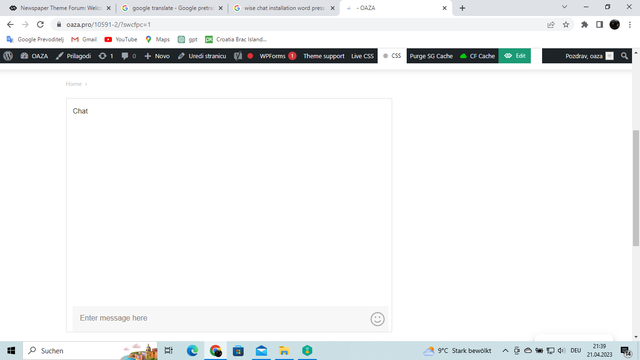
Via the install new plugin option, I uploaded the zip folder (original) and installed and activated it. When I added the shortcode to the page where the chat should be, when opening the page I got the following: https://i.ibb.co/ynzDF82/2023-04-21-1.png
What did i do wrong?
my site: https://oaza.pro oh, one more thing, the page tells me that it is not secure when I open it and it loads slowly
 choiwj1012
When using the pagination arrow function in Flex Block X, a wp_booster error error occurs. It wasn’t like that before, but it seems to be a problem that occurs after updating the newspaper theme. I checked because there was a post with a similar problem.
After disabling all plugins I checked that only tagDiv Composer is enabled, I tried reinstalling after deleting, and I also tried deleting cache and cookies, but the same problem occurs.
https://ibb.co/fpYpnzz
https://ibb.co/KWYQPBt
https://ibb.co/FHXFyR5
Bettina Hello!
I recommend you have a fresh WordPress install and move the entire project with the Duplicator plugin.
Thank you!
Bettina Hello @bogdanovicu!
First of all, deactivate ALL plugins except tagDiv ones, also if you are using a cache plugin, deactivate it, clear all cache and try again.
Examine some other potential interfering factors: https://forum.tagdiv.com/general-options-may-interfere-newspaper-theme/
Make sure that all the requirements are set as here: https://forum.tagdiv.com/requirements-for-newspaper/
Please make sure that the plugins are up to date too. Check if you have the Standard Pack plugin installed and active in Newspaper -> Plugins(for default templates).
Please execute these steps:
1. deactivate TagDiv Composer
2. uninstall (delete) TagDiv Composer
3. clear cache (if a cache plugin is present).
4. install TagDiv Composer
5. activate TagDiv Composer
6. clear cache (if a cache plugin is present).
Let me know the results!
Thank you!
Anamaria Hello,
There are many optimization guides provided by our users here in the forum, some made by us; you could check some of them
– https://forum.tagdiv.com/cache-plugin-install-and-configure/
– https://forum.tagdiv.com/how-to-make-the-site-faster/
– https://forum.tagdiv.com/topic/high-number-of-ajax-request/
– https://www.infophilic.com/get-almost-100-pagespeed-newspaper-theme/
– https://forum.tagdiv.com/topic/score-100100-pagespeed-with-newspaper-wordpress-theme/
– https://www.andraware.com/wp-rocket-for-newspaper-theme/
– https://spraythemes.com/newspaper-theme/how-to-speed-up-the-newspaper-wordpress-theme-using-wp-rocket/
– https://forum.tagdiv.com/topic/page-speed-guide-for-2023-beginners-and-advanced/
– https://forum.tagdiv.com/topic/newspaper-theme-speedify-your-website/
– https://forum.tagdiv.com/topic/tutorial-chriss-custom-optimizations-for-functions-php-etc/
– https://forum.tagdiv.com/cloudflare-cdn/
– https://forum.tagdiv.com/topic/theme-causing-high-cpu-usage-2/
– https://forum.tagdiv.com/topic/sql-querys-high-cpu/
– https://forum.tagdiv.com/topic/newspaper-theme-slow-to-respond/
– https://premium.wpmudev.org/blog/optimizing-your-wordpress-database-a-complete-guide/
– https://underconstructionpage.com/optimize-wordpress-database/
– https://crunchify.com/better-optimize-wordpress-database-all-in-one-guide/
Also, pagespeed is not covered by support -> https://forum.tagdiv.com/newspaper-theme-support/
If you use Wp Rocket, you can try to exclude the following files
/jquery-?[0-9.](.*)(.min|.slim|.slim.min)?.js
/jquery-migrate(.min)?.js
/wp-content/plugins/td-composer/legacy/Newspaper/js/tagdiv_theme.min.js
tdBlocksArray
To be able to optimize and to remove CLS and LCP please check these guide => https://developers.google.com/web/tools/lighthouse/ -> https://www.sqlpac.com/en/documents/google-pagespeeds-lighthouse-6-new-features-lcp-cls.html -> https://web.dev/lighthouse-whats-new-6.0/ -> https://web.dev/lcp/ -> https://web.dev/cls/
Thank you!
 Rahul Dogra
 Hi Support, I have tried by reinstalling the new theme with version 12.3.1. but the whole website is broken now. I have installed the required plugins also import the theme settings but nothing worked. I feel this is due to version gap. previously we have theme version 8.9 around and I am updating it to 12.3.1.
Please suggest something.
Thank you
 vsigntdf
hello! I’m having a problem when I want to make modifications through the theme panel. When I make any modification (change the logo, modify post attributes, etc) and click the “Save Settings” button, it appears to be saving and the animation that appears in the photo as if it were applying the changes but never comes out of that state.
The template is newly installed, I tried changing the php version from 8.0 to 8.2 without result, as well as deactivating all additional plugins to the theme.
Greetings!
 Bettina
 Hello @kwita !
We have 3 options for mobile versions that you can use:
1. Responsive version: A responsive version of your website looks similar to the desktop version. TagDiv Composer is used to edit the page. Click on the mobile viewport: https://www.screencast.com/t/XDQJedlggSB. There, you can see your mobile version and edit or adjust the elements to look better.
2. Mobile pages: https://tagdiv.com/newspaper-10-3-7-update-brings-customizable-and-fast-mobile-pages
3. Mobile theme plugin: The Mobile Theme is a performance-optimized theme included in the main Newspaper theme that only loads on mobile devices. It comes with its own templates and designs for pages, posts, categories, etc., so your current templates from the desktop theme will get converted to the mobile theme layout. Please see https://forum.tagdiv.com/the-mobile-theme/ and https://forum.tagdiv.com/mobile-theme-introduction/ for more information.
A full explanation is here: https://www.youtube.com/watch?v=SpGkOnJeNZY
Make sure you do not use Mobile theme plugin(uninstall it), if you use the mobile option 1 or 2.
Thank you!
Bettina Hello!
When you update the theme, make sure the plugins are up to date too. You can delete and reinstall them.
Thank you!
 aless00
 Yes, I followed all these instructions. I think the problem is in the homepage, I tried different options but nothing. The site doesn’t work after installing AMP