- NewspaperAutoptimize Plugin – install and configuration
- NewspaperCache plugin – install and configure
- NewsmagInstall via WordPress
- NewsmagInstall via FTP
- NewsmagInstalling pre-built websites
- TutorialsHow to install Revolution Slider
- NewspaperInstalling Pre-built Websites
- NewspaperHow to Install Newspaper via FTP
- NewspaperHow to Install Newspaper via WordPress
- TutorialsHow to Install bbPress forum
- NewspaperIntroduction to CPT and ACF with Newspaper Theme
- NewspaperHow to edit modules for Flex Block X
- NewspaperWooCommerce: Happy “Add to Favorites!”
- NewspaperWoo Brands
- NewspaperStripe Setup
- NewspaperModal Popup
- NewspaperPayPal Setup
- NewspaperFlex Block Settings Guide
- NewspaperHow to setup the Contact Page
- NewspaperAdd Cryptocurrency Price Ticker Widget
 marcos.jimenez@n-people.es
Good Morning,
I have a problem with some pages (3 pages) and it doesn’t let me edit them. The web site is https://www.sophiadigital.es/
It is as if the url had been fixed and did not accept changes on that page (in the internet browser it shows well).
When I try to edit the page in the composer TAGDIV COMPOSER I get this message at the top right of the screen in a red box:
Error at zones: 5 (models): 4 (dom). The model does not match the content Current state has involved an issue. You could try an UNDO operation (CTRL + Z / CTRL + SHIFT + Z).
What could be the problem? I have tried to repair it in many ways and nothing 🙁
These are the plugins that I have active installed:
-Akismet Anti-Spam
-All-in-One WP Migration
-Cookie Advisor
-Contact Form 7
-Contact Form CFDB7
-EWWW Image Optimizer
-GA Google Analytics
-Google AdSense
-Google Doc Embedder
-Google Tag Manager for WordPress
-Image Widget
-Newsletter
-Page Builder by SiteOrigin (disabled)
-Pricing Table by Supsystic
-Redirection
-Simply Exclude
-SiteOrigin Widgets Bundle
-Social Media Feather
-Symple Shortcodes
-tagDiv Cloud Library
-tagDiv Composer
-tagDiv Mobile Theme (disabled)
-tagDiv Social Counter
-TinyMCE Advanced
-W3 Total Cache
-WordPress Popular Posts
-WP Shortcode by MyThemeShop
-Yoast SEO
Is there any that can give trouble to have newspaper?
Thank you 🙂
 Calin
Calin Hi,
I think that you are reffing to the YouTube playlist -> https://i.imgur.com/ORfzMq4.png indeed this one do not come with the install, but if you want you can edd it using the tagDiv Composer -> https://i.imgur.com/G4Is5Ja.png add the -> https://i.imgur.com/1QIsNRS.png and set the video id’s -> https://i.imgur.com/Hi2YobD.png
Hope this will help you!
Thank you!
 kaileingang
Hey there,
A few days ago I purchased the Newspaper Theme and was very happy with the possibilities. Unfortunately it seems like the theme does not work at all.
I made me a startpage based on some demo, and in the backend when logged in it looks pretty nice. However when logged out it looks completely different and also the menu doesn’t work.
I would be happy, of there was a solution for the issues as I would love to use the theme.
Website:
https://blog.watchvice.de
HTACCESS:
Kai
kai1234567890
Thanks
Kai
 IshkiMishki
Other themes offer to install an update directly through WordPress dashboard. Like a message pop up saying , ‘new version available – update now’ and then I don’t need to do anything else.
Could you guide me through how to install updates for Newspaper theme in most easy way, as this is my first update after buying the theme. Thanks.
 jllorente25
Hi,
Im trying to install Newspaper 10, but when I try activate TD Composer plugin, errors:
Warning: include_once(/var/www/vhosts/henaresaldia.com/httpdocs/henaresaldia/wp-content/themes/Newspaper/includes/wp_booster/wp-admin/external/wpalchemy/MetaBox.php): failed to open stream: No such file or directory in /var/www/vhosts/henaresaldia.com/httpdocs/henaresaldia/wp-admin/wp_booster/wp-admin/content-metaboxes/td_templates_settings.php on line 3
Warning: include_once(): Failed opening ’/var/www/vhosts/henaresaldia.com/httpdocs/henaresaldia/wp-content/themes/Newspaper/includes/wp_booster/wp-admin/external/wpalchemy/MetaBox.php’ for inclusion (include_path=’.:/opt/plesk/php/7.2/share/pear’) in /var/www/vhosts/henaresaldia.com/httpdocs/henaresaldia/wp-admin/wp_booster/wp-admin/content-metaboxes/td_templates_settings.php on line 3
Fatal error: Uncaught Error: Class ‘WPAlchemy_MetaBox’ not found in /var/www/vhosts/henaresaldia.com/httpdocs/henaresaldia/wp-admin/wp_booster/wp-admin/content-metaboxes/td_templates_settings.php:13 Stack trace: #0 /var/www/vhosts/henaresaldia.com/httpdocs/henaresaldia/wp-includes/class-wp-hook.php(288): td_register_post_metaboxes(’’) #1 /var/www/vhosts/henaresaldia.com/httpdocs/henaresaldia/wp-includes/class-wp-hook.php(312): WP_Hook->apply_filters(NULL, Array) #2 /var/www/vhosts/henaresaldia.com/httpdocs/henaresaldia/wp-includes/plugin.php(478): WP_Hook->do_action(Array) #3 /var/www/vhosts/henaresaldia.com/httpdocs/henaresaldia/wp-settings.php(523): do_action(‘init’) #4 /var/www/vhosts/henaresaldia.com/httpdocs/henaresaldia/wp-config.php(104): require_once(’/var/www/vhosts…’) #5 /var/www/vhosts/henaresaldia.com/httpdocs/henaresaldia/wp-load.php(37): require_once(’/var/www/vhosts…’) #6 /var/www/vhosts/henaresaldia.com/httpdocs/henaresaldia/wp-admin/admin.php(34): require_once(’/var/www/vhosts…’) #7 /var/www/vhosts/ in /var/www/vhosts/henaresaldia.com/httpdocs/henaresaldia/wp-admin/wp_booster/wp-admin/content-metaboxes/td_templates_settings.php on line 13
Please help
Thanks so much
 Jose
Jose Hello @Vlad S,
I’m sorry, I don’t think I made myself clear. My English is not very good.
Newspaper’s Animal News theme uses drawings in the menu, without using any plugins same a Font Awesome pluging, for example.

Only use these codes in the menu:
<i class="td-icons-pets td-icons-animals"></i>Pets
<i class=”td-icons-farm td-icons-animals”></i>Farm
My question is, how can I find more different icons and use them in my newspaper?
Is it possible to use them without installing any extra plug-ins?
Thanks
 Buckrogers
 Hi Calin, thanks for coming back to me.
Sorry for the confusion, what I meant was the above theme is not available to me using this method. Here’s a screenshot of my “Install Demos” screen:
I think the “Gadget Pro” is maybe a new addition as I cannot remember seeing it before, so is it possible it hasn’t been made available via the theme panel yet?
Thanks,
Pete
Calin Hi,
Our demos can be imported using the full content or only the settings -> https://forum.tagdiv.com/installing-demos/
If this is not what you mean, please provide some more details.
Thank you!
 pavel_t
Hi, I want to use for my images in post Modal windows (Lightbox effect) in Newspaper, but there is no such option in Edit Image – see
http://www.imagebam.com/image/7f7b951333589425
I guess I have to install some plugin – which one?
 eliashol74
 I uninstall and install Social Counter plugin and everything is ok.
 txdong
Hi support,
I have already installed this theme with data demo https://demo.tagdiv.com/newspaper_journal/. I would like to edit footer header and panel right. Please help me how to edit it.
Thank you for your support.
 steve@tvstrategies.com
My site is https://piracymonitor.org
It looks fine on a PC/Mac and on a tablet (iPad). But, on my mobile phone (iPhone/iOS), the menu and page content are not correct.
Menu content: If you select the ‘hamburger’ menu, it only displays the top menu items, not my main menu items. I want to show the main menu items. (the top menu items are already showing in my subfooter)
Page content: The headers show and the footer and subfooter show The page content between the header and footer is missing. Except for the Home page, which shows some posts (articles), as expected.
For example, compare https://piracymonitor.org/newsfeed/ – on a mobile device and then on a Web browser or tablet. You will see.
Just to see if would make a difference, I deactivated and reinstalled the Newsmag theme and its plugins (after backing up the site). it made no difference. I am guessing that something may be broken in the theme but I don’t know what it could possibly be. Or, could there be a conflict with another plugin, like Jetpack?
Thank you.
BuckrogersHi there, I want to install the “Gadgets Pro” demo content featured here: demo.tagdiv.com/newspaper_gadgets_pro but it doesn’t seem to appear as an option on the “Install Demos” tab within the theme panel. Just the standard “Gadgets” content is there but this appears to be completely different.
Any idea how I can get it?
Thanks in advance,
Pete
 carlosxuma
 Thank you for your answer.
I now see that the problem could be something different.
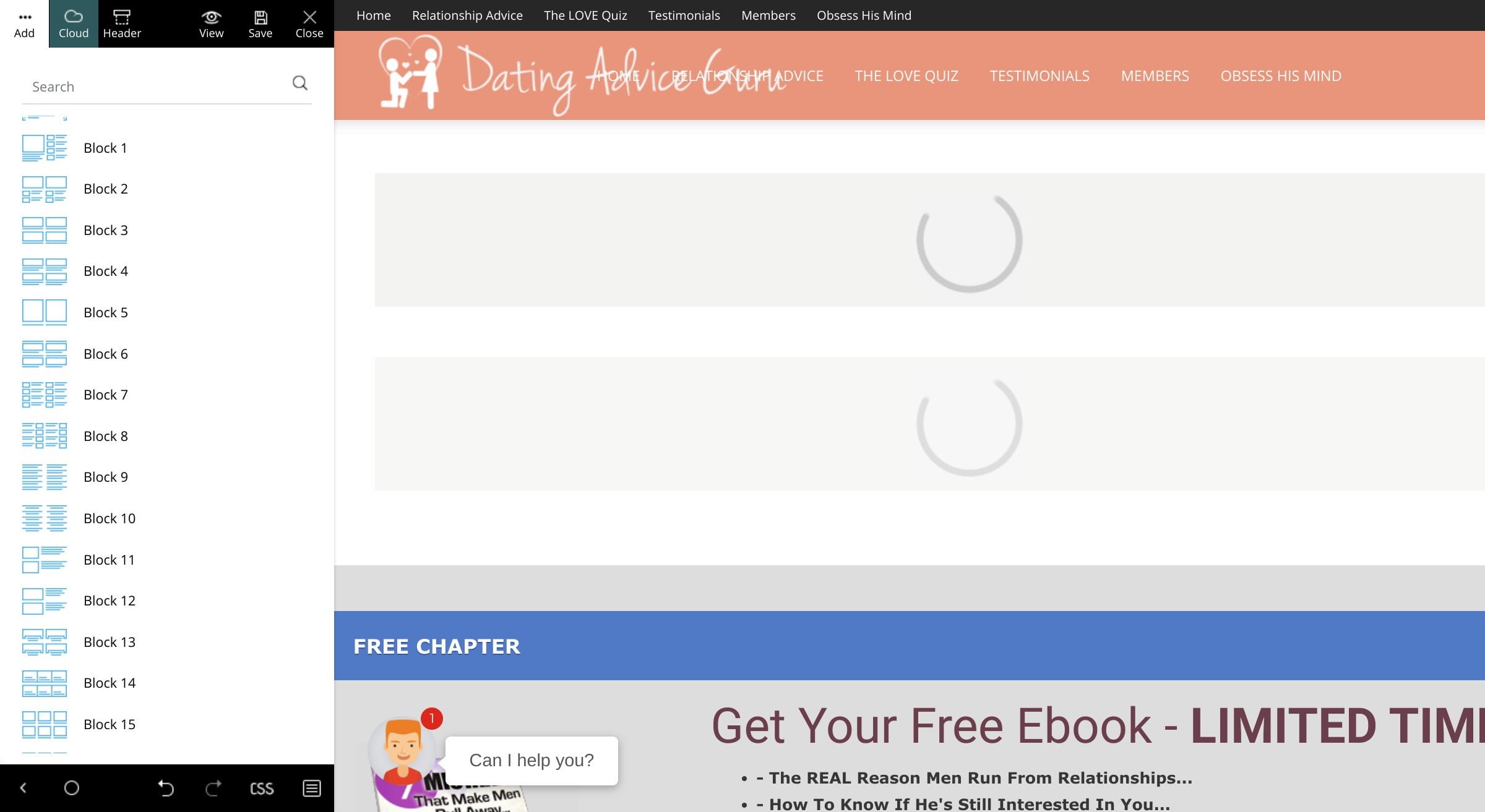
Once I copy the code I cannot save it from TagDiv.
Also I cannot add a single element to the page – not that nor the new one.
All I get is the loading icon. Example:
https://www.datingadviceguru.com/wp-content/uploads/2020/02/tagdiv-loading.jpg
To make things even weirder, I don’t see any errors in the console.
We use same plugins on two installations:
test.datingadviceguru.com
and
datingadviceguru.com
We’ve used the first site to prepare the site and then move it to the second one.
The hosting is different, though.
Do you happen to know what could be causing this – tagDiv Composer not to work?
Please advise. Thanks.
Calin Hi,
I think that this is a miss understanding, the standard pack from Newspaper X is for standard style/templates, using standard plugin all the style from the theme will be loading in your website, if you rebuild your website only with cloud templates then you can deactivate the standard package, then you should be able to see an improvement, the cloud templates will load only the necessary style. Please make a test on a staging website, get the Newspaper 10.3 from your themeforest account install a PRO demo and deactivate the standard package check the results and after that try with a standard templates with standard pack enable.
Thank you!
 Sibi Paul
 I think you didn’t read my post properly.
Kindly check this URL – https://www.universalnews.org/apple-rolls-out-improved-maps-across-the-united-states/
Author Box is Enabled, and it’s showing in the Page as well.
Author Name and Details are showing.
But, Author Photo is Not showing.
There is no option to Add Author Photo in this Theme Dashboard.
I know, WordPress Only Allow Gravatar Images,
https://forum.tagdiv.com/author-card/
in this Thread says Install a Plugin.
https://wordpress.org/plugins/wp-user-avatar/
What Exactly I’m asking is, Newspaper Should have this Function by Default…
Without Install a 3rd party Plugin, Can I show Image in Author Card?
if Possible, Let me know How…
if Not, Kindly Add This Function as a Default Function.
TagDiv Newspaper like Popular Theme Requires a 3rd party plugin for a Basic feature?
 idoa89
Just install the newspaper theme and having trouble to fix display, it is too wide and showing
another manu which i can’t remove. can someone please help and explain how to fix it.
you can see it here – health-line.co.il
thank you
Calin Hi,
Usually this problem is solved by disable and deleting the tagDiv Cloud Library and reinstall it again, this should fix the problem.
Let me know the results!
Thank you!
Calin Hi,
We have a guide for the theme update -> https://tagdiv.com/update-newspaper-theme/ but from Newspaper 9 to 10 were made some changes, so the best practices will be to make the update on a copy of your website (on sub-domain or localhost), in this way you’ll be able to prevent the problems, also I personally recommend to use the FTP method, get the new version package, unzip it, copy the Newspaper.zip in your install, delete the old theme and unzip the new one, after that go in WordPress > Newspaper> Welcome and install the theme plugins from there. -> https://i.imgur.com/mqSlHmj.png
Hope this will help you!
Thank you!
Calin Hi,
We recommend to make a full backup to your website, I personally recommend to make the update via FTP, delete the old theme and set the new one that you get from themeforest (unzip the package -> https://i.imgur.com/bkYpSnH.png copy the Newspaper.zip in you install and unzip it there -> https://i.imgur.com/NiclkwE.png after that go in Welcome section in WordPress> Newspaper and update the plugins.)
Let me know if there are still some problems.
Let me know the results!
Thank you!
 Puneet
Is it possible to create an exact theme by using newspaper files because we want to uninstall all newspaper supported plugins? We are facing a slow site speed issue continuously after updates. If you can tell us how to copy all theme files (Ex. Header.php, Style.css, footer.php, page.php, index.php, etc.) and then paste them to in a zip file for installation. We want to use the exact functionality and UI that we used in http://www.highonstudy.com website.
Calin Hi,
Usually this problem is solved by disable and deleting the tagDiv Cloud Library and reinstall it again, this should fix the problem.
Let me know the results!
Thank you!
Calin Hi,
I just checked your website and something is not write with your website, the theme should be looking like this -> https://demo.tagdiv.com/select_demo/select_demo_newspaper?utm_source=live_preview&utm_medium=click&utm_campaign=demos&utm_content=demos_button#demos
Did you change something in theme files ? because the width 100% is not set from theme, and this make the vertical scroll bar and more anther problems. -> https://i.imgur.com/DpgaVeM.png -> https://i.imgur.com/wD2TA6k.png
I recommend to make a fresh install and do not change anything in theme files, please check our documentation for:
Basics: Using the tagDiv Composer Front-End Page Builder
What is the Cloud Library and How You Should Use It?
Homepage – How to build and set it
Let me know the results!
Thank you!
 wepublications
Hi:
I’m trying to install a Cloud template for the home page with a new theme. It will import up to 80% and then it freezes saying it could not import an image.
I am not able to begin working on the Home page until I have the template installed properly,
Any suggestions would be much appreciated,
Best Regards,
Maureen
 ozclubbers
I’m having an issue with fonts on my Newspaper installation after the most recent update.
My article titles on my pages / blog listings are now using a different font to the rest of the site. It was working ok before 10.3, but since updating to 10.3, its now using a Times New Roman looking font.
Please help!