
- NewspaperHow to Use tagDiv Cloud Library
- NewspaperCloud Library Templates
- NewspaperCloud Library – Category Templates
- NewspaperDesign your Post Pages using the Cloud Library Templates
- NewspapertagDiv Cloud Library Plugin
- NewspaperFlex Block Builder and Flex Loop Builder
- NewspaperIntroduction to CPT and ACF with Newspaper Theme
- NewspaperFilters and sorting for taxonomies
- NewspaperHow to use the Google Maps API
- NewspaperHow to insert a block inside the content of a post
- NewspaperPosts Loop Element
- NewspaperSocial Sharing
- NewspaperInfinite Loading for Single Posts
- NewspaperHow to Add a Logo in Newspaper
- NewspapertagDiv Shop
- NewspaperCustom Post Type Support
- NewspaperHow to use the YouTube API
- NewspaperHeader Builder
- NewspaperMeta Info on Modules and Blocks
- NewspapertagDiv Composer Tutorial
 Anamaria
 Hello,
If you are using Cloud library templates you will need to edit this file: wp-content/plugins/td-cloud-library/shortcodes/single/tdb_single_comments.php
If you are using the mobile theme plugin, then the files that need to be edited is this one -> wp-content/plugins/td-composer/mobile/comments.php
Thank you!
 Tim
Tim When activating the AMP plugin, which is recommended by tagDiv to run with the mobile tagDiv plugin, it says that the tagDiv Composer and tagDiv Cloud Library are causing 118+ validation errors.
Should we supress those plugins.
Screenshots refer.
 Edanur
 Yes, you got it right. I am actively using my theme. There is no problem other than the cloud library. Internet speed is not a problem. I got the same error when I tried it on 3 different computers and 2 different internet modems. I want to solve this problem. Please help. Thank you.
“I hope you can take screenshots this time.”
Kind regards
 smilelondon
 As a note – we can open the templates via Theme Panel – Cloud library,
Then the WordPress Cloud Templates folder opens.
Here is the link it opens
xxx/wp-admin/edit.php?post_type=tdb_templates&meta_key=tdb_template_type&meta_value=header#/
But not from the cloud templates link in the sidebar or clicking the template type.
smilelondon Hi Bettina,
we are still facing issues with the cloud library,
You were advising that this would be fixed with an update soon. but this was in April this year. When can we expect this to be working?
I have added a screenshot from the area which we would like to change some settings for our post template. But the links are not working. Also not when we deactivate all plugins and clear all caches, same as in April.
Thanks for advise.
Sven
Anamaria Hello @jeff2020,
This is version 10.3.6 https://we.tl/t-v36dtBGBqT please make sure after the update you have the tagDiv plugins activated like tagDiv Standard Pack, tagDiv Composer, and tagDiv Cloud Library.
Thank you!
 arafbd24
If you activate the newspaper theme tagDiv Cloud Library, the site is going down, there is a lot of resource usage
 Calin
Calin Hi,
Unfortunately the provided screenshots can not be accessed -> https://i.imgur.com/pKzDfp3.png can you please provide other screenshots?
If I understand correctly you try to access the cloud library, but this is not open. Do you get some message?
If the theme is activated and the license key is assigned to the website, the only problem that can be is related to the internet speed. Do you have a slow internet connection, something like 2-3-5 mbps ?
Thank you!
Calin Hi Tiit, this situation appears because the tagDiv Composer can be used to create pages and cloud templates, but for posts only to create templates, templates that will apply on all posts or individual posts.
So the tagDiv Composer should be used only to edit the layout of the post, not to create a posts.
Also, the single post content need to be set only once in the cloud template and this will display all the content. If you want to set the content on columns, then you need to to it using the WordPress editor https://www.youtube.com/watch?v=RpZLwy_YLoE
I hope this will help you!
Anamaria Hello,
Please make sure you have the tagDiv plugins activated, like tagDiv Composer, tagDiv Cloud Library.
Have you tried to see that this issue is not caused by a plugin conflict?
Usually, this issue is caused by a plugin conflict, please do a test using the theme plugins, clear all cache and see if the problem persists.
Thank you!
 Ranurajrajput
I have purchased a newspaper theme 2 years ago and I was using it for a different website. But now that website is shut down and I am not using the Newspaper theme on any website. But recently, I installed it on my website, and when I am trying to add Cloud Library content, it says
“Envato key is alright, but it is not assigned to the current domain. Just assign it and then you are ready to enjoy the full benefits. If you need help, please contact us at contact@tagdiv.com”
Also, when I click the Just Assign button, it redirects to the My License option, but that is a blank page only.
EdanurHello,
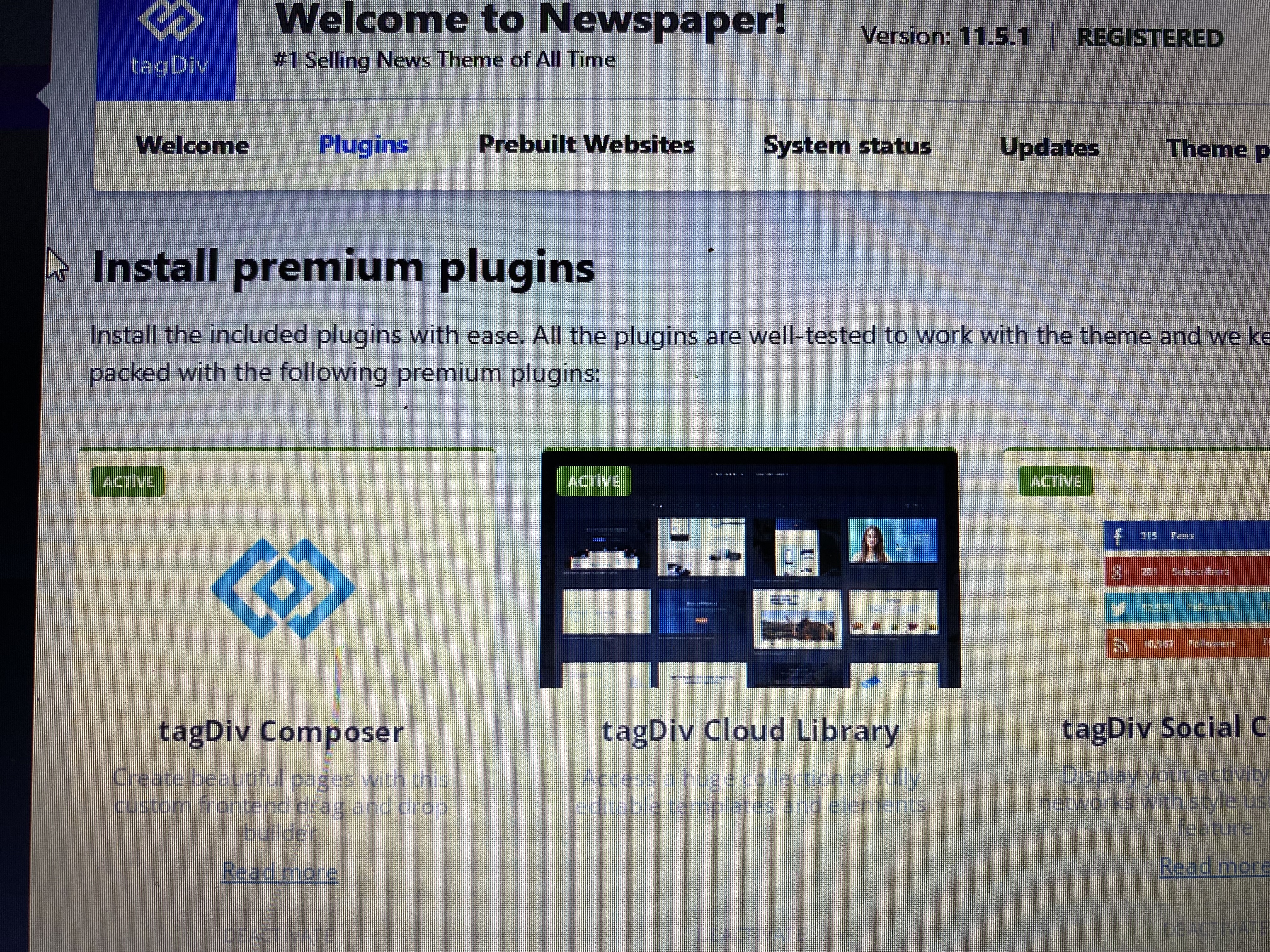
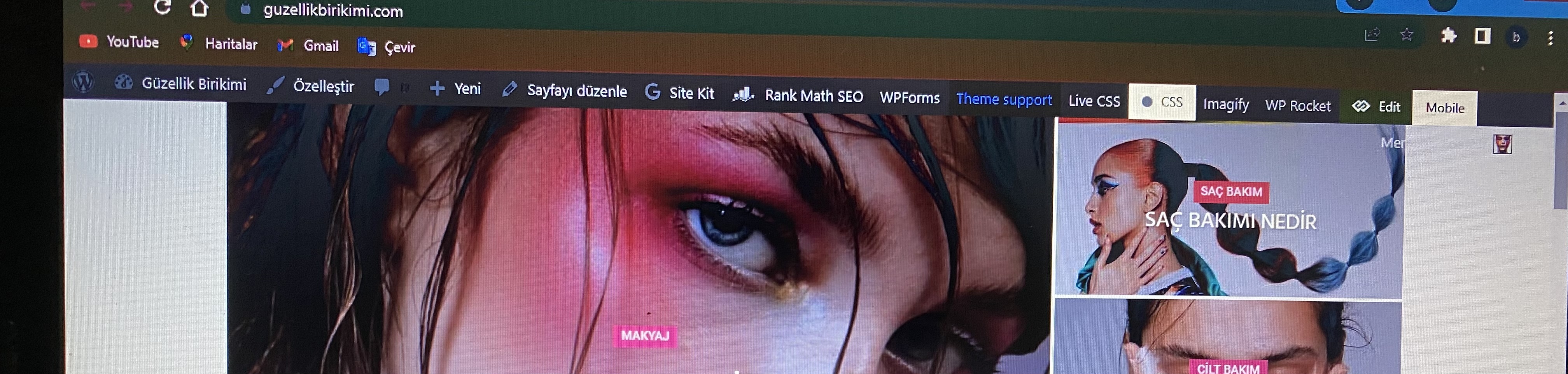
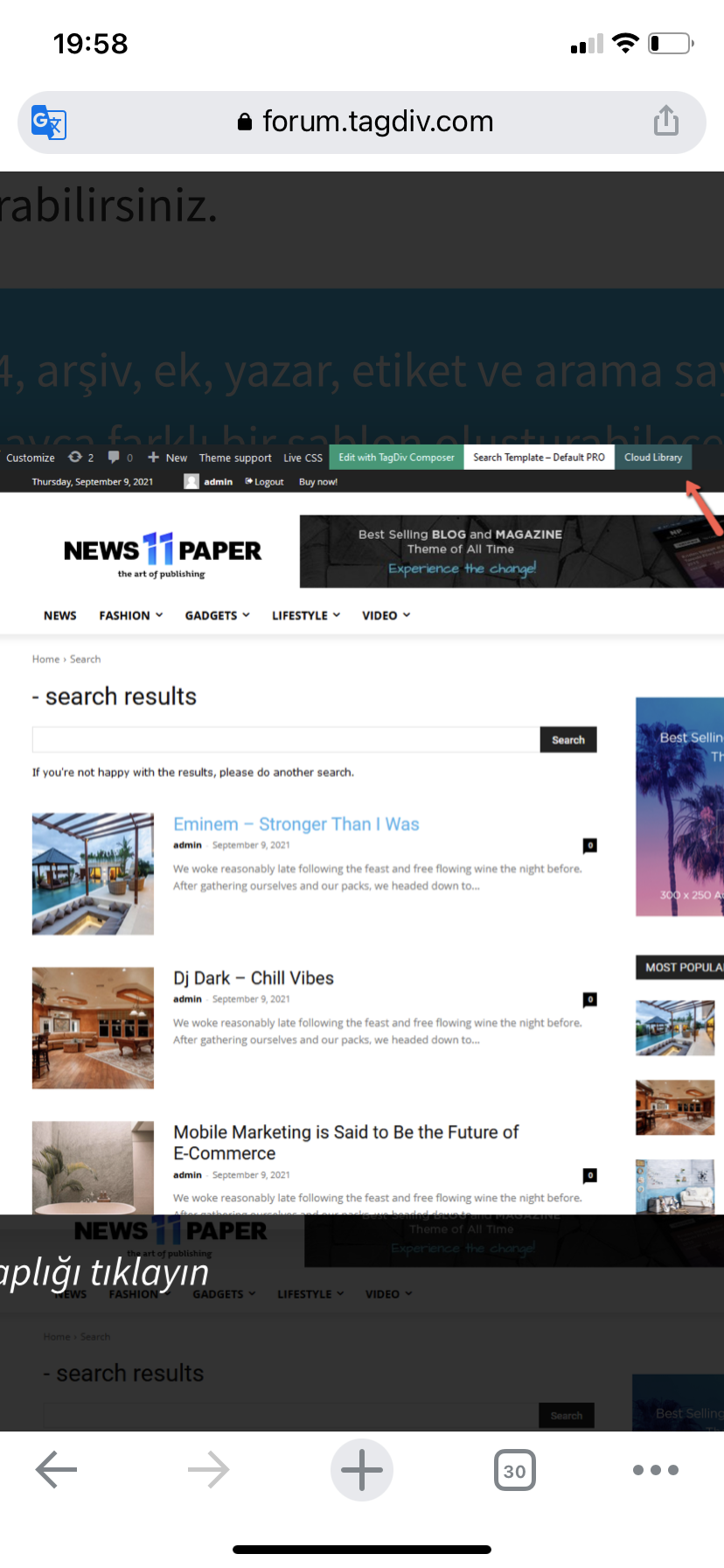
I activated it with newspaper> plugins> tagdiv cloud library. Then I checked that it is active in the ‘plugins’ section. However the tagdiv cloud library is not displayed. I want to recreate my website design using ”tagdiv cloud library”. But I can’t access the cloud library entry in the articles I’ve reviewed from ”forum.tagdiv.com”. Please help, thank you.

Yours truly
Anamaria Hello,
We tried as much as possible to optimize the tagDiv cloud library, and we added options to load each section separately so that they don’t load all of them.
However, here I think it also depends on the internet speed, which I think is quite low.
Thank you!
 nwnuyhs
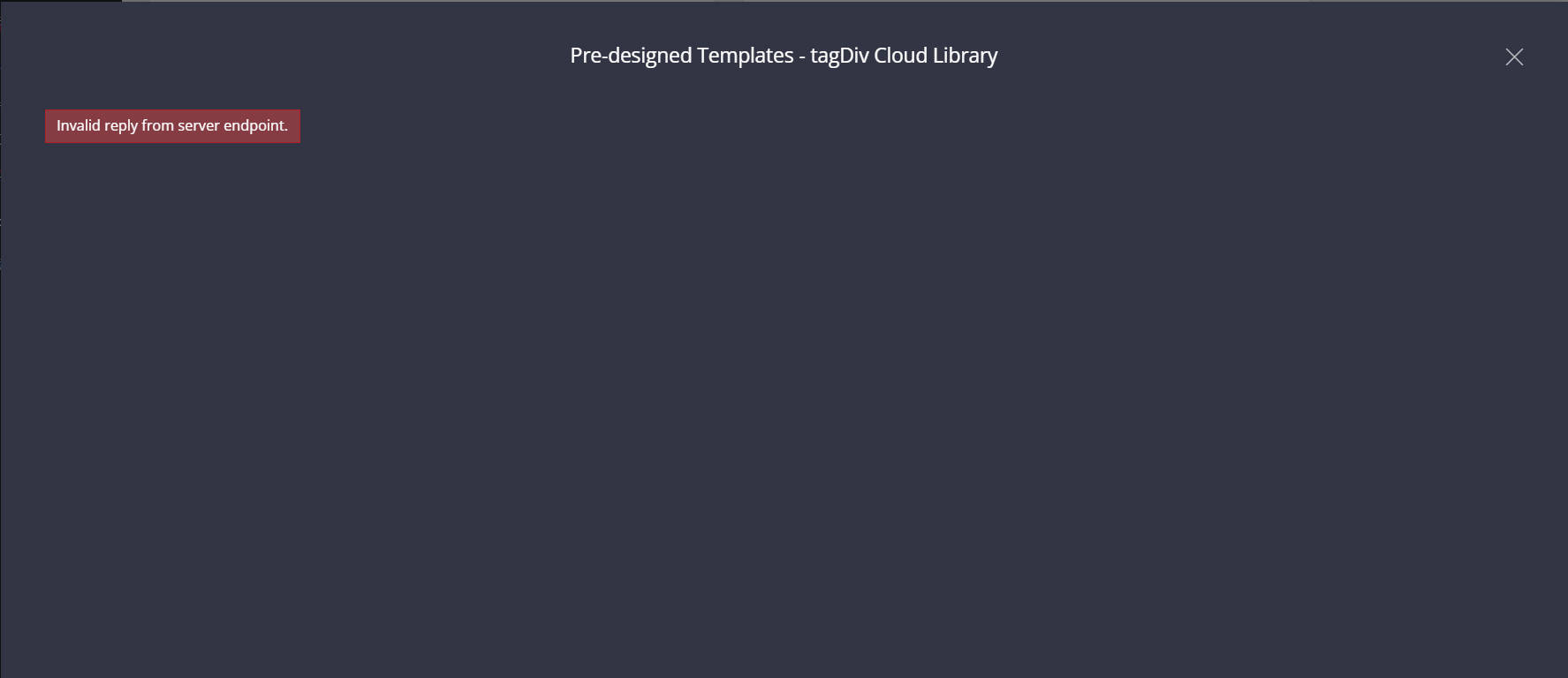
The tagDiv Cloud Library has been failing to load. It is recommended that the tagdiv team optimize the loading speed of the tagDiv Cloud Library. The error message is: Invalid reply from server endpoint.
Anamaria Hello,
Please let me know what header you use (cloud or from theme panel).
You can change the colors for the header template from tagDiv Cloud Library with tagDiv Composer -> https://i.imgur.com/aL94rAz.jpg
Thank you!
 jonesjw
 Hi – here are the plugins I have. It’s odd because up to oh a week or so ago I didn’t have this issue. I don’t know if an update on some plug-in caused an issue or not.
Thanks for any help.
Everest Business Directory
Deactivate
An ultimate business directory plugin for WordPress
Version 1.2.7 | By Access Keys | Visit plugin site
Select Flip Html5 Short Code
Flip Html5 Short Code
Deactivate
Flip Html5 WordPress Plugin
Version 1.0 | By fliphtml5.com | Visit plugin site
Select Head and Footer Scripts Inserter
Head and Footer Scripts Inserter
Upgrade to PRO | Settings | Deactivate
Easily and safely add your custom HTML code (plus JavaScript, CSS, etc.) to your WordPress website, directly out of the WordPress Admin Area, without the need to have an external editor.
Version 4.52 | By Space X-Chimp | View details | Donate
Enable auto-updates
Select Really Simple SSL
Really Simple SSL
Premium Support | Settings | Deactivate
Lightweight plugin without any setup to make your site SSL proof
Version 5.3.3 | By Really Simple Plugins | View details
Enable auto-updates
Select Really Simple SSL pro
Really Simple SSL pro
Settings | Deactivate
Optimize your SSL security with the mixed content scan, secure cookies and advanced security headers.
Version 5.5.2 | By Really Simple Plugins | View details
Enable auto-updates
Select tagDiv Cloud Library
tagDiv Cloud Library
Deactivate
Access a huge collection of pre-made templates you can import on your website and customize on the frontend using the tagDiv Composer plugin.
Version 2.3 | built on 12.05.2022 9:11 | By tagDiv | Visit plugin site
Select tagDiv Composer
tagDiv Composer
Deactivate
tagDiv Composer – Create everything on your website right on the frontend with this drag and drop builder. Perfect for articles, pages, headers, and footers. No coding skills required.
Version 3.4 | built on 12.05.2022 9:11 | By tagDiv | Visit plugin site
Select tagDiv Social Counter
tagDiv Social Counter
Deactivate
tagDiv Social Counter – Displays your activity on social networks with style. Use it as a cool widget, tagDiv Composer block or shortcode.
Version 5.1 | built on 30.05.2022 15:09 | By tagDiv | Visit plugin site
Select tagDiv Standard Pack
tagDiv Standard Pack
Deactivate
tagDiv Standard Pack Support
Version 1.5 | built on 29.07.2022 8:01 | By tagDiv | Visit plugin site
Select WP Rocket
WP Rocket
Settings | FAQ | Docs | Support | Deactivate
The best WordPress performance plugin.
Version 3.11.5 | By WP Media | Visit plugin site
Auto-updates disabled
Select WPML Media
WPML Media
Deactivate | Registered
Add multilingual support for Media files | Documentation | WPML Media Translation 2.7.0 release notes
Version 2.7.0 | By OnTheGoSystems | View details
Enable auto-updates
Select WPML Multilingual CMS
WPML Multilingual CMS
Deactivate | Configure | Registered
WPML Multilingual CMS | Documentation | WPML 4.5.8 release notes
Version 4.5.8 | By OnTheGoSystems | View details
Enable auto-updates
Select WPML SEO
WPML SEO
Deactivate | Registered
Multilingual support for popular SEO plugins
Version 2.0.1 | By OnTheGoSystems | View details
Enable auto-updates
Select WPML Sticky Links
WPML Sticky Links
Deactivate | Configure | Registered
Prevents internal links from ever breaking | Documentation | WPML Sticky Links 1.5.4 release notes
Version 1.5.4 | By OnTheGoSystems | View details
Enable auto-updates
Select WPML String Translation
WPML String Translation
Deactivate | Configure | Registered
Adds theme and plugins localization capabilities to WPML | Documentation | WPML String Translation 3.2.1 release notes
Version 3.2.1 | By OnTheGoSystems | View details
Enable auto-updates
Select WPML Widgets
WPML Widgets
Deactivate
Easily select which widgets you want to show for which languages
Version 1.0.6 | By Jeroen Sormani | View details
Disable auto-updates
Select Yoast SEO
Yoast SEO
Required by Yoast SEO Premium | FAQ | Settings
The first true all-in-one SEO solution for WordPress, including on-page content analysis, XML sitemaps and much more.
Version 19.5.1 | By Team Yoast | View details
Disable auto-updates
Select Yoast SEO Premium
Yoast SEO Premium
Deactivate
The first true all-in-one SEO solution for WordPress, including on-page content analysis, XML sitemaps and much more.
Version 19.1 | By Team Yoast | View details
Auto-updates are enabled based on this setting for Yoast SEO.
Select Yoast SEO: News
Yoast SEO: News
Settings | Deactivate
Google News plugin for the Yoast SEO plugin
Version 13.1 | By Team Yoast | View details
 Bettina
 Hello!
1. Yes, it seems that you use default templates, instead of the cloud templates. You need to assign a cloud template and use the CPT on them: https://forum.tagdiv.com/custom-post-type-support/
We recommend to use cloud/PRO templates in order to have the possibility to edit them with the TagDiv Composer which contains a lot of functions and features, please check our tutorial here: https://forum.tagdiv.com/tagdiv-composer-tutorial/
Documentation here:
– https://forum.tagdiv.com/cloud-library-templates/
– https://forum.tagdiv.com/design-post-pages-using-cloud-library-templates/
– https://forum.tagdiv.com/cloud-library-category-templates/
2. You need to use custom taxonomies templates and not the simple categories templates.
Check the documentation provided above.
3. You have to update the theme to the latest update, in order to have access for the new features.
Thank you!
EdanurHello,
I activated it with newspaper> plugins> tagdiv cloud library. Then I checked that it is active in the ‘plugins’ section. However the tagdiv cloud library is not displayed. What should I do? Please help.
Yours truly
Calin Hi ExtraSportz,
I believe that this topic was set in Newspaper and only now has been move in Newsmag forum.
Those 2 themes has the same standard templates layout, but the Newspaper is more powerful providing more customizations.
Newsmag theme is a simple and easy to customize theme using the theme panel settings for the website and the theme builder for pages.
Only in tagDiv Cloud Library you can assign cloud templates, for Newsmag theme you can use only the settings from the theme panel to edit the categories -> https://i.imgur.com/wGKrm8T.png
-> https://forum.tagdiv.com/newsmag-category-templates/
Thank you!
Calin Hi,
I do not see any code -> https://i.imgur.com/F6t0X3H.png
Also, if you have the Newspaper theme activated, please be users that you also have the theme plugins, like tagDiv Composer, tagDiv Cloud Library and for some old users that have standard templates the tagDiv Standard pack need to be installed too -> https://i.imgur.com/9J8sYw5.png
Thank you!
Calin Hi,
I believe that you are referring to this element -> https://i.imgur.com/1Z4KA0V.jpg if is so, then you can displayed those extra elements only by editing the code for the element -> wp-content/plugins/td-composer/legacy/Newspaper/includes/shortcodes/td_block_authors.php
For Author template, you can use a cloud template from the tagDiv Cloud Library, those can be edited using tagDiv Composer and you can make it as you want. Also if you want you can create an individual author template per each author.
Thank you!
Anamaria Hello,
You can remove the comment section from Single Post Template, edit with tagDiv Composer => https://www.screencast.com/t/4VoyAOlzgd6, select the element Single Post Comments and with right-click you can delete or selecting the element and with drag & drop place into the deleting red zone from the bottom right of the page.
You can set the ads in Single Post Template from tagDiv Cloud Library and you can set top ad, 3 inline ads set after x paragraphs and bottom ad, please check this article -> https://forum.tagdiv.com/article-ads/ and video https://www.youtube.com/watch?v=biTpVVlr8j8
Thank you!
jonesjw Hi,
I do not use the wordfence or sucuri plugin
I have disabled all plugins and that did not solve the problem
I use cloudflare CDN but through my host Kinsta – I do not have access to the cloudflare
I am using Newspaper 11.5.1 and the prebuilt website “newspaper”
—-
Jerry W. Jones, MPA, AEMT
Dueño, Out & About PV, S. DE R.L. DE C.V.
Constitución 285-A , Colonia Emiliano Zapata , Puerto Vallarta, Jalisco. 48380
RFC: OAA170623BU1
+52 322 274 3500
https://outandaboutpv.com
heme config
Registration key i fcf8e5d4 – **** – **** – **** – e96c5e0be3a3 Reset key
Theme name i Newspaper
Theme version i 11.5.1
Theme database version i 11.5.1
HTTP channel test wordpress
php.ini configuration
Server software i nginx/1.21.3
PHP Version i 8.0.21
post_max_size i 128M – You cannot upload images, themes and plugins that have a size bigger than this value. To see how you can change this please check our guide here.
max_execution_time 300
max_input_vars 10000
SUHOSIN installed false
PHP extensions
mbstring available
GD library available
WordPress and plugins
WP Home URL i https://outandaboutpv.com
WP Site URL i https://outandaboutpv.com
WP version i 6.0.1
WP multisite enabled i No
WP Language i en_US
WP Memory Limit 256 MB/request
Anamaria Hello,
I just checked and seems this website doesn’t have our theme, is a default theme. https://i.imgur.com/4RUlSvN.png
Please let me know if you remove it.
Also, if you don’t install it, you have to upload only the theme zip file, not the whole package which contains other items
– https://help.market.envato.com/hc/en-us/articles/202821510-Theme-is-missing-the-style-css-stylesheet-error
Install via WordPress -> https://forum.tagdiv.com/install-via-wordpress/
Install via FTP -> https://forum.tagdiv.com/install-via-ftp/
Requirements for Newspaper => https://forum.tagdiv.com/requirements-for-newspaper/
After installing the theme and activating it you will find in the Prebuilt websites all the theme demos and you can import whatever demo you want => https://www.screencast.com/t/6rf5g0Dxc0K
If you have a header template from Cloud Library, you can edit the logo and header with tagDiv Composer => https://www.screencast.com/t/zuhG8uGZe, select the header and you can remove the logo image/text and add a new logo =>https://www.screencast.com/t/WSquHPNqT https://www.youtube.com/watch?v=HXQQygkCCJo
If you have a standard template then you need to go in Theme Panel -> Header -> Logo and Favicon => https://www.screencast.com/t/jk2I1xs4FH2
Hope this helps you!
Thank you!
Anamaria Hello Joe,
Is possible to have a Single Post Template from tagDiv Cloud Library, then you need to edit the post with tagDiv Composer => https://www.screencast.com/t/jHatJGC1qRf, for example, select the Single Post Views => https://www.screencast.com/t/NhUGCRfI and with right-click, you can delete it.
Also, you can delete other elements.
Thank you!



