- NewspapertagDiv Composer – Website Manager
- NewspaperWhen tagDiv Composer is Not Working
- NewspapertagDiv Composer Tutorial
- NewspaperScroll Animation
- NewspaperSingle External Shortcode and External Shortcode
- NewspaperCredit System
- NewspaperBookmark – Save For Later
- NewspaperFlex Block Builder and Flex Loop Builder
- NewspaperModules Builder in Newspaper Theme
- NewspaperIntroduction to CPT and ACF with Newspaper Theme
- NewspaperCreate a frontend submission form
- NewspaperHow to Use the Tabbed Content shortcode
- NewspaperCreate a form contact page
- NewspaperFilters and sorting for taxonomies
- NewspaperUser review system
- NewspaperCustom Fields Support
- NewspaperWooCommerce: Happy “Add to Favorites!”
- NewspaperWoo Brands
- NewspaperModal Popup
- NewspaperShortcodes
 wonjaelee
 Thank for the reply.
As you said, we downgraded the PHP version, and it works.
One more question, is there any plan to get tagDiv Composer to work in PHP version 8.3 in the near future?
 mtdas99
 It’s too much irritating. I have imported a page template from Tagdiv cloud and the error showing again. I am not able to edit the post template.
“Error at rows: 2(models) : 3(dom). The model does not match the content Current state has involved an issue. You could try an UNDO operation (CTRL+Z / CTRL+SHIFT+Z)”
Don’t you think it’s a bug or provide us a easy solution of this issue. I have already gone through the support topic https://forum.tagdiv.com/topic/error-at-zones-6models-1dom-the-model-does-not-match-the-content-currene/ but there no easy solution for that issue. The solutions given there are:
1. Clean the code. Recreate the element with the tagDiv Composer. If you need to add other items that are not present in the tagDiv Composer elements list, please use a “Column text” element.
2. If you already added custom HTML code inside a “description” section inside a tagDiv Composer item, make sure it’s clean and correct (no missing tags). Also, please consider removing it. We recommend you to do not insert HTML code in the page builder as it may cause issues and affect the way tagDiv Composer is functioning.
Now which code do I need to clean and what to clean is not clear. Also i didn’t added any HTML code because the error shows only after importing cloud templates.
Please provide me an effective solution.
-
This reply was modified 2 years by
mtdas99.
 Bikul
BikulHello
when I i.e add a module “Text with title” in the tagdiv Composer and go to “Edit Content” the wordpress editor shows up. In that I cannot add media from the mediathek. Is that normal?
Thanks for Feedback
Bernd
 IdentidadyFuturo
In my SEO analysis, the H1 appears duplicated on the homepage.
I disabled the H1 option of the logo in tagdiv composer, solving the problem, that is, now there is only one H1.
But no text appears in the description, it is empty.
Where do I modify this H1 so that the title I need appears?
 Jabed
JabedMy site’s menu bar is working well at home page in both desktop view and mobile view. But when I try to see all the menus from a post page on mobile view in incognito mode, it’s not showing.
I need help to be honest. It’s been 4 days, and I’m working on just fixing my my header again and again.
I’m learning from my mistakes.
Whenever I need help, I post here. But it takes too much time to get a reply from tagdiv team that’s why I reset my site with wp reset plugin and started working with it from the beginning.
This is what I’ve been doing in circle : Trying > Making Mistakes > Fixing > If it doesn’t get fixed, I try to reach tagdiv team here, but it does not work all the time, even after getting indications > Then I reset my site to start working on it from the beginning 😅
I’m sharing two images.. Check them out please. and tell me how to fix this problem. 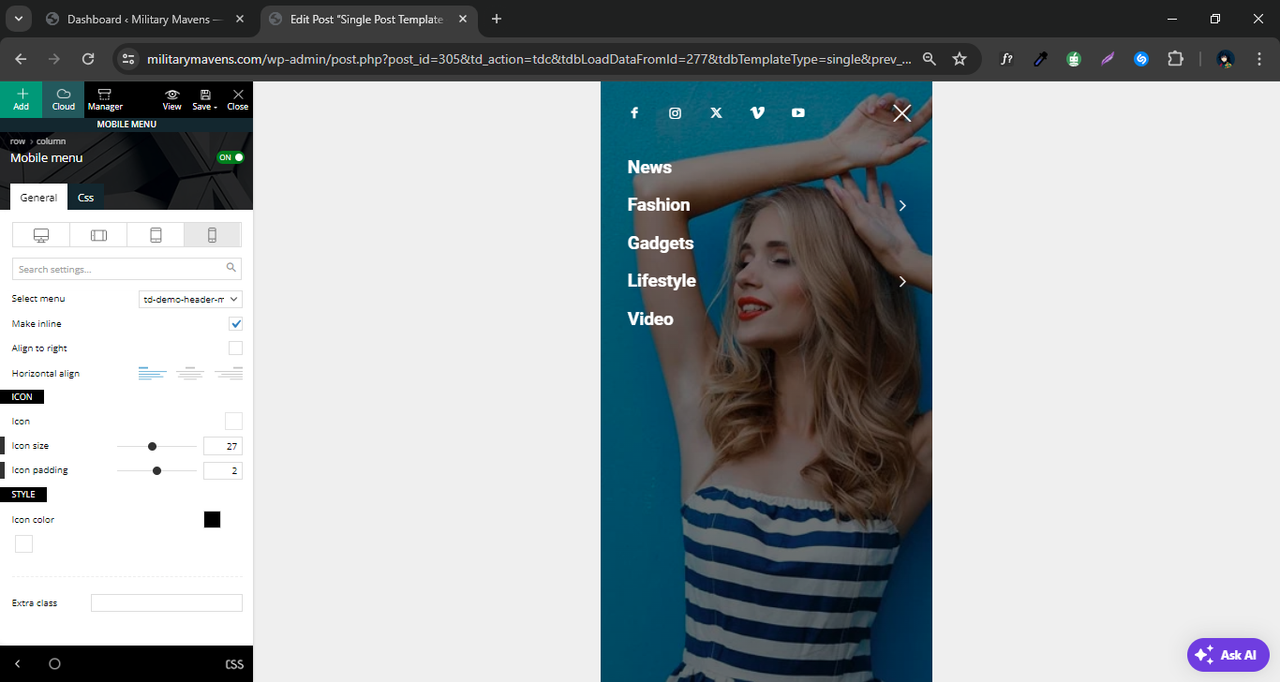
 seanie2k
 Hi Bettina,
Thanks for coming back to me. The cloud templates code all seems fine, when I go to edit a cloud template it is just showing the template code as it should be without the additional content (Titles,copy, etc) but when I view it live it’s like it’s adding in content on top of the newspaper templates (see screenshot 3). Hopefully the screenshots attached explain it better than I can.


seanie2kHi,
I am updating our site using a staging site and after importing posts from our existing site, the site templates are acting up, they seem to be switching to the default wordpress templates and are adding in page titles, author info, etc. above and below the ‘newspaper template’ (See Screenshot). The header and footer are not being affected. When I edit the page in the backend the code in the text editor is the correct ‘newspaper theme’ code and doesn’t include this additional code. When I edit with TagDiv Composer it will allow me to change elements that I created but not the Title, etc that’s been added (See screenshot). Is there a setting that got switched back on when I imported the posts that is adding the page titles etc..
Regards,
John


 Bettina
 Hello!
Yes. Because it works only on a post or CPT. The second option is for the ACF PRO plugin.
If you need a slide for your posts, then simply use the “Slide” shortcode from the tagdiv Composer.
Otherwise, if you need a slide with images, then try to do it with some custom code: https://kenwheeler.github.io/slick/
Thank you!
 andiban
wp_booster error:
td_api_base::mark_used_on_page : a component with the ID: single_template_1 is not set.
/data/web/1/000/025/612/63558/htdocs/16_17/wp-content/plugins/td-composer/legacy/common/wp_booster/td_api.php
Kann mir da jemand helfen?
Danke
Bettina Hello!
A shortcode can be inserted also by using the element called “Column text” or “Text with title”. “Column text” and “text with title” elements have a button called “edit content” and if you click on that button, the WP Editor will open, and you can add some text/code/shortcode there. Close the WP Editor from X, save the changes from Composer and view the page to see the changes.
Thank you!
Bettina Hello!
We have 3 options available for mobile versions that you can use:
1. Responsive version: A responsive version of your website looks similar to the desktop version. TagDiv Composer is used to edit the page.Click on the mobile viewport: https://www.screencast.com/t/XDQJedlggSB. There, you can see your mobile version and edit or adjust the elements to look better.
2. Mobile pages: https://tagdiv.com/newspaper-10-3-7-update-brings-customizable-and-fast-mobile-pages
3. Mobile theme plugin: The Mobile Theme is a performance-optimized theme included in the main Newspaper theme that only loads on mobile devices. It comes with its own templates and designs for pages, posts, categories, etc., so your current templates from the desktop theme will get converted to the mobile theme layout. Please see https://forum.tagdiv.com/the-mobile-theme/ and https://forum.tagdiv.com/mobile-theme-introduction/ for more information.
A full explanation is here: https://www.youtube.com/watch?v=SpGkOnJeNZY
If you need to use mobile version 1 or 2, then you need to uninstall the Mobile Theme plugin and AMP.
Thank you!
 Anamaria
 Hi,
If you have a Single Post Template from Cloud Library, then you need to edit the post with tagDiv Composer => https://www.screencast.com/t/jHatJGC1qRf, select the Single Post Views => https://www.screencast.com/t/NhUGCRfI and with right-click, you can delete it.
The same for comments.
If you have a standard template, then you can disable the post views from Theme Panel -> Post Settings -> Post and Custom Post Types => https://www.screencast.com/t/LAv90B5eZ (please make sure you have tagDiv Standard Pack activate for standard template)
Thank you!
Anamaria
Bettina Hello!
Please edit the page with the tagdiv Composer and make sure you did not left align the element. Make a test and deactivate all plugins except tagDiv ones. Also, if you are using a cache plugin, deactivate it, clear all cache, and try again.
Let me know the results!
Thank you!
Anamaria Hi,
This usually happens with cache plugins. If the cache plugin does not have mobile support, the mobile theme version can be delivered instead.
Also, please let me know what plugin you use for the cache now.
Using our theme, you can choose from 3 mobile versions
-> mobile responsive => https://www.screencast.com/t/oJ2ShOp47
-> mobile theme plugin => https://forum.tagdiv.com/the-mobile-theme/
-> mobile page => https://tagdiv.com/newspaper-10-3-7-update-brings-customizable-and-fast-mobile-pages/ The option that you need to use.
Suppose you created the mobile pages with tagDiv Composer. In that case, when you install the Mobile Theme plugin, your pages will be overwritten by the plugin (the mobile theme comes with its templates for page, post, category, etc, so your current templates from the desktop theme will get converted to the mobile theme layout, the page content is made without builders in mobile editor => https://www.screencast.com/t/xbgZG8kH also, the options that are provided to edit the mobile theme version are limited (this keeps the things simple)).
This is a video about Responsive Newspaper Theme, AMP & Mobile Theme, Mobile Pages & Templates -> https://www.youtube.com/watch?v=SpGkOnJeNZY.
So, the mobile responsive is what you see when that you select the viewport on phone => https://www.screencast.com/t/matV17hH, so some settings may apply for each viewport(where is the border blue), and others are not(where the border is black).
The mobile page has the mobile templates from Cloud Library => https://www.screencast.com/t/YCcZ8rL8
The Mobile responsive version of the theme and the mobile page editor can be edit with tagDiv Composer, the mobile theme plugin cannot.
For example, you can have the mobile theme plugin activated and use the mobile page/mobile responsive version for the homepage/pages, but for the categories pages/404 page, you can’t use the mobile page/mobile responsive version if you have the mobile theme plugin activated.
@henryekeocha108 You need to add the Single Post Comments element in the single post template, and also, you have set to allow the comments on the posts, edit the post and in a post is a setting -> Discussion => https://www.screencast.com/t/EZhoy8Uj -> https://i.imgur.com/IgNyFa9.png
Thank you!
Bettina Hello!
Did you build your page with the tagdiv composer? You should add the style you want there, and then when you access the menu, it will appear there.
Thank you!
wonjaeleeHi,
I am a newcomer to Newspaper theme.
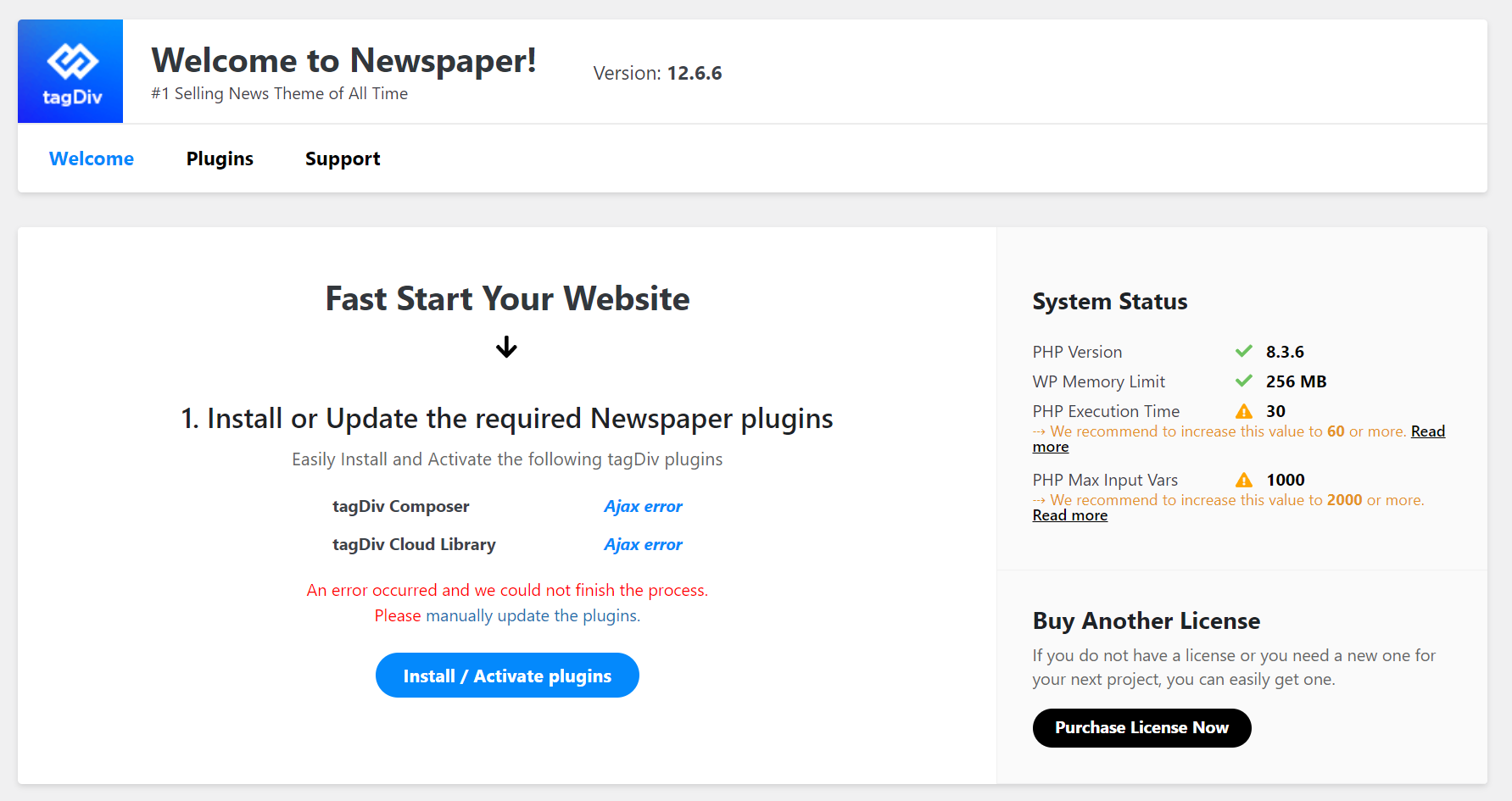
I tried to activate tagDiv Composer, but got fatal error like the image link below.
https://cdn.kormedi.com/images/tagDiv_Composer_error_image_20240607.png
After that, I deactivated all the plugins, and tried to reinstall and reactivate tagDiv Composer, but got the same error.
Our website URL is https://test.kormedi.com/.
Could you help us?
Thanks.
Wonjae
 nicolaslavado
I want to update the WP Bakery Composer plugin, but the files are not found in the newspaper installation folder (js composer).
JabedIt’s visible only in main page perfectly but not showing in single post page. It’s visible in tagdiv composer but not in browser incognito mode. I have added two images here. Please check them and let me know how to fix it. I’ve got another problem to be fixed. I’ll let you know after fixing this one first. Please help..
Bettina Hello David!
It is an old suggestion. We need to delete it.
We have 3 options available for mobile versions that you can use:
1. Responsive version: A responsive version of your website looks similar to the desktop version. TagDiv Composer is used to edit the page.Click on the mobile viewport: https://www.screencast.com/t/XDQJedlggSB. There, you can see your mobile version and edit or adjust the elements to look better.
2. Mobile pages: https://tagdiv.com/newspaper-10-3-7-update-brings-customizable-and-fast-mobile-pages
3. Mobile theme plugin: The Mobile Theme is a performance-optimized theme included in the main Newspaper theme that only loads on mobile devices. It comes with its own templates and designs for pages, posts, categories, etc., so your current templates from the desktop theme will get converted to the mobile theme layout. Please see https://forum.tagdiv.com/the-mobile-theme/ and https://forum.tagdiv.com/mobile-theme-introduction/ for more information.
A full explanation is here: https://www.youtube.com/watch?v=SpGkOnJeNZY
If you need to use mobile version 1 or 2, then you need to uninstall the Mobile Theme plugin and AMP.
Thank you!
Bettina Hello David!
I can see that you use the Mobile theme plugin for now.
You can deactivate it and use the responsive version if you like to be customizable with the tagdiv Composer. Enable these settings from the theme panel for mobile menu and mobile search: https://app.screencast.com/pUtCgElyRwzjo
Make sure you choose a menu in order to display there: https://app.screencast.com/TffmDPVrdAg0Z?tab=Details&conversation=AKSAQD3gCjYHzgr0YLpH4k
Thank you!
 Calin
Calin Hi Jabed,
You mentioned above that you’ll need help to set up the site to have a similar design as the one provided as example. So if you want us to do it for you, then is not covered by the support theme.
The custom work (as it’s sounds) is a paid services for custom request and those are preformed by developers and designer.
Now in case that you want us to help you with indications for how to achieve that layout, then the first thing will be to check how tagDiv Composer (theme builder) can be used, because all the changes will be make with it.
Also, here is a video tutorial – https://www.youtube.com/watch?v=SoGQ0d5kIBg
Thank you!
Bettina Hello!
Please check this thread: https://forum.tagdiv.com/topic/tagdiv-composer-keeps-deactivating/
I hope that helps you!
Thank you!
Bettina Hello Varun!
I can see that you have mobile theme plugin installed and active.
We have 3 options available for mobile versions that you can use:
1. Responsive version: A responsive version of your website looks similar to the desktop version. TagDiv Composer is used to edit the page.Click on the mobile viewport: https://www.screencast.com/t/XDQJedlggSB. There, you can see your mobile version and edit or adjust the elements to look better.
2. Mobile pages: https://tagdiv.com/newspaper-10-3-7-update-brings-customizable-and-fast-mobile-pages
3. Mobile theme plugin: The Mobile Theme is a performance-optimized theme included in the main Newspaper theme that only loads on mobile devices. It comes with its own templates and designs for pages, posts, categories, etc., so your current templates from the desktop theme will get converted to the mobile theme layout. Please see https://forum.tagdiv.com/the-mobile-theme/ and https://forum.tagdiv.com/mobile-theme-introduction/ for more information.
A full explanation is here: https://www.youtube.com/watch?v=SpGkOnJeNZY
If you need to use mobile version 1 or 2, then you need to uninstall the Mobile Theme plugin and AMP.
Thank you!
Bettina Hello!
1. Check this guide: https://forum.tagdiv.com/modal-popup/
For customization and other services, you can contact our custom work team here: https://tagdiv.com/premium-customization-services/.
2. I think you should add the style as well in the raw html or raw CSS. A shortcode can be inserted also by using the element called “Column text” or “Text with title”. “Column text” and “text with title” elements have a button called “edit content” and if you click on that button, the WP Editor will open, and you can add some text/code/shortcode there. Close the WP Editor from X, save the changes from Composer and view the page to see the changes. It could be possible to be a conflict there, that’s why the shortcode do not display as you want. Please check.
3. You should build it to be responsive from the plugin source. Or you can use some CSS style added with the help of a raw CSS element from the tagdiv Composer. Check the guide: https://forum.tagdiv.com/create-custom-code-using-the-browsers-inspector/
4. We have 3 options available for mobile versions that you can use:
1. Responsive version: A responsive version of your website looks similar to the desktop version. TagDiv Composer is used to edit the page.Click on the mobile viewport: https://www.screencast.com/t/XDQJedlggSB. There, you can see your mobile version and edit or adjust the elements to look better.
2. Mobile pages: https://tagdiv.com/newspaper-10-3-7-update-brings-customizable-and-fast-mobile-pages
3. Mobile theme plugin: The Mobile Theme is a performance-optimized theme included in the main Newspaper theme that only loads on mobile devices. It comes with its own templates and designs for pages, posts, categories, etc., so your current templates from the desktop theme will get converted to the mobile theme layout. Please see https://forum.tagdiv.com/the-mobile-theme/ and https://forum.tagdiv.com/mobile-theme-introduction/ for more information.
A full explanation is here: https://www.youtube.com/watch?v=SpGkOnJeNZY
If you need to use mobile version 1 or 2, then you need to uninstall the Mobile Theme plugin and AMP.
Thank you!
Anamaria Hello,
You can import this header template https://cloud.tagdiv.com/#/single/header/Headers/700 and after delete with right click the elements that you don’t want from it https://forum.tagdiv.com/header-manager/
You need to change the logo for each viewport. Please check this video -> https://www.youtube.com/watch?v=HXQQygkCCJo and guide -> https://forum.tagdiv.com/add-logo-newspaper/
Thank you!