- NewspapertagDiv Composer – Website Manager
- NewspaperWhen tagDiv Composer is Not Working
- NewspapertagDiv Composer Tutorial
- NewspaperScroll Animation
- NewspaperSingle External Shortcode and External Shortcode
- NewspaperCredit System
- NewspaperBookmark – Save For Later
- NewspaperFlex Block Builder and Flex Loop Builder
- NewspaperModules Builder in Newspaper Theme
- NewspaperIntroduction to CPT and ACF with Newspaper Theme
- NewspaperCreate a frontend submission form
- NewspaperHow to Use the Tabbed Content shortcode
- NewspaperCreate a form contact page
- NewspaperFilters and sorting for taxonomies
- NewspaperUser review system
- NewspaperCustom Fields Support
- NewspaperWooCommerce: Happy “Add to Favorites!”
- NewspaperWoo Brands
- NewspaperModal Popup
- NewspaperShortcodes
 Bogdan B.
 Hi,
JS errors are generally caused by plugin conflicts, but they can be also caused by custom code.
Please disable all plugins except visual composer (all at once) and very important, clear your cache and reset cdn files. Then test again. If the problem is still there, please check for any custom code you might have in place and test without it. Restore the theme to it;s defaults or create a testing platform with a fresh install of wp and the theme and check there.
Let us know how it goes.
Thank you!
Bogdan B. Hello,
Please follow this guide: https://forum.tagdiv.com/how-to-update-the-theme-2/ and then: https://forum.tagdiv.com/how-to-update-visual-composer-plugin/
Thank you!
 TOJ
TOJHi,
When I click on the edit page button over a page from my website, the VC box is not showing up.
It shows as the following:
Please let me know if you have an idea what could be causing this.
Thanks and Regards,
The Outdoor Journal
TOJHi,
When I click on the edit page button over a page from my website, the VC box is not showing up.
It shows as the following:
Please let me know if you have an idea what could be causing this.
Thanks and Regards,
The Outdoor Journal
Bogdan B. Hi,
Are you sure you have a featured image set to the post? As i can see the placeholder. If there is an image, please try to disable all plugins except visual composer, clear cache and reset cdn files to see if there is no plugin affecting the featured image.
Thank you!
Bogdan B. Hi,
Please disable all plugins except visual composer, clear cache and reset cdn files. Then check the image again.
Thank you!
Bogdan B. Hello,
On the page edit screen there should be this button: http://screencast.com/t/L9q1zEyGLT
If that button is not present it means that either the plugin is not active or there is something else affecting it. please disable all other plugins except visual composer, clear cache and reset cdn files. If the button is still not present, please contact us via email at contact@tagdiv.com and provide wp-admin so we can login to your site and investigate. Also include a link to this topic.
Thank you!
 muggi15
Hi there!
Just wanted to ask if there are any known issues (compatibility, speed) with massive addons. Just want to make sure that I won´t run into any issues before spending money on that thing 🙂
Looking forward to your reply!
Thanks!
 Andrei L.
 Hi
I’ve checked both your sites and mobile menus works fine now: http://screencast.com/t/qzKK6tOGa0md – http://screencast.com/t/7jZ5h2yx However I’ve found some js errors in browser’s console which may affect theme’s functionality: http://screencast.com/t/nn4lz9tekA7r Try top deactivate all plugin except Visual Composer, deactivate the child theme, clear all caches, then test the site again.
Also if you still have the issues with mobile menu please provide more specific detail about them so we can duplicate the situation on our site and get back to you with a more accurate answer.
Thanks!
Bogdan B. Hello,
There is no activation code for slider revolution as it is a free version and only paid versions can be activated and updated automatically through the WP dashboard. The version we provide cannot be updated from WP and it cannot be registered as there is no activation code for free versions. You can use the plugin without activation as you have access to all it;s features. The same applies to visual composer: http://screencast.com/t/sTrvApWU7I4
Thank you!
Andrei L. Hi
After WordPress released V 4.5 there appeared a jQuery conflict in our theme, also older version of VC won’t work with it. We fixed this conflict and the current theme version available on themeforest, V3 works fine, also we included last version of Visual Composer plugin.
Try to update the theme at current version available on themeforest, V 3.0, also update Visual Composer at V 4.11.2 following our documentation: https://forum.tagdiv.com/newsmag-how-to-update-the-theme/ – https://forum.tagdiv.com/newsmag-how-to-update-visual-composer-plugin/ deactivate all other plugins, clear all caches and test again.
You don’t need to delete the plugin via ftp all the time, it can also be done from your dashboard. However sometimes may appear some issues with this process and ftp remains best way to upload the theme or a plugin.
I hope this helps.
Thanks!
 sbackholm
Friends,
I’m running version 7.2 of the theme and I installed the latest version of Visual Composer that came bundled with the theme.
The issue I’m having is that my site is only displaying in one column, even though I have setup a 2/3, 1/3 layout on the homepage. I’ve search the forums for similar issues, but I’ve yet to find a fix.
Any help would be appreciated.
Link to site: http://bit.ly/29vORUy
Here my homepage:
[vc_row][vc_column][td_block_big_grid_slide category_id=”882″ limit=”8″][/vc_column][/vc_row][vc_row][vc_column width="2/3"][td_block_2 custom_title="DON'T MISS" category_id="878" limit="6" ajax_pagination="next_prev"][td_block_1 custom_title="Everyday" header_color="#f65261" category_id="5" ajax_pagination="next_prev"][vc_raw_html]JTNDZGl2JTIwc3R5bGUlM0QlMjJmbG9hdCUzQSUyMHJpZ2h0JTIyJTNFJTBBJTNDc2NyaXB0JTIwdHlwZSUzRCUyMnRleHQlMkZqYXZhc2NyaXB0JTIyJTNFJTJGJTJGJTIwJTNDJTIxJTVCQ0RBVEElNUIlMEFPQV9zaG93JTI4JTI3Y2F0ZWdvcnlfYmFubmVyJTI3JTI5JTNCJTIwJTJGJTJGJTIwJTVEJTVEJTNFJTBBJTJGJTJGJTIwJTVEJTVEJTNFJTNDJTJGc2NyaXB0JTNFJTNDJTJGZGl2JTNF[/vc_raw_html][td_block_19 custom_title=”Sports” header_color=”#82b440″ category_id=”2″ limit=”6″ ajax_pagination=”next_prev”][td_block_2 custom_title="Featured Business" header_color="#ff3e9f" category_id="8" limit="6" ajax_pagination="next_prev"][/vc_column][vc_column width="1/3"][vc_widget_sidebar sidebar_id="td-default"][td_block_slide category_id=”8″ sort=”random_posts” custom_title=”Business”][/vc_column][/vc_row]
Regards,
Stephen
 AlperGel
Hello
for our site http://www.jongeturken.com we use theme version 2.3.6 & visual composer 4.9, we have issues with our visual composer, we can see the widget codes but cannot acces visual composer to add elements & other stuff.
Is it possible that theme version 2.3.6 is in conflict with visual composer 4.9?
+Is it always needed to deleted the VC file via FTP? Isn’t it enough just to deactivate en delete it?
It seems very odd.
Thank you for helping
Kind regards
A.
 Roberto Falbo
Hello, well as I´ was, take a look in the source code of my website, i found the following line; <body class=”home page page-id-25117 page-template-default custom-background amigo-de-cristo wpb-js-composer js-comp-ver-4.7.4 vc_responsive td-full-layout” itemscope=”itemscope” itemtype=”http://schema.org/WebPage”>, in red into the source code, some one could help, in sort this out?
 Alin [tagDiv]
 Hi,
The tagdiv composer is a different section and it is not related to Visual Composer plugin so we have moved your topic to Newspaper forum.
You don’t need to buy or register the Visual Composer plugin as it is licensed to the theme, it specified also in the update guide – https://forum.tagdiv.com/how-to-update-visual-composer-plugin/ and in this topic – https://forum.tagdiv.com/topic/how-to-update-visual-composer-2/ so please ignore the update message. When a new theme version is released it will contain the latest version of Visual Composer available on market.
Thanks!
 Breno Bernardo
hello , I bought the theme Newspaper 7, but is giving error in activation Composer.
 CooleRnax
Hello i’m trying to insert shortcode inside subfooter text.
It is working fine in visual composer. What i’m doing wrong?
I’m adding this shortcode via plugin using this code:
function rurls_convert_base_domain() {
$string = site_url();
$pattern = ‘(^https\:\/\/|^http\:\/\/)’;
$replacement = ”;
return preg_replace($pattern, $replacement, $string);
}
add_shortcode(‘base_domain’, ‘rurls_convert_base_domain’);
Alin [tagDiv] Hi,
You don’t need to buy or register Visual Composer plugin as it is provided with the theme and you already use it. Bogdan suggested to edit the page(Home) and you can remove the image from there – http://screencast.com/t/8iU5clq0wSs
Also I suggest to check the theme documentation – https://forum.tagdiv.com/newspaper-theme-documentation/ Here you can find more details how to create your own homepage and how to use Visual Composer – https://forum.tagdiv.com/homepage-how-to-build-and-set-it/ – https://forum.tagdiv.com/how-to-use-visual-composer/
Thanks!
Alin [tagDiv] Hi,
I have replied about this few days ago via email and I have made some suggestions in this regard.
Please check it without any plugins except Visual Composer and Yoast Seo and check one of you articles on fb debugger(Scrape again to refresh it) and see how it goes.
The theme doesn’t have a social login system, you will need to implement a plugin if you need this.
Thanks!
-
This reply was modified 10 years by Alin [tagDiv].
 nguyenxuan
 Dear Mr. Bogdan B.,
I have never seen a picture like this before.
My pages:
https://1.bp.blogspot.com/-uuOXNRgzvLA/V3zqDk6mpPI/AAAAAAAAFQ4/deOfs8-Xir8bIi3QkfkIeD3zGzGjDGs_QCLcB/s1600/screen_pages.png
And visual composer:
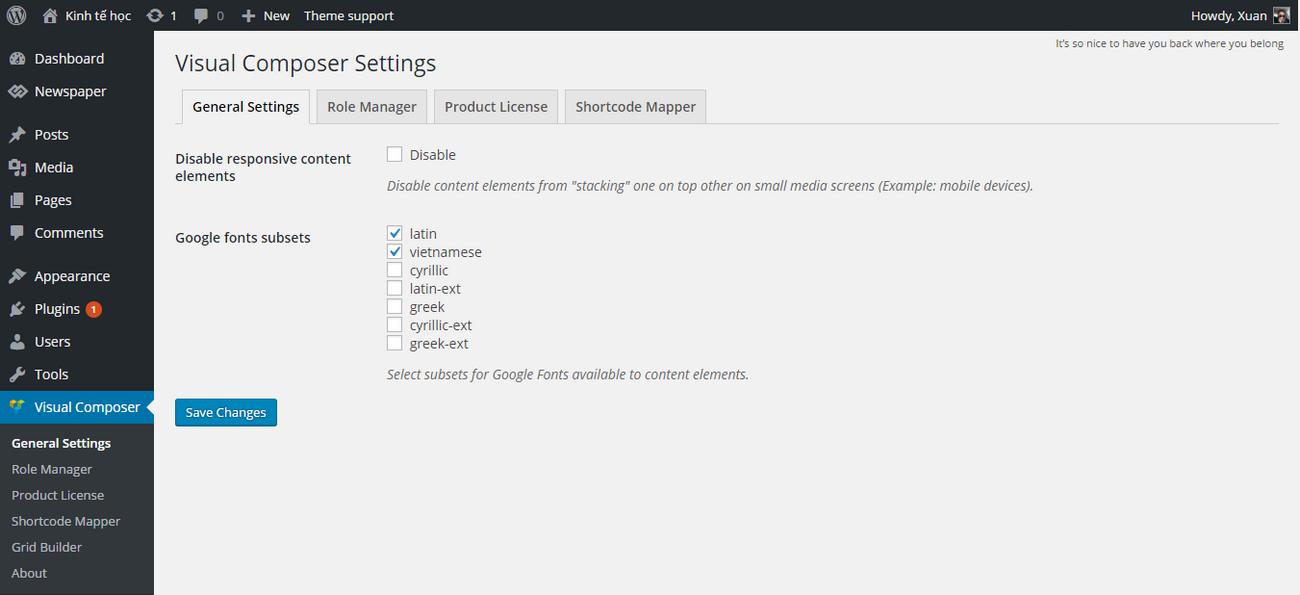
https://2.bp.blogspot.com/-zO3-afkFoI4/V3zqVsgW-gI/AAAAAAAAFQ8/F0lLa62wzz4CdQtvq6GhDBb2UtLFNHDgwCLcB/s1600/screen_visual_composer.png
Should i buy visual composer plugin?
Thank you for your support!
Andrei L. Hi
I’ve checked your site and noticed that you’re using an older version of Visual Composer: http://screencast.com/t/IWpq7WB1EA Try to update the plugin at V 4.11.2 which is included in theme’s path. Just deactivate and delete current plugins’s version then go to Plugins panel and install it again: http://screencast.com/t/1wmOqpKJL
We will release a new update in shortest time so you can check your themeforest account and also update the theme at V 7.12 and Visual Composer at V 4.12. For more detail about the update process please check these links: https://forum.tagdiv.com/how-to-update-the-theme-2/ – https://forum.tagdiv.com/how-to-update-visual-composer-plugin/
Hope this helps.
Thanks!
Bogdan B. Hi,
This issue is usually caused by image optimization tools such as photon from jetpack. Please disable all your plugins except visual composer, clear cache and reset cdn files. Then check your images again.
Let us know how it goes.
Thank you!
 cruising-sea
Hi
I am having an issue with the VS composer plugin. Every time I want to edit a page, there is a 500 error server.
Now I have contacted my hosting and they told me that this error comes from the VS composer plugin.
Also, they suggested me to delete the actual one and to upload the latest version. I went to Envato and have download the last version and have uploaded to my website, but the problem persists. It’s been two months now that I use the same plugins and never had this kind of problem. Also, my hosting told me to contact the author of the theme if the problem continues.
Can you help me with this, please?
Thank you
Bogdan B. Hello,
The mobile theme on desktop issue is a caching issue. Please check your cache and cdn server settings as if the cache is too strong, it will use the mobile theme on desktop as well.
As for the login, we have no such reports. The theme will not show any login details if there is no user actually logged in. This would be a terrible security issue and I can assure you there is no such security risk in our theme.
Please disable all plugins except visual composer, clear cache and reset cdn files.
Thank you!
Bogdan B. Hello,
An option to add such borders will be available starting with newspaper 7.2 which will release today. There will be a new design options tab on blocks similar to this one on row’s: http://screencast.com/t/e8sie1VM
You will be able to add background and borders to your blocks. You can use this guide to update your theme: https://forum.tagdiv.com/how-to-update-the-theme-2/ and use this one to update visual composer: https://forum.tagdiv.com/how-to-update-visual-composer-plugin/
Thank you!