- NewspapertagDiv Composer – Website Manager
- NewspaperWhen tagDiv Composer is Not Working
- NewspapertagDiv Composer Tutorial
- NewspaperScroll Animation
- NewspaperSingle External Shortcode and External Shortcode
- NewspaperCredit System
- NewspaperBookmark – Save For Later
- NewspaperFlex Block Builder and Flex Loop Builder
- NewspaperModules Builder in Newspaper Theme
- NewspaperIntroduction to CPT and ACF with Newspaper Theme
- NewspaperCreate a frontend submission form
- NewspaperHow to Use the Tabbed Content shortcode
- NewspaperCreate a form contact page
- NewspaperFilters and sorting for taxonomies
- NewspaperUser review system
- NewspaperCustom Fields Support
- NewspaperWooCommerce: Happy “Add to Favorites!”
- NewspaperWoo Brands
- NewspaperModal Popup
- NewspaperShortcodes
 Vlad S
 Hello !
You can adjust the CSS as you can see here using the tagDiv composer: https://www.screencast.com/t/0AICMjCJpwv4
Thank you !
Vlad S Hello !
You can slow down the video as you can see here: https://www.screencast.com/t/gUfiNtfTM Unfortunately at the moment there is no documentation. That can be done by editing any row using tagDiv composer.
Thank you !
Vlad S Hello !
You can simply use a cloud header template that can be applied using the header manager and you can change the H using tagDiv composer: https://forum.tagdiv.com/header-manager/
Thank you !
 Robert Turner
 This sounds like the same issue we are having where changing images is simply ignored by the composer, it doesn’t add them. It also won’t change the existing images in a template. You can delete them and then the composer doesn’t update the content. Started with 10.3.9
 Bettina
 Hello!
You can add a logo when you edit the page with TagDiv Composer like this: https://www.screencast.com/t/QgU3FFpgjJHT
This should be working just fine.
Let me know about your results!
Thank you!
Robert Turner Calin, we’ve got Vlad chatting to us on a similar thread as well, perhaps the two can be brought together to avoid duplication.
https://forum.tagdiv.com/topic/tagdiv-composer-wont-save-templates-or-update-existing-ones/#post-378603
Robert Turner There is another thread on this that Calin is chatting to us on. You might want to join the two.
https://forum.tagdiv.com/topic/tagdiv-composer-wont-add-images-to-templates/
Robert Turner Hi Vlad
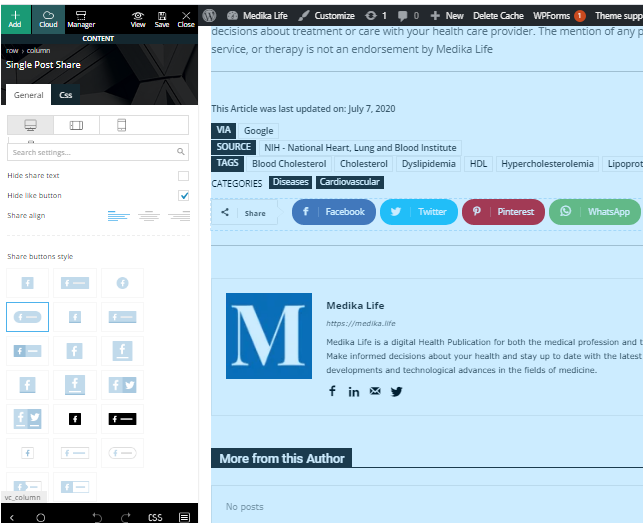
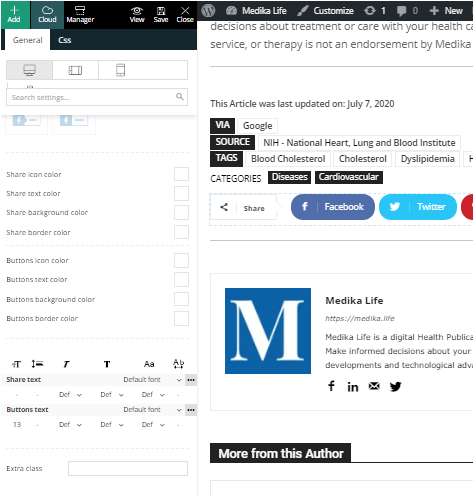
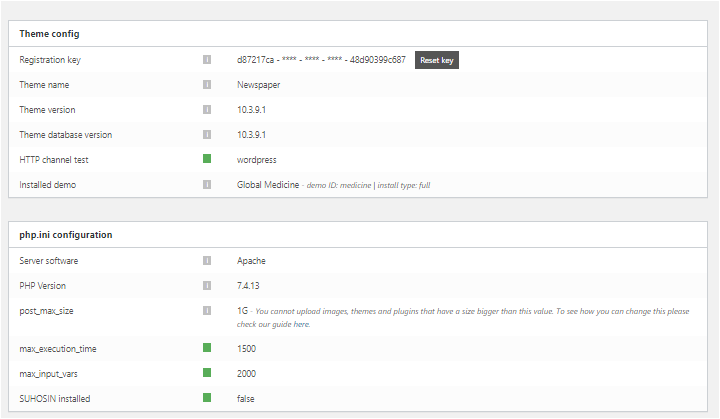
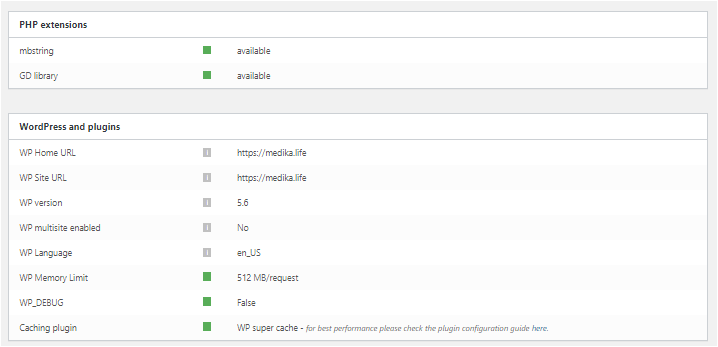
As you can see from the post above we have ALREADY tried all those solutions before contacting you. Here are the screenshots you requested, also included are the options the SocialPost share buttons now offer us on Composer. Perhaps that may offer a little more insight. You’ll notice how the section to add social media accounts has now evaporated from the options box. We are stuck with the four SM icons it defaults to,
These are in four separate files, sorry no other way of sharing them.
https://medika.life/wp-content/uploads/2020/12/SinglePostShare1.png
https://medika.life/wp-content/uploads/2020/12/SinglePostShare2.png
https://medika.life/wp-content/uploads/2020/12/Status-1.png
https://medika.life/wp-content/uploads/2020/12/Status-2.png
 Amit
Amit Hi @patrick93
1. Yes, I am using Imagify on some of my and my client’s websites. It is very useful if you have multiple authors and publish multiple stories a day. If you have a single author and have a good knowledge of Photoshop, I recommend using Photoshop to optimize images and make them progressive before you upload them on your server.
2. Yes, if you have local traffic, then there is no need to use Cloudflare. I believe having a Cloudflare free plan in combination with a premium hosting provider is a bad idea.
7. Unfortunately, you can not overwrite mobile theme files using a child theme. You can find style.css file for mobile under /wp-content/plugins/td-composer/mobile/style.css
Tip: If you have the same modified CSS code for both mobile and desktop versions, you can add it to Live CSS. You will not lose this on every Newspaper theme’s update.
I hope you will find this helpful.
 Calin
Calin Hi,
If you are referring to the post comments those can be only enable and disable -> https://forum.tagdiv.com/newsmag-enabledisable-comments/ -> https://i.imgur.com/CV9x66e.png if you want to make other changes it can be done only with custom work in theme files -> wp-content/plugins/td-composer/legacy/Newsmag/comments.php
Thank you!
 burak911
Hi,
Images are lost on TagDiv Slide after migration on homepage except turn off LazyLoad from theme panel -> https://imgur.com/hPDz1Ys
We don’t use any other image lazy-load or optimization plugins besides the theme LazyLoad.
Our plugin’s are;
– Classic Editor (from WordPress Contributors)
– tagDiv Cloud Library
– tagDiv Composer
– tagDiv Social Counter
– tagDiv Standard Pack
Is there any conflict between WordPress 5.6 and the theme?
Thanks.
Vlad S Hello !
Please send us a screenshot of your System Status Tab and make sure that all the requirements are met as you can see here: https://forum.tagdiv.com/requirements-for-newspaper/ ; You will have to first start looking for a plugin conflict. please deactivate ALL plugins except tagDiv ones, also if you are using child theme or cache plugin, deactivate them, clear all cache and try again.
Also you can try and remove and re-install the tagDiv Composer plugin.
Let us know the results.
Thank you !
Vlad S Hello !
You will have to first start looking for a plugin conflict. please deactivate ALL plugins except tagDiv ones, also if you are using child theme or cache plugin, deactivate them, clear all cache and try again.
Also you can try and remove and re-install the tagDiv Composer plugin.
Let us know the results.
Thank you !
Vlad S Hello !
Please note that themes don’t do this. You can have either a caching problem , someone may hacked your website, a plugin conflict reverts your theme. You will have to first start looking for a plugin conflict. please deactivate ALL plugins except tagDiv ones, also if you are using child theme or cache plugin, deactivate them, clear all cache and try again.
Also you can try and remove and re-install the tagDiv Composer plugin.
Let us know the results.
Thank you !
Vlad S Hello !
You will have to first start looking for a plugin conflict. please deactivate ALL plugins except tagDiv ones, also if you are using child theme or cache plugin, deactivate them, clear all cache and try again.
Also you can try and remove and re-install the tagDiv Composer plugin.
Let us know the results.
Thank you !
Vlad S Hello !
You will have to first start looking for a plugin conflict. please deactivate ALL plugins except tagDiv ones, also if you are using child theme or cache plugin, deactivate them, clear all cache and try again.
Also you can try and remove and re-install the tagDiv Composer plugin.
Let us know the results.
Thank you !
Vlad S Hello !
Using tagDiv composer please click on the block that is here: https://www.screencast.com/t/FmooLhoA ; https://www.screencast.com/t/NZVXIrIrjmZS
Thank you !
 mikeadder1
Hello,
I use the Newspaper X theme and I like it. I am not familiar with tdv composer so please tell me how to customize the post template in a proper way.
This is the template I want to use,
https://walletguru.net/lawmakers-to-host-meeting-in-town-hall-on-missing-black-girls/ (single template 8)
but I am not able to add a sidebar widget like in a predefined layout
https://walletguru.net/how-to-make-money-online/ (single cloud template)
 SHAM
SHAMI have updated the latest 10.3.9.1 and trying to change the logo. I have uploaded the logo both from theme panel and tagdiv composer but still doesn’t work. I am using lifestyle pro prebuilt site. can someone help?
I must say this is extremely frustating if you cant even change a simple logo without raising a ticket!!
 Romulo Quirino
Olá, não estou conseguindo editar minhas paginas além da principal. Eu fiz as configurações desejaveis de forma normal na pagina principal através do plugin composer. Mas quando vou configurar as demais paginas e faço o salvamento não ocorre a alteração.
caminho percorrido: paginas – editar com td composer – alterações – salvamento e nada ocorre.
 honestdish
 Thanks Vlad. I’ve been noticing that. I tracked it down somewhat:
There is code in the PHP file /wp-content/plugins/td-composer/legacy/common/wp_booster/td_module.php
(or alternately /wp-content/plugins/td-cloud-library/includes/tdb_module.php, where similar code lives).
$custom_placeholder = td_util::get_option('tds_thumb_placeholder');
That thumb placeholder appears to get assigned, in the case of no featured image, on this line:
} else if( $custom_placeholder != '' && $css_image === true ) {
    $td_temp_image_url[0] = $custom_placeholder;
Then the assignment appears to be used here to render the thumbnail:
$buffy .= '<span class="entry-thumb td-thumb-css" data-type="css_image" data-img-url="' . $td_temp_image_url[0] . '" ' . $retina_image . ' ></span>';
That option tds_thumb_placeholder is being defined in the wordpress database. It’s in the wp_options table, in the rows with option_name td_011 and td_011_settings. Unfortunately, the option_value for those two items are PHP serialized data, and contain an insane 2,500 rows of information (all inside one single database cell — over 256kb of data).
Trying to unserialize the data using online tools has proven fruitless.
I’m thinking of writing additional PHP code near those if statements to simply add a class like “no-thumb” when there is no featured image. Of course overwriting plugin code is a challenge, as there’s no such thing as a “child plugin” the way there is a “child theme”, but I’m sure there’s a way to do that without risking issues when the plugin is updated.
I built the whole site in about 4 hours, then I’ve spent 4+ hours trying to hide just that one thumbnail. Can it be added as a feature request to be able to turn off thumbnail placeholders? I see from searching around that I’m not the first person to ask.
Cheers,
Michael
-
This reply was modified 5 years by
honestdish.
-
This reply was modified 5 years by
-
This reply was modified 5 years by
Bettina Hello!
You can display your Spotify playlist on the homepage also with the raw html element edited with TagDiv Composer. Just paste your playlist embed code like here: https://www.screencast.com/t/9QRFCkELaYc
Hope that helps you!
Thank you!
 pyro2212
 We are sure – all the settings are like in your requirements. And we sure queries coming absolutely from your theme. We made sure of this by disabling the related posts block and slow queries gone. But now another slow query has now been detected. It comes from td-composer next-prev posts. It turns out the only way to make your theme work quickly is delete everything?
https://d.radikal.ru/d11/2012/da/3c59531e4e12.png
I do not understand why such technical support is needed. They cannot help even in basic things from the theme that they created.
Bettina Hello @mayaguez!
Please edit the column with TagDiv Composer and delete also the value from here:
https://www.screencast.com/t/mZwmEnpt
If there is no value, please check if you select the correct column from there.
Thank you!
 jfox20
 jQuery.fn.change() event shorthand is deprecated
/wp-content/plugins/td-composer/legacy/Newspaper/js/td_wp_admin.min.js
jQuery.fn.unbind() is deprecated
/wp-content/plugins/td-composer/assets/js/js_files_for_wp_admin.min.js
jQuery.fn.keydown() event shorthand is deprecated
/wp-content/plugins/td-composer/legacy/Newspaper/js/tagdiv_theme.min.js
jQuery.fn.load() is deprecated
/wp-content/themes/Newspaper/includes/wp-booster/wp-admin/js/tagdiv-theme-plugins-setup.js