
- NewspaperAutoptimize Plugin – install and configuration
- NewspaperCache plugin – install and configure
- NewspaperInstalling Pre-built Websites
- NewspaperHow to Install Newspaper via FTP
- NewspaperHow to Install Newspaper via WordPress
- NewspaperIntroduction to CPT and ACF with Newspaper Theme
- NewspaperHow to edit modules for Flex Block X
- NewspaperWooCommerce: Happy “Add to Favorites!”
- NewspaperWoo Brands
- NewspaperStripe Setup
- NewspaperModal Popup
- NewspaperPayPal Setup
- NewspaperFlex Block Settings Guide
- NewspaperHow to setup the Contact Page
- NewspaperAdd Cryptocurrency Price Ticker Widget
- NewspaperInfinite Loading for Single Posts
- NewspaperThe Newspaper Mobile Theme: Introduction
- NewspapertagDiv Social Counter plugin
- NewspapertagDiv Shop
- NewspapertagDiv Opt-In Builder
 Tim
Tim Hi Calin,
The error is that that Tagdiv plugin deactivates, and therefore the site loses page-builder formatting – see attached.
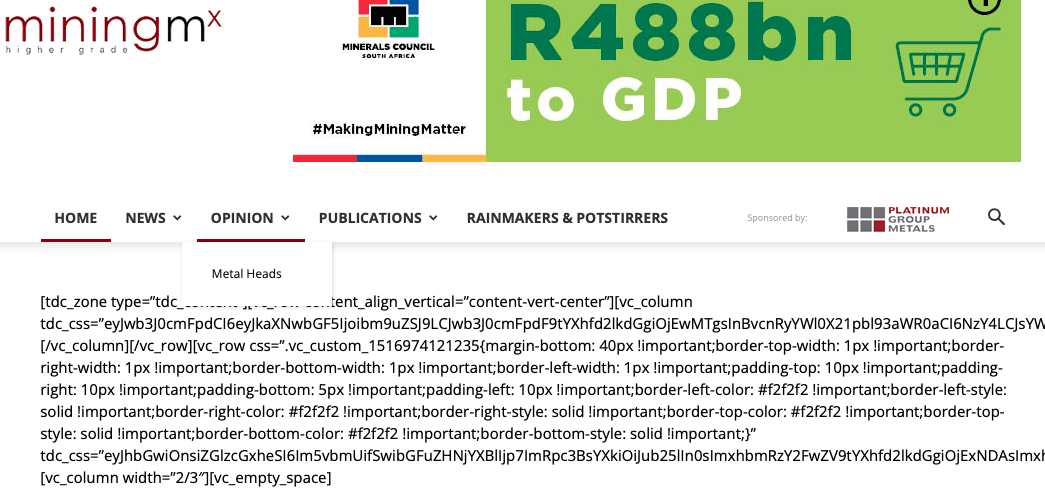
We can obviously reactivate the plugin quick enough. The issue is it did it twice today for no reason we can see from any of the logs, and we did not install a new plugin to cause any sort of conflict. It was out of the blue, and we run a number of sites using Newspaper Theme, so this is a real concern.
The site is http://www.miningmx.com – we are running WordPress 5.9.1, A child theme set-up of Newspaper, version 9.6.1.
If on our staging environment we replace the parent theme with latest Newspaper version, then the entire site breaks, so that is not an option.
Thanks,
Tim
 fixed
fixedHello,
After updating the Newspaper Theme from 6.6.5 to the latest version 11.4.1 It is missing its sidebar.
All recommended and required plugins are installed and active.
This was tested in a staging environment and I can provide more info if needed.
 GamersRD
Hello there,
Im installing your template to my website and i have a question about the options for review.
Is this the only options available or am i looking in the wrong place? Example: https://imgur.com/a/ZkoDsPF
As you can see, im using the 3 ones but i want to know if i can have like The Good and The Bad or an option to only put only overall score without putting all the details. Something more like the actual one im using (it comes with my old template) example https://imgur.com/bDu8Liq
 Bettina
 Hello @bamsfoldigital!
Make sure you have the latest update of the theme(11.4.1) and plugins too.
Also, if you use default templates, install and activate the Standard Pack plugin.
If you use cloud templates, then you can edit the top bar from the TagDiv Composer.
Thank you!
 Anamaria
 Hello,
Did you update the theme? Did you install a new plugin? What version of the theme do you have?
Thank you!
 Racesport
On racesport we want to use woocommerce and installed TagDiv Shop. But now we want to add “the cart” in the header next to the search icon. But how do we get that there? There is no option for this to get this.
Thanks
Bettina Hello @stocknow95!
When you install a demo without content, it is normal to appear differently.
Thank you!
Bettina Hello @stocknow95!
When you install a demo without content, it is normal to appear differently.
Thank you!
 Calin
Calin Hi,
I use the theme builder every day, but for me is look normal -> https://i.imgur.com/JmlmbPR.png maybe you have some plugins installed and those are interfering, can you make a test using only tagDiv plugins?
I use chrome, opera and Firefox on Windows 10 and for me everything seems to be correctly.
Thank you!
GamersRDHi, im actually installing/putting together the Newspaper Pro on our website but im interested on using another prebuild template (Newspaper Podcast) but as a sub-domain. To do this, do i have to buy another license? or my license is attached to my main domain that i already installed everything?
 calw252
 Unfortunately, I had to change back to my old theme. But when I did it, the install from your theme messed up the post page and it wasn’t showing post page 2 or post page 3. It also caused a issue when I had to do a full back up reinstall of my old website. So now I’m still waiting on the back up copy of my old website to finish. Also from there when I did try to flash a copy of website I started to get a database connection error. Did multiple trouble shoots and ended up having to reinstall a new copy of WordPress. I think your theme is good for freshly new websites but when it comes to one that has content on it. There is still some bugs in the theme and needs to be address. I’m still waiting to see if I can get the back up copy of my website flashed.
Anamaria Hi,
Please make sure the theme install was done correctly
Install via WordPress -> https://forum.tagdiv.com/install-via-wordpress/
Install via FTP -> https://forum.tagdiv.com/install-via-ftp/
Also, please check this topic and follow the steps https://forum.tagdiv.com/topic/cloud-template-for-author-profile-creates-an-error-page/
Thank you!
 ouyuan
wp-content/plugins/td-composer/legacy/Newspaper/includes/td_config.php on line 33214
There has been a critical error on your website. Please check your site admin email inbox for instructions.
Please help me check what caused that problem. thank you very much!
 Bamsfoldigital
Good day everyone
I cant see the Top Bar to edit or change from my Theme Panel. and each time I try to change any setting from the theme panel, the system booth for a long time without change the settings. for example I want to dissable the sign/logout settings, the system booths for a long time, if I refresh, the boothing stops without changing anything. I will appreciate if anyone can tell what may be wrong. I just install the newspaper theme four days ago
Anamaria Hello,
Please deactivate, delete and reinstall tagDiv Composer from Newspaper plugins => https://www.screencast.com/t/OrzLvR2j and clear all cache.
Make sure that all the requirements are done as you can see here: https://forum.tagdiv.com/requirements-for-newspaper/
If the problem persists, please make sure that you do not have a plugin conflict, please deactivate ALL plugins except tagDiv plugins (theme plugins), also if you are using a child theme or cache plugin, deactivate them, clear all cache and try again.
Thank you!
 kirkgraeme
Hello – I am trying to activate my new installation of Newsmag, but I keep getting the error message “Envato API is down, please try again later.”
This was an issue yesterday and again today.
Is the API really down or is this an error; and how can I activate my theme?
 GieterveenCom
 Mabye usefull to know.
I am running this website on a WP multi-site installation.
Regards,
Mark
Anamaria Hello,
Did you make any changes to the theme files? do you use a child theme?
Also, please deactivate, delete and re-install the tagdiv plugins (tagdiv composer, tagdiv cloud library, tagdiv Opt-in Builder, tagDiv Standard Pack) and see if the problem persists.
Thank you!
calw252 And to make sure I did something wrong I had my website back to original way before I install your theme. After reinstalling your theme and choosing one of the pre-selected themes you had. It did update the WordPress to your theme Ok. But when you try to go to the next page of Post 404 message are seen at the top of the page and this really needs to be fixed because it can cause other peoples sites to break who don’t have backups and they want be able to restore the permalinks. I think it want be a issue on a brand new fresh site. But, my site had a lot of pages and this is a issues trying to get fixed.
 TheGrandes
I am not sure how to remove this Log In bar. I have even installed the “WPS Hide Login” plugin. Any ideas? See screenshot: https://ibb.co/8MtkBtn
P.S: In the theme panel, I also disabled the Login option
 cdllife2021
 I’ve updated WordPress and have all of the proper plugins installed and updated now. The pages are working great with one exception. The home page gives me this error:
“Error at zones: 6(models) : 0(dom). The model does not match the content Current state has involved an issue. You could try an UNDO operation (CTRL+Z / CTRL+SHIFT+Z)”
I have tried the CTRL-Z options and nothing happens. I just need to make sure that page still looks good and is editable without errors.
Bettina Hello @madpixel!
Please make sure the page is not built with the TagDiv Composer. In this case, the content won’t be displayed on Mobile theme version. You should create the content with the Mobile Editor. Check the documentation here: https://forum.tagdiv.com/the-mobile-theme/ and here: https://forum.tagdiv.com/mobile-theme-introduction/
Note that if you create the mobile pages with TagDiv Composer, then when you install Mobile Theme plugin, your pages will be overwritten by the plugin.
Thank you!
 zoldfulu
 Thanks for the quick info.
First of all, cookiebot should not even be be there. This was installed when I tried to go through your suggested alternatives for cookie compliance.
It didnt work so I uninstalled some time ago.
The website should be using GDPR cookie compliance, which seems to work on the articles but not on the main page.
Can you remove the references to cookiebot and make sure that cookie compliance is active on the main page?
 rajuborda
I have created custom post type , but is missing the side bar .
my Newspaper – Theme panel Version is 11.4.
In Theme panel “Post Setting”
CUSTOM : Single post Template – Lifestyle PRO
is selected.
I haven’t done any manual code change it is child theme installation .
this is the link to my custom post type page. i need side bar on the right side.
https://www.finmoov.com/charts/sp-500-pullback-and-upside-analysis-since-year-2009/
Side bar works well for Regular post page.
https://www.finmoov.com/explained-share-buybacks-and-its-impact/
Calin Hi,
Indeed, the WP Rocket plugin is not official tested with our theme, but there are many users that use this cache plugin with our theme, maybe the are using the responsive version or the mobile theme plugin and not the mobile page template.
When you are using the mobile page template the layout will be display on the landscape and portrait mode -> https://i.imgur.com/gEvy6po.png
If you want you can make a test using the WP Super cache to see if you ca get better results.
Let me know the results!
Thank you!


