
- NewspaperHow to use the Flex Blocks cache option
- NewspaperCache plugin – install and configure
- NewspaperWP Rocket and Newspaper Theme: Optimization Guide
- NewspaperFlex Block Settings Guide
- NewspaperGeneral Options that May Interfere with the Newspaper Theme
- NewspaperThe Newspaper Mobile Theme: Introduction
- NewspaperAutoptimize Plugin – install and configuration
- NewspaperHow to update a plugin
- NewspaperCloudflare (CDN)
- NewspaperFacebook Share
- NewspaperVideo Playlist
- Newspaper7 Days Post Sorting
- NewspaperAjax View Count
- NewspaperTop bar templates
- NewspaperHow to Update the Newspaper Theme
- NewspaperHow to Install Newspaper via FTP
- NewspaperHow to Install Newspaper via WordPress
- NewspaperRequirements for Newspaper
- NewspaperHow to Make the Site Faster
 Catalin
 Hello amphol77,
Notice that this should have to be the sign in page which is designed for authentication, like this -> https://www.screencast.com/t/ZXTWycEeC Do you not bring this? Ensure that you are using the latest version of the theme, leave just Visual Composer to active, clear all your caches and install only the plugins that come bundled with the theme core files and rule out any conflicting plugins.
Thanks for your understanding!
Catalin Hello alessandro gennari,
Notice that the Bbpress uses only the default WordPress functionality for Login widget. Ensure that you are using the latest version of the theme and also, install only the plugins that come bundled with the theme core files and rule out any conflicting plugins. Clear all your caches and check the results.
Thanks for your understanding!
 truth
truth hi,
have you followed these instructions?
Are you using the WP Super Cache plugin?
 ritesh2190
Hello,
As the normal responsive theme is very very slow, i decided to use the mobile theme instead. But my website still shows the normal responsive theme instead of the mobile theme. I have cleared the cache and tried too,but it doesn’t help.
truthHello,
the theme panel is not saving settings anymore. When I click on SAVE SETTINGS the OK symbol appears, as it should, but after I refresh the page everything remains as it was before.
I’ve already tried:
1) disabling cache on my browser
2) disabling all plugins
3) switching from the child-theme to the main theme (all my widgets sidebar settings are lost :'( )
4) updating the theme to the latest version
5) increasing my WP_MEMORY_LIMIT to 96MB
6) updated my .htaccess file following the guide here: https://forum.tagdiv.com/system-status-parameters-guide/
Plus, I’ve noticed when I use HTTPS connection on my website the theme settings goes on loop: when I click on SAVE SETTINGS the theme keeps loading infinitely: http://i66.tinypic.com/11ad4q0.png
 harmario
Hi admins,
I have two important problems that I would like to solve.
1. The first one is when I look my website in the cache like googlebot (I use now http://www.seo-browser.com cause I don´t remember the comand to do in chrome) appears two menus. Thinking on the crawl buget, if he has to spend time two crawl two time that menu, is not really good, cause that time can be given to another URLs.
I tested another website that I know who have Newsmag as well and had two menu too.
How I can remove that double menu?
2. I did everyting to try to minify, defer, make them asynchronous and always crash the web. It is the same if try todo the same with jquery.js. Here all my pics of the website dont appears.
All of this affect to the speed to load the website and the pagespeed score.
Thanks a lot!
Have a nice day!
 fenomeno0chris
 Thank you very much for your fast and extensive response!
1) The line appears after you visit some articles and scrolling up and down. I don’t know if its just my mac, but that would be weird, since all macs are using same safari browser.
Another weird thing I noticed: If im using Google Chrome browser, the big grid at the top of the site has this great animation (image gets zoomed in), if I move the mouse cursor over one article. On safari there is no animation at all. 🙁
2) I know that your theme has a custom login build in and Im already using it, as you can see (by the way it looks awesome). My problem is, that a user gets an email notification from WordPress after he registered on my site. In this email, he gets a link to set a new password. By clicking the link he gets redirected to this unpleasant site:
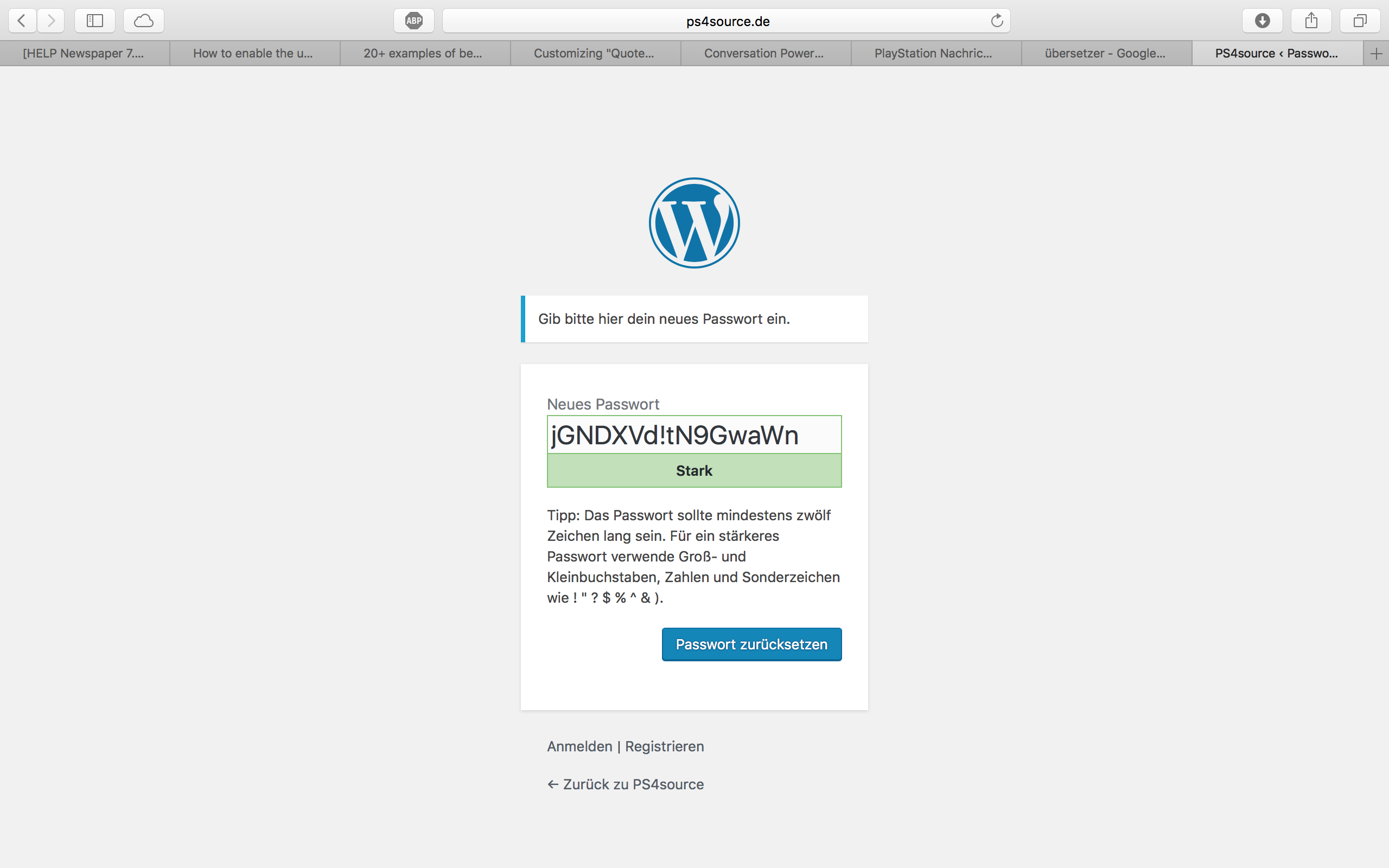
How can I change this registration process? Which plugin do you recommend?
2.1) Also Im using Disqus Comment System, as I mentioned before. Ive used my own button to let the users register without having to use a social media account. Unfortunately I don’t know the link address to open the beautiful login/registration window of newspaper7.
Right now it looks like this, which is not very beautiful:
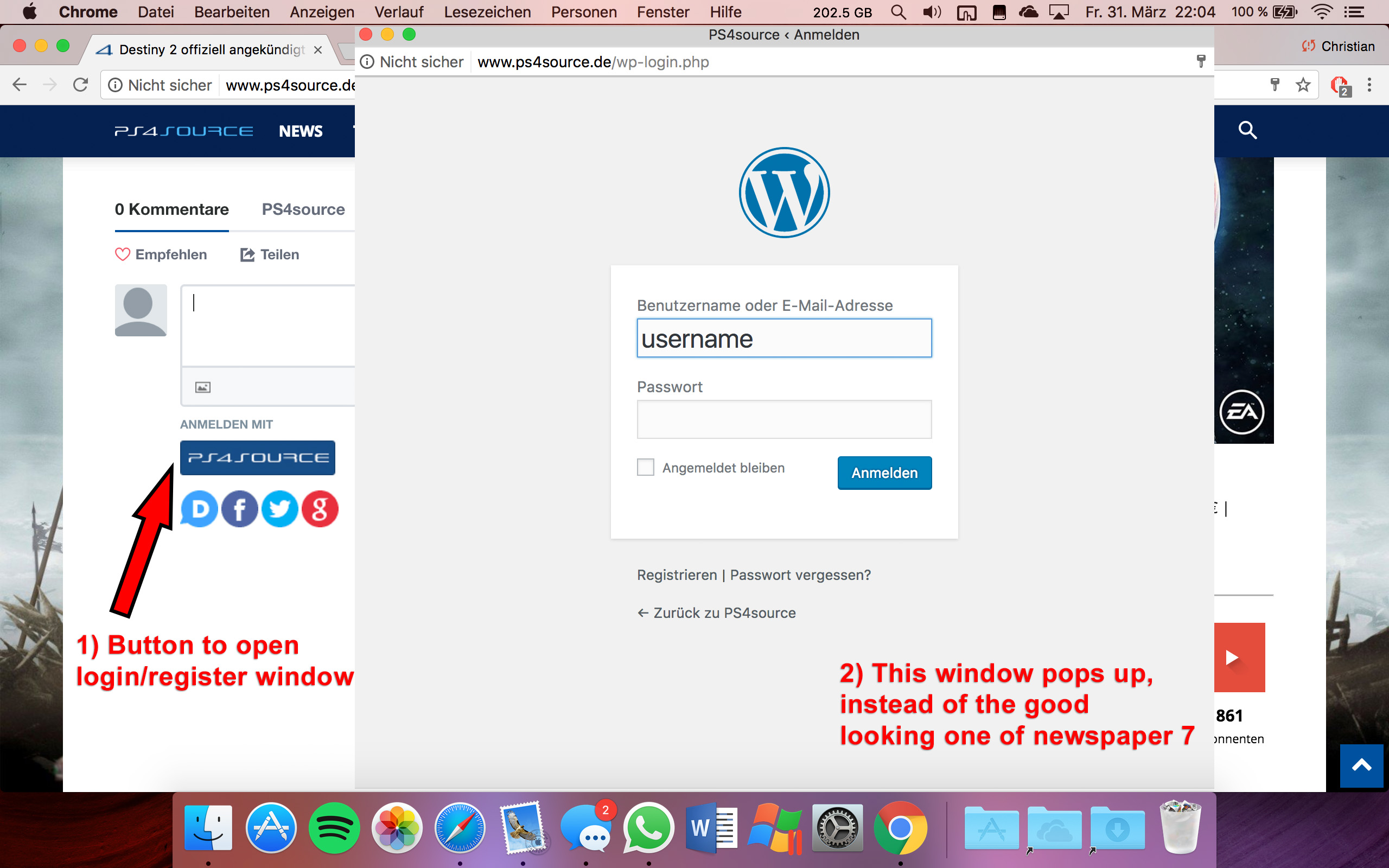
Disqus Button Code:
// Single Sign-on Integration

function dsq_sso_login() {
    global $current_site;
    $sitename = get_bloginfo('name');
    $siteurl = site_url();
    $button = get_option('disqus_sso_button');
    $sso_login_str = 'this.sso = {
          name: "' . esc_js( $sitename ) . '",
          button: "' . $button . '",
          url: "' . $siteurl . '/wp-login.php",
          logout: "' . $siteurl . '/wp-login.php?action=logout",
          width: "800",
          height: "700"
    };';
What should I enter at the url line, which is obviously responsible for the window?
3) CHECK
4) CHECK
5) Which Font do I have to use to get this vertical line on my quotes?
6,7,8) I do not know if I lost so many readers because the pagepeed has dropped or something else, but obviously I really want to get the numbers back to the state before I transferred to Newspaper7. Ive managed to increase the google pagespeed by reducing nearly all uploaded images. And I also read the Newspaper7 documentation to set the status parameters, the cache plugin and booster plugin as instructed. Unfortunately there are still some warnings, which should be solved as you can see here. Could you please help me, to get the best page speed as possible?
Should I change something on my .htaccess file?
# BEGIN WordPress
<IfModule mod_rewrite.c>
RewriteEngine On
RewriteBase /
RewriteRule ^index\.php$ - [L]
RewriteCond %{REQUEST_FILENAME} !-f
RewriteCond %{REQUEST_FILENAME} !-d
RewriteRule . /index.php [L]
</IfModule>

# END WordPress

# Deflate Compression by FileType
<IfModule mod_deflate.c>
 AddOutputFilterByType DEFLATE text/plain
 AddOutputFilterByType DEFLATE text/html
 AddOutputFilterByType DEFLATE text/xml
 AddOutputFilterByType DEFLATE text/css
 AddOutputFilterByType DEFLATE text/javascript
 AddOutputFilterByType DEFLATE application/xml
 AddOutputFilterByType DEFLATE application/xhtml+xml
 AddOutputFilterByType DEFLATE application/rss+xml
 AddOutputFilterByType DEFLATE application/atom_xml
 AddOutputFilterByType DEFLATE application/javascript
 AddOutputFilterByType DEFLATE application/x-javascript
 AddOutputFilterByType DEFLATE application/x-shockwave-flash
</IfModule>

# turns cache on for 1 month
<IfModule mod_expires.c>
ExpiresActive On
ExpiresDefault "access plus 1 week"
ExpiresByType image/jpg "access plus 1 week"
ExpiresByType image/jpeg "access plus 1 week"
ExpiresByType image/png "access plus 1 week"
ExpiresByType application/x-shockwave-flash "access plus 1 week"
</IfModule>

# gzip Compression if availiable
<IfModule mod_gzip.c>
 mod_gzip_on       Yes
 mod_gzip_dechunk  Yes
 mod_gzip_item_include file      \.(html?|txt|css|js|php|pl)$
 mod_gzip_item_include handler   ^cgi-script$
 mod_gzip_item_include mime      ^text/.*
 mod_gzip_item_include mime      ^application/x-javascript.*
 mod_gzip_item_exclude mime      ^image/.*
 mod_gzip_item_exclude rspheader ^Content-Encoding:.*gzip.*
</IfModule>

php_value memory_limit 256M
php_value max_input_vars 5000
php_value max_execution_time 300
php_value post_max_size 50M
php_value upload_max_filesize 50M
8) CHECK
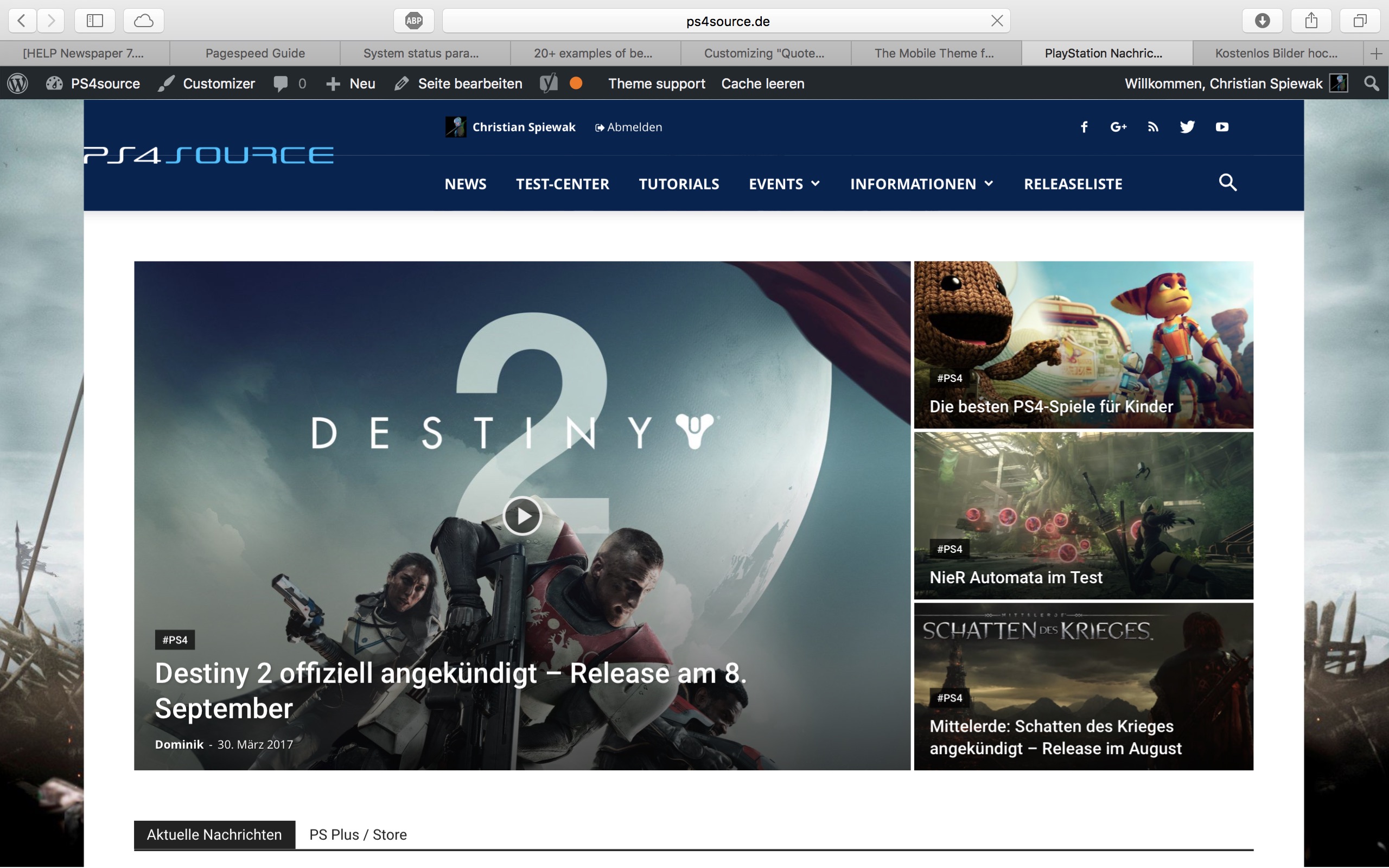
9) 
(link)
10) CHECK
11) [Newspaper->System status->php.ini configuration] I have this PHP Version 5.6.29-nmm1 (5.6 CGI). Is this ok?
-
This reply was modified 9 years by
fenomeno0chris.
 youthincmag
 My Access Token still does not load after suggesting to download and install the new plugin and removing the old one.
I’ve cleared local and server both caches.
Please suggest.
Catalin Hello dvdrdg2701,
First of all, to be safe, please make a full backup to your data and then, remove the old theme and install the latest update which is available on Theme Forest. Update the theme via FTP way because this is the surest method in this regard, according to our documentation here -> https://forum.tagdiv.com/install-via-ftp/ Clear all your caches and check the results.
Thanks for your understanding!
Catalin Hello kaifanun,
Please check if the GD library is enabled on the server as it is required for the image processing, so contact your hosting provider and ask them about this. Also, check your upload permissions are enabled on your server, clear all your caches and check the results.
Hope this helps and let us know how it goes!
Thanks
 Marcus_S
 I changed from the child theme to the parent theme, synonymous there the specification from the copyright field is not displayed, despite Ctrl + F5 and delete the WordPress cache
Catalin Hello Robert Rodziewicz,
It is possible to be a problem happen due to your system status. Ensure that it is setup according to our documentation here -> https://forum.tagdiv.com/system-status-parameters-guide/ Use only the plugins that come bundled with the theme core files, remove all your additional customizations (custom code) and check the results.
Clear all your caches and check the results.
Thanks for your understanding!
Catalin Hello keyforweb,
Unfortunately, I cannot access your website URL, sorry! I need to inspect it closer so I will be able to provide a more accurate response. Ensure that you are using the latest version of the theme with only the required plugins. Clear all your caches and check the results.
Thanks for your understanding!
Catalin Hello ttalleur,
Please check your system status parameters to be according to our documentation here -> https://forum.tagdiv.com/system-status-parameters-guide/ Clear all your caches and check the results.
Thanks for your understanding!
 Simion C.
 Hi,
We have not had any negative reports from our users related to this. I have inspected your website and I see that there are many js errors present – https://www.screencast.com/t/mqA19x5pd This is usually cause by a plugin or a plugin conflict that are interfering with the theme functionality. I suggest you try to disable all your plugins except the Visual composer, clear any caching installed and check to see if the errors are still present, using the browser inspector for example. The theme is tested and works properly but some problematic plugins can cause a lot of unexpected issues. If there are no more problems, try enabling the plugins one at a time, while checking for errors to hopefully spot the one causing this.
Also it is recommended to use the cache and speed optimization from the tutorials mentioned in the previous reply for best results.
Thanks
Marcus_S Hello!
What is meant by CD?
In the appendix I have uploaded the two edited files. Have I somewhere a mistake overlooked?
Here is the section of the file td set post settings
And here a section of the file td module post single base
I have cleared the WordPress- and the Browser-Cache
 Simion C.
 Hi,
I have selected Block header style 13 – https://www.screencast.com/t/5mBzOxDdJCL then added a block on a page and entered the required information – https://www.screencast.com/t/4a9kob5lOe and everything is working as intended – https://www.screencast.com/t/2GBksE1x
I do not see any problems with this block header style. If you are experiencing difficulties when using the same settings, maybe you have a plugin or plugins that could be interfering with this since this is working properly. I suggest you try as a test to disable all your plugins except Visual composer, clear any installed caches then try again.
Thanks
Catalin Hello utzgurx,
Furthermore deeper investigations, we have noticed that it was a problem with some js from this plugin and we have fixed it in a new plugin version. You should take it from here -> http://cdn.tagdiv.com/wp-content/uploads/2017/03/td-social-counter.zip the new version of Social Counter. Remove the old version and install it on your backend. Also, you should clear all your cached images and files from your Chrome, like this -> https://www.screencast.com/t/5bbgsp85O and check the results.
Thanks for your understanding!
 Bogdan B.
 Hello,
There seems to be an issue with the access token in the current version of the social counter and newspaper 7.8.
Please download this version: http://cdn.tagdiv.com/wp-content/uploads/2017/03/td-social-counter.zip
And very important: clear all your caching including the browser cache. Example for chrome: https://www.screencast.com/t/f9Q66lPx1fY
Now the access token should work as before.
Thank you!
Catalin Hello dhincapie,
I have inspected your website for many other mobile devices and the mobile main menu seems to work as expected, as you can see here -> https://www.screencast.com/t/5hdplQgw6p Try to clear all the caches from your mobile or try check it for other mobile and check the results.
Thanks for your understanding!
Bogdan B. Hello,
If you use wordfence, please set the firewall on learning mode first.
Then increase your system status parameters like so: https://forum.tagdiv.com/system-status-parameters-guide/
If this still does not fix it, please disable all plugins except visual composer, clear cache and reset cdn files if you use it. Please also check any custom code you might have added to the theme panel or the theme files. If you use a child theme, please switch to the main theme to make sure it does not affect the proper functionality of the theme.
Thank you!
Bogdan B. Hello,
Sorry but still no go. The site cannot be reached. I have tried from my mobile device using the mobile data so the ISP was different but the site still cannot be reached. You maybe have a country block maybe. We are located in Romania.
Regarding your issue with comments, please disable all plugins except visual composer, clear cache and reset cdn files if you use it. Please also check any custom code you might have added to the theme panel or the theme files. If you use a child theme, please switch to the main theme to make sure it does not affect the proper functionality of the theme.
Thank you!
Simion C. Hi,
@zetacomunicacion Please make sure you have the latest version of the social counter plugin provided with theme package and also Visual composer. After you update these plugins, try deactivating all other plugins, clear any installed cache (very important) and check to see if the problem is resolved. Here is a guide to help you update Visual composer
– https://forum.tagdiv.com/how-to-update-visual-composer-plugin/
Thanks
 rbulus
Hi There
I tried to add the weather widget to the home page, when I do, the entire site disappears. This is the same when I add the Instagram one as well. I turned off all plugins, cleared cache and nothing is working. I don’t have any custom codes either. Any ideas what could be causing this?
Thanks
 Frenzy29
I use Newspaper 7.8
I try to create a custom sidebar but it does not appear on widget section.
When I go back to Theme Panel the name of the sidebar is there but if I click on it, there is only default sidebar name. Not new sidebar.
I have read posts on the forum and until now and I make all this with no result: use simple names not characters, disable plugins, clear cache, increase memory.
How can I fix this?
Thanks



