- NewspapertagDiv Composer – Website Manager
- NewspaperWhen tagDiv Composer is Not Working
- NewspapertagDiv Composer Tutorial
- NewspaperScroll Animation
- NewspaperSingle External Shortcode and External Shortcode
- NewspaperCredit System
- NewspaperBookmark – Save For Later
- NewspaperFlex Block Builder and Flex Loop Builder
- NewspaperModules Builder in Newspaper Theme
- NewspaperIntroduction to CPT and ACF with Newspaper Theme
- NewspaperCreate a frontend submission form
- NewspaperHow to Use the Tabbed Content shortcode
- NewspaperCreate a form contact page
- NewspaperFilters and sorting for taxonomies
- NewspaperUser review system
- NewspaperCustom Fields Support
- NewspaperWooCommerce: Happy “Add to Favorites!”
- NewspaperWoo Brands
- NewspaperModal Popup
- NewspaperShortcodes
 Vlad S
 Hello !
Please send us a screenshot of your System Status Tab and make sure that all the requirements are met as you can see here: https://forum.tagdiv.com/requirements-for-newspaper/ ; You will have to first start looking for a plugin conflict. please deactivate ALL plugins except tagDiv ones, also if you are using child theme or cache plugin, deactivate them, clear all cache and try again.
Also you can try and remove and re-install the tagDiv Composer plugin.
Let us know the results.
Thank you !
 breathexz
Hi, i install newspaper theme latest version witth wp 5.6. i insert Column text but can’t edit content, it still loading page
and try to update and install the theme again still found the same problem.
pic https://www.img.in.th/images/00db56c3adcb9276f110038f21bf745d.png
 ritughai
Hi guys.
Have been using Newspaper theme for many years now but this latest update (10.3.9.1) is driving me to bits.
First of all, I downloaded the theme. Tried to install td plugins but the td composer just wouldn’t get activated. A reattempt only throws up a message that the file already exists.
I am an amateur so don’t understand much about coding or php.
Would it be advisable that i just delete the existing theme and re-upload the theme from the beginning?
Please advise and help.
Ritu
 lfowle521
Hello,
I am having issues with the display of an advertisement section on this blog posts opened on mobile (on Chrome mobile app)
See this page for example and screenshot below: https://punkmed.com/blog/11-items-on-my-christmas-wish-list/
Screenshot: https://snipboard.io/fS1xqa.jpg
As you can see, the image is tucked behind the next section. I actually deleted the image and the -ADVERTISEMENT- text using the TagDiv Composer. I will not be placing ads quite yet so I don’t need anything to display right now. These changes appear to be applied when blog posts are opened on desktop. For some reason, the image and text are still displaying on mobile (when opened with the Chrome app).
Please advise.
 GoodTimesKW
When attempting to edit the theme on the front end after clicking the edit with TagDiv composer button I get the following error:
502 (Bad Gateway) Error
Something’s gone wrong, but it’s likely temporary.
Try refreshing the page, but it’d be best to try back later.
This page error has the following parameters:
clientIP – ::ffff:162.233.109.98
gatewayHostname – starkgate-a02.cloud.iad2.gdg
originDomain – goodtimeskeywest.com
resolvedOriginDomain – goodtimeskeywest.com
Purchased the premium version of the theme thinking it would resolve the problem and NOTHING. Everything is up to date PHP is current version, memory limit in WP in increased. Never had this issue with a WP theme before I am unable to do or edit anything on the site at the moment.
 Romulo Quirino
 Só consigo editar pelo pluguin composer a página principal do site
Romulo Quirino Eu iria fazer a contratação da extensão do suporte. Mas o tempo de resposta do suporte é muito grande. Não estou conseguindo fazer o procedimento de editar páginas pelo pluguin td composer. Já fiz conforme a orientação acima e nada. Preciso saber como faço para editar as demais páginas. O tempo de resposta do suporte está lamentável.
 rajkumartrivedi
Dear Team,
I am not able to edit the footer template using the tagDiv composer. Can’t see the option of edit with tag div composer.
Here is the screenshot:https://imgur.com/a/VldxCh7
 liolios
My question is: Ona new site we have set, we tried to activate theme and it gives us an error that says you are not authorized to enter td_cake_page. This has happened after a hack situation we gone through but we have reinstall everything. We change servers and so on. Also we cant change colors wth tagdiv composer in fonts and some others troubles with ad box
 Alex
AlexWe have a critical error when we open “edit with Tagdiv Composer” https://ibb.co/xGtnKXZ
We are stuck and need immediate help.
 pyro2212
 Same problem. Our database is going to blow with slow request from TagDiv composer. So many of your clients face this problem and you don’t want to solve it. It is sad and disrespectful to them. This is not a free theme. We paid you money.
 Bettina
 Hello!
A demo theme you should be able to edit with TagDiv Composer or set from Website manager which header or footer you need right there. Read more about TagDiv Composer here: https://forum.tagdiv.com/tagdiv-composer-tutorial/
If you created the mobile pages with TagDiv Composer, then when you install Mobile Theme plugin, your pages will be overwritten by the plugin.
The Mobile Theme is a performance optimized theme included in the Newspaper main theme and it loads only for mobile devices. It comes with it’s own templates for page, post, category, etc so your current templates from the desktop theme will get converted to the mobile theme layout. For more details, please take a look here: https://forum.tagdiv.com/the-mobile-theme/
Thank you!
 codexxx
Hello Support,
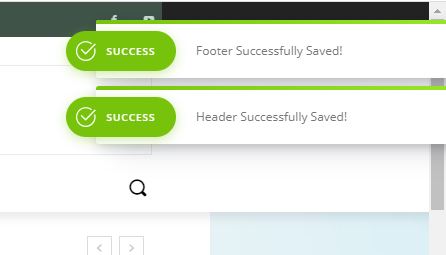
Can you please provide me the complete CSS of the screenshot link shown below? This will appear when you hit the Save button in the tagDiv composer.
Thanks!
 Anamaria
 Hello,
You can do this use the tagDiv Composer to edit the page => https://www.screencast.com/t/imFr64iZZ ,
scroll until to Editor’s Pick or Must Read and you can filter that Flex Block by specific category and/or other settings here: https://www.screencast.com/t/jCEMZn6m5 .
Hope this helps you!
 Robert Turner
 And, here is a page that simply isn’t interested in any Composer changes, ignores them and refuses to save the Content section.
https://medika.life/education/consumer-safety/
breathexzhello, i’cant saved content with tagdiv composer but footer and header can saved. can you troubleshoot and maybe help us?
Robert Turner Hi Calin. I’d suggest opening this article and then attempting via the Composer to edit the template. You can try deleting the right-hand column image and replacing it. Doesn’t work. Any Inline Image or Single image placed into the template won’t accept an image
https://medika.life/meet-the-author-dr-hesham-a-hassaballa/
Occasionally, on some of the templates, it will also not update changes, say if we are trying to replace an old block style with a new one. It all looks good on the template but when you try and save the template, it simply ignores the changes.
Emails with logins have been sent.
 ozgunminareBettina
 Hello!
You can include category in a different block (not only flex block 5 element) edited by TagDiv Composer and have some options here: https://www.screencast.com/t/tnF3mcNqgr :
1. Post ID filter => add posts by IDs
2. Category filter => choose a category from which to display posts
3. Multiple taxonomies filter => choose multiple categories from which to display posts
4. Filter by tag slug => add posts by category name
5. Multiple authors filter => specify ID authors from which to display posts
6. Post Type => specify post type, for example if you have custom posts
7. Sort order => you can choose in which order you want to display posts
Hope that helps you!
Thank you!
Bettina Hello!
You can do that with TagDiv Composer, select the row that contains the logo and the menu and try to apply this setting on mobile version: https://www.screencast.com/t/12dIKoSwKnz
Hope that helps you!
Thank you!
Vlad S Hello !
Unfortunately this will require some custom work. Also to insert CPT-s in Cloud library elements like the blocks it is not possible at the moment. The support team does not cover custom work at the moment.
You can however still use the shortcodes and use the Column text element. Simply copy the shortcode and insert it in the text area of the column text as you can see here: https://www.screencast.com/t/UEMEsVKog
Column text is an element from tagDiv Composer.
Thank you !
 madmatt
Hello,
since my update to PHP 7.3.25, I have this error under some posts:
Warning: count(): Parameter must be an array or an object that implements Countable in /home/…/public_html/wp-content/plugins/td-composer/legacy/Newspaper/loop-single.php on line 374
https://www.awesomescreenshot.com/image/5814365/05a44b91381cd68b872c56d00812ae43
What can I do?
Best regards,
Matt
Vlad S Hello !
You can use the separator element from tagDiv Composer as you can see here: https://www.screencast.com/t/2lKP2AzoG
Thank you !
 catalingeangos
Hi there, i made my website TravelTrained before you made the update with the mobile pages. I checked the changelog but I only saw the bullet points regarding adding the mobile pages function to create them but I couldn’t find the information of the advantages of doing it.
Is any improving in optimization/speed if I delete the old pages made with tagdiv composer (classic way) and create new?
Or the only advantage is you can create different mobile pages if you want and not necessarily to make it look as the desktop version ?
Thanks
Vlad S Hello !
Please send us a screenshot of your System Status Tab and make sure that all the requirements are met as you can see here: https://forum.tagdiv.com/requirements-for-newspaper/ ; You will have to first start looking for a plugin conflict. please deactivate ALL plugins except tagDiv ones, also if you are using child theme or cache plugin, deactivate them, clear all cache and try again.
Also you can try and remove and re-install the tagDiv Composer plugin.
Let us know the results.
Thank you !