- NewspaperAutoptimize Plugin – install and configuration
- NewspaperCache plugin – install and configure
- NewsmagInstall via WordPress
- NewsmagInstall via FTP
- NewsmagInstalling pre-built websites
- TutorialsHow to install Revolution Slider
- NewspaperInstalling Pre-built Websites
- NewspaperHow to Install Newspaper via FTP
- NewspaperHow to Install Newspaper via WordPress
- TutorialsHow to Install bbPress forum
- NewspaperIntroduction to CPT and ACF with Newspaper Theme
- NewspaperHow to edit modules for Flex Block X
- NewspaperWooCommerce: Happy “Add to Favorites!”
- NewspaperWoo Brands
- NewspaperStripe Setup
- NewspaperModal Popup
- NewspaperPayPal Setup
- NewspaperFlex Block Settings Guide
- NewspaperHow to setup the Contact Page
- NewspaperAdd Cryptocurrency Price Ticker Widget
 _Adam_
Hello,
I just bought the newspaper pack and I would like to know how to pre-install the demos ?
In particular: https://demo.tagdiv.com/newspaper_magazine_pro/
thank you in advance for your help
 DigitalPixel
Hi there, I need you to upload demo site on my cpanel, where to send the credentials?
 Anamaria
 There are many optimization guides provided by our users here in the forum, some made by us; you could check some of them
– https://www.infophilic.com/get-almost-100-pagespeed-newspaper-theme/
– https://forum.tagdiv.com/cache-plugin-install-and-configure/
– https://forum.tagdiv.com/how-to-make-the-site-faster/
– https://forum.tagdiv.com/topic/high-number-of-ajax-request/
– https://forum.tagdiv.com/topic/score-100100-pagespeed-with-newspaper-wordpress-theme/
– https://www.andraware.com/wp-rocket-for-newspaper-theme/
– https://forum.tagdiv.com/topic/page-speed-guide-for-2023-beginners-and-advanced/
– https://forum.tagdiv.com/topic/newspaper-theme-speedify-your-website/
– https://forum.tagdiv.com/topic/tutorial-chriss-custom-optimizations-for-functions-php-etc/
– https://forum.tagdiv.com/cloudflare-cdn/
– https://forum.tagdiv.com/topic/theme-causing-high-cpu-usage-2/
– https://forum.tagdiv.com/topic/sql-querys-high-cpu/
– https://forum.tagdiv.com/topic/newspaper-theme-slow-to-respond/
– https://premium.wpmudev.org/blog/optimizing-your-wordpress-database-a-complete-guide/
– https://underconstructionpage.com/optimize-wordpress-database/
– https://crunchify.com/better-optimize-wordpress-database-all-in-one-guide/
Also, pagespeed is not covered by support -> https://forum.tagdiv.com/newspaper-theme-support/
To be able to optimize and to remove CLS and LCP please check these guide => https://developers.google.com/web/tools/lighthouse/ -> https://www.sqlpac.com/en/documents/google-pagespeeds-lighthouse-6-new-features-lcp-cls.html -> https://web.dev/lighthouse-whats-new-6.0/ -> https://web.dev/lcp/ -> https://web.dev/cls/
Thank you!
 Bettina
 Hello Pratul!
There is a 520 error from Cloudflare in your mobile shop. I can see that you have the mobile theme plugin installed on your homepage.
We have 3 options for mobile versions that you can use:
1. Responsive version: A responsive version of your website looks similar to the desktop version. TagDiv Composer is used to edit the page.Click on the mobile viewport: https://www.screencast.com/t/XDQJedlggSB. There, you can see your mobile version and edit or adjust the elements to look better.
2. Mobile pages: https://tagdiv.com/newspaper-10-3-7-update-brings-customizable-and-fast-mobile-pages
3. Mobile theme plugin: The Mobile Theme is a performance-optimized theme included in the main Newspaper theme that only loads on mobile devices. It comes with its own templates and designs for pages, posts, categories, etc., so your current templates from the desktop theme will get converted to the mobile theme layout. Please see https://forum.tagdiv.com/the-mobile-theme/ and https://forum.tagdiv.com/mobile-theme-introduction/ for more information.
A full explanation is here: https://www.youtube.com/watch?v=SpGkOnJeNZY
If you need to use mobile version 1 or 2, then you need to uninstall the Mobile Theme plugin and AMP.
Thank you!
Bettina Bettina Hello @dweb35 !
We have 3 options for mobile versions that you can use:
1. Responsive version: A responsive version of your website looks similar to the desktop version. TagDiv Composer is used to edit the page.Click on the mobile viewport: https://www.screencast.com/t/XDQJedlggSB. There, you can see your mobile version and edit or adjust the elements to look better.
2. Mobile pages: https://tagdiv.com/newspaper-10-3-7-update-brings-customizable-and-fast-mobile-pages
3. Mobile theme plugin: The Mobile Theme is a performance-optimized theme included in the main Newspaper theme that only loads on mobile devices. It comes with its own templates and designs for pages, posts, categories, etc., so your current templates from the desktop theme will get converted to the mobile theme layout. Please see https://forum.tagdiv.com/the-mobile-theme/ and https://forum.tagdiv.com/mobile-theme-introduction/ for more information.
A full explanation is here: https://www.youtube.com/watch?v=SpGkOnJeNZY
If you need to use mobile version 1 or 2, then you need to uninstall the Mobile Theme plugin and AMP.
If you use cloud templates, please edit your homepage with TagDiv Composer, scroll till footer, click on footer zone and you can edit it.
If you use the mobile theme plugin, then check in the Newspaper-> Theme panel-> Translations-> Translations and replace the words on the right side.
Thank you!
Bettina Hello!
Delete the plugin and re-install it again: https://forum.tagdiv.com/newspaper-how-to-update-a-plugin/
Thank you!
Bettina Hello @Hector1 !
Please deactivate, delete, and reinstall the tagDiv mobile theme from Newspaper plugins and clear all cache. If the problem is still there, then make a test and deactivate ALL plugins except tagDiv ones, also if you are using a cache plugin, deactivate it, clear all cache and try again.
Let me know the results!
Thank you!
 ganuk007
 Hello Marco Calvo,
Attempting to delete that field won’t work; it won’t delete. If you try to delete it, it will automatically regenerate as it’s a Balada Malware Injector.
Therefore, you’ll need to reinstall the theme manually. Follow Step 5 & Step 6 as outlined above. & Before this don’t forget Step 2: Backup
Hopefully, this will work for you.

 Suresha B
I recently purchased Newspaper theme and I installed it successfully. When I activate tagDiv Cloud Library Plugin it’s AUTOMATICALLY DISABLED. And error shows like this:
PLUGINS DISABLED AUTOMATICALLY
The following plugins were disabled because they are incompatible with this version of Newspaper:
tagDiv Cloud Library
For update please check the Plugins section
 Antonio Ungaro
 JQMIGRATE: Migrate is installed, version 3.4.1
219712072_103930691980500_8318029660069272118_n.jpg:1
Failed to load resource: the server responded with a status of 403 ()
profilepic/:1
Failed to load resource: the server responded with a status of 404 ()
jquery-migrate.min.js?ver=3.4.1:2 JQMIGRATE: Migrate is installed, version 3.4.1
complianz.min.js?ver=6.5.5:1 opt-in
card:1 Invalid ‘X-Frame-Options’ header encountered when loading ‘https://leggi.amazon.it/’: ” is not a recognized directive. The header will be ignored.
Error with Permissions-Policy header: Unrecognized feature: ‘ambient-light-sensor’.
Error with Permissions-Policy header: Unrecognized feature: ‘ambient-light-sensor’.
Error with Permissions-Policy-Report-Only header: Unrecognized feature: ‘document-domain’.
Error with Permissions-Policy-Report-Only header: Unrecognized feature: ‘document-domain’.
Error with Permissions-Policy header: Unrecognized feature: ‘ambient-light-sensor’.
Error with Permissions-Policy header: Unrecognized feature: ‘ambient-light-sensor’.
Error with Permissions-Policy-Report-Only header: Unrecognized feature: ‘document-domain’.
Error with Permissions-Policy-Report-Only header: Unrecognized feature: ‘document-domain’.
 Calin
Calin Hi,
Please disable and delete the tagDiv Composer after that reinstall the plugin from Newsmag > plugins and also try to remove and reconduct the Instagram in theme panel. Also, check the Instagram settings and make sure it is Business or Creator.
Thank you!
Bettina Hello @faridullah !
Please deactivate, delete, and reinstall the tagDiv mobile theme from Newspaper plugins and clear all cache. Check out this article: https://kinsta.com/knowledgebase/there-has-been-a-critical-error-on-your-website/
Thank you!
 faridullah
Some posts on my site (https://solution8tech.com) do not load and show the error “There has been a critical error on this website.” for example, the post https://solution8tech.com/google-photos-locked-folder-backing-up/. It is pertinent to mention here that there was no error when the posts were published, all posts were loading properly. I have removed the theme and plugins and re-installed them, but they are all in vain. The affected posts load properly on mobile devices
ganuk007 Hello everyone,
I managed to resolve this issue manually. Please follow the steps below to help address the malware problem:
Step 1: Identification
Firstly, locate the malware within the database. Look for a row in the wp-option table named td_live_css_local_storage that contains JavaScript code resembling fast.quickcontentnetwork.com within the option value.
Step 2: Backup
Ensure you create a backup of your current site or application.
Step 3: Deactivate td-composer
Deactivate td-composer and proceed to delete it.
Step 4: Download the Newspaper zip file
Unzip and manually upload the plugin from the following path – Newspaper-tf > plugins > td-composer. If the issue persists, proceed to step 5.
Step 5: Manual Theme Reinstallation
Remove the theme from the server. Navigate to public_html > wp-content > themes and delete the “Newspaper” folder.
Step 6: Reinstall the Theme
Head to the WordPress dashboard, navigate to Appearance > Themes, click on Add New Theme, and install the theme.
Following these steps should help resolve the malware issue. Feel free to provide any feedback or if you need further assistance.
 fpnet
fpnet I have been using the model that I installed from that demo option.
See https://guialimeira.com.br/
In another domain I have, I am having the same difficulty
Bettina Hello @bananaj!
I’ve tested on the latest update of the theme, and this is working as it should.
Please update the theme and plugins too.
Please execute these steps:
1. disable TagDiv Composer
2. uninstall(delete) TagDiv Composer
3. install TagDiv Composer
4. activate TagDiv Composer
Make a test and deactivate ALL plugins except tagDiv ones, also if you are using a cache plugin, deactivate it, clear all cache and try again.
Let me know the results!
Thank you!
Anamaria Hi,
Using our theme you can choose from 3 mobile versions
-> mobile responsive => https://www.screencast.com/t/oJ2ShOp47
-> mobile theme plugin => https://forum.tagdiv.com/the-mobile-theme/
-> mobile page => https://tagdiv.com/newspaper-10-3-7-update-brings-customizable-and-fast-mobile-pages/
If you created the mobile pages with tagDiv Composer, then when you install the Mobile Theme plugin, your pages will be overwritten by the plugin (the mobile theme comes with its templates for page, post, category, etc so your current templates from the desktop theme will get converted to the mobile theme layout, the page content is made without builders in mobile editor => https://www.screencast.com/t/xbgZG8kH also, the options that are provided to edit the mobile theme version are limited (this keeps the things simple)).
This is a video about Responsive Newspaper Theme, AMP & Mobile Theme, Mobile Pages & Templates -> https://www.youtube.com/watch?v=SpGkOnJeNZY
So, the mobile responsive is what you see when that you select the viewport on phone => https://www.screencast.com/t/matV17hH, so some settings may apply for each viewport(where is the border blue), and others are not(where the border is black).
The mobile page has the mobile templates from Cloud Library => https://www.screencast.com/t/YCcZ8rL8
The Mobile responsive version of the theme and the mobile page editor can be edit with tagDiv Composer, the mobile theme plugin cannot.
For example, you can have the mobile theme plugin activated and use the mobile page/mobile responsive version for the homepage/pages, but for the categories pages/404 page, you can’t use the mobile page/mobile responsive version if you have the mobile theme plugin activated.
So, if you want to design the pages with tagDiv Composer, you can use the mobile page or mobile responsive version.
Thank you!
Bettina Hello Rob!
We have 3 options for mobile versions that you can use:
1. Responsive version: A responsive version of your website looks similar to the desktop version. TagDiv Composer is used to edit the page.Click on the mobile viewport: https://www.screencast.com/t/XDQJedlggSB. There, you can see your mobile version and edit or adjust the elements to look better.
2. Mobile pages: https://tagdiv.com/newspaper-10-3-7-update-brings-customizable-and-fast-mobile-pages
3. Mobile theme plugin: The Mobile Theme is a performance-optimized theme included in the main Newspaper theme that only loads on mobile devices. It comes with its own templates and designs for pages, posts, categories, etc., so your current templates from the desktop theme will get converted to the mobile theme layout. Please see https://forum.tagdiv.com/the-mobile-theme/ and https://forum.tagdiv.com/mobile-theme-introduction/ for more information.
A full explanation is here: https://www.youtube.com/watch?v=SpGkOnJeNZY
If you need to use mobile version 1 or 2, then you need to uninstall the Mobile Theme plugin and AMP.
Thank you!
 nagi
nagiRespected Sir/Mam,
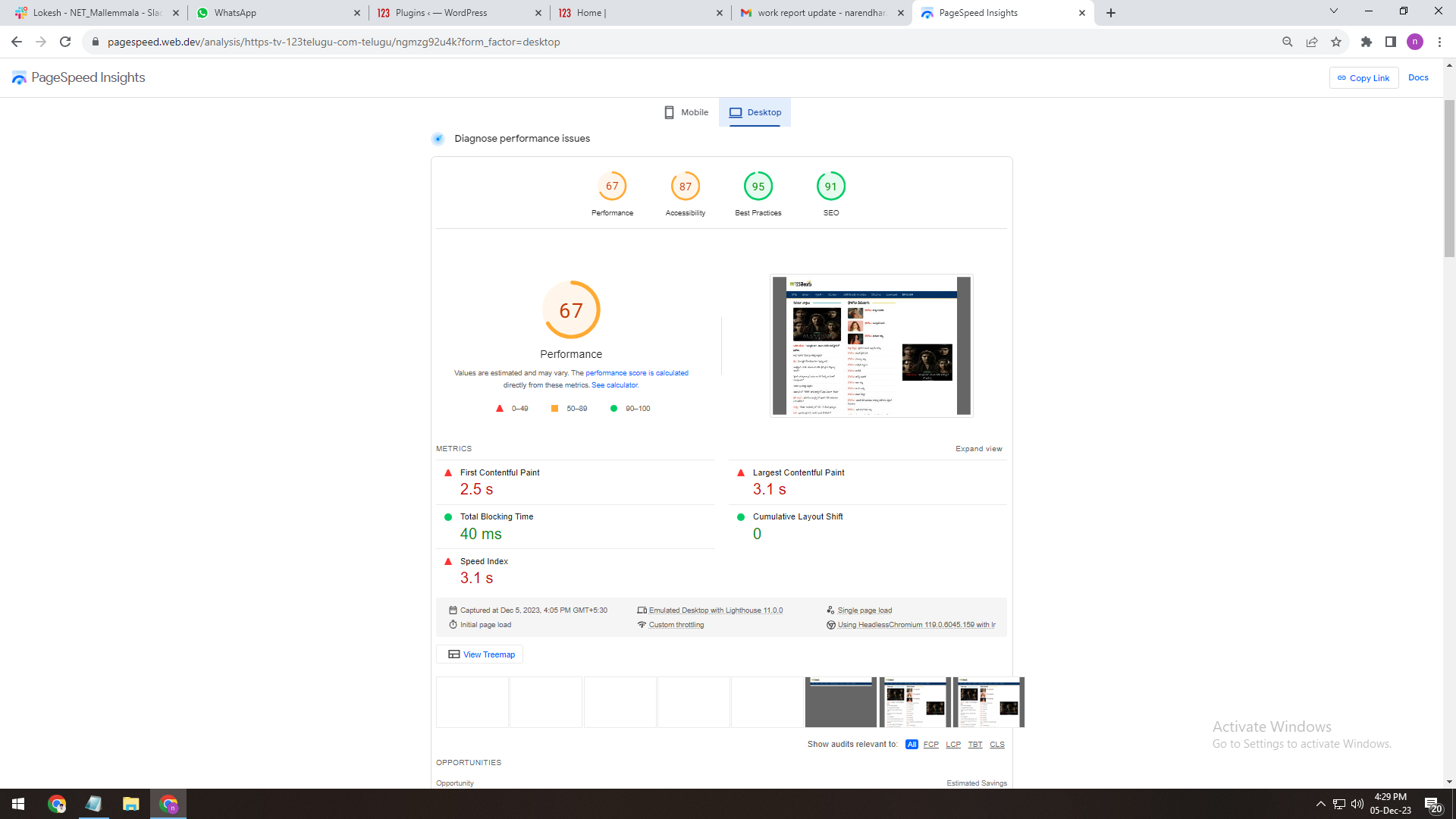
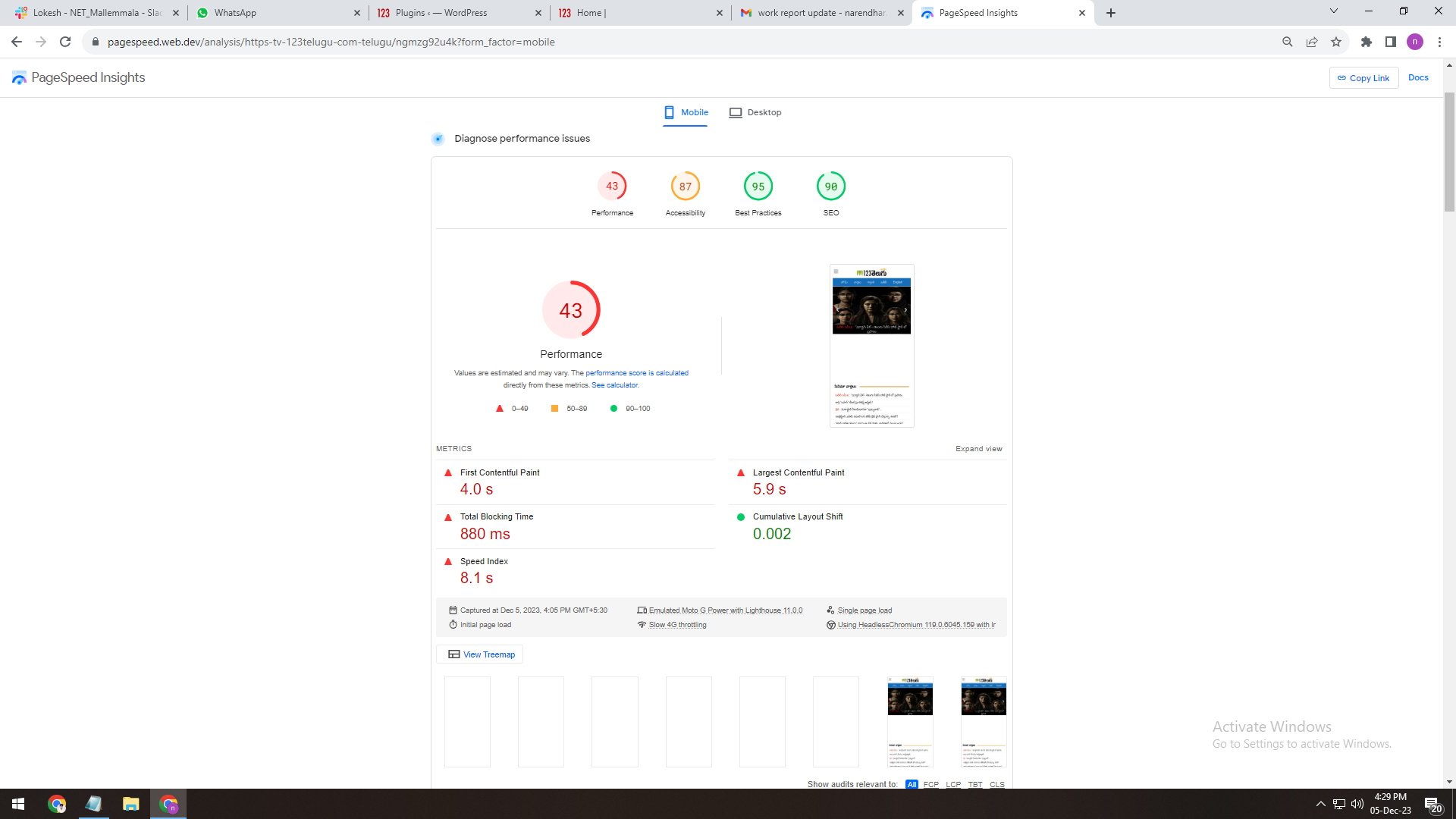
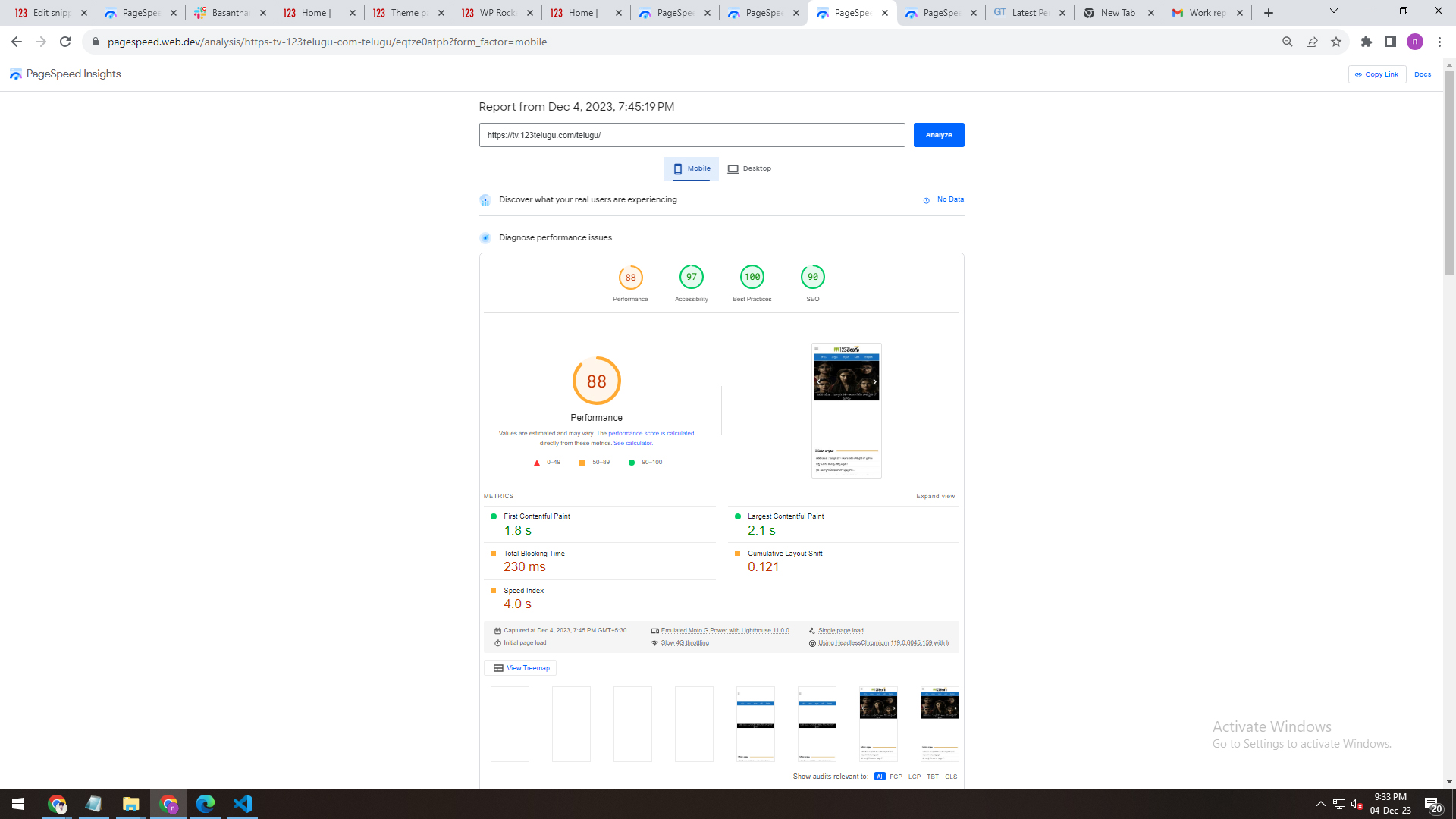
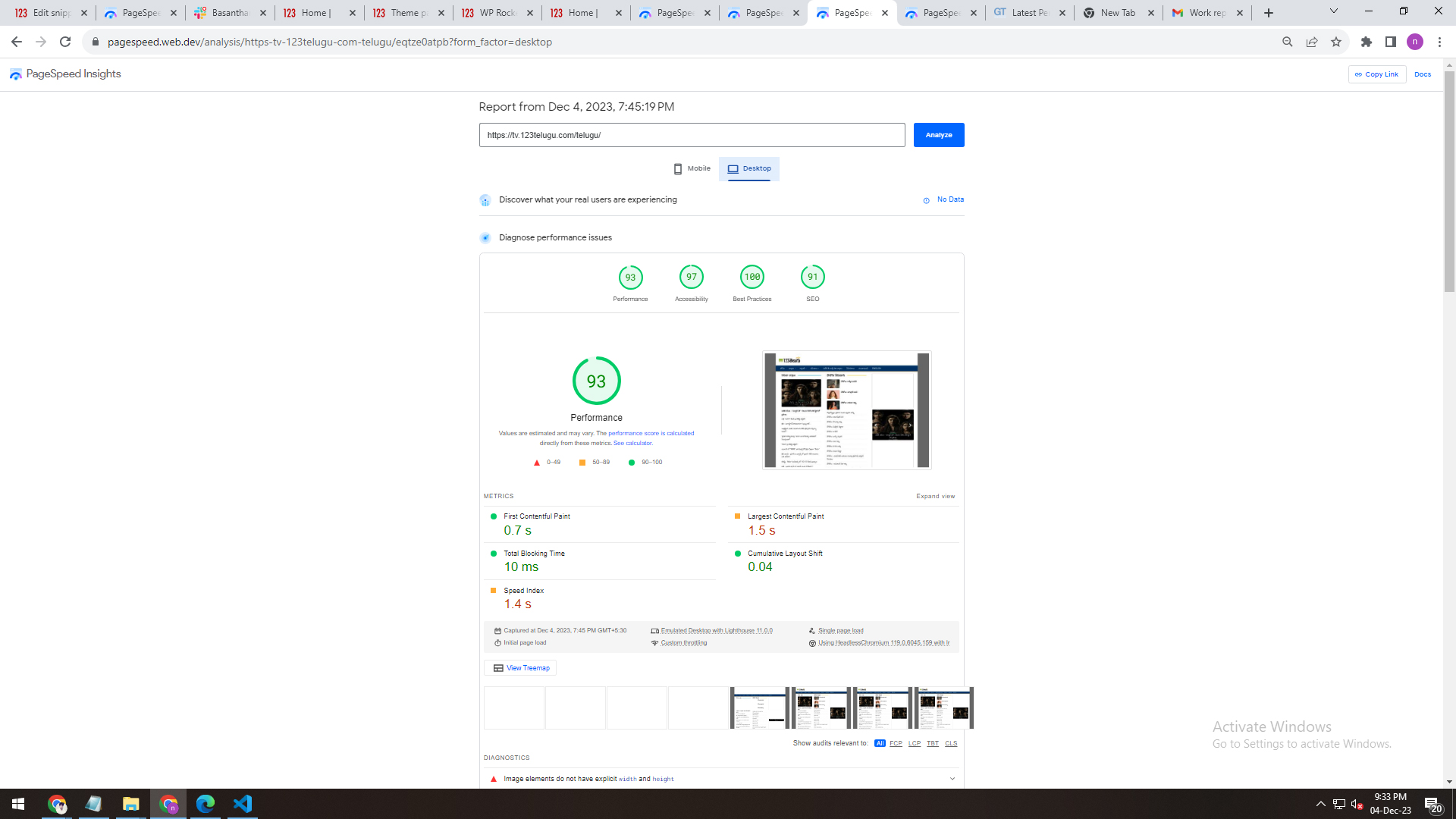
I am a developer at Mallemaala Entertainments, located in Hyderabad. We have a few requirements for our movie review website. I am hereby mentioning our requirements.
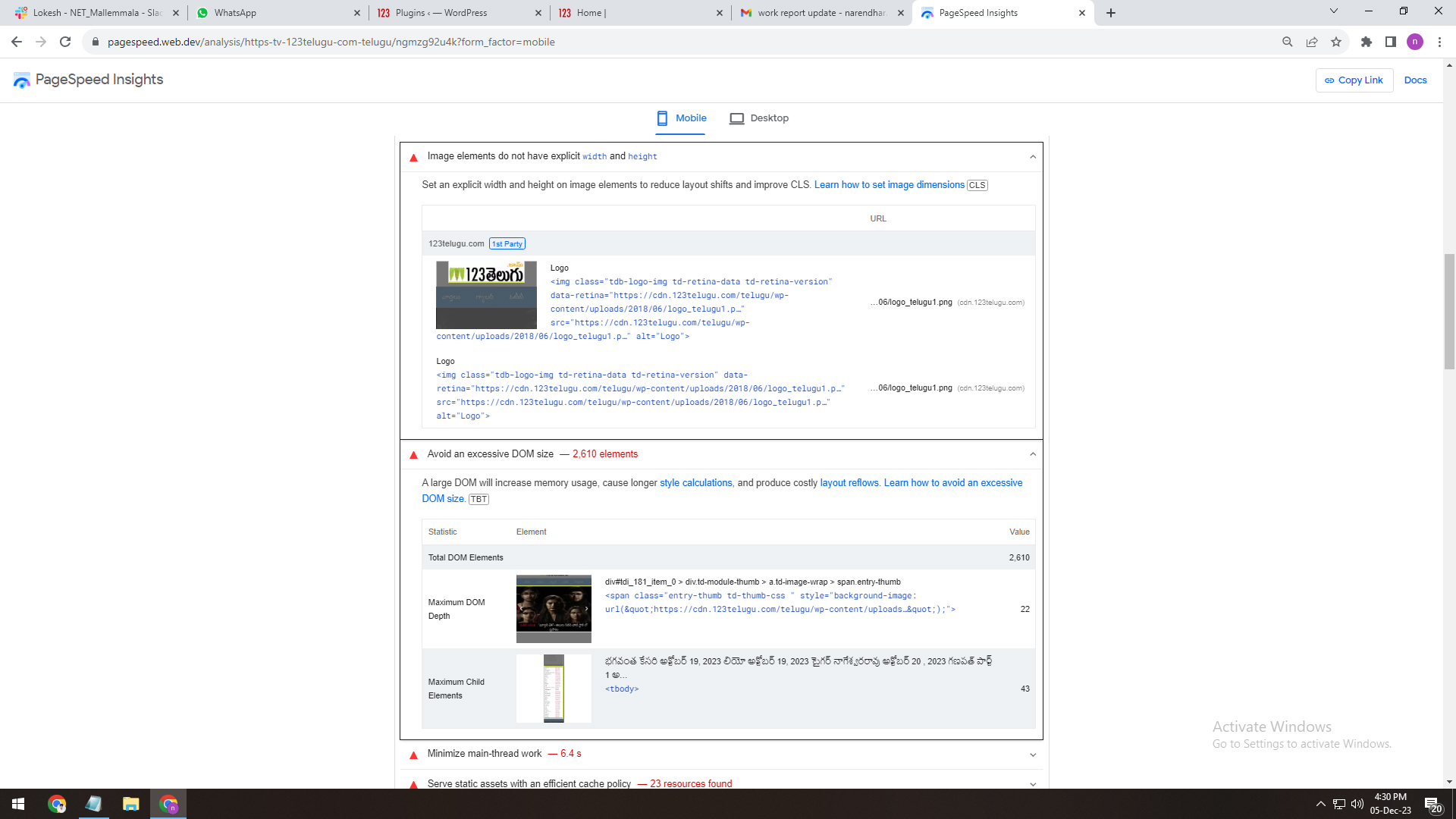
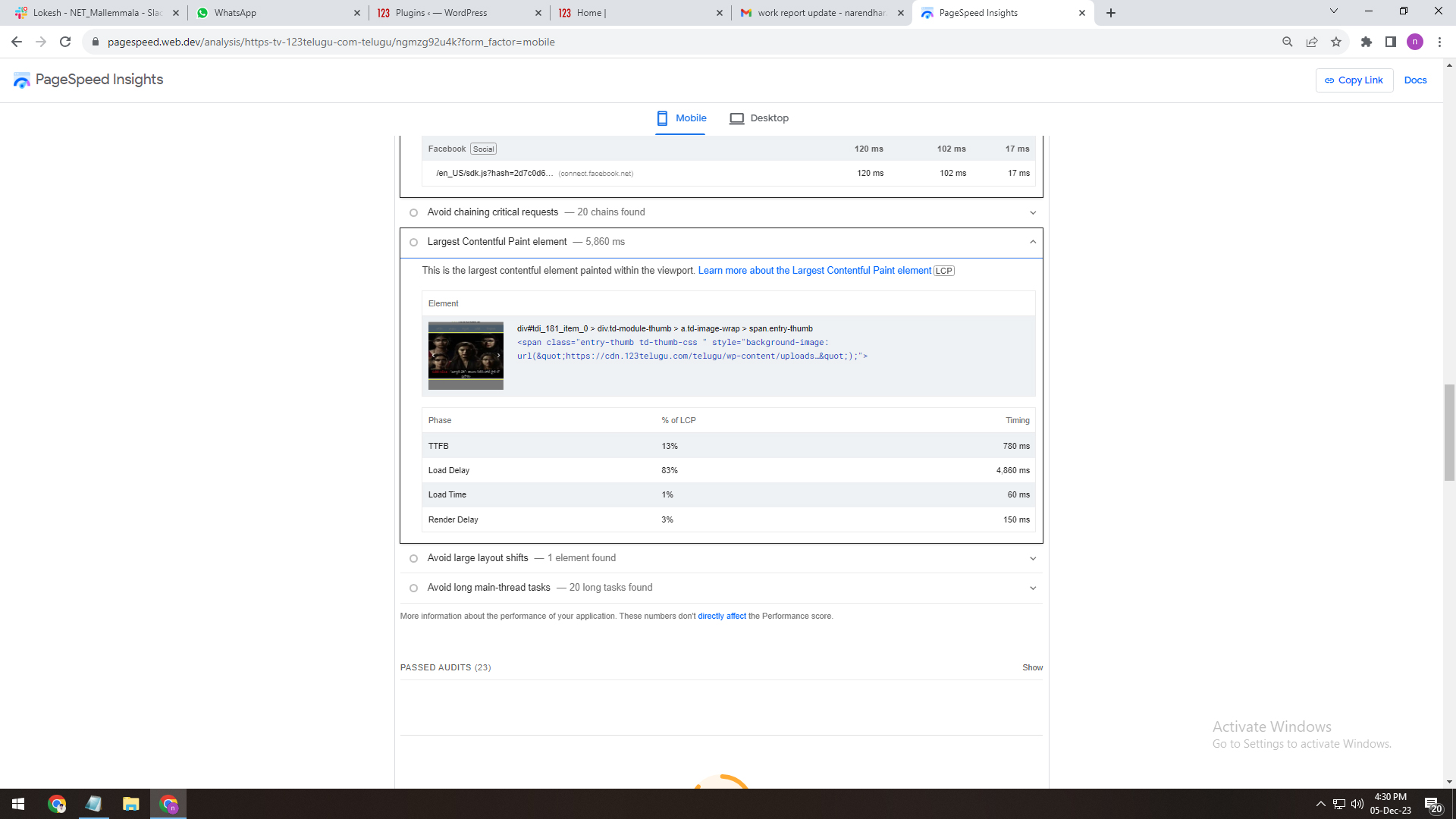
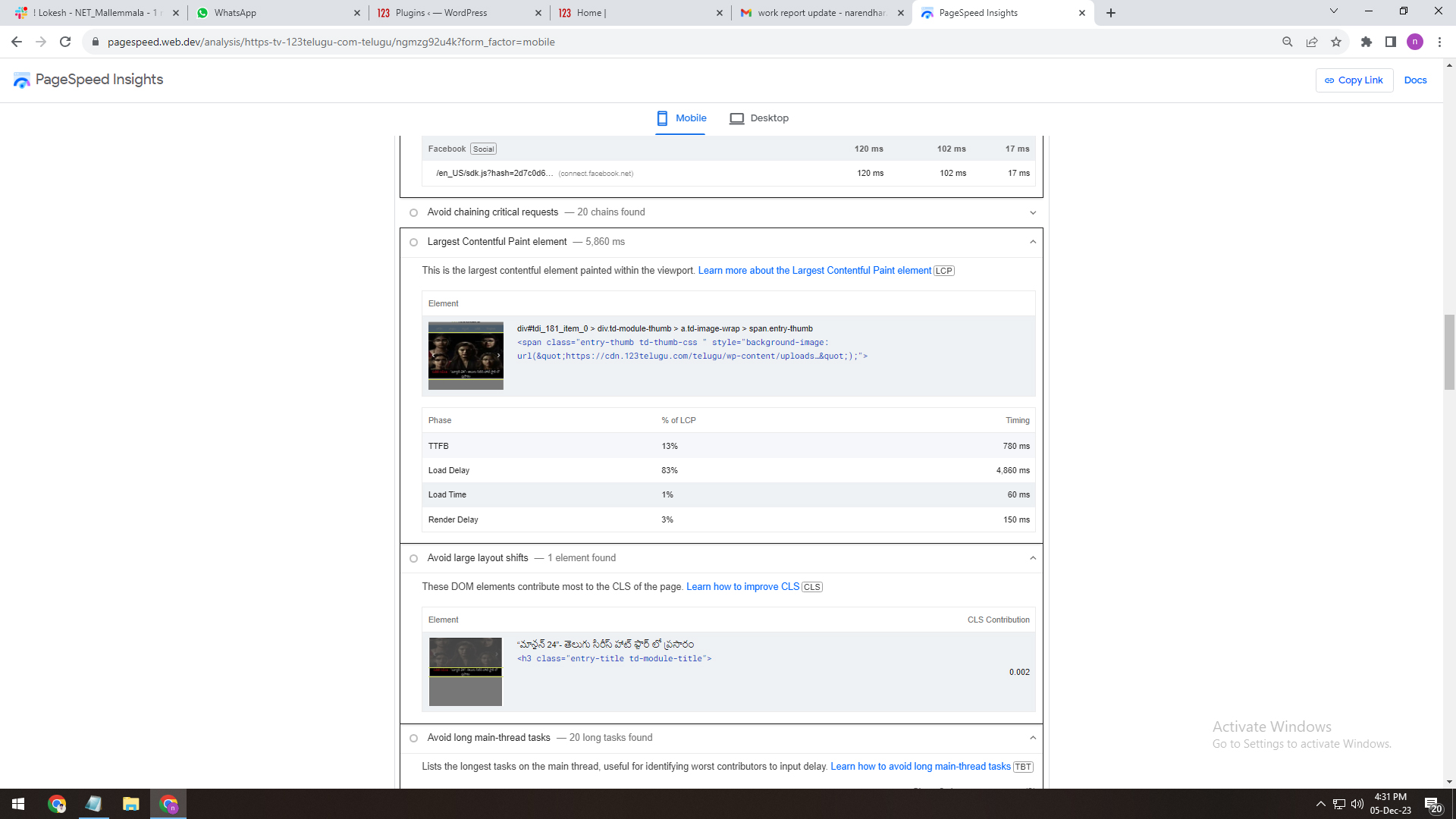
1. We have installed the Newspaper theme on the test server (https://tv.123telugu.com/telugu/) We have three issues:
DOM size (Document Object Model)
First Contentful Paint (FCP)
LCP (Largest Contentful Paint)
2. We installed the WP Super Cache Plug-in on the Newspaper theme. We are having issues with its speed. We are attaching the screenshots depicting the Plug-in’s speed. We are sending the details through links. Please give us recommendations on how to improve the speed.
WP Super Cache Plug
——————-
https://gallery.123telugu.com/images/theme_test/Narender12-05-3.jpg
https://gallery.123telugu.com/images/theme_test/Narender12-05-4.jpg
3. We have also installed the WP Rocket Pro Plug-in for better speed. We are having issues with its speed. We are sending the details through links. Please give us recommendations on how to improve the speed.
wp rocket plugin speed
————-
https://gallery.123telugu.com/images/theme_test/Narender12-05-2.jpg
https://gallery.123telugu.com/images/theme_test/Narender12-05-1.jpg
https://gallery.123telugu.com/images/theme_test/Narender12-05-7.jpg
https://gallery.123telugu.com/images/theme_test/Narender12-05-6.jpg
https://gallery.123telugu.com/images/theme_test/Narender12-05-5.jpg
Bettina Hello @oposum !
Please execute these steps:
1. disable TagDiv Composer
2. uninstall(delete) TagDiv Composer
3. install TagDiv Composer
4. activate TagDiv Composer
Clear all the cache and try again.
If the problem is still there, then contact us via email at contact@tagdiv.com and provide the following:
– admin url and credentials
– cpanel url and credentials
– a link to this topic in order to identify you
We will take a look and try to help you asap.
Thank you!
Bettina Hello @iamramgarhia !
We have 3 options for mobile versions that you can use:
1. Responsive version: A responsive version of your website looks similar to the desktop version. TagDiv Composer is used to edit the page.Click on the mobile viewport: https://www.screencast.com/t/XDQJedlggSB. There, you can see your mobile version and edit or adjust the elements to look better.
2. Mobile pages: https://tagdiv.com/newspaper-10-3-7-update-brings-customizable-and-fast-mobile-pages
3. Mobile theme plugin: The Mobile Theme is a performance-optimized theme included in the main Newspaper theme that only loads on mobile devices. It comes with its own templates and designs for pages, posts, categories, etc., so your current templates from the desktop theme will get converted to the mobile theme layout. Please see https://forum.tagdiv.com/the-mobile-theme/ and https://forum.tagdiv.com/mobile-theme-introduction/ for more information.
A full explanation is here: https://www.youtube.com/watch?v=SpGkOnJeNZY
If you need to use mobile version 1 or 2, then you need to uninstall the Mobile Theme plugin and AMP.
From my point of view, if you don’t use the Mobile Theme plugin, then there is no reason or benefit to AMP. Unfortunately, AMP is not working with the cloud templates because the AMP’s layout is not fully customized.
The AMP version works best with default templates and not cloud templates. That’s why we integrated it with the Mobile theme plugin.
The feedback from our clients about AMP was negative and it is not used anymore, that’s why we didn’t add more customization options.
Thank you for understanding!
 Simion C.
 Hi,
You could try it in a testing/staging install first. A copy of the website can be created with the duplicator plugin for example, or by any other means. Then you can remove the Newsmag theme and its plugins, and install the Newspaper theme and its plugins.
Then it depends on how you want to proceed. One way would be to install a Newspaper demo, which will provide a new homepage and the templates. Or you can import demo parts, they are all available in the cloud library https://cloud.tagdiv.com/#/load/All
Besides sharing a few blocks from the composer, they are different themes after all.
In terms of risks, not sure what to say. Be sure to move your ad codes, analytics codes, also check the SEO, set the widget sidebars. If you use a child theme perhaps, that will have to be remade, in case it is still needed. If you have other pages, check those as well after switching the themes, they may have to be rebuilt or adjusted.
Let me know if you have questions, we can discuss more.
Thank you!
Bettina Hello @Frydenborg!
You mean this sort order: Popular (jetpack + stats module required) – does not work with other settings/pagination and it requires Jetpack – Stats Module to be installed.
Yes, this is available. It was a misunderstanding. Sorry!
Thank you!
Bettina Hello!
Please uninstall the Mobile theme plugin and AMP plugin.
Thank you!